Transcript
User Guide for running ‘Chess Mentor’
1) Within this CD, there is a folder called ‘eden-1.73’. Open that folder.
2) Run the executable ‘tkeden.exe’ by double clicking.
If tkeden.exe in this CD does not run for some reason, you can download it via
http://www2.warwick.ac.uk/fac/sci/dcs/research/em/software/eden/
Direct download link for Windows operating system is below:
http://www2.warwick.ac.uk/fac/sci/dcs/research/em/software/eden/download/edenwindows-1.73.zip
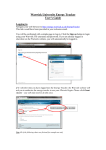
3) Now you must see the tkeden environment. Click to ‘File’ menu on the bar that is located at the
top of tkeden window.
4) Click ‘Open’ to choose a file to run.
5) You must now see the subfolders inside ‘eden-1.73’ folder. Open ‘projects’ folder.
6) Inside ‘projects’ folder, you will find the image files and source code files of ‘Chess Mentor’.
Open ‘run.eden’ file.
7) Now you must see the following statements in tkeden’s entry box:
%eden
include("scout.scout");
include("promotion.eden");
include("captured.scout");
include("new_game.scout");
include("eden.eden");
include("undo.eden");
include("loadsave.eden");
8) Now click on the ‘Accept button’ and ‘Chess Mentor’ will run.
*If you want to go through the source code files, open “/eden-1.73/projects” folder. All the code
files of ‘Chess Mentor’ are located there and can be viewed using most text editors.
Written by Cem OZTURAN