Transcript
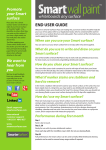
Promote
your
Smarter
Surface
Place your "I'm a Smart Surface"
sticker on the left or right of
your Smarter Surface at
shoulder height. This identifies
to others that they can write on
this surface. If you have a light
switch on that wall place the
sticker above that.
Tip: When applying your
Smarter Surface sticker, hold
the sticker up to the wall and
then peel back the backing
paper bit by bit and smooth
down when adhesive attaches
to the wall.
We want to
hear from
you
We love to get feedback from
our customers. We especially
love to see pictures of how you
use your Smarter Surfaces.
Email:
[email protected]
END USER GUIDE
Welcome to Smarter Surfaces!
If you are reading this, your Smarter Surface should be ready for you to use.
(If not, please refer to our Application Guide which is contained within each kit and is also
on our website (brochure and video guide). These contain all the information you need to
apply Smart Wall Paint.)
When can you use your Smarter
Surface?
You can start to use your Smarter Surface seven days after it has been applied.
What do you use to write and draw
on your Smarter Surface?
You can use any whiteboard marker and accessory on your Smarter Surface. We offer a
wide range of whiteboard accessories which can be shipped worldwide. Visit our
online store to purchase.
How do you clean your Smarter
Surface?
The micro-fibre eraser cloth contained in your kit will wipe off and clean your Smarter
Surface. You may also use any whiteboard cleaner. Note you can wash the cloth (either
in a washing machine at maximum temperature or hand wash.)
What if marker stains are stubborn
and hard to remove?
In the event a stubborn ink has been used on your Smarter Surface, or the surface has
not been wiped clean in a long time, you may need to use our Smart Pro Cleaner.
Simply spray this on over the affected area, and wipe off with your cleaning cloth.
How do I use my Smarter Surface?
International customer
support:
+ 00 353 1 4845 627
www.smartersurfaces.com
There are many ways to use your Smarter Surface. It is used all around the world by
start-ups, large corporates, universities, schools, homes and contractors. Use it for
meetings, brainstorming, to-do lists, designs, drawing and doodling, calendars and lots
more.
Performance during first month
Day 1
Paint is dry to touch.
Day 7-28
Ready to use with dry erase whiteboard markers.
Clean each day with the microfiber eraser cloth in your kit. Do not use cleaning fluids
during this time.
Day 28
The Smarter Surface can be used normally. Whiteboard cleaning products can be used
required.