1
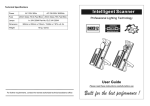
Hallucination/Fascination/Orbiter
User Guide
Professional Entertainment Technology
.
TABLE OF CONTENTS
1.
Introduction
2.
Safety Instruction
3.
Description
4.
Operation and Technical Specification
5.
Exchanging rotating gobos/ Change lamp
6.
Beam Angle
7.
Troubleshooting
8.
Fixture Cleaning
1. Introduction
Thank you for purchasing Wild Tech’s Hallucination, Fascination, Orbiter . Hallucination is a
powerful 250W effect lights, featuring a slow rotating effects wheel and a static effect glass.
It projects a beam through effect glasses onto a multi-colored dichroic dish, creating a
hallucinatory effect. Fascination is a powerful 250W background creation effect which
projects a beam through a replaceable, rotating glass effect wheel onto a multi-colored
dichroic dish, creating an ever changing atmosphere. Orbiter is a powerful 250W effect
lights, featuring a gobo wheel and multi-colored dichroic dish that rotates back and forth,
creating dynamic swiveling effects.
Add a selector switch to select between auto, sound activation, or static function. This
fixture is perfect for clubs, pubs, bars, parties, and mobile DJs.
2. Safety Instruction
Please read carefully the instruction, which includes important information
about the installation, usage and maintenance.
WARNING
♦
Please keep this User Guide for future consultation. If you sell the unit to another user,
be sure that they also receive this instruction booklet.
♦
Unpack and check carefully there is no transportation damage before using the unit.
♦
Before operating, ensure that the voltage and frequency of power supply match the
power requirements of the unit.
♦
It’s important to ground the yellow/green conductor to earth in order to avoid electric
shock.
♦
The unit is for indoor use only. Use only in a dry location.
♦
The unit must be installed in a location with adequate ventilation, at least 50cm from
adjacent surfaces. Be sure that no ventilation slots are blocked.
♦
Disconnect mains power before fuse/lamp replacement or servicing.
♦
Replace fuse/lamp only with the same type.
♦
Make sure there is no flammable materials close to the unit while operating as it is fire
hazard.
♦
Use safety cable when fixes this unit.
♦
Maximum ambient temperature is TA: 40℃. Don’t operate it where the temperature is
higher than this.
♦
Unit surface temperature may reach up to 85℃. Don’t touch the housing bare-hand
during its operation. Turn off the power and allow about 15 minutes for the unit to cool
down before replacing bulb or serving.
♦
In the event of serious operating problem, stop using the unit immediately. Never try to
repair the unit by yourself. Repairs carried out by unskilled people can lead to damage
or malfunction. Please contact the nearest authorized technical assistance center.
Always use the same type spare parts.
♦
Don’t connect the device to any dimmer pack or power pack.
♦
Do not touch any wire during operation as high voltage might be causing electric
shock.
.
Warning
♦
To prevent or reduce the risk of electrical shock or fire, do not expose the unit to rain or
moisture.
♦
Never touch bulb with bare fingers as it is very hot after using.
♦
Hot lamp explosion hazard. Do not open the unit within five minutes after switching off.
♦
Do not start on the unit without bulb enclosure or housing are damaged.
♦
The housing, the lenses, or the ultraviolet filter must be replaced if they are visibly
damaged.
♦
Do not look directly at the light while the bulb is on.
Caution
There are no user serviceable parts inside the unit. Do not open the housing or attempt
any repairs yourself. In the unlikely event your unit may require service, please contact
your nearest dealer.
Rigging the fixtures
The unit should be mounted via its screw holes on the bracket. Always ensure that the
unit is firmly fixed to avoid vibration and slipping while operating. Always ensure that the
structure to which you are attaching the unit is secure and is able to support a weight of
10 times of the unit’s weight. Also always use a safety cable that can hold 12 times of the
weight of the unit when installing the fixture.
The installation must be carried out by qualified service people only. The device should
be installed out of reach of people and outside areas where persons may walk by or be
seated.
3. Description
1. Optical lens with manual focus adjustment.
2. Hanging bracket with 2 knobs on both sides to fasten the unit and a mounting hole to fix a
mounting hook.
3. Mains input with IEC socket and integrated fuse holder, connect the supplied mains cable
here.
4. Lamp compartment, to be opened with this screw.
5. Internal microphone.
6. Selector switch to select between auto, sound activation, or static function.
7. Cooling fan.
8. Gobo flower.
4. Operation and Technical Specification
• Plugging into the mains power, the fixture starts running. The Hallucination, Fascination,
Orbiter runs in automatic or sound activated mode.
• Focus adjustable, and fan cooled.
Specification:
• Voltage: AC 120V~60Hz 230V/240V/250V~50Hz/60Hz
• Fuse: 20mm glass 250V T6.3A / 20mm glass 250V T5A
• Bulb: ELC 24V 250W
• Dimension: 270 x 192 x 120 mm
• Weight: 5.3 kgs
5. Exchanging rotating gobos/ Change lamp
• Always switch off the mains supply before installing or replacing the lamp.
• Never try to replace the lamp when it is hot.
• Do not touch the bulb with bare hands. If this does happen, clean the lamp with denatured
alcohol and wipe with a lint free cloth before installing.
Exchanging rotating gobos for
WT-FAN & WT-HLC!
Change lamp
6. Beam angle
WT-HLC is best to be placed 5 meters from wall, and from this distance the light effect will
cover an area of 8.5 m x 5 m.
WT-FAN is best to be placed 5 meters from wall, and from this distance the light effect will
cover an area of 9 m x 5 m.
WT-OBT is best to be placed 5 meters from wall, and from this distance the light effect will
cover an area of 9 m x 5.2 m.
7. Troubleshooting
Problem
Probable cause(s)
Suggested remedy
No light
No power to the fixture
Check power connections
Blown fuse
If power is applied but does not
light, please check and replace
fuse if necessary.
Burned out lamp
Install new lamp.
Fixture too hot
Allow to cool down. Improve air
flow around the unit.
No action
Sound too low to activate
Increase volume.
control circuit
Electrical malfunction
Refer to service technician.
8. Fixture Cleaning
The cleaning of internal and external optical lenses and/or mirrors must be carried out
periodically to optimize light output. Cleaning frequency depends on the environment in
which the fixture operates: damp, smoky or particularly dirty surrounding can cause greater
accumulation of dirt on the unit’s optics.
Clean with soft cloth using normal glass cleaning fluid.
Always dry the parts carefully.
Clean the external optics at least every 20 days. Clean the internal optics at least
every 30/60 days.
EC Declaration of Conformity
We declare that our products (lighting equipments) comply with the following
specification and bears CE mark in accordance with the provision of the
Electromagnetic Compatibility (EMC) Directive 89/336/EEC.
EN55014-2: 1997 A1:2001, EN61000-4-2: 1995; EN61000-4-3:2002;
EN61000-4-4: 1995; EN61000-4-5: 1995, EN61000-4-6:1996,
EN61000-4-11: 1994.
&
Harmonized Standard
EN60598-1: 2000+ALL:2000+A12:2002
Safety of household and similar electrical appliances
Part 1 : General requirements
Innovation , Quality , Performance