1
Troubleshooting the power meter ROTOR
www.rotorbike.com
Troubleshooting the power meter ROTOR
Pairing
Cycling computer does not detect power meter sensor:
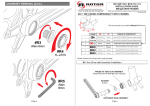
1. Turn the crankset to activate sensor.
2. Verify that the cycling computer detect the power meter sensor. (1)
3. Check if battery is installed correctly: The LED light should be flashing 6 to 10 times.(2)
4. Double check the battery cover that the spring and foam are properly place. (3)
1
2
3
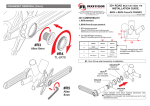
5. If problem persists: Manually enter the last five digits at the serial number.
(as seen in the images below)
SENSOR
ID_ 00046
Power meter values
Incorrect values of power output and cadence
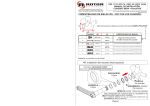
1. Calibration.
Follow the steps indicated in user manual with one side perpendicular to the ground. (at six o´clock)
Repeat the calibration
process again for the
non drive side
Warning: Do note that the crankset will go into sleep mode after 2 min of non activity, which would prevent any calibration. Repeat
the steps until calibration values appear. The values an most cycling computers are between 1000-1500 on the drive side and
6500-7000 on the non drive side.
Troubleshooting the power meter ROTOR
2. Power balance (Left/Right power output percentage).
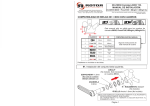
Check if the balance values in the graph are consistent (check graphic below).
Example of inconsistent power balance values. If this occurs double check the check the battery is charged.
The LED light should be flashing six to ten times.
Example of an incorrect calibration. The balance line of the pedal stroke is running below
the 50/50 line showing extrem values. If this occurs repeat the calibration procces.
Troubleshooting the power meter ROTOR
3. Verify the power output in the graphics.
Make sure that the cadence, power output, speed and altitude are all consistent to the power.
Ascending
- Speed
+ Power
Descending
+ Speed
- Power
On flat courses and stops
The speed and power output data coincide with each other
SPEED
ALTITUDE
POWER
CADENCE
If the values are inconsistent check the calibration and battery.