1
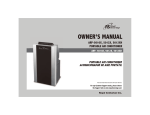
Mobile air conditioner unit
HCL147 Operating Instructions
The HCL 147E is a powerful split system, portable air conditioner unit designed for comfort cooling generating 14,000BTU/HR or
4.1kw of cooling. This mobile air conditioner unit is suitable for comfort cooling offices, portacabins, commercial premises,
exhibitions and computer sites. Easy air conditioning installation it requires a 13 amp socket. Other features on this mobile air
conditioner unit include -
•
•
•
•
•
•
•
Thermostat control
High / low fan speed
Electric Heater
24 hour timer
Additional 3 metre refrigerant line allowing up to a 6 metre line
Quick connect couplings
Easy clean filters
Air conditioner Installation
For the best comfort cooling ideally position the mobile air conditioner condenser unit through a window (supplied with hanging
straps and hooks) it can also be installed through a hole in a wall. The ‘’clips’’ must face towards the wall so the hot air flow is
directed towards the outside. Please ensure that the outside condenser of the portable air conditioner unit is fastened securely.
•
•
•
•
•
•
•
Temporary mobile air conditioner installation: The refrigerant line connecting the indoor part of the portable air
conditioner unit to the external condenser can be placed through an open window. The window sections should then
ideally be closed as much as possible and sealed.
When moving the mobile air conditioner, hook the two units together with the built in clips
Before bringing the outside unit in, tilt it to empty any water inside
Permanent mobile air conditioner unit Installation: To be able to shut the window completely cut a 45 x 25mm slot in
the window
Ensure the refrigerant line connecting the indoor part of the portable air conditioner to the external condenser is not
twisted
At the end of the season before storing the mobile unit drain the condensate tank by removing its cap. Don’t forget to
replace the cap afterwards
Permanent mobile air conditioner installation must be carried out by a qualified person. Contact London Cool on 0800
440 444
1. On – Off switch
2. Fan speed selector switch
3. Air conditioner unit tank full indicator light
4. Thermostat
5. Power ON indicator light
6. Cooling / Heating switch
7. Heater status indicator light
8. Air conditioner status indicator light
9. Timer
10. Timer setting control
11. Timer functioning indicator light
Cooling
•
•
•
•
•
•
Turn the thermostat knob (4) all the way towards right (max. cooling)
Press the on switch
Make sure the heating switch (6) has not been pressed and then set the fan speed (2)
When the desired comfort level has been reached, turn the thermostat knob (4) towards left until the compressor
switches off.
Your mobile air conditioner will now automatically maintain the comfort level you have set. To turn off and on again use
the ON / OFF switch (1).
Adjust the airflow louver in your preferred position.
Heating
•
•
•
•
•
Press the ON switch (1)
Move the thermostat knob (4) to the red section of the control panel (all the way towards left)
Press the heating switch (6)
When the desired comfort cooling level has been reached, turn the thermostat knob (4) to the right until the status light
above the button switches off.
The windows must be completely shut when the heating function is in use.
Timer
•
•
•
•
Check the position of the timer switch to make sure it has not been turned on.
Turn the timer knob (9) in order to set the control on present time
Pull the clips for the time the air conditioner is to run. Example: Timer set at 12:00 o’ clock. The air conditioner is to run
from 3:00 – 5:00 pm
Press the timer switch (10)
Trouble Shooting – HCL147E Split Air Conditioning Unit
PROBLEM
POSSIBLE CAUSE
SUGGESTED SOLUTION
The air conditioner does not turn on
Not plugged in
Plug in or check if the socket is live
Fan does not start
Programmer is on
Turn programmer off
Portable air conditioner unit does not cool
Thermostat is not set correctly on blue
zone
Set thermostat
Cooling ON button is not pressed in
Push in cooling button. Check to be
certain key (6) has not been pressed
Air filters are clogged
Clean air filters
Excessive thermal load
Try air conditioner in a smaller room with
less exposure to the sun
Windows and doors are open too much
Close them as much as possible
Water condensate tank is full
Empty the water tank
Air conditioner does not cool the room
Control panel is ON but the room air
conditioner does not perform any function
If none of the suggested solutions apply, please switch the unit off, unplug it and call London Cool for service on
0800 440 444
London Cool air conditioner rental & Sales
This document has been compiled in good faith, but no representation is made or warranty given (either express or implied) as
to the completeness or accuracy of this information