1
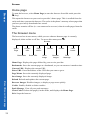
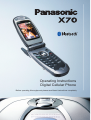
X 70
Operating Instructions
Digital Cellular Phone
Before operating this equipment please read these instructions completely
Contents
Contents . . . . . . . . . . . . . . . . . . . . . . . . . . . . . . . . 3
Important information . . . . . . . . . . . . . . . . . . . . . 5
Care and maintenance . . . . . . . . . . . . . . . . . . . . . 9
Overview of features . . . . . . . . . . . . . . . . . . . . . . 11
SIM and battery . . . . . . . . . . . . . . . . . . . . . . . . . . 12
Quick start . . . . . . . . . . . . . . . . . . . . . . . . . . . . . . 14
Your phone . . . . . . . . . . . . . . . . . . . . . . . . . . . . . . 20
Display icons . . . . . . . . . . . . . . . . . . . . . . . . . . . . 22
Menu structure . . . . . . . . . . . . . . . . . . . . . . . . . . . 24
Voice calls . . . . . . . . . . . . . . . . . . . . . . . . . . . . . . 26
Text entry . . . . . . . . . . . . . . . . . . . . . . . . . . . . . . . 35
Settings . . . . . . . . . . . . . . . . . . . . . . . . . . . . . . . . . 38
Contacts list . . . . . . . . . . . . . . . . . . . . . . . . . . . . . 58
Games . . . . . . . . . . . . . . . . . . . . . . . . . . . . . . . . . . 67
Browser . . . . . . . . . . . . . . . . . . . . . . . . . . . . . . . . 69
Camera . . . . . . . . . . . . . . . . . . . . . . . . . . . . . . . . . 74
Messaging. . . . . . . . . . . . . . . . . . . . . . . . . . . . . . . 80
Data folders . . . . . . . . . . . . . . . . . . . . . . . . . . . . . 100
Contents
Organiser . . . . . . . . . . . . . . . . . . . . . . . . . . . . . . . 111
Connect. . . . . . . . . . . . . . . . . . . . . . . . . . . . . . . . . 121
Accessories . . . . . . . . . . . . . . . . . . . . . . . . . . . . . . 130
Troubleshooting . . . . . . . . . . . . . . . . . . . . . . . . . . 133
3
Contents
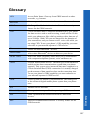
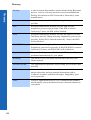
Glossary . . . . . . . . . . . . . . . . . . . . . . . . . . . . . . . . 137
Contents
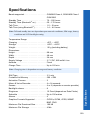
Specifications. . . . . . . . . . . . . . . . . . . . . . . . . . . . 139
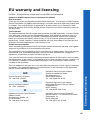
EU warranty and licensing. . . . . . . . . . . . . . . . . . 141
Personal settings and notes . . . . . . . . . . . . . . . . . 149
Index . . . . . . . . . . . . . . . . . . . . . . . . . . . . . . . . . . 152
4
Important information
Thank you for purchasing this Panasonic digital cellular phone. This phone is designed
to operate on GSM networks – GSM900, GSM1800 and GSM1900. It also supports
GPRS for packet data connections. Please ensure the battery is fully charged before use.
We, Panasonic Mobile Communications Co., Ltd., declare, that the EB-X70 conforms
with the essential and other relevant requirements of the directive 1999/5/EC.
A Declaration of Conformity to this effect can be found at
http://www.panasonicmobile.com
Panasonic Mobile Communications Co. Ltd. (Panasonic)
This phone must be used in compliance with any applicable international or national law
or any special restrictions governing its use in specified applications and environments.
This includes but is not limited to use in hospitals, aircraft, whilst driving and any other
restricted uses.
It is recommended that you create a copy or backup as appropriate for any important
information and data which you store in your phone's memory. In order to avoid
accidental loss of data, please follow all instructions relating to the care and maintenance
of your phone and its battery. Panasonic accepts no liability for any and all losses
howsoever arising from any loss of data, including but not limited to direct and indirect
losses (to include, but not limited to consequential loss, anticipated savings, loss of
revenue).
Your phone has the capability of storing and communicating personal information. It is
recommended that you take care to ensure that any personal or financial information is
stored separately from your phone. You should use the security features, such as Phone
Lock and/or SIM Lock, provided in the handset as a measure of protection for
information held. Panasonic accepts no liability for any and all losses howsoever arising
from any loss of data, including but not limited to direct and indirect losses (to include,
but not limited to consequential loss, anticipated savings, loss of revenue).
Important information
Your phone has the capability of downloading and storing information and data from
external sources. It is your responsibility to ensure that in doing this you are not infringing
any copyright laws or other applicable legislation. Panasonic accepts no liability for any
and all losses howsoever arising from any loss of data or any such infringement of
copyright or IPR, including but not limited to direct and indirect losses (to include, but
not limited to consequential loss, anticipated savings, loss of revenue).
You are advised to take appropriate care over the use of the internal camera. It is your
responsibility to ensure that you have permission to take photographs of people and
objects and that you do not infringe any personal or third party rights when using the
camera. You must comply with any applicable international or national law or other
special restrictions governing camera use in specified applications and environments.
This includes not using the camera in places where the use of photographic and video
equipment may be prohibited. Panasonic accepts no liability for any and all losses
5
Important information
Important information
howsoever arising from any infringement of copyright or IPR, including but not limited
to direct and indirect losses.
The display layouts and screenshots within this document are for illustrative purposes and
may differ from the actual displays on your phone. Panasonic reserve the right to change
the information in this document without prior notice.
Display images are simulated. Actual images may differ.
Safety considerations
You should read and understand the following information as it provides details for
operating your phone in a manner which is both safe to you and your environment, and
conforms to any legal requirements regarding the use of cellular phones.
A Fast Travel Charger (EB-CAX70UK or EB-CAX70EU) is supplied
with the phone. Other recommended equipment for charging is the Car
Charger (EB-CDX70).
This equipment should only be charged with approved charging
equipment, to ensure optimum performance and avoid damage to your
phone. Other usage will invalidate any approval given to this apparatus
and may be dangerous. Ensure the voltage rating of the Fast Travel
Charger is compatible with the area of use when travelling abroad.
Use of a battery pack other than that recommended by the manufacturer
may result in a safety hazard.
Never expose the battery to extreme temperatures (in excess of 60°C).
If you use a feature that keeps the key backlight on continuously for a long
time, for example, Camera, Games, or Browser, you will reduce your
battery life. To maintain longer battery life, set the key backlight off.
See Setting the key backlight on page 39.
Switch off your cellular phone when in an aircraft. The use of cellular
phones in an aircraft may be dangerous to the operation of the aircraft,
disrupt the cellular network and may be illegal. Failure to observe this
instruction may lead to the suspension or denial of cellular phone services
to the offender, or legal action or both.
Do not incinerate or dispose of the battery as ordinary rubbish. The battery
must be disposed of in accordance with local legislation and may be
recycled.
6
Important information
It is advised not to use the equipment at a refuelling point. Users are
reminded to observe restrictions on the use of radio equipment in fuel
depots, chemical plants or where blasting operations are in progress.
It is imperative that the driver exercises proper control of the vehicle at all
times. Do not hold a phone while you are driving; find a safe place to stop
first. Do not speak into a handsfree microphone if it will take your mind
off the road. Always acquaint yourself thoroughly with restrictions
concerning the use of cellular phones within the area you are driving and
observe them at all times.
Care must be taken when using the phone in close proximity to personal
medical devices, such as pacemakers and hearing aids.
Do not leave the camera facing direct sunlight, as this may impair its
performance.
For most efficient use hold the phone as you would any normal phone. To
avoid deterioration of signal quality or antenna performance, do not touch
or cup the antenna area while the phone is switched on. (See SAR on
page 8). Unauthorised modifications or attachments may damage the
phone and violate applicable regulations. The use of an unapproved
modification or attachment may result in the invalidation of your
guarantee – this does not affect your statutory rights.
Important information
This equipment should only be used with Panasonic approved accessories to ensure
optimum performance and avoid damage to your phone. Panasonic is not responsible for
damages caused by using non-Panasonic approved accessories. This Panasonic mobile
phone is designed, manufactured and tested to ensure that it complies with the
specifications covering RF exposure guidelines applicable at the time of manufacture, in
accordance with EU, USA FCC, and Australian ACA regulations.
Please refer to our website for latest information/standards compliance in your country/
region of use.
http://www.panasonicmobile.com
7
Important information
SAR
Important information
European union - RTTE
THIS PANASONIC PHONE (MODEL EB-X70) MEETS THE EU REQUIREMENTS
FOR EXPOSURE TO RADIO WAVES.
Your mobile phone is a radio transmitter and receiver. It is designed and manufactured
not to exceed the limits for exposure to radio frequency (RF) energy recommended by
The Council of the European Union. These limits are part of comprehensive guidelines
and establish permitted levels of RF energy for the general population. The guidelines
were developed by independent scientific organisations through periodic and thorough
evaluation of scientific studies. The limits include a substantial safety margin designed to
assure the safety of all persons, regardless of age and health.
The exposure standard for mobile phones employs a unit of measurement known as the
Specific Absorption Rate, or SAR. The SAR limit recommended by The Council of the
European Union is 2.0 W/kg.* Tests for SAR have been conducted using standard
operating positions with the phone transmitting at its highest certified power level in all
tested frequency bands. Although the SAR is determined at the highest certified power
level, the actual SAR level of the phone while operating can be well below the maximum
value. This is because the phone is designed to operate at multiple power levels so as to
use only the power required to reach the network. In general, the closer you are to a base
station antenna, the lower the power output.
Before a phone model is available for sale to the public, compliance with the European
R&TTE directive must be shown. This directive includes as one essential requirement the
protection of the health and the safety for the user and any other person. The SAR value
for this model phone, when tested for use at the ear, for compliance against the standard
was 0.459 W/kg. While there may be differences between the SAR levels of various
phones and at various positions, they all meet the EU requirements for RF exposure.
* The SAR limit for mobile phones used by the public is 2.0 watts/kilogram (W/kg)
averaged over ten grams of tissue. The limit incorporates a substantial margin of safety
to give additional protection for the public and to account for any variations in
measurements. SAR values may vary depending on national reporting requirements and
the network band.
For SAR information in other regions please look under product information at
http://www.panasonicmobile.com/health.html
8
Care and maintenance
Pressing any of the keys may produce a loud tone. Avoid holding the
phone close to your ear while pressing the keys.
Extreme temperatures may have a temporary effect on the operation of
your phone. This is normal and does not indicate a fault.
If you use your phone in a temperature over 40°C for a long time, the
display quality may deteriorate.
Do not modify or disassemble the equipment. There are no user
serviceable parts.
Do not subject the equipment to excessive vibration or shock.
Do not drop the battery.
Avoid contact with liquids. If the equipment becomes wet immediately
remove the battery and contact your dealer.
Care and maintenance
Never throw a battery into a fire. It may explode.
Do not leave the equipment in direct sunlight or a humid, dusty or hot
area.
Keep metallic items that may accidentally touch the terminals away
from the equipment/battery.
Batteries can cause property damage, injury, or burns if terminals are
touched with a conductive material (i.e. metal jewellery, key, etc.).
9
Care and maintenance
Care and maintenance
10
Always charge the battery in a well ventilated area, not in direct
sunlight, between +5°C and +35°C. It is not possible to recharge the
battery if it is outside this temperature range.
When connecting the phone to an external source, read the operating
instructions of the equipment for the correct connection and safety
precautions. Ensure the phone is compatible with the product it is being
connected to.
When disposing of any packing materials or old equipment check with
your local authorities for information on recycling.
Overview of features
Your phone has the following features:
Bluetooth® connectivity
Use this to make and receive calls using wireless Bluetooth® Headsets or Car Kits. Also
to transfer data to and from PCs, Laptops, other mobile phones and devices that support
Bluetooth®.
Calculator
Use this to perform basic calculations.
Camera
Use the digital camera to take pictures to send in your messages or use as your wallpaper.
Converter
Use this to convert currency values when you are abroad.
Games
Use this to play games on your phone.
Infrared connectivity
Use this to transfer information between your phone and another device that has an
infrared port.
MMS (Multimedia Messaging)
Use this to send and receive pictures and sounds.
Schedule
Use this to set reminders for important events.
SMS (text messaging)
Use this to send and receive text messages.
SMS Chat
Use this to have a text conversation.
Synchronization
Use this to synchronize your Schedule and Contacts List with an external server.
Voice dial
Use this to dial a number by talking to the phone.
WAP browser
Overview of features
Use this to access the Internet.
11
SIM and battery
SIM and battery
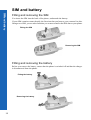
Fitting and removing the SIM
You insert the SIM into the back of the phone, underneath the battery.
If your SIM contains contact details, the first time that you browse your contacts list after
fitting a new SIM, you are asked whether you want to transfer the SIM data to your phone.
Fitting the SIM
Removing the SIM
Fitting and removing the battery
Before you remove the battery, ensure that the phone is switched off and that the charger
is disconnected from the phone.
Fitting the battery
Removing the battery
12
SIM and battery
Charging the battery
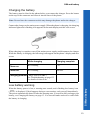
The battery must be fitted in the phone before you connect the charger. Press the button
on the top of the connector and insert it into the base of the phone.
Note: Do not force the connector as this may damage the phone and/or the charger.
Connect the charger to the mains power supply. When the phone is charging, the charging
indicator lights and a flashing icon appears in the main display and the case screen.
When charging is complete, turn off the mains power supply and disconnect the charger.
While the battery is charging, the following icons appear on the phone’s display and case
screen
While charging
Charging complete
Phone on
K Flashing
H
Phone off
K Flashing
No icon.
Charging problem Charge fault icon (F).
See Troubleshooting on page 133
for details of what to do.
Low battery warning
SIM and battery
When the battery power is low, a warning tone sounds, and a flashing low battery icon
(L) is displayed. If this happens during a conversation, end your call immediately.
The power automatically shuts off after the warning tone. You need to fully recharge your
battery, see Charging the battery on page 13. You can still make and receive calls while
the battery is charging.
13
Quick start
Quick start
Note: Some services are network dependent or may only be available on a subscription
basis. Some functions are SIM dependent. For more information contact your
service provider.
Switching the phone on and off
To switch the phone on or off, press and hold E.
If you have set an animation and greeting, these are displayed. The phone starts in idle
mode.
Making calls
Ensure that the phone is switched on, the network operator logo is displayed and the
signal strength icon shows that network coverage is available in the current area.
From idle mode, enter the area code and phone number.
Press D.
Locking the keypad
You can lock the keypad to avoid accidentally making calls when the phone is in your
bag or pocket.
From idle mode press and hold Q.
Select Keyguard.
Press Q twice.
To unlock the keypad:
Press Q twice.
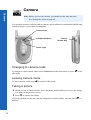
Camera mode
To change to camera mode either select Camera from the main menu (press Q twice),
or press B from idle mode if the shortcut key is set for camera.
Leaving camera mode
To leave camera mode press E to return to idle mode.
14
Quick start
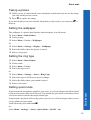
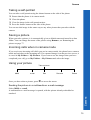
Taking a picture
When you are in camera mode, move the phone around until you can see the image
you want on the preview screen.
Press Q to capture the image.
If you decide that you do not want the image that you have taken, you can press B to
delete it.
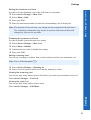
Setting the wallpaper
The wallpaper is a picture that displays when the phone is in idle mode.
Select Menu > Data Folders.
Find a picture.
Select Menu > Use As > Wallpaper.
Or
Select Menu > Settings > Display > Wallpaper.
Select the folder where the picture is stored.
Select your picture.
Setting the ring type
Select Menu > Data Folders.
Find a sound.
Select Menu > Use As.
Select the type of call.
Or
Select Menu > Settings > Alerts > Ring Type.
Select the type of call that you want to change.
Select the folder where your sound is stored.
Select your sound.
Setting quiet mode
Quick start
In quiet mode the microphone amplifies your voice, so you can whisper and still be heard
by the person on the other end of the call. You should use quiet mode in situations where
you do not want to disturb the people around you.
In quiet mode, the phone will not ring when you receive a call or message, unless you set
a ring volume for quiet mode.
From idle mode, press and hold #.
Or
Select Menu > Settings > Alerts > Quiet Mode > On/Off > On.
15
Quick start
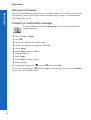
Using your browser
Quick start
Before you can start using your browser, you need to contact your service provider. When
your phone is set up to access the internet see Home page on page 70 for information
about using the browser.
Creating a multimedia message
Use the Create option on the Messaging menu to create a multimedia
(MMS) message.
Select Create > MMS.
Press Q.
Select the item that you want to enter.
When your message is complete, select Ok.
Select Addr:.
Select Edit to enter an address.
Enter an address.
Select Subj:.
Select Edit to enter a subject.
Enter a subject.
To send your message, press A or press Q and select Send.
To save your message press Q and select Save. Your message is stored in the Outbox,
so you can send it or edit it later.
16
Quick start
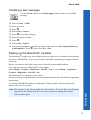
Creating a text message
Use the Create option on the Messaging menu to create a text (SMS)
message.
Select Create > SMS.
Enter your text.
Press Q.
Select Ok or Cancel.
Press Q to send the message.
Enter the phone number.
Press Q.
Select Ok or Cancel.
If you selected Ask as your Receipt option, then you are asked ‘Request Delivery
Confirmation?’ Press Q, then select No or Yes.
Setting up the Bluetooth® headset
The Bluetooth® headset may be included with your phone or it is available as an optional
accessory (EB-BHX70). It gives you wireless, handsfree operation up to approximately
10 metres.
Before you can use the headset you need to Pair the headset and the phone.
First you need to turn on Bluetooth® on the phone:
Select Menu > Connect > Bluetooth > On/Off > On, or select Menu > Organiser >
Connect > Bluetooth > On/Off > On.
The Bluetooth® icon appears on the screen.
You now need to set up the headset, for more details please refer to the Headset Operating
instructions.
To turn the EB-BHX70 headset on and make it Discoverable, hold down the main
function key for 10 seconds..
Quick start
Note: The headset is only Discoverable for a few minutes. If it is not Discovered during
this period, the Pairing will fail. You can try again by making the headset
Discoverable again.
17
Quick start
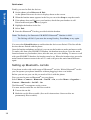
Finally you need to Pair the devices:
Quick start
On the phone select Discover & Pair.
As the phone Discovers devices it displays them on the screen.
When the headset name appears in the list you can select Stop to stop the search.
If the phone does not Discover your headset, check that your headset is still
Discoverable and press A to try again.
Highlight the headset in the list.
Select Pair.
Enter the Bluetooth® Passkey provided with the headset.
Note: The Passkey for Panasonic EB-BHX70 Bluetooth® Headset is 0000.
The Pairing will fail if you enter the wrong Passkey. Press Retry to try again.
You can select Paired Devices to confirm that the devices are Paired. This lists all the
devices that are Paired with the phone.
Once the headset and phone are Paired, you can use the headset to make and answer calls.
To make calls from your EB-BHX70 headset, the headset must be on. Press the main
function button on your headset, then, after the tone, use voice dialling. To answer a call
with your EB-BHX70 headset, the headset must be on. When the headset rings, press the
main function button to answer the call. To end a call press the main function button
again.
Setting up Bluetooth® car kits
Your phone works with a wide range of Bluetooth® car kits. With a Bluetooth® car kit
you can operate your phone handsfree without plugging it into a car holder.
Before you can use your car kit you need to Pair it with the phone.
First you need to turn on Bluetooth® on your phone:
Select Menu > Connect > Bluetooth > On/Off > On, or select Menu > Organiser >
Connect > Bluetooth > On/Off > On.
The Bluetooth® icon appears on the screen.
You now need to make the car kit Discoverable:
Turn on the car kit.
Make the car kit Discoverable. (See car kit instructions. Some car kits are
permanently Discoverable).
18
Quick start
Finally you need to Pair the devices:
On the phone select Discover & Pair.
As the phone Discovers devices it displays them on the screen.
When the car kit name appears in the list you can select Stop to stop the search.
If the phone does not Discover your car kit, press A to try again.
Highlight the car kit in the list.
Select Pair.
Enter the Bluetooth® Passkey provided with the car kit.
You can select Paired Devices to confirm that the devices are Paired. This lists all the
devices that are Paired with the phone.
Once the car kit and phone are Paired, you can make calls and answer calls using the car
kit. To make calls from your car kit, press the green call button on your car kit, then, after
the tone, use voice dialling. To answer a call with your car kit, press the green call button.
To end a call press the red end call button on your car kit.
Quick start
Note: Voice dial recordings must be loud to ensure confirmation is audible when using
some car kits.
19
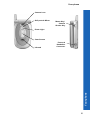
Your phone
Your phone
Ear Piece
Main Display
Left Soft Key A
Use to:
Access the Contacts
List from idle mode.
Switch between text
entry types.
Select the option in the
left hand selection area.
Navigation Key
This is a multi function key.
It is represented by Q in
the text. Press the edges
of this key to move around
the display.
Right Soft Key B
Use to:
Cancel the current option.
Return to the previous
menu.
Delete last character in
text entry.
Select the option in the
right hand selection area
Call Key D
Keypad
@ Key j
Use to:
Go to the Browser
default home page from
idle mode.
Microphone
20
Accessory Connector
End Call Key E
Your phone
Camera Lens
Self-portrait Mirror
Memo Key /
Camera
Shutter Key
Photo Light
Case Screen
Your phone
Infrared
Personal
Handsfree
Connector
21
Display icons
Display icons
After some operations, the display automatically clears after three seconds or when you
press any key.
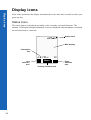
Status icons
The status icons are displayed according to the currently activated functions. The
antenna, GSM signal strength and battery icons are displayed when the phone is switched
on and connected to a network.
--:--
YwqTI
Status icons
Main display
Information
area
o]|?tz
Left
selection
area
22
N
Menu
Primary selection area
Right
selection
area
Display icons
z or /
J
t
N
q
S
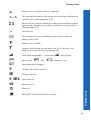
Registered to a non-home network - Roaming.
The selected line number of the current call when using a SIM that has
two lines. This is SIM dependent. M
The call you are currently listening to when you are connected to more
than one call. Any other calls listed on the display are on hold. This is
SIM dependent. M
Call divert on.
New message received. A flashing envelope indicates that your
message store is full.
GPRS service available.
Antenna. Indicates that you can make a call. If it is the only icon
displayed, you can only make emergency calls.
T
GSM signal strength: \– weak signal, T – strong signal.
H
Battery level:
F
Abnormal battery charging
o
All tones off or ring volume off.
]
Vibration alert on.
o]|
Quiet mode on.
O
Phone lock on.
?
Alarm set.
w
Bluetooth® on. Flashes when Discoverable.
H – full, L (flashing) – low.
Display icons
Y
23
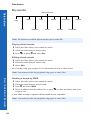
Menu structure
Menu structure
24
The nine main menus are as follows:
Note: The menus may not display in the same order or with the same icons as listed here.
The order and icons vary according to your service provider.
Settings
Contacts List
1 Display
2 Alerts
3 Keys
4 Phone Settings
5 Clock
6 Call Service
7 Call Divert
8 Security
9 Network
10 Defaults
1
2
3
4
5
6
7
Games
Messaging
Data Folders
Organiser
1
2
3
4
5
Settings
Inbox
Broadcasts
Voice Mail
Create
1
2
3
4
6
7
8
9
e-mail
Data Folders
Outbox
SMS Chat
1
2
3
4
5
6
7
8
9
Browse
Create
Voice Dial
Groups
Settings
SIM
Storage
My Pictures
My Sounds
My Themes
User 1 - 5
Browser
1
2
3
4
5
6
7
8
9
Home Page
Bookmarks
Enter URL
Page Memo
Push Message
Browser Settings
Server List
Cookie
Last Status
Connect
Synchronization 1 Bluetooth
Contacts List
2 Infrared Dialup
Converter
3 Receive Object
Business Card
Schedule
Calculator
Alarm
Memo
Receive Object
Camera
Menu structure
Navigation key
The navigation key is a multi-function key. You use the top, bottom, left and right edges
to move around the display. These actions are indicated by b, a, d and c in this user
guide. You press the centre of the navigation key Q to:
z
z
z
z
z
z
Access the menu system.
Display a submenu.
Select a highlighted menu item.
Confirm a selection.
Select the item in the primary selection area.
Take a picture with the camera
Menu shortcuts
When you are familiar with the menu system, you can enter the menu number instead of
navigating through the display menus. For example, to browse your contacts list:
Menu structure
From idle mode, press Q, 2, 1.
25
Voice calls
Voice calls
Making calls
Ensure that the phone is switched on, the network operator logo is displayed, and the
antenna and signal strength icons (ST) show that network coverage is available in the
current area.
From idle mode, enter the area code and phone number.
Press D.
Ending calls
Press E.
Answering a call
To receive a call the phone must be switched on and the signal strength icon (T) must
be displayed.
To answer a call, press any key except E.
Answering a call handsfree
Press and hold D.
Note: Do not hold the phone to your ear when in handsfree mode.
Sending DTMF tones during a call
You can send DTMF tones during a call to access voice mail, paging and computerised
home banking. For example, you may need to enter a number to remotely access voice
mail messages.
To send DTMF tones during a call, press the required digit keys.
Rejecting a call
If you do not want to answer an incoming call, press E.
Note: If you do not answer a call, or reject a call, the number of incoming calls missed
is displayed. Press any key to clear the display.
26
Voice calls
Making international calls
If you know the international number, you can enter it in the normal way, followed by the
area code and phone number.
You can use the automatic international access code (+), to dial international numbers
without knowing the code for the international exchange.
From idle mode, press and hold 0 until + is displayed.
Use e to scroll through a list of country codes.
Select the code you want.
Enter the area code and phone number.
Press D.
Note: Many countries/regions include an initial 0 in the area
code. In most cases, you should omit this when
dialling international numbers. If you have difficulties
making international calls, contact your service
provider.
qTI
List
BTN
BWA
C
CAF
CAM
CAN
CH
Ok
Making emergency calls
To make an emergency call, the antenna symbol (S) must be present.
If a SIM is installed, enter 112 and press D.
If a SIM is not installed, press Q, select SOS, press Q.
Voice calls
Note: Making emergency calls without a SIM installed is country or network operator
dependent.
27
Voice calls
Voice calls using Bluetooth® headset or car kit
Voice calls
Making calls
You can use voice dial (see Creating a voice dial entry on page 61 for instructions on how
to use voice dial). to make voice calls from your Bluetooth® headset or car kit without
pressing any keys on your phone. With some headsets and car kits you can also redial the
last number (refer to your headset or car kit instructions for details).
To make a voice dial call using your Bluetooth® headset or car kit:
Press the main function button on the EB-BHX70 headset, or the green call button on
most car kits.
Wait for the tone. Your phone displays Please Call Voice Command.
Speak the voice command.
Your phone repeats the voice dial entry back for confirmation. If you hear a double
tone, then the voice command has failed.
Your phone dials the number.
To end the call, press the main function button on the EB-BHX70 headset, or the red end
button on most car kits.
Note: Bluetooth® must be switched on (Connect > Bluetooth > On/Off > On) and your
Bluetooth® headset or car kit must be Paired with your phone, see Discovering
and Pairing devices on page 122 for details.
Your voice dial recordings need to be loud to ensure that they are audible when
you use a car kit.
Receiving calls
You can answer voice calls using your Bluetooth® headset or car kit without pressing any
keys on your phone.
When the Bluetooth® headset or car kit rings, press the main function button on the EBBHX70 headset or the green call button on most car kits. This answers the call with audio
on the headset or car kit.
To end the call, press the main function button on the EB-BHX70 headset, or the red end
button on most car kits.
Note: Only the default Bluetooth® audio device will ring. If this device is switched off
or out of range, you can answer the call from any other Paired headset or car kit.
See Selecting default audio device on page 123 for details of how to select the
default audio device.
28
Voice calls
Rejecting calls
To reject an incoming call:
Wait until the headset or car kit rings.
Press and hold down the main function key on the EB-BHX70 headset until you hear
a low tone, or press the red end button on most car kits.
Transferring calls from handset to Bluetooth® headset or car kit
If you make a call using your handset, you can transfer the call to your headset or car kit
once the call is connected.
Press the main function button on the EB-BHX70 headset, or the green call button on
most car kits.
The display reads Voice Call Bluetooth.
Alternatively, you can select Menu > Bluetooth. The display reads Transferring Audio
to Bluetooth, then changes to Bluetooth Audio Transfer Complete.
Note: If you transfer the call using the Menu, then the call is transferred to the default
audio device. See Selecting default audio device on page 123 for information
about selecting your default audio device.
Transferring a call from Bluetooth® headset or car kit to handset
If you are making a call using your headset or car kit, you can transfer the call to your
handset.
On the handset, select Menu.
Select H’held.
Using automatic redial
If a connection is unsuccessful, press Q when Ok is displayed.
To stop redialling, press Q when Cancel or C is displayed.
Using hotkey dialling
Voice calls
If you have set up hotkey dialling, you can press and hold a digit key to call contacts on
your Contacts List. As each entry in your Contacts List is stored in a numbered location,
press and hold the digit key relating to that location. To turn on hotkey dialling
see Enabling and disabling hotkey dialling on page 64.
29
Voice calls
Displaying caller ID
Voice calls
Note: This is network dependent R.
If the caller’s number and name are stored in your Contacts List, they can be displayed
during an incoming call.
Note: Caller ID may not always be available.
Setting the ear piece volume
During a call press e to adjust the ear piece volume.
Note: You can adjust the volume for the personal handsfree, Bluetooth® headset or
Bluetooth® car kit accessories in the same way.
Swapping between handsfree and handheld modes
From handheld to handsfree
Press Q.
Select H’free.
From handsfree to handheld
Press Q twice.
Holding a call
Press Q.
Select Hold.
Resuming a call
Press Q.
Select Resume.
Press Q.
30
Voice calls
Making a second call
Note: This is network dependent R.
If Call Waiting is enabled, you can make a second call. You can check your call waiting
status from Settings > Call Service > Calls > Call Waiting.
Note: You cannot make more than one fax or data call at a time.
You must end all voice calls before you can make or receive a fax or data call.
Press A.
Select contact number to dial.
Select Recall.
Press Q.
Press D.
The first call is put on hold.
Receiving a second call
Note: This is network dependent R.
If Call Waiting is enabled, you can receive a second call. You can check your call
waiting status from Settings > Call Service > Calls > Call Waiting.
Note: You cannot receive more than one fax or data call at a time.
You must end all voice calls before you can make or receive a fax or data call.
Accept or reject a second call
Press Q.
Select Accept or Reject.
Note: If you accept the second call, the current call is put on hold.
Voice calls
End current call and receive second call
Press E.
Press D to answer the second call.
31
Voice calls
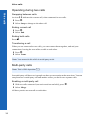
Operating during two calls
Voice calls
Swapping between calls
An icon (J) indicates the current call, when connected to two calls.
Press Q.
Select Swap to change to the other call.
Ending current call
Press Q.
Select End.
Ending both calls
Press E.
Transferring a call
When you are connected to two calls, you can connect them together, and end your
connections, leaving the two callers to talk to each other.
Press Q.
Select Trans.
Note: You cannot do this while in multi-party mode.
Multi-party calls
Note: This is SIM dependent M.
In a multi-party call three to six people can have a conversation at the same time. You can
swap between a multi-party call and another call as you do for two separate calls.
Enabling a multi-party call
With two calls connected (one active and one on hold), press Q.
Select Merge.
All three parties can now talk to each other.
32
Voice calls
Adding people
You can add people to the multi-party call (up to a maximum of five), either by making
a call or accepting an incoming call. You can then merge the new call into the multi-party.
Press Q.
Select Merge.
Note: When you make a call or accept an incoming call, the multi-party call is placed on
hold. The other callers in the multi-party call can continue to talk to each other
while on hold from you.
Splitting a multi-party call
You can select a caller from the multi-party call and remove their connection, so that you
can talk privately to them.
Press Q.
Select Option.
Select a caller.
Select Split.
The selected caller is split from the multi-party and the multi-party call is placed on hold.
The remaining multi-party callers can still talk to each other.
Rejoining a multi-party call
When you have finished talking to an individual you can rejoin the multi-party call:
Press Q.
Select Merge.
Ending a single connection to a multi-party call
Press Q.
Select Option.
Select a caller.
Select End.
Voice calls
Note: You cannot end an individual caller if you have a call on hold or another call is
incoming.
Ending all connections to a multi-party call
Press E.
Note: This ends all calls, including those on hold or split from the multi-party call.
33
Voice calls
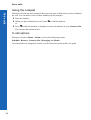
Using the notepad
Voice calls
During a call you can enter numbers that you may want to dial when you have finished
the call. You can make a note of these numbers on the notepad.
Enter the number.
When you have finished your call, press D to dial the number.
or
Press A while the number is displayed to store the number in your Contacts List.
The current call remains active.
In call options
During a call select Menu > Menu to access the following menus:
Schedule, Browser, Contacts List, Messaging and Memo.
For information on using these menus, see the relevant section in this user guide.
34
Text entry
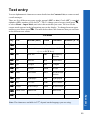
You use alphanumeric characters to enter details into the Contacts List, to create text and
e-mail messages.
There are five different text entry modes: normal (ABC or abc), Greek (V), extended
alphabet (W), numbers (X) and T9® (T9). To change your text entry mode press A,
or select Menu > Input Mode, and select the mode that you want. The icon for the
current mode appears in the information area on the display. To change between upper
and lower case letters press *. The table below shows the characters that you can enter
in the different text modes.
Text Mode
Key
T9®
0
Alternatives
Greek
Extended
+_
Numeric (0 - 9)
0+P_
Punctuation . @ / : ; * # + - “ , ! ¡ ? ¿ _ ( ) [ ] { } ’ & % \ ^ 1
~|<>=€£$¥¤§
2
abc
ABCabc
ΑΒΓ
AÄÅÆBCÇ
aäåæàbc
2
3
def
DEFdef
∆ΕΖ
DEÉFdeéèf
3
4
ghi
GHIghi
ΗΘΙ
GHIghiì
4
5
jkl
JKLjkl
ΚΛΜ
JKLjkl
5
6
mno
MNOmno
ΝΞΟ
MNÑOÖØm 6
nñoöøò
7
pqrs
PQRSpqrs
ΠΡΣ
PQRSpqrsß
7
8
tuv
TUVtuv
ΤΥΦ
TUÜVtuüùv
8
9
wxyz
WXYZwxyz
ΧΨΩ
WXYZwxyz 9
*
Shift/Lock
Shift/Lock
#
Shift/Lock
Space
*
#
Text entry
1
Normal (ABC)
Note: The characters available in T9®, depend on the language you are using.
35
Text entry
T9®
Text entry
Using T9® reduces the number of key presses required.
When in T9® mode:
Press a key once for any letter you require on that key. The desired letter may not be
displayed.
Continue pressing other keys until the end of a word is reached.
Check that the word has been typed correctly before continuing to the next word.
If the combination of letters typed has produced a word which is not the one you
require, press e or 0 until the correct word is displayed.
Continue to the next word.
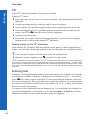
If the word you require is not in the internal dictionary, you can enter it using the
Normal mode, or add it to the internal T9® dictionary.
Adding entries to the T9® dictionary
If the internal T9® dictionary does not contain a word, name, or abbreviation that you
require, you can add it. Words that you add to the T9® dictionary are available for future
use.
From Normal, Extended or Greek mode, enter the required word.
When the word is complete, press A to select T9® entry mode.
®
®
T9 is a trademark of Tegic Communications Inc. T9 Text Input is licensed under one or more of the following:
U.S. Pat Nos. 5,818,437, 5,953,541, 5,187,480, 5,945,928, and 6,011,554; Canadian Pat No. 1,331,057; United
Kingdom Pat No. 2238414B; Hong Kong Standard Pat. No. HK0940329; Republic of Singapore Pat No. 51383;
Euro. Pat No. 0 842 463 (969272260.8) DE/DK,FI, FR, IT, NL, PT, ES, SE, GB: and additional patents are pending
worldwide.
Entering text
In Normal, Greek and Extended modes, each time you press a key in quick succession the
next character available on that key is displayed. For example, to enter ‘c’ you need to
press 2 three times in quick succession. To enter the displayed character, release the
key or press another key. The cursor then moves to the next position. If you want to enter
two consecutive letters from the same key, for example ‘on’ or ‘ll’, you may need to press
c to move to the next position.
You can also select characters from the character list. You can display the character list
by pressing and holding a text entry key, or by selecting Menu > Char.List. Only the
characters available in your current text entry mode are displayed.
36
Text entry
Editing text
Press e to move up or down one line of text.
Press f to move left or right one character.
Press B to delete the character to the left of the cursor.
Press and hold B to delete the current line.
If you move the cursor over a character and press another key, the new character is
inserted immediately before the selected character.
Cut, copy and paste
You can cut, copy and paste text from other messages or contacts list entries on your
phone.
To cut text:
Select Menu > Cut.
Move to the start of the text that you want to cut, and select Start.
Use f to highlight the text that you want to cut, and select Stop.
To copy text:
Select Menu > Copy.
Move to the start of the text that you want to copy, and select Start.
Use f to highlight the text that you want to copy, and select Stop.
You can only paste text if you have previously cut or copied some text. To paste text:
Text entry
Move where you want to paste the text.
Select Menu > Paste.
37
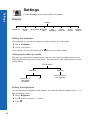
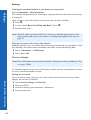
Settings
Settings
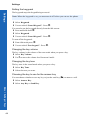
Use the Settings menu to personalise your phone.
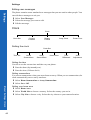
Display
Display
Wallpaper
On/Off
Show
Brightness Backlight
Time
Key
Backlight
Clock/
Calendar
Case
Screen
Operator
Notice
Setting the wallpaper
The wallpaper is a picture that displays when the phone is in idle mode.
Select Wallpaper.
Select your picture.
If your picture is not in the folder press B then select another folder.
Changing the start up events
The start up events are an animation that you can select and a greeting that you enter.
These appear when you turn on the phone. The animation is also shown when you turn
off the phone.
On/Off Show
Animation
Greeting
Enter the text of
your greeting
Select one of
the preset
animations
Off
Setting the brightness
You can adjust the brightness of the display. To make the display brighter select +1, to
dim the display select -1.
Select Brightness.
Use e to move between +1, 0 and –1.
Press Q.
38
Settings
Menu > Settings > Display
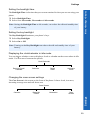
Setting the backlight time
The Backlight Time is the time that your screen remains lit when you are not using your
phone.
Select Backlight Time.
Select from 10 seconds, 30 seconds and 60 seconds.
Note: Setting the Backlight Time to 60 seconds, can reduce the talk and standby time
of your battery.
Setting the key backlight
The Key Backlight illuminates your phone’s keys.
Select Key Backlight.
Select On or Off.
Note: Turning on the Key Backlight can reduce the talk and standby time of your
battery.
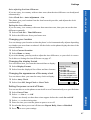
Displaying the clock/calendar in idle mode
You can choose whether or not to display a clock or calendar on the screen when in idle
mode. Use e to move between the options.
Clock/Calendar
Remove Clock/
Calendar
Calendar
Digital
Clock
Analogue
Clock
Changing the case screen settings
The Case Screen is the screen on the front of the phone. It has a clock, icon area,
incoming message area and call alerts area.
Case Screen
Backlight
Colour
Orientation
Case
Screen
Settings
Contrast
39
Settings
Settings
Changing the contrast
Select Contrast.
Use e to move between 0 and 10.
Select Ok.
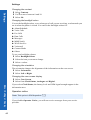
Changing the backlight colour
You set the backlight colour, to see what type of call you are receiving, or what mode you
are in when the phone is closed. You can set the backlight colour for:
z Alarm/Schedule
z Voice Calls
z Fax Calls
z Data Calls
z Messages
z MMS Notify
z WAP Services
z Voicemail
z Camera Mode
z Others
To set your backlight colours:
Select BacklightColour.
Select the item you want to change.
Select a colour.
Changing the orientation
The orientation changes the alignment of the information on the case screen.
Select Orientation.
Select Left or Right.
Changing the case screen display
Select Case Screen.
Select from Clock/Status, Analogue and Digital.
Menu > Settings > Display
40
If you select Clock/Status, the battery level and GSM signal strength appear in the
information area.
Operator notice
Note: This option is SIM dependent. M
If you disable Operator Notice, you will not receive messages from your service
provider.
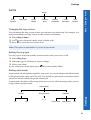
Settings
Menu > Settings > Alerts
Alerts
Alerts
Ring
Volume
Ring Type
Quiet
Mode
Vibration
Alert
Melody
Composer
Voice
Recorder
Auto
Answer
Changing the ring volume
You can change the ring volume so that you can hear your phone ring. For example, in a
noisy environment you may want to set the volume to maximum.
Select Ring Volume.
Use e to move between 0 and 4 on the volume scale.
Press Q to select the new volume level.
Note: This option is unavailable if you are in quiet mode.
Setting the ring type
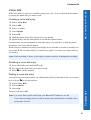
Use ring type to select the sound you want to hear when you receive a call.
Select Ring Type.
Select the type of call that you want to change.
Select your sound.
If your sound is not in the folder press B then select another folder.
Setting quiet mode
In quiet mode the microphone amplifies your voice, so you can whisper and still be heard
by the person on the other end of the call. You should use quiet mode in situations where
you do not want to disturb the people around you.
In quiet mode, the phone will not ring when you receive a call or message, unless you set
a ring volume for quiet mode.
Quiet Mode
Ring Volume
Vibration
Settings
On/Off
0-4
On
Off
Continuous
Intermittent
Off
41
Settings
Setting a vibration alert
Settings
If you set a vibration alert, the phone vibrates when you receive a call or message. This
setting is separate from the vibration alert that you set for quiet mode.
Select Vibration Alert.
Select from Continuous, Intermittent and Off.
Creating a ring type
Select Melody Composer > Create.
Using the following table, enter the notes, rests and durations to create your melody.
Key
1st press
2nd press
3rd press
4th press
1
C2
C3
C4
C1
2
D2
D3
D4
D1
3
E2
E3
E4
E1
4
F2
F3
F4
F1
5
G2
G3
G4
G1
6
A2
A3
A4
A1
7
B2
B3
B4
B1
0
Rest
*
1/8
1/4
1/2
1
#
Sharp
5th press
1/16
When you have completed your melody, you can save it:
Menu > Settings > Alerts
42
Press Q.
Select Ok.
Enter a name.
Select Save.
Select the folder where you want to save your melody.
At any time during your composing, you can press A to play back your melody.
Settings
Once you have saved your melody you can edit it.
Menu > Settings > Keys
Select Edit from the Melody Composer menu.
Select the data folder where your melodies are stored.
Select the melody you want to edit.
Select Edit.
Use the relevant keys to insert new notes and rests.
Note: The only restriction on the number of melodies you can compose is the space
remaining in your data folders.
Recording a voice message
You can record a message to use as your ring type.
Select Voice Recorder > Record.
Record your message.
Store the recording in a data folder.
You can now select and use this sound in the same way as you do for any other ring types.
Once you have recorded a voice message you can edit it. Select Edit from the Voice
Recorder menu, then edit it as necessary.
Setting auto answer
When auto answer is on, and your phone is connected to a car kit or personal handsfree
adaptor, incoming calls are automatically answered.
Select Auto Answer > On.
To turn off auto answer:
Select Auto Answer > Off.
Keys
Keys
Shortcut Key
Keyguard
Key Volume
Key Tone
Answer
Key
Settings
Choosing the function for the shortcut key
The right soft key ( B ) is a shortcut key from idle mode. You can choose which function
you want this key to access. The default is camera.
Select Shortcut Key.
Select the function that you want.
43
Settings
Setting the keyguard
Settings
The keyguard stops the keypad being accessed.
Note: When the keyguard is on, you must turn it off before you can use the phone.
Select Keyguard.
You are asked ‘Guard Keypad?’. Press Q.
You can also set the keyguard directly from the idle screen:
Press and hold down Q.
Select Keyguard.
You are asked ‘Guard Keypad?’. Press Q.
To turn off the keyguard:
From idle mode press Q.
You are asked ‘Free keypad?’. Press Q.
Changing the key volume
The key volume is the volume of the tone made when you press a key.
Select Key Volume.
Use e to move the volume level between 0 and 4.
Changing the key tone
The key tone is the sound made when you press a key.
Select Key Tone.
Select the tone you want.
Choosing the key to use for the answer key
You can choose whether to use any key or just the send key (D) to answer a call.
Select Answer Key.
Select Any Key or Send Key.
Menu > Settings > Keys
44
Settings
Menu > Settings > Phone settings
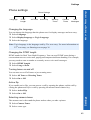
Phone settings
Phone Settings
Language
DTMF
Length
All Tones
Active Flip
Warning
Tones
Camera
Tones
User
Messages
Changing the language
You can change the language that the phone uses for display messages and text entry.
Select Language.
Select DisplayLanguage or Tegic Language.
Select the language.
Note: Tegic language is the language used by T9® text entry. For more information on
T9® text entry, see Entering text on page 36.
Changing the DTMF length
DTMF stands for Dual Tone Multi-Frequency. You can send DTMF tones during a
conversation to access voice mail, paging and computerised home banking. For example,
you may need to enter a number to remotely access voice mail messages.
Select DTMF Length.
Select Long or Short.
Turning tones on and off
You can turn on or off all tones or just warning tones.
Select All Tones or Warning Tones.
Select On or Off.
Active flip
If you enable active flip, you can answer a call by opening the phone, end the call by
closing the phone and reject a call by pressing the memo/camera shutter key.
Select Active Flip.
Select On or Off.
Settings
Selecting camera tones
The camera tone is the sound the phone makes when you take a picture.
Select Camera Tones.
Select a tone type.
45
Settings
Editing user messages
Settings
The phone contains some standard user messages that you can send to other people. You
can edit these messages to suit you.
Select User Messages.
Select the message you want to edit.
Edit the message.
Clock
Clock
Clock Set
Current
Location
Display
Format
Away Clock
Power Time
Setting the clock
Clock Set
Time Set
Home
Summertime
Away
Summertime
Home Area
Time
Difference
Auto
Adjustment
Setting the time
Use this to set the current time and date on your phone.
Enter the date (day/month/year).
Enter the time (24 hour clock)
Setting summertime
You can set summertime when you are at home or away. When you set summertime, the
clock automatically moves on by one hour.
Select Home Summertime or Away Summertime.
Select On or Off.
Menu > Settings > Clock
46
Setting your home area
Select Home Area.
Select World List to choose a country. Select the country you are in.
Select City List to choose a city. Select the city closest to your current location.
Settings
Menu > Settings > Clock
Auto adjusting the time difference
If you are away, in a country with one time zone, then the time difference can be adjusted
automatically.
Select Clock Set > Auto Adjustment > On.
The phone gets your location from the local network provider, and adjusts the clock
automatically.
Setting the time difference
If you are away, in a country with more than one time zone, then you can set the time
difference manually.
Select Clock Set > Time Difference.
Select the difference from your home area.
Changing your location
You can change your location so that the phone’s clock automatically adjusts depending
on whether you are at home or abroad. All the clocks on the phone display the time of the
selected location.
Select Current Location.
Select Home or Away.
If you select Away, you may need to adjust the time difference, so your clock is correct.
To do this see Setting the time difference on page 47.
Changing the display format
qTI
You can choose how you want the time and date to display.
Select Display Format
Select from the displayed list of date and time formats.
Changing the appearance of the away clock
You can choose how you want the away clock to display.
Select Away Clock.
Select from Off, Large Clock or Case Clock.
Display Format
HH:MM
HH:MM AM
HH:MM AM DD/MM
HH:MM AM MM/DD
HH:MM DD/MM/YYYY
YYYY/MM/DD HH:MM
MM/DD/YYYY HH:MM
Ok
Setting the power on and off times
You can use this to set the phone to turn itself on or off automatically at a specified time.
Select Power Time.
Select --:-- On or --:-- Off.
Settings
If times are already set then these times appear before the words On and Off.
Select --:-- or the existing time.
Enter the time you want the phone to power on or off.
Set whether these power on/off times are Repeat Daily, Once or Disabled.
Press A to save your settings.
47
Settings
Disabling the power on and off times
Settings
Select the power on or off time.
Select the frequency option.
Select Disabled.
Press A to save your alarm settings.
Or
Highlight the power on or off time.
Press A to cycle through Repeat Daily, Once or Disabled.
Stop at Disabled.
Press Q then A to save your alarm settings.
Caution: You need to ensure that the times you set will not automatically power on
when you are in an aircraft, medical facility etc. See Important information on
page 5.
Call service
Call Service
Calls
Connections
Call
Service
Send My
Number
Note: The functions available are SIM dependent. M
Calls
Calls
Menu > Settings > Call service
48
Last Call Timer
All Calls Timer
Call Waiting
Viewing the length of your last call
Select Calls > Last Call Timer.
The length of your last call is displayed.
Caller’s ID
Withhold ID
Settings
Menu > Settings > Call service
Viewing the combined length of all your outgoing or incoming calls
Select Calls > All Calls Timer.
Select Incoming or Outgoing.
The combined length of all your incoming or outgoing calls since the timer was last
reset, is displayed.
Once you have seen the total time you can reset the timer:
Press Q.
You are asked ‘Reset Total Time?’. Press Q.
Enter the lock code.
Note: The lock code is preset to 0000. For security you should change this to a four
figure number that you can remember, see Changing the phone lock code on
page 53.
Checking the status of call waiting, caller’s id and withhold id
Note: This is network dependent R.
Select Calls.
Select Call Waiting, Caller’s ID or Withhold ID.
The status is displayed.
For Call Waiting, you can change the status:
If Call Waiting is disabled and you want it enabled, select Menu > Enable.
If Call Waiting is enabled and you want it disabled, select Menu > Disable.
Connections
Connections
Last Connection
All Connections
Call Priority
Viewing details of your last connection
Select Connections > Last Connection.
Settings
The time and data transfer details are displayed.
49
Settings
Settings
Viewing the combined details of your previous connections
Select Connections > All Connections.
The combined length of all your incoming or outgoing calls since the timer was last reset,
is displayed.
Once you have seen all the details you can reset the total time and data:
Press Q.
You are asked ‘Reset Total Time and Data?’. Press Q.
Enter the lock code.
Note: The lock code is preset to 0000. For security you should change this to a four
figure number that you can remember, see Changing the phone lock code on
page 53.
Allowing incoming calls during data transfer
With this enabled, you can transfer data and accept incoming calls on your phone. With
this disabled, you cannot answer incoming calls while you are transferring data.
Select Connections > Call Priority.
Select On or Off.
Service charges
Note: This is SIM and service provider dependent. This option is only available for ‘Pay
as you go’ SIMs.
To maintain control over the cost of calls that you make, you can set the phone to restrict
its use to a specified number of units.
Setting the unit price
First you need to enter a price per unit. This is the amount that your service provider
charges for one unit of call time.
Menu > Settings > Call service
50
Select Service Charges > Price/Unit.
Enter your PIN2.
Enter the currency unit (maximum 3 characters).
Enter the unit price.
Settings
Menu > Settings > Call service
Setting the maximum unit level
Use this to set the maximum cost of the calls that you can make.
Select Service Charges > Max Cost.
Select Menu > Edit.
Enter your PIN2.
Enter the maximum number of units (the corresponding cost is displayed).
Note: The duration of one unit may vary during the day at peak and off-peak times.
The call charge information may not be an accurate reflection of the tariffs
charged by your service provider.
Disabling the maximum unit level
Use this to disable your maximum cost setting.
Select Service Charges > Max Cost.
Select Menu > Disable.
Confirm that you want to disable this setting.
Enter your PIN2.
Setting a warning level
You can set a warning to indicate that you have almost reached your maximum cost.
Note: This is SIM dependent M.
Select Service Charges > Warning At.
Enter a value in units at which you want the warning to sound.
Viewing the remaining cost
You can see how many units you have left before you reach your maximum cost level.
Select Service Charges > Cost Left.
Viewing the used cost
You can see how many units you have used.
Settings
Select Service Charges > Call Meter
51
Settings
Sending your number
Settings
Note: This is network dependent R.
If your network supports this function, you can decide whether you want your phone
number to be sent when you make a call.
Note: You must be registered with a service provider before you can choose to send your
number.
Select Send My Number.
Select from Network Set, On and Off.
If you select Network Set, your network’s default setting is used.
Call divert
Call Divert
Divert Voice
Divert Fax
Divert Data
Cancel All
Status
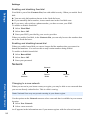
Setting and cancelling diverts
To set diverts for specific call types:
Select the type of call you want to divert.
Select Set.
Select from All, When Busy, When No Reply and When Unreachable.
Enter the number to divert to.
To cancel diverts for specific call types:
Menu > Settings > Call divert
52
Select the type of call you want to cancel the divert on.
Select Cancel.
Select from All, When Busy, When No Reply and When Unreachable.
To cancel all diverts:
Select Cancel All.
Confirm that you want to cancel all the diverts you have set.
Viewing the divert status
Select Status.
Use e to scroll through the list, only one item at a time appears on the screen.
Settings
Menu > Settings > Security
Security
Security
Phone Lock
Call Bar
PIN
PIN2
Fixed Dial
Barred
Dial
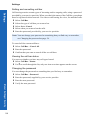
Setting and cancelling the phone lock
Note: You can also set the phone lock by holding down Q on the idle screen, then
following the instructions below.
When the phone lock is set you can only use the phone to receive incoming calls and to
make emergency calls.
Select Phone Lock > On/Off > On.
Enter the lock code.
The lock icon (O) is displayed on the screen.
When the phone lock is on you have to enter the lock code from the idle screen before
you can use the phone.
Note: The phone lock code is preset to 0000. For security, you should change this to your
own four-figure number, see Changing the phone lock code on page 53.
To cancel the phone lock:
Select Phone Lock > On/Off > Off.
Enter the lock code.
Changing the phone lock code
You can change the phone lock code to a four figure number that you find easy to
remember.
Settings
Select Phone Lock > Change Code.
Enter the current phone lock code.
Enter the new phone lock code.
Verify the new phone lock code.
53
Settings
Setting and cancelling call bar
Settings
Call barring restricts certain types of incoming and/or outgoing calls, using a password
provided by your service provider. When you check the status of the Call Bar, your phone
must be registered with a network. You can set call barring for voice, fax and data calls.
Select Call Bar.
Select the type of call that you want to bar.
Select Set or Cancel.
Select when you want to bar the calls.
Enter the password, provided by your service provider.
Note: You can change your password to something that you find easy to remember,
see Changing the password on page 54.
To cancel all the current call bars:
Select Call Bar > Cancel All.
Enter the password.
Confirm that you want to cancel all the set call bars.
Viewing the call bar status
You can see whether you have any call types barred.
Select Call Bar > Status.
Use e to scroll through the list, only one item at a time appears on the screen.
Changing the password
You can change the password to something that you find easy to remember.
Menu > Settings > Security
54
Select Call Bar > Password.
Enter the password, supplied by your service provider.
Enter the new password.
Verify the new password.
Settings
Menu > Settings > Security
Enabling and disabling PIN and PIN2
The PIN protects your phone against unauthorised use. If you enable the PIN, you have
to enter it every time you turn on the phone.
You need PIN2 to set fixed dial numbers.
Your PIN and PIN2 are supplied by your service provider.
Note: If you enter the PIN or PIN2 incorrectly three times, the phone will lock and you
will need to enter the PUK or PUK2 code. If you enter the PUK or PUK2 code
incorrectly ten times, your phone will no longer operate. All information stored in
the SIM will be lost, and you will need to replace the SIM. Contact your service
provider for the PUK and PUK2 codes. Contact your service provider for more
details.
Select PIN or PIN2.
Select Enable/Disable.
Select On or Off.
Enter the PIN or PIN2.
Changing the PIN
You can change the PIN to an eight figure number that you find easy to remember.
Select PIN.
Select Change.
Enter the PIN.
Enter the new PIN.
Verify the new PIN.
Settings
Note: You can only change the PIN when it is enabled.
55
Settings
Enabling and disabling fixed dial
Settings
Fixed dial is part of the Contacts List, but with added security. When you enable fixed
dial:
z You can only dial numbers that are in the fixed dial store
z If you manually dial a number, it must match one in the fixed dial store.
z If you store, edit or delete a phone number, you have to enter your PIN2.
To enable or disable fixed dial:
Select Fixed Dial.
Select On or Off.
Enter your PIN2, provided by your service provider.
When you enable fixed dial, in the Contacts List you can only browse the numbers that
are in the fixed dial store.
Enabling and disabling barred dial
When you enable barred dial you can no longer dial the numbers that you entered as
barred dial numbers. You can use this to stop certain numbers being dialled.
To enable or disable barred dial:
Select Barred Dial.
Select On or Off.
Enter your password.
Network
Network
New
Network
Search
Mode
Network
List
Menu > Settings > Network
Changing to a new network
When you are not in your home country or region, you may be able to use a network that
you are not directly subscribed to. This is called roaming.
Note: National Law may not permit roaming in your home region.
Use the options on the Network menu to select a network that is available in your current
location.
Select New Network.
Select a new network.
An X appears in the information area if you cannot register with the selected network.
56
Settings
Menu > Settings > Defaults
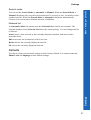
Search mode
You can set the Search Mode to Automatic or Manual. When the Search Mode is
Manual, the phone only uses the selected network. If coverage is lost, you need to select
another network. When the Search Mode is Automatic, the phone automatically
reselects a new network to maintain network availability.
Network list
In Automatic Mode, the phone uses the Network List to find a new network. The
location numbers in the Network List show the search priority. You can change the list
as follows:
Insert stores a new network in the currently displayed location, and moves other
networks down.
Edit overwrites the old network with a new one.
Delete deletes the currently displayed network.
Ok selects the currently displayed network.
Defaults
Settings
Use this to return your personal settings to their factory default. You cannot return the
Phone Lock or Language to their default settings.
57
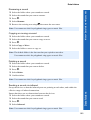
Contacts list
Contacts list
Use the Contacts List menu to store a person’s phone numbers, e-mail
addresses, company name, picture and other information. You can also set
up how your contacts list is organised and displayed.
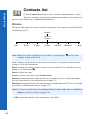
Browse
This menu only applies to contacts stored on your phone. For contacts stored on the SIM
see SIM on page 65.
Browse
Select a
contact
View
Recall
Delete
Create
Infrared
Bluetooth
–> SIM
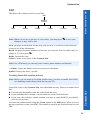
Note: When you create or edit any of your entries, you must press A to save your
changes, or they will be lost.
View. Displays all the details for the entry you selected. You need to scroll down the
screen to see all the information.
Recall. Displays the phone number for the entry you selected. You can either call it or
change it. To call it press D.
Delete. Deletes the entry.
Create. Creates a new entry in the Contacts List.
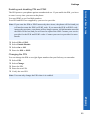
Infrared. Sends the details of the current entry to another device via the infrared port.
See Send your details to an infrared device on page 115
Bluetooth. Sends the details of the current entry to another Bluetooth® device. See Send
your details to a Bluetooth® device on page 115.
Note: To receive a contact entry from another infrared or Bluetooth® device use Receive
Object, see Receive object on page 120.
–> SIM. Copies the details of the current entry to the SIM.
58
Contacts list
Menu > Contacts list > Create
Create
Note: When you create or edit any entries, you must remember to press A to save your
changes, or they will be lost.
Creating a new contact
Select an item.
Enter the data using the keypad, or select an item from the list available.
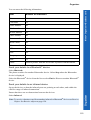
Item
Number of characters
First name
16
Last name
16
Home number
40
Work number
40
Mobile number
40
Other number
40
Home e-mail
80
Work e-mail
80
Other e-mail
80
URL
80
Title
16
Company
16
Note
32
Photo
Select a picture from the list or take a picture with the camera
Group name
Select a group from the list.
Ring type
Select a tone from the list.
Vibration alert
Select a vibration type from the list.
Case screen colour
Select a colour from the list.
Location
3 (up to 500 locations)
Contacts list
For each contact you can enter:
When you have entered all the details, press A to save the contact
59
Contacts list
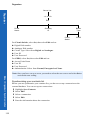
.
Contacts list
Note: Location is the location number in your Contacts List.
If you put a contact in a group which has a ring type, case screen colour and
vibration alert, then these options are not available for the individual contact.
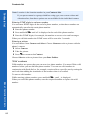
Entering DTMF digits in a phone number
You can enter DTMF digits at the end of a phone number, so that these numbers are
automatically sent after the main phone number.
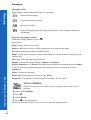
Enter the phone number.
Press and hold 0 until a P is displayed at the end of the phone number.
Enter the DTMF digits, for example, the number to access voice mail messages.
When you call this number the DTMF tones will be sent after 3 seconds.
Entering a picture
You can choose from Camera and Select. Choose Camera to take a picture with the
phone’s camera.
Select Camera.
Take the picture.
Press A to return to the Contact.
Choose Select to select a picture from your Data Folders.
‘Wild’ numbers
Wild numbers are spaces that you can store in a phone number. You must fill the wild
numbers before you can dial that phone number. You can use wild numbers in
conjunction with fixed dial, to, for example, restrict calls to a specific area by storing the
area code then adding the remainder of the number when it is recalled.
To enter a wild number:
While entering a phone number, press and hold 0, until _ is displayed.
Menu > Contacts list > Create
60
When you recall this phone number, enter the required number to replace the wild
number.
Contacts list
Menu > Contacts list > Voice dial
Voice dial
With voice dial you can save a number using your voice. You can then dial the number
by saying the name that you want to call.
Creating a voice dial entry
Select Voice Dial.
Select Add.
Select a contact.
Select Recall.
Select Ok.
Hold the phone about 20cm away from your mouth.
Speak clearly into the microphone to record the required name.
For each entry you are prompted to record the name a second time, so that the phone
recognises your voice and intonation.
When you have finished recording, the display shows whether or not the recording was
successful. If the recording failed, you need to try again. You can try as many times as
you need to.
Note: Each recording is short, so be ready to speak soon after initiating the recording.
Recalling a voice dial entry
From idle mode press and hold b or a.
Say clearly the name that you want to recall.
Press D to call the number.
Dialling a voice dial entry
You can set up voice dial to dial a voice dial number directly from idle mode, so you don’t
have to press D to call the number.
Select Voice Dial.
Select On/Off.
Select On.
Contacts list
To turn it off select Off.
Note: Use voice dial to make calls from your Bluetooth® headset or car kit.
Voice dial recordings must be loud to ensure that confirmation is audible when
using some car kits.
61
Contacts list
Editing a voice dial entry
Contacts list
Select Voice Dial.
Select an entry.
Select from Add, Play and Delete.
Add. Add a new Voice Dial entry.
Play. Listen to the recording for the selected entry.
Delete. Delete the selected entry.
Groups
From the Groups menu, you can set up groups of contacts. You can use groups to collect
together types of entries, for example, business, friends and family. You can give each
group a suitable title, for quick access to the entries.
Creating a group
Select a preset group name or one of the available user group names from the list.
You can enter a name, ring type, vibration alert and case screen colour.
Note: If you already have ring type, vibration alert and case screen colour set for an
individual that you add to the group, then the group’s settings are used in
preference to those set for the individual.
Viewing a group
Once you have created a group, you can view its settings.
Select the group on the list.
Select View from the menu.
From this view you can then edit the group settings:
Menu > Contacts list > Groups
62
Select the item that you want to edit.
Select Edit.
Make your changes.
Select Ok to make your changes or Cancel to revert to the original.
You can revert to the original settings by selecting Reset.
Previewing a group
This simulates an incoming call, so that you can review your settings and see if they are
what you want.
Select a group.
Select Preview.
You can then adjust your settings using View.
Contacts list
Menu > Contacts list > Groups
Adding and removing members
Once you have created a group, you can add or remove members.
To add a new member:
Select the group on the list.
Select Members from the menu.
Select Add.
Select a contact from your list.
Or
Highlight the group on the list.
Press A.
Select Add.
Select a contact from your list.
To remove a member:
Select the group on the list.
Select Members from the menu.
Highlight a contact.
Select Remove to remove this contact from the group.
Or
Contacts list
Highlight the group on the list.
Press A.
Highlight a contact.
Select Remove to remove this contact from the group.
63
Contacts list
Settings
Contacts list
Settings
Sort by
Display by
Separator
Hotkey
Dialling
Voice Dial
Setting how to sort or search entries
You can choose how to sort and search the entries in your Contacts List.
Select Sort by or Display by.
Select First Name or Last Name.
Setting how to display entries
You can choose how to display the entries in your Contacts List.
Select Separator.
Select Space or Comma.
Enabling and disabling hotkey dialling
With hotkey dialling, you can press and hold the digit key that relates to a location
number to call contacts on your Contacts List. For example, to call the contact in location
3 of your Contacts List, press and hold 3.
To enable hotkey dialling, select Hotkey Dialling, then select either SIM Phonebook or
Mobile Phonebook.
To disable hotkey dialling, select Hotkey Dialling > Off.
Enabling and disabling voice dialling
With voice dialling, you can call a contact by speaking into the microphone.
Menu > Contacts list > Settings
64
Select Voice Dial.
Select On or Off.
To set up voice dial numbers see Creating a voice dial entry on page 61.
Contacts list
Menu > Contacts list > SIM
SIM
This shows the contacts stored on your SIM.
SIM
Select a
contact
View
Recall
Delete
Create
–> Phone
Profile
Note: When you create or edit any of your entries, you must press A to save your
changes, or they will be lost.
View. Displays all the details for the entry you selected. You need to scroll down the
screen to see all the information.
Recall. Displays the phone number for the entry you selected. You can either call it or
change it. To call it press D.
Delete. Deletes the entry.
Create. Creates a new entry in the Contacts List.
Note: For a SIM entry you can only enter a name, phone number and location.
–> Phone. Copies the details of the current entry to the phone.
Profile. Displays the entry’s profile.
Creating fixed dial number entries
Note: Before you can create a fixed dial number entry, you have to enable Fixed Dial
(see Enabling and disabling fixed dial on page 56).
Fixed dial is part of the Contacts List, but with added security. When you enable fixed
dial:
Contacts list
z You can only dial numbers that are in the fixed dial store
z If you manually dial a number, it must match one in the fixed dial store.
z If you store, edit or delete a phone number, you have to enter the PIN2, provided by
your service provider.
You enter the contact details using the Create option on the SIM menu. When you save
the entry you have to enter your PIN2. The number is stored in the fixed dial store on your
SIM.
65
Contacts list
Creating barred dial number entries
Contacts list
Note: Before you can create a barred dial number entry you have to enable Barred Dial
(see Enabling and disabling barred dial on page 56).
When you enable barred dial you can no longer dial the numbers that you entered as
barred dial numbers. You can use this to stop certain numbers being dialled.
You enter the contact details using the Create option on the SIM menu. When you save
the entry you have to enter your password.
Storage
This shows the amount of space you have used on your SIM and your phone. Use e to
move between the two.
You can copy all the SIM contacts to the phone or copy all the phone contacts to the SIM:
Select Menu > Copy All.
Select SIM to phone or Phone to SIM.
You can delete all the SIM contacts or all the phone contacts:
Select Menu > Delete All.
Select SIM Contacts or Phone Contacts.
Menu > Contacts list > Storage
66
Games
The games that are on your phone are network dependent. If you have
four games listed then you have embedded games and should follow the
instructions in the Embedded games section. If you have one game listed then you have
downloadable games and should follow the instructions in the Downloadable games
section.
Embedded games
Games
Space
War
RollerKid
Panko
Crazy
Cobra
Demo
Welcome Instructions Settings
To play the embedded games, select the required game, then follow the on-screen
instructions.
Demo
Select this to see a demonstration of a game.
Welcome
Select this to read the welcome screen.
Instructions
Select this to see general instructions for playing the games.
Settings
Settings
Nickname
Sound
Vibrations
Backlight
Games
Nickname
Use this to create a name to use when you play games. When you first select this item, it
displays No nickname. Use B to delete the existing text, then enter your nickname.
Sound
Use this to set the sound level for your games. You can select from Off, Low, Medium
and High.
67
Games
Games
Vibrations
If you turn vibrations on, the phone vibrates when a target is hit in the game. You can
select from On and Off.
Backlight
Use this to set your key backlight. You can select from Off, On 30s and Always on.
Note: If you select Always on, this may affect the talk and standby time of your battery.
Downloadable games
Note: This is network dependent. R
Games
Wallbreaker
Catalogue
News
Instructions
Settings
You have one embedded game - Wallbreaker. You can download one other game.
Note: When you download a new game it overwrites the previously downloaded game.
Catalogue
This displays a list of the games that you can download. To download a game:
Select a game.
Details of the game are displayed.
Press A to download the game.
Confirm that you want to download the game.
The game is downloaded to your phone.
News
Displays SMS broadcast messages from Infusio™, the games provider.
Instructions
Select this to see information about downloading games, and general instructions for
playing the games.
Settings
This is the same as the Settings menu for embedded games. See Settings on page 67.
68
Browser
Use the Browser menu to access Internet services supported by the
network, such as news, weather reports and sport.
Server list
Before you can access the Internet, your SIM must be data enabled and the configuration
information must be entered.
Note: The configuration information may have been pre-programmed by your service
provider. If you modify these settings, your browser may no longer work.
Once you have set up a server you need to select the new server and select Set to
activate the new setting.
You can manually set up five servers on your phone.
Server List
Server
Auto
<1> to <5>
Edit
Profile
Name
Home
URL
Linger Time
Gateway
IP
Circuit
Switch
Security
Bearer
Type
GPRS
For Circuit Switch, select Set, then select Edit and set:
z
z
z
z
Browser
z Digital Dial number
z Analogue Dial number
z Circuit Type. Select from Digital and Analogue.
z User ID
z User Password
For GPRS, select Set, then select Edit and set:
Access Point Name
User ID
User Password
Authentication. Select from Normal, Encrypted and None.
69
Browser
Home page
Browser
To start the browser, select Home Page (to start the browser from idle mode press the
jkey).
This opens the browser at your service provider’s home page. This is recalled from the
cache each time you start the browser. The cache is the phone’s memory where pages that
you have previously downloaded are stored.
The phone remains off line (i.e. not connected to a server) when it recalls pages from the
cache.
The browser menu
The browser has its own menu, which you use when an Internet page is currently
displayed, either on line or off line. To access this menu press A.
Browser
Home
Page
Current
URL
Bookmarks
Page
Memo
Enter URL
Reload
Save
Image
Cookie
Browser
Images
Clear
Cache
Push
Message
Exit
Home Page. Displays the page defined by your service provider.
Bookmarks. Saves the current page as a bookmark, so you can return to it another time.
Current URL. Displays the current URL.
Enter URL. Enter the address of the URL that you want to go to.
Page Memo. Saves the currently displayed page.
Save Image. Saves the currently displayed image.
Reload. Reloads and updates the current page.
Menu > Browser > Home page
70
Browser Images. Disables images, to display a page more quickly.
Cookie. Enable, disable or delete cookies.
Push Message. View all your push messages.
Clear Cache. Deletes the page(s) in the cache, and displays the Home Page.
Exit. Stops the browser.
Browser
b
Scroll up one line at a time.
Focus on a link if there is one.
a
Scroll down one line at a time.
Focus on a link if there is one.
d
Focus on the previous link. If there is no previous link, it behaves like b.
c
Focus on the next link. If there is no next link, it behaves like a.
B
If there is a left arrow icon in the right selection area of the screen, this key returns
you to the previous page.
If there is a tick icon in the right selection area of the screen, this key opens a new
menu.
Menu > Browser > Bookmarks
Navigating pages
A Display the browser menu.
Q Follow a highlighted link.
Z indicates an image that cannot be displayed.
m
indicates on line browsing GPRS mode (non secure).
n
indicates on line browsing GPRS mode (secure).
k
indicates on line browsing CSD mode (non secure).
l
indicates on line browsing CSD mode (secure).
Bookmarks
This lists the bookmarks that you have stored. Select a bookmark from the list to go
directly to that page.
Adding a bookmark
While viewing content, select Bookmarks from the Browser menu.
Select <Register>.
Deleting bookmarks
While viewing content, select Bookmarks from the Browser menu.
Press A to select Menu.
Select from Delete This, Delete Any and Delete All.
Renaming a bookmark
Browser
Select Bookmarks from the Browser menu.
Select Menu > Edit Title.
Press and hold B to delete the current name.
Enter the new name.
71
Browser
Grouped bookmarks
Browser
If you have set your bookmarks to display in groups (see Bookmarks on page 73), then
you can highlight a group and select Menu, to make changes to that group. The options
are:
Edit Title. Change the title of the group.
Display. Select List to display your bookmarks as one list.
Delete All. Delete all the bookmarks in that group.
Enter URL
Use this to enter a URL to go to a known site.
Page memo
Use this to view a previously saved page.
Push message
Push messages are SMS messages that the phone receives that relate to the browser. Use
this to view the received messages.
Browser settings
Browser Settings
Colour
Priority
Font Size
Arrange
Colour
Browser
Images
Bookmarks
Push
Reception
Use this to customise the browser interface.
Setting the colour priority
Menu > Browser > Enter URL
72
You can choose whether to use your colour settings, or those set by the Internet site that
you are viewing.
Select Colour Priority.
Select from Prefer Content and Prefer User’s.
Setting the font size
You can choose the font size of the text.
Select Font Size.
Select from Large, Standard and Small.
Browser
Menu > Browser > Cookie
Arranging the colour
You can set the colours for your background, text, visited site and new site.
Select Arrange Colour.
Select from Background, Text Colour, Visited Site or New Site.
Select a colour.
Enabling and disabling the browser images
If you disable browser images, pages display more quickly.
Select Browser Images.
Select from On and Off.
Bookmarks
You can choose whether to have one list of bookmarks, or whether to group your
bookmarks.
Select Bookmarks.
Select from List and Group.
If you select Group, you can set up five different groups to store your bookmarks.
Enabling and disabling push reception
If you enable Push Reception, you will receive all the push messages sent by your
service provider.
Select Push Reception.
Select from On and Off.
Cookie
Cookies are information saved about a site to allow you to access it more quickly when
you return to it.
If you want the phone to save cookies, select Cookie > Enable > On.
If you do not want the phone to save cookies, select Cookie > Enable > Off.
To delete an existing cookie, select Cookie > Delete.
Last status
Browser
This displays the status of the last site that you visited. If your browser stops working,
you may need this information to find the problem.
73
Camera
Camera
Note: Before you use the camera you should set the date and time.
See Setting the clock on page 46.
You can take pictures with the built-in camera, and send them in multimedia (MMS) and
e-mail messages, or use them as wallpaper.
Camera Lens
Self-portrait Mirror
Camera
Shutter Key
Photo Light
Changing to camera mode
To change to camera mode either select Camera from the main menu, or press B from
idle mode.
Leaving camera mode
To leave camera mode press E to return to idle mode.
Taking a picture
When you are in camera mode, move the phone around until you can see the image
you want on the preview screen.
Press Q to capture the image.
If you decide that you do not want the image that you have taken, you can press B to
delete it.
74
Camera
Taking a self-portrait
You can take a self-portrait using the shutter button on the side of the phone.
Ensure that the phone is in camera mode.
Close the phone.
View the image in the self-portrait mirror.
Press the shutter button on the side of the phone.
You can use this image in the same way as any other picture that you take with the
camera.
Saving a picture
When you take a picture, it is automatically given a default name and stored in a data
folder. You can change the name of the picture using Rename, see Renaming the
picture on page 77.
Incoming calls when in camera mode
If you receive an incoming call while you are in camera mode, the phone leaves camera
mode and switches to the incoming call. If a captured image is on the preview screen, it
is saved in My Folders > My Pictures. If you want to use the image when you have
completed your call, go to My Folders > My Pictures and select the image.
Using your picture
Take a picture
MMS
e-mail
Edit
Rename
Delete
Once you have taken a picture, press Q to access the menu.
Sending the picture in a multimedia or e-mail message
Select MMS or e-mail.
Camera
A multimedia or e-mail message is opened, with the picture already embedded or
attached.
75
Camera
Editing the picture
Camera
When you have finished editing the picture, you must press Q to save your changes.
Select Edit.
Press A.
Edit
Brightness
Effect
Frame
Size
Format
Trim
Changing the brightness
Select Brightness.
Press c to make it lighter or d to make it darker.
Changing the effect
Use this to change your picture’s colours by using an effect.
Select Effect.
Select from Sepia, Monochrome and Negative.
Selecting a frame
Use this to enhance your picture, by adding one of the predefined frames.
Select Frame.
Select from a list of frames. You can preview the frame by highlighting it then
pressing Q.
Changing the size
Use this to make your picture larger or smaller.
Select Size.
Choose Width or Height.
Select Edit.
Enter the percentage by which you want to change the size.
Press Q.
Note: This does not cut your image, it compresses and/or stretches it. To cut your image,
use Trim.
76
Camera
Changing the format
Select Format.
Choose from JPEG Fine, JPEG Normal, JPEG Economy and PNG.
JPEG Economy produces a small file but with a low resolution.
JPEG Normal produces a file which is acceptable for most uses.
JPEG Fine and PNG produce large files with high resolution.
Trimming your picture
Use this to select and save just a small part of your picture.
Select Trim.
Use g to increase and decrease the size of the box to include just the part of the
picture that you want.
First adjust up and left, then press Q to adjust down and right. The white corner of
the box indicates the directions that you can go.
When you have the selection you want, press Q to select the area.
Press Q.
Renaming the picture
Select Rename.
Use B to remove the existing text.
Enter the new text.
Press Q.
Select Ok to save your changes or Cancel to revert to the old name.
Deleting the picture
Select Delete or press B.
Press Q to confirm, or B
to cancel.
Close up picture
When the image is on the preview screen, press b to see a close up picture. This zooms
in on the centre of the image. Press a to return to the original image.
Brightness adjustment
Camera
You can set the brightness of an image both before and after taking the picture. The
brightness can be increased or decreased by two levels.
Changing brightness while taking a picture
When the image is on the preview screen, press c to make it lighter or d to make it
darker. The brightness icon at the top of the screen changes to show how much lighter or
darker you have made the image.
77
Camera
Changing brightness after taking a picture
Camera
See Changing the brightness on page 76.
Preview screen menu
Preview Screen
Photo Light
Twilight
Effect
Frame
Format
Capture
Mode
These are all set up using the same basic method:
When the required image is shown in the preview screen, press A.
Select the required option.
Select the required setting.
Press B to leave the menu.
Photo light
Turns on a light on the front of the phone.
Twilight
Turn Twilight on when taking pictures in low light conditions.
Effect
With Effect you can choose from Off, Sepia, Monochrome or Negative.
Frame
This places a border round the image. You can preview the frame by highlighting it then
pressing Q.
Format
With Format you can choose the format for saving your image.
JPEG Economy produces a small file but with a low resolution.
JPEG Normal produces a file which is acceptable for most uses.
JPEG Fine and PNG produce large files with high resolution.
78
Camera
Capture mode
With Capture Mode you can choose from:
Single Shot takes a single picture.
Multi Shot captures images at 1 second intervals while you hold Q down, to a maximum
of six images.
Self Timer delays the taking of an image.
Camera
Remote takes a picture immediately, then returns to the capture screen.
79
Messaging
Messaging
From the Messaging menu you can send and receive MMS, SMS and email messages.
The nine menus are as follows:
Settings
Inbox
Broadcasts
Voice Mail
Create
1 MMS
2 SMS
3 e-mail
1 MMS
1 Voice Mailbox
2 SMS
3 e-mail
1
2
3
4
1 MMS
2 SMS
3 e-mail
e-mail
Data Folders
Outbox
1 Send/Receive
1
2
3
4
1 MMS
2 SMS
3 e-mail
My Pictures
My Sounds
My Themes
User 1 - 5
Receive
Message List
Topics
Languages
SMS Chat
MMS
MMS stands for Multimedia Message Service. With MMS you can attach images and
music to text messages. The recipient can play the images and music as a slide show.
Settings
Use Settings to set up MMS to suit your requirements.
Settings
MMS
Send
Options
80
Receive
Options
Player Mode Server List
Font Size
Display
Restore
Defaults
Messaging
Menu > Messaging > Settings > MMS
Configuring MMS
Note: Your MMS settings may have been pre-configured by your service provider.
MMS may not work if you change these settings.
You must configure your MMS before you can send or receive MMS messages. You can
create up to three server profiles on the phone.
Server List
Server
Auto
<1> to <3>
Edit
Profile
Name
Server
URL
Gateway
IP
Circuit
Switch
Bearer
Type
GPRS
For Circuit Switch, select Set, then select Edit and set:
z Digital Dial number
z Analogue Dial number
z Circuit Type. Select from Digital and Analogue.
z User ID
z User Password
For GPRS, select Set, then select Edit and set:
z
z
z
z
Access Point Name
User ID
User Password
Authentication. Select from Normal, Encrypted and None.
Messaging
Note: Once you have set up a server you need to select the new server and select Set to
activate the new setting.
81
Messaging
Setting send options
Messaging
Send Options
Req. Deliv.
Recpt
Req. Read
Recpt
Send Own
Addr.
Lifetime
You set send options to determine what happens to messages that you send.
Req. Deliv. Recpt. Decide whether or not you want confirmation that your message has
been delivered. Select Yes or No.
Req. Read Recpt. Decide whether or not you want confirmation that your message has
been read. Select Yes or No.
Send Own Addr. Choose whether or not to let the recipient see your address. You can
only show your address if your service provider allows. Select Show or Hide.
Lifetime. Set the time limit for the lifetime for sent messages. Select Maximum or
Manual. If you select Manual, you need to enter the number of hours (1 - 99).
Setting receive options
Receive options
Auto
Reception
Anon.
Sender
Advertisement
Delivery
Receipt
Read
Receipt
Roaming
Retrieve
When you have selected a message type, you can select how you want to deal with it.
Menu > Messaging > Settings > MMS
82
Message type
Options
Auto Reception
Auto Retrieve, Ask
Anon. Sender
Accept, Reject
Advertisement
Accept, Reject
Delivery Receipt
Permit, Reject
Read Receipt
Permit, Reject
RoamingRetrieve
Ask, Pending, Off
Setting the player mode
Player Mode determines whether an audio attachment is played automatically, or
manually.
Select Player Mode.
Select Automatic or Manual.
Messaging
Menu > Messaging > Create > MMS
Setting the font size
You can set the font size to use in your messages.
Select Font Size.
Select from Large, Standard and Small.
Setting what is displayed
You can decide whether to display the subject or the address in your inbox and outbox.
Select Display.
Select Inbox or Outbox.
Select Subject or Address.
Restoring defaults
To cancel all the options that you have set select Restore Defaults.
Create
Use Create to create an MMS message.
Create
MMS
Ok
Camera
Picture
Text
Sound
Text Colour
Play
Slide Time
Slide
Option
Background Cancel
Messaging
Select Create > MMS.
Press Q.
Select the item that you want to enter.
When your message is complete, select Ok.
Select Addr:.
Select Edit to enter an address.
Enter an address.
Select Subj:.
Select Edit to enter a subject.
Enter a subject.
83
Messaging
To send your message, press A or press Q and select Send.
Messaging
To save your message press Q and select Save. Your message is stored in the Outbox,
so you can send it or edit it later.
You can send a camera image, text, a picture from a data folder and/or a sound from a
data folder.
To send a camera image:
Select Camera as your item in Creating an MMS message.
Take a picture.
Press A to return to the MMS message.
To send a picture:
Select Picture as your item in Creating an MMS message.
Select a folder.
Select the picture.
To enter text:
Select Text as your item in Creating an MMS message.
Enter the text.
Select Ok or Cancel.
To attach an audio file:
Select Sound as your item in Creating an MMS message.
Select a folder.
Select the audio file.
User messages
While entering text, you can enter one of the predefined user message in your MMS
message:
Menu > Messaging > Create > MMS
84
Select Menu > User Msg.
A list of the user defined messages is displayed.
Select the message you require.
Press Q.
To edit a user message, see Editing user messages on page 46.
Messaging
Menu > Messaging > Inbox > MMS
Inbox
The messages you receive are stored in the Inbox.
Select Inbox > MMS.
If there are messages waiting, a number appears by Waiting. You need to
retrieve these messages before you can play any audio files attached to
them.
Retrieving a message
Select Waiting.
Highlight a message.
Press A to retrieve the message.
When you have retrieved a message it is available in Receive. The number of retrieved
messages appears by Receive.
Waiting
Read
Retrieve
Reject
Save Addr
Retrv All
Sort
Call
Delete
Display
Delete All
Keep
When you select a message from the Waiting menu, you can choose from:
Read. Displays the message header. Press A to retrieve the message.
Reject. Do not retrieve the selected message.
Retrieve. Retrieves the selected message.
Retrv All. Retrieves all waiting messages.
Save Addr. Saves the address of the selected message.
Call. Call the person who sent the selected message.
Sort. Sorts your messages.
Display. Displays the selected message.
Delete. Deletes the selected message.
Keep. Keeps a message for you to retrieve later.
Messaging
Delete All. Deletes all messages.
85
Messaging
Messaging
Reading received messages
Once you have retrieved a message, you can view it and play attached audio files.
Select Receive.
Highlight a message.
Press A to play the message.
Receive
Read
Save Addr
Play
Sort
Call
Delete
Display
Delete All
Keep
When you select a message from the Receive menu, you can choose from:
Read. Displays the message header.
Play. Plays the message.
Save Addr. Saves the address of the current message.
Call. Call the person who sent the message.
Sort. Sorts your messages.
Display. Displays the selected message.
Delete. Deletes the selected message.
Keep. Keeps a message for you to read later.
Delete All. Deletes all messages.
Menu > Messaging > Outbox > MMS
86
Viewing your messages status
To see a summary of waiting, received, sent, draft and pending messages select Memory
Status.
Outbox
To access your Outbox select Outbox > MMS.
From your outbox you can view all your draft, pending and sent MMS
messages. You can also see a summary of your memory status.
You can highlight a message, then press Q to get the following menu options. The
available options depend on whether you are looking at a draft, pending or sent message.
Read. Displays any text in the message.
Send. Sends the selected message.
Play. Plays the message.
Send All. Sends all the messages in the list.
Save Addr. Saves the address of the selected message.
Messaging
Menu > Messaging > Settings > SMS
Sort. Sorts your messages.
Display. Displays the selected message.
Delete. Deletes the selected message.
Keep. Keeps a message for you to read later.
Delete All. Deletes all messages.
SMS
SMS is usually called text messaging. With text messaging you can send and receive text.
You can receive, display, edit and send text messages of up to 459 characters to mobile
phones on your service provider’s network or any network that has a roaming agreement.
The actual number of characters available depends on the language you use. You can only
send text messages to phones that have text messaging functionality.
Settings
The following functions are all available from Settings > SMS.
Settings
SMS
Recipient
Group
Auto
Delete
Lifetime
Message
Centre
Receipt
Protocol
Review
Message centre
You must enter the message centre number before you can send text messages.
Note: The message centre number may have been pre-programmed on the SIM.
Select Message Centre.
Enter the message centre number in international dial format (see Making
international calls on page 27).
Messaging
Note: The message centre number is provided by your service provider.
87
Messaging
Messaging
Recipient group
You can preset the destination of text messages. There are five recipient groups. You can
store up to ten destinations in each group.
To name or rename a group:
Highlight a group number or name.
Press Q.
Select Rename.
Enter a new name.
To add names to a recipient group:
Highlight a group number or name.
Press Q.
Select Select.
Select Entry.
Select required name.
Select Recall.
To add another name press A.
Select Entry.
Select required name.
Select Recall.
When you have added all the names, press B.
Auto delete
You can set this to automatically delete messages. You select from:
Off. Turns off Auto Delete.
Received Read. Overwrites the oldest read message.
Menu > Messaging > Settings > SMS
88
Received Any. Overwrites the oldest read message or the oldest unread message if there
are no read messages.
Lifetime
This is the time that your message is stored at the message centre. The message centre
keeps trying to deliver the message until the message is delivered, or the Lifetime
expires.
Receipt
You can choose whether you want to receive a confirmation when your message has been
delivered. You select from Yes, No and Ask. If you select Ask, you are asked if you want
to receive a delivery confirmation whenever you send a message.
Protocol
The Message Centre may be able to convert your message to the format specified by the
selected protocol.
Messaging
Menu > Messaging > Create > SMS
Review
You can see how many messages are stored in your SIM or in your phone. You can store
up to 15 messages in your SIM (depending on your SIM), and 200 in your phone. If your
SIM storage is full or nearly full, you can move messages to your phone storage. To move
a message from SIM to mobile:
Select Inbox > SMS.
Highlight the message.
Press Q.
Select Move.
Confirm that you want to move the message from the SIM to your phone.
Create
Use Create to create an SMS message.
Select Create > SMS.
Enter your text.
Press Q.
Select Ok or Cancel.
Press Q to send the message.
Enter the phone number.
Press Q.
Select Ok or Cancel.
If you selected Ask as your Receipt option, then you are asked ‘Request Delivery
Confirmation?’ Press Q, then select No or Yes.
User messages
You can enter one of the predefined user message in your SMS message:
Select Menu > User Msg.
A list of the user defined messages is displayed.
Select the message you require.
Press Q.
Messaging
To edit a user message, see Editing user messages on page 46.
89
Messaging
Messaging
Sending SMS to a fixed line
There are the following special requirements when you send an SMS message from your
mobile phone to a fixed line phone.
Sending a new message
Enter your message text, and include the fixed line number somewhere in the
message. The number can be at any point in your message, but you must enter the
number with a hash at the beginning and the end, for example #01234 567890#.
Send the message to “Big Mobile” on 07786 201010.
Replying to a message from a fixed line
Select Reply.
Enter your message text, and include the fixed line number somewhere in the
message. The number can be at any point in your message, but you must enter the
number with a hash at the beginning and the end, for example #01234 567890#.
Select Send.
Inbox
N Indicates that you have received a new message. A flashing envelope indicates that
your message store is full.
Received text messages are stored in your Inbox.
Select Inbox > SMS to see a list of your received messages.
Message options
Select a message
Read
Menu > Messaging > Inbox > SMS
90
Reply
Forward
Chat
Move
Delete
Delete All
Read. Display any text in the message.
Reply. Reply to the person who sent the message.
Forward. Forward the message to someone else.
Chat. Read sent and received messages with another party on one screen.
Select Chat.
Enter the phone number you want to chat with.
Enter a nickname. This can be up to 18 characters long.
Send and receive messages.
Press E to end the chat.
When you receive a message in chat mode, the text appears above your previous message.
If your phone is not in chat mode when you receive a reply to a chat message, it is
received as normal SMS.
Messaging
Menu > Messaging > Outbox > SMS
If you receive a voice call while you are in chat mode, you can accept the incoming call
and return to chat mode at the end of the call.
To save a chat message session select Menu > Save.
Move. Move the message to your phone or SIM memory.
Delete. Delete the message.
Delete All. Delete all messages.
Outbox
To access your Outbox select Outbox > SMS.
From your outbox you can view all your sent text messages.
You can select a message, and choose from the following options:
Edit. Edit the message.
Send. Send the message.
Read. Read the message.
Chat. Read sent and received messages with another party on one screen.
Select Chat.
Enter the phone number you want to chat with.
Enter a nickname. This can be up to 18 characters long.
Send and receive messages.
Press E to end the chat.
When you receive a message in chat mode, the text appears above your previous message.
If your phone is not in chat mode when you receive a reply to a chat message, it is
received as normal SMS.
If you receive a voice call while you are in chat mode, you can accept the incoming call
and return to chat mode at the end of the call.
To save a chat message session select Menu > Save.
Create. Create another text message.
Move. Move the message to your phone or SIM memory.
Delete. Delete the message.
Messaging
Delete All. Delete all messages.
91
Messaging
Broadcasts
Messaging
Broadcasts are messages sent on a variety of subjects by your service
provider.
Topics
Before you can receive broadcasts, you need to specify the topics of information that you
want to receive.
Select Topics.
Press Q.
Select Insert.
Use e to page through the list of available topics.
Press Q to select a topic.
If you want to specify more than one topic, keep paging through the topics and select all
the ones that you want.
Turning broadcasts on and off
If you are busy, or do not want to receive broadcasts for a while, you can turn them off,
and turn them on again later.
Select Receive.
Select On or Off.
Message list
The Message List stores the last broadcast messages that you received. You can delete
messages from here.
Languages
You can change the language for your broadcast messages.
Menu > Messaging > Broadcasts
92
Select Language.
Select Menu > Edit.
Select the language from the list.
Messaging
Menu > Messaging > SMS chat
SMS chat
With SMS Chat you can read sent and received messages with another
party on one screen.
Use this to start a call in chat mode.
Enter the phone number you want to chat with.
To enter a number using the keypad:
Enter the number, then select Menu > Ok.
To select a number from the contacts list:
Press A to go to the Contacts List.
Select the contact.
Select Recall.
Confirm the number, select Menu > Ok.
Enter a nickname. This can be up to 18 characters long.
Select Menu > Ok.
Enter your message.
Select Menu > Send.
Press E to end the chat.
You can also enter a user message in your chat.
Select Menu > User Msg.
A list of the user defined messages is displayed.
Select the message you require.
Press Q.
To edit a user message, see Editing user messages on page 46.
Messaging
To save a chat message session select Menu > Save.
93
Messaging
e-mail
Messaging
You can send and receive e-mails via the mail servers of an Internet Service Provider
(ISP) that supports POP3/SMTP protocols.
Before you can use the Internet e-mail feature your SIM must be data enabled, and you
must have a contract with an ISP.
Settings
The following functions are all available from Settings > e-mail.
Server list
You must configure your e-mail before you can send or receive e-mail messages.
Server List
<1> to <3>
Edit
Profile
Name
Mail
Address
SMTP
Setting
POP3
Setting
Bearer
Type
Primary
DNS
Secondary
DNS
Use the following method to set the server options:
Select the required option.
Enter the option details or select the required setting.
Menu > Messaging > Settings > e-mail
94
Repeat these steps, until you have set all the required options.
Server profile option
Settings
Profile Name
Name for account,
e.g. ISP name.
Mail Address
Reply to address for
sent e-mails
SMTP Setting
SMTP server
User ID
Password
Authentication
Options
On
Off
Options
Messaging
Settings
POP3 Setting
POP3 server
User ID
Password
Mail delivery
Bearer Type
Circuit switch
GPRS
Primary DNS
Name Server at ISP
(Normally set
automatically unless
ISP gives details)
Secondary DNS
Name Server at ISP
(Normally set
automatically unless
ISP gives details)
Options
Options
Menu > Messaging > Settings > e-mail
Server profile option
Leave Msg
Delete Msg
Digital Dial #
Analogue Dial #
Circuit Type
User ID
User Password
AccessPointName
User ID
User Password
Authentication
Normal
Encrypted
None
Messaging
Note: Once you have set up a server you need to select the new server and select Set to
activate the new setting.
95
Messaging
Options
Messaging
Options
Send Options
Encode
Recipient Signature
Group
Auto
Quote
Display
Lang.
Review
UTF-8
Recipient Group. Use to preset the destination of e-mail messages. There are five
recipient groups. You can store up to ten destinations in each group.
Signature. Use this to insert essential information in outgoing messages, for example,
disclaimer.
Auto Quote. Use this to attach text from the message that you are replying to. Set to On
or Off.
Create
Use Create to create an e-mail message.
Select Create > e-mail.
Highlight To, Cc or Bcc.
Press A twice to select an entry from your Contacts List.
Or
Press Q and select Edit. Select Menu > Add, then enter the e-mail address.
Menu > Messaging > Create > e-mail
96
Repeat the previous steps until you have added all the recipients.
Highlight Subj to enter a subject line.
Select Edit.
Enter text, then select Menu > OK.
Highlight Message to enter your message.
Select Edit.
Enter text, then select Menu > OK.
To attach a file, highlight File.
Select Edit.
Select Menu > Add.
Select the required folder.
Select the required file, then select Menu > OK.
Messaging
Menu > Messaging > e-mail
User messages
You can enter one of the predefined user message in your e-mail message:
Select Menu > User Msg.
A list of the user defined messages is displayed.
Select the message you require.
Press Q.
To edit a user message, see Editing user messages on page 46.
Send/Receive
You can send and receive e-mails at the same time. This sends any unsent messages in
your Outbox, and downloads any messages that are in your server mailbox to your
phone’s Inbox.
You access this function from e-mail.
Select e-mail > Send/Receive.
Agree to send any unsent messages in your Outbox.
Agree to download any new messages that are on the mail server to your Inbox. The
number of messages appears next to the Inbox.
Note: If no messages are sent or received and the connection is left idle, it terminates
after 60 seconds.
Inbox
Your received e-mail messages are stored in your Inbox.
Messaging
Select Inbox > e-mail.
Select a message.
Select View.
97
Messaging
Messaging
Message status
The following icons indicate the status of a message:
^
Read or sent message.
N
Unread or unsent message.
%
Message is locked.
&
Broken message that is too long for the phone, or the message contains an
attachment.
Received messages options
With the message displayed, press A.
Select from:
Reply. Send a reply to the sender.
Reply to All. Send a reply to all the people who were sent the message.
Forward. Send the message to another person.
Make. Create a new message to send to the sender or save the sender’s address in your
contacts list.
Sort. Sort all the messages in your inbox.
Display. Change the e-mail display to Subject or Address.
Protect/Unprotect. Use Protect to stop the message being overwritten when your Inbox
is full. If a message is protected and you no longer want it to be protected, select
Unprotect.
Delete. Deletes the message.
Delete All. Delete all the messages in your Inbox.
Menu > Messaging > Voice mailbox
98
Properties. View details of the message, for example, file size (Kb).
Voice mailbox
Before you can use voice mail, you may need to contact your service
provider.
Select Voice Mailbox.
Press Q.
Select Recall.
Press D to dial the number.
Follow the instructions given by your service provider at this number.
Messaging
Menu > Messaging > Data folders
Data folders
You can access your Data Folders directly from the top level menu. For
details on the Data Folder options, see Data folders on page 100.
Managing your inbox and outbox
Messaging
When your Inbox or Outbox is full, any new messages that you create or receive will
overwrite existing messages, starting with the oldest. To prevent messages being
overwritten you should regularly clean up your lists, deleting any messages that you no
longer require.
99
Data folders
Data folders
Use data folders to store your pictures, sounds and themes. There are three
predefined folders for My Pictures, My Sounds and My Themes. These
may contain preloaded files. There are five empty folders. You can customise any of these
folders. The maximum capacity of Data Folders is 4Mb, and it can hold up to 900 files.
The maximum file size is 100kB.
Note: You cannot change or forward wallpaper and ring type files that you have
downloaded from the Internet.
Changing the SIM does not affect the contents of the data folders.
The phone can only display files that are in one of the supported formats.
see Specifications on page 139 for the supported formats.
My pictures
Select a picture
View
Copy
MMS
Edit
Rename
Delete
Move
Bluetooth
Infrared
Viewing stored pictures
Select the folder where your pictures are stored.
Select the picture that you want to view.
Press A, or press Q and select View.
100
Slide
Show
Properties
Use As
Data folders
Menu > Data folders > My pictures
Editing stored pictures
From the Edit menu you can change the Brightness, Effect, Frame, Size, Format and
Trim of a stored picture. When you have edited the picture, press A to save your
changes.
Select the folder where your pictures are stored.
Select the picture that you want to edit.
Select Edit.
Press A.
Note: You cannot use this for predefined wallpaper files.
For information about these options, see Editing the picture on page 76.
Sending a picture by MMS
Select the folder where your pictures are stored.
Select the picture that you want to send.
Press Q and select MMS.
Select an address from the address list, or press A to select an address from your
Contacts List.
A new MMS message is opened with the picture already embedded.
Note: You cannot use this for predefined wallpaper files.
Renaming a picture
Select the folder where your pictures are stored.
Select the picture that you want to rename.
Press Q.
Select Rename.
Remove the existing text using B, then enter the new name.
Data folders
Note: You cannot use this for predefined wallpaper files.
101
Data folders
Copying or moving a picture
Data folders
Select the folder where your pictures are stored.
Select the picture that you want to copy or move.
Press Q.
Select Copy or Move.
Select the folder to move or copy to.
Note: The default folder is the last one that you copied or moved to.
You cannot use this for predefined wallpaper files.
Deleting a picture
Select the folder where your pictures are stored.
Select the picture that you want to delete.
Press Q.
Select Delete.
Confirm delete.
Note: You cannot use this for predefined wallpaper files.
Sending a picture via infrared
Set up the devices so that the infrared ports are pointing at each other, and within the
effective range of infrared connection.
Ensure that there are no obstructions between the devices.
Menu > Data folders > My pictures
102
Select the folder where your pictures are stored.
Select the picture that you want to send.
Press Q.
Select Infrared.
Note: You cannot use this for predefined wallpaper files.
Data folders
Menu > Data folders > My pictures
Sending a picture via Bluetooth®
Select the folder where your pictures are stored.
Select the picture that you want to send.
Press Q.
Select Bluetooth.
Select the Bluetooth® device from the list of Paired Devices or select Find to
Discover another Bluetooth® device.
Note: You cannot use this for predefined wallpaper files.
Viewing the image properties
You can see the image name, the date and time that it was created, its size, whether or not
it is copyrighted and whether or not you can forward and copy the file.
Select the folder where your pictures are stored.
Select the picture that you want.
Press Q.
Select Properties.
Using images as a slide show
You can display the images in the folder as a slide show, starting with the current image.
Each image displays for five seconds. You can select Pause to stop the slide show, and
Cont to continue with the slide show.
Select the folder where your pictures are stored.
Select the picture.
Press Q.
Select Slide Show.
Using the picture as your wallpaper
Data folders
Select the folder where your pictures are stored.
Select the picture that you want.
Press Q.
Select Use As.
Select Wallpaper.
Your wallpaper is updated to use the selected picture.
103
Data folders
My sounds
Data folders
Select a sound
MMS
Play
Edit
Copy
Rename
Delete
Move
Bluetooth
Infrared
Use As
Properties
Note: The functions available depend on the type of sound file.
Playing stored sounds
Select the folder where your sounds are stored.
Select the sound that you want to play.
Press A, or press Q and select Play.
Editing stored sounds
Select the folder where your sounds are stored.
Select the sound that you want to edit.
Select Edit.
See Creating a ring type on page 42, for information on how to edit a sound.
Note: You cannot use this for polyphonic ring types or music files.
Menu > Data folders > My sounds
104
Sending a sound by MMS
Select the folder where your sounds are stored.
Select the sound that you want to send.
Press Q and select MMS.
Select an address from the address list, or press A to select an address from your
Contacts List.
A new MMS message is opened with the sound already embedded.
Note: You cannot use this for polyphonic ring types or music files.
Data folders
Menu > Data folders > My sounds
Renaming a sound
Select the folder where your sounds are stored.
Select the sound that you want to rename.
Press Q.
Select Rename.
Remove the existing text using B, then enter the new name.
Note: You cannot use this for polyphonic ring types or music files.
Copying or moving a sound
Select the folder where your sounds are stored.
Select the sound that you want to copy or move.
Press Q.
Select Copy or Move.
Select the folder to move or copy to.
Note: The default folder is the last one that you copied or moved to.
You cannot use this for polyphonic ring types or music files.
Deleting a sound
Select the folder where your sounds are stored.
Select the sound that you want to delete.
Press Q.
Select Delete.
Confirm delete.
Note: You cannot use this for polyphonic ring types or music files.
Sending a sound via infrared
Set up the devices so that the infrared ports are pointing at each other, and within the
effective range of infrared connection.
Data folders
Ensure that there are no obstructions between the devices.
Select the folder where your sounds are stored.
Select the sound that you want to send.
Press Q.
Select Infrared.
Note: You cannot use this for polyphonic ring types or music files.
105
Data folders
Sending a sound via Bluetooth®
Data folders
Select the folder where your sounds are stored.
Select the sound that you want to send.
Press Q.
Select Bluetooth.
Select the Bluetooth® device from the list of Paired Devices or select Find to
Discover another Bluetooth® device.
Note: You cannot use this for polyphonic ring types or music files.
Viewing the sound properties
You can see the file name, the date and time that it was created, its size, whether or not it
is copyrighted and whether or not you can forward and copy the sound.
Select the folder where your sounds are stored.
Select the sound that you want.
Press Q.
Select Properties.
Using the sound as your ring type
Select the folder where your sounds are stored.
Select the sound that you want.
Press Q.
Select Use As.
Select the type of call you want to use the ring type.
Your ring type is updated to use the selected sound.
Menu > Data folders > My sounds
106
Data folders
Menu > Data folders > My themes
My themes
The phone has seven predefined themes. A theme contains a colour scheme. It may also
contain a wallpaper and/or a ringtone. You use a theme to change the look and feel of your
phone.
Note: The seven predefined themes only contain a colour scheme. They set the colours
used on your screen. They do not contain a wallpaper or a ringtone.
Select a theme
Properties
Use As
Viewing the theme properties
You can see the theme name, the date and time that it was created, its size, whether or not
it is copyrighted and whether or not you can forward and copy the theme.
Select the folder where your themes are stored.
Select the theme that you want.
Press Q.
Select Properties.
Using the theme
This changes the colours used on your screen to those in the selected theme. If the theme
contains a wallpaper, it also updates the wallpaper on your phone to that in the selected
theme. If the theme contains a ringtone, this is saved to your My Sounds folder. The
ringtone on your phone is not updated automatically.
Data folders
Select the folder where your themes are stored.
Select the theme that you want.
Press Q.
Select Use As > Theme.
107
Data folders
Manipulating folders
Data folders
From the list of folders available, highlight a folder, and press A.
Folder
Memory
Rename
Slide Show
Delete All
Memory
Select Memory to display the percentage of memory used and the number of files
currently in the folder.
Rename
Select Rename to rename the folder.
Slide show
Select Slide Show to display all the images stored in the folder in the order listed as a
slide show. Each image displays for five seconds. You can select Pause to stop the slide
show, and Cont to continue with the slide show.
Note: You can only do this for folders that contain graphics files.
Delete all
Select Delete All to delete all the downloaded contents of the folder. If the folder does
not contain any downloaded files, nothing is deleted.
Downloading wallpapers, ringtones and themes
You can download images to use as wallpaper, melodies to use as ringtones and themes
to change the look of your phone. The Panasonic website is
http://www.panasonicbox.com.
Note: The Panasonic Box service is country and network operator dependent.
For a list of supported countries and operators:
Go to http://www.panasonicbox.com.
Select your region.
Click on FAQ.
Click on General.
View the list of currently supported countries and network operators.
108
Data folders
Before you can download any files you need to register with Panasonic Box.
Go to http://www.panasonicbox.com.
Select your region.
Click on User Registration.
Follow the instructions on the screen.
To access the site from your phone, you need to save the URL as a bookmark.
Select Browser.
Select Enter URL.
Enter http://wap.panasonicbox.com.
Select Ok. The Panasonic WAP home page is displayed.
Downloading a colour logo
Log in to Panasonic Box.
Select Logos and press Q.
Select the category of the logo that you want to download and press Q.
Select the number of the colour logo you want to download and press Q.
Check whether this is the logo you want to download, select Download and press Q.
Press A to select Menu.
Select Save Image.
Select the folder where you want to save the image.
Downloading a ringtone
Log in to Panasonic Box.
Select Ringtones and press Q.
Select the category of the ringtone that you want to download and press Q.
Select the number of the ringtone you want to download and press Q.
Select Download and press Q.
Press Q to save the ringtone.
Select the folder where you want to save the sound.
Downloading a theme
Data folders
Log in to Panasonic Box.
Select Themes and press Q.
Select the category of the theme that you want to download and press Q.
Select the number of the theme you want to download and press Q.
Select Download and press Q.
Press Q to save the theme.
Select the folder where you want to save the theme.
109
Data folders
Data folders
110
Setting up a downloaded theme
To set up the colours and wallpaper associated with your theme see Using the theme on
page 107.
To set up the ringtone associated with your theme, see Using the sound as your ring
type on page 106.
Note: Not all downloadable themes on Panasonic Box have ringtones. Some contain
only a colour scheme and a wallpaper.
Organiser
The menus are as follows:
Synchronization
Contacts List
1
2
3
4
5
1 Browse
Sync Schedule
Sync Contacts
Server List
Restore Schedule
Restore Contacts
Calculator
2
3
4
5
6
7
Converter
Schedule
1 View
2 Bluetooth
3 Infrared
Create
Voice Dial
Groups
Settings
SIM
Storage
Alarm
Business Card
Memo
Receive object
1 Record
2 Playback
3 Delete
This option is SIM This option is SIM
dependent
dependent
Connect
Synchronization
Use this to synchronize your Contacts List and Schedule with data on an
external server. You may need to do this if you store this type of
information on several devices, and you want them all to be the same.
Setting your servers.
Organiser
Note: Your server settings may have been pre-configured by your service provider. If
you change them, you may not be able to synchronize with the server.
Before you can synchronize your data, you need to set up your servers. These are the
servers that control your Internet connection.
111
Organiser
Server List
Organiser
<1> to <3>
Edit
Profile
Name
Gateway
IP
Bearer
Type
Circuit
Switch
GPRS
For Circuit Switch, select Set, then select Edit and set:
z Digital Dial number
z Analogue Dial number
z Circuit Type. Select from Digital and Analogue.
z User ID
z User Password
For GPRS, select Set, then select Edit and set:
z
z
z
z
Menu > Organiser > Synchronization
112
Access Point Name
User ID
User Password
Authentication. Select from Normal, Encrypted and None.
Note: Once you have set up a server you need to select the new server and select Set to
activate the new setting.
Synchronizing your contacts list
Before you can synchronize your contacts list, you have to set up a connection to the
external database. You can set up two connections.
Highlight Sync Contacts.
Select Edit.
Select a connection.
Select Edit.
Enter the information about the connection.
Organiser
Menu > Organiser > Synchronization
You need to set:
z Profile Name. This can be whatever you want to call the connection.
z Server Name. Enter the server URL.
z Server Database. Enter the name of the database.
z Server User ID. Enter your user ID.
z Server Password. Enter your user password
You can just send changes to the external database, or send all your records to the external
database.
To just send changes to the external database:
Select Sync Contacts.
Select the server.
To send all your records to the external database:
Select Restore Contacts.
Select the server.
Synchronizing your schedule
Before you can synchronize your schedule, you have to set up a connection to the external
database. You can set up two connections.
Highlight Sync Schedule.
Select Edit.
Select a connection.
Select Edit.
Enter the information about the connection.
You need to set:
z Profile Name. This can be whatever you want to call the connection.
z Server Name. Enter the server URL.
z Server Database. Enter the name of the database.
z Server User ID. Enter your user ID.
z Server Password. Enter your user password
You can just send changes to the external database, or send all your records to the external
database.
To just send changes to the external database:
Organiser
Select Sync Schedule.
Select the server.
To send all your records to the external database:
Select Restore Schedule.
Select the server.
113
Organiser
Contacts list
Organiser
This accesses the same options as the Contacts List menu on the main
menu. See Contacts list on page 58 for information on these options.
Converter
Use the converter to convert from/to a home currency using a conversion
rate that you enter.
Entering an initial conversion rate
Select Converter > Edit.
Enter your abbreviation for the home currency (maximum three characters).
Enter your abbreviation for the foreign currency (maximum three characters).
Enter the current currency conversion rate.
Once you have entered a conversion rate it is retained in the phone. You can edit the
conversion rate and currency abbreviation.
Converting a value
Confirm that the conversion rate is correct, if not select Edit to edit it.
Enter the amount to convert.
Reversing the currency conversion
When you have accepted the conversion rate and are ready to enter the value to convert,
you can swap the currencies to convert from the foreign currency into the home currency.
Select Swap.
Enter the value to convert.
Business card
Menu > Organiser > Contacts list
114
With Business Card you can enter some details about you, and send them
to a Bluetooth® or infrared device.
Entering details
Select View.
Select the item you want to enter or change.
Select Edit.
Enter the text.
Press A to save the card.
Organiser
Item
Menu > Organiser > Business card
You can enter the following information:
Number of characters
First name
16
Last name
16
Home number
40
Work number
40
Mobile number
40
Other number
40
Home e-mail
80
Work e-mail
80
Other e-mail
80
URL
80
Title
16
Company name
16
Note
32
Photo
Select a picture from the list or take a picture with the camera.
Send your details to a Bluetooth® device
Select Bluetooth.
The phone searches for another Bluetooth® device. Select Stop when the Bluetooth®
device is displayed.
Select the Bluetooth® device from the list or select Find to Discover another Bluetooth®
device.
Send your details to an infrared device
Set up the devices so that the infrared ports are pointing at each other, and within the
effective range of infrared connection.
Ensure that there are no obstructions between the devices.
Organiser
Select Infrared.
Note: To receive a business card from another infrared or Bluetooth® device use Receive
Object. See Receive object on page 120.
115
Organiser
Schedule
Organiser
Use the schedule to register reminders for events and for planning holiday
periods.
Caution: You need to ensure that any settings made in the schedule will not
automatically power on the phone when you are in an aircraft, medical facility
etc. See Important information on page 5.
Creating a reminder
Select Menu > Create.
Press Q.
Enter the start date.
Enter the end date.
Select the next menu item.
Enter the start time.
Enter the end time.
Select the next menu item. Select from Once, Daily, Weekly and Yearly.
Select the next menu item. Enter any notes that you want to make.
Select the next menu item. Select a ring type.
Press A to save the entry.
Viewing a reminder
Highlight a date.
Select View or select Menu > View.
Select the reminder.
Select Detail.
Menu > Organiser > Schedule
116
Deleting a reminder
Highlight a date.
Select Menu > Delete.
Select from Day, Past and All.
Day, deletes all the reminders on the selected day.
Past, deletes all reminders prior to the selected day.
All, deletes all reminders.
Organiser
Menu > Organiser > Schedule
Setting a holiday reminder
Select Menu > Options.
Select Holiday Set.
Select Day or Day of the week.
Press and hold B to remove the current date.
Enter the new date.
Repeat for each day of holiday as required.
Note: Dates that you set as holiday dates are shown in red.
Deleting holiday reminders
Select Menu > Options.
Select Holiday Set.
Select Holiday List.
Select required holiday date.
Select Delete.
Confirm delete.
To delete all your holiday reminders:
Select Menu > Options.
Select Holiday Set.
Select All Clear.
Confirm delete.
Changing the schedule layout
You can decide which day you want to have at the start of the week.
Select Menu > Options > Start of week.
Select the day.
Jumping to a date
Rather than scrolling through each month on the schedule, you may want to go straight
to a specific date to see whether you have any reminders set.
Organiser
Select Menu > Jump.
Press and hold B to remove the current date.
Enter the date you want to go to.
Select Ok.
117
Organiser
Calculator
Organiser
The four function calculator performs simple calculations - addition,
subtraction, multiplication and division.
Select Calculator.
Enter a number (maximum 10 digits).
Use g to select the arithmetic operator.
Enter another number (maximum 10 digits).
If the calculation is complete press A to get the result.
If the calculation is not complete, enter numbers and arithmetic operators, until the
calculation is complete, then press A to get the result.
Note: To enter a decimal point press #.
Alarm
Sets the time, frequency and tone for an alarm call. You can set up to four
alarms.
Setting an alarm
Menu > Organiser > Calculator
118
Select --:-- to enter a new alarm, or select an existing alarm time to edit.
Select --:--.
Enter the time.
Select the next menu item to set the frequency of the alarm.
Choose from Repeat Daily and Once.
Select the next menu item to set an alarm tone.
Select the folder where your sound is stored.
Select a sound.
Press A to save your alarm settings.
Once you have set an alarm you can highlight it and use A to cycle through Repeat
Daily, Once or Disabled. The icon next to the alarm time changes to show which option
you have selected.
Organiser
Menu > Organiser > Memo
Disabling an alarm
Select an existing alarm time.
Select the frequency option.
Select Disabled.
Press A to save your alarm settings.
Or
Highlight an existing alarm time.
Press A to cycle through Repeat Daily, Once or Disabled.
Stop at Disabled.
Press Q then A to save your alarm settings.
Memo
Use the Memo to record a two-way conversation during a call, and to use
the phone as a voice recorder. You can record up to four memos. The
maximum length of each memo is 14 seconds
Note: You can press the memo key on the side of the phone to access the memo function
from idle mode.
If you install a different SIM you will lose your current memos.
When you have filled the four memo storage areas, any new recording overwrites
the oldest memo.
Caution: You are responsible for the security of a recorded message. You should ask for
the other party’s consent before recording.
Recording a memo
Select Record.
Record your message.
Press Q to stop recording.
Press Q to start recording the next memo.
Organiser
Recording a conversation
To start recording during a call press Q and select Memo or press the memo key on
the side of the phone. A tone sounds when recording starts and again when it stops.
To stop recording, press Q.
119
Organiser
Playing back a recording
Organiser
Select Playback.
Select a recording.
To stop playing press Q twice.
Note: You can use the notepad during play back, see Using the notepad on page 34.
Volume control during play back
While playing back a recording, use e to adjust the volume.
Deleting a recording
Select Delete.
Select the recording.
Confirm delete recording.
Receive object
Note: This option is SIM dependent. M
Use this to receive data such as contact entries, pictures, sounds or themes from another
infrared or Bluetooth® device. For details see Receiving objects via infrared on page 128,
or Receiving objects via Bluetooth® on page 124.
Connect
Note: This option is SIM dependent. M
Menu > Organiser > Receive object
120
This option contains the same items as the main Connect menu. For details on the
Connect options, see Connect on page 121.
Connect
From the Connect menu you can set up your Bluetooth® and infrared
dialup connections and receive data from other devices.
Note: You can access the Connect menu from the top level menu or via the Organiser
menu. This is SIM dependent.
Your phone can be used as a modem to connect a laptop or desktop PC to the
Internet via Bluetooth®, infrared or USB Data Cable. For further information
please refer to the documentation on the CD-ROM, or to the Panasonic website
www.panasonicmobile.com/support/software.
Bluetooth®
Bluetooth
On/Off
Discover
& Pair
Make
D’coverable
Paired
Devices
Settings
Bluetooth® provides wireless connections from your phone to headsets, car kits, PC’s,
laptops and other devices. It uses a radio link which provides fast and reliable
transmission of data and voice without the need for a line of sight connection. It operates
over a distance of about 10 metres, although you may be able to achieve a distance of up
to 30 metres.
You can use Bluetooth® on your phone to:
z Make and receive voice calls using a Bluetooth® headset or car kit.
z Transfer pictures, sounds, themes or other data files to or from PC’s, laptops or other
mobile phones that support Bluetooth®.
z Send and receive electronic business cards with other mobile phones that support
Bluetooth®.
z Connect a computer to the Internet so you can send e-mails or browse websites.
z Connect to a computer to send and receive faxes.
Turning Bluetooth® on and off
Connect
When Bluetooth® is on, the Bluetooth® icon (w) is displayed at the top of the main
display. If you leave Bluetooth® on you can make and answer calls using your
Bluetooth® headset or car kit, send e-mails and browse websites without pressing any
keys on your phone.
Note: Leaving Bluetooth® on reduces the phone’s standby time by about 20%.
121
Connect
Connect
Select On/Off.
Select On or Off.
If Bluetooth® is active and you choose to turn it off, you are prompted to confirm the
disconnection.
Note: You can send and receive pictures, sounds, themes, contact details and other data
when Bluetooth® is off. Your phone automatically switches Bluetooth® on while
the transfer is taking place, then switches it off when the transfer is complete.
Discovering and Pairing devices
To use your Bluetooth® headset or car kit with your phone to make voice calls or to use
your Bluetooth® enabled laptop to connect to the Internet you must Pair them with your
phone. You only need to do this once for each device, thereafter your phone remembers
these devices and stores them in its Paired Devices list. Your phone can be Paired with
up to ten devices.
Select Discover & Pair.
This lists all Discoverable Bluetooth® devices within about 10 metres.
When the device appears in the list, select Stop.
Highlight the device in the list.
Select Pair.
Enter the Bluetooth® Passkey.
If the device you want to pair with is not listed then check that it is Discoverable. Some
Bluetooth® devices are not Discoverable even if they are within 10 metres range. Most
Bluetooth® headsets and car kits must be put into Discoverable mode. This is a security
feature to prevent other Bluetooth® devices from Pairing with your headset or car kit.
Menu > Connect > Bluetooth®
122
The pairing will fail if you enter the wrong Passkey. Most Bluetooth® headsets and car
kits use a fixed 4 digit Passkey, e.g. the Passkey for the Panasonic EB-BHX70 headset is
0000. For other devices such as a PC, laptop or another mobile phone that don’t use a
fixed Passkey enter the same Passkey on both devices. This can be anything from 1 to 16
digits long.
Note: Some manufacturers may use the term PIN, Password or Passcode instead of
Passkey.
Your phone only supports Passkeys that use numbers not letters.
Connect
Menu > Connect > Bluetooth®
Making the phone Discoverable
You can also Pair with another Bluetooth® device by making your phone Discoverable
and letting the other Bluetooth® device initiate the Pairing. To make your phone
Discoverable:
Select Make D’coverable.
Select Start.
Your phone will be Discoverable for five minutes. While the phone is Discoverable, the
Bluetooth® icon flashes. If you Pair your devices in less than five minutes you can turn
off Discoverable mode:
Select Make D’coverable.
Select Stop.
If you take longer than five minutes to Pair your devices, your phone automatically turns
off Discoverable mode and you have to start it again.
Viewing, editing and deleting your Paired devices
To see what devices you currently have Paired select Paired Devices, and look at the list
on the screen.
If you have no Paired devices, you can select Find to Discover a device.
You can select an item on the list and choose to edit it or delete it. If you choose Edit, you
can rename the device.
Note: Your phone can be Paired with up to ten devices.
Selecting default audio device
If your phone is Paired with more than one audio device (headsets, car kits, etc.) then the
last device that you Paired is your default audio device. When you transfer audio to
Bluetooth® during a call you transfer to the default audio device. When you receive a call,
only the default audio device rings.
If you want to change the default audio device:
Select Paired Devices.
Highlight the device that you want to be the default.
Select Menu > Make Default.
Connect
Note: If the Make Default option is not available, then this device is already the default
device.
123
Connect
Viewing your Bluetooth® settings
Connect
Your Bluetooth® name is the name reported to other Bluetooth® devices when they Pair
or exchange data with your phone. By default the name is Panasonic X70 but we
recommend that you change it.
To view your Bluetooth® name and address select Settings.
To edit the name select Menu > Edit.
You cannot change your Bluetooth® address.
Sending objects via Bluetooth®
You can send data from Contacts List, Data Folders and Business Card.
For Contacts List, select > Contacts List > Browse > Bluetooth.
For Data Folders, highlight the object you want to send. Press Q. Select Bluetooth.
For Business Card, select Organiser > Business Card > Bluetooth. Select the device
from the list.
Receiving objects via Bluetooth®
From the Connect menu select Receive Object.
The phone waits for incoming data from either Bluetooth® or infrared port. If data is
received from a Bluetooth® device you are asked if you want to accept the data. You do
not need to Pair with the other Bluetooth® device.
Note: If Bluetooth® is off when you send or receive objects, your phone automatically
switches Bluetooth® on while the transfer is taking place, then switches it off
when the transfer is complete.
When you receive Calendar or Contacts List data, these applications are launched, and
you are prompted to save the received data.
When you receive multimedia data, the Data Folders are opened, and you can choose
where to save the file.
Menu > Connect > Bluetooth®
124
Connecting your computer to the Internet via Bluetooth®
You can use Bluetooth® to connect your computer (laptop, notepad or PC) to your phone
without using any cables. Your phone acts as a modem. You can use it to connect your
computer to the Internet for web browsing, sending and receiving e-mails and transferring
files (FTP).
Your Internet connection can be circuit switched (CSD) which gives a connection speed
of up to 9.6 kbps or GPRS which gives a connection speed of up to 57.6 kbps. With GPRS
you are usually only charged for the amount of data sent and received, not for the duration
Connect
Menu > Connect > Bluetooth®
of the connection. Also, with GPRS, you can still make and receive voice calls while
accessing the Internet, although the GPRS connection is suspended during the voice call.
Note: To use CSD you must subscribe to your network operator’s CSD service. To use
GPRS you must subscribe to your network operator’s GPRS service.
To set up your computer and phone you need to:
z
z
z
z
z
Subscribe to CSD or GPRS service.
Install Bluetooth® on your computer.
Pair your computer with your phone.
Install the Data Connection Assistant software on your computer.
Set up a dial up connection on your computer to access the Internet via your phone.
Note: Installation instructions for your computer may vary depending on your
computer’s operating system, web browser, Bluetooth Adaptor, etc. For further
information please refer to the documentation on the CD-ROM, or to the
Panasonic website www.panasonicmobile.com/support/software.
Installing Bluetooth® on your computer
If your computer does not have Bluetooth® built in, you need to:
z Get a Bluetooth USB or PCMCIA adaptor.
z Plug the Bluetooth® adaptor into your computer.
z Install the software provided with the adaptor.
Pairing your computer with your phone
You need to Pair your phone with your computer. You can do this from the phone in the
same way as you Pair with a Bluetooth® headset (see Discovering and Pairing devices on
page 122) or you can do it from the computer:
First you need to turn on Bluetooth on the phone:
Select Menu > Connect > Bluetooth > On/Off > On.
The Bluetooth icon appears on the phone.
Then make the phone Discoverable:
Select Menu > Connect > Bluetooth > Make D’coverable > Start/Stop > Start.
On your computer, run your Bluetooth® application.
Select Find Bluetooth Devices.
Connect
Your computer should Discover your phone.
On your computer select Pair, then enter the Passkey (any number from 1 to 16
digits).
On your phone enter the same Passkey then select Ok.
125
Connect
Connect
Installing the Data Connection Assistant software
The Data Connection Assistant software is supplied with your phone on the CD-ROM,
or it can be downloaded from www.panasonicmobile.com.
Follow the instructions provided to install the Data Connection Assistant.
Note: Select Other/Skip modem install for operation with Bluetooth.
Once the Data Connection Assistant is installed you need to set up a connection to your
Bluetooth® modem:
Select Start > Programs > Panasonic Data Connection Assistant > Data Connections.
If you are using a circuit switched connection:
Select Make New Connection.
Select Modem - (Panasonic X70 or Bluetooth COM port from the Select a Device
window).
Enter the phone number for your Internet Service Provider (ISP).
If you are using a GPRS connection:
Select Make New GPRS Connection (GPRS).
Select Modem - (Panasonic X70 or Bluetooth COM port from the Select a Device
window).
Enter the Access Point Name (APN) supplied by your GPRS network operator.
Note: With some Bluetooth® USB adaptors you may need to add a modem on the correct
COM port for the Data Connection Assistant. To do this on your computer select
Start > Settings > Control Panel > Phone and modem options > Add > COMn,
where n is the Bluetooth® COM port number.
Setting your computer’s dial up connection
From your web browser:
Menu > Connect > Bluetooth®
126
Select Start > Program > Panasonic Data Connection Assistant
Select the previously created data connection, then select the Connect option from the
File menu.
Enter your user name and password and select Connect.
Once connected you can:
z Browse web sites using your computer’s web browser software, e.g. Internet Explorer.
z Send and receive e-mails using your e-mail software application.
z Send and receive files to and from a server connected to the Internet using FTP
software.
Note: For further details see the Data Connection Assistant documentation.
Connect
Menu > Connect > Infrared dialup
Faxing from your computer via Bluetooth®
You can use Bluetooth® to connect your computer (laptop, notepad or PC) to your phone
without using any cables. Your phone acts as a fax modem. You can use it for sending
and receiving faxes.
Once it is set up, whenever you send a fax from your computer it will use Bluetooth® to
connect to the phone, then your phone will dial the fax number.
To send and receive faxes you must subscribe to your network operator’s fax service.
This gives you a second number for receiving incoming faxes.
To set up your computer and phone you need to:
z Subscribe to fax service.
z Install Bluetooth on your computer. See Installing Bluetooth® on your computer on
page 125.
z Pair your computer with your phone. See Pairing your computer with your phone on
page 125.
z Install fax software on your computer, e.g. WinFax Pro (www.symantec.com).
z Install the Data Connection Software on your computer. See Installing the Data
Connection Assistant software on page 126.
z Set up your computer’s fax application software to send and receive faxes via your
phone. Ensure that you select the Panasonic X70 Bluetooth® modem port in your Fax
application.
Infrared dialup
You can use the infrared connection to transfer information between your phone and
another device with an infrared port. You can also use the infrared connection between
your phone and your computer to access the Internet and to send and receive faxes from
your computer.
Preparing for infrared connection
Place your phone and the other device within the effective range of the infrared
connection.
Ensure that there are no obstructions between the two devices.
Ensure that the infrared ports of the devices point at each other.
If you use a PC, you need to set up infrared connection on the PC.
Connect
For example, Start > Settings > Control Panel > Infrared > Options Tab
> Enable Infrared Communication.
127
Connect
Sending objects via infrared
Connect
You can send data from Contacts List, Data Folders and Business Card.
For Contacts List, select > Contacts List > Browse > Infrared.
For Data Folders, highlight the object you want to send. Press Q. Select Infrared.
For Business Card, select Organiser > Business Card > Infrared.
Press Q to stop the transmission at any time.
Receiving objects via infrared
From the Connect menu select Receive Object.
The phone waits for incoming data from either Bluetooth® or infrared port. If data is
received from an infrared device you are asked if you want to accept the data.
Customising your phone via infrared
To customise your phone you can download ring tones, wallpapers, phone books and
other data from your computer via infrared (or the USB charge data cable EB-UCX70).
You can do this using the Handset Manager software on your CD-ROM.
Connecting your computer to the Internet via infrared
You can use Infrared to connect your computer (Laptop, Notepad or PC) to your phone
without using any cables. Your phone acts as a modem and it can be used for connecting
your computer to the Internet for web browsing, sending/receiving e-mails, and
transferring files (FTP).
To set up your computer and phone you need to:
z Subscribe to CSD or GPRS service
z Install the Data Connection Assistant software on your computer. See Installing the
Data Connection Assistant software on page 126.
z Set up a dial up connection on your computer to access the Internet via your phone.
See Setting your computer’s dial up connection on page 126.
Menu > Connect > Infrared dialup
128
Note: Installation instructions regarding your computer may vary depending on your
computer’s operating system, web browser, etc.
Connect
Faxing from your computer via Infrared
You can use Infrared to connect your computer (Laptop, Notepad or PC) to your phone
without using any cables. Your phone acts as a Fax modem and it can be used for sending
and receiving Faxes.
Once set up, whenever you send a Fax from your computer it will use Infrared to connect
to your phone, then your phone will dial the Fax number.
To send and receive Faxes you must subscribe to your network operator’s Fax service.
This gives you a second phone number on which to receive incoming Faxes.
To set up your computer and phone you need to:
z Subscribe to Fax service
z Install Fax software on your computer such as WinFaxPro (www.symantec.com)
z Install the Data Connection Assistant software on your computer (See Installing the
Data Connection Assistant software on page 126.)
z Set up your computer's Fax application software to send/receive faxes via your phone.
Ensure that you select the Panasonic X70 infrared modem port in your Fax application.
USB charge data cable (EB-UCX70)
You can connect your phone to your computer with the USB charge data cable (EBUCX70) With this you can:
z Access the Internet from your computer, using your phone as a modem.
z Send and receive faxes from your computer.
z Download ring tones, wallpapers, phone books and other data to customise your
phone.
You should use this in conjunction with the software on the CD-ROM.
Connect
Note: Refer to the documentation on the CD-ROM, or to the Panasonic website
www.panasonicmobile.com/support/software.
129
Accessories
Accessories
Bluetooth® headset (EB-BHX70)
You can use a Bluetooth® Headset to make handsfree calls
within approximately 10 metres of your phone.
Car charger (EB-CDX70)
Top up your battery in your vehicle by attaching this to your
cigarette lighter socket.
Car holder (EB-KAX70)
This can be mounted in your vehicle to store your phone. Can
be used with car charger and personal handsfree to provide
basic in-car handsfree operation.
Carry case (EB-YKX70)
This hip case protects your phone, and can be attached to your
belt to keep it close at hand.
130
Accessories
Fast travel charger (EB-CAX70UK)
Carry this wherever you go so you can always recharge your
battery.
Fast travel charger (EB-CAX70EU)
Li-Ion battery (EB-BSX70)
Double your talk time by having a spare battery.
Personal handsfree (EB-EMD87)
Talk and move while keeping your hands free, by using a
personal handsfree. Put the ear piece in your ear and the adaptor
in the side of the handset, and talk.
Accessories
USB and charging data cable (EB-UCX70)
Use this to connect your phone to a PC, so you can:
z Connect your PC to the Internet;
z Send faxes from your PC;
z Download ring tones, wallpapers, phone books and other data
to customise your phone.
You should use this in conjunction with the software on the CDROM.
131
Accessories
CD-ROM
Accessories
132
PC Software
The CD-ROM supplied with your X70 phone contains software
applications which allow you to manage the information in your
phone from a Personal Computer (PC), and to enable your PC
to communicate with the Internet through your phone. These
applications include:
Data Connection Assistant Software
The Panasonic Data Connection Assistant Software allows you
to connect a laptop or desktop PC to the Internet and other
network services via your X70 mobile phone. For further
information please refer to the documentation on the CD-ROM,
or to the Panasonic website www.panasonicmobile.com/
support/software.
X70 Handset Manager
With Handset Manager you can easily manage your phone
information on a PC and synchronize it back to the phone. This
information includes contacts, messages, calendar and the
image or sound data held in your X70. For further information
please refer to the documentation on the CD-ROM, or to the
Panasonic website www.panasonicmobile.com/support/
software.
Installing the Software
The software is compatible with PCs and laptops running
Microsoft Windows™ 98 or later. On most PCs the software
should auto-install when the CD-ROM is inserted into the CD
drive. If not, then autoplay must be manually selected in
Windows Explorer. Follow the instructions that appear on the
PC screen to install the software.
Troubleshooting
Please contact your dealer, if any problem persists, or if your problem is not dealt with
here.
Problem
Cause
Remedy
Phone will not switch on.
The network you are using
and the condition of the
battery can affect battery
life.
Check that the battery is
fully charged and
correctly connected to the
phone.
Short battery life for a
new battery.
The network you are using
and the condition of the
battery can affect battery
life.
Leaving Bluetooth® on
reduces standby battery
life by about 20%.
Turn Bluetooth® off if you
are not using it.
Short battery life for an
old battery.
The battery has worn out
Replace with a new fully
charged battery.
The charging indicator
does not light, the battery
level indicator does not
appear and the phone
cannot be switched on
when charging.
The battery is not attached
to the phone or when the
battery has been deeply
discharged the phone will
take a short time until the
indicator lights.
Leave the phone charging
the battery for a few
minutes before the
indicator is lit and
attempting to switch it on.
Battery fails to charge.
The battery is not attached
to the phone.
Ensure the battery is fitted
to the phone prior to
commencing charging.
Charge fault icon (F)
on phone with charge
LED on, while charging
the battery.
The charging temperature
limits have been
exceeded.
Troubleshooting
Battery has been
connected to the phone
after the Fast Travel
Charger has been switched
on.
Leave the charger
connected. Charging will
automatically resume
when the temperature
falls.
133
Troubleshooting
Troubleshooting
Problem
Cause
Remedy
Charge fault icon (F)
on phone with charge
LED off, while charging
the battery.
There is a problem
charging the battery.
Disconnect then reconnect
the charger. If the problem
persists, contact your
service provider.
Calls cannot be made.
The phone is locked.
Enter the lock code to
unlock the phone.
Outgoing calls are barred
Disable the outgoing call
barring, or barred dial.
The phone is not
registered to a network.
Move to a coverage area
and operate your phone
after it has registered with
a network.
Calls cannot be made
from Fixed Dial Store.
Calls cannot be received.
134
Check your SIM supports
Fixed Dial.
Check if the Fixed Dial is
switched on.
Check the phone number
is stored in the Fixed Dial.
The phone is not switched
on.
Switch the phone on.
Incoming calls are barred.
Disable the incoming call
barring.
The phone is not
registered to a network.
Move to a coverage area
and operate your phone
after it has registered with
a network.
Emergency calls cannot be
made.
You are not in a GSM
coverage area.
Check that the antenna
symbol S is displayed –
move to a coverage area
and operate your phone
when the antenna symbol
is displayed.
Phone numbers cannot be
recalled from Contacts
List
The phone is locked.
Enter the lock code to
unlock the phone.
Phone number has been
restricted.
Switch off restriction.
Troubleshooting
Problem
Cause
Remedy
X70 does not Discover
another Bluetooth®
device.
The other Bluetooth®
device may not be in
Discoverable mode.
Put the other device into
Discoverable mode.
X70 fails to Pair with
Incorrect Passkey entered.
Check Passkey and retry.
X70 may already be
Paired with 10 devices.
Delete a device from the
Paired Devices list.
X70 is not in Discoverable
mode.
Put the X70 into
Discoverable mode.
Active Flip is enabled.
Disable Active Flip.
another Bluetooth® device
X70 is not Discovered by
other Bluetooth® devices
Call is terminated when
closing the phone
Important error messages
Area Not Allowed.
Roaming in the selected area is not allowed.
Network Not Allowed.
Roaming with the selected network is not allowed.
Security Failure.
The network has detected an authentication failure
because your SIM is not registered with that network –
contact your service provider.
SIM Blocked/Contact
service provider.
The SIM is blocked because one of the PIN/PIN2
unblocking keys (PUK/PUK2) has been entered
incorrectly ten times – contact your service provider.
SIM Error.
The phone has detected a problem with the SIM –
switch the phone off and then back on; if the message is
still displayed contact your service provider.
SIM Invalid.
The SIM has failed one or more of the SIM
personalisation checks – contact your service provider.
Function Unavailable.
The selected feature is either not supported by the SIM
or is not available with the current subscription –
contact your service provider.
PIN2 Invalidated.
The PIN2 is blocked permanently because the wrong
PUK2 has been entered ten times, services controlled
by PIN2 cannot be used – contact your service provider.
Troubleshooting
These are some of the important error messages which may be displayed.
135
Troubleshooting
Troubleshooting
136
Message Rejected Store
Full.
A message has been received but the message store is
full – to receive messages, delete some of the currently
stored messages or set messages to Auto Delete.
Phone Number Too Long
(Max:20).
The edited or newly created Contacts List number is too
long for the SIM.
Warning Store Full
Continue?
The message area is full. Your messages cannot be
stored until some of the currently stored messages are
deleted.
Verification Failure.
On changing the phone lock code, verification of the
new code is incorrect – retry changing the lock code
with correct verification.
Incorrect Lock Code.
Disabling or enabling the lock code has failed due to
incorrect entry of the lock code – re-enter lock code.
Incorrect PIN/PIN2/PUK/
PUK2.
The entered code is incorrect – re-enter code correctly.
Auto Redial List Full.
Redial list of unsuccessfully dialled numbers is full –
switch the phone off and then on again.
Glossary
Access Point Name. Gateway from GRPS network to other
networks, e.g. Internet.
Bluetooth®
Short range wireless connection for voice and data transfer.
CHAP
Challenge Handshake Authentication Protocol. A security
feature for the GPRS network.
CSD
Circuit Switched Data. Connection method used by your phone
for data services such as web browsing, e-mail and fax. In this
mode your phone acts like a dial up modem with a data rate of
up to 9.6 kbps. With CSD you are charged for the duration of
your connection, and you cannot receive voice calls while you
are using CSD. To use your phone’s CSD capability you must
subscribe to your network operator’s CSD service.
Discover
Search for other Bluetooth® devices.
Discoverable
Allow other Bluetooth® devices to discover your device.
DTMF Tones
Dual Tone Multi-Frequency tones allow you to communicate
with computerised phone systems, voice mailboxes etc.
GPRS
General Packet Radio Service. The name give to the advanced
mobile packet data communications system that your phone
supports. This system gives increased data rates compared to a
Circuit Switched Data (CSD) connection. It is usually charged
on the amount of data transferred not on the connection time.
To use your phone’s GPRS capability you must subscribe to
your network operator’s GPRS service.
GSM
Global System for Mobile Communications. The name given
to the advanced digital mobile phone system that your phone
uses.
ISP
Internet Service Provider.
Network Operator
The organization responsible for operating a GSM network.
Pair
Form a permanent association between two Bluetooth®
devices.
PAP
Password Authentication Protocol. A security feature for the
GPRS network.
Glossary
APN
137
Glossary
Glossary
138
Passkey
A one to sixteen digit number entered when Pairing Bluetooth
devices. Used as a security measure to prevent unauthorised
Pairing. Also known as PIN, Password or Passcode by other
manufacturers.
Password
Used for the control of the Call Bar. Supplied by your service
provider.
PIN
Personal Identification Number used for SIM security.
Supplied by your service provider. If the PIN is entered
incorrectly 3 times, the PIN will be blocked.
PIN2
Personal Identification Number used for the control of Fixed
Dial Store and Call Charge metering. Supplied by your service
provider. If the PIN2 is entered incorrectly 3 times, the PIN2
will be blocked.
PUK/PUK2
PIN/PIN2 Unblocking Key. Used to unblock the PIN/PIN2.
Supplied by your service provider. If the PUK/PUK2 is entered
incorrectly 10 times, the PUK/PUK2 will be blocked.
Registration
The act of locking on to a GSM network. This is usually
performed automatically by your phone.
Roaming
The ability to use your phone on networks other than your
Home network.
Service Provider
The organization responsible for providing access to the GSM
network.
SIM
Subscriber Identity Module. A small smart-card which stores
unique subscriber and user-entered information such as
Contacts List entries and Short Messages. Supplied by your
service provider.
WAP
Wireless Application Protocol. The communication standard
which enables you to download resources from the Internet to
your phone.
Specifications
Bands supported . . . . . . . . . . . . . . . . . . . . GSM900 Class 4, GSM1800 Class 1
GSM1900
Standby Time . . . . . . . . . . . . . . . . . . . . . . 75 – 250 hours
Standby Time (Bluetooth® on) . . . . . . . . . 60 – 170 hours
Talk Time. . . . . . . . . . . . . . . . . . . . . . . . . . 1.5 – 5 hours
Talk Time (using Bluetooth®) . . . . . . . . . . 1.4 – 4.6 hours
Note: Talk and standby time are dependant upon network conditions, SIM usage, battery
condition and LCD backlight setting.
Temperature Range
Charging . . . . . . . . . . . . . . . . . . . . . . . . . . +5ºC – +35ºC
Storage . . . . . . . . . . . . . . . . . . . . . . . . . . . -20ºC – +60ºC
Weight: . . . . . . . . . . . . . . . . . . . . . . . . . . . 95 g (including battery)
Dimensions
Height . . . . . . . . . . . . . . . . . . . . . . . . . . . . 88 mm
Width . . . . . . . . . . . . . . . . . . . . . . . . . . . . . 48 mm
Depth. . . . . . . . . . . . . . . . . . . . . . . . . . . . . 24 mm
Supply Voltage . . . . . . . . . . . . . . . . . . . . . 3.7 V DC, 680 mAh Li-ion
Antenna . . . . . . . . . . . . . . . . . . . . . . . . . . . Fixed
Charge Time . . . . . . . . . . . . . . . . . . . . . . . Up to 120 min.
Note: Charging time is dependant on usage and battery condition.
SIM Type . . . . . . . . . . . . . . . . . . . . . . . . . . 3 V only
Contacts List Memory . . . . . . . . . . . . . . . . 500 + SIM
Animation Themes . . . . . . . . . . . . . . . . . . 2
Memo & Voice Recorder . . . . . . . . . . . . . . 4 x 14 seconds
Games . . . . . . . . . . . . . . . . . . . . . . . . . . . . 4 or 2 (depends on service provider)
Specifications
Backlight colours . . . . . . . . . . . . . . . . . . . . 8
Ringtones . . . . . . . . . . . . . . . . . . . . . . . . . 15 Fixed (depends on Data Folder)
Schedule . . . . . . . . . . . . . . . . . . . . . . . . . . Up to 100 entries
Alarms . . . . . . . . . . . . . . . . . . . . . . . . . . . . 4
Graphics Formats Supported . . . . . . . . . . GIF87a, GIF89, JPEG, WBMP
BMP, PNG
Maximum File Download Size . . . . . . . . . . 100 kB
Maximum File Storage . . . . . . . . . . . . . . . 4 Mb
139
Specifications
Audio Formats Supported . . . . . . . . . . . . . MIDI, iMelody, AMR, SMAF, WAV
Specifications
Note: Limitation of MIDI: Format 0 and 1 are supported
Limitation of SMAF: 16 polyphonic SMAF
Limitation of WAV: CD quality WAV (16 bit Linear PCM/44.1kHz/stereo) is not
supported. Only the following formats are supported:
8 bit Linear PCM/4 kHz/mono
8 bit Linear PCM/8 kHz/mono
16 bit Linear PCM/4 kHz/mono
16 bit Linear PCM/8 kHz/mono
Bluetooth® Version . . . . . . . . . . . . . . . . . .
Bluetooth® Class . . . . . . . . . . . . . . . . . . . .
Bluetooth® Range . . . . . . . . . . . . . . . . . . .
Bluetooth® Profiles . . . . . . . . . . . . . . . . . .
1.1
2
up to 10 metres
Headset, Handsfree, DUN, OBEX
FAX
WAP 1.2.1 protocol stack
140
EU warranty and licensing
EU/EEA – Wide guarantee is applicable in the EU/EEA and Switzerland.
Panasonic GSM European Service Guarantee Conditions
Dear Customer,
Thank you for buying this Panasonic digital cellular telephone. The Panasonic GSM European
Service Guarantee only applies while travelling in countries other than where the product was
purchased. Your local guarantee is applicable in all other cases. If your Panasonic GSM
telephone requires service while abroad, please contact the local service company shown on
this document.
The Guarantee
The applicable period of the European wide guarantee for GSM is generally 12 months for the
main body and 3 months for the rechargeable battery. With respect to a product used in a
country other than a country of purchase, notwithstanding what is stated in the conditions
below, the customer will benefit, in that country of use, from these guarantee periods of,
respectively, 12 and 3 months, if these conditions are more favourable to him than the local
guarantee conditions applicable in such country of use.
Conditions of Guarantee
When requesting guarantee service the purchaser should present the warranty card together
with proof of purchase, to an authorised service centre.
The guarantee covers breakdowns due to manufacturing or design faults; it does not apply to
other events such as accidental damage, however caused, wear and tear, negligence,
adjustment, modification or repair not authorised by us.
Your sole and exclusive remedy under this guarantee against us is the repair, or at our option
the replacement, of the product, or any defective part or parts. No other remedy, including, but
not limited to, incidental or consequential damage or loss of whatsoever nature shall be
available to the purchaser.
This is in addition to and does not in any way affect any statutory or other rights of consumer
purchasers. This guarantee applies in countries shown on this document at the authorised
service centres detailed for that country.
Service Centres in England
Tel. +44 8705 159159
IRL
Service Centres in Ireland
Tel. +353 1 2898333
D
Panasonic Service Center Dresden
SERKO GmbH
Großenhainer Straße 163
01129 Dresden
Tel. +49 (0)351/ 85 88 477
Panasonic Service Center Cottbus
Petsch Kundendienst GmbH
Am Seegraben 21
03058 Gross-Gaglow
Tel. +49 (0)355/ 58 36 36
EU warranty and licensing
UK
Panasonic Service Center Leipzig
KES Keilitz-Electronic-Service GmbH
Föpplstraße 19
04347 Leipzig
Tel. +49 (0)341/ 244 33 33
Panasonic Service Center ChemnitF
WPS Rundfunk- u. Fernsehservice GmbH
Fietenstraße 16
09130 ChemnitF
Tel. +49 (0)371/ 40 10 359
141
EU warranty and licensing
EU warranty and licensing
142
Panasonic Service Center Berlin
SERKO GmbH
Schwedter Straße 34a
10435 Berlin
Tel. +49 (0)30/ 44 30 322
Panasonic Service Center Essen
Bernd van Bevern GmbH
Heinrich-Held-Straße 16
45133 Essen
Tel. +49 (0)201/ 84 20 220
Panasonic Service Center Berlin
RUESS SYSTEMS
Thrasoltstraße 11
10585 Berlin
Tel. +49 (0)30/ 342 2013
Panasonic Service Center Osnabrück
Petsch Kundendienst GmbH
Pagenstecherstraße 75
49090 Osnabrück
Tel. +49 (0) 541/ 68 038
Panasonic Service Center Rostock
warnow electronic service gmbh
An der Jägerbäk 2
18069 Rostock
Tel. +49 (0)381/ 82 016
Panasonic Service Center Wiesbaden
J. Hemmerling - VAD GmbH
Ostring 7
65205 Wiesbaden
Tel. +49 (0)6122/ 90 91 10
Panasonic Service Center Hamburg
ELVICE Service GmbH
Spaldingstraße 74
20097 Hamburg
Tel. +49 (0)40/ 23 08 07
Panasonic Service Center Mannheim
N. Schaaf
Reichenbachstraße 21-23
68309 Mannheim
Tel. +49 (0)621/ 72 787-0
Panasonic Service Center Rendsburg
FERNSEH-DIENST B&W Service GmbH
Kieler Straße 41
24678 Rendsburg
Tel. +49 (0)4331/ 14 11-0
Panasonic Service Center Stuttgart
Hans Beck
Friedrich-List-Straße 38
70771 Leinfelden-Echterdingen
Tel. +49 (0) 711/ 94 701-0
Panasonic Service Center Bremen
COM Elektronik Service GmbH
Rübekamp 50
28219 Bremen
Tel. +49 (0)421/ 691 80 69
Panasonic Service Center Reutlingen
Herbert Geissler
Lichtensteinstraße 75
72770 Reutlingen
Tel. +49 (0)7072 / 92 96-0
Panasonic Service Center Hannover
COM Elektronik Service GmbH
Vahrenwalder Straße 311
30179 Hannover
Tel. +49 (0)511/ 37 27 91
Panasonic Service Center München
G.Berghofer & W.Kaller GmbH
Helene-Wessel-Bogen 7
80939 München
Tel. +49 (0)89/ 318 907-0
Panasonic Service Center Magdeburg
SERKO GmbH
Ebendorfer Chaussee 47
39128 Magdeburg
Tel. +49 (0)391/ 289 90 69
Panasonic Service Center Augsburg
Klaus Bienek
Affinger Straße 4
86167 Augsburg
Tel. +49 (0)821/ 70 70 75
Panasonic Service Center Düsseldorf
VTH GmbH
Kölner Straße 147
40227 Düsseldorf
Tel. +49 (0)211/ 77 90 25
Panasonic Service Center Nürnberg
Herbert Geissler GmbH
Friedrich-Ebert-Straße 21
90537 Feucht
Tel. +49 (0)9128/ 70 67-0
EU warranty and licensing
A
Panasonic Service Center in Österreich
Frisch
Lokahlbahnweg 12
4060 Leonding
Tel. +43 7326 76961
FR
CETELEC
FI de la Delorme
5 Avenue Paul héroult
13015 MARSEILLE
Tél. : 04 96 15 77 77
Tél. : 04 91 58 07 55
CORDON Electronique
BP 460
FI Taden
22107 DINAN CEDEX
Tél. : 02.96.85.82.20
Fax : 02.96.85.82.21
EASY REPAIR
26 rue des Cosmonautes
31400 Toulouse
Tél. : 05.62.71.48.14
Fax : 05.62.71.48.15
EASY REPAIR
22 boulevard des Brotteaux
69006 Lyon
Tél. : 04.72.83.02.02
Fax : 04.78.52.40.38
ELECTRONIQUE SERVICE
Avenue Figuières
FAC Font de la Banquière
34970 LATTES
Tél. : 04.67.15.96.30
Fax : 04.67.20.04.72
GENERAL ELECTRONIQUE
16 rue Joseph Cugnot
F.I. Bracheux
60000 BEAUVAIS
Tél. : 03.44.89.79.00
Fax : 03.44.05.16.96
Négoce Technique et Maintenance
40 boulevard Bessières
75017 PARIS
Tél. : 01.44.85.21.66
Fax : 01.42.29.60.05
S.B.E.
F.I. de la Liane
BP 9
62360 SAINT LEONARD
Tél. : 03.21.10.10.21
Fax : 03.21.80.20.10
NL
Service-centra in Nederlands
Panasonic-Centre Nederland
(Servicom bv)
P.O Box 16280
2500 BG
Den-Haag
Nederland
Tel. +31 703314314
Fonweg 60
2516 BM
Den-Haag
Nederland
Tel. +31 703314314
I
Per I Centri Assisitenza in Italia
Servizio Clienti
Tel. +39 02/ 67072556
E
EU warranty and licensing
Panasonic Service Center Eisenach
Blitz Electro-Electronic-GmbH
Bahnhofstraße 17
99817 Eisenach
Tel. +49 (0)3691/ 29 29 42 8
Panasonic España, S.A.
Servicio de Atención a Usuarios:
Tel: 902 15 30 60
DK
For nærmeste servicecenter ring Panasonic
Danmark
Tel. +45 43 20 08 50
S
Firmor I Sverige
Komrep
Rosenlundsgatan 4
411 20 Göteborg
Tel. +46 031-173354
143
EU warranty and licensing
EU warranty and licensing
Signalstyrkan
Kungsholmstorg 4
104 22 Stockholm
Tel. +46 08-6542500
Servicesenter I Norge
CR service
Industribyn 3
232 37 Malmö
Tel. +46 040-430030
IT Services ANOVO Norge AS
Fetveien 1
2007 KJELLER
Tlf: +47 63 80 45 00
SF
Huoltokeskukset Suomessa:
KAUKOMARKKINAT OY PANASONICHUOLLOT Kutojantie 4
02630 Espoo
Puh. +358 09 521 5151 Huolto
Puh. +358 09 521 5155 Varaosat Ja
Tarvikkeet
SETELE OY
Vanha Viertotie 7
00300 Helsinki
Puh. +358 09 549100
PLAY-SHOP SERVICE
Keskuskatu 3
00100 Helsinki
Puh. +358 09 27053626
MEGAFIX KY
Louhenkatu 9
74100 Iisalmi
Puh. +358 017 14631
T: MI.M.HAAPOJA
Miilukatu 7
40320 Jyväskylä
Puh. +358 014 677121
OUTOKUMMUN PUHELIN
Pohjoisahonkatu 9
83500 Outokumpu
Puh. +358 013 562211
SETELE OY
Rengastie 31
60100 Seinäjoki
Puh. +358 06 4148344
TURUN J-MARKKINAT OY
Tuureporinkatu 6
20100 Turku
Puh. + 358 02 2332685
144
N
Panasonic Norge
Skårersletta 50
1471 LØRENSKOG
Tlf: +47 67 91 78 00
GR
Κέντρα τεχνικής υποστήριξης
INTERTECH S.A.
International Technologies
Αφροδίτης 26, 167 77 Ελληνικό
Tαχ. Θυρ.: 738 21, 167 10 ΕΛΛΗΝΙΚΟ
Τηλ. Κέντρο: (01) 9692.300
Υποκατάστηµα Βόρειας Ελλάδας:
Κ. Καραµανλή 11, 54638 ΘΕΣΣΑΛΟΝΙΚΗ
Τηλ. Κέντρο: (031) 245.840-3
P
Centros de Assistência em Portugal
PROSONIC, S.A.
Rua Manuel Teixeira Gomes
Edificio Telhas Verdes, Loja D
8125-321 ALBUFEIRA
Tel. +351 289 589 515
PROSONIC, S.A.
Largo de Santos, 9-1
1200 LISBOA
Tel. +351 21 392 9327
PROSONIC, S.A.
Rua Augusto Simões, 259
4470-147 MAIA
Tel. +351 229 409 700
B
Centres de service après-vente en Belgique
BROOTHAERS
Hoevelei 167
2630 AARTSELAAR
Tel. +32 03/887 06 24
EU warranty and licensing
PIXEL VIDEOTECH
Rue St Remy 7
4000 LIEGE
Tel. +32 041/23 46 26
DELTA ELECTRONICS
Rue P.d’Alouette 39
5100 NANINNE
Tel. +32 081/40 21 67
ELEKSERVICE FEYS Houthulstseweg 56
8920 POELKAPELLE
Tel. + 32 057/48 96 37
AVS WAASLAND Lavendelstraat 113
9100 ST NIKLAAS
Tel. +32 03/777 99 64
A.V.T.C SA
Kleine Winkellaan 54
1853 STROMBEEK-BEVER
Tel. + 32 02/267 40 19
RADIO RESEARCH
Rue des Carmélites 123
1180 BRUXELLES
Tel. +32 02/345 68 56
VIDEO TECHNICAL SERVICE
Av. du Roi Albert 207
1080 BRUXELLES
Tel. +32 02/465 33 10
SERVICE CENTER Kapellestraat 95
9800 DEINFE
Tel. +32 09/386 67 67
TOP SERVICE
Westerloseweg 10
2440 GEEL
Tel. +32 014/54 67 24
TELECTRO SC
Quai des Ardennes 50
4020 Liège
Tel. +32 041/43 29 04
L
Centres de service après-vente au
Luxembourg
NOUVELLE CENTRAL RADIO
Rue des Jones 15
L - 1818 Howald
Luxembourg - Grand Duché
Tel. +32 40 40 78
CH
Jonh Lay Electronics AG
Littauerboden
6014 Littau
Phone: +41 41 259 9090
Fax: +41 41 252 0202
TR
TEKOFAKS ISTANBUL CENTRE OFFICE
KAĞITHANE CADDESI SEVİLEN SOKAK
NO. 58 80340 ÇAĞLAYAN-ISTANBUL
Tel: 90-212-220 60 70 / 14 Lines
Fax: 90-212-220-60 94
ANKARA BRANCH OFFICE
CETIN EMEE BULVARI NO: 53
06450 OVECLER/ANKARA
Tel: 90-312-481 64 64/6 Lines pbx
İSMİR BRANCH OFFICE
CUMHURİYET BULVARI NO:330 K.:6
D.:608 SEVİL İŞ MERKEFİ 35520
ALSANCAK-İFMİR
Tel: 90-232-464 29 01 pbx
Fax: 90-232-422 67 44
EU warranty and licensing
HENROTTE
Rue du Campinaire 154
6240 FARCIENNES
Tel. +32 071/39 62 90
BURSA BRANCH OFFICE
ŞEHREKÜSTÜ MAHLLESİ DURAK
CADDESİ NO.:7 BURSA
Tel: 90-224-225 10 46 pbx
Fax: 90-224-223 81 03
ADANA BRANCH OFFICE
REŞATBEY MAH.FUFULİ CAD.GÜLEK
SİTESİ A BLOK NO: 75b 01120 ADANA
Tel: 90-322-458 39 52 pbx
Fax: 90-322-453 21 32
TRABFON BRANCH OFFICE
MARAŞ CAD.MARAŞ APT.NO:51 D.:2
61200 TRABFON
Tel: 90-462-321 33 08
Fax: 90-462-326 37 78
145
EU warranty and licensing
EU warranty and licensing
146
ANTALYA BRANCH OFFICE
ALTINDAĞ MAH. 146 SOKAK ÖFKOÇ
APT.NO:9/1-2A ANTALYA
Tel: 90-242-243 23 70 / 3 Lines
Fax: 90-242-243 23 72
DİYARBAKIR BRANCH OFFICE
LİSE CADDESİ GÖKALP APT.NO: 18/A
DİYARBAKIR
Tel: 90-412-228 73 00
Fax: 90-412-223 59 00
EU warranty and licensing
EU/EEA – Wide Guarantee: Conditions applicable in any country other than the country
of original purchase.
When the purchaser finds the appliance to be defective, he should promptly contact the proper sales
company or national distributor in the EU/EEA country where this guarantee is claimed, as indicated in the
“Product Service Guide” or the nearest authorised dealer together with this guarantee and proof of date of
purchase. The purchaser will then be informed whether:
(i) the sales company or national distributor will handle the repair service; or
(ii) the sales company or national distributor will arrange for trans-shipment of the appliance to the EU/EEA
country where the appliance was originally marketed; or
(iii) the purchaser may himself send the appliance to the sales company or national distributor in the EU/
EEA country where the appliance was originally marketed.
If the appliance is a product model which is normally supplied by the sales company or national distributor
in the country where it is used by the purchaser, then the appliance, together with this guarantee card and
proof of date of purchase, should be returned at the purchaser’s risk and expense to such sales company
or distributor, which will handle the repair service. In some countries, the affiliated sales company or
national distributor will designate dealers or certain service centres to execute the repairs involved.
If the appliance is a product model which is not normally supplied in the country where used, or if the
appliance’s internal or external product characteristics are different from those of the equivalent model in
the country where used, the sales company or national distributor may be able to have the guarantee repair
service executed by obtaining spare parts from the country where the appliance was originally marketed,
or it may be necessary to have the guarantee repair service executed the sales company or national
distributor in the country where the appliance was originally marketed.
In either case, the purchaser must furnish this guarantee card and proof of date of purchase. Any necessary
transportation, both of the appliance and of any spare parts, will be at the purchaser’s risk and expense,
and there may be a consequent delay in the repair service.
Where the consumer sends the appliance for repair to the sales company or national distributor in the
country of use of the appliance, the service will be provided on the same local terms and conditions
(including the period of guarantee coverage) as prevail for the same model appliance in the country of use,
and not the country of initial sale in the EU/EEA. Where the consumer sends the appliance for repair to the
sales company or national distributor in the EU/EEA country where the appliance was originally marketed,
the repair service will be provided on the local terms and conditions prevailing in the country of initial sale
in the EU/EEA.
Some product models require adjustment or adaptation for proper performance and safe use in different
EU/EEA countries, in accordance with local voltage requirements and safety or other technical standards
imposed or recommended by applicable regulations. For certain product models, the cost of such
adjustment or adaptation may be substantial and it may be difficult to satisfy local voltage requirements and
safety or other technical standards. It is strongly recommended that the purchaser investigates these local
technical and safety factors before using the appliance in another EU/EEA country.
EU warranty and licensing
This guarantee shall not cover the cost of any adjustments or adaptations to meet local voltage
requirements and safety or other technical standards. The sales company or national distributor may be in
a position to make the necessary adjustments or adaptations to certain product models at the cost of the
purchaser. However, for technical reasons it is not possible to adjust or adapt all product models to comply
with local voltage requirements and safety or other technical standards. Moreover, where adaptations or
adjustments are carried out the performance of the appliance may be affected.
If in the opinion of the sales company or national distributor in the country where the appliance is used the
purchaser has the necessary adjustments or adaptations to local voltage requirements and technical or
safety standards properly made, any subsequent guarantee repair service will be provided as above
indicated, provided the purchaser discloses the nature of the adjustment or adaptation if relevant to the
repair. (It is recommended that the purchaser should not send adapted or adjusted equipment for repair to
the sales company or national distributor in the country where the appliance was originally marketed if the
repair relates in any way to the adaptation or adjustment.)
This guarantee shall only be valid in territories subject to the laws of the European Union and the EEA.
Please keep this guarantee with your receipt.
147
EU warranty and licensing
Licensing
EU warranty and licensing
Bluetooth®
The Bluetooth® word and mark are owned by the Bluetooth SIG,
Inc. and any use of such marks by Panasonic is under license.
Other trademarks and trade names are those of their respective
owners.
In-Fusio
In-Fusio have developed specific software called ExEn for the
purpose of downloading and playing games from mobile
handset.
In-Fusio is a trademark or registered trademark of In-Fusio,
France.
Tegic
T9® is a trademark of Tegic Communications Inc. T9® Text Input is licensed under one
or more of the following: U.S. Pat Nos. 5,818,437, 5,953,541, 5,187,480, 5,945,928, and
6,011,554; Canadian Pat No. 1,331,057; United Kingdom Pat No. 2238414B; Hong Kong
Standard Pat. No. HK0940329; Republic of Singapore Pat No. 51383; Euro. Pat No. 0
842 463 (969272260.8) DE/DK,FI, FR, IT, NL, PT, ES, SE, GB: and additional patents
are pending worldwide.
CP8 Patent
Panasonic Mobile Communications Co., Ltd. 2003.
Information in this document is subject to change without notice. No part of these
instructions may be reproduced or transmitted in any form or by any means without
obtaining express permission from Panasonic Mobile Communications Co., Ltd.
148
Personal settings and notes
Use the table below to record your GSM/GPRS WAP settings.
Item
Provisioning Provisioning Provisioning Provisioning Provisioning
Information Information Information Information Information
Setting No 1 Setting No 2 Setting No 3 Setting No 4 Setting No 5
Name
Home URL
Linger Time
Gateway IP
Security
Non secure/
Secure
(Delete One)
Bearer Type
Circuit Switched (GSM)
Digital Dial #
Analogue Dial
#
Personal settings and notes
Circuit Type
User ID
User
Password
Packet Switched (GPRS)
Access Point
Name
User ID
User
Password
Authentication
Normal/
Encrypted/
None (PAP)
(Chap)
149
Personal settings and notes
Notes
Personal settings and notes
150
The Serial Number can be found on the outside of the phone under the battery. For your
convenience we recommend that you note the following details as a record of your
purchase.
Part
Number
Serial
Number
Dealer
Name
Personal settings and notes
Purchase
Date
151
Index
Index
A
Active flip . . . . . . . . . . . . . . . . . . 45
Adjusting the time difference
Automatically . . . . . . . . . . . . 47
Manually . . . . . . . . . . . . . . . . 47
Alarm
Disabling . . . . . . . . . . . . . . . 119
Setting . . . . . . . . . . . . . . . . . 118
All calls details . . . . . . . . . . . . . .50
Answer key . . . . . . . . . . . . . . . . .44
Answering a call . . . . . . . . . . . . . 26
By opening phone . . . . . . . . . 45
Handsfree . . . . . . . . . . . . . . .26
Auto answer . . . . . . . . . . . . . . . . 43
Automatic power off . . . . . . . . . . 47
Automatic power on . . . . . . . . . . 47
Automatic redial . . . . . . . . . . . . . 29
B
Backlight time . . . . . . . . . . . . . . . 39
Barred dial
Disabling . . . . . . . . . . . . . . . . 56
Enabling . . . . . . . . . . . . . . . . 56
Setting numbers . . . . . . . . . . 66
Battery
Charging . . . . . . . . . . . . . . . . 13
Fitting . . . . . . . . . . . . . . . . . .12
Removing . . . . . . . . . . . . . . .12
Bluetooth®
Business card . . . . . . . . . . . 115
Car kit . . . . . . . . . . . . . . . . . .18
Default audio device . . . . . . 123
Discover and Pair . . . . . . . . 122
Faxing . . . . . . . . . . . . . . . . . 127
Headset . . . . . . . . . . . . . . . . . 17
Internet access . . . . . . . . . . . 124
Make Discoverable . . . . . . . 123
152
Making calls . . . . . . . . . . . . . 28
Paired devices . . . . . . . . . . . 123
Passkey . . . . . . . . . . . . . . . . 122
Receive object . . . . . . . . . . 124
Receiving calls . . . . . . . . . . . 28
Rejecting calls . . . . . . . . . . . 29
Sending a picture . . . . . . . . 103
Sending a sound . . . . . . . . . 106
Transferring calls . . . . . . . . . 29
Bookmarks
Adding . . . . . . . . . . . . . . . . . 71
Deleting . . . . . . . . . . . . . . . . 71
Grouped . . . . . . . . . . . . . . . . 72
Grouping . . . . . . . . . . . . . . . . 73
Renaming . . . . . . . . . . . . . . . 71
Broadcasts
Message list . . . . . . . . . . . . . 92
Off . . . . . . . . . . . . . . . . . . . . 92
On . . . . . . . . . . . . . . . . . . . . . 92
Selecting topics . . . . . . . . . . . 92
Browser
Menu . . . . . . . . . . . . . . . . . . . 70
Server list . . . . . . . . . . . . . . . 69
Settings . . . . . . . . . . . . . . . . . 72
Browser images
Disabling . . . . . . . . . . . . . . . 73
Enabling . . . . . . . . . . . . . . . . 73
Business card
Entering details . . . . . . . . . . 114
C
Calculator . . . . . . . . . . . . . . . . . 118
Calendar on idle screen . . . . . . . 39
Call bar
Cancelling . . . . . . . . . . . . . . . 54
Current status . . . . . . . . . . . . 54
Setting . . . . . . . . . . . . . . . . . . 54
Index
Deleting . . . . . . . . . . . . . . . . 73
Disabling . . . . . . . . . . . . . . . 73
Enabling . . . . . . . . . . . . . . . . 73
Copying
Picture . . . . . . . . . . . . . . . . 102
Sound . . . . . . . . . . . . . . . . . 105
Creating a ring type . . . . . . . . . . 42
CSD . . . . . . . . . . . . . . . . . . . . . 137
Currency converter
Converting a value . . . . . . . 114
Inital conversion rate . . . . . 114
Reversing rates . . . . . . . . . . 114
D
Deleting
Downloaded files . . . . . . . . 108
Holiday reminder . . . . . . . . 117
Memo . . . . . . . . . . . . . . . . . 120
Picture . . . . . . . . . . . . . 77, 102
Reminder . . . . . . . . . . . . . . 116
Sound . . . . . . . . . . . . . . . . . 105
Display brightness . . . . . . . . . . . 38
Display icons . . . . . . . . . . . . . . . 22
Display language . . . . . . . . . . . . 45
Diverts
Cancelling . . . . . . . . . . . . . . 52
Current status . . . . . . . . . . . . 52
Setting . . . . . . . . . . . . . . . . . 52
Downloading ringtones . . . . . . 108
Downloading wallpapers . . . . . 108
DTMF tones
Length . . . . . . . . . . . . . . . . . 45
Sending . . . . . . . . . . . . . . . . . 26
Duration
All calls . . . . . . . . . . . . . . . . 49
Last call . . . . . . . . . . . . . . . . 48
E
Ear piece volume . . . . . . . . . . . . 30
153
Index
Call waiting status . . . . . . . . . . . 49
Caller ID . . . . . . . . . . . . . . . . . . . 30
Caller’s ID status . . . . . . . . . . . . 49
Camera
Capture mode . . . . . . . . . . . . 79
Close up . . . . . . . . . . . . . . . . 77
Tones . . . . . . . . . . . . . . . . . . 45
Zoom . . . . . . . . . . . . . . . . . . . 77
Camera image
Brightness adjustment . . . . . . 77
Capture mode . . . . . . . . . . . . 79
Effect . . . . . . . . . . . . . . . . . . 78
Format . . . . . . . . . . . . . . . . . . 78
Frame . . . . . . . . . . . . . . . . . . 78
Photo light . . . . . . . . . . . . . . . 78
Twilight . . . . . . . . . . . . . . . . 78
Camera mode . . . . . . . . . . . . 14, 74
Case screen . . . . . . . . . . . . . . . . . 39
Backlight colour . . . . . . . . . . 40
Clock . . . . . . . . . . . . . . . . . . . 40
Contrast . . . . . . . . . . . . . . . . . 40
Orientation . . . . . . . . . . . . . . 40
Changing your network . . . . . . . 56
Choosing your answer key . . . . . 44
Circuit Switched Data . . . . . . . 137
Clock
Away clock display . . . . . . . 47
Changing location . . . . . . . . . 47
Display format . . . . . . . . . . . 47
Home area . . . . . . . . . . . . . . . 46
On idle screen . . . . . . . . . . . . 39
Set time . . . . . . . . . . . . . . . . . 46
Set time difference . . . . . . . . 47
Summertime . . . . . . . . . . . . . 46
Composing a melody . . . . . . . . . 42
Contacts list
Browsing . . . . . . . . . . . . . . . . 58
New entry . . . . . . . . . . . . . . . 59
Cookies
Index
Index
Editing
Sound . . . . . . . . . . . . . . . . .104
Text . . . . . . . . . . . . . . . . . . . .37
User messages . . . . . . . . . . . . 46
e-mail
Creating a message . . . . . . . . 96
Message status . . . . . . . . . . . 98
Reading a message . . . . . . . . 97
Received message options . .98
Receiving a message . . . . . . . 97
Send options . . . . . . . . . . . . . 96
Sending a message . . . . . . . . 97
Server list . . . . . . . . . . . . . . .94
Emergency calls . . . . . . . . . . . . . 27
Ending calls . . . . . . . . . . . . . . . . 26
Fixed dial
Disabling . . . . . . . . . . . . . . . . 56
Enabling . . . . . . . . . . . . . . . . 56
Setting numbers . . . . . . . . . . 65
Image
Brightness . . . . . . . . . . . . . . . 76
Effects . . . . . . . . . . . . . . . . . . 76
Format . . . . . . . . . . . . . . . . . 77
Frame . . . . . . . . . . . . . . . . . . 76
Size . . . . . . . . . . . . . . . . . . . . 76
Trim . . . . . . . . . . . . . . . . . . . 77
Image properties . . . . . . . . . . . . 103
Images as slide show . . . . . . . . 103
In call options . . . . . . . . . . . . . . . 34
Incoming calls
During data transfer . . . . . . . 50
In camera mode . . . . . . . . . . 75
Infrared
Business card . . . . . . . . . . . 115
Preparing for connection . . 127
Receive object . . . . . . . . . . 128
Sending a picture . . . . . . . . 102
Sending a sound . . . . . . . . . 105
Sending data . . . . . . . . . . . . 128
International calls . . . . . . . . . . . . 27
G
K
Games
Downloadable . . . . . . . . . . . . 68
Embedded . . . . . . . . . . . . . . . 67
General Packet Radio Service .137
GPRS . . . . . . . . . . . . . . . . . . . .137
Greeting . . . . . . . . . . . . . . . . . . . 38
Groups . . . . . . . . . . . . . . . . . . . . 62
Key backlight . . . . . . . . . . . . . . . 39
Key tone . . . . . . . . . . . . . . . . . . . 44
Key volume . . . . . . . . . . . . . . . . 44
Keyguard . . . . . . . . . . . . . . . 14, 44
F
H
Handheld to handsfree . . . . . . . . 30
Handsfree to handheld . . . . . . . . 30
Holding a call . . . . . . . . . . . . . . .30
Hotkey dialling . . . . . . . . . . .29, 64
I
Icons . . . . . . . . . . . . . . . . . . . . . . 22
Idle screen calendar . . . . . . . . . . 39
154
L
Last call details . . . . . . . . . . . . . . 49
Low battery warning . . . . . . . . . 13
M
Making a second call . . . . . . . . . 31
Making calls . . . . . . . . . . . . . 14, 26
Managing your inbox . . . . . . . . . 99
Managing your outbox . . . . . . . . 99
Manipulating folders . . . . . . . . 108
Melody composer . . . . . . . . . . . . 42
Memo . . . . . . . . . . . . . . . . . . . . 119
Index
N
New contact . . . . . . . . . . . . . . . . 59
Notepad . . . . . . . . . . . . . . . . . . . 34
P
Password . . . . . . . . . . . . . . . . . . . 54
Phone defaults . . . . . . . . . . . . . . 57
Phone lock
Cancelling . . . . . . . . . . . . . . . 53
Changing the code . . . . . . . . 53
Setting . . . . . . . . . . . . . . . . . . 53
Phone off . . . . . . . . . . . . . . . . . . 14
Phone on . . . . . . . . . . . . . . . . . . . 14
Picture
As wallpaper . . . . . . . . . . . . 103
Brightness . . . . . . . . . . . . . . . 76
Effects . . . . . . . . . . . . . . . . . 76
Format . . . . . . . . . . . . . . . . . 77
Frame . . . . . . . . . . . . . . . . . . 76
Size . . . . . . . . . . . . . . . . . . . . 76
Trim . . . . . . . . . . . . . . . . . . . 77
PIN
Changing . . . . . . . . . . . . . . . 55
Disabling . . . . . . . . . . . . . . . 55
Enabling . . . . . . . . . . . . . . . . 55
PIN2
Disabling . . . . . . . . . . . . . . . 55
Enabling . . . . . . . . . . . . . . . . 55
Playing a sound . . . . . . . . . . . . 104
Q
Quiet mode . . . . . . . . . . . . . . 15, 41
R
Receive object . . . . . . . . . . . . . 120
Receiving a second call . . . . . . . 31
Rejecting a call . . . . . . . . . . . . . 26
Reminder
Creating . . . . . . . . . . . . . . . 116
Deleting . . . . . . . . . . . . . . . 116
Deleting holiday reminder . 117
Holiday reminder . . . . . . . . 117
Viewing . . . . . . . . . . . . . . . 116
Remote . . . . . . . . . . . . . . . . . . . . 79
Renaming
Picture . . . . . . . . . . . . . 77, 101
Sound . . . . . . . . . . . . . . . . . 105
Resuming a call . . . . . . . . . . . . . 30
Returning to default settings . . . 57
Ring type . . . . . . . . . . . 15, 41, 106
Ring volume . . . . . . . . . . . . . . . . 41
Roaming . . . . . . . . . . . . . . . . . . . 56
S
Safety considerations . . . . . . . . . . 6
155
Index
Deleting . . . . . . . . . . . . . . . 120
Play back . . . . . . . . . . . . . . . 120
Recording a conversation . . 119
Memory information . . . . . . . . 108
Menu shortcuts . . . . . . . . . . . . . . 25
MMS
Configuring . . . . . . . . . . . . . . 81
Creating a message . . . . . 16, 83
Entering user messages . . . . . 84
Messages status . . . . . . . . . . . 86
Outbox . . . . . . . . . . . . . . . . . 86
Player mode . . . . . . . . . . . . . 82
Reading messages . . . . . . . . . 86
Receive options . . . . . . . . . . . 82
Retrieving messages . . . . . . . 85
Send options . . . . . . . . . . . . . 82
Sending a picture . . . . . . . . 101
Sending a sound . . . . . . . . . 104
Moving
Picture . . . . . . . . . . . . . . . . . 102
Sound . . . . . . . . . . . . . . . . . 105
Multi shot . . . . . . . . . . . . . . . . . . 79
Multi-party calls . . . . . . . . . . . . . 32
Index
Index
SAR . . . . . . . . . . . . . . . . . . . . . . .8
Saving a picture . . . . . . . . . . . . . 75
Schedule
Changing the layout . . . . . . 117
Jumping to a date . . . . . . . . 117
Self timer . . . . . . . . . . . . . . . . . .79
Self-portrait . . . . . . . . . . . . . . . . .75
Send your number . . . . . . . . . . . . 52
Service charges . . . . . . . . . . . . . .50
Disable maximum level . . . . 51
Maximum level . . . . . . . . . . . 51
Remaining cost . . . . . . . . . . . 51
Unit price . . . . . . . . . . . . . . .50
Used cost . . . . . . . . . . . . . . . . 51
Warning level . . . . . . . . . . . . 51
Shortcut key . . . . . . . . . . . . . . . . 43
SIM
Fitting . . . . . . . . . . . . . . . . . .12
Removing . . . . . . . . . . . . . . .12
Single shot . . . . . . . . . . . . . . . . . 79
Slide show . . . . . . . . . . . . . 103, 108
SMS
Auto delete . . . . . . . . . . . . . . 88
Chat . . . . . . . . . . . . . . . . . . . .93
Creating a message . . . . .17, 89
Message centre . . . . . . . . . . . 87
Message lifetime . . . . . . . . . . 88
Message options . . . . . . . . . . 90
Message receipt . . . . . . . . . . . 88
Outbox . . . . . . . . . . . . . . . . . . 91
Protocol . . . . . . . . . . . . . . . . .88
Receiving a message . . . . . . . 90
Recipient group . . . . . . . . . . . 88
User messages . . . . . . . . . . . . 89
View stored messages . . . . . . 89
Sound
As a ring type . . . . . . . . . . . 106
Properties . . . . . . . . . . . . . .106
Speed dialling . . . . . . . . . . . . . . . 64
156
Start up animation . . . . . . . . . . . 38
Status icons . . . . . . . . . . . . . . . . 22
Swapping between calls . . . . . . . 32
Synchronizing
Contacts list . . . . . . . . . . . . 112
Schedule . . . . . . . . . . . . . . . 113
T
T9® . . . . . . . . . . . . . . . . . . . . . . . 36
Adding to dictionary . . . . . . . 36
Taking a picture . . . . . . . . . . 15, 74
Tegic language . . . . . . . . . . . . . . 45
Text
Copying . . . . . . . . . . . . . . . . 37
Cutting . . . . . . . . . . . . . . . . . 37
Editing . . . . . . . . . . . . . . . . . 37
Pasting . . . . . . . . . . . . . . . . . 37
Text language . . . . . . . . . . . . . . . 45
Theme properties . . . . . . . . . . . 107
Transferring a call . . . . . . . . . . . 32
Turning tones off . . . . . . . . . . . . 45
Turning tones on . . . . . . . . . . . . 45
U
Using a theme . . . . . . . . . . . . . . 107
V
Vibration alert . . . . . . . . . . . . . . 42
Viewing a picture . . . . . . . . . . . 100
Voice dial . . . . . . . . . . . . . . . . . . 61
Voice mail . . . . . . . . . . . . . . . . . 98
Voice message . . . . . . . . . . . . . . 43
Voice recorder . . . . . . . . . . . . . 119
W
Wallpaper . . . . . . . . . . . 15, 38, 103
Wild numbers . . . . . . . . . . . . . . . 60
Withhold ID status . . . . . . . . . . . 49