1
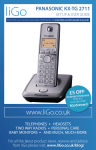
PANASONIC KX-TU327
SET UP & USER GUIDE
Find more user manuals and product information at www.liGo.co.uk/manuals/
OFF
GET £5 ver £50
*
se o
t purcha
e:
your nex
e
h
c r cod
with vou
ard
liGo5rcoenjunwction
* Not in
www.liGo.co.uk
with any
er
other off
TELEPHONES | HEADSETS | TWO WAY RADIOS
PERSONAL CARE | BABY MONITORS | AND MUCH MORE
For all the latest product news, reviews and advice from liGo, please visit www.liGo.co.uk/blog/
Operating Instructions
Easy Use Mobile Phone
Model No.
KX-TU327 E
Thank you for purchasing a Panasonic product.
Please read these operating instructions before using the unit and
save them for future reference.
Before initial use, see “Important Information” on page 8.
Supplied accessories
– AC adaptor (Part No. PNLV230EFZ): 1 pc
– Rechargeable battery (Part No. BJ-LT100010): 1 pc
– Charger (Part No. PNLC1039ZB): 1 pc
TU327EBE(en)_0821_ver011.pdf
1
2012/08/21
14:22:44
Table of Contents
Getting Started
Setting up ...............................3
Controls ..................................4
Display ....................................5
Turning the power on/
off ...........................................6
Initial settings ..........................7
Useful Information
Troubleshooting ....................32
General information ..............35
Conditions of
guarantee .............................36
Index
Index......................................37
Important Information
For your safety .......................8
Important safety
instructions ...........................10
For best performance ...........10
Other information ..................10
SAR ......................................11
Specifications .......................11
Basic Operations
Making calls ..........................13
Answering calls ....................14
Call log .................................14
Voicemail service .................14
Text input ..............................15
SMS message ......................16
Phonebook ...........................17
Alarm ....................................18
Night mode ...........................19
Calendar/Schedule ...............19
Voice recording ....................21
Priority call ............................21
Network service call
features ................................23
Security settings ...................24
Customising Your Phone
Menu list ...............................26
2
TU327EBE(en)_0821_ver011.pdf
2
2012/08/21
14:22:44
Getting Started
Battery charging
Setting up
Charge for about 3 hours.
SIM card and battery
R After installing the SIM card and battery,
N for about 2 seconds to turn
press M
the power on (page 6).
R Charging time and battery life might
differ depending on the condition of the
network.
R Use only the supplied AC adaptor.
Battery indicator
n Using the charger
R The phone will make a sound when it is
placed correctly into the charger and the
battery indicator will come on.
B
A
To power outlet
C
Note:
R Use only the battery specified.
R Wipe the battery ends ( ,
) and SIM
card with a dry cloth.
R Avoid touching the battery ends ( ,
) or
the unit contacts.
R Do not damage, carelessly handle, or
short-circuit the SIM card gold-coloured
contacts. Data might be lost or a
malfunction might occur.
Note:
R When the battery is fully charged, the
battery indicator goes off.
R The battery might swell when its life is close
to an end. This is dependent on the usage
conditions and is not a problem.
R It is normal for the phone and AC adaptor
to feel warm during charging.
Helpline Tel. No.: U.K. 0844 844 3899 Ireland 01289 8333
TU327EBE(en)_0821_ver011.pdf
3
2012/08/21
3
14:22:44
Getting Started
Controls
A
J
D
P
B
E
F
G
C
K
S
T
R
L
H
I
M
N
O
A LED light
B LED status indicator;
page 6
C Volume up/down
Change font display size;
page 7
D Display; page 5
4
E Make calls/Answer calls/
Select the function shown
above (page 6).
F Navigation key
MDN ( ): Open the main menu.
MCN ( ): View the contacts
list.
G One touch dial key; page 13
Helpline Tel. No.: U.K. 0844 844 3899 Ireland 01289 8333
TU327EBE(en)_0821_ver011.pdf
4
2012/08/21
14:22:44
Getting Started
H Call voicemail; page 15
Handsfree is on. (page 14)
I International call
Ringer volume off.
J Receiver
Incoming call
K Power/End calls/Select the
function shown above
(page 6).
Outgoing call
L Voice recording; page 21
Mute is on. (page 14)
M Press and hold for 2 seconds
to turn the silent mode on/off.
Frequency control equalizer
is set. (page 13)
N Microphone
A 2nd call is on hold.
O Charge contacts
Contact is saved to the
phone.
P Priority call; page 21
Q Speaker
R Press and hold to keep the
light on.
S Headset jack
T Charging connector
Missed call
Contact is saved to the SIM
card.
Contact name
Mobile phone number
Office phone number
Home phone number
Fax number
Display
Selected ringer tone.
Symbols
Signal strength
R: Roaming network
Battery level
– : High
– : Medium
– : Low
: Needs charging.
–
The call is not encrypted.*1
Silent mode is on.
New SMS message is
received.
– Flashing: SMS message
memory is full.
SMS message (unread/
unsent) is saved to the
phone.
SMS message (sent) is
saved to the phone.
SMS message (opened) is
saved to the phone.
Vibration is on. (page 30)
Helpline Tel. No.: U.K. 0844 844 3899 Ireland 01289 8333
TU327EBE(en)_0821_ver011.pdf
5
2012/08/21
5
14:22:44
Getting Started
SMS message (unread/
unsent) is saved to the SIM
card.
Stops alarm.
Activates snooze function.
Turns the power off.
SMS message (sent) is
saved to the SIM card.
Pauses playback.
Resumes playback.
SMS message (opened) is
saved to the SIM card.
New voicemail message
received.*2 (page 15)
Alarm is on. (page 18,
19)
Stops recording or
playback.
LED status indicator
SMS indicator
Flashes when a new SMS
message is received.*1
Night mode is on.
(page 19)
Incoming call indicator
Flashes when there is an
incoming call, when you
have a missed call*1, or
while talking.
Headset (optional) is
connected.
*1
*2
Contact your network operator/service
provider for more information.
Voicemail subscribers only
Battery indicator
Turns on when charging.
– Flashing: The battery is
low.
Function keys
Calls emergency number.
Returns to previous screen.
Accepts current selection.
Erases a number/character.
*1
SMS indicator and incoming call indicator
stop flashing after about 12 hours have
passed.
Opens recent call log.
Makes/answers a call.
Ends the call.
Sets handsfree.
Opens option menu.
Answers a 2nd call.
Allows editing.
Turning the power on/
off
Press M
seconds.
N for about 2
R The phone vibrates when you turn the
power on.
Selects multiple items.
6
Helpline Tel. No.: U.K. 0844 844 3899 Ireland 01289 8333
TU327EBE(en)_0821_ver011.pdf
6
2012/08/21
14:22:44
Getting Started
Note:
R Enter the PIN1 code and press M
N
(
) or M
N when the PIN1 code
request is displayed (page 24).
R The display becomes dark when you do not
operate the phone for about 1 minute.
Press any key to turn the display back on.
Audible dialling
When you turn this feature on,
numbers are announced when
pressing dial keys. To change
this setting, see page 30.
Initial settings
The phone may prompt you to
set display language and date
and time each time a new SIM
card is installed.
1 MbN: Select your desired
language. a M N ( )
2 Enter the current date,
month, and year. a M N
3 Enter the current time. a
M N
Note:
R If you select a language you cannot read:
N
Press MDN. a MbN: Select . a M
) 2 times a MCN 2 times a M
Na
(
MbN: Select your desired language. a
M
N
R If you want to change the date and/or time
format, see page 29.
R To adjust the hour for summer time, see
page 29.
Display font size
Press M N or M N to adjust the
font size of displayed menus.
Note:
R You cannot adjust the display font size
while you are on a call or the phone is
ringing for an incoming call.
Helpline Tel. No.: U.K. 0844 844 3899 Ireland 01289 8333
TU327EBE(en)_0821_ver011.pdf
7
2012/08/21
7
14:22:44
Important Information
For your safety
Read this section carefully before using the
product to ensure proper and safe operation.
Failure to read them carefully may cause
severe injury, loss of life/property, or be illegal.
WARNING
Power connection
R Use only the power source marked on the
product.
R Do not overload power outlets and
extension cords. This can result in the risk
of fire or electric shock.
R Completely insert the AC adaptor into the
power outlet. Failure to do so may cause
electric shock and/or excessive heat
resulting in a fire.
R Regularly remove any dust, etc. from the
AC adaptor by pulling it from the power
outlet, then wiping with a dry cloth.
Accumulated dust may cause an insulation
defect from moisture, etc. resulting in a fire.
R Unplug the product from power outlets and
remove the battery from the phone if it
emits smoke, an abnormal smell, or makes
an unusual noise. These conditions can
cause fire or electric shock. Confirm that
smoke has stopped emitting and contact an
authorised service centre.
R Unplug from power outlets and never touch
the inside of the product if its casing has
been broken open.
R Never touch the plug with wet hands.
Danger of electric shock exists.
R The AC adaptor should only be used
indoors.
R Do not use the supplied AC adaptor with
other devices.
Installation
R This product is not water-resistant. To
prevent the risk of fire or electrical shock,
do not expose the product to rain or any
type of moisture.
8
R Keep all accessories and the SIM card out
of the reach of children to prevent
swallowing.
R This product emits radio waves and may
cause interference to other electronic
devices.
R Do not allow the AC adaptor to be
excessively pulled, bent or placed under
heavy objects.
R To prevent serious damage to this product,
avoid strong impacts and rough handling.
Battery
R Use only the battery specified.
R Risk of explosion if battery is replaced with
an incorrect type. Dispose of used batteries
according to the instructions.
R Do not open, puncture, crush, or drop the
battery. A damaged battery must not be
used. This can result in the risk of fire,
explosion, overheating, and leaking of the
electrolyte.
R Stop using the battery immediately and
keep away from fire if it emits an abnormal
smell or leaks electrolyte. Released
electrolyte may cause fire or burns.
R Do not touch released electrolyte if the
battery leaks. It may cause burns or injury
to the eyes or skin. The electrolyte is toxic
and may be harmful if swallowed. If you
touch it, immediately wash the affected
areas with water and seek medical help.
R Exercise care when handling the battery.
Do not allow conductive materials such as
rings, bracelets, or keys to touch the
battery, otherwise a short circuit may cause
the battery and/or the conductive material
to overheat and cause burns.
R Do not use or charge a wet battery. This
can result in the risk of fire, explosion,
overheating, and leaking of the electrolyte.
R Charge the battery provided with or
identified for use with this product only, in
accordance with the instructions and
limitations specified in this manual.
R Only use a compatible charger to charge
the battery. Do not tamper with the charger.
Failure to follow these instructions may
cause the battery to swell or explode.
R Do not put any conductive materials such
as coins or hairpins onto the charge
Helpline Tel. No.: U.K. 0844 844 3899 Ireland 01289 8333
TU327EBE(en)_0821_ver011.pdf
8
2012/08/21
14:22:44
Important Information
contacts. This can result in the risk of
overheating.
Operating safeguards
R Unplug the product from power outlets
before cleaning. Do not use liquid or
aerosol cleaners.
R Do not disassemble the product.
R Do not allow liquids such as water, or
foreign materials such as metal pieces or
flammable materials to get into the SIM
card holder. This can result in the risk of
fire, electric shock, or malfunction.
R Do not leave this product near heat sources
(such as radiators, cookers, etc.), in direct
sunlight, or in a car under blazing sun. It
should not be placed in rooms where the
temperature is less than 0 °C or greater
than 40 °C.
R You are advised not to use the phone in an
aircraft. Turn the phone off before boarding
an aircraft. Set the alarm function off so that
the phone cannot be automatically turned
on. Using this phone in an aircraft may be
hazardous to the aircraft’s operation and
disrupt wireless communication. It may also
be illegal.
R You are advised not to use this product at
refuelling points. Users are reminded to
observe restrictions on the use of radio
equipment in fuel depots, chemical plants
or where blasting operations are in
progress.
R It is imperative that drivers exercise proper
control of vehicles at all times. Do not use a
phone while you are driving; find a safe
place to stop first. Do not speak into a
hands free microphone if it will take your
mind off the road. Always acquaint yourself
thoroughly with restrictions concerning the
use of phones within the area where you
are driving and observe them at all times.
R RF signals may affect electronic systems in
motor vehicles (for example, fuel injection,
air bag systems) that have been improperly
installed or are inadequately shielded. For
more information, consult the manufacturer
of your vehicle or its equipment.
R The use of excessive sound volume
through earphones, headphones, or
headsets may cause hearing loss.
R Do not shine the LED light close to
anybody’s eyes or turn the LED light in the
direction of car drivers. This can result in
the risk of injuries or accident.
Medical
R Consult the manufacturer of any personal
medical devices, such as pacemakers or
implanted cardioverter defibrillators to
determine if they are adequately shielded
from external RF (radio frequency) energy.
R Wireless Technology Research (WTR)
recommends a minimum separation of
15.3 cm between a wireless device and an
implanted medical device such as
pacemaker or implanted cardioverter
defibrillator to avoid potential interference
with the medical device. If you have any
reason to suspect that your phone is
interfering with a pacemaker or other
medical devices, turn off the phone
immediately and contact the manufacture of
pacemaker or other medical devices.
R Turn off the phone in hospitals or health
care facilities when any regulations posted
in the area instruct you to do so. Hospitals
or health care facilities may be using
equipment that could be sensitive to
external RF energy.
Hearing aids
R This phone is hearing aid compatible and is
rated equivalent to the M3/T4 rating of the
ANSI C63.19 test method. Most hearing
aids on the market should be compatible
with this product but compatibility is not
guaranteed. Please consult with your
Doctor or hearing aid manufacturer before
using a hearing aid with this product.
CAUTION
Installation
R The AC adaptor is used as the main
disconnect device. Ensure that the AC
outlet is installed near the product and is
easily accessible.
R It is recommended that you keep a written
record of any important data which you
Helpline Tel. No.: U.K. 0844 844 3899 Ireland 01289 8333
TU327EBE(en)_0821_ver011.pdf
9
2012/08/21
9
14:22:44
Important Information
store in your phone or SIM card in order to
avoid accidental loss.
Operating environment
R Do not place magnetic cards or similar
objects near the phone. Magnetic data on
cash cards, credit cards, telephone cards
and floppy disks, etc. may be deleted.
R Do not put magnetic substances close to
the phone. Strong magnetism might affect
operation.
Important safety
instructions
When using your product, basic safety
precautions should always be followed to
reduce the risk of fire, electric shock, and
injury to persons, including the following:
1. Do not use this product near water. For
example, avoid areas near a bathtub,
washbowl, kitchen sink, laundry tub, or
swimming pool.
2. Avoid using the phone if charging during
an electrical storm. There may be a
remote risk of electric shock from lightning.
3. Do not use the phone to report a gas leak
in the vicinity of the leak.
4. Use only the power cord and battery
indicated in this manual. Do not dispose of
the battery in a fire. It may explode. Check
with local codes for possible special
disposal instructions.
5. Do not paint or attach a thick sticker to the
phone. This may prevent proper operation.
SAVE THESE INSTRUCTIONS
For best performance
Environment
R The product should be kept free from
excessive smoke, dust, moisture, high
temperature and vibration.
R To avoid damage, charge the battery only
in temperatures ranging from 5 °C to 40 °C.
10
Routine care
R Wipe the outer surface of the product
and/or charge contacts with a soft and
dry cloth.
R Do not use benzine, thinner, or any
abrasive powder.
Other information
Notice for product disposal,
transfer, or return
R This product and SIM card can store your
private/confidential information. To protect
your privacy/confidentiality, we recommend
that you erase information such as contacts
stored in the contacts list, call logs, and
SMS messages from the memory before
you dispose of, transfer, or return the
product.
Information for Users on
Collection and Disposal of
Old Equipment and used
Batteries
1
2
3
These symbols (A, B, C) on the products,
packaging, and/or accompanying documents
mean that used electrical and electronic
products and batteries should not be mixed
with general household waste.
For proper treatment, recovery and recycling
of old products and used batteries, please
take them to applicable collection points, in
accordance with your national legislation and
the Directives 2002/96/EC and 2006/66/EC.
By disposing of these products and batteries
correctly, you will help to save valuable
Helpline Tel. No.: U.K. 0844 844 3899 Ireland 01289 8333
TU327EBE(en)_0821_ver011.pdf
10
2012/08/21
14:22:44
Important Information
resources and prevent any potential negative
effects on human health and the environment
which could otherwise arise from inappropriate
waste handling.
For more information about collection and
recycling of old products and batteries, please
contact your local municipality, your waste
disposal service or the point of sale where you
purchased the items.
Penalties may be applicable for incorrect
disposal of this waste, in accordance with
national legislation.
For business users in the
European Union
If you wish to discard electrical and electronic
equipment, please contact your dealer or
supplier for further information.
Information on Disposal in
other Countries outside the
European Union
These symbols (A, B, C) are only valid in
the European Union. If you wish to discard
these items, please contact your local
authorities or dealer and ask for the correct
method of disposal.
Note for the battery symbol
This symbol (B) might be used in
combination with a chemical symbol (C). In
this case it complies with the requirement set
by the Directive for the chemical involved.
SAR
This model meets international guidelines and
EU requirements for exposure to radio waves.
Your wireless device is a radio transmitter and
receiver. It is designed not to exceed radio
wave exposure limits recommended by
international guidelines. These guidelines
were developed by the independent scientific
organisation ICNIRP and include safety
margins designed to assure the protection of
all persons, regardless of age and health.
These guidelines also form the basis of
international regulations and standards on RF
Exposure.
The guidelines use a unit of measurement
known as the Specific Absorption Rate, or
SAR. The SAR limit for wireless devices is
2 W/kg. The highest SAR value for this device
tested at the ear was 0.450 W/kg.
As SAR is measured utilizing the devices
highest transmitting power the actual SAR of
this unit while operating is typically below that
indicated above. This is due to automatic
changes to the power level of the device to
ensure it only uses the minimum level required
to communicate with the network.
ICNIRP (http://www.icnirp.org)
Specifications
R Standard:
Dual band GSM 900/1800 MHz
R Power source:
100–240 V AC, 50/60 Hz
R Power consumption (when charging):
Standby: Approx. 0.2 W
Maximum: Approx. 4.0 W
R Operating/Charging conditions:
Operating: 0 °C – 40 °C, 20 % – 80 %
relative air humidity (dry)
Charging: 5 °C – 40 °C
R Battery:
Li-Ion 3.7 V/1,020 mAh
R Battery performance (supplied):
Talk time: Approx. 4.5 hours*1
Standby time: Approx. 720 hours*1, *2
R Antenna:
Internal
R SIM card type:
1.8 V/3 V
R Shock resistant:
This product has cleared the drop test
stipulated by “MIL-STD-810E.516”.
*1 Operating time is dependent upon usage
environment, battery age and condition.
Values were calculated according to
GSMA TS.09.
*2 The incoming call indicator and SMS
indicator flash when there is a missed call
or a new SMS message is received. The
Helpline Tel. No.: U.K. 0844 844 3899 Ireland 01289 8333
TU327EBE(en)_0821_ver011.pdf
11
2012/08/21
11
14:22:44
Important Information
standby time will be shortened when you
leave the indicator flashing.
12
Helpline Tel. No.: U.K. 0844 844 3899 Ireland 01289 8333
TU327EBE(en)_0821_ver011.pdf
12
2012/08/21
14:22:44
Basic Operations
2 MbN: Select the desired
Making calls
contact. a M
1 Enter the phone number (40
digits max.).
N(
R Press M
previous digit.
) to clear the
2 Press M N to dial.
R To switch to a handsfree, press M
) while it is displayed.
(
3 Press M
N
N to end the call.
R You can also end the call by simply
closing the phone.
Note:
R To make an international call, press and
hold M
N until “+” (the international
prefix) is displayed.
R To insert a pause (3 seconds per pause),
press and hold M N until “p” is displayed.
Making a call using the call
log
1 Press M N (
2
) to display
the call log in standby mode.
MbN: Select the desired
party. a M N
Making a call using the
phonebook
To store a contact, see
page 17.
1 Press MCN in standby mode.
R To change the search language:
M
N a MbN: Select the desired
N(
)
language. a M
R Press a dial key (M0N to M9N)
repeatedly to display the contact
corresponding to that key.
N
R If multiple phone numbers are stored
in a contact, all phone numbers are
displayed.
MbN: Select the desired phone
N
number. a M
Making a call using a one
touch dial key
To assign a contact to a one
touch dial key, see page 17.
Press and hold the desired one
touch dial key (MON to MQN).
R Press the one touch dial keys to see the
assigned number/name.
Making a call using a
speed dial key
To assign a contact to a speed
dial key, see page 18.
Press and hold the desired
speed dial key (M2N to M9N). a
M N
Call options
While talking, the following
options are available by
pressing M N ( ):
– “Hold”/“Retrieve”: put a
call on hold/release hold
(page 23).
– “Equalizer”: clarify the
voice of the person you are
talking to.
Helpline Tel. No.: U.K. 0844 844 3899 Ireland 01289 8333
TU327EBE(en)_0821_ver011.pdf
13
2012/08/21
13
14:22:44
Basic Operations
– “Mute On”/“Mute Off”:
turn the mute on/off.
– “Handsfree On”/
“Handsfree Off”: enable/
disable handsfree.
– “Phonebook”: view the
contacts list.
– “Call Log”: enter the call
log menu (page 28).
– “Messages”: enter the
message menu (page 26).
Answering calls
When a call is being received,
the incoming call indicator
flashes rapidly (page 6).
1 Press M N to answer.
R To answer a call by opening the
phone, see page 28.
N.
R To reject the call, press M
2 Press M
N to end the call.
Note:
R This phone can announce the caller’s
phone number after every ring when a call
is received. To use this feature, turn the
caller ID readout feature on (page 30).
Missed calls
If a call is not answered, the
phone treats it as a missed call.
“Missed Call” and the
number of missed calls are
shown on the display. You can
14
view the missed call log by
pressing M N ( ) when it is
displayed.
Call log
Incoming, outgoing, and missed
calls are stored in a call log
(maximum 10 calls each).
Note:
R When a caller’s phone number matches a
phone number stored in the contacts list,
the stored name is displayed and logged.
– “Unknown Number”: The caller’s
information could not be received.
– “Withheld”: The caller requests not to
send their phone number.
Call log options
Press MDN. a MbN: Select . a
M N ( ) a MbN: “Call Log”
a M N a MbN: Select a call
log list. a M N a MbN: Select
a log. a M N a M N ( ):
– “Call”
– “Create Message”
– “Add Phonebook”
– “Use Number”
– “Delete”
Voicemail service
Voicemail is an automatic
answering service offered by
your network. Contact your
Helpline Tel. No.: U.K. 0844 844 3899 Ireland 01289 8333
TU327EBE(en)_0821_ver011.pdf
14
2012/08/21
14:22:44
Basic Operations
network operator/service
provider for details. You must
first confirm that the correct
voicemail access number is
stored.
Storing the voicemail
access number
1 Press MDN.
2 MbN: Select
3
.aM N
( )
MbN: “SMS Settings” a
M N
MbN: “Voicemail” a M N
4
5 MbN: “Edit” a M N
6 Enter the voicemail access
number (20 digits max.). a
M N
Listening to voicemail
messages
1 Press and hold M
N when
in standby mode.
N to end the call.
2 Press M
Text input
characters for each key will be
displayed when you press the
key.
– Press MCN or MDN to move the
cursor right or left.
– Press and hold MDN or MCN to
move the cursor up or down.
– Press M
N ( ) to erase
the character or number to
the left of the cursor.
– To insert a space, press M N
or select “ ” in the symbol list.
– Press M N (A®a) to change
the input letter case. For
example, lower case (abc/
αβγ), auto case (Abc/Αβγ),
upper case (ABC/ΑΒΓ), and
numeric (123).
– To select a symbol:
M N a MbN: Select the
desired symbol. a M N ( )
R
is used only for SMS message
entries.
– To change the input
language:
M N ( ) a MbN: “Input
Language” a M N ( )
a MbN: Select the desired
input language. a M N
Press the dial keys to input
characters and numbers. Each
dial key has multiple characters
assigned to it. The assigned
Helpline Tel. No.: U.K. 0844 844 3899 Ireland 01289 8333
TU327EBE(en)_0821_ver011.pdf
15
2012/08/21
15
14:22:44
Basic Operations
SMS message
Creating a message
1 Press MDN.
2 MbN: Select
3
.aM N
( )
MbN: “Create Message”
aM N
Enter a message (page 15).
4
5 M N(
) a MbN: “Send
to” a M N
R To save the message, select “Save
to Drafts”.
6 To add the phone number
manually:
MbN: “Manual Input” a
M N a Enter destination
phone number (20 digits
max.). a M N
To use the contacts list:
MbN: “Add from List” a
M N a MbN: Select the
desired contact. a M N
R To add another recipient, repeat from
this step.
7 M N(
aM
) a MbN: “Send”
N
Note:
R If your SMS message contains over 160
characters (70 characters depending on
character type), it is a long message. You
can send or receive a long message of up
to 612 or 268 characters depending on
character type. Your network operator/
16
service provider may treat long messages
differently from other SMS messages.
Contact your network operator/service
provider for details.
R You cannot send or receive SMS
messages containing pictures, sound, or
contacts list.
Reading a message
1 Press MDN.
2 MbN: Select
.aM N
( )
MbN: “Inbox” a M N
3
4 MbN: Select a message.
R To scroll through the messages,
press and hold MCN or MDN.
5 Press M N to read the
message.
Replying to a message
1 While reading a message,
press M
N(
).
2 MbN: “Reply Message” a
M
N(
)
3 Enter a message (page 15).
4 M N ( ) a MbN: “Send
to” a M
N
5 Edit/Add recipient if
6
necessary.
M N ( ) a MbN: “Send”
aM N
Helpline Tel. No.: U.K. 0844 844 3899 Ireland 01289 8333
TU327EBE(en)_0821_ver011.pdf
16
2012/08/21
14:22:44
Basic Operations
SMS options
Press MDN. a MbN: Select .
a M N ( ) a MbN: Select a
desired box. a M N a MbN:
Select a message. a M N a
M N ( ):
– “Reply Message”
– “Call Sender”
– “Forward Message”
– “Add Phonebook”
– “Delete”
– “Extract Number”
– “Edit Message”
– “Resend”
Phonebook
You can store contacts in the
phone (up to 200 contacts with
4 phone numbers for each
contact) or SIM card by
changing the memory location
(page 27).
Note:
R For other phonebook settings, see
page 27.
Creating contacts
1 Press MDN.
2 MbN: Select . a M N ( )
3 MbN: “Add New Contact”
aM
N
4 MbN: “Name” a M N
5 Enter the party’s name
6
7
(page 15).
M N ( ) a MbN: “Save”
aM N
MbN: “Phone num. 1” a
M N
R When the selected memory location
is a SIM card, select “Number”.
8 Enter the party’s phone
number. a M
N
R When the selected memory location
is a SIM card, go to step 12.
9 MbN: Select an icon if
necessary. a M
N
R If you want to store another phone
number, select either “Phone num.
2”, “Phone num. 3”, or “Phone
num. 4”.
10 MbN: “General” a M N
11 MbN: Select the desired
12
ringer tone if necessary. a
M N
MbN: “Save” a M N
Assigning a contact to a
one touch dial key
1 Press MDN.
2 MbN: Select . a M N ( )
3 MbN: “One Touch Dial”
4
aM N
MbN: Select the desired one
touch dial key number.
Helpline Tel. No.: U.K. 0844 844 3899 Ireland 01289 8333
TU327EBE(en)_0821_ver011.pdf
17
2012/08/21
17
14:22:44
Basic Operations
5 M N(
– “Delete”
– “Search Letter”
) a MbN: “Add
from List” a M N
6 MbN: Select the desired
contact. a M
N
Alarm
Assigning a contact to a
speed dial key
1 Press MDN.
2 MbN: Select . a M N (
3 MbN: “Speed Dial” a
4
5
)
M N
MbN: Select the desired dial
key number.
M N ( ) a MbN: “Add
from List” a M N
6 MbN: Select the desired
contact. a M
N
Contacts list options
Press MDN. a MbN: Select .
a M N ( ) a MbN:
“Contacts” a M N a MbN:
Select a contact. a M N ( ):
– “Call”
– “Detail”
– “Edit”
– “Create Message”
– “Use Number”
– “Add New Contact”
– “Copy”
18
An alarm sounds at the set time
for 30 seconds. The snooze
function will cause it to repeat 3
times at 5 minutes intervals.
While the alarm is sounding, a
text memo is displayed. A total
of 5 separate alarm times can
be programmed. The phone
vibrates when the silent mode is
on.
1 Press MDN.
2 MbN: Select . a M N (
3 MbN: “Alarm” a M N
4 MbN: Select an alarm. a
M
N
5 MbN: “Settings” a M N
6 Set the desired time. a
M
N
7 MbN: Select the desired
alarm option. a M N
– “Once”: Alarm sounds
once at the set time. Go
to step 10.
– “Weekly”: Alarm sounds
weekly at the set time(s).
Helpline Tel. No.: U.K. 0844 844 3899 Ireland 01289 8333
TU327EBE(en)_0821_ver011.pdf
18
)
2012/08/21
14:22:44
Basic Operations
8 MbN: Select the desired day
5 MbN: “Night Mode” a
of the week and press M
).
MbN: “Save” a M N
6 MbN: “On” a M N
7 Enter the desired time to
N(
9
10 Enter/edit a text memo if
11
12
necessary (page 15).
M N ( ) a MbN: “Save”
aM N
MbN: Select the desired
alarm tone. a M N
R “ ” is displayed next to the set alarm.
Note:
R Press M
N(
) to stop the alarm
completely.
N(
) to stop the sound but
R Press M
keep the snooze function activated.
R The phone will automatically turn on and
the alarm will sound even if the phone is off.
Night mode
This feature stops the phone
from ringing when you do not
want to be disturbed. If you set
the ring delay, the phone starts
ringing after a selected amount
of time has passed.
1 Press MDN.
2 MbN: Select . a M N ( )
3 MbN: “Phone Settings”
4
aM N
MbN: “Clock Settings”
aM N
M
8
9
N
start. a M N
Enter the desired time to
end. a M N
MbN: Select the desired ring
delay. a M N
R If you select “No Ringing”, the
phone never rings during night mode.
Note:
R If you have set the alarm, the alarm sounds
even if the night mode is on.
Calendar/Schedule
This feature allows you to see
the calendar and store schedule
items for a specific date. You
can store up to 100 schedule
items (maximum 10 items per
day). If you set a schedule
alarm, an alarm sounds for 30
seconds and a text memo is
displayed at the set time.
Creating a new schedule
item
1 Press MDN.
2 MbN: Select . a M N ( )
3 MbN: “Calendar” a M N
Helpline Tel. No.: U.K. 0844 844 3899 Ireland 01289 8333
TU327EBE(en)_0821_ver011.pdf
19
2012/08/21
19
14:22:44
Basic Operations
4 MbN: Select the desired date.
R To go to a specific date:
N(
) a MbN: “Go to Date”
M
N a Enter the desired date,
aM
month, and year. a M
N
R The selected week number is
displayed in the bottom right of the
calendar.
5 M N(
) a MbN:
“Schedule” a M
N
6 M N(
) a MbN:
“Create” a M N
7 Edit the date if necessary.
8
9
10
11
aM N
Set the desired time. a
M N
Enter a text memo
(page 15).
M N ( ) a MbN: “Save”
aM N
MbN: “On” a M N
R If you prefer not to set a schedule
alarm, select “Off”, and then go to
step 13.
12 MbN: Select the desired
alarm tone. a M
N
13 M N
R The background colour is changed for
the date the schedule item is added to.
Note:
N(
) to stop the alarm
R Press M
completely.
N(
) to stop the sound but
R Press M
keep the snooze function activated.
R The phone will automatically turn on and
the alarm will sound even if the phone is off.
20
Viewing/editing/erasing a
schedule item
1
2
3
4
5
Press MDN.
MbN: Select
.aM
MbN: “Calendar” a M
20
)
N
MbN: Select the desired date.
M N ( ) a MbN:
“Schedule” a M
N
R The schedule items are displayed as
a list.
6 MbN: Select the desired
schedule item.
7 To see the details of each
schedule item:
M N ( ) a MbN:
“Detail” a M N
To edit a schedule item:
M N ( ) a MbN: “Edit”
a M N a Continue from
step 7 in “Creating a new
schedule item”, page 19.
To erase a schedule item:
M N ( ) a MbN:
“Delete” a M N a MbN:
“Yes” a M N
Note:
R Schedule items are not erased
automatically even after the set time has
passed.
Erasing all schedule items
1 Press MDN.
Helpline Tel. No.: U.K. 0844 844 3899 Ireland 01289 8333
TU327EBE(en)_0821_ver011.pdf
N(
2012/08/21
14:22:45
Basic Operations
2 MbN: Select . a M N ( )
3 MbN: “Calendar” a M N
4 M N ( ) a MbN: “Delete
All Items” a M
N
5 MbN: Select “All until
6
Today” or “All Items”.
aM N
MbN: “Yes” a M N
Voice recording
You can record your voice or
sounds as a voice memo. The
maximum recording time is 5
minutes (20 messages max.).
Recording your voice
memo/sound
1 Press and hold M N to start
2
recording.
Press M
N(
recording.
) to stop
Listening to the recorded
voice memo/sound
1 Press M N.
2 MbN: “List” a M N ( )
3 MbN: Select the desired item
from the list.
4 M N(
aM
) a MbN: “Play”
N
Erasing a voice memo/
sound
1 Press M N.
2 MbN: “List” a M N ( )
3 MbN: Select the desired item
4
from the list.
M N ( ) a MbN: Select
“Delete” or “Delete
All”. a M N
5 MbN: “Yes” a M N
Priority call
This feature allows you to ask a
registered person for assistance
by sending an SMS message
and calling them, using M N (on
the back of the phone). The
phone will beep and send an
SMS message, and then call
the number you stored in the
call number list. Store the phone
numbers (5 numbers max.) in
the list in the desired order of
priority.
Note:
R M N can be activated even when the
phone is closed.
R If you want to turn the buzzer off, see
page 28.
Helpline Tel. No.: U.K. 0844 844 3899 Ireland 01289 8333
TU327EBE(en)_0821_ver011.pdf
21
2012/08/21
21
14:22:45
Basic Operations
Priority call procedure
1 Press and hold M N for 3
2
seconds, or press it 3 times
when in standby mode.
The phone sends your
stored SMS message
(page 23).
R To cancel sending an SMS message,
press M
N(
).
3 The phone dials the 1st
person in the list. Handsfree
is turned on.
R To switch to the receiver, press M
).
(
N
4 If the call is answered, you
can begin your
conversation. You can skip
to the next person by
pressing M N for 3 seconds
while talking. Press M
N
to end the priority call.
OR
If the other party is busy,
rejects the call, or does
not answer within 20
seconds, the phone
automatically dials the next
person. The phone
continues to send SMS
messages and dial numbers
in the list in sequence, up to
a maximum of 2 times.
22
Note:
R You can stop the priority call sequence by
N while dialling. The
pressing M
sequence will continue if you press M N
again within 1 minute after you press
N.
M
Storing a priority call
number
1 Press MDN.
2 MbN: Select . a M N ( )
3 MbN: “Call Settings” a
4
5
6
7
M N
MbN: “Priority Call” a
M N
MbN: “Call Number” a
M N
MbN: Select the desired
position in the call number
list.
M N ( ) a MbN: “Manual
Input” a M N
R To add a number from the contacts
list:
N
MbN: “Add from List” a M
a MbN: Select the desired contact.
N
aM
R If you want to edit the stored number,
select “Edit”.
8 Enter the party’s name
9
(page 15).
M N ( ) a MbN: “Save”
aM N
Helpline Tel. No.: U.K. 0844 844 3899 Ireland 01289 8333
TU327EBE(en)_0821_ver011.pdf
22
2012/08/21
14:22:45
Basic Operations
10 Enter the party’s phone
number. a M
N
Note:
R Storing public institutions such as the
police, rescue services, or fire brigade is
not recommended.
Storing an SMS message
1 Press MDN.
2 MbN: Select . a M N ( )
3 MbN: “Call Settings” a
4
M N
MbN: “Priority Call” a
M N
MbN: “Message” a M N
5
6 Enter a message (page 15).
7 M N ( ) a MbN: “Save”
aM
Hold
1 Press M N (
) while
talking.
MbN: “Hold” a M N (
2
)
3 To release hold, press M N (
). a MbN: “Retrieve”
aM N
Call waiting
1 Press M N (
R The 1st call is disconnected if you
N while receiving a 2nd
press M
call.
2 After the 2nd call is
N
Note:
R Make sure the SMS service centre number
is stored (page 26).
Network service call
features
Contact your network operator/
service provider for details and
availability of the services in
your area.
) to answer
a 2nd call.
3
connected, switch between
calls by pressing M N ( ).
a MbN: “Swap” a M N
( )
Press M
N to end the call.
Note:
R If you want to receive a 2nd call displaying
the 2nd caller’s information, activate the call
waiting feature (page 28).
Conference call
1 After the 2nd call is
2
connected, press M N ( ).
Select “Merge” and then
press M N ( ) to establish
a conference call.
R To split a call during a conference call:
Helpline Tel. No.: U.K. 0844 844 3899 Ireland 01289 8333
TU327EBE(en)_0821_ver011.pdf
23
2012/08/21
23
14:22:45
Basic Operations
3 MbN: “Security” a M N
4 MbN: “PIN1 Request” a
MbN: Select the desired party. a
N(
) a MbN: “Split” a
M
N
M
3 To end a call:
MbN: Select the desired
party. a M
N
To end a conference call:
M N ( ) a MbN:
“Release Conf.” a M N
To end all calls:
M N ( ) a MbN:
“Release All” a M N
PIN code
PIN1/PIN2 protects your SIM
card against unauthorised use.
When the PIN1 code request is
on, you must enter the PIN1
code each time the phone is
turned on.
6
setting. a M N
Enter the current PIN1 code
(4 to 8 digits). a M N
Note:
R If you want to change the PIN code, see
page 29.
Phone code
Important:
R The phone will automatically turn off if you
enter the incorrect phone code 3 times. If
you forget your phone code, contact an
authorised service centre.
Important:
R If you enter the incorrect PIN1/PIN2 code 3
times, the SIM card is locked. Enter the
8-digit PUK1 code for PIN1 or the 8-digit
PUK2 code for PIN2 to unlock.
R If you enter the incorrect PUK1/PUK2 code
10 times, contact your network operator/
service provider for further information.
R Both PIN/PUK numbers are issued by your
network operator/service provider.
R The PIN1 code request cannot be set to
“Off” with some SIM card types.
24
N
The phone code protects the
phone against unauthorised use.
When the phone code request
is on, you must enter the phone
code each time the phone is
turned on.
Security settings
1 Press MDN.
2 MbN: Select . a M N (
M
5 MbN: Select the desired
)
1
2
3
4
Press MDN.
MbN: Select
.aM
MbN: “Security” a M
MbN: “Phone Code
Request” a M N
5 MbN: Select the desired
6
setting. a M N
Enter the current 4-digit
phone code (default:
“0000”). a M N
Helpline Tel. No.: U.K. 0844 844 3899 Ireland 01289 8333
TU327EBE(en)_0821_ver011.pdf
24
N(
2012/08/21
14:22:45
)
N
Basic Operations
Note:
R If you want to change the phone code, see
page 29.
Helpline Tel. No.: U.K. 0844 844 3899 Ireland 01289 8333
TU327EBE(en)_0821_ver011.pdf
25
2012/08/21
25
14:22:45
Customising Your Phone
Menu list
Note:
R In the following table, < > indicates the default settings.
“Messages” menus
To enter the following sub-menus, press MDN. a MbN: Select
Sub-menu 1
.aM
N(
)
Sub-menu 2
Sub-menu 3
page
Create Message
–
–
16
Inbox
–
–
16
Draftbox
–
–
–
Outbox
–
–
–
Sentbox
–
–
–
Delete All
–
–
–
Service Centre
–
–
Validity Period*1
–
SMS Settings
Voicemail
*1
*2
*3
26
–
Call Voicemail
15
Edit
15
Status Report*2 <Off>
–
–
Reply Path*3 <On>
–
–
Memory Status
–
–
Storage Media <Phone>
–
–
Save sent SMS <On>
–
–
Set the time period during which the service centre will try to resend the SMS message if it
has not been delivered.
Receive status reports to find out whether your sent SMS messages have been successfully
delivered or not.
SMS messages may be sent using another service centre number when this feature is
turned on.
Helpline Tel. No.: U.K. 0844 844 3899 Ireland 01289 8333
TU327EBE(en)_0821_ver011.pdf
26
2012/08/21
14:22:45
Customising Your Phone
“Phonebook” menus
To enter the following sub-menus, press MDN. a MbN: Select
Sub-menu 1
.aM
N(
)
Sub-menu 2
Sub-menu 3
page
Contacts
–
–
17
Add New Contact
–
–
17
Speed Dial
–
–
18
One Touch Dial
–
–
17
My Number
–
–
–
Storage Media <Phone>
–
–
Memory Status
–
–
Copy All
–
–
Delete All
–
–
Memory Manager
FDN Phonebook*1
<Off>
(SIM card
dependent)
–
–
–
Service Dial*2
(SIM card
dependent)
–
–
–
*1
*2
Activate or deactivate FDN (Fixed Dialling Number). When this feature is activated, only the
phone numbers stored in the FDN list can be shown, dialled, or messaged. The PIN2 code
is required every time you access the FDN phonebook.
Access the special services of your network operator/service provider (such as customer
support, emergency services, etc.) if SDN (Service Dialling Number) is included on your SIM
card.
Helpline Tel. No.: U.K. 0844 844 3899 Ireland 01289 8333
TU327EBE(en)_0821_ver011.pdf
27
2012/08/21
27
14:22:45
Customising Your Phone
“Call Menu” menus
To enter the following sub-menus, press MDN. a MbN: Select
Sub-menu 1
Sub-menu 2
Call Log
Incoming Call
–
Outgoing Call
–
Missed Call
–
Delete All
Call Settings
.aM
Priority Call
N(
Sub-menu 3
Call Divert*1
Call Barring*2
Show My ID*3
<Network Set>
Auto Redial*4 <Off>
Answer Mode
*1
*2
*3
*4
28
page
14
–
–
Call Number
22
Message
23
Buzzer <On>
Call Waiting
)
–
–
23
–
–
Outgoing Barring
–
Incoming Barring
–
Barring Password
–
–
–
–
–
Any Key <Off>
–
Open to Talk <Off>
14
Call divert may not work if call barring is activated.
Call barring may not work if call divert is activated. If you enter the incorrect barring
password 3 times, it becomes invalid. Contact your network operator/service provider. The
barring password is issued by your network operator/service provider.
When you set this to “Hide ID”, you may not be able to make calls depending on the
network.
When this feature is on, the phone automatically redials multiple times under certain
conditions (no answer, the other party’s line is engaged, etc.). To stop auto redial while
N.
redialling, press M
Helpline Tel. No.: U.K. 0844 844 3899 Ireland 01289 8333
TU327EBE(en)_0821_ver011.pdf
28
2012/08/21
14:22:45
Customising Your Phone
“Settings” menus
To enter the following sub-menus, press MDN. a MbN: Select
Sub-menu 1
Phone Settings
Sub-menu 2
Clock Settings
Display
Network
Security
*2
*3
*4
N(
)
page
Date & Time
–
Format Settings
– Date Format <D/M/Y>
– Time Format
<24 hours>
–
Night Mode <Off>
19
Summer Time <Off>
–
Brightness <Level 3>
–
Wallpaper <Off>
–
Background <Black>
–
Clock Display <On>
–
Font Size <Middle>
7
Language <Auto>*1
–
–
Select Network
–
–
Selection Mode*2
<Auto>
–
–
PIN1 Request
–
24
Change PIN1*3
–
–
Change PIN2
–
–
Phone Code Request
<Off>
–
24
Change Phone Code
<0000>
–
–
–
–
–
Reset Settings*4
*1
.aM
Sub-menu 3
“Auto” means the phone automatically changes the inserted SIM card language, dictated
by the language setting of the SIM card.
Set the phone to automatically roam for a network or to search manually.
“Auto”: The phone automatically searches for the currently available network.
“Manual”: Depending on network situations the phone displays a list of networks that exist
in the current location, allowing you to manually select the desired network.
When you change the PIN1 code, make sure that the PIN1 code request is set to “On”.
All settings other than the following items can be reset to factory default:
– All SMS messages, service centre number, and validity period
– Stored contacts, FDN phonebook, and My number
– All call logs, Priority call settings, Call waiting, Call divert, and Call barring
Helpline Tel. No.: U.K. 0844 844 3899 Ireland 01289 8333
TU327EBE(en)_0821_ver011.pdf
29
2012/08/21
29
14:22:45
Customising Your Phone
– Date and time, format settings, summer time, PIN1 code request, Phone code request,
and Phone code
– All recorded voice memos and all schedule items stored in the calendar/schedule
“Profiles” menus
To enter the following sub-menus, press MDN. a MbN: Select
Sub-menu 1
Sub-menu 2
General
*1
)
page
–
Ring Type
<Ring only>
–
Ringtone*1
<Ringtone 1>
–
SMS Ringtone*1
<Ringtone 2>
–
Ringer Volume
<Maximum>
–
Keytone <On>
–
Audible Dialling
<Normal>
7
Caller ID Readout
<Off>
14
Reset
–
Silent
N(
–
Activate
Customize
.aM
Sub-menu 3
–
–
–
–
The preset melodies in this product are used with permission of © 2012 Copyrights Vision
Inc.
“Tools” menus
To enter the following sub-menus, press MDN. a MbN: Select
Sub-menu 1
.aM
N(
)
Sub-menu 2
Sub-menu 3
page
Alarm
–
–
18
Calendar
–
–
19
Record
–
21
List
–
21
–
–
Voice Recorder
–
Telecoil Mode
<Off>*1
*1
30
Turn this feature on when you activate the Telecoil mode of your hearing aid. You cannot
use the frequency control equalizer feature when this feature is on (page 13).
Helpline Tel. No.: U.K. 0844 844 3899 Ireland 01289 8333
TU327EBE(en)_0821_ver011.pdf
30
2012/08/21
14:22:45
Customising Your Phone
Note:
R If your SIM card includes SAT (SIM Application Toolkit), display shows network operator/
service provider’s additional menu in this area. The SIM Toolkit allows the applications existing
on the SIM card to interact and operate with your phone. Please contact your network operator/
service provider for further information.
“Ringer Volume” menu
.aM
Press MDN. a MbN: Select
volume. a M
N
N(
) a Press M N or M N to select the desired
Helpline Tel. No.: U.K. 0844 844 3899 Ireland 01289 8333
TU327EBE(en)_0821_ver011.pdf
31
2012/08/21
31
14:22:45
Useful Information
Troubleshooting
If you still have difficulties after following the instructions in this section, turn
off the phone, remove the battery, then turn it on again after about 1 minute.
Display messages
Display message
Cause/solution
SIM Error
Contact your network operator/service provider
for further information.
Limited Service
There is no network service in your current
location. Move to another location where your
network can be received properly. You can only
call the international emergency number “112”.
No Service
There is no network service in your current
location. Check the current status and move to
a new location with better reception.
PUK1 Blocked!
or
PUK2 Blocked!
You entered incorrect PUK1/PUK2 code 10
times, therefore PUK1/PUK2 code is blocked.
Contact your network operator/service provider.
Error! Charging
stopped, see
manual.
Charge the battery only in ambient
temperatures ranging from 5 °C to 40 °C.
Access volume
booster mode?
When you try to set the receiver volume to level
5 or 6, this message will be displayed. Press
M N(
) to continue adjusting the volume.
General use
Problem
Cause/solution
The phone does not
turn on even after
installing charged
battery.
R Press M
power on.
32
N for about 2 seconds to turn the
Helpline Tel. No.: U.K. 0844 844 3899 Ireland 01289 8333
TU327EBE(en)_0821_ver011.pdf
32
2012/08/21
14:22:45
Useful Information
Problem
Cause/solution
The phone does not
work.
R Make sure the SIM card and battery are
installed correctly (page 3).
R Fully charge the battery (page 3).
The contacts in the
contacts list are not
displayed correctly.
R Only characters supported by this phone can
be displayed.
The display is in a
R Change the display language (page 29).
language I cannot read.
The phone beeps and/
or flashes.
R Battery charge is low. Fully charge the
battery (page 3).
I fully charged the
R Clean the battery ends ( , ) and the
battery, but
charge contacts with a dry cloth and charge
–
still flashes or
again.
– the operating time
R It is time to replace the battery (page 3).
seems to be shorter.
Noise is heard, sound
cuts in and out.
R You are using the phone in an area with high
electrical interference. Move to a location
away from sources of interference.
R The GSM network signal is weak. Check the
current status and move to a new location
until more bars are visible (page 5).
The phone does not
ring.
R The ringer volume is turned off. Adjust ringer
volume (page 31).
R Night mode is on. Turn it off (page 19).
I cannot make a call.
R Outgoing calls are barred. Deactivate the
outgoing call bar settings (page 28).
R Your call is withheld. Change the show my ID
setting to a setting other than “Hide
ID” (page 28).
R Fixed dialling feature is enabled (page 27).
Disable it.
I cannot receive a call.
R Incoming calls are barred. Deactivate the
incoming call bar settings (page 28).
Helpline Tel. No.: U.K. 0844 844 3899 Ireland 01289 8333
TU327EBE(en)_0821_ver011.pdf
33
2012/08/21
33
14:22:45
Useful Information
Problem
Cause/solution
I cannot send SMS
messages.
R The phone could not connect to the service
centre. Confirm that the correct service
centre number is stored (page 26).
R Fixed dialling feature is enabled (page 27).
Disable it.
I cannot receive SMS
messages.
R SMS message transmission was interrupted.
Wait until the SMS message has been sent
before using other phone functions.
I cannot receive
voicemail message
notifications.
R When the SMS message memory is full, you
may not be able to receive any new
voicemail message notifications. Erase
unnecessary SMS messages to receive new
voicemail message notifications (page 17).
I cannot receive SMS
R Some kinds of SMS messages can be
messages even though
received only by the SIM card. Check the
the phone has enough
memory status of the SIM card (page 26)
memory.
and erase unnecessary SMS messages
(page 17).
I cannot receive E-mail
messages.
R This phone only supports SMS message
services. Contact your network operator/
service provider for details of this service.
Liquid or other form of
moisture has entered
the phone/charger.
R Disconnect the AC adaptor from the phone/
charger. Remove the SIM card and battery
from the phone and leave to dry for at least 3
days. After the phone/charger are completely
dry, insert the SIM card and battery into the
phone. Then reconnect the AC adaptor to
charge fully before use. If the phone does not
work properly, contact your place of
purchase or nearest Panasonic service
centre.
Caution:
R To avoid permanent damage, do not use a microwave oven to speed up the drying process.
34
Helpline Tel. No.: U.K. 0844 844 3899 Ireland 01289 8333
TU327EBE(en)_0821_ver011.pdf
34
2012/08/21
14:22:45
Useful Information
General information
R This phone is designed to operate on GSM network - Dual band GSM 900/1800 MHz.
R This equipment is designed for use in U.K. and Ireland.
R In the event of problems, you should contact your equipment supplier in the first instance.
Declaration of Conformity:
R Panasonic System Networks Co., Ltd. declares that this equipment is in compliance with the
essential requirements and other relevant provisions of Radio & Telecommunications Terminal
Equipment (R&TTE) Directive 1999/5/EC.
Declarations of Conformity for the relevant Panasonic products described in this manual are
available for download by visiting:
http://www.doc.panasonic.de
Contact to Authorised Representative:
Panasonic Testing Centre
Panasonic Marketing Europe GmbH
Winsbergring 15, 22525 Hamburg, Germany
Additional/replacement accessories
Please contact your place of purchase or Panasonic sales office for sales information.
Accessory item
Model number
Rechargeable battery
BJ-LT100010
R Lithium Ion (Li-Ion) type battery only.
Sales and support information
Customer Communications Centre
R For customers within the U.K.: 0844 844 3899
R For customers within Ireland: 01289 8333
R For further support on your product, please visit our website: www.panasonic.co.uk
Direct Sales at Panasonic U.K.
R Order accessory and consumable items for your product with ease and confidence by phoning
our Customer Communications Centre Monday - Thursday 9:00am - 5:30pm, Friday 9:30am 5:30pm (Excluding public holidays).
R Or go on line through our Internet Accessory ordering application at www.pas-europe.com
R Most major credit and debit cards accepted.
R All enquiries transactions and distribution facilities are provided directly by Panasonic U.K.
R It couldn’t be simpler!
R Also available through our Internet is direct shopping for a wide range of finished products.
Take a browse on our website for further details.
Helpline Tel. No.: U.K. 0844 844 3899 Ireland 01289 8333
TU327EBE(en)_0821_ver011.pdf
35
2012/08/21
35
14:22:45
Useful Information
Conditions of guarantee
This guarantee is in addition to and does not in any way affect any statutory or other rights of
consumer purchasers. If within the applicable guarantee period, the product proves to be
defective by reason of faulty design, workmanship or materials, we undertake subject to the
following conditions to have the defective product (or any part or parts there of) repaired or
replaced free of charge.
1. The product shall have been purchased and used solely within either the U.K. or Ireland
and in accordance with standard operating instructions and the technical and/or Safety
Standards required in the U.K.
2. On being found defective, please consult with the retailer from where it was purchased for
assistance.
3. This guarantee shall not apply to damage caused through fire, accident, lightning, misuse,
wear and tear, neglect, incorrect adjustment or repair, to damage caused through
installation, adaption, modification or use in an improper manner or inconsistent with the
technical and/or safety standards required in the country where this product is used, or to
damage occurred during transit to or from the purchaser.
4. If at any time during the guarantee period any part or parts of the product are replaced
with a part or parts not supplied or approved by us or of an objective quality safe and
suitable for the product, or the product has been dismantled or repaired by any person not
authorised by us, we shall have the right to terminate this guarantee in whole or in part
immediately without further notice.
5. The purchaser’s sole and exclusive remedy under this guarantee against us is for the
repair or replacement of the product or any defective part or parts and no other remedy,
including, but not limited to, incidental or consequential damage or loss of whatsoever
nature shall be available to the purchaser.
6. This guarantee shall not apply to batteries and any other items of limited natural life.
7. Our decision on all matters relating to complaints shall be final. Any product or defective
part which has been replaced shall become our property.
8. The guarantee period applicable to this product shall be 12 months.
Please keep these operating instructions with your receipt.
Panasonic U.K. a branch of Panasonic Marketing Europe GmbH
Receipt No.
Date of purchase
Model No.
Serial No.
36
Helpline Tel. No.: U.K. 0844 844 3899 Ireland 01289 8333
TU327EBE(en)_0821_ver011.pdf
36
2012/08/21
14:22:45
Index
Index
A
B
C
D
E
F
H
I
K
L
M
N
O
P
R
Alarm: 18
Answer mode
Any key: 28
Open to talk: 28
Answering calls: 14
Audible dialling: 7, 30
Auto redial: 28
Battery: 3, 5
Calendar: 19
Call barring: 28
Call divert: 28
Call log: 13, 14
Call waiting: 23
Caller ID readout: 14, 30
Conference call: 23
Date and time: 29
Display
Background: 29
Brightness: 29
Clock: 29
Font size: 7, 29
Language: 29
Wallpaper: 29
Display message: 32
Emergency call: 32
Fixed dialling number (FDN): 27
Frequency control equalizer: 13
Handsfree: 13
Hold: 13, 23
International call: 5, 13
Keytone: 30
LED light: 5
Making calls: 13
Menu list: 26
Missed calls: 14
Mute: 13
My number: 27
Network: 29
Night mode: 19
One touch dial: 13, 17
Pause: 13
Phone code: 24, 29
Phonebook: 13, 17
Phonebook settings: 27
PIN: 24, 29
Power on/off: 6
S
T
V
Priority call: 21
PUK: 24, 32
Reset settings: 29
Ringer profiles: 30
Ringer tone: 30
Schedule: 19
Service dialling number (SDN): 27
Show my ID: 28
Silent mode: 5, 30
SIM: 3
SIM application toolkit (SAT): 31
SMS message: 16
SMS settings
Reply path: 26
Service centre: 26
Status report: 26
Validity period: 26
Speed dial: 13, 18
Summer time: 29
Telecoil (T-coil) mode: 30
Text input: 15
Troubleshooting: 32
Vibration: 30
Voice recording: 21
Voicemail: 14
Volume
Receiver: 4, 32
Ringer: 4, 31
Speaker: 4
37
TU327EBE(en)_0821_ver011.pdf
37
2012/08/21
14:22:45
Notes
38
TU327EBE(en)_0821_ver011.pdf
38
2012/08/21
14:22:45
Notes
39
TU327EBE(en)_0821_ver011.pdf
39
2012/08/21
14:22:45
For your future reference
We recommend keeping a record of the following information to assist with any repair under
warranty.
Serial No.
Date of purchase
(found on the carton box or in the battery compartment)
Name and address of dealer
Attach your purchase receipt here.
Helpline Tel. No. for customers within the U.K.: 0844 844 3899
Helpline Tel. No. for customers within Ireland: 01289 8333
Sales Department:
Panasonic House, Willoughby Road, Bracknell, Berkshire, RG12 8FP
Web site: www.panasonic.co.uk
1-62, 4-chome, Minoshima, Hakata-ku, Fukuoka 812-8531, Japan
© Panasonic System Networks Co., Ltd. 2012
*PNQX5533ZA*
*PNQX5533ZA*
PNQX5533ZA
TU327EBE(en)_0821_ver011.pdf
40
2012/08/21
TT0812YK0 (A)
14:22:46