1
Intruder alarm system
XR1
Operating
Instructions
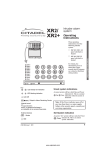
These operating
instructions cover the
following intruder
system:
ÿ
1 2 3 4 5 6 7 8
Power
0
1
2
3
4
PA
Attack
5
6
7
8
9
Chime
Omit
Reset
Prog
Set
Tamper
Day
8EP 394 XR1G3
panel with built in
keypad
For Clarity, the
information given on
setting the system,
assume that all Programs
use a timed or final door
setting routine.
Accenta /! mini
1 2 3 4 5 6 7 8
Power
0
1
2
3
4
5
6
7
8
9
Chime
Omit
Reset
Prog
Set
PA
Attack
Tamper
Day
Key
Unset system indications
LED steady On indication
LED flashing indication
LED Off
An unset system will have both Day and Power
indicators lit. This is a normal
Day
Power
indication when the system is
disarmed.
Internal sound
Sound description
NOTE: In general a flat beep is
an indication of an incorrect key press.
External devices
Note: If the Power indicator goes off at
any time then there is a mains supply
failure at the security panel, consult your
servicing organisation.
Strobe
Bell
Set System indication
An active ‘Set’ system will have only the Power
Power indicator lit. This is an armed
system indication.
4188-693 issue 1_8/01
1
Unset system indications
8EP 394 XR1 G3 panel
with built-in keypad
Operating instructions
Citadel XR1 G3 Intruder system
How to unset system in alarm
Access codes
Contents
Unset system indications - - - - - - - - Set System indication - - - - - - - - - Access codes - - - - - - - - - - - - - How to operate Personal Attack - - - How to unset system in alarm - - - - - Programs 1, 2 and 3 - - - - - - - - - - How to set the system (on program 1) - Push to Set Switch - - - - - - - - - - - Keyswitch Set - - - - - - - - - - - - - Faults during setting - - - - - - - - - - How to unset the system (turn off) - - How to set program1,2 or 3 - - - - - - How to Quick set - - - - - - - - - - - How to Omit zone(s) on setting system Fire Alarm - - - - - - - - - - - - - - How to set Chime Zones - - - - - - - Operator’s Program mode - - - - - - - To exit operation at any time - - - - - - How to enter Operator’s program mode
How to view the events log - - - - - - How to create/omit User 2 code - - - - How to change current user code - - - How to carry out Alarm and Walk testsServicing organisation details - - - - - - Quick Reference - - - - - - - - - - - - -
-
-
1
1
2
2
2
2
3
3
3
3
3
3
4
4
4
4
5
5
5
5
6
6
7
7
8
Enter your code. Entering the code will turn the
alarm off and the cause of the alarm will be
displayed. After investigation press Reset to
clear the indication.
n
n
n
n
Bell
Alarm
FIRST ZONE IN ALARM
OTHER ZONES IN ALARM
Investigate the Alarm
Reset
ALL ZONE
Strobe Off
Day
Note: If the alarm indication does not
clear, then the system may need to be
reset by the installation engineer, contact
your installer for further information.
Programs 1, 2 and 3
Access codes
There are two User codes used in the system,
both are 4 digit and can be set to any number
from 0000 to 9999, signified by:
n
n
n
n
The user 1 and 2 codes have the same operation
for testing, Setting and Unsetting, but user 1
code which is usually considered to be the
Managers code has the authority to add, change
or delete the user 2 code.
ÿ
ÿ
User 1 code - 0123 factory set
User 2 code - not programmed.
How to operate Personal Attack
Personal Attack buttons on the keypad are used
to activate the alarm, irrespective of whether the
system is armed or not.
Press Simultaneously:
9
4
2
The panel uses 3 Part Set routines known as
Programs. In each Program the exit mode can be
changed and the zone may be set up to have a
different function.
The examples below show how 3 typical
Programs could be used in a house.
Program 1 To arm all of the zones and become
Set as the user leaves the property and closes the
final door.
Program 2 To protect the perimeter of the
property in the evening and become Set after say
20 seconds.
Program 3 To protect the downstairs areas of
the house at night and become Set silently.
The above are purely examples. The installer has
the ability at the programming stage to configure
all the circuits to the customer’s exact
requirements.
4188-693 issue 1_8/01
Citadel XR1 G3 intruder system
Operating instructions
How to set the system (on
program 1)
How to unset the system (turn
off)
The green Day indicator should be showing.
Enter your code
number and check
that the system is
clear (none of the
Day
zone indicators
are showing). The
n
n
n
n
sounder will now
10seconds
produce an exit
Exit beep
insistent beeps
beep tone and you
should leave by
Day
the approved
route. The system
will Set as the
beep tone stops.
On entering the premises an entry beep tone
come on. Enter your code, the green Day
indicator is lit. The system is unset and
disarmed.
Entry beep
n
n
n
n
Acknowledge
Day
Push to Set Switch
In some systems a Push to Set switch may be
fitted outside the premises near to the main exit
door. This should be used to complete the setting How to set program 1,2 or 3
procedure once the building has been vacated.
As the switch is operated, the exit beep tone will The green Day indicator should be showing.
stop and a chime tone will be produced to
Enter your code
Day
acknowledge setting.
number and the
exit beep tone
n
n
n
n
will start. Press
Exit beep
the Prog key and
Keyswitch Set
the exit tone will
ZONE 1-3
Prog
Exit beep
stop. Press 1, 2
Your system may have been fitted with a remote
or 3 for the
keyswitch. This can be used as an alternative to
2 Or 3
1
required
arming the system with a code and will set
program, the
Program 1.
10 seconds
Exit beep
insistent beeps sounder will
Where a keyswitch is used it may be necessary
beep to
Day
on occasions to allow it to catch up with the
acknowledge the
system. For example if the alarm was set with a
code, to Unset with the keyswitch, it would have program number. The exit beep tone will start
to be momentarily turned to Set then returned to and you should leave by the approved route. The
system will Set as the beep tone stops.
Unset.
Faults during setting
If the system is not clear when you try to Set it,
the sounder will produce an open zone tone and
the fault will be displayed. Either re-enter your
code to turn off and investigate or omit the faulty
zone(s) from the system.
4188-693 issue 1_8/01
It is important that you follow the correct
procedure when setting the system. After leaving
the protected area it is absolutely essential that
you wait until the exit tone stops, before
assuming the system has set.
3
How to set the system (on program 1)
Day
Operating instructions
How to Quick set
Citadel XR1 G3 Intruder system
How to set Chime Zones
During the exit period (on entering User code)
the system may be Set
quickly by pressing Set.
Day
Set the system or This removes the exit time
period.
Set a Program
Set
5 seconds
insistent beeps
Example: To set zone 3 and 4 to
chime, Press:
3
Chime
Chime
Chime
4
Press number button to select / deselect Zone Chime
How to Quick set
How to Omit zone(s) on setting
system
The fire zone will operate on detection of a fire,
whether the system is Set or Unset, when
configured as a 24 hour zone, and cause a
distinctive internal sounder tone. The external
sounders will pulse on and off at 2 second
intervals and zone indicator will flash to attract
attention.
Timeout after 5 seconds if
no selection is made
Day
Day
Fire Alarm
Reset
Day
If you omit zones and
require Quick Set, you will
need to press Set twice.
During the exit period after entering User code
and selecting a
program press
Day
OMIT, the exit
Set the system or
tone will stop and
Set a Program and while the zones that are
system is setting:
about to be armed
will be displayed.
Omit
ZONE(S) TO BE ARMED
Key in the zone
Exit beep
number(s) to be
omitted which will
Press the zone(s)
n
flash to confirm
to be omitted
selection. Zone
ZONE(S) TO BE OMITTED
indicators which
show steady are
Set
still about to be
10 seconds
Exit beep
armed. When the
insistent beeps
selection is
Day
complete press Set
and the exit tone
will start.
If a zone refuses to be omitted, it may be
because the engineer has programmed the panel
to prevent you from turning off the zone. If in
doubt ask your installer for advice.
4
0
Deselect all zones
(Factory default - no chime)
1
Zone 1
2
Zone 2
3
Zone 3
4
Zone 4
5
Zone 5
6
Zone 6
7
Zone 7
8
Zone 8
Reset
Appropriate
Zone indicator
is lit to show
chime zone(s)
Zone n
Chime selected
Zone n
Chime deselected
Leave chime mode
Day
Chime is a low security monitoring system for
use when the system is Unset. When a zone that
is set to chime is operated, the internal sounder
will produce a low volume two stage warning
tone and the Zone indicator will show. The
indicator may be cancelled by pressing Reset.
Chime is particularly useful in a shop to warn of
a customer presence or in a house to warn that a
door or particular area has been accessed.
Any zone may set to be on or off chime by
pressing the CHIME key and then keying in the
required zone number(s). Key 0 to cancel all
zones from chime. After a few seconds the
system will automatically return to the Day
mode.
4188-693 issue 1_8/01
Citadel XR1 G3 intruder system
Operating instructions
Operator’s Program mode
How to view the events log
The information below shows the programmable
options available and how to change them.
The panel can hold up to 8 previous events
which can be scrolled automatically or manually.
The automatic scroll starts with the newest event
( number 8) to the oldest one ( number 1).
Note: When programming the system
should be in the Day mode, with the Day
and Power indicators lit.
Example: To view up to
8 previous events and thereafter
to stop the event scroll, Press:
Prog
0
1
2
3 Chime
Reset
Enter Operator’s program mode
Chime
View the event log
Operator’s Program mode
Once the operator program mode has been
accessed, each section may be changed in any
order. As each operation is completed the
system will automatically return to top level of
program mode.
Tamper
To exit operation at any time
On pressing the Reset key you will quit the
current level of operation.
Reset
Quit the current function
Leave Engineering menu
Down one menu level
Automatic event scroll
Starting from event 1 to 8
To manually scroll
View event 1
1
(oldest event)
2
View event 2
3
View event 3
How to enter Operator’s program
mode
4
View event 4
5
View event 5
To enter the Operator’s program mode the
system should be in Day
Prog
mode with the Day and
ZONE 1 - 8
Power indicator lit.
Momentarily On
6
View event 6
7
View event 7
0
1
2
3
Zone, PA and
Tamper indicators
will be lit to
show zone in
alarm.
Flashing indicates
the first zone in
alarm.
Day indicates
status of panel
at the time of alarm
8 View event 8
(Newest event)
Chime Resume
automatic scroll
Acknowledge
Tamper
Day
Reset
Stop event scroll / view
Tamper
Leave program mode
Day
4188-693 issue 1_8/01
Acknowledge
Tamper
5
Operating instructions
Citadel XR1 G3 Intruder system
How to create/omit User 2 code
How to change current user code
User 1 code which is usually considered to be
the Managers code has the authority to add,
change or delete the user 2 code.
You can change the current user 1 or user 2 code
for security reason.
Example: To change user 1
code from 0123 to 7777, Press:
Example: To create user 2
code 4567, Press:
0
Prog
4
1
5
6
2
7
3
Prog
0
1
2
3
7
7
7
7
Reset
7
8
Reset
Enter Operator’s program mode
How to create/omit User 2 code
Enter Operator’s
program mode
Change / omit User code 2
7 (By user 1 only)
Attack
Attack
ZONE 1-4
ZONE 1-4
n
n
Change the code of Current
user (either User 1 or User 2)
8
n
n
n New code
NOTE - The sounder will produce
a flat beep if code is rejected.
n
n
n
Current user new code
NOTE - The sounder will produce
a flat beep if code is rejected.
Rising beeps
Or
Omit
To omit the user 2 code
ZONE 1-4
NOTE - Factory default code for
User 2 is not programmed
Rising beeps
Attack
ZONE 1-4
Attack
Reset
Reset
Leave program mode
Day
6
Acknowledge
Leave program mode
Day
Acknowledge
Tamper
Tamper
4188-693 issue 1_8/01
Citadel XR1 G3 intruder system
Operating instructions
How to carry out Alarm and Walk
tests
Example: To start bell test and thereafter to stop bell test.
Prog
0
1
2
3
0
3
0 Reset Reset
Enter Operator’s program mode
0 Alarm test
Press zero to turn off
options 2,3,4 and 5
before selecting a new one
Attack
The walk test function
allows each detector to
be checked in order to
verify that they are
functioning correctly.
2
Strobe test
3 Bell test
4
Low volume
sounder
5
High volume
sounder
6
Walk test
Day
Strobe On
Bell on
Day
internal low
volume sound
Day
internal high
volume sound
Strobe
Strobe On
Day
Day
x1 for zone 1
x2 for zone 2
|
x4 for zone 4
flat x1 for zone 5
flat x2 for zone 6
|
flat x4 for zone 8
Appropriate zone lights
are lit(latched)
Rapid for PA
Rapid for Tamper
Zones
0 OFF
Day
Reset
Exit current level
Reset
Leave program mode
Attack
Attack
Tamper
Day
Acknowledge
Tamper
Servicing
organisation details
Bell Time:_____________________________
Servicing organisation name:
Bell delay______________________________
______________________________________
Telephone number:
______________________________________
Date of installation:
______________________________________
Account Number:
______________________________________
Installation Date:
Area
protected
Program
1
Program
2
Program
3
Zone 1
Zone 2
Zone 3
Zone 4
Zone 5
Zone 6
Zone 7
______________________________________
Zone 8
T = Timed (Entry/Exit - Zone)
TI = Time Inhibited (Access zone to keypad)
I = Immediate (All zones armed to give full alarm)
4188-693 issue 1_8/01
7
How to carry out Alarm and Walk tests
The alarm test function
allows you to test the
Strobe, Bell, Low and
High volume sounders
of the system.
8
Day
Or
Exit beep
2
n
3
ZONE 1-3
Exit beep
n
Day
Day
1
10seconds
insistent beeps
n
Prog
n
Exit beep
n
n
Leave program mode
Reset
n New code
n
8
Reset
Quit the current function
Leave program menu
Down one menu level
Reset
Leave program mode
n
n
Reset
n
n
To omit the user 2 code
Walk test
Press zero to turn off
options 2,3,4 and 5
before selecting a new one
Exit current level
0
High volume
sounder
5
6
Low volume
sounder
4
3 Bell test
n
Change / omit
User code 2
(By user 1 only)
n
Omit
n
2
Strobe test
7
Alarm
test
Reset
0
Operator’s Progam Mode Prog
Exit beep
n
n
Day
Acknowledge
n
Day
Entry beep
n
n
n
Leave program mode
n
Change the code
of Current user
(either User 1 or User 2)
View the event log
Reset
Reset
Resume
automatic
scroll
Leave program mode
Stop event scroll / view
Chime
8 View event 8
(Newest event)
1
View event 1
(oldest event)
For manual scroll
Automatic event scroll
Starting from event 1 to 8
Chime
Chime
Reset
5 seconds
insistent beeps
Day
Set
Set the system or
Set a Program
Day
To Un-set the system To Quick Set
the system
To exit Operator’s program mode
10 seconds
insistent beeps
n
To Set a Program
Operator’s program mode menu map
n
Day
To Set the system
(Program 1)
Quick Reference
n
n
OTHER ZONES IN ALARM
FIRST ZONE IN ALARM
Alarm
Bell
n
Day
Strobe Off
ALL ZONE
Zone to chime
ZONE(S)
TO BE ARMED
ZONE(S) TO BE OMITTED
Press the zone(s)
to be omitted
Exit beep
Day
10 seconds
insistent beeps
Exit beep
Set
n
Omit
Set the system or
Set a Program
and while the
system is setting:
Day
To Omit zones
on Setting system
Power
Strobe
Tamper
Tamper / Service warning
Bell On
Alarm indications
Day
Alarm
Normal indications of an Unset system
Reset
8
1
Chime
To set Chime zone
Reset
Investigate the Alarm
n
To Reset Alarm state
Operating instructions
Citadel XR1 G3 Intruder system
Quick Reference
The panel conform to the
requirements of the
European EMC and Low
Voltage directives, and
carries the CE mark.
4188-693 issue 1_8/01