1
9
20
6
21
K
22
23
24
L
5
25
8
10
7
11
26
M
12
4
28
3
27
13
14
15
16
N
29
17
30
31
1
19
32
18
O
35
Q
Indesit Company UK Ltd
Morley Way,
Peterborough PE2 9JB
www.indesitcompany.com
Trolley Power
2013/06 ver. 1.1.
34
P
EN
Operating Instructions
33
2
39
40
41
36
38
SL B24 AA0 UK | SL B22 AA0 UK
SL B20 AA0 UK | SL B18 AA0 UK
SL B16 AA0 UK
37
38
42
SL C22 AA0 UK | SL C20 AA0 UK
SL C18 AA0 UK
9
20
6
21
K
22
23
24
L
5
25
8
10
7
11
26
M
12
4
28
3
27
13
14
15
16
N
29
17
30
31
1
19
32
18
O
35
Q
Indesit Company UK Ltd
Morley Way,
Peterborough PE2 9JB
www.indesitcompany.com
Trolley Power
2013/06 ver. 1.1.
34
P
EN
Operating Instructions
33
2
39
40
41
36
38
SL B24 AA0 UK | SL B22 AA0 UK
SL B20 AA0 UK | SL B18 AA0 UK
SL B16 AA0 UK
37
38
42
SL C22 AA0 UK | SL C20 AA0 UK
SL C18 AA0 UK
A
G
H
B
C
D
I
E
J
F
A
G
H
B
C
D
I
E
J
F
9
20
6
21
K
22
23
24
L
5
25
8
10
7
11
26
M
12
4
28
3
27
13
14
15
16
N
29
17
30
31
1
19
32
18
O
35
Q
Indesit Company UK Ltd
Morley Way,
Peterborough PE2 9JB
www.indesitcompany.com
Trolley Power
2013/06 ver. 1.1.
34
P
EN
Operating Instructions
33
2
39
40
41
36
38
SL B24 AA0 UK | SL B22 AA0 UK
SL B20 AA0 UK | SL B18 AA0 UK
SL B16 AA0 UK
37
38
42
SL C22 AA0 UK | SL C20 AA0 UK
SL C18 AA0 UK
en
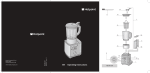
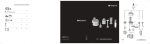
DESCRIPTION OF THE
VACUUM CLEANER
1.
2.
3.
4.
5.
6.
7.
8.
9.
10.
11.
12.
13.
14.
15.
16.
17.
18.
19.
20.
21.
22.
23.
24.
25.
Standard/Carpet brush
Bristle-adjustment pedal
Parquet brush
Turbo brush
Upholstery brush
Deluxe Parquet brush
Pipe length regulator
Metal extension pipe
Hand grip
Plastic hose
Carrying handle
Trolley System opening/closing button
Dust compartment opening button
Dust compartment lid
Suction inlet
Release
Full dust bag/container indicator
Start/Stop button
Cord-rewind button
Buttons +/- for electronic power adjustment
Standby button
Battery compartment
Air regulator
Remote Power Control signal receiver
Electronic power regulator
INTRODUCTION
Thank you for purchasing our Trolley
Power vacuum cleaner. In doing so
you have opted for an effective, high
performance appliance. We advise you
to register this product on www.hotpoint.
co.uk to make sure you are entitled to all
the benefits made available by Hotpoint
Customer Service.
The Trolley Power was designed to ensure
optimum performance and consistent usability.
The exclusive Trolley System ensures maximum
manouverability and helps you move freely
around the house without knocking against the
furniture. The Remote Power Control (if available)
enables you to adjust the suction power directly
and effortlessly from the hand grip, with no need
to bend.
This appliance was developed for household use
only and should not be put to industrial use.
26.
27.
28.
29.
30.
31.
32.
Precision nozzle
Nozzle for delicate surfaces
Attachment compartment
Horizontal housing
Pure Clean Hepa 13 filter
Air grill
Power cord
Version with dust bag:
33. Dust bag support
34. Pure Clean dust bag
35. Motor filter
36. Motor filter grill
37. Gasket
38. Dust compartment
Version without dust bag:
38. Dust compartment
39. Dust container
40. Filter protection grill
41. Pre-filter
42. Pure Clean Hepa 13 filter
Before you begin using the appliance, it
is important that you carefully read these
instructions and keep them for further
reference.
GENERAL SAFETY RULES
The safety features of your vacuum cleaner
comply with the technical specifications and
regulations in force.
Do not use the appliance for any use other than
its intended use. Any improper use could cause
damage to persons and/or property.
The voltage of your system must match
the voltage of the vacuum cleaner (220240 V). Any connection error could cause
irreversible damage to the appliance and void
its warranty.
•
If the plug, power cord or appliance appear
to be damaged or if any visible damage is
hotpoint.co.uk
5
en
•
•
•
•
•
•
•
•
•
•
•
•
•
•
•
found, do not operate the vacuum cleaner.
In such cases have it checked exclusively
by Hotpoint authorised staff in order to avoid
any hazardous situation.
Regularly check the condition of the power
cord.
If the fuse in the plug malfunctions, the
appliance will stop operating.
This appliance was not designed to be used
by persons (including children) with reduced
physical, sensory or mental capabilities. Nor,
in addition, persons lacking experience or
familiarity with the product, unless they are
supervised or instructed on the use of the
appliance by a person responsible for their
safety.
Supervise children to prevent them from
playing with the appliance.
Never leave the appliance unattended when
it is plugged into an electrical outlet.
Never use the power cord to move or carry
the appliance around.
After use, disconnect the plug from the
electrical outlet and rewind the power cord.
Do not bend the power cord and keep it away
from sharp edges to avoid any damage.
Never leave or use the appliance over or
close to flames, ovens, flammable materials
or other sources of heat.
Do not use the vacuum cleaner on persons
or animals. Keep the suction ends away
from your body while it is in operation.
Before changing an attachment, when
cleaning or maintaining the appliance, and
in any case after every use, unplug it from
the electrical outlet.
Should you suspect a failure, immediately
unplug it from the electrical outlet.
Never immerse the vacuum cleaner in water
or any other liquid. Never spray any liquid
substances onto the appliance.
Do not leave the appliance in the open
air and exposed to inclement weather
conditions.
For safety, we advise you to keep the
vacuum cleaner always lower than your own
position when cleaning the stairs.
Never suck up any liquid or damp
substances as this could affect the
operation of the appliance.
6
•
•
•
•
•
Never suck up any flammable materials or
incandescent objects such as ash, cigarette
ends etc. Some parts of the vacuum cleaner
could catch fire.
Never suck up any sharp or cutting objects
as this could damage the appliance.
If very fine dust or powders are sucked
up such as flour, etc. small electrostatic
discharges could occur. When sucking up
materials previously mentioned, we advise
not to use the metal extension pipe, but only
the plastic flexible hose and to set a low
suction power level.
For your safety, every repair or maintenance
action should be carried out on the appliance
only by Hotpoint authorised staff.
No responsibility shall be accepted in case
of damage resulting from any improper use
of the appliance.
BEFORE FIRST USE
Remove all adhesives, protective plastic materials
and cardboard packaging. Make sure all adhesive
parts are removed with a soft damp cloth.
Assembling
1.
2.
3.
Fasten the plastic flexible hose (10) to the
suction inlet (15) until it clicks into place. To
remove it, press the release (16) and pull it
out.
Fit the metal extension pipe (8) into the hand
grip (9) until it locks into place. Use the length
regulator (7) to adjust the length of the pipe.
Fit the standard/carpet brush (1) or
the attachment you need (see chapter
“Attachments”) into the end of the metal
extension pipe until it locks into place.
If your appliance is equipped with a
Remote Power Control, you will need to
insert the batteries supplied (see paragraph
“Remote Power Control” under chapter
“Features”).
USING
THE VACUUM CLEANER (A)
Do not use the vacuum cleaner without
filters, Pure Clean dust bag, dust bag
support or dust container, as the appliance
en
could get damaged.
FEATURES
1.
Trolley System (B)
Unwind the power cord (32) and plug the
appliance into an electrical outlet (220/240V).
We advise you to unwind the entire
power cord (app. 7m) to avoid any
overheating and damage.
2.
3.
4.
Press the start/stop button (18) to start the
appliance.
Press the Trolley System opening/closing
button (12) to extend the carrying handle
(11) to the desired length until it locks into
place. Then manoeuvre the vacuum cleaner
using the carrying handle when cleaning the
house.
To select the desired suction intensity
(based on the model) use the +/- button
and electronically adjust the power (20)
of the Remote Power Control; or manually
rotate the electronic power regulator (25).
We advise you to use a low suction
power on delicate surfaces such as
curtains, fabrics, cushions etc to avoid any
damage; or at least open the air regulator to
reduce the suction effect.
5.
6.
7.
To pause the vacuum cleaner, if this feature
is available, you can use the standby button
(21) on the Remote Power Control or the
Start & Stop function (based on the model).
Just insert the brush into its horizontal
housing (29).
To switch off the appliance press the start/
stop button again.
Disconnect the plug from the electrical
outlet
and
press
the
cord-rewind
button (19) until rewinding is complete.
Make sure the cord does not get
entangled during rewinding.
8.
Secure the floor head into its horizontal /
vertical housing and store the appliance.
Do not start the vacuum cleaner if the
plastic flexible hose is entangled, as this
could damage the appliance.
The Trolley System allows you to move your
vacuum cleaner easily when cleaning and carry it
from room to room effortlessly.
1.
2.
Press the opening/closing button on the
Trolley System (12) to pull out the carry
handle (11) until it locks into place at the
desired length.
Having completed your cleaning, press
the opening/closing button on the Trolley
System and close the carrying handle until
it locks into place.
Use the Trolley System's carrying
handle to store the appliance, making
sure you have correctly locked it into place.
Remote Power Control (C)
The Remote Power Control (if available) enables
you to adjust the suction power directly and
effortlessly from the hand grip (9), with no need to
bend. When using the vacuum cleaner, you can
keep it on standby by pressing the standby button
(21).
To insert or change the batteries of your Remote
Power Control:
1.
2.
3.
Open the battery compartment (22).
Insert two AAA batteries, making sure of the
positive and negative poles.
Close the battery compartment until it clicks
into place.
Start & Stop (D)
The Start & Stop function (if available) lets you
keep the vacuum cleaner on stand-by and lock
the cleaning head in the park position: just insert
the brush into its horizontal housing (29).
Dual System (E)
The Trolley Dual Clean version of the Trolley
Power makes your use of the appliance extremely
versatile because it can be used with or without
dust bag. Just assemble the conversion kit in the
package: it comprises a Pure Clean dust bag (34),
dust bag support (33), gasket (37), and motor
filter grill (36) already fitted to the motor filter (35).
hotpoint.co.uk
7
en
The assembling takes place as follows:
Cleaning the dust compartment (F)
1.
Make sure the appliance is disconnected
from the electrical outlet.
Press the dust-compartment opening button
(13) to open the dust compartment lid (14)
and remove the dust container (39).
Fit the gasket into the special groove along
the perimeter of the dust compartment (38).
Fit the motor filter grill (already fitted to
the motor filter) into the special dustcompartment guides.
Slide the Pure Clean dust bag into the dust
bag support all the way; then place it into the
special dust compartment.
For the routine cleaning of the dust compartment
(38):
The appliance is equipped with a safety
device
that
prevents
the
dust
compartment lid from closing unless the dust
bag / container has been correctly installed.
The appliance is equipped with a safety
device
that
prevents
the
dust
compartment lid from closing unless the dust
bag / container has been correctly installed.
6.
Replacing the Pure
Clean dust bag (G)
2.
3.
4.
5.
Close the dust compartment lid until it clicks
into place.
To use the vacuum cleaner with the dust
container, remember to remove all the
following parts: Pure Clean dust bag, dust bag
support, gasket, motor filter and motor filter
grill.
CLEANING AND
MAINTENANCE
Before cleaning or maintaining the
vacuum cleaner, make sure it has been
unplugged from the electrical outlet. Do not
use aggressive substances or abrasive
materials to clean the appliance, its internal
parts and attachments. Make sure it is
thoroughly dry before using again.
Cleaning the appliance
Use a dry or slightly damp soft cloth to clean the
plastic parts (body, dust compartment, flexible
hose etc) and the metal extension pipe (8).
1.
2.
3.
4.
We recommend always using Hotpoint
original Pure Clean dust bags, because
their special fabric allows optimum
air filtration, maximum dust/powder
retention, high performances and a long
motor life.
As the Pure Clean dust bags (34) are made of
fabric, they are more resistant than conventional
paper bags and can retain very fine dust/powder
particles more effectively, thus ensuring maximum
hygiene.
We recommend replacing the Pure
Clean bag as soon as the full-bag
indicator illuminates. Change at least once a
year to be always sure of the hygienic
condition of your vacuum cleaner. The pores
of a bag clogged with dust/powder particles
reduce the motor's suction power and can
cause damage.
1.
Cleaning the attachments
2.
Before cleaning the attachments refer to the
chapter “Attachments”.
3.
8
Press the dust-compartment opening button
(13) to open the dust compartment lid (14).
Based on the model, remove the Pure Clean
dust bag (34) or the dust container (39).
Clean the dust compartment by removing
any residual dirt with a small brush. If
needed, use a damp soft cloth, taking care
to wipe all its parts entirely dry.
Re-place the Pure Clean dust bag or dust
container correctly and close the dust
compartment lid until it clicks into place.
Make sure the appliance is disconnected
from the electrical outlet.
Press the dust-compartment opening button
(13) to open the dust compartment lid (14).
Release the bag support (33) and remove
the Pure Clean dust bag (34).
en
Dispose of the dust bag in compliance
with all local regulations on waste
disposal.
4.
5.
Slide a new Pure Clean dust bag into the
dust bag support completely; then place it
back into the special compartment.
Close the dust compartment lid until it clicks
into place.
If you are finding it difficult to close the
dust compartment lid, it is likely that the
Pure Clean dust bag and/or its dust bag
support have not been assembled correctly.
Do not force the dust bag lid to close, make
sure both parts are in the correct position to
allow lid closure.
Cleaning the filters (H)
model with dust bag
The Pure Clean Hepa 13 filter ensures
maximum protection against allergens and
maintains high air quality, as the air given back
by the appliance is entirely free from dust/
powder residues (filtering power > 99.95 %).
We advise you to clean the filter at least
every 4 months to restore its filtering
power. In any case we recommend replacing
the filter at least every year to ensure
maximum performance.
To clean the Pure Clean Hepa 13 filter (30):
1. Disassemble the air grill (31) using the
opening tab.
2. Remove the Pure Clean Hepa 13 filter by
releasing the opening tab.
3. Wash the filter under running water, taking
care that the jet of water is not too strong.
4. Hold it so that the water flows parallel to its
folds.
5. Let it dry at room temperature until all its
parts are thoroughly dry.
6. Replace the Pure Clean Hepa 13 filter,
paying attention to the position of the
notches.
7. Fit the air grill into its housing until it clicks
into place.
To clean the dust compartment filters (38):
8. Press the dust-compartment opening button
(13) to open the dust compartment lid (14).
9. Remove the Pure Clean dust bag (34), motor
filter grill (36) and motor filter (35) from the
motor filter grill.
10. Clean the motor filter by washing it under
running water, taking care that the jet of
water is not too strong. Then gently shake
water loose.
11. When cleaning the motor filter grill, remove
any dust/powder residues with a small brush.
If needed, use a damp soft cloth.
Make sure all its parts are thoroughly
dry before replacing them.
12. Fit the motor filter into the motor filter grill
again, taking care to position it gently into
the special notches.
13. Slide the motor filter grill assembly into the
special guides in the dust compartment.
14. Fit the Pure Clean dust bag using the special
dust bag support.
The appliance is equipped with a safety
device that prevents the dustcompartment lid from closing unless the dust
bag has been correctly installed. Do not force
the dust bag lid to close and make sure all the
parts are in the correct position to allow you to
close the lid.
15. Close the dust compartment lid until it clicks
into place.
Cleaning the dust container (I)
model without dust bag
For the routine cleaning of the dust container:
1. Press the dust-compartment opening button
(13) to open the dust compartment (14) and
remove the dust container (39).
2. Open the lid and empty the dust container.
3. Remove any residual dirt by washing the
dust container under running water.
4. Let it dry at room temperature until all its
parts are thoroughly dry.
5. Close the dust container lid until it clicks
into place and replace it into the dust
compartment.
6. Close the dust compartment lid until it clicks
hotpoint.co.uk
9
en
into place.
Cleaning the filters (J)
model without dust bag
This model comprises two Pure Clean Hepa 13
filters. The Pure Clean Hepa 13 filter ensures
maximum protection against allergens and
high air quality, because the air given back by
the appliance is entirely free from dust/powder
residues (filtering power > 99.95 %).
We advise you to clean the filter at least
every 4 months to restore its filtering
power. In any case we recommend replacing the
filter at least every year to ensure maximum
performance.
To clean the Pure Clean Hepa 13 filter (30) in the
back:
1. Disassemble the air grill (31) using the
opening tab.
2. Remove the Pure Clean Hepa 13 filter by
releasing the opening tab.
3. Wash the filter under running water, taking
care that the jet of water is not too strong.
4. Hold it so that the water flows parallel to its
folds.
5. Let it dry at room temperature until all of it’s
parts are thoroughly dry.
6. Re-place the Pure Clean Hepa 13 filter,
paying attention to the positions of the
notches.
7. Fit the air grill into its housing until it clicks
into place.
To clean the dust compartment filters (38):
8. Press the dust-compartment opening button
(13) to open the dust compartment (14).
9. Remove the dust container (39).
10. Release the opening tab and then remove
the Pure Clean Hepa 13 filter, pre-filter (41)
and filter protection grill (40).
11. When cleaning the filter protection grill,
remove any dust/powder residues with a
small brush. If needed, use a damp soft
cloth.
12. Clean the pre-filter by washing it under
running water, taking care that the jet of
water is not too strong. Allow to dry.
10
13. Wash the Pure Clean Hepa 13 filter under
running water, taking care that the jet of
water is not too strong.
14. Hold it so that the water flows parallel to its
folds.
15. Let it dry at room temperature until all its
parts are thoroughly dry.
Make sure all its parts are thoroughly
dry before replacing them.
16. Fit the pre-filter into the special indentation
of the Pure Clean Hepa 13 filter, locking both
filters in place using the protection grill.
17. Fit the pre-filter, Pure Clean Hepa 13 filter
and protection grille assembly onto the dust
container, paying attention to the positions of
the notches, until it clicks into place.
18. Re-place the dust container into the dust
compartment.
The appliance is equipped with a safety
device
that
prevents
the
dust
compartment lid from closing unless the dust
container has been correctly installed. Do not
force the dust bag lid to close it and make sure
all the parts are in the correct position to allow
lid closure.
19. Close the dust compartment lid until it clicks
into place.
ATTACHMENTS
The attachments can either be supplied as
standard features (based on the model) or be
purchased separately from Hotpoint authorised
centres.
Before changing an attachment, during
maintenance, disconnect the plug from
the electrical socket. Do not use aggressive
substances or abrasive materials to clean the
appliance, its internal parts and attachments.
Make sure the appliance is thoroughly dry
before using it again.
Standard/Carpet brush (K)
The standard/carpet brush (1) is suitable for
vacuuming hard and smooth floors as well
as carpets on a daily basis. Use the bristleadjustment pedal (2) to clean:
en
Hard floors
Carpets
To clean the plastic parts of the standard/carpet
brush, remove the brush from the metal extension
pipe (8) and wipe with a dry or slightly damp soft
cloth. To clean the bristles, remove any dirt using,
if needed, the precision nozzle (26).
Parquet brush (L)
The Parquet brush (3) is suitable for vacuuming
delicate areas such as wooden floors. The special
natural bristles enable you to use on very delicate
surfaces without harm.
To clean the plastic parts of the Parquet brush,
remove the brush from the metal extension pipe
(8) and wipe with a dry or slightly damp soft cloth.
To clean the bristles, suck up any dirt using the
precision nozzle (26).
Turbo brush (M)
The Turbo brush (4) is ideal for the in-depth
vacuuming of short-pile carpets and removing pet
hair. The rotation of the brush is operated by the
vacuum cleaner's suction power.
To clean the plastic parts of the Turbo brush,
remove the brush from the metal extension pipe
(8) and wipe with a dry or slightly damp soft cloth.
Remove any hairs or threads that got entangled in
the rotating brush using scissors, taking care not
to damage the bristles.
disassemble the rotating brush and start cleaning.
Remove any hairs or threads that got entangled
using scissors, taking care not to damage the
bristles.
For your safety, never put your hands
close to the suction nozzle or rotating
brush while operating the appliance.
Upholstery brush (O)
The Upholstery brush (6) is suitable for vacuuming
surfaces such as sofas, mattresses, blankets,
cushions etc. It is equipped with rotating bristles
operated by the vacuum cleaner’s suction power
that enable you to clean in depth and remove any
fur, hairs or mites from fabrics. The protection grill
prevents the bristles from touching the surfaces
to be cleaned, thus ensuring maximum on fabrics.
To clean the plastic parts of the Upholstery brush,
remove the brush from the metal extension
pipe (8) and wipe with a dry or slightly damp
soft cloth. To clean the rotating bristles, release
the lid by releasing its fastening elements, then
disassemble the rotating brush and start cleaning.
Remove any hairs or threads that got entangled
using scissors, taking care not to damage the
bristles.
Precision nozzle (P)
The precision nozzle in the attachment
compartment (28) helps you vacuum corners,
crevices and other difficult-to-reach areas.
To clean the precision nozzle, remove the nozzle
from the metal extension pipe (8) and wipe with a
dry or slightly damp soft cloth.
Deluxe Parquet brush (N)
Nozzle for delicate surfaces (Q)
The Deluxe Parquet brush (5) is suitable for
vacuuming delicate and parquet floors. The brush
is equipped with very delicate rotating bristles,
which are operated by the vacuum cleaner's
suction power, and soft wheels protecting delicate
floors.
To clean the plastic parts of the Deluxe Parquet
brush, remove the brush from the metal extension
pipe (8) and wipe with a dry or slightly damp
soft cloth. To clean the rotating bristles, turn the
safety lock into position and
remove, then
The nozzle for delicate surfaces in the attachment
compartment (28) is suitable for vacuuming
surfaces requiring special care such as radiators,
furniture etc. Its special natural bristles enable
you to use it on very delicate surfaces without any
harm.
To clean the plastic parts of the nozzle for delicate
surfaces, remove the nozzle from the metal
extension pipe (8) and wipe with a dry or slightly
damp soft cloth. To clean the bristles, remove any
dirt using, if needed, the precision nozzle (26).
hotpoint.co.uk
11
en
TROUBLESHOOTING
Problem
Possible causes / Solutions
The vacuum cleaner cannot
be switched on.
•
The plug was not inserted or is not making contact.
The full dust bag/container
indicator lights up although
it is not full yet.
•
Change the dust bag. If large quantities of very fine dust/
powder are sucked up (e.g. flour etc), the full dust bag
indicator may light up although the bag is not full yet. The
reason is that the Pure Clean dust bag is able to retain very
fine dust/powder particles, thus ensuring maximum hygiene.
Clean the dust container in models without dust bag.
Clean the filters and, if needed, replace them.
Make sure the expansion pipe, flexible hose and brush are
not blocked.
•
•
•
Low suction power.
•
•
•
•
Remote Power not working.
•
•
•
•
Small electrostatic
discharges occur while
sucking up.
The vacuum cleaner whistles
or vibrates when in use.
Battery not charged.
The batteries were positioned incorrectly inside the battery
compartment. Position the two AAA batteries making sure of
the positive and negative poles.
Remove batteries; then position them again, making sure of
the positive and negative poles.
Electronic appliances or obstacles may be interfering or
shielding with the infrared signal.
•
If very fine dust or powders are sucked up such as flour, etc.
small electrostatic discharges could occur. When sucking
up materials previously mentioned, we advise not to use the
metal extension pipe, but only the plastic flexible hose and
to set a low suction power level.
•
One or more attachments were assembled incorrectly. Make
sure the filters and brushes were assembled according to
these instructions. In the model with dust bag make sure
that the gasket is correctly in place too.
•
The dust bag/container is full. Replace the dust bag or clean
the dust container.
Clean the filters and, if needed, replace them.
The air regulator is open. Make sure it was closed correctly.
•
•
12
Clean the filters and, if needed, replace them.
Make sure the expansion pipe, flexible hose and brush are
not blocked.
Change the dust bag. If large quantities of very fine dust/
powder are sucked up (e.g. flour etc), the Pure Clean dust
bag may become clogged.
Clean the dust container and its filters.
en
The dust compartment lid
cannot be closed.
•
The Pure Clean dust bag or dust container was assembled
incorrectly. Make sure it is correctly in place so that the
safety lever will let you close the dust compartment lid.
The brush is difficult to
move.
•
Reduce suction power, especially on carpets and fabrics in
general. Open the air regulator to reduce the suction effect.
The cord is difficult to
rewind.
•
Make sure the cord does not get entangled during rewinding.
If it is stuck, unwind the entire power cord again and repeat
rewind.
GUARANTEE
maintained, dismantled, or otherwise interfered with by any person not authorised by us.
Any repair work must be undertaken by us or
our appointed agent.
Any parts removed during repair work or any
product that is replaced become our property.
The product is used in the United Kingdom
or Republic of Ireland.
12 months Parts and Labour Guarantee
•
This certificate of guarantee represents the guarantee (“Guarantee” hereinafter) offered by Indesit Company UK Limited with registered office
at Peterborough PE2 9JB in relation to products
purchased in the United Kingdom and Indesit
Ireland Limited with registered office in Dublin 9,
Ireland for products purchased in the Republic of
Ireland. This Guarantee does not affect your statutory rights.
Your product has the benefit of our manufacturer’s Guarantee, which covers the product for
twelve months from the date of purchase.
This gives you the reassurance that if, within that
time, your product is proven to be defective because of either workmanship or materials, we will,
at our discretion, either repair or replace the product at no cost to you.
This Guarantee is subject to the following conditions:
•
•
After Sales Service
•
•
•
•
•
Documentary proof of original purchase date
is provided.
Cosmetic damage must be reported within
14 days from the date of purchase.
The product has been installed and operated
correctly and in accordance with our operating and maintenance instructions.
The product is used only on the electricity
supply printed on the rating plate.
The product has been used for normal domestic purposes only.
The product has not been altered, serviced,
•
The Guarantee does not cover:
•
•
•
•
•
Damage resulting from transportation, improper use, neglect or interference or as a
result of improper installation.
Accidental damage, this includes but is not
limited to, damage which occurs as a result
of an external action.
Replacement of any consumable item or accessory. These include but are not limited to:
plugs, cables, light bulbs, hoses, brushes,
covers and filters.
Replacement of any removable parts made
of glass or plastic.
No one is better placed to care for your Hotpoint
product during the course of its working life than
us – the manufacturer.
Essential Contact Information
Advice Line
We have a dedicated team who can provide free
advice and assistance with your product if you
experience any technical difficulties. Simply call
hotpoint.co.uk
13
en
our Hotpoint Service Hotline on 08448 240 055
(Republic of Ireland 0818 904 041) for telephone
assistance.
Please note:
Our advisors will require the following information:
Model number:
Serial number:
Consumables and Accessories
We supply a full range of consumables and accessories to keep your product functioning efficiently throughout its life.
UK: 08448 225 225
Republic of Ireland: 0818 313 413
www.hotpoint.co.uk
Recycling and Disposal Information
As part of Hotpoint’s continued commitment to
helping the environment, Hotpoint reserves the
right to use quality, recycled components to keep
down customer costs and minimise material wastage.
Please dispose of packaging and old products
carefully.
Register your new product and get a second
year FREE!
We want to give you additional benefits of owner-
14
ship of your product and offer you an additional
free 1 year guarantee when you register your
product with Hotpoint within 28 days of purchase.
If you do not register your product with Hotpoint
within 28 days, your product is guaranteed for 1
year only.
To activate your 2 year guarantee register with
us online at www.hotpoint.co.uk. Please note that
the 2 year guarantee is only available in UK and
Ireland and is subject to the same conditions as
the 1 year Guarantee. Please refer to the certificate of guarantee for more information.
DISPOSAL OF OLD
ELECTRICAL APPLIANCES
The European Directive 2002/96/EC on
Waste
Electrical
and
Electronic
Equipment (WEEE), requires that old
household electrical appliances must
not be disposed of in the normal unsorted municipal waste stream.
Old appliances must be collected separately in order to optimise the recovery
and recycling of the materials they contain and reduce the impact on human
health and the environment.
The crossed out “wheeled bin” symbol on the
product reminds you of your obligation, that when
you dispose of the appliance it must be separately
collected. Consumers should contact their local
authority or retailer for information concerning the
correct disposal of their old appliance.
9
20
6
21
K
22
23
24
L
5
25
8
10
7
11
26
M
12
4
28
3
27
13
14
15
16
N
29
17
30
31
1
19
32
18
O
35
Q
Indesit Company UK Ltd
Morley Way,
Peterborough PE2 9JB
www.indesitcompany.com
Trolley Power
2013/06 ver. 1.1.
34
P
EN
Operating Instructions
33
2
39
40
41
36
38
SL B24 AA0 UK | SL B22 AA0 UK
SL B20 AA0 UK | SL B18 AA0 UK
SL B16 AA0 UK
37
38
42
SL C22 AA0 UK | SL C20 AA0 UK
SL C18 AA0 UK