1
Washing
6
Select options and settings
By changing options and settings you
can adjust the washing program to suit
your own specific requirements.
40
50
60
30
Cold
95
800
1400
Temperature
Select temperature by pressing the Temperature button until the red field lights up beside
the desired temperature.
You can select temperatures between 30 °C
and 95 °C or Cold. If you select Cold, the
washing temperature will be the same as that
of the water coming into the machine.
For Wool/Hand it is not possible to select a
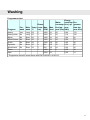
temperature higher than 40 °C. See the table.
Spin speed/No spin
Select the spin speed by pressing the Spin
button until the red field next to the spin speed
you want lights up.
You can select speeds between 800 and
1400 rpm, No spin
Spin at 800 rpm always signifies short spin.
A spin between 400 and 800 rpm is always a
short spin.
For certain programmes, it is not possible to
select a speed in excess of 800 rpm (see
table).
No spin means that the program does not include a spin cycle and ends by draining.
Delayed Start
When you select Delayed Start, the machine
will start 1-24 hours after you press the
Start/Stop button.
14
• Press the Delayed Start button the same
number of times as the number of hours
you want to delay the start by (1-24 hours).
A lighted red field next to the button indicates that the option has been activated.
• The number of hours delay until start is
shown in the display window.
• Press the Start/Stop button.
• The number of hours to start is displayed
with a countdown one hour at a time.
• Cancel Delayed Start by pressing the
Start/Stop button for 3 seconds. The red
field will go out.
Important!
Remember to press Delayed Start followed
by the Start/Stop button to start the programme.
7
Close the door and press the
Start/Stop button
To add or remove washing after the
program starts
If you want to add or remove items after the
programme has started, you can stop the
programme by pressing and holding the Door
opening button (key symbol) for three
seconds. The red field will flash. When you
restart the machine, add any extra detergent
needed and close the door. The machine
continues automatically from the point where
the programme was interrupted.
Stopping or changing a programme
You can also stop a programme by pressing
the Start/Stop button for three seconds. To
restart the machine, select a new programme,
add any extra detergent needed and press
the Start/Stop button.