1
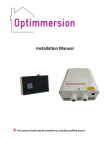
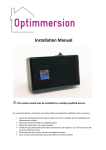
User Manual Congratulations on your purchase of Optimmersion, the intelligent proportional controller that heats your water. This manual will to help you to understand how it works and what the different elements on the display mean. Optimmersion is an automatic solution; there is no need for you to adjust anything. What is Optimmersion? Optimmersion measures how much power is flowing through your electricity meter and in which direction. Only when you are generating a surplus does it divert power to the immersion heater, always adjusting the exact level so as to minimise the amount going back to the grid. How does it work? Optimmersion responds immediately to changes in how much electricity you use in your house and to changes in the sunlight; so you can turn electric appliances on and off in your house without worrying about it interfering with Optimmersion. When you turn the kettle on, Optimmersion makes the exact adjustment to ensure that only the surplus power goes into your tank. In the same way, when the sun goes behind a cloud, the immersion heater power is reduced by just the right amount so you never use too much. Optimmersion is entirely automatic. Once you turn it on, it does the all the work on its own. For full peace of mind you can monitor its activity using the integrated display. Does Optimmersion really work? By installing an Optimmersion system in your solar powered home, you will quickly notice its influence on your usual hot water bills. You will always benefit from using your ‘home grown’ electricity to provide hot water for your household, maximising the use of your Solar PV system. The Optimmersion system ensuring all of this household’s generated electricity is used in the house with the surplus diverted to the immersion tank. Optimmersion versions Optimmersion has two main components, the power throttle and the controller. The controller needs to be accessible as it has an operable switch and the colour display. In the Simple and Wired versions, the controller and the power throttle are connected so need to be installed near your consumer unit- the box containing your circuit breakers and main electricity on/off switch, sometimes called the fuse box. The wireless versions have a separate controller and power throttle so the controller unit is installed as before, near your consumer unit but the power throttle unit can be mounted where you have more space, by your immersion heater for example. Optimmersion User Manual Page 2 of 8 What does the display mean? The colour display inside the controller shows several lines of text and numbers and their associated coloured bars. 1. Net: The top line begins with the word Net and is followed by a plus or minus sign, a number, and the letters KW. Immediately underneath, you will see a bar whose length is proportional to the displayed number. The larger the absolute value of the number, the longer is the bar. The number and bar are displayed in green if the number is negative and in red if it is zero or positive. The Net figure is measured directly by Optimmersion using a clip-on current transformer around the live cable at the electricity meter and it indicates the total power flowing in the cable between your house and the electricity supply company. In the picture above, this is -0.120 Kilowatts (KW) (or -120 Watts (W), as 1 KW is 1000 W). The negative sign shows that you are exporting power from your house to the electricity supply company. When the number is positive, the number and bar turn red and then you are importing power from the electricity supply which you pay for on your electricity bill. Green is good; red is expensive. To be precise, you pay for the energy you consume, usually designated in Kilowatt hours (KWh), or ‘Units’ for short, with one Unit being one Kilowatt hour. The power is the rate of using energy, designated in Watts, or Kilowatts. To find the energy in Units, you need to multiply the power in KW by the number of hours of use. Running a 2 KW electric heater for 3 hours uses 6 Kilowatt hours of energy, and you will be charged for 6 Units on your bill, unless your solar panels are providing the power instead. 2. Sun: (not Simple version) The next line down, beginning with the word Sun, indicates how well your solar panels are doing. The number and the bar are always displayed in yellow, and they show the power being generated by your solar panels whenever this is 10 W or more. This number is also measured Optimmersion User Manual Page 3 of 8 directly by Optimmersion using a clip-on current transformer around the live cable from your solar PV system. The number should be zero at night and several KW when the Sun is shining directly on to your panels. The picture above indicates that you are generating 2.6 KW (2600 W). 3. Use: (not Simple version) The third line down begins with the word Use. It is always displayed in red, and it shows the power you are actually using in the house, i.e. all the power being consumed by everything plugged in and switched on, such as your lights, refrigerator, washing machine, electric kettle etc. It also includes the power going into your immersion heater. According to the display, you are using 2.48 KW (2480 W). This number is not measured directly by Optimmersion, but is calculated from the Net and Sun figures. 4. Control: The fourth line down has the label Control. The blue bar and percentage number underneath it indicate the setting of your immersion heater. Optimmersion adjusts the amount of power consumed by your immersion heater between zero and one hundred per cent. The number indicated is the percentage of the maximum control setting. In this case, it is 74%. Zero per cent shows that you immersion heater is consuming no power at all, and one hundred per cent shows that your immersion heater is full on. The figures in between give you a rough guide as to how much power is going in to your hot water, but the relationship between the control percentage and the power depends on details of the installation, so you should not try to interpret the figures too closely. When the control percentage is zero, the display will register Off. When the control percentage is 100%, the display will register Max/Temp/Off, indicating that one the following four conditions is true: the Sun is shining brightly and your water is not yet up to temperature, so your immersion heater is full on (Max); 50 W or more of solar power are being generated and your water is up to temperature so that the immersion heater thermostat has disconnected it (Temp); 50 W or more of solar power are being generated and you have turned off the immersion heater yourself (Off); or you have switched the override switch to the left, or you are in a 1-hr boost period, or you are in a night-time boost period, forcing the immersion heater to be energised continuously (see below). Optimmersion User Manual Page 4 of 8 Every six seconds, two lines in the display change to show the energy that you have generated today, and the energy that you have saved in your hot water tank. Both the Gen figure and the Saved figure are reset to zero at daybreak. 5. Gen: (not Simple version) The Sun line changes to show the accumulated number of units, or KWh, that your solar panels have provided today. It begins with the word Gen and is followed by an indication of the number of KWh generated, 10.45 KWh in the example above. The figure gives a good indication of the energy generated, but may differ slightly from the figure indicated on your PV inverter, or that recorded by your generation meter. This is normal and is because the calibration of Optimmersion is affected by some details of your installation and how much sunshine there is. 6. Saved: The percentage line changes to show how many units of energy you have saved in your hot water tank today, 7.20 KWh in the example above. This energy would otherwise have been exported from your house to the grid. You can easily see how much money Optimmersion is saving you. Multiply the number of units saved as shown on the display by the cost per unit that you pay to your electricity supplier. In this example, if the cost per unit is 12 pence, the householder has saved 12 x 7.2 = 86.4 pence so far today. Optimmersion soon pays for itself! As with the ‘Gen:’ figure, the actual energy put into the hot water tank may differ slightly because of a small variation in the calibration. It is also calculated based on a 3 KW immersion heater, and you will need to adjust the figure if your immersion heater is larger or smaller than this. For example, if your immersion heater is rated at 2 KW, then multiply the ‘Saved:’ figure by 2/3. Optimmersion User Manual Page 5 of 8 What does the switch do? The controller unit has a slider switch on the top right-hand side of the box. This three-position slide switch allows you to override the automatic control, giving a boost to your hot water, or setting the immersion heater full on continuously. 1. Simple version. Left position: the heater is fully on, and Optimmersion has no effect. The legend Heat: continuous appears in red at the bottom of the display, and the blue “Control:” bar should be at full length. Mid position: the heater is controlled automatically by Optimmersion. The legend Heat: automatic appears in green at the bottom of the display. This is the normal position. Right position: the heater is not controlled by Optimmersion. The legend “Heat: off” appears in yellow at the bottom of the display. 2. All other versions. Left position: the heater is fully on, and Optimmersion has no effect. The legend Heat: continuous appears in red at the bottom of the display, and the blue “Control:” bar should be at full length. Mid position: the heater is controlled automatically by Optimmersion. The legend Heat: automatic or Heat: 1-hr boost (see below) appears in green (or yellow) at the bottom of the display. This is the normal position. Right position: the heater is controlled automatically by Optimmersion. However, the heater is turned fully during any of the boost periods (see below for instructions on how to set these up) under the control of the internal clock. This switch setting is intended for Economy 7 users. The legend “Heat: auto/boost” appears in yellow at the bottom of the display. The blue “Control” bar should be at full length during any of the three boost periods. Mid-left-mid movement: if the switch is moved from the mid position to the left position and then back to the mid position, the heater is turned fully on for 1 hour. This is useful for all-electric systems to boost the heat. Repeat the process to cancel this function. During the boost period, the legend Heat: 1-hr boost will appear in yellow at the bottom of the display, and the blue Control: bar should be at full length. Optimmersion User Manual Page 6 of 8 Settings The toggle switch on the left-hand side of the display may be used to set the clock, the on and off times of up to three heater boost periods, and the nominal rating of the heater in Watts. It has five positions: press up (UP), press down (DN), press left (L), press right (R), and press in (IN). These directions are appropriate for a unit mounted on a wall in the correct orientation. When power is first applied to the unit, a single-digit count-down timer appears. If you do nothing, the unit will continue with normal operation at the end of the count-down period. You can enter the first setting screen by pressing the joystick in (IN) within the count-down period. You can also get back to the first setting screen by pressing the joystick in (IN) during normal operation when the screen is not being refreshed. (Press again if there is no response the first time.) Set the time. The setting instructions appear together with the current clock time in the 24-hour format HH:MM. The right-hand digit of the hours part of the time is the selected digit, you can increase (press UP) or decrease (press DN) the value shown in the HH field in the range 00 to 23. For example, if the current time is twenty past four in the afternoon (16:20) you would set this to 16. You can switch between the HH and MM fields by pressing L or R. The left-hand digit of the MM field will then be selected, and you can set the MM field in the range 00 to 59. You would set this to 20. Press joystick within 5 secs to set clock Please set the clock ... UP: increase DN: decrease L/R: select Press to end UP: increase DN: decrease L/R: select Press to end 4 00:00 0 16:20 0 Clock Set Set the boost. When you are satisfied, press IN to start the clock at the time shown by the digits on the screen. The words Clock set appear briefly, and then the setting screen for the first period of heat boost appears. This is the time at which the heater is turned on (default value 02:00) during the first period of boosting. Set the digits to your requirement, and then press IN to set the turn-off time. Press IN again when you have entered the time at which you want the first boost period to end. You can set the on and off times of the second and third heat boosting periods in a similar fashion. By default, these are set to 00:00 and 00:00 respectively. The controller will ignore a boost period altogether if the on and off times are the same. Make sure that the first, second and third boost periods do not overlap with each other! Optimmersion User Manual Page 7 of 8 Set the first boost period ON 02:00 2 Set the first boost period Set the heater power (Watts) ON 02:00 2 OFF 05:00 5 wired: 3 3000 Set the heater power. Press IN after setting the off time of the third boost period to set the nominal heater power. This defaults to 3000 (i.e. a 3 KW immersion heater) shown at 9. The power field is a four-digit decimal number which may be set in the range 0000 to 9999. You may select any of the digits by pressing L or R. Press IN to exit the parameter setting pages. Optimmersion is sold for professional use and installation. Support If you have any questions regarding the use of the Optimmersion system, visit our support site: www.energeno.com/uk/support. Energeno Ltd. 4th Floor 70-74 City Road London EC1Y 2BJ www.energeno.com OMU-ENG 1.2 05-13 Optimmersion User Manual Page 8 of 8