1
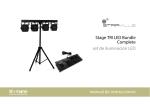
Stage TRI LED Bundle
Complete
LED lighting set
user manual
Musikhaus Thomann e.K.
Treppendorf 30
96138 Burgebrach
Germany
Telephone: +49 (0) 9546 9223-0
E-mail: [email protected]
Internet: www.thomann.de
08.01.2013
Table of contents
Table of contents
1
General notes............................................................................................................................................... 5
2
Safety instructions..................................................................................................................................... 8
3
Features....................................................................................................................................................... 13
4
Installation.................................................................................................................................................. 14
5
Starting up.................................................................................................................................................. 19
6
Connections and operating elements........................................................................................... 22
7
Operation....................................................................................................................................................
7.1 Starting up the device....................................................................................................................
7.2 Main menu..........................................................................................................................................
7.3 Menu overview.................................................................................................................................
7.4 Functions in 2-channel DMX mode (d.-P5).............................................................................
7.5 Functions in 3-channel DMX mode (d.-P1).............................................................................
7.6 Functions in 4-channel DMX mode (d.-P2).............................................................................
7.7 Functions in 7-channel DMX mode (d.-P7).............................................................................
7.8 Functions in 8-channel DMX mode (d.-P3) ............................................................................
27
27
27
34
37
39
40
40
43
Stage TRI LED Bundle Complete
3
Table of contents
7.9 Functions in 14-channel DMX mode (d.-P4).......................................................................... 44
7.10 Functions in 15-channel DMX mode (d.-P6)........................................................................ 46
7.11 Functions of foot switch.............................................................................................................. 47
8
Technical specifications....................................................................................................................... 49
9
Cleaning....................................................................................................................................................... 50
10
Protecting the environment.............................................................................................................. 51
LED lighting set
4
General notes
1
General notes
This user manual contains important information on safe operation of the device. Read and
follow all safety notes and all instructions. Save this manual for future reference. Make sure
that it is available to all persons using this device. If you sell the device to other users, be sure
that they also receive this manual.
Our products are subject to a process of continuous development. We therefore reserve the
right to make changes without notice.
Stage TRI LED Bundle Complete
5
General notes
Symbols and signal words
This section provides an overview of the symbols and signal words used in this user manual.
Signal word
Meaning
DANGER!
This combination of symbol and signal word
indicates an immediate dangerous situation
that will result in death or serious injury if it is
not avoided.
WARNING!
This combination of symbol and signal word
indicates a possible dangerous situation that
can result in death or serious injury if it is not
avoided.
NOTICE!
This combination of symbol and signal word
indicates a possible dangerous situation that
can result in material and environmental
damage if it is not avoided.
Warning signs
Type of danger
Warning – high-voltage.
LED lighting set
6
General notes
Warning signs
Type of danger
Warning – hot surface.
Warning – danger zone.
Stage TRI LED Bundle Complete
7
Safety instructions
2
Safety instructions
Intended use
This device is intended to be used as an electronic illumination effect using LED technics. Use
the device only as described in this user manual. Any other use or use under other operating
conditions is considered to be improper and may result in personal injury or property damage.
No liability will be assumed for damages resulting from improper use.
This device may be used only by persons with sufficient physical, sensorial, and intellectual
abilities and having corresponding knowledge and experience. Other persons may use this
device only if they are supervised or instructed by a person who is responsible for their safety.
Safety
DANGER!
Danger for children
Ensure that plastic bags, packaging, etc. are disposed of properly and are not
within reach of babies and young children. Choking hazard!
Ensure that children do not detach any small parts (e.g. knobs or the like) from
the unit. They could swallow the pieces and choke!
Never let children unattended use electrical devices.
LED lighting set
8
Safety instructions
DANGER!
Electric shock caused by short-circuit
Do not modify the mains cable or the plug. Failure to do so could result in electric
shock/death or fire. If in doubt, seek advice from a registered electrician.
DANGER!
Electric shock caused by high voltages inside
Within the device there are areas where high voltages may be present. Never
remove any covers.
There are no user-serviceable parts inside.
Stage TRI LED Bundle Complete
9
Safety instructions
DANGER!
Electric shock caused by short-circuit
Always use proper ready-made insulated mains cabling (power cord) with a pro‐
tective contact plug. Do not modify the mains cable or the plug. Failure to do so
could result in electric shock/death or fire. If in doubt, seek advice from a regis‐
tered electrician.
WARNING!
Eye damage caused by high light intensity
Never look directly into the light source.
WARNING!
Risk of epileptic shock
Strobe lighting can trigger seizures in photosensitive epilepsy. Sensitive persons
should avoid looking at strobe lights.
LED lighting set
10
Safety instructions
WARNING!
Risk of burns
The surface of the device can become very hot during operation.
Do not touch the device with bare hands during operation, and after switching
off wait for at least 15 minutes.
NOTICE!
Risk of fire
Do not cover the device nor any ventilation slots. Do not place the device near
any direct heat source. Keep the device away from naked flames.
Stage TRI LED Bundle Complete
11
Safety instructions
NOTICE!
Operating conditions
This device has been designed for indoor use only. To prevent damage, never
expose the device to any liquid or moisture. Avoid direct sunlight, heavy dirt, and
strong vibrations.
NOTICE!
Power supply
Before connecting the device, ensure that the input voltage (AC outlet) matches
the voltage rating of the device and that the AC outlet is protected by a residual
current circuit breaker. Failure to do so could result in damage to the device and
possibly injure the user.
Unplug the device before electrical storms occur and when it is unused for long
periods of time to reduce the risk of electric shock or fire.
LED lighting set
12
Features
3
Features
The LED lighting set is specially suited for professional lighting tasks, e.g. at events, on rock
stages, in theatres and musicals. It is characterized by low power consumption and long life
span.
Special features of this device:
n 4 LED spots with each 7 tri-colour LEDs
n Control via DMX (7 different modes), via buttons and display on the unit and via foot
switch
n 14 preprogrammed automatic shows
n Sound control
n Master / slave mode
n Additionally, a T-bar, a foot switching unit and a transportation bag is included in the
scope of delivery
Stage TRI LED Bundle Complete
13
Installation
4
Installation
Unpack and check carefully there is no transportation damage before using the unit. Keep the
equipment packaging. To fully protect the device against vibration, dust and moisture during
transportation or storage use the original packaging or your own packaging material suitable
for transport or storage, respectively.
NOTICE!
Risk of overheating
Always ensure sufficient ventilation.
The ambient temperature must always be below 40 °C (104 °F).
LED lighting set
14
Installation
NOTICE!
Use of stands
When mounting the device onto a stand, ensure that the stand is in a safe and
stable position and that the weight of the device does not exceed the maximum
permissible load capacity of the stand.
NOTICE!
Possible data transmission errors
For error-free operation make use of dedicated DMX cables and do not use ordi‐
nary microphone cables.
Never connect the DMX output to audio devices such as mixers or amplifiers.
DMX connections
The unit offers a 3-pin XLR socket for DMX output and a 3-pin XLR plug for DMX input. Please
refer to the drawing and table below for pin assignment.
Stage TRI LED Bundle Complete
15
Installation
1
Ground, shielding
2
DMX data (–)
3
DMX data (+)
LED lighting set
16
Installation
Pre-installed spots
The four spots (1 … 4, from left to right) are pre-installed on the T-bar. You just have to
assemble the tripod and connect the foot switching unit.
A
Locking screws for fixing the height and angle of inclination.
B
Locking screw for fixing the spots on the T-bar and the horizontal alignment
(beam direction).
Stage TRI LED Bundle Complete
17
Installation
C
Electrical connection of the spots on the T-bar (pre-installed).
D
1/4" phone socket for connecting the foot switching unit.
The cable with the phone socket is pre-assembled to the foot switching unit.
LED lighting set
18
Starting up
5
Starting up
Establish all connections as long as the unit is switched off. Use the shortest possible highquality cables for all connections.
Stage TRI LED Bundle Complete
19
Starting up
Connections in DMX mode
Connect the DMX input of the device to the DMX output of a DMX controller or another DMX
device. Connect the output of the first DMX device to the input of the second one, and so on
to form a daisy chain. Always ensure that the output of the last DMX device in the daisy chain
is terminated with a resistor (110 Ω, ¼ W).
LED lighting set
20
Starting up
Connections in master/slave
mode
When you configure a group of devices in master/slave mode, the first unit will control the
other units for an automatic, sound-activated, synchronized show. This function is ideal when
you want to start a show immediately. Connect the DMX output of the master device to the
DMX input of the first slave device. Then connect the DMX output of the first slave device to
the DMX input of the second slave device and so on.
Stage TRI LED Bundle Complete
21
Connections and operating elements
6
Connections and operating elements
Front panel
LED lighting set
22
Connections and operating elements
1 IEC chassis connector for the mains cable, with fuse holder underneath.
2 Display.
3 [Mode] button
Activates the main menu and changes between menu items, closes an opened submenu.
4 [Setup] button
Selects an option of the respective operating mode, confirms the set value.
5 [Up] button
To increase the displayed value by one.
6 [Down] button
To decrease the displayed value by one.
7 Footswitch Input
1/4" phone socket to connect the foot switching unit.
Stage TRI LED Bundle Complete
23
Connections and operating elements
8 DMX In
DMX input.
9 DMX Out
DMX output.
LED lighting set
24
Connections and operating elements
Foot switching unit
Stage TRI LED Bundle Complete
25
Connections and operating elements
10 Foot switch Auto run
Activates the operating mode ‘Automatic’.
11 Foot switch Sound active
Activates the operating mode ‘Sound control’.
12 Foot switch Freeze
Activates the operating mode ‘Freeze’.
13 Foot switch Blackout
Activates the operating mode ‘Blackout’.
LED lighting set
26
Operation
7
Operation
7.1 Starting up the device
Connect the unit to the power grid to start the operation. After a few seconds the display
shows a running reset. Then the unit is ready for use.
7.2 Main menu
Press [Mode] to activate the main menu and select an operating mode. Use [Setup] to select
further options. Use [Up] and [Down] to change the respectively shown value. When the dis‐
play shows the desired value, press [Mode].
If you don't press any button for about 30 seconds, the display turns off. Press any key to reac‐
tivate the display showing the last menu.
The set values are retained even if you disconnect the device from the mains.
Stage TRI LED Bundle Complete
27
Operation
Operating mode ‘Built-in auto‐
matic show’
A built-in automatic show can only be activated if the unit is working in stand-alone mode or
as master device in a master / slave combination. This setting is only relevant if the unit is not
controlled via DMX.
Press [Mode] repeatedly until the display shows ‘Pr.xx’ . Now you can select one of the preprog‐
rammed automatic shows. Use [Up] and [Down] to select a value between ‘Pr.01’ and ‘Pr.14’ .
Settings for programme 01:
For ‘Pr.01’ , you can choose from 7 colours or blackout. Press [Setup]. Now use [Up] and [Down]
to select one of the colours.
Press [Setup] to set the strobe frequency. Now use [Up] and [Down] to select a value between
‘FS00’ (slow) and ‘FS99’ (fast).
Settings for programmes 02 to 12:
To set the speed of the selected automatic show, repeatedly press [Setup] until the display
shows ‘SPxx’ . Now use [Up] and [Down] to select a value between ‘SP01’ (slow) and ‘SP99’
(fast) or ‘SPFL’ (Flash effect).
To set the fade speed of the selected automatic show, repeatedly press [Setup] until the display
shows ‘Fdxx’ . Now use [Up] and [Down] to select a value between ‘Fd00’ and ‘Fd99’ .
To set the strobe frequency, repeatedly press [Setup] until the display shows ‘FSxx’ . Now use
[Up] and [Down] to select a value between ‘FS00’ (slow) and ‘FS99’ (fast).
Settings for programmes 13 and 14:
LED lighting set
28
Operation
In addition to the adjustment options for programmes 02 to 12 you can set the running colour
and the background colour here.
To set the background colour, repeatedly press [Setup] until the display shows ‘1.xxx’ . Now use
[Up] and [Down] to select a background colour.
To set the running colour, repeatedly press [Setup] until the display shows ‘2.xxx’ . Now use
[Up] and [Down] to select a running colour.
Operating mode ‘Automatic’
Automatic operation can only be activated if the unit is working in stand-alone mode or as
master device in a master / slave combination. This setting is only relevant if the unit is not
controlled via DMX.
Press [Mode] repeatedly until the display shows ‘AUTO’ . Press [Setup]. Now you can select the
number of loops for the programmes to run. Use [UP] and [Down] to select a value between ‘n.
001’ and ‘n.100’ .
Press [Setup] to adjust the speed. Use [Up] and [Down] to select a value between ‘SP01’ (slow)
and ‘SP99’ (fast) or ‘SPFL’ (flash effect).
To adjust the fade speed, repeatedly press [Setup] until the display shows ‘Fdxx’ . Now use [Up]
and [Down] to select a value between ‘Fd00’ and ‘Fd99’ .
To set the strobe frequency, repeatedly press [Setup]. Now use [Up] and [Down] to select a
value between ‘FS00’ (slow) and ‘FS99’ (fast).
Stage TRI LED Bundle Complete
29
Operation
DMX mode
This setting is only relevant if the unit is controlled via DMX.
Press [Mode] repeatedly until the display shows ‘d.xxx’ .
Now you can set the number of the first DMX channel to be used by the device (DMX address).
Use [Up] and [Down] to select a value between 1 and 512 (the display shows ‘d.001’ … ‘d.512’ ).
Make sure that this number matches the configuration of your DMX controller. The following
table shows the highest possible DMX address for the different DMX modes.
Mode
Highest possible DMX address
2-channel
511
3-channel
510
4-channel
509
7-channel
506
8-channel
505
14-channel
499
15-channel
498
LED lighting set
30
Operation
Press [Setup]. Use [Up] and [Down] to select one of the following DMX operating modes:
n
n
n
n
n
n
n
Operating mode ‘Slave’
‘d.-P1’
‘d.-P2’
‘d.-P3’
‘d.-P4’
‘d.-P5’
‘d.-P6’
‘d.-P7’
(3 channels)
(4 channels)
(8 channels)
(14 channels)
(2 channels)
(15 channels)
(7 channels)
This setting is only relevant if the unit is operated as slave device in a master / slave configura‐
tion and is not controlled via DMX.
Press [Mode] repeatedly until the display shows ‘SLAv’ .
Stage TRI LED Bundle Complete
31
Operation
Sound-control
A sound-controlled automatic show can only be activated if the unit is working in stand-alone
mode or as master device in a master / slave combination. This setting is only relevant if the
unit is not controlled via DMX.
Press [Mode] repeatedly until the display shows ‘SU.xx’ . This will activate a sound-controlled
automatic show.
Press [Setup]. Now you can adjust the sound-control sensitivity. Use [Up] and [Down] to select a
value between 0 (low sensitivity) and 31 (high sensitivity), the display shows ‘SU.00’ … ‘SU.31’ .
LED lighting set
32
Operation
Constant unicoloured pattern
A constant unicoloured pattern can only be activated if the unit is working in stand-alone
mode or as master device in a master / slave combination. This setting is only relevant if the
unit is not controlled via DMX.
Press [Mode] repeatedly until the display shows ‘Colr’ . Press [Setup].
Use [Up] and [Down] to choose from the following options:
Display
Description
‘r.000’ … ‘r.255’
Red
‘G.000’ … ‘G.255’
Green
‘b.000’ … ‘b.255’
Blue
Stage TRI LED Bundle Complete
33
Operation
7.3 Menu overview
LED lighting set
34
Operation
Stage TRI LED Bundle Complete
35
Operation
LED lighting set
36
Operation
7.4 Functions in 2-channel DMX mode (d.-P5)
Channel
Value
Function
1
0…9
LEDs off
10…19
Constant unicoloured pattern in red for all LEDs
20…29
Constant unicoloured pattern in yellow for all LEDs
30…39
Constant unicoloured pattern in green for all LEDs
40…49
Constant unicoloured pattern in cyan for all LEDs
50…59
Constant unicoloured pattern in blue for all LEDs
60…69
Constant unicoloured pattern in purple for all LEDs
70…79
Constant unicoloured pattern in white for all LEDs
80…89
Preprogrammed automatic show no. 1
90…99
Preprogrammed automatic show no. 2
Stage TRI LED Bundle Complete
37
Operation
Channel
2
Value
Function
180…189
Preprogrammed automatic show no. 11
190…199
LEDs off
200…209
Constant unicoloured pattern in red for all LEDs
210…219
Preprogrammed automatic show no. 12
220…229
Preprogrammed automatic show no. 13
230…239
Preprogrammed automatic show no. 14
240…255
Sound-controlled show
Function depends on channel 1 setting
Channel 1 = 0…79
No function
Channel 1 = 80…239
0…255
Increasing speed
LED lighting set
38
Operation
Channel
Value
Function
Channel 1 = 240…225
0…255
Increasing sensitivity
7.5 Functions in 3-channel DMX mode (d.-P1)
Channel
Value
Function
1
0…255
Intensity red (0 % to 100 %) for all LEDs
2
0…255
Intensity green (0 % to 100 %) for all LEDs
3
0…255
Intensity blue (0 % to 100 %) for all LEDs
Stage TRI LED Bundle Complete
39
Operation
7.6 Functions in 4-channel DMX mode (d.-P2)
Channel
Value
Function
1
0…255
Intensity red (0 % to 100 %) for all LEDs
2
0…255
Intensity green (0 % to 100 %) for all LEDs
3
0…255
Intensity blue (0 % to 100 %) for all LEDs
4
0…255
Dimmer (0 % to 100 %)
7.7 Functions in 7-channel DMX mode (d.-P7)
Channel
Value
Function
1
0…255
Intensity red (0 % to 100 %) for all LEDs
2
0…255
Intensity green (0 % to 100 %) for all LEDs
LED lighting set
40
Operation
Channel
Value
Function
3
0…255
Intensity blue (0 % to 100 %) for all LEDs
4
0…9
LEDs off
10…19
Constant unicoloured pattern in red for all LEDs
20…29
Constant unicoloured pattern in yellow for all LEDs
30…39
Constant unicoloured pattern in green for all LEDs
40…49
Constant unicoloured pattern in cyan for all LEDs
50…59
Constant unicoloured pattern in blue for all LEDs
60…69
Constant unicoloured pattern in purple for all LEDs
70…79
Constant unicoloured pattern in white for all LEDs
80…89
Preprogrammed automatic show no. 1
90…99
Preprogrammed automatic show no. 2
180…189
Preprogrammed automatic show no. 11
Stage TRI LED Bundle Complete
41
Operation
Channel
5
Value
Function
190…199
LEDs off
200…209
Constant unicoloured pattern in red for all LEDs
210…219
Preprogrammed automatic show no. 12
220…229
Preprogrammed automatic show no. 13
230…239
Preprogrammed automatic show no. 14
240…255
Sound-controlled show
Function depends on channel 4 setting
Channel 4 = 0…79
No function
Channel 4 = 80…239
0…255
Increasing speed
Channel 4 = 240…255
0…255
Increasing sensitivity
LED lighting set
42
Operation
Channel
Value
Function
6
Function depends on channel 4 setting
Channel 4 = 0…9
No function
Channel 4 = 10…255
7
0…255
Strobe effect, increasing speed
0…255
Dimmer (0 % to 100 %)
7.8 Functions in 8-channel DMX mode (d.-P3)
Channel
Value
Function
1
0…255
Intensity red (0 % to 100 %) for all LEDs of spots 1 and 2
2
0…255
Intensity green (0 % to 100 %) for all LEDs of spots 1 and 2
Stage TRI LED Bundle Complete
43
Operation
Channel
Value
Function
3
0…255
Intensity blue (0 % to 100 %) for all LEDs of spots 1 and 2
4
0…255
Intensity red (0 % to 100 %) for all LEDs of spots 3 and 4
5
0…255
Intensity green (0 % to 100 %) for all LEDs of spots 3 and 4
6
0…255
Intensity blue (0 % to 100 %) for all LEDs of spots 3 and 4
7
0…255
Strobe effect, increasing speed
8
0…255
Dimmer (0 % to 100 %)
7.9 Functions in 14-channel DMX mode (d.-P4)
Channel
Value
Function
1
0…255
Intensity red (0 % to 100 %) for all LEDs of spot 1
2
0…255
Intensity green (0 % to 100 %) for all LEDs of spot 1
LED lighting set
44
Operation
Channel
Value
Function
3
0…255
Intensity blue (0 % to 100 %) for all LEDs of spot 1
4
0…255
Intensity red (0 % to 100 %) for all LEDs of spot 2
5
0…255
Intensity green (0 % to 100 %) for all LEDs of spot 2
6
0…255
Intensity blue (0 % to 100 %) for all LEDs of spot 2
7
0…255
Intensity red (0 % to 100 %) for all LEDs of spot 3
8
0…255
Intensity green (0 % to 100 %) for all LEDs of spot 3
9
0…255
Intensity blue (0 % to 100 %) for all LEDs of spot 3
10
0…255
Intensity red (0 % to 100 %) for all LEDs of spot 4
11
0…255
Intensity green (0 % to 100 %) for all LEDs of spot 4
12
0…255
Intensity blue (0 % to 100 %) for all LEDs of spot 4
13
0…255
Strobe effect, increasing speed
14
0…255
Dimmer (0 % to 100 %)
Stage TRI LED Bundle Complete
45
Operation
7.10
Functions in 15-channel DMX mode (d.-P6)
Channel
Value
Function
1
0…9
RGB mode for channels 2 to 15
10…249
Preprogrammed automatic shows
250…255
Sound-controlled show
Functions of channels 2 to 15 depend on the setting of channel 1, 0…9
2
0…255
Dimmer (0 % to 100 %)
3
0…9
No function
10…255
Strobe effect, increasing speed
4
0…255
Intensity red (0 % to 100 %) for all LEDs of spot 1
5
0…255
Intensity green (0 % to 100 %) for all LEDs of spot 1
6
0…255
Intensity blue (0 % to 100 %) for all LEDs of spot 1
7
0…255
Intensity red (0 % to 100 %) for all LEDs of spot 2
LED lighting set
46
Operation
Channel
Value
Function
8
0…255
Intensity green (0 % to 100 %) for all LEDs of spot 2
9
0…255
Intensity blue (0 % to 100 %) for all LEDs of spot 2
10
0…255
Intensity red (0 % to 100 %) for all LEDs of spot 3
11
0…255
Intensity green (0 % to 100 %) for all LEDs of spot 3
12
0…255
Intensity blue (0 % to 100 %) for all LEDs of spot 3
13
0…255
Intensity red (0 % to 100 %) for all LEDs of spot 4
14
0…255
Intensity green (0 % to 100 %) for all LEDs of spot 4
15
0…255
Intensity blue (0 % to 100 %) for all LEDs of spot 4
7.11
Functions of foot switch
Operating mode ‘Automatic’
Press the foot switch Auto Run to start loop playback of the preset programmes.
Stage TRI LED Bundle Complete
47
Operation
Operating mode ‘Sound-con‐
trol’
Press the foot switch Sound Active to start sound-controlled operation.
Operating mode ‘Freeze’
Press the foot switch Freeze to freeze the current show.
Press the foot switch Auto Run or Sound Active to enable a restart.
Operating mode ‘Blackout’
Press the foot switch Blackout for a blackout.
Press the foot switch Auto Run or Sound Active to enable a restart.
LED lighting set
48
Technical specifications
8
Technical specifications
Number of DMX channels
2, 3, 4, 7, 8, 14 or 15 channels, depending on operation mode
Illuminant
28 × 3 W tri-colour LEDs (7 × per spot)
Dispersion angle
ca. 40°
Operating supply voltage
AC 100 … 240 V
Power consumption
90 W
Fuse
5 mm × 20 mm, 2.0 A, 250 V, fast acting
T-bar width
1200 mm
Height (T-bar + tripod)
max. 2400 mm
Weight
16 kg
, 50 … 60 Hz
Stage TRI LED Bundle Complete
49
Cleaning
9
Cleaning
Optical lenses
Clean the exterior of accessible optical lenses periodically to optimise light output. The fre‐
quency of cleaning depends on the operating environment: wet, smoky or particularly dirty
surroundings can cause more accumulation of dirt on the optics of the device.
n Clean with a soft cloth using normal glass cleaning products.
n Always dry the parts carefully.
LED lighting set
50
Protecting the environment
10
Protecting the environment
Disposal of the packaging mate‐
rial
For the transport and protective packaging, environmentally friendly materials have been
chosen that can be supplied to normal recycling.
Ensure that plastic bags, packaging, etc. are properly disposed of.
Do not just dispose of these materials with your normal household waste, but make sure that
they are collected for recycling. Please follow the notes and markings on the packaging.
Disposal of your old device
This device is subject to the European directive 2002/96/EC.
Do not dispose of the device with your normal household waste.
Dispose of this device through an approved waste disposal firm or through your local waste
facility. When discarding the device, comply with the rules and regulations that apply in your
country. If in doubt, consult your local waste disposal facility.
Stage TRI LED Bundle Complete
51
Notes
LED lighting set
52
Notes
Stage TRI LED Bundle Complete
53
Notes
LED lighting set
54
Musikhaus Thomann e.K. · Treppendorf 30 · 96138 Burgebrach · Germany · www.thomann.de