1
MA_B-b-w30.10.03f.QXD
12/17/03
10:09
Page 1
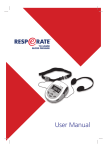
User Manual
MA_B-b-w30.10.03f.QXD
12/17/03
10:09
Page 2
MA_B-b-w30.10.03f.QXD
12/17/03
10:09
Page 3
Welcome:
RESPeRATE
TO LOWER BLOOD PRESSURE
MA_B-b-w30.10.03f.QXD
12/17/03
10:09
Page 4
Contacts
U.S. customers can contact us at:
Web: www.resperate.com
E-mail: [email protected]
Telephone: 1-877-988-9388
For other country specific telephone numbers, please refer to our corporate web site, at
www.intercure.com or call to +972-8-921-2126
Manufactured by InterCure Ltd., Lod, Israel
Telephone: +972-8-921-2126
Copyright © 2003 InterCure, Inc. All rights reserved. Resperate, Resperate for Lower
Blood Pressure, and InterCure are trademarks of InterCure.
MA_B-b-w30.10.03f.QXD
12/17/03
10:09
Page 5
Contents
Welcome:
RESPeRATE TO LOWER BLOOD PRESSURE
Introduction . . . . . . . . . . . . . . . . . . . . . . . . . . . . . . . . . . . . . . . . . . 1
How
RESPeRATE
Works . . . . . . . . . . . . . . . . . . . . . . . . . . . . . . . . . . . 2
Exploring Your New
Using Your
RESPeRATE
RESPeRATE
Preparing To Use
Device . . . . . . . . . . . . . . . . . . . . . . . . 3
Device
RESPeRATE .
...............................4
Performing the Breathing Exercises . . . . . . . . . . . . . . . . . . . . . . . . . . 6
Personalizing the Device . . . . . . . . . . . . . . . . . . . . . . . . . . . . . . . . . 9
Errors and Troubleshooting . . . . . . . . . . . . . . . . . . . . . . . . . . . . . . 11
Assessing Your Overall Performance. . . . . . . . . . . . . . . . . . . . . . . . 13
Cleaning and Maintenance . . . . . . . . . . . . . . . . . . . . . . . . . . . . . . 16
Warranty and Additional Product Information
Technical Information and Approvals . . . . . . . . . . . . . . . . . . . . . . . 17
Indication for Use . . . . . . . . . . . . . . . . . . . . . . . . . . . . . . . . . . . . . 18
Table of Contents
MA_B-b-w30.10.03f.QXD
12/17/03
10:09
Page 6
Introduction
Congratulations!
RESPeRATE TO LOWER BLOOD PRESSURE will help you take an
active step toward improved treatment of your high blood pressure.
Please note: RESPeRATE should only be used as part of your overall health
program for achieving goal blood pressure, as recommended by your doctor.
RESPeRATE can be safely used in conjunction with medication and lifestyle
modifications such as diet and exercise.
Scientific evidence has shown that breathing exercises, when performed
routinely, can lower blood pressure. These breathing exercises are difficult to
perform correctly without continuous, individualized coaching. Using a
patented technology, RESPeRATE provides this coaching in an extremely
effective way.
1 — Introduction
MA_B-b-w30.10.03f.QXD
12/17/03
10:09
Page 7
I N T R O D U C T I O N
RESPeRATE guides you to slow down your rate of breathing.
RESPeRATE will lead you to breathe at a rate of 10 breaths per minute or
less. We call this “Effective Exercise”.
To achieve best results, it is recommended that you use RESPeRATE for at
least 45 minutes of Weekly Effective Exercise Time, preferably in 15 minute
daily sessions. As with other exercises, you should expect to see notable
results within approximately six to eight weeks, and maitain benefits with
routine use.
What is optimal blood pressure
Optimal blood pressure is 120/80 mmHg. High blood pressure puts you at
increased risk for stroke, heart attack, and other life threatening disorders.
What is
RESPeRATE
RESPeRATE is the only non-drug medical device clinically proven to lower
blood pressure.
How Does it Work
analyzes your breathing rate and pattern, then interactively guides
you through breathing exercises that reduce your breathing rate, slowly and
effortlessly. Your inhalation and/or exhalation rates are prolonged
according to your personal need. After each exercise, your breathing
returns to its normal rate and pattern; however the beneficial effect on blood
pressure accumulates.
RESPeRATE
Why Does it WORK
RESPeRATE’S
breathing exercises reduce neural sympathetic activity and relax
the muscles that surround your small blood vessels. Over time, these effects
allow blood to flow more easily through your blood vessels, resulting in
sustained lower blood pressure.
How RESPeRATE Works — 2
MA_B-b-w30.10.03f.QXD
12/17/03
10:09
Page 8
Exploring Your New
RESPeRATE
Elastic Belt
Device
Headphones
Respiration
Sensor
Exercise Time
PC Communication
Port (optional)
Current Effective
Exercise Time
Statistical Report
Up/Down
Storage Compartment
Display Screen
Melody Selection
On/Off
Note: The PC communication port appears in selected models and is
only needed if you are using the optional Reporting and Support
System.
3 — Exploring Your New RESPeRATE Device
MA_B-b-w30.10.03f.QXD
U S I N G
12/17/03
Y O U R
10:09
Page 9
R E S P E R AT E
Preparing To Use
D E V I C E
RESPeRATE
1. Install the batteries.
When using RESPeRATE for the first time, install 4 AA
batteries in the battery compartment in the back of
the device. Position the batteries as shown inside
the compartment.
2. Carefully remove the headphones and the sensor.
• The sensor cable is already connected to the RESPeRATE device.
Pull the cable with care.
• Return the sensor to its compartment at the end of each session.
3. Sit comfortably on a chair.
4. Put on the elastic belt.
a) Buckle the elastic belt (over your clothing) around your upper
abdomen or chest.
b) Adjust the belt to fit snugly while you are in a sitting position.
Be sure it is neither too tight nor too loose.
Notes:
• Men tend toward abdominal
breathing, while women tend toward
thoracic (chest) breathing.
Men
Women
• Be sure the elastic belt is positioned
horizontally, not diagonally, across
your upper abdomen or chest.
Preparing To Use RESPeRATE —4
MA_B-b-w30.10.03f.QXD
12/17/03
10:09
Page 10
5. Position the respiration sensor.
Slide the sensor along the belt, to ensure it can move freely. Position
the sensor in the center of the abdomen (for abdominal breathing) or
on the right side of the chest (for chest breathing).
Tip: To verify if you are an abdominal or chest breather, simply
place one hand on the abdomen and the other on the chest.
Now inhale and watch for the hand that moves furthest
– abdomen or chest.
6. Plug in and put on the headphones.
Plug headphones into the RESPeRATE device headphone port located on
the right side of device, marked with the (
) icon. You should hear a
click when the headphones are fully inserted into the port.
5 — Preparing To USe RESPeRATE
MA_B-b-w30.10.03f.QXD
U S I N G
12/17/03
Y O U R
10:09
Page 11
R E S P E R AT E
D E V I C E
Performing the Breathing Exercises
1. Press the (
) ON/OFF button.
At first, RESPeRATE displays your accumulated
Weekly Effective Exercise Time.
Note: You accumulate Effective Exercise Time when you breathe slower
than10 breaths per minute. To achieve maximum benefit It is
recommended that you accumulate a total of at least 45 minutes of
Weekly Effective Exercise Time.
2. Breathe normally.
You do not need to breathe especially deeply or slowly at the start of
the exercise. Simply allow RESPeRATE to “recognize” your personal
breathing pattern. This is called the Recognition Phase.
During the Recognition Phase, each
well-analyzed breath is displayed as a vertical
line. You hear short musical tones during this
process. These tones indicate that the
Recognition Phase is in progress.
A flashing dot on the display accompanies your breathing and
appears each time you inhale.
Once RESPeRATE has recognized four stable
breaths (signified by the display of four vertical
bars, as shown above), the device will display your current number of
breaths per minute (e.g. 17.8 bpm). The exercise session will now
begin, signified by the start of the melody.
Note: If the Recognition Phase lasts longer than two minutes, please refer
to the “Troubleshooting” section of this manual, starting on page 10.
Performing the Breathing Exercises — 6
MA_B-b-w30.10.03f.QXD
12/17/03
10:09
Page 12
3. Breathe according to the Melody.
You will now start your Exercise Phase. Your current breathing rate will
be displayed as the number of breaths per minute (bpm).
now composes a melody according to your individual
breathing. The melody is composed of two distinct tones - one (“going
up”) which will coach you to inhale and the second (“going down”)
tone to exhale.
By gradually prolonging the exhalation tone, the melody slows down
and interactively guides you towards a slower and more stable
breathing pattern.
RESPeRATE
• Use the Inhale and Exhale arrows on the
display as a guide for synchronizing your
breathing with the melody.
• The arrows disappear after one minute of melody. At this point,
close your eyes, relax and follow the melody with your breathing.
The goal of RESPeRATE is to guide you towards the slowest breathing
rate that is comfortable for you. It does so by gradually slowing the
guiding tones as you breathe in synchronization with the tones.
In order to maximize the benefits from RESPeRATE, it is important that
you perform the breathing exercises without making an effort.
This means that you should not try to hold your breath or try to overly
prolong the periods of inhaling or exhaling beyond what is comfortable
for you. If you ever feel that the melody is too slow for you and
requires effort to stay in synch with it, simply breathe at the last pace,
which was comfortable for you. Within a few breaths, RESPeRATE will
automatically readjust the melody to your new breathing rate and
pattern and begin again to guide you toward a slower breathing rate.
It is also recommended not to use any other breathing techniques such
as breath-holding or Buteyko during the exercise as these maneuvers
may require concentration and effort.
7 — Performing the Breathing Exercises
MA_B-b-w30.10.03f.QXD
12/17/03
10:09
Page 13
Note: In the first few sessions, your slowest comfortable breathing rate might
be higher than 10 breaths per minute.
Just before the session ends, RESPeRATE gradually decreases the volume
of the melody. RESPeRATE automatically shuts down when the end of the
Exercise Session is reached. The default duration of the Exercise
Session is 15 minutes. In order to change this default, please refer to
“Changing the Duration of your Default Exercise Session” on page 9.
Performing the Breathing Exercises — 8
MA_B-b-w30.10.03f.QXD
U S I N G
12/17/03
Y O U R
10:09
Page 14
R E S P E R AT E
D E V I C E
Personalizing the Device
Adjusting the Volume
Press the UP or DOWN button ( ▲
) repeatedly,
▼
until you reach the volume you prefer.
The volume (
) icon is displayed, along with
the current volume level.
After a few seconds,
previous display.
RESPeRATE
automatically returns to the
Selecting the Melody
Press the MELODY SELECTION ( ) button, then
immediately press the Up or Down button
to scroll between melodies.
The ( ) icon is displayed, along with the selected melody number.
For your convenience, RESPeRATE stores your last selected melody, and
uses it the next time you begin your Exercise Session (the device allows
to also select the melody by repeatedly pressing MELODY SELECTION
( ) button).
Viewing the Effective Exercise Time of the Current Session
The Effective Exercise Time of your current
session is the number of minutes in which your
breathing has been slower than 10 breaths per
minute. Press the CURRENT EFFECTIVE EXERCISE TIME (
) button to view
the Effective Exercise Time accumulated in the current session.
9 — Personalizing the Device
MA_B-b-w30.10.03f.QXD
12/17/03
10:09
Page 15
Exercise Time
Press the Exercise Time (
) button to view the
remaining time of the session. After a few
seconds, RESPeRATE automatically returns to
the previous display.
RESPeRATE automatically switches off at the end of the selected time for
your exercise session. By default, the time is set at 15 minutes.
Changing the Duration of Your Current Exercise Session
If you would like to extend or shorten the duration of the current
exercise session:
1. Press the
EXERCISE TIME
(
) button.
2. Then immediately press the Up or Down button to change the
exercise time.
Changing the Duration of Your Default Exercise Session
If you would like to extend or shorten the duration of the default
exercise session:
1. Hold down the EXERCISE TIME (
) button until the display blinks.
The (
) icon is displayed, along with the current Exercise
Session Time Default.
2. Use the
UP
or
DOWN
button to change the Exercise Session Time Default.
3. Press the EXERCISE TIME button again, in order to save the new Exercise
Session Time Default.
Personalizing the Device — 10
MA_B-b-w30.10.03f.QXD
U S I N G
12/17/03
Y O U R
10:09
Page 16
R E S P E R AT E
D E V I C E
Errors and Troubleshooting
The display screen of the RESPeRATE device will notify you if there are any
problems with the device or if the exercises are not being performed as
directed. Use the chart to understand the most common issues and tips to
easily handle them.
Icon
Meaning
Action
Sensor belt is too
tight.
Loosen the belt. The icon disappears
when the belt is properly mounted.
Sensor belt is too
loose.
Tighten the belt. The icon disappears
when the belt is properly mounted.
The elastic belt is
improperly positioned.
The sensor is
improperly positioned.
Reposition the elastic belt, according
to the instructions.
Breathing is not
synchronized with the
guiding tones.
Try to syncronize your breathing with the
guiding tones or select a different melody
that might be easier to follow.
You are breathing
more than 30 times
per minute.
Try to breathe more slowly.
Batteries are weak.
Replace the batteries.
11 — Errors and Troubleshooting
MA_B-b-w30.10.03f.QXD
12/17/03
10:09
Page 17
Troubleshooting
Problem
Meaning
Action
The display does
not light when
the device is
switched on.
Batteries need to be
replaced.
Install new batteries.
The +/- poles of the batteries
are positioned incorrectly.
Re-install the batteries with
the +/- poles positioned
correctly.
Music is not
playing through
the headphones.
The headphones are not
properly connected.
Reconnect the headphones.
RESPeRATE
has automatically
switched off because the
session is over.
Restart
The Recognition
Phase takes
longer than two
minutes.
The sensor is improperly
positioned.
Reposition the sensor.
Breathing is too unstable.
Relax, and breathe
normally.
Static noise
heard through
headphones
Headphones not fully
plugged into RESPeRATE port.
Plug headphones fully into
device.
Electronic communication
device (such as cell phone,
bi-directional beeper, or
other wireless communication
device) is operating within 5
feet of RESPeRATE.
Do not use such a
communication device
within 5 feet of RESPeRATE
while conducting your
exercise sessions.
RESPeRATE.
Flashing dot does The sensor is improperly
not respond to
positioned.
inhales
Sensor belt has been
tightened during the session
Reposition the sensor.
Weekly Effective
Time does not
match actual use
Replace batteries once low
battery icon is displayed
Batteries have not been
replaced in time
Wait 30 seconds, the
sensor will automatically
readjust and the flashing
dot will reappear
Errors and Troubleshooting — 12
MA_B-b-w30.10.03f.QXD
U S I N G
12/17/03
Y O U R
10:09
Page 18
R E S P E R AT E
D E V I C E
Assessing Your Overall Performance
The
RESPeRATE
device can measure your overall use of the device.
Did you meet your Weekly Effective Exercise Time goal?
The quickest way to assess your performance is to ensure that every time
you turn on the device the Weekly Effective Exercise Time (momentarily
displayed on the screen whenever the device is turned on) is 45 minutes or
greater. When 45 or greater is indicated, it means that you are using the
device as recommended and therefore are most likely to get maximum
benefit from the exercises.
Don’t forget: Your goal is to accumulate at least 45 minutes of Weekly
Effective Exercise Time in order to see reductions in your blood
pressure!
Advanced Analysis of Performance - (Statistical Report)
The “Statistical Report” function enables you to assess your performance
during earlier RESPeRATE sessions. The report displays three groups of
parameters that provide data on:
A. All Sessions,
B. The Last 10 Sessions, and
C. The Last Session Only.
STAT
Icon
To view this information:
1. Turn on the
RESPeRATE
device.
I tem Number
Data
2. During the Recognition Phase, press the STAT button on the left side of
the RESPeRATE device.
The
icon is displayed, along with the first statistical item, as shown
in the figure above. Scroll through the different items using the UP or
DOWN button.
13 — Assessing Your Overall Performance
MA_B-b-w30.10.03f.QXD
12/17/03
10:09
Page 19
Key to Statistical Report Items
A. Statistical Report of All Sessions
Item Number
Reports On
0
The accumulated duration of the Effective Exercise Time, in
minutes.
1
The number of uses that have reached the Exercise Phase.
(e.g. Display reads 1:78 means that 78 uses of the device
have reached the Exercise Phase).
2
The number of uses not proceeding on to the Exercise Phase.
(e.g. Display reads 2:07 means that 7 uses of the device
did not proceed on to the Exercise Phase).
3
The average duration of the Exercise Phase, in minutes.
B. Statistical Report of the Last 10 Sessions
Item Number
Reports On
4
The average duration of the Recognition Phase, in minutes.
5
The average duration of the Exercise Phase, in minutes.
6
The average duration of the Effective Exercise Time,
in minutes.
7
The percentage of breaths that were synchronized with
the guiding tones.
8
The number of successful sessions.
9
The number of sessions that were unsuccessful because the
Effective Exercise Time per session was less than five minutes.
10
The number of sessions that were unsuccessful because of
the low quality of the respiration data.
11
The number of sessions that were unsuccessful because
breaths were not synchronized with the guiding tones.
Assessing Your Overall Performance — 14
MA_B-b-w30.10.03f.QXD
U S I N G
12/17/03
Y O U R
10:09
Page 20
R E S P E R AT E
D E V I C E
C. Statistical Report of the Last Session Only
Item Number
Reports On
12
The duration of the Recognition Phase, in minutes.
13
The duration of the Exercise Phase, in minutes.
14
The duration of Effective Exercise Time, in minutes.
15
Your initial breathing rate, in breaths per minute (bpm).
16
Your final breathing rate, in breaths per minute (bpm).
17
Percentage of respiration data that is identified.
18
The percentage of breaths that were synchronized with
the guiding tones.
15 — Assessing Your Overall Performance
MA_B-b-w30.10.03f.QXD
12/17/03
10:09
Page 21
Cleaning and Maintenance
• To clean RESPeRATE, use a soft, damp cloth. Do not wash the sensor or
the RESPeRATE device. Do not use petroleum products, thinners, or
cleaning solvents!
• Store the sensor in its compartment, to protect it from dust
and moisture.
• Protect your
RESPeRATE
against excessive vibrations.
• Do not leave your RESPeRATE in a place where temperatures are below 14ºF (-10ºC) or above 158ºF (70ºC), or in conditions of very high
humidity (+85%).
• Do not attempt to make repairs of any kind on
necessary, contact Customer Service.
RESPeRATE.
If repairs are
• To avoid damage to the device, remove batteries from the compartment
if you do not plan to use the RESPeRATE for a period of more than two
months.
Customer Support
If you are having trouble using the RESPeRATE device, call Customer
Support at 1-877-988-9388 (U.S.Only) or at 972-8-9212126
(outside of U.S.)
Cleaning and Maintenance — 16
MA_B-b-w30.10.03f.QXD
12/17/03
10:09
Page 22
Technical Information and Approvals
Technical Information
Model: RESPeRATE RR-150 ; display type: LCD; power source: four alkaline
batteries, 1.5v (type AA); battery life: two months, with regular use of 15
minutes per day; maximum audio output: 1.5mW RMS @ 32x2;
respiration rate operational range: 2.5 - 30 BPM; operating temperature:
10ºC - 40ºC (50ºF - 104ºF); operation humidity: 30 - 75%; storage
temperature: -10ºC - 70ºC (14ºF - 158ºF); storage humidity: 30 - 85%;
weight: 480grams; outer dimensions: approximately 17cm(L) x 13cm(W)
x 8cm(H).
Country Specific Market Clearance
United States: 510(k) number K020399, as well as K000405
Israel: Ministry of Health number 408/96 237-0000
European Union: CE marked
CE Statement
The
RESPeRATE
carries a CE marking of conformity
Manufacturer Authorized Representative in Europe:
MEDES Ltd.
9, Beaumont Gate P.O.Box 231
Shenley Hill, Radlett, Herts London WD78BX, UK
tel/fax: +44 (0) 1923859810
email: [email protected]
17 — RESPeRATE, Specific Technical Information and Approvals
MA_B-b-w30.10.03f.QXD
12/17/03
10:09
Page 23
Indication for Use
Device Name:
RESPeRATE
Indications for Use
RESPeRATE is intended for use as a relaxation treatment for the reduction of stress by leading
the user through interactively guided and monitored breathing exercises. The device is
indicated for use only as an adjunctive treatment for high blood pressure together with other
pharmacological and/or non-pharmacological interventions.
Over-the-counter Use
Contraindication
None known.
Precautions
Please note: RESPeRATE should only be used as part of your overall health program for
achieving goal blood pressure, as recommended by your doctor. RESPeRATE can be safely
used in conjunction with medication and lifestyle modifications such as diet and exercise.
Do not use this device without consulting your physician if you suffer or have suffered in the
past from: active ischemic heart disease/unstable angina, severe congestive heart failure,
chronic atrial fibrillation, stroke resulting in permanent impairment, chronic renal failure,
severe asthma, chronic obstructive pulmonary disease (COPD), like chronic bronchitis and
emphysema, or major organ failure.
InterCure strongly recommends that you do not modify your hypertension treatments without
the advice and consent of your physician.
Do not use your RESPeRATE when you need to be alert or to concentrate, or when using
heavy equipment. Do not use RESPeRATE while driving.
If you experience any side effects or if you feel any change in your general health or mood,
immediately discontinue use of your RESPeRATE, and contact your physician.
Breathe naturally throughout the exercise. Excessive deep breathing may cause dizziness
and/or palpitation.
Indication for Use and Other Information — 18
MA_B-b-w30.10.03f.QXD
12/17/03
10:09
Page 24
www.resperate.com
721E0004D