1
FR FRANCAIS
EN ENGLISH
UCA3
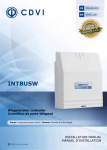
3-Door Standalone controller (Radio/Proximity)
Centrale autonome 3 portes (Radio/Proximité)
Range: Integrated Access Control / Gamme : Contrôle d’Accès intégré
INSTALLATION MANUAL
MANUEL D’INSTALLATION
Group products
INSTALLATION MANUAL
UCA3
3-Door standalone controller (Radio/Proximity)
1]
2]
3]
4]
5]
6]
7]
8]
PRESENTATION OF THE PRODUCT ......................................................... P.
REMINDERS AND RECOMMENDATIONS ................................................. P.
PACKAGE CONTENTS ........................................................................... P.
ASSEMBLY ......................................................................................... P.
WIRING DIAGRAMS ........................................................................... P.
PROGRAMMING .................................................................................. P.
BADGE ASSIGNMENT TABLE.................................................................. P.
NOTES .............................................................................................. P.
1] PRODUCT OVERVIEW
Programmable via the front panel
or via a PC.
Multitechnologies® Stand Alone Access
Control System.
800 users.
3 relays.
Visual display (LED).
2 channel built-in RF Receiver.
Built-in proximity enrolment reader.
DIN RAIL Assembly.
Dimensions (H x W x D): 175 x 87 x 63 mm.
Front panel presentation: 3-digit 7-segment
display.
The central unit features:
- 1 “2-channel RF” receiver (433 MHz)
- 1 proximity enrolment reader
Management of 3 access points:
- 1 or 2 using RF technology (built-in),
- 1 or 2 auxiliary readers.
3 “8A / 250V 1 RT” relays.
Possibility to set access levels for the central
unit’s three relays.
2 request-to-exit buttons.
Time delay relay (1- 99 seconds)
or bistable mode
USB connection.
Real-time event reporting.
Modular DIN RAIL mount enclosure.
DIN RAIL supplied for 10 modules
Input voltage: 12V AC/DC.
Consumption : 500 mA with 3 relays.
This product is in compliance with the European Directive
R&TTE 99/5/CE as well as the harmonized standards : ETS
301 489 et ETS 300-330-1-Ed 2001. This product is also in
compliance with EMC applied norms EN 50133, EN 50130-4.
2
EN
cdvi.com
cdvigroup.com
WEEE
IP42
R&TTE Certification
CE Certification
-20°C to +60°C
2
3
3
3
4
6
17
17
INSTALLATION MANUAL
EN
UCA3
3-Door standalone controller (Radio/Proximity)
2] REMINDERS AND RECOMMENDATIONS
Installation Recommendations
To ensure secure installation,
do not forget to mount the varistor
on the locking mechanism and
in parallel with the power supply.
Recommended cables
3 Pair 0.6mm cable.
Recommended power supplies
The references of the power
supplies which are adapted for
use with the UCA3 are: ARD12
and BS60. If it is a “shear lock”
locking system, it must have
a separate power supply.
WARNING
Do not use switch mode power
supplies which may cause harmful
interference and prevent correct
functioning of the tag readers.
Readers
The distance between the auxiliary
readers and the UCA3 central
control unit must be between
60CM and 50M (minimum cable
cross-section 7 x 0.6 mm²).
Radio aerial
A rigid wire (1.5 mm² cross-section
and 17.3 cm in length), must be
connected to the terminal 2 on
the UCA3 to ensure good quality
reception. A remote aerial may
also be connected to the terminals
“1” and “2” on the UCA3:
- “1” = Woven shield inside
coaxial cable,
- “2” = Central core of the coaxial
cable.
Distance between central units
The minimum distance between
two UCA3 central units must be
1M in order to avoid any radio
frequency and electromagnetic
interference.
3] PACKAGE CONTENTS
UCA3
Central unit
Screw cover
USB cable
Aerial
17.3 cm
Wood screw
4x60
Wall plug
(S6)
User Guide
CD-ROM
1
1
1
1
4
4
1
2
4] ASSEMBLY
cdvi.com
cdvigroup.com
3
INSTALLATION MANUAL
UCA3
3-Door standalone controller (Radio/Proximity)
2] WIRINGS READER + LOCKING SYSTEM
4
cdvi.com
cdvigroup.com
EN
INSTALLATION MANUAL
EN
UCA3
3-Door standalone controller (Radio/Proximity)
2] PROGRAMMING
A - FUNCTIONAL FEATURES
PROG
Programming key
Next menu key
Previous menu key
Validation key
PC Connection
using the USB cable supplied
Menu 1
Door assignment, code entry and cancellation.
Menu 2
Time delay programming for relays.
Menu 3
Not used.
Menu 4
Master tag programming, choice of front panel reader or auxiliary reader 1.
Menu 5
Identification of entry codes.
TERMINAL
DESCRIPTION
TERMINAL
DESCRIPTION
1
Woven shield inside coaxial cable
NC
Normally Closed relay 1
2
Central core of the coaxial cable
NO
Normally Open relay 2
3
Push button 2
C2
Common contact relay 2
4
Reader LED 2
NC
Normally Closed relay 2
5
Common
NO
Normally Open relay 3
6
Auxiliary reader 2 data
C3
Common contact relay 3
7
Push button 1
NC
Normally Closed relay 3
8
Reader LED 1
12
Output 12V AC/DC
9
10
Common
V
Output 12V AC/DC
Auxiliary reader 1 data
12
Power supply 12V AC/DC
NO
Normally Open relay 1
V
Power supply 12V AC/DC
C1
Common contact relay 1
cdvi.com
cdvigroup.com
5
INSTALLATION MANUAL
UCA3
3-Door standalone controller (Radio/Proximity)
Default values
- Master tag: None.
- User tag: None.
- Relay time delays : 1 second
in monostable mode.
- Security time-delay programming : 2 mins.
EN
Push button controls
The push button connections are designed
to control the relays 1 and 2 separately
(the mode and time delay can be programmed).
B - TO ACCESS THE MAIN MENU
- Press the PROG key to enter the programming mode and to open the main menu.
- The first green LED is flashing.
- Access the five menus featured in the main menu :
Menu 1
Door assignment, code entry and cancellation.
Menu 2
Time delay programming for relays.
Menu 3
Not used.
Menu 4
Master tag programming, choice of front panel reader or auxiliary reader 1.
Menu 5
Identification of entry codes.
- Navigate around the main menu using the Next and Previous menu keys.
- Only one LED flashes at a time.
- Select the menu you wish to open. After you have selected a menu, the green LED is lit up and steady.
You may return to the main menu at any point, by pressing the PROG key.
The LED switches from steady to flashing. Press this button a second time to exit the
programming mode and return to normal functioning mode. All LEDS are off.
C - TO PROGRAM AND CANCEL A TAG
Proximity tags
Proximity tags can be programmed on the doors 1 and 2 :
- DOOR 1 > Controlled by the auxiliary reader 1,
- DOOR 2 > Controlled by the auxiliary reader 2.
To program tags, assign the required doors (1 and/or 2) and present the tags in front of the built-in reader
on the UCA3 front panel. All tags that you program will have the same door assignments.
Radio frequency
The radio frequency can be programmed on the doors 1 and 3 :
6
cdvi.com
cdvigroup.com
INSTALLATION MANUAL
EN
UCA3
3-Door standalone controller (Radio/Proximity)
- DOOR 1 > Controlled by channel 1 on the remote transmitter,
- DOOR 3 > Controlled by channel 2 on the remote transmitter.
To program tags, assign the required doors (1 and/or 3) and select one of the two channels
on the remote transmitter.
D - TO ENTER THE PROGRAMMING MODE (TO ACCESS THE MAIN MENU)
- If no master tag has been programmed, press the PROG key to start programming directly.
- If a master tag has been programmed, present a tag in front of the built-in reader on the UCA3
front panel.
- If the tag presented is not the master tag, a door open relay may be activated, the program keys
are locked and access to programming is denied.
- If the tag presented is the master tag, a relay is activated, and access to programming is enabled.
The display indicates :
Press the PROG key to begin programming within a 2 minute time lapse.
Beyond this time lapse, it is no longer possible to enter the programming mode.
E - TO REGISTER PROXIMITY TAGS
-
Open the menu 1
, the following information is displayed :
- The display indicates which doors may be assigned to the tag (proximity tags only on doors 1 and 2).
- Press the Enter key
. to validate.
The display indicates :
The dots displayed after each door indicate that the tag will have access to these two doors.
cdvi.com
cdvigroup.com
7
INSTALLATION MANUAL
EN
UCA3
3-Door standalone controller (Radio/Proximity)
See the table below for door assignment information :
Registering the tag
on the two doors
Registering the tag
on door 1
To register the tag on door N°1,
press the Next key :
To register the tag on the 2
doors, press the Enter key :
The display indicates
Registering the tag
on door 2
To register the tag on door N°2,
press the Next key :
The display indicates
The display indicates
Press the Enter key to validate:
Press the Enter key to validate:
The display indicates
The display indicates
Press the Next key :
Press the Next key :
The display indicates
The display indicates
Press the Next key :
Press the Next key :
The display indicates
The display indicates
Then, press the Next key :
The display indicates
(Example for the first user number)
Present the tag you want
to register in front of the built-in
reader on the central unit :
The display indicates
(Example for the first user number)
Present the tag you want to
register in front of the built-in
reader on the central unit :
The display indicates
(Example for the first user number)
Present the tag you want to
register in front of the built-in
reader on the central unit :
The display indicates
When you have finished registering, the central control unit moves on to the next user number to register new tags
and the door configuration remains unchanged. Repeat the operations detailed above to modify door configuration.
F - REGISTERING RF TAGS
-
8
Open the menu 1
cdvi.com
cdvigroup.com
, the following information is displayed :
INSTALLATION MANUAL
EN
UCA3
3-Door standalone controller (Radio/Proximity)
The display indicates
Press
the
Next key
.
The display indicates
The display indicates which doors
may be assigned to the tag (RF tags
only on doors 1 and 3).
Press
the
Enter key
.
The display indicates
The dots displayed after each
door indicate that the tag will
have access to these 2 doors.
See the table below for door assignment information:
Registering the RF tag
on the two doors
Registering the RF tag
on door 1
Registering the RF tag
on door 2
To register the tag on the 2 doors,
press the Enter key :
To register the tag on door N°1,
press the Next key :
To register the tag on door N°2,
press the Next key :
The display indicates
The display indicates
Press the Enter key to validate:
Press the Next key:
The display indicates
The display indicates
Press the Next key:
Press the Enter key to validate:
The display indicates
The display indicates
Press the Next key:
Press the Next key:
The display indicates
The display indicates
The display indicates
Press the Next key:
The display indicates
(Example for the first user number)
Present the tag you want to register
in front of the built-in reader
on the central unit :
The display indicates
(Example for the first user number)
(Example for the first user number)
Present the tag you want to register
in front of the built-in reader
on the central unit :
Present the tag you want to register
in front of the built-in reader
on the central unit :
The display indicates
The display indicates
cdvi.com
cdvigroup.com
9
INSTALLATION MANUAL
UCA3
3-Door standalone controller (Radio/Proximity)
EN
When you have finished registering, the central control unit moves on to the next user number to register
new tags and the door configuration remains unchanged. Repeat the operations detailed above to modify
the door configuration.
G - DELETING OR MODIFYING A REGISTERED TAG
TO DELETE A TAG
To delete a programmed tag, return to the programming mode and proceed
as if to register a new tag.
,
- Open the menu 1
- Press the Enter key to validate.
.
The display indicates
(MOD for “MODIFY”)
- Press the Enter key twice
The display indicates
- Press the Next
Previous
menu keys :
- To confirm the user number, press the Enter key.
.
The display indicates
(DEL pour «DELETE»)
- To confirm deletion, press the Enter key.
.
The display indicates
- Then the central control unit moves on to the next user number.
10
cdvi.com
cdvigroup.com
INSTALLATION MANUAL
EN
UCA3
3-Door standalone controller (Radio/Proximity)
TO MODIFY A TAG
To modify a programmed tag, return to the programming mode and proceed as if to record a new tag.
,
- Open the menu 1
- Press the Enter key
to validate.
The display indicates
(MOD for “MODIFY”)
- Press the Enter key twice
The display indicates
- Press the Next
or Previous
menu keys.
- To confirm the user number, press the Enter key.
.
The display indicates
(DEL for “DELETE”)
- Press the Next key :
The display indicates
OR
(depending on the tag technology)
- The display is modified according to the changes which were made :
The display indicates
cdvi.com
cdvigroup.com
11
INSTALLATION MANUAL
UCA3
3-Door standalone controller (Radio/Proximity)
EN
H - PROGRAMMING TIME DELAYS
Time delays can be programmed (from 01 to 99 seconds). When the time delay is programmed as 00,
the door relay functions in bistable mode (no time delay, functions as a remote controlled switch). In this
mode, if the power supply is cut off, the door relay will be deactivated. When the power supply is back to
normal, the relay will revert back to its state prior to the power cut.
- Open the menu 2 :
:
The display indicates :
“1.” Door number
“01” Current time delay
This display indicates that the door 1 relay
will be activated for 1 second.
- Using the Next
Previous
- Press the Enter key to validate.
menu keys, select the required time delay.
.
The display indicates :
This display indicates that the door 2 relay
will be activated for 1 second.
- Using the Next
Previous
- Press the Enter key to validate
menu keys, select the required time delay.
.
The display indicates :
This display indicates that the door 3 relay
will be activated for 1 second.
- Using the Next
Previous
- Press the Enter key
menu keys, select the required time delay.
to validate.
- The display is off, indicating that the time delay settings are complete.
12
cdvi.com
cdvigroup.com
INSTALLATION MANUAL
EN
UCA3
3-Door standalone controller (Radio/Proximity)
- Press the PROG
PROG
key twice to exit the programming mode.
I - PROGRAMMING A MASTER TAG
By programming a master tag, you may limit access to the central unit to the master tag holder only. The master
tag enables access to all doors and only one master tag may be programmed. After recording the master tag,
the enrolment reader information is displayed directly.
- To gain direct access to the enrolment reader information, open the menu 4
- Press the Next key
- Open the menu 4
.
.
:
The display indicates
- Present a tag in front of the reader or select one of the two channels on the RF remote control.
Enrolment is possible on any of the readers (front panel, auxiliary and radio frequency) whatever
the technology. Present a tag on the front panel, insert a magnetic card in the reader, type a code
on the keypad or press one of the two channels on the emitter.
The display indicates
The master tag
is now programmed.
J - TO ERASE OR REPLACE A MASTER TAG
- Press the PROG PROG key to enter the programming mode.
- Open the menu 4
- Press the Enter
,
key to validate, the LED is steady.
The display indicates
cdvi.com
cdvigroup.com
13
INSTALLATION MANUAL
UCA3
3-Door standalone controller (Radio/Proximity)
EN
- The display indicates that a master tag is programmed,
- Press the Next
key.
The display indicates
- Press the Enter
key to delete the master tag.
The display indicates
- The display indicates that the master tag has been deleted. The display is off and the LED is flashing
.
K - TAG IDENTIFICATION
- The role of this menu is to identify tags with their user numbers and door access details.
- To identify a badge, open the menu 5
.
- The display must be off and the green LED on menu 5 must be lit and steady.
- Present a tag in front of the enrolment reader or press one of the two keys on an RF tag.
- When badge identification is completed, press the PROG
USING PROXIMITY TAGS
PROG
key twice to exit the programming mode.
- When a tag is presented in front of a reader, the display indicates the user number the tag
is programmed on as well as the door the tag is presented at.
- The green LED remains lit up and steady throughout the door opening process (for readers fitted
with LEDs).
- The display goes off after one second.
14
cdvi.com
cdvigroup.com
INSTALLATION MANUAL
EN
UCA3
3-Door standalone controller (Radio/Proximity)
USING RF TAGS
- Radio frequency tags are used in the same manner.
- When a non-programmed tag is presented :
the display indicates
- When a tag is recognized but has not been presented on the correct reader, the tag’s programmed user
number is displayed but without the dot indicating the current door.
EXAMPLE OF A PROXIMITY TAG REGISTERED AS USER NUMBER 278
WITH ACCESS GRANTED TO DOOR 2.
The display indicates
EXAMPLE OF AN RF TAG REGISTERED AS USER NUMBER 003
WITH ACCESS GRANTED TO DOORS 1 AND 3.
The display indicates
EXAMPLE OF A PROXIMITY MASTER TAG
The display indicates
EXAMPLE OF A TAG WHICH HAS NOT BEEN PROGRAMMED ON THE CENTRAL UNIT.
The display indicates
M - TO RESET THE CENTRAL UNIT AND ERASE THE MASTER TAG
TO ERASE THE MASTER TAG :
- Disconnect the central unit from the power supply.
cdvi.com
cdvigroup.com
15
INSTALLATION MANUAL
EN
UCA3
3-Door standalone controller (Radio/Proximity)
- Press the four buttons below the display.
- While continuing to press the buttons, switch the central unit back on.
The display indicates
- When the display goes off, release the four buttons, the master badge is now erased.
TO RESET THE CENTRAL UNIT :
- Follow the same procedure, but keep the four buttons pressed down.
The display indicates
- When the display goes off, release the four buttons, the central unit memory is now cleared
(back to factory settings).
7] BADGE ASSIGNMENT TABLE
TAGS
USER N°
16
NAME
cdvi.com
cdvigroup.com
MASTER
PROX
DOORS
RF
NUMBER
1
2
3
INSTALLATION MANUAL
EN
UCA3
3-Door standalone controller (Radio/Proximity)
COMPANY:
INSTALLER:
BUILDING:
N°
ADDRESS :
CITY:
STAMP:
ADDITIONAL INFORMATION :
cdvi.com
cdvigroup.com
17
MANUEL D’INSTALLATION
UCA3
Centrale autonome 3 portes (Radio/Proximité)
1]
2]
3]
4]
5]
6]
7]
8]
PRÉSENTATION DU PRODUIT ................................................................ P.
RAPPEL ET RECOMMANDATIONS ........................................................... P.
ÉLÉMENTS FOURNIS ........................................................................... P.
MONTAGE .......................................................................................... P.
SCHÉMAS DE CÂBLAGE ....................................................................... P.
PROGRAMMATION ............................................................................... P.
TABLEAU D’AFFECTATION DES BADGES .................................................. P.
NOTES .............................................................................................. P.
1] PRESENTATION DU PRODUIT
Programmation par la façade
ou par PC.
Centrale autonome Multitechnologies®.
800 utilisateurs.
3 relais.
Signalisation lumineuse (LED).
Récepteur radio 2 canaux intégré.
Lecteur d’apprentissage proximité
intégré.
Montage RAIL DIN.
Dimensions (L x l x P) : 175 x 87 x 63 mm.
Présentation en façade : 3 afficheurs 7 segments.
La centrale intègre :
- 1 récepteur radio 2 canaux 433 MHz,
- 1 lecteur d’apprentissage pour proximité.
Gestion de 3 accès :
- 1 ou 2 en technologie radio (intégré),
- 1 ou 2 lecteurs auxiliaires.
3 relais 1 RT 8 A / 250 V.
Possibilité de hiérarchiser les accès
sur les trois relais de la centrale.
2 boutons poussoirs intérieurs.
Relais temporisé de 1 à 99 secondes
ou mode bistable.
Liaison USB.
Evènements au fil de l’eau.
Boîtier modulaire RAIL DIN.
RAIL DIN pour 10 modules fourni.
Alimentation : 12 V AC/DC.
Consommation : 500 mA avec 3 relais.
Conforme à la directive européenne R&TTE 99/5/CE
et selon les normes harmonisées : ETS 301 489 et ETS 300330-1-Ed 2001. Conforme aux normes CEM appliquées : EN
50133, EN 50130-4.
18
FR
cdvi.com
cdvigroup.com
DEEE
IP42
Certification R&TTE
Certification CE
-20°C à +60°C
20
21
21
21
22
24
35
35
MANUEL D’INSTALLATION
FR
UCA3
Centrale autonome 3 portes (Radio/Proximité)
2] RAPPELS ET RECOMMANDATIONS
est une ventouse du type «ShearLock», celle-ci doit être alimentée
par une alimentation indépendante
de la centrale.
Recommandations
d’installation
Pour sécuriser l’installation,
n’oubliez pas de placer
la varistance sur le système
de verrouillage en parallèle
au niveau de l’alimentation.
AVERTISSEMENT
Ne pas utiliser d’alimentation à
découpage à cause de rayonnements
parasites pouvant perturber la lecture
des badges.
Câble préconisés
Câble 3 paires 6/10ème.
Alimentations préconisées
Les références des alimentations
adaptées pour l’UCA3 sont :
ARD12 et BS60.
Si le système de verrouillage
Lecteurs
La distance entre les lecteurs
auxiliaires et la centrale UCA3
doit être comprise entre 60 cm
et 50 m (câble de section
minimale 7 x 0,6 mm2).
Antenne radio
Un fil rigide de section 1,5 mm²
et de 17,3 cm de longueur,
doit être raccordé sur la borne
2 de l’UCA3, ceci afin d’obtenir
une bonne réception.
Une antenne déportée peut aussi
ête raccordée aux bornes «1» et
«2» de l’UCA3 :
- «1» = Tresse de câble coaxial,
- «2» = Ame centrale du câble coaxial.
Distance entre centrale
La distance minimum de deux
centrale UCA3 doit être de 1 m
afin d’éviter les perturbations
radio électriques et magnétiques.
3] ÉLÉMENTS FOURNIS
UCA3
Centrale
Cache vis
Cable USB
Antenne
17,3 cm
Vis Bois
4x60
Cheville S6
Notice
CD-ROM
1
1
1
1
4
4
1
2
4] MONTAGE
cdvi.com
cdvigroup.com
19
MANUEL D’INSTALLATION
UCA3
Centrale autonome 3 portes (Radio/Proximité)
2] RACCORDEMENTS LECTEURS + VERROUILLAGE
20
cdvi.com
cdvigroup.com
FR
MANUEL D’INSTALLATION
FR
UCA3
Centrale autonome 3 portes (Radio/Proximité)
2] PROGRAMMATION
A - FONCTIONNALITÉS
PROG
Touche
de programmation
Touche défilement
des menus suivants
Touche défilement
des menus précédents
Touche
de validation
Connexion PC
par câble USB fourni
Menu 1
Affectation des portes, enregistrement et annulation des codes
Menu 2
Programmation temporisations des relais
Menu 3
Non utilisé
Menu 4
Programmation badge maître, choix lecteur façade ou auxiliaire 1
Menu 5
Identification des codes d’entrées
BORNIER
DESCRIPTION
BORNIER
DESCRIPTION
1
Tresse de masse câble coaxial
NC
Contact repos relais 1
2
Ame centrale du câble coaxial
NO
Contact travail relais 2
3
Bouton poussoir 2
C2
Contact commun relais 2
4
Voyant lecteur 2
NC
Contact repos relais 2
5
Commun
NO
Contact travail relais 3
6
Données lecteur auxiliaire 2
C3
Contact commun relais 3
7
Bouton poussoir 1
NC
Contact repos relais 3
8
Voyant lecteur 1
12
Sortie 12V AC/DC
9
10
Commun
Données lecteur auxiliaire 1
NO
Contact travail relais 1
C1
Contact commun relais 1
V
Sortie 12V AC/DC
12
Alimentation 12V AC/DC
V
Alimentation 12V AC/DC
cdvi.com
cdvigroup.com
21
MANUEL D’INSTALLATION
UCA3
Centrale autonome 3 portes (Radio/Proximité)
Valeurs par défaut
- Badge maître : Aucun.
- Badge utilisateur : Aucun.
- Temporisations relais : 1 seconde
en mode monostable.
- Temporisation sécurité programmation : 2 mn.
FR
Commande par boutons poussoirs
Le raccordement des boutons poussoirs
est prévu pour commander les relais 1
et 2 séparément (le mode et la temporisation
sont programmables).
B - ACCÈS AU MENU PRINCIPAL
- L’appui sur la touche PROG provoque l’entrée en programmation et l’accès au menu principal.
- La première led verte clignote.
- Accéder aux cinq menus du menu principal :
Menu 1
Affectation des portes, enregistrement et annulation des codes
Menu 2
Programmation temporisations des relais
Menu 3
Non utilisé
Menu 4
Programmation badge maître, choix lecteur façade ou auxiliaire 1
Menu 5
Identification des codes d’entrées
- Progresser dans le menu principal à l’aide des touches suivant et précédent.
- Une seule led clignote à la fois.
- Valider sur le menu souhaité. Après validation du menu, la led verte devient fixe.
Le retour au menu général est possible à n’importe quel moment en appuyant sur la touche PROG.
La led passe de l’état fixe à l’état clignotant. Un deuxième appui sur cette touche provoque la sortie
de programmation et le retour au mode normal de fonctionnement. Toutes les leds sont éteintes.
C - PROGRAMMATION ET ANNULATION DES BADGES
Badges de proximité
Les badges de proximité sont programmables sur les portes 1 et 2 :
- PORTE 1 > Commandée par le lecteur auxiliaire 1,
- PORTE 2 > Commandée par le lecteur auxiliaire 2.
Pour la programmation, affecter les portes souhaitées (1 et/ou 2) et passer les badges sur le lecteur intégré
à la façade de l’UCA3. Tous les badges programmés auront la même affectation de portes.
Radio fréquence
La radio fréquence est programmable sur les portes 1 et 3 :
22
cdvi.com
cdvigroup.com
MANUEL D’INSTALLATION
FR
UCA3
Centrale autonome 3 portes (Radio/Proximité)
- PORTE 1 > Commandée par le canal 1 de la télécommande,
- PORTE 3 > Commandée par le canal 2 de la télécommande.
Pour la programmation, affecter les portes souhaitées (1 et/ou 3) et utiliser un des deux canaux
de la télécommande.
D - ENTRÉE EN PROGRAMMATION (ACCÈS AU MENU PRINCIPAL)
- Si aucun badge maître n’est programmé, l’appui sur la touche PROG permet de rentrer directement
en programmation.
- Si un badge maître est programmé, présenter un badge devant le lecteur intégré à la façade de l’UCA3.
- Si le badge présenté n’est pas le badge maître, un relais d’ouverture peut être commandé, les touches
de programmation sont bloquées et l’entrée en programmation est impossible.
- Si le badge présenté est le badge maître, un relais est activé et les touches de programmation
sont autorisées.
L’afficheur indique :
Appuyez sur la touche PROG pour entrer en programmation, dans un délai de 2 minutes.
Passé ce délai, l’entrée en programmation n’est plus possible.
E - ENREGISTREMENT DES BADGES PROXIMITÉ
-
Rentrer dans le menu 1
, l’affichage suivant apparaît :
- L’afficheur indique quelles portes peuvent êtres affectées sur le badge (Badges de proximités seulement
sur les portes 1 & 2.)
- Appuyer sur la touche de validation
.
L’afficheur indique :
cdvi.com
cdvigroup.com
23
MANUEL D’INSTALLATION
FR
UCA3
Centrale autonome 3 portes (Radio/Proximité)
Les points affichés après chaque portes indiquent que le badge aura accès sur ces deux portes.
Voir le tableau ci-dessous pour l’affectation des portes :
Enregistrement du badge
sur les deux portes
Pour enregistrer le badge
sur les 2 portes, appuyer
sur la touche de validation :
Enregistrement du badge
sur la porte 1
Enregistrement du badge
sur la porte 2
Pour enregistrer le badge sur la porte
N°1, appuyer sur la touche suivant :
Pour enregistrer le badge sur la porte
N°2, appuyer sur la touche suivant :
L’afficheur indique
L’afficheur indique
Appuyer sur la touche de validation :
Appuyer sur la touche de validation :
L’afficheur indique
L’afficheur indique
Appuyer sur la touche suivant :
Appuyer sur la touche suivant :
L’afficheur indique
L’afficheur indique
Appuyer sur la touche suivant :
Appuyer sur la touche suivant :
L’afficheur indique
L’afficheur indique
L’afficheur indique
Appuyer ensuite sur la touche
suivant :
L’afficheur indique
(Exemple pour le premier rang)
Passer le badge à enregistrer devant
le lecteur interne de la centrale :
L’afficheur indique
(Exemple pour le premier rang)
(Exemple pour le premier rang)
Passer le badge à enregistrer devant
le lecteur interne de la centrale.
Passer le badge à enregistrer devant
le lecteur interne de la centrale.
L’afficheur indique
L’afficheur indique
Quand l’enregistrement est terminé, la centrale passe au rang suivant pour l’enregistrement d’autres badges la
configuration des portes restera identique. Répéter les opérations ci-dessus pour modifier la configuration des portes.
F - ENREGISTREMENT DE BADGES RADIO
Rentrer dans le menu 1
24
cdvi.com
cdvigroup.com
, l’affichage suivant apparaît :
MANUEL D’INSTALLATION
FR
UCA3
Centrale autonome 3 portes (Radio/Proximité)
L’afficheur indique
appuyer
sur la
touche
suivant
.
L’afficheur indique
Appuyer
sur la
touche
de validation
L’afficheur indique quelles portes peuvent
êtres affectées sur le badge (Badges
radio seulement sur les portes 1 & 3.)
.
L’afficheur indique
Les points affichés après
chaque portes indiquent que
le badge aura accès sur ces
deux portes.
Voir le tableau ci-dessous pour l’affectation des portes :
Enregistrement du badge
radio sur les deux portes
Enregistrement du badge
radio sur la porte 1
Enregistrement du badge
radio sur la porte 2
Pour enregistrer le badge
sur les 2 portes, appuyer
sur la touche de validation :
Pour enregistrer le badge sur la porte
N°1, appuyer sur la touche suivant :
Pour enregistrer le badge sur la porte
N°2, appuyer sur la touche suivant :
L’afficheur indique
L’afficheur indique
Appuyer sur la touche de validation :
Appuyer sur la touche de validation :
L’afficheur indique
L’afficheur indique
Appuyer sur la touche suivant :
Appuyer sur la touche suivant :
L’afficheur indique
L’afficheur indique
Appuyer sur la touche suivant :
Appuyer sur la touche suivant :
L’afficheur indique
L’afficheur indique
L’afficheur indique
Appuyer ensuite
sur la touche suivant :
L’afficheur indique
(Exemple pour le premier rang)
Passer le badge à enregistrer devant
le lecteur interne de la centrale :
L’afficheur indique
(Exemple pour le premier rang)
(Exemple pour le premier rang)
Passer le badge à enregistrer devant
le lecteur interne de la centrale.
Passer le badge à enregistrer devant
le lecteur interne de la centrale.
L’afficheur indique
L’afficheur indique
cdvi.com
cdvigroup.com
25
MANUEL D’INSTALLATION
UCA3
Centrale autonome 3 portes (Radio/Proximité)
Quand l’enregistrement est terminé, la centrale passe au rang suivant pour l’enregistrement d’autres
badges la configuration des portes restera identique. Répéter les opérations ci-dessus pour modifier
la configuration des portes.
G - SUPPRESSION OU MODIFICATION D’UN ENREGISTREMENT
SUPPRESSION D’UN BADGE
Pour supprimer un badge programmé, rentrer en programmation comme pour enregistrer
un nouveau badge.
- Rentrer dans le menu 1
,
- Appuyer sur la touche de validation
.
L’afficheur indique
(MOD pour «MODIFY»)
- Appuyer 2 fois sur la touche de validation
L’afficheur indique
- Appuyer sur la touche suivant
- Valider le rang par la touche
ou précédent
.
:
L’afficheur indique
(DEL pour «DELETE»)
- Valider la suppression par la touche
- Puis la centrale passe au rang suivant.
26
cdvi.com
cdvigroup.com
.
L’afficheur indique
FR
MANUEL D’INSTALLATION
FR
UCA3
Centrale autonome 3 portes (Radio/Proximité)
MODIFICATION D’UN BADGE
Pour supprimer un badge programmé, rentrer en programmation comme pour enregistrer
un nouveau badge.
- Rentrer dans le menu 1
,
- Appuyer sur la touche de validation
.
L’afficheur indique
(MOD pour «MODIFY»)
- Appuyer 2 fois sur la touche de validation
L’afficheur indique
- Appuyer sur la touche suivant
- Valider le rang par la touche
ou précédent
.
:
L’afficheur indique
(DEL pour «DELETE»)
- Appuyer sur la touche suivant
L’afficheur indique
OU
(selon la technologie du badge)
- L’affichage est modifié en fonction des changements effectués :
L’afficheur indique
cdvi.com
cdvigroup.com
27
MANUEL D’INSTALLATION
UCA3
Centrale autonome 3 portes (Radio/Proximité)
FR
H - PROGRAMMATION DES TEMPORISATIONS
La durée des temporisations peut être programmée de 01 à 99 secondes. Lorsque la temporisation 00 est
programmée, le relais de la porte fonctionne en mode bistable (pas de temporisation, fonctionnement style
télérupteur). Dans ce mode, en cas de coupure d’alimentation, le relais de la porte sera désactivé. Lorsque
l’alimentation sera rétablie, le relais reprendra l’état qu’il avait avant la coupure.
- Rentrer dans le menu 2
L’afficheur indique :
:
«1.» Numéro de la porte
«01» Temporisation actuelle
Cet affichage indique que le relais de la porte 1
sera commandé pendant 1 seconde.
- A l’aide des touches avant
arriere
- Appuyer sur la touche de validation
sélectionner la temporisation souhaitée.
.
L’afficheur indique :
Cet affichage indique que le relais de la porte 2
sera commandé pendant 1 seconde.
- A l’aide des touches avant
arriere
- Appuyer sur la touche de validation
sélectionner la temporisation souhaitée
.
L’afficheur indique :
Cet affichage indique que le relais de la porte 3
sera commandé pendant 1 seconde.
- A l’aide des touches avant
arriere
sélectionner la temporisation souhaitée
- Appuyer sur la touche de validation
- L’afficheur s’éteint signalant la fin du réglage des temporisations.
- Appuyer 2 fois sur la touche
28
cdvi.com
cdvigroup.com
PROG
pour sortir de programmation.
MANUEL D’INSTALLATION
FR
UCA3
Centrale autonome 3 portes (Radio/Proximité)
I - PROGRAMMATION DU BADGE MAÎTRE
La programmation du badge maître permet de limiter l’accès à la centrale au détenteur de ce badge. Le badge
maître donne un accès à toutes les portes, un seul badge maître peut être programmé. A la suite de l’enregistrement
du badge maître, la définition du lecteur d’apprentissage s’affiche directement.
- Pour avoir un accès direct à la définition du lecteur d’apprentissage, rentrer dans le menu 4
- Appuyer sur la touche suivant
- Rentrer dans le menu 4
.
.
:
L’afficheur indique
- Présenter un badge sur le lecteur ou appuyer sur l’un des deux canaux de la télécommande RF.
L’apprentissage peut se faire sur tous les lecteurs ( façade, auxiliaire et radiofréquence ) sans
distinction de technologie. Présentez un badge sur le lecteur façade, passez une carte magnétique dans
le lecteur, tapez un code sur le clavier ou appuyez sur l’un des deux canaux de l’émetteur.
L’afficheur indique
Le badge maître
est maintenant programmé.
J - EFFACEMENT OU REMPLACEMENT D’UN BADGE MAÎTRE
- Rentrer en programmation, en sélectionnant le bouton PROG .
- Rentrer dans le menu 4
,
- Appuyer sur la touche de validation
, le voyant devient fixe.
L’afficheur indique
- L’affichage indique qu’un badge maître est programmé,
cdvi.com
cdvigroup.com
29
MANUEL D’INSTALLATION
UCA3
Centrale autonome 3 portes (Radio/Proximité)
- Appuyer sur la touche suivant
FR
.
L’afficheur indique
- Appuyer sur la touche de validation
pour supprimer le badge maître,
L’afficheur indique
- L’affichage indique que le badge maître est supprimé. L’afficheur s’éteind et le voyant devient clignotant
K - IDENTIFICATION DES BADGES
- Ce menu sert à identifier les badges avec leurs numéros de rangs et leurs accès aux portes.
- Pour identifier un badge, rentrer dans le menu 5
.
- L’afficheur doit être éteint et la led verte du menu 5 doit être allumée fixe.
- Présenter un badge sur le lecteur d’apprentissage ou appuyer sur l’une des touches
d’un badge radio fréquence.
- Lorsque les identifications des badges sont terminées, appuyer 2 fois sur la touche PROG pour sortir
de programmation.
UTILISATION DES BADGES PROXIMITÉ
- La présentation des badges sur les lecteurs provoque l’affichage du rang sur lequel est programmé le
badge lu, ainsi que la porte sur laquelle le badge est présenté.
- Le voyant du lecteur reste allumé vert fixe pendant toute le durée de l’ouverture de la porte (pour les
lecteur équipés de led).
- L’afficheur s’éteint au bout d’une seconde.
30
cdvi.com
cdvigroup.com
.
MANUEL D’INSTALLATION
FR
UCA3
Centrale autonome 3 portes (Radio/Proximité)
UTILISATION DES BADGES RADIO
- L’utilisation de badges radio fréquence est identique.
- Lorsqu’un badge non programmé est présenté :
l’afficheur indique
- Lorsqu’un badge est reconnu mais qu’il n’est pas présenté sur le bon lecteur, l’afficheur indique le rang
sur lequel est programmé le badge sans afficher le point de la porte en cours.
EXEMPLE POUR UN BADGE DE PROXIMITÉ ENREGISTRÉ SUR LE RANG 278
ET AYANT L’ACCÈS À LA PORTE 2
L’afficheur indique
EXEMPLE POUR UN BADGE RADIO FRÉQUENCE ENREGISTRÉ SUR LE RANG 003
ET AYANT L’ACCÈS AUX PORTES 1 & 3.
L’afficheur indique
EXEMPLE POUR UN BADGE MAÎTRE DE PROXIMITÉ
L’afficheur indique
EXEMPLE POUR UN BADGE NON PROGRAMMÉ SUR LA CENTRALE
L’afficheur indique
M - REMISE À ZÉRO DE LA CENTRALE ET EFFACEMENT DU BADGE MAÎTRE
POUR EFFACER LE BADGE MAÎTRE :
- Couper l’alimentation de la centrale.
cdvi.com
cdvigroup.com
31
MANUEL D’INSTALLATION
FR
UCA3
Centrale autonome 3 portes (Radio/Proximité)
- Appuyer sur les quatres boutons qui se trouvent en dessous de l’afficheur.
- Tout en restant appuyé sur ceux-ci, rebrancher l’alimentation.
L’afficheur indique
- Lorsque l’afficheur s’éteint relacher les quatres boutons, le badge maître est maintenant effacé.
POUR FAIRE UNE REMISE À ZÉRO TOTALE DE LA CENTRALE :
- suivre la même procédure mais maintenir les quatres boutons enfonçés.
L’afficheur indique
- Lorsque l’afficheur s’éteint relacher les quatres boutons, la centrale est maintenant vidée de ça mémoire
(retour en paramétrage d’usine).
7] TABLEAU D’AFFECTATION DES BADGES
BADGES
N°RANG
32
NOM
cdvi.com
cdvigroup.com
MAÎTRE
PROX
PORTES
RADIO
NUMÉRO
1
2
3
MANUEL D’INSTALLATION
FR
UCA3
Centrale autonome 3 portes (Radio/Proximité)
SOCIÉTÉ :
INSTALLATEUR :
IMMEUBLE :
N°
ADRESSE :
VILLE :
CACHET :
INFORMATIONS COMPLÉMENTAIRES :
cdvi.com
cdvigroup.com
33
MANUEL D’INSTALLATION
UCA3
Centrale autonome 3 portes (Radio/Proximité)
NOTES
34
cdvi.com
cdvigroup.com
FR
MANUEL D’INSTALLATION
FR
UCA3
Centrale autonome 3 portes (Radio/Proximité)
NOTES
cdvi.com
cdvigroup.com
35
Reference : G0301FR0203V02
Extranet : EXE-CDVI_IM UCA3 CMYK A5 EN-FR 02
CDVI Group
FRANCE (Headquarters/Siège social)
Phone: +33 (0)1 48 91 01 02
Fax: +33 (0)1 48 91 21 21
CDVI
TAIWAN
Phone: +886 (0)42471 2188
Fax: +886 (0)42471 2131
CDVI
ITALIA
Phone: +39 0331 97 38 08
Fax: +39 0331 97 39 70
CDVI
FRANCE
Phone: +33 (0)1 48 91 01 02
Fax: +33 (0)1 48 91 21 21
CDVI
SWITZERLAND
Phone: +41 (0)21 882 18 41
Fax: +41 (0)21 882 18 42
CDVI
MAROC
Phone: +212 (0)5 22 48 09 40
Fax: +212 (0)5 22 48 34 69
CDVI AMERICAS
CDVI
CHINA
Phone: +86 (0)10 87664065
Fax: +86 (0)10 87664165
[CANADA - USA]
Phone: +1 (450) 682 7945
Fax: +1 (450) 682 9590
CDVI SWEDEN
[SWEDEN - DANEMARK - NORWAY - FINLAND]
Phone: +46 (0)31 760 19 30
Fax: +46 (0)31 748 09 30
CDVI BENELUX
CDVI IBÉRICA
CDVI UK
[BELGIUM - NETHERLAND - LUXEMBOURG]
[SPAIN - PORTUGAL]
[UNITED KINGDOM - IRELAND]
Phone: +32 (0) 56 62 02 50
Fax: +32 (0) 56 62 02 55
Phone: +34 (0)935 390 966
Fax: +34 (0)935 390 970
Phone: +44 (0)1628 531300
Fax: +44 (0)1628 531003
cdvigroup.com
DIGIT
FRANCE
Phone: +33 (0)1 41 71 06 85
Fax: +33 (0)1 41 71 06 86
Toutes les informations mentionnées à titre indicatif sur le présent document (photos, dessins, caractéristiques
techniques et dimensions) peuvent varier et sont susceptibles de modifications sans notification préalable.
All the information contained within this document (photos, drawing, features, specifications and dimensions)
could be perceptibly different and can be changed without prior notice.
Manufacturing Access Control since 1985