1
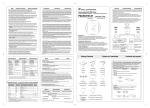
USER’S MANUAL HDMI over IP Extender w/USB, RS-232, Line-out, Microphone & IR path Receiver Introduction HDMI is a very popular interface at the moment and this solution includes USB, RS-232, Audio, Microphone & IR path. The main feature of this solution allows HDMI and or USB host device to send data within maximum 200 meters (Tx to LAN Switch to Rx) distance away from local. Furthermore, this solution includes extra functions like IR path, line-out and microphone functions and allows user to enjoy control at remote side with audio sound. User’s Manual Moreover, the device is cascadable and allowing user to extend the transmission distance up to as long as it demand and without signal loss or delay, or with multi pairs of the extender box up to 16 for matrix usage from one IP for data sharing within the connected device of sources and displays. HDMI over IP Extender (Full version) Features HDMI v1.3, HDCP v1.1 and DVI v1.0 compliant Support USB 2.0 high-speed and USB 1.1 (full-speed, low-speed) devices True plug and play without any driver installation required Display and control of the host device and source equipment Save and share data into a separate room Tested CAT5 cable distance of up to 200 meters (Tx to LAN Switch to Rx) or cascade up to as long it require or link up to 16 pairs for matrix system Supports digital display output resolution up to 1920 x 1080@60Hz Adopt visually lossless video compression algorithm Automatic display mode detection and DDC synchronization Support Over-LAN (TCP/IP) Simple set up with easy to use LED indicators for easy viewing Total transmission frequency 1G Hz Package Contents Transmitter unit x1 Receiver unit x1 Power Adapter x2 (DC/5V) USB A to B cable x1 IR Emitter cable x1 1 Application Diagram Point to Point Mode PC Remote Control H/W Installation Diagram Transmitter Front View Power LED:Red Link LED:Blue SW2:Graphic / Video Mode Switch SW1:Local / Remote Output Switch HDMI Local Output Receiver Front View Attention of Link Pair: Tx & Rx must be set as same one, otherwise, there will be no output from Rx. HDMI Extension USB Connector SW1:Disconnect SW2:Graphic / Video Mode Switch IR Receiver Sensor Link LED:Blue Power LED:Red Transmitter Rear View Point to Multi Mode IR Emitter Jack RS-232 HDMI Source Input RJ-45 Output USB B type to PC Power Adapter Receiver Rear View HDMI Output RJ-45 Input Line-Out Microphone RS-232 Power Adapter 2 - H/W Installation Please follow H/W installation Diagram of Tx & Rx as second page shows. - Function Introduction Point to Point Mode - Default mode, HDMI output show at Receiver side. - If User needs local HDMI output at Transmitter side, please press SW1 to swap HDMI output from Receiver to Transmitter. - HDMI output from both Transmitter & Receiver, please follow below steps, 1. Please make sure HDMI output at Receiver Side. 2. Press SW1 of Transmitter within 3 seconds and you will see HDMI output from both Transmitter & Receiver side. Point to Multi Mode - USB, Line-out, Microphone (Referred to as USB) Function Introduction, 1. USB Function only support Point to Point in Point to Multi Mode - HDMI output from both Transmitter & Receiver, please follow below steps, 1. Please make sure HDMI output at Receiver Side. 2. Press SW1 of Transmitter within 3 seconds and you will see HDMI output from both Transmitter & Receiver side. - USB Function will be enabling at the first receiver when booting, if other receiver needs USB function, please follow below steps to swap USB function of receiver, 1. Find out USB occupation by which receiver. 2. Press SW1 of receiver to disconnect the connection and release USB. 3. Press SW1 of receiver which you want to have USB function and press SW1 to reconnect again then this receiver has USB function. 4. Press SW1 of first receiver for reconnection. Trouble Shooting No picture: - Please check Link LED (Blue one), if Blue LED is flashing means connection is not established and please reconnect all cables of Tx & Rx accordingly. No USB, Line-out, Microphone output: - Please follow Function Instruction to setup USB connection, if you still have problem more details. If USB still have connection issue, please connect your re-seller for more details. No surround sound: - This system does not support multi-channel digital audio transmission; adjust the source to output 2-channel PCM digital audio. HDMI without Audio Output: - Please connect HDMI source to HD TV to check if original HDMI output with Audio. - If no, please make sure original HDMI source with Audio output. - If yes, please contact distributor for more details. Only one receiver with Audio output: - Please remove USB connection of Transmitter and re-boot system. - If still no Audio output, please make sure HDMI source with Audio output. Specification: HDMI over IP Transmitter Input 1x HDMI 1x USB B type 1x RS-232 Output Others Resolution 1x RS-232 1x RJ-45 1x Microphone 1x HDMI 1x HDMI 1x Audio 1x RJ-45 4x USB A type 1x Link Pair Switch 1 x Link Pair Switch 1x IR Emitter (Cable) 1x IR Receiver (On board) 2 x Switch button 2 x Switch button 1920X1080@60Hz / 1080p Inter-connect Cable Power Operation Temperature Storage Temperature Receiver CAT-5e / CAT-6 5V 5V 0℃~50℃ -20℃~60℃ Humidity 0~80% Non-condensing Material Metal Weight 565g 578g Dimension 166 x 115 x 27.5 mm 166 x 115 x 27.5 mm Note: 1. IR Path:Remote IR Received Signal for local machine control 2. USB transmission is only applied for asynchronous USB device EX: USB Flash not for USB Webcam, USB Printer. CERTIFICATIONS FCC This equipment has been tested and found to comply with Part 15 of the FCC Rules. Operation is subject to the following two conditions: 1. This device may not cause harmful interference 2. This device must accept any interference received. Including interference that may cause undesired operation. CE – Certificate This equipment is in compliance with the requirements of the following regulations: EN 55022: CLASS B 3