1
Case 3
The native prestashop module (blockwishlist) has been installed and some wishlists have been created (data
detected).
> Information 1: The native prestashop module should be uninstalled. Caution: should you want to keep
your previous lists and view and manage them in the new module please use “import data” displayed
on this screen.
> Information 2: Some lists have been created (“data detected”). Before proceeding to uninstall the
native module (refer to the point below) and if you may want to import these lists in the new module
(“import data”) please do not forget to import data first.
> Information 3: No list has been created at this time. Hence there isn’t any data regarding Giftlistpro.
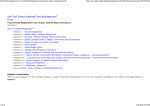
You can now see the following display:
Now you have to uninstall the native prestashop module (Wishlist block v0.2 by PrestaShop).
Click “Back” and come back to module configuration by clicking “configure” as below:
Giftlist Pro
8 / 38
Alize Web