1
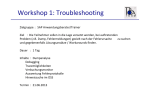
DLMS USER GUIDE I. INTRODUCTION The Distributed Learning Management System (called DLMS) is a new program provided with the simulators for the duration of the support contract. The DLMS makes it easier for the trainer to manage the trainees (users). Using a browser-based interface, the DLMS centralizes users information. It reduces the time spent by the trainer on administration. 1. The user has to log in to use simulators (with login and password). It’s easier for the trainer to identify users. 2. User reports are accessible from any workstation 3. The DLMS creates comparative reports, showing results for users groups 4. The DLMS allows to compare User results to other users – “benchmarking” 5. The users can analyze their results compared to a “recommended” solution The DLMS is a cloud-based server and doesn’t require any additional equipment. DLMS architecture ______________________________________________________________________ USG SPS ENG 10 06 27 - 003 Page 1 / 3 Copyright © Sinapse Print Simulators 2012 V2.0 DLMS USER GUIDE The DLMS allows user management. Users need to log in before using the simulator. There are 3 different roles in the DLMS: – Administrator: to manage sites, create trainer or administrator. – Trainer: to create groups and users. – User: can only access the configuration defined by the trainer and display his own report. Using the DLMS helps the trainer to manage user reports. At the end of a working session, trainee reports are automatically transferred to the DLMS server. Thus, the trainer can display reports from any workstation on the network. It doesn’t matter from which computer the user has solved the exercise. Users can check their own reports from any workstation. I.1 Software Requirement User Prerequisites Windows clients must meet the following prerequisites in order to access to the DLMS: Windows XP SP3 Home or Professional, Windows Vista SP1, Windows Seven Home or Professional. Internet Explorer 7.0 or 8.0 and greater Internet connection and FTP service authorized for the users ______________________________________________________________________ USG SPS ENG 10 06 27 - 003 Page 2 / 3 Copyright © Sinapse Print Simulators 2012 V2.0 DLMS USER GUIDE II. CONNECTING TO THE DLMS An account is necessary to connect to the DLMS.Send an Email to Sinapse ([email protected]) to request a login/password. After the reception of the codes, connect to the DLMS by clicking on the DLMS connect icon present on your desktop. Enter the name of your company/school After validation, you will automatically access to our company web page. ______________________________________________________________________ USG SPS ENG 10 06 27 - 003 Page 3 / 3 Copyright © Sinapse Print Simulators 2012 V2.0