1
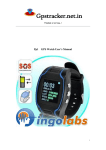
GPS Tracker User’s Manual
(GPS+GSM+GPRS)
第1页
一.Main functions
1. Locating and tracking:
2.Message inquire
3.Online inquiry position
4.History track playback
5.Electronic fence
6.Mileage statistics
7.Remote to restart the system
二. accessory
(positive)
(opposite)
第2页
1、Black
line connects the power
2、Red for positive power supply usually supply
三.Light Functionality
Green LED -- Indicating power status
off
Power off
on
Power supply is normal
Blue LED -- Indicating GPS status
Flashing (Flash a times a second )
GPS fix
Blue light is not on
GPS no fix
Red LED –Indicating GSM status
Flashing (Flash a times a second )
The tracker is searching the GSM signal
Flashing (Flash a times 8 seconds)
The GSM is working
四. Attentions
1. Insert a cell phone SIM card to the device
●Make sure the SIM card has opened the GPRS function, and the need set up the
APN (ask the operator for the APN); otherwise the tracker will not work normally.
●Make sure the SIM card can call out and receive the SMS.
●Make sure the SIM card has no PIN number
第3页
●The device just supports GSM network SIM card, and does not support CDMA
SIM card
五、 Product Specification
1、 Technical data
GSM Frequency
GPS Chips
GPRS
GPS Sensitivity
GPS Accuracy
GSM Accuracy
SpeedAccuracy
Cold Status
Warm Status
Hot Status
MaximumAltitude
Highest Speed
Acceleration 0f Gravity
Size
Weight
850/900/1800/1900MHz
SIRF Star III
Class 12, TCP/IP build in GSM MODULE
-159dBm
10m(2D RM)
50-200m
0.1m/s
-38s
-32s
-2s
18000m
515m/s
﹤4g
90.00(L) x 45.0(W) x12.0(H) mm
45g
Working Tememperature
Humidity
Voltage
Current
StuandyAverage Current
-20--+70℃
20%---80%RH
12—50V DC
~60mA(12v DC)
<80MA
~35mA(24v DC)
六、Usages
1、Terminal setting,(default password is 0000.)
1.1. Set the center number: #710#phone number#new password#old pass word##
For example:#710#13588888888#0000#0000##
When the command is sent, the center number will be:13588888888 and it will reply “CONFIG OK” to you
cell phone, when the password is error, it will reply “PASSWORD ER”.
1.2.Set the administrator number:
Send command: #711#call1#call2#call3#User password##
Admin number is used for the tracker owner to set up the next 3 controlling numbers. Maximum is 3
For example: #711#13588888888###0000## (Set a license number)
#711#13588888888#13467510012##0000## (Set up two authorization number)
#711#13588888888#13467510012#13675144233#0000## ( Set three authorization number)
第4页
When the setting is successful, it will reply “CONFIG OK” when the pass word is wrong; it will reply
“PASSWORD ER”
1.3.Changing the password :
Send command: #770#new password#User password##
Setting is done, the tracker will reply “CONFIG OK” , when the password is wrong will reply
“PASSWORD ER”.
For example:#770#1234#0000##
when the command is executed,the password will change 0000 to 1234。
Notice: Please remember your new password, or will not control the device.
1.4. Regular Upload Interval Setup
Send command: # 730# Sampling interval # Pieces of uploads # User password ##
The defaulted factory upload interval of this device is 2 minutes for getting the point and 10 minutes for
uploading one piece of positioning information. The user may change such parameter according to actual demand.
For example: 730#20#4#0000##
Note: The parameter “20” indicates getting one point every 20s; after getting points accumulatively for 4 times,
upload one piece of positioning information with the upload interval as 20*4=80s. The user may change this
parameter as the case may be.
1.5. Set APN Command
Send command: #802#APN letters or digits, 4-20 bits ### terminal password ##
and send it to the terminal; after executing this command, the terminal will automatically restart and connect to
GPRS with APN set.
Command example 1: #802#cmnet###0000##
After this command is executed, APN will cmnet.
Note: The default APN of this product is CMNET.
2.Setting the alarm
2.1 Alarm format
Send command:#720#Warning way0-3#User password##
1 .Warning way0:Don't call the police
2. Warning way1:Dial-up alarm
3. Warning way2:Message alarm
4. Warning way3:Dial-up alarm and Message alarm
Example: #720#3#0000## After the implementation of this order,Module is set to dial up the way with text
messages.If module in warned about the information at the same time also to perform the first number went to the
default function.
the terminal will return the message of CONFIG OK to the setting mobile phone, or the message of PASSWORD ER
if the password is wrong.
Note:The factory default alarm way for 0.
2.2 GPS Fence Function
Send command: # 751 # fence radius # sampling interval # longitude # latitude # user password ##.
For example: #751#500#5#22.5442N#113.91E#0000##
第5页
After the setup is successful, the setting mobile phone will receive a piece of config ok command. Then, when
the ward leaves this area, the terminal will send the alarming information of being out of the fence to the center
number.
Note: Send 9860000 reply of longitude and latitude this standard
2.3 Fence Reading Function
Send command: # 752 # user password ##
after the command is set successfully, the terminal will read the data of the module fence working status and return
message to the sending mobile phone, or PASSWORD ER if the password is wrong.
For example: #752#0000##
Return: #open:1#lat:11456.209400#lng:2233.470100#distance:500#time:5#status:2
Where, open: 1 indicates fence open; Open: 0 indicates fence closed;
lat:11456.209400, latitude;
lng: 2233.470100; longitude;
distance: 500; fence radius;
time: 5 sampling interval;
status: 2 , terminal has obtained valid satellite data, fence works normally;
status: 1; fence open, but there are no valid satellite data have been received;
status: 0, no electronic fence is set.
2.4 Function of Canceling Fence
Send command: #760 # user password ##
Example: #760#0000##
After the terminal receiving this command, all fence settings will be cancelled.
Advice; Do not set GSM fence and GPS fence at the same time.
2.5 Time zone settings
Send command: 896xxxxDnn Se
XXXX is a four password (default password is 0000.)
D represents the time zone of the East and West
NN two digits ( 0 ~ 12 ), On behalf of Country Time Zone p
For example, watch the current display time 09:30:08, sending 8960000E08 commands, time will automatically
add 8 is amended as: 17:30:08; similar
When setting the 8960000W07 command, Time will automatically by 7 is amended as: 02:30:08
七、Cell phone positioning
1.The admin number phone call the terminal, then hand up in 1-2 second, you will get a reply SMS with
link.
2. Any call phone send 6660000 to the tracker; you will get a reply SMS with link.
3.Any call phone send 9860000 to the tracker; you will get a Google maps link
4. Mobile phone call with SIM card number administrator,Ring to 1-2 seconds hang up ,you will get a goole
map lind and Longitude latitude.( the sim Must open call display)
For Example: you send 986000 to the tracker, you will get a reply SMS with link.
第6页
If you register on service platform http://tk.tkygps.com/ you can logo in to view realtime online tracking.
For example: open http://tk.tkygps.com/
第7页
User name :332477243 ( Behind the ID number 8 digits )
Password: 123456
(Initial password )
八. The status of the installation
1. Under the front windshield, hideout of the decorative sheet
第8页
2. Hideout of front dashboard
3. Under the back windshield, hideout of the decorative sheet
Notice: If the windshield has the metal thermal-protective coating, it will reduce the GPS signal and
make it work abnormally.
The picture of the installation:
九. Auxiliary Function
Instructions
Explain
#711#call1#call2#call3#password##
Add admin number(can add three number)
986+password
Reply to Google maps link
666+password
Location Inquiry
# 730# Sampling interval # Pieces of uploads #
User password ##
Regular Upload Interval Setup
#770# User new password # User old password ##
Function of Changing Password
#802#APN###User password ##
Set APN Command
#803#FixedIPaddress#portnumber#4-digit
password##
Setup of Server Address
# 751# fence radius # sampling interva ) #
longitude # latitude#user password ##
Set fence format
# 752# user password 4 digits ##
Fence Reading Function
# 760 # user password 4-digits ##
Function of Canceling Fence
#901##
Command of inquiring machine parameters
#902##
Command of inquiring GPRS parameter
第9页
第 10 页