1
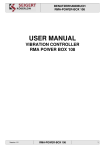
Installation and Operating Manual
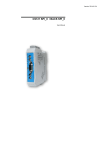
The “smart meter”
PTK 50-3 and PTW 50
Fig. 1: iXmeter package PTK 50-3 and PTW 50
EN
Installation Instructions
iXmeter
ENA3KDE485210_DE-R1
Page 1
1. Table of contents
1.
2.
3.
4.
Table of contents _________________________________________________________________________________ 2
Manufacturer details ______________________________________________________________________________ 3
Safety instructions (always read before use!!) __________________________________________________________ 4
Description _____________________________________________________________________________________ 5
PTK50-3 __________________________________________________________________________________________ 5
PTW 50___________________________________________________________________________________________ 5
5.
Mounting_______________________________________________________________________________________ 6
6.
Dimensional drawings_____________________________________________________________________________ 7
Front view_________________________________________________________________________________________ 7
Side view _________________________________________________________________________________________ 8
7.
Connection and commissioning _____________________________________________________________________ 9
8.
Terminal diagrams ______________________________________________________________________________ 12
9.
Technical data __________________________________________________________________________________ 13
PTK 50-3 ________________________________________________________________________________________ 13
PTW 50__________________________________________________________________________________________ 14
10.
Installation of the software (Windows) ____________________________________________________________ 15
DeviceInstaller 4.2 _________________________________________________________________________________ 15
Java _____________________________________________________________________________________________ 19
iXmeter.jar _______________________________________________________________________________________ 22
11.
Installation of the PTW 50 in the network __________________________________________________________ 23
Start the DeviceInstaller from the menu > Start, Programs, DeviceInstaller 4.2, DeviceInstaller _____________________ 23
With DHCP server _________________________________________________________________________________ 23
Without DHCP server_______________________________________________________________________________ 27
Entry in hosts (in case no name server (DNS) is available) __________________________________________________ 32
12.
Calling up the iXmeter software__________________________________________________________________ 34
Left menu ________________________________________________________________________________________ 34
Right-hand menu __________________________________________________________________________________ 37
13.
Reading out the measured value tables_____________________________________________________________ 38
14.
Telnet ______________________________________________________________________________________ 39
ENA3KDE485210_DE-R1
Page 2
2. Manufacturer details
iXmeter@work™
PTK 50-3 and PTW 50
Installation and Operating Instructions
Document No.:
ENA3KDE485210_DE-R1
Date of issue:
04.12.2009
Revision:
1.2
Manufacturer:
ElectronXx GmbH
Haberstrasse 46
42551 Velbert
Germany
Tel.:
Fax:
+49 (0) 2051 60721 0
+49 (0) 2051 60721 65
© Copyright 2009 by ElectronXx GmbH
Subject to technical modifications
This document is protected by copyright. Information in this document is intended only to assist
the user in safe and efficient operation of the equipment. Its contents may not be reproduced in
full or part without prior approval of the legal owner.
ENA3KDE485210_DE-R1
Page 3
3. Safety instructions (always read before use!!)
The device must not be opened, otherwise operational reliability is not ensured.
WARNING
During operation of electrical equipment hazardous live voltage
may be present in specific parts of the equipment. Failure to
observe warning notices, incorrect or improper use may lead to
personal injury and/or material damage.
Before working in the terminal strip area, disconnect the device
from the power supply. If you use stranded conductors, you have
to employ wire end ferrules.
Flawless and safe operation of this device requires proper transport, storage, installation,
assembly and commissioning as well as careful use, maintenance and servicing.
For this reason only qualified personnel may work on and
operate this device.
Qualified personnel refers to persons who
- are familiar with installation, assembly, commissioning and operation of the device and
the system to which it is connected,
- are able to perform switching operations in accordance with safety engineering
standards and are authorized to energize and de-energize equipment as well as to
isolate, ground and label it,
- are trained in the care and use of safety apparatus in accordance with safety
engineering standards
- and are trained in emergency procedures (first aid).
Whenever it is likely that safe operation is no longer possible, shut down the device and secure it
to prevent unintentional operation.
i
IMPORTANT!
The operating manual for this device provides instructions for its installation,
commissioning and operation. However, the manual cannot cover all conceivable
circumstances or include detailed information on all topics.
In the event of questions or specific problems, do not take any action on your own without
proper authorization. Contact the appropriate ElectronXx GmbH technical sales office and
request the necessary information.
Any agreements, commitments and legal relationships as well as any obligations on the part of
ElectronXx GmbH, including settlement of warranties, shall result solely from the applicable
purchase contract, which is not affected by the contents of the operating manual.
ENA3KDE485210_DE-R1
Page 4
4. Description
The devices are designed for installation in racks or control panels in accordance with DIN EN
61010-1/08.2002 (IEC 61010-1:2001).
AC power measuring transducers of the “Power 50 Series" and the iXmeter@work convert AC
currents and/or AC voltages into analog standard signals according to the technical data.
The inputs of these devices generally conform with overvoltage category III, degree of
contamination 2.
The outputs are fundamentally functional extra-low voltage circuits (PELV) and meet the
requirements for safe isolation against all inputs.
PTK50-3
These power measuring transducers require an additional power supply. The root-mean-square
value is formed from the input variables. As a result, even non-sinusoidal input signals are
converted into proportional root-mean-square values. The analog output is bipolar so, for
example, power flow directions can also be identified via the sign. “Live zero” signals are
possible, the output characteristic curve can also be selected as non-linear.
The PTK50-3 power measuring transducer has 2 additional digital outputs (open collector).
These measuring transducers are freely parameterizable.
You will find further information in the separate parameterization manual.
These power measuring transducers can optionally be equipped with a bus connection as well.
You will find further information in the separate interface manual.
PTW 50
The PTW 50 is a WEB Server that collects the data of the PTK 50.
It is connected to the PTK via the LCI interface at the front.
The measured electrical values are read out of the PTK 50 at one-second intervals and stored
in the PTW 50 tables.
With a WEB browser you can display the data.
ENA3KDE485210_DE-R1
Page 5
5. Mounting
[Legende: Mounting, Dismantling]
Fig. 2:
Top-hat rail case on top-hat rail 35 mm ×15 mm or 35 mm × 7.5 mm
(DIN EN 60 715/09.2001)
ENA3KDE485210_DE-R1
Page 6
6. Dimensional drawings
Front view
PTW 50
PTK 50-3
[Anmerkung des Übersetzers: Zahlen in Englisch werden mit Punkt als Dezimalstelle geschrieben, z.B.
99.0 (deutsche Schreibweise: 99,0)]
ENA3KDE485210_DE-R1
Page 7
Side view
ENA3KDE485210_DE-R1
Page 8
7. Connection and commissioning
WARNING
Observe the customary national regulations concerning the installation of power systems and
equipment up to 1000 V when selecting conductor material and during installation.
In the case of devices with external power supply, you have to provide a switch and a fuse (16
A) in the immediate vicinity to enable disconnection of all poles.
The input/power supply and output lines should be routed separately.
Before switching on the unit, ensure that the device data correspond to the connection data.
For customer-specific parameterization the data indicated on the rating place must conform with
the parameterized data. You may have to make changes to the rating plate sections concerned.
Refer to the rating place and the connection diagrams for terminal assignment.
Deviations may lead to errors as well as personal injury and material damage.
All types: power supply
PTK..-.: RS 485 connection
(optional)
PTK50-3: binary output
Analog outputs
LCI interface for parameterization
cable and connection to PTW 50
Current inputs
Voltage inputs
Fig. 3: PTK 50-3, terminals
Power supply
13 L / + / ~
14 N / - / ~
ENA3KDE485210_DE-R1
Page 9
ATTENTION!
In the case of power supply with alternating current, ensure that the
phase is connected to terminal 13, otherwise the measured values may
fluctuate.
Current
1.1: L1, input 1
1.2: L1, input 2
3: L1, output
4.1: L2, input 1
4.2: L2, input 2
6: L2, output
7.1: L3, input 1
7.2: L3, input 2
9: L3, output
Voltage
2.1 L1, input 1
2.2 L1, input 2
5.1 L2, input 1
5.2 L2, input 2
Output
111 output 1
112 output 1+
121 output 2
122 output 2+
131 output 3
132 output 3+
Binary
211 output 1
212 output 1+
221 output 2
222 output 2+
8.1 L3, input 1
8.2 L3, input 2
11 Neutral point
RS 485 (optional)
81: RXD/TXD A+
83: RXD
85: GND
86: GND
The loads applied to connecting circuits have to remain within the limits indicated in the
technical data. In addition, the following voltage limits must not be exceeded:
Voltage:
Phase, input 2.2 to terminal 11
Phase, input 2.1 to terminal 11
Phase to phase (PTK50-3)
≤ 300 volts
≤ 600 volts
≤ 1000 volts
PTK50-3
- Rated voltage 75 to 150V / 150 to 300V = 270 volts (to ground)
- Rated voltage 150 to 300V / 300 to 600 V = 570 volts (to ground)
Cable cross-sections
Current terminals
4.0 mm² fine wire
6.0 mm² single wire
all other terminals
2.5 mm² fine wire
2.5 mm² single wire
ENA3KDE485210_DE-R1
Page 10
Auxiliary power supply
LCI interface
LAN interface
I/O connections (planned)
Fig. 4: PTW 50, terminals
Power supply:
Terminal L:
Terminal N:
phase L in case of AC voltage or plus + in case of DC voltage
neutral conductor in case of AC voltage or ground – in case of DC voltage
90-264 VAC or 120-370 VDC
Cable cross-sections
Terminals (auxiliary power and I/Os)
2.5 mm² fine wire
LCI cable 0.5 m
2 x 3.5 mm jack plug
LAN interface
RJ45
ENA3KDE485210_DE-R1
Page 11
2.5 mm² single wire
8. Terminal diagrams
Energy consumption is considered to be a positive energy direction.
Currents and voltages not physically connected are not displayed.
Attention!
The delta voltage terminals must be assigned in the same way
as if star voltage were connected (an artificial neutral point is
created internally in the measuring transducer).
Example:
You have a delta voltage of 400 V and thus a star voltage of
230 V. The terminals must then be assigned as follows:
Terminal label 300/150 V:
terminals 2.1, 5.1 and 8.1 for L1, L2 and L3
Terminal label 600/300 V:
terminals 2.2, 5.2 and 8.2 for L1, L2 and L3.
Legende:
4-wire 3-phase unbalanced load
The maximum connection signals of the PTK 50-3 are 600 V AC and 5 A.
In the case of greater voltage or current, you have to connect appropriate voltage and/or current
transformers on the line side. The input parameters are freely configurable with the Process
Data Manager.
The LCI interface is bridged between the PTK 50-3 and the PTW 50 using the jack plug cable
provided.
ENA3KDE485210_DE-R1
Page 12
9. Technical data
PTK 50-3
Product standard
Current input
Nominal value
Power consumption per phase
Overload capacity
Overload capacity for 1s
*) at nominal conditions
Voltage input
Nominal value
Power consumption per phase
Overload capacity, permanent **)
Overload capacity for 1s
**)
DIN EN 60 688 (April 2002)
IEC 60 688/A2:2001
see rating plate of device
≤ 0.15 VA
2 x Inom *)
40 x Inom; max. 200 A *)
see rating plate of device
≤ 1mA. Unom
1.5 x Unom
4 x Unom
Note: observe max. permissible voltage!
Power supply PTK 50-3
(acc. to rating place data)
80…300 V DC / 80…265 V AC (45-65 Hz)
19…100 V DC / 19…72 V AV (45-65 Hz)
high voltage
low voltage
4.5 W / 6.3 VA
4.8 W / 8.3 VA
EMC and RFI in accordance with DIN EN 61 326-1/A1/IEC 61 326-1/A1 class B
(for industrial and residential areas)
Complies with EMC Directive 89/336/EEC and
Low Voltage Directive 73/23 EEC
Degree of protection: enclosure / terminals
Ambient temperature range
Storage temperature
Output circuit
Error limit
Absolute measuring error
Setting time
IP40 / IP 20
3K5 -20…...+60 °C
2K4 -40…...+80 °C
see rating plate of device
0.3%
0.2% of nominal input value + 20 µA
0.4 s
The output of programmable measuring transducers cannot be parameterized as a voltage
output. An external resistor can be installed on the output terminals to obtain a voltage signal.
The resistor value is calculated according to the following formula:
Resistance (Ω) = [desired output voltage (V)] / [output current (mA)]
To minimize the measuring error, the output current should be as high as possible.
For further data see rating plates and data sheet ENA3KDE485000R1003 for these products.
ENA3KDE485210_DE-R1
Page 13
PTW 50
Product standard
DIN EN 60 688 (April 2002)
IEC 60 688/A2:2001
Power supply
Voltage supply
90…264V AC (45-65 Hz)
120…370 V DC
≤3.5 W / 5 VA
Power consumption
Communication
PTK 50-3 ↔ PTW 50
PTW 50
↔ external
RS232 via LCI
Ethernet
Protocols
internal
external
MODBUS to PTK 50-3
HTTP
TCP/IP
FTP
Telnet
DHCP
SNMP (planned)
SMTP (planned)
SSL/SSH (planned)
BacNet (planned)
M-Bus (planned)
Enclosure (WxHxT) [mm]
22.5x114x100
Degree of protection: enclosure / terminal
IP 40 / IP 20
Terminals
2.5 mm² fine wire/single wire
Ambient temperature
3K5
2K4
-20…+60 °C
-40…+80 °C
EMC and RFI in accordance with DIN EN 61 326-1/A1/IEC 61 326-1/A1
Complies with EMC Directive 89/336/EEC and
Low Voltage Directive 73/23 EEC
ENA3KDE485210_DE-R1
Page 14
10.
Installation of the software (Windows)
DeviceInstaller 4.2
Insert the USB flash drive provided into an available USB port of your PC.
Open the File Explorer (Desktop):
Change to the USB flash drive (in this example drive F:\) by double-clicking.
Go to the directory Install by double-clicking.
Start the DeviceInstaller by double-clicking on the file:
Di32DLGen_4.2.1.3_WEB.exe
ENA3KDE485210_DE-R1
Page 15
The installation then starts.
Select the directory in which the installation routine of the DeviceInstaller should be installed
and confirm with
Confirm the welcome dialog with
ENA3KDE485210_DE-R1
Page 16
Confirm the installation path for the DeviceInstaller with
Now confirm the installation with
ENA3KDE485210_DE-R1
Page 17
The installation is then carried out. Please wait ….
The installation is complete. Please close the dialog with
ENA3KDE485210_DE-R1
Page 18
The DeviceInstaller is now at your disposal.
You can use it to connect the PTW 50 to your network.
Java
Now we need Java version 1.6.0_13 or higher on your PC to operate the WEB pages.
You will find the latest version on the Internet at:
http://de.sun.com
Save the current version on your USB flash drive.
Start the installation by double-clicking on the file jre-6u13-windows-i586-p-s.exe
ENA3KDE485210_DE-R1
Page 19
Confirm your acceptance of the contract with
Java will now be installed. Please wait…
ENA3KDE485210_DE-R1
Page 20
Confirm completion of the installation with
ENA3KDE485210_DE-R1
Page 21
iXmeter.jar
Copy the file iXmeter.jar from your USB flash drive to the directory
C:\programme\java\jre6\lib\ext
Your PC is then prepared for the iXmeter.
ENA3KDE485210_DE-R1
Page 22
11.
Installation of the PTW 50 in the network
Connect the Ethernet cable of your network to the PTW 50 and switch on the supply voltage.
The LEDs on the front start to flash.
Top LED bi-colour, link
Colour
Off
Yellow
Green
Bottom LED bi-colour, activity
Function
not connected
10 Mbps
100 Mbps
Colour
Off
Yellow
Green
Function
no activity
half duplex
full duplex
The PTW is connected to the network.
Start the DeviceInstaller from the menu > Start, Programs, DeviceInstaller 4.2, DeviceInstaller
With DHCP server
After the start the XPort (iXmeter) is visible in the Explorer of the DeviceInstaller
Mark the entry with the IP address (the IP address may differ from this view)
ENA3KDE485210_DE-R1
Page 23
On the right you will see the status page of the iXmeter.
The iXmeter is online!
The iXmeter is parameterized for your application at the factory. You do not need to carry out
any other settings.
In the following we show you the access to the iXmeter.
Attention!!!
It is not necessary to change the settings.
A change in the settings can only lead to a malfunction of
the iXmeter!
Click on this tab in the right-hand window of the DeviceInstaller
In the address line you will find the IP address of the selected iXmeter.
Press the green arrow on the right
ENA3KDE485210_DE-R1
Page 24
The login window opens.
Enter your user name and password:
User name:
Password:
admin
PASS
ENA3KDE485210_DE-R1
Page 25
The status page of the iXmeter opens.
You can call up the various settings via the left menu.
ENA3KDE485210_DE-R1
Page 26
Without DHCP server
Start the DeviceInstaller.
If the iXmeter cannot reach a DHCP server, it automatically assigns an IP address that begins
with 169.254. .
This address is visible in the DeviceInstaller.
ENA3KDE485210_DE-R1
Page 27
In the left window mark the IP address and press the button
ENA3KDE485210_DE-R1
Page 28
In the following window select the option
and confirm with
Now enter an IP address assigned by you (e.g. 192.168.1.111).
Confirm with
ENA3KDE485210_DE-R1
Page 29
To start the assignment to the iXmeter, press
The process is started.
ENA3KDE485210_DE-R1
Page 30
The address has been assigned. Finish the procedure with
ENA3KDE485210_DE-R1
Page 31
In the overview you see the iXmeter with a new IP address.
Entry in hosts (in case no name server (DNS) is available)
Introduce the iXmeter to your system.
To be able to address it using a name, open the file
“C:\windows\system32\drivers\etc\hosts”
with a text editor.
ENA3KDE485210_DE-R1
Page 32
Enter your iXmeter here (e.g. 192.168.1.111
and save the file.
elxix001)
Now you can address the iXmeter in the Internet Explorer without the IP address.
Try it out right away:
ENA3KDE485210_DE-R1
Page 33
12.
Calling up the iXmeter software
Enter the following address:
http://elxix001/ixmeter/imeter_visuals.html
(Alternatively you can also use the IP address:
http://192.168.1.111/ixmeter/imeter_visuals.html
)
Finished! Now you are in the iXmeter display.
The present meter reading is shown in the status display.
Left menu
The different variables are offered in the left menu.
ENA3KDE485210_DE-R1
Page 34
A single click with the mouse enables you to display the selected menu item
Click on
The display now shows the voltage at the moment on the three phases.
Since only voltage U1 is connected here in our sample device, we only see the voltage value for
U1 = 232.0 volts.
Voltage U2 and U3 are 0 volts
Select the menu item
ENA3KDE485210_DE-R1
Page 35
Current I1 is displayed at the moment with a value of 0.364 A.
Furthermore, the minimum and maximum measured value is shown by the slave pointer.
ENA3KDE485210_DE-R1
Page 36
Right-hand menu
Using the right-hand menu, you can choose between the currently measured value and the
development over time in seconds, minutes, hours or days
The last 720 measured values are saved.
That means:
•
•
•
•
The last currently measured values for 720 seconds
The last minute mean values for 720 minutes
The last hour mean values for 720 hours
The last day mean values for 720 days
Let’s change over to development in
seconds.
Now we see the development of the current over the last 720 seconds.
This changeover is possible for every measured value.
ENA3KDE485210_DE-R1
Page 37
13.
Reading out the measured value tables
http://elxix001/iXmeterAtWork?command=get_seconds&format=float&filetype=html&count=10
http://elxix001/iXmeterAtWork?command=get_seconds&format=raw&filetype=html&count=10
The commands are composed of the following:
Link to the directory:
http://elxix001/iXmeterAtWork
Command:
Command=get_seconds,
Command=get_minutes,
Command=get_hours,
Command=get_days
Format=float (numbers in float format)
Format=raw (raw data integer, standardized)
Filetype=html (table in HTML format
Count=10 (reads 10 data records, max. 720)
Please call up the link …
The HTML table appears.
By clicking with the right-hand mouse button, you open a submenu.
You can immediately transfer the data to Excel by means of the menu item “export to Excel”.
However, this function is only available in the Microsoft Internet Explorer.
ENA3KDE485210_DE-R1
Page 38
14.
Telnet
Open the DeviceInstaller
Select the iXmeter and mark it.
Select the tab
Press the button
The Telnet console opens
ENA3KDE485210_DE-R1
Page 39
You get an initial functional overview with ?.
Write enable [Enter]
ENA3KDE485210_DE-R1
Page 40
>?
>ixmeter
>?
Now we list the currently measured values:
>get inputs
Alternatively you can also use other Telnet consoles as the DeviceInstaller.
ENA3KDE485210_DE-R1
Page 41
This operating manual is protected by copyright. Translation, reproduction and dissemination in
any form – even in edited form or as excerpts – in particular as a reprint, via photomechanical or
electronic reproduction or in form of storage in data processing systems or data networks
without the approval of the legal owner is prohibited and will be prosecuted according to civil
and criminal law.
ElectronXx GmbH
Haberstrasse 46
D-42551 Velbert
Germany
Tel.:
Fax:
e-mail:
WEB:
+49 (0) 2051 60721 0
+49 (0) 2051 60721 65
[email protected]
www.electronxx.de
www.electronxx-shop.de
ElectronXx GmbH continuously optimizes its products.
It therefore reserves the right to make technical modifications to this document.
Printed in the Fed. Rep. of Germany (12.09)
© ElectronXx GmbH 2009
ElectronXx offers comprehensive and competent consulting services
ENA3KDE485210_DE-R1
Page 42