1
DMXCreator Manual
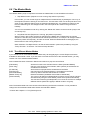
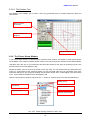
6.2 Sequence
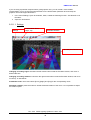
A Sequence can consist of single, or multiple connected Scenes. Each Show can have a maximum of
16’384 Scenes.
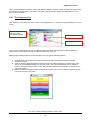
6.3 Scene
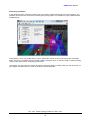
A Scene is the lowest or most basic entity of a Show. Scenes are the entered variable values of all fixtures
connected at a given time (static). A Sequence is built out of one or more Scenes. The maximum number of
Scenes per Sequence is 65’536. You may define an individual fade time from one scene to the next.
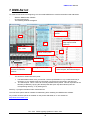
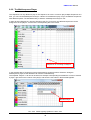
6.4 Multisequence
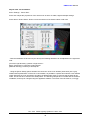
With the DMXCreator, it is possible to run up to 32 Sequences at one time. This is helpful, among other
applications if you:
-
wish to control different fixture groups independent of each other (i.e. Scanners group / Statics /
moving heads group)
wish to combine Sequences that for example only have “pan movement” with Sequences that only
have “color change”
wish to run pan-tilt movement and color change at different rates, or with differing trigger sources
For live programming, it is possible to combine previously programme Sequences to from new
compositions (Cues)
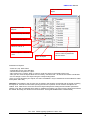
The DMXCreator Software can play up to 32 different sequences with different speeds at one time. This is
helpful for the following applications:
-
controlling different fixture groups independently of each other
combining fixtures with separate functions such as „pan-tilt only“ with „color change only“
running color changes and pan-tilt movements with different speeds or using separate trigger sources.
If you want to program different fixture types separately, or single functions of a fixture, please take note of
the following:
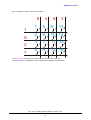
The DMXCreator operates according to the HTP principle. This means that when multiple channels of the
Multisequence Player access a DMX-channel, the output will be the highest value.
Example:
Player 1 assigns DMX value 50 to channel 27 (ex. color red)
Player 2 assigns DMX value 127 to channel 27 (ex. color green)
If players 1 and 2 run separately, the output will be according to the programmed values (red or green) If
however the players are both running at the same time, the output will be of the higher value (green in this
case).
This means that sequences that are to be combined at a later point should have all unused channels
assigned to a defined value (normally “0”). To this end, use the „Zero“ function in the fixture panel when
creating a new sequence.
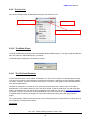
6.5 Cue
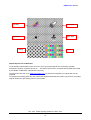
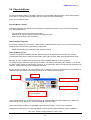
A selection of Sequences from the Multi Sequence Player can be saved and called up as a Cue. Cues can
be stored and recalled via hotkey, in the Cue List, via MIDI or via DMX-In.
Doc. V2.2 VXCO Lighting Systems © 1998 - 2011
13