1
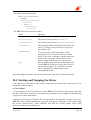
It is not recommended to change the startup type to automatic before having verified that the
driver starts cleanly by starting the driver manually and checking whether Windows NT’s
event viewer indicates any driver related problems.
Unless the startup type is set to automatic, you have to start the driver manually each time
the machine is rebooted.
The driver can be stopped either by typing
net stop bbkpci
or by using the Control Panel/Devices. Select BBKPCI and click the Stop button.
Note that it is not necessary to stop the driver before shutting down the machine.
II.5 Writing Your Own Programs Using the Driver
II.5.1 Introduction
Windows NT supports a fairly generic interface to allow communication between user
programs and device drivers. It uses the same function calls that are used to do file I/O.
Devices are separated from common files by reserving a separate name space for them. A
device name has the form \\.\NameIndex, with Name identifying the driver and Index
identifying the specific device controlled by this driver. The Name that has to be specified to
access the BBK-PCI driver is link. Index is 1 for the first BBK-PCI link, 2 for the second,
and so on. Note that the C notation for a single backslash in a string is "\\", so the name of
the first link of the first board becomes "\\\\.\\link1" and the name for the first link of
the second board becomes "\\\\.\\link5".
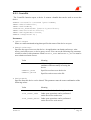
If your program wants to perform driver specific I/O control functions using
DeviceIoControl, it needs to include the file link.h.
The BBK-PCI driver supports full duplex operation. Each device may be opened by multiple
threads simultaneously. Multiple threads may call ReadFile and WriteFile
simultaneously. The driver serializes these calls maintaining full duplex operation. Calls to
DeviceIoControl are also serialized, they are executed as soon as neither a read nor a
write operation are pending.
BBK-PCI User’s Manual
Version 1.1
Ingenieurbüro Ingo Mohnen
Page 15