1
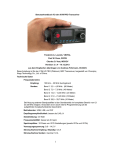
HF
TRANSCEIVER
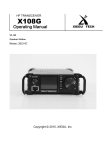
X108
USER’S
MANUAL
XIEGU
V1.1
Copyright © 2014, XIEGU, Inc.
All Rights Reserved
1 / 12
TECH
Security considerations:
Important reminder:
Before operating the equipment, please read
our operating manual carefully and keep the
manual, so as not to lose.
Do not use equipment during a lightning
Features:
l
Low noise, single conversion HF transceiver .
storm.
Double balanced diode mixer for extended
dynamic range.
l
l
0.2µV receive sensitivity (preamp on).
Narrow band double tuned bandpass filters
covering all HF amateur frequencies including
WARC bands.
l
IF channel AGC for constant gain,at least
Damp-proof !
Don't illegal operations!
provides 95db dynamic range.
l
High performance narrow band IF crystal filter
with shape factor up to 1.7
l
l
Note RF high-voltage of antenna connector!
Optional NB module
Optional front and rear handles
①
vanning list:
Qty
①
②
③
④
⑤
②
The main engine of the X 108.....1
Power supply cable...........1
Hand microphone..............1
USB Cable...........1
Service card.................1
⑤
③
④
2 / 12
一、Machine parameters
Basic parameters
Frequency range: Receive:
Transmitting:
0.5~30MHz(Continuous)
All HF Amateur bands including WARC bands
Operating mode: SSB(J3E)
CW (A1A)
AM (A3E)
minimum frequency stepping: 1Hz
Antenna impedance: 50Ω
Operating temperature range: -10℃ ~ +60℃
Frequency stability: ±1.5ppm @ Open the power about 1 minute,-10℃~+60℃(Standard Edition)
±0.5ppm @ Open the power about 1 minute , -10℃~+60℃(TCXO-M,Matching)
Operating voltage:
Current draw: Receiving:
12~14.5V DC
600mA
Transmitting:
7.5A Max
Dimensions (mm): 120*45*180(mm)
[Does not include the Front and rear handles and the Knob etc bulge.]
Transmitter parameters
Transmitter power:
Modulation mode: SSB balanced modulation:
AM Low level modulation
Spurious response rejection: ≥40dBc
Carrier suppression:
≥45dBc
IF filter:
SSB 2.4kHz(-6dB)
CW 500Hz(-6dB)
Receiving parameters
IF Frequency:
receive sensitivity:
10.7MHz
0.2uV
Receive Frequency bands: 1.8~2.0MHz
3.5~4.0MHz
5.0~5.5MHz
7.0~7.3MHz
10.0~10.2MHz
14.0~14.5MHz
18.0~18.2MHz
21.0~21.6MHz
24.8~25.0MHz
28.0~28.8MHz
0.5~30.0MHz (*)
Dynamic range: Better than 95db
RIT Frequency control range: ±1kHz
audio output:
0.5W@8Ω
3 / 12
二、Description of equipment
2.1 Front panel Description
1. Power switch/ Volume knob
2. Hand microphone socket
3. Display screen
4. Multifunction key
5. Frequency knob
6. UP key
7. DOWN key
2.2 Rear panel Description
1. SO-239 Antenna Jack.
2. Audio input / PTT input.
3. Audio output.
4. CW key input.
5. USB port.
6. DC power input.
7. Ground connection.
4 / 12
2.3 Microphone
1. Lock button/ Press it unlock again
2. PTT button
3. Up / Down frequency/channel
4. Receiving indicator
5. Multifunction
6. Filter selection buttons
7. Mode selection button
8. No indication
9. No function
10. Memory write button
11. Frequency/Channel switching button
12. VFO-A / VFO-B switching button
13. No function
三、 Operating instructions
3.1 Screen displays instructions
1、Preamplifier / Pre-attenuator current status
2、Current settings for frequency information
3、VFO current status、Operating mode、
Split frequency transceiver status、
Filter bandwidth、NB current status
4、select keyer – Manual/Auto L/Auto R.
---------------------------------------------------------------------------------------------------------------------------
5、Channel
6、Voice compression ratio / Host Input Voltage
7、Local time
8、Multifunctional menu
-------------------------------------------------------------------------------------------------------------------------9、S-Meter
10、Real-time power meter
11、Setting Power value
12、VSWR-meter
13、Receive and Transmit current status
14、Frequency control display
15、AGC State display
5 / 12
3.2 Menu Functions:
【PRE】Switch receive preamp on or off.
【ATT】Switch receive signal attenuator on or off.
【MODE】Select desired operating mode – CW/AM/LSB/USB.
【AGC】 Select AGC level – FAST/SLOW/OFF.
【NB】 Select NB level between 1 and 4.
-----------------------------------------------------------------------------------------------------------------------------------------------【A/B】 Switch between VFO A & VFO B.
【A=B】 Set VFO A the same as VFO B.
【SPLT】 Select SPLIT operating mode.
【RIT】Select RIT mode – adjust via selector knob B,
setting shown on RIT display in LCD.
【POW】 Set RF output power – adjust via selector knob B,
level displayed via red line in LCD.
-----------------------------------------------------------------------------------------------------------------------------------------------【V/M】Select VFO or Memory mode. Select
channel/frequency using selector knob B.
【M>V】In memory mode, move current
frequency to VFO and switch to VFO mode.
【MW】In VFO mode, store current frequency
and settings in memory.
【MC】In memory mode, clear selected
memory channel.
【BW】Select Bandwidth – 0.5/2.2/15 kHz.
-----------------------------------------------------------------------------------------------------------------------------------------------【KEY】Select keyer – Manual/Auto L/Auto R.
【KSPD】Select keying speed - adjust via selector
knob B, speed displayed under KEY in LCD.
【TIME】Set Internal Clock – adjust via selector
knob B, select hour/minute with Up/Down buttons.
【SQL】Select to adjust Squelch level via selector
knob B, level shown on line display in LCD.
【VCMP】voice compression settings
6 / 12
3.3 Functions Operating Instructions
3.3.1: Set the current operating frequency
Method 1:: Press the front panel UP / DN button, move to the desired frequency step
step-bit
bit, then rotate the frequency knob to change the current frequency value.
Method 2:: On the multifunction digital microphone in hand, Press
and then enter the frequency directly, such as: 14.27
then press the F-INP
INP ENT button again to complete the frequency settings.
3.3.2: Mode Switching
Method 1:: Press the frequency knob to switch the current menu page, then press [MODE].
Press corresponding multifunction button, to complete mode switching.
Method 2:: On the multifunction digital microphone in hand, press
to complete the mode switching.
3.3.3: Filter Switching
Method 1: Press the frequency knob to switch the current menu page, then press [BW].
Press corresponding multifunction button to complete filter switching.
Method 2:: On the multifunction digital microphone in hand, press
to complete filter switching.
3.3.4: Preamplifier on/off
Press the frequency knob to switch the current menu page, then press [[PRE].
When the preamplifier is on, PRE will be highlighted green. When the preamplifier is off,
PRE will appear dark.
3.3.5: Attenuator on/off
Press the frequency knob to switch the current menu page, then press [[ATT].
When the attenuator is on, ATT will be highlighted green. When the attenuator is off,
7 / 12
ATT will appear dark. The attenuator provides 10 dB attenuation.
3.3.6: Automatic Gain Control on/off
Press the frequency knob to switch the current menu page, then press [AGC].
AGC options are Fast or Slow with the screen showing the current status. Press [AGC] again
to exit.
3.3.7: Noise Blanker on/off (if equipped)
Press the frequency knob to switch the current menu page, then press [NB]. The Noise
Blanker offers depth of NB1 thru NB4, with the screen showing the current status.
3.3.8: Switching between VFO-A / VFO-B
Press the frequency knob to switch the current menu page, then press [A/B]. You can toggle
between VFO-A and VFO-B.
3.3.9: Set both VFO's to the same settings
Press the frequency knob to switch the current menu page, then press [A=B]. The settings
of the current VFO will transfer to the second VFO.
3.3.10: Split frequency operations
Press the frequency knob to switch the current menu page, then press [SPLIT].
The radio will receive on VFO-A and transmit on VFO-B.
3.3.11: RIT tuning
Press the frequency knob to switch the current menu page, then press [RIT].
Turning the frequency knob will change the receive frequency but leave the
transmit frequency unchanged. Pressing [RIT] again will exit this mode.
3.3.12: Transmit power setting
Press the frequency knob to switch the current menu page, then press [POW].
The on-screen power status will be highlighted. Rotate the frequency knob to select the
8 / 12
desired power setting and press [POW] to exit.
3.3.13: Switching between Frequency Mode / Channel Mode
Press the frequency knob to switch the current menu page, then press [V/M].
Press this function key to move between frequency mode and channel mode.
3.3.14: Move current channel to VFO
Press the frequency knob to switch the current menu page, then press [M>V].
The radio will switch to VFO mode, showing information from the current channel.
3.3.15: Save current settings to Memory
Press the frequency knob to switch the current menu page, then press [V/M] to choose
channel mode. Turn the frequency knob until “BLANK” is highlighted.
Press [V/M] to return to frequency mode. Adjust frequency, operating mode and other
parameters desired, then press [MW] to write this information to memory.
3.3.16: Delete the current channel
Press the frequency knob to switch the current menu page, then press [MC] to clear the
information stored in the current channel.
3.3.17: Manual / automatic telegraph key
Press the frequency knob to switch the current menu page, then press [KEY].
Choose Manual Key, Automatic Left Hand telegraph key or Automatic Right Hand telegraph
key.
3.3.18: Automatic telegraph key rate
Press the frequency knob to switch the current menu page, then press [KSPD].
Turn the frequency knob to set the automatic key rate.
3.3.19: Set the local time
Press the frequency knob to switch the current menu page, then press [TIME].
9 / 12
Then press the corresponding number keys on the microphone to set the local time.
3.3.20: Setting squelch level
Press the frequency knob to switch the current menu page, then press [SQL].
Turn the frequency knob to set the squelch depth. Press [SQL] again to save the squelch
setting and exit.
3.3.21: Set voice (speech) compression ratio
Press the frequency knob to switch the current menu page, then press [VCMP].
Adjust the
compression ratio as desired.
3.4 Extended Interface
【ANT】Antenna 50 ohms
【AUX】Auxiliary; PTT/Audio Input
PTT output voltage status:
RX=0V; TX=5V
【SPK】Speaker or Headphone(3.5 stereo Socket); Otherwise it will damage the rig. Before
using the headphone, please decrease the volume.
10 / 12
【KEYER】Telegraph Key
The telegraph key is automatic and manual integration. You can switch in the
menu.
【USB】PC control or firmware update
【DC IN】 11-14.5 v DC input
【Ground hole】
【Ground screw】
3.5.Advanced Menu Settings
CAUTION: THESE SETTINGS ARE DIRECTLY RELATED TO THE CORRECT OPERATION OF THIS RADIO.
PLEASE EXERCISE CAUTION. PLEASE RECORD AND SAVE ALL ORIGINAL FACTORY SETTINGS BEFORE MAKING ANY
ADJUSTMENTS.
To enter menu setting mode: Power off radio. Press and hold F1 button while powering on.
1. IF SSB: SSB IF
2. IF CW: CW IF
3. BFO LSB: BFO value LSB mode
4. BFO USB: BFO value USB mode
5. BFO CW: BFO value of the CW mode
6. CW Tone: CW side tone pitch frequency
adjustment
7. CW TDly: CW launch delay
8. TOT:
9. Britns:
10. DDSCLK: System Clock
11. DCLKx6: DDS multiplier settings
12. System Audio Settings
11 / 12
Item 1 to 5, cannot be freely modified, otherwise it will lead to the transceiver exception
or even not work.
Item 6, for CW Receiving side tone pitch adjustment. Users can according to their
preferences and habits, adjusting CW side tone.
Item 7, for CW transceiver delay. Users can operate according to their own habits,
appropriate changes this parameter to match the transmitters speed.
XIEGU
TECH
无线生活,无限创造
12 / 12