Transcript
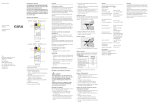
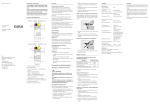
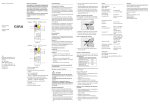
Operating Instructions Safety instructions Installation and mounting of electrical devices may only be carried out by qualified electricians. Failure to observe the instructions can result in damage to the device, fire or other dangers. These instructions are part of the product and must stay with the customer. Device design KNX/EIB KNX IP router 2167 00 DC 24 V 3 2 4 5 6 1 KNX IP interface 2168 00 Function Attach the cover cap Appendix System Information A cover cap must be attached to protect the bus connection from dangerous voltages in the connection area. Technical data This device is a product of the KNX system and complies with the KNX guidelines. Detailed specialist knowledge gained in KNX training courses is assumed for understanding. Functionality of the device is dependent upon software. Detailed information about software versions, specific ranges of functions and the software itself can be found in the manufacturer's product database. Planning, installation and start-up of the device is with the aid of KNX-certified software. The up-to-date product database and technical descriptions are available on our internet page. KNX medium TP1 Start-up mode S mode (ETS) KNX supply DC 21…30 V SELV KNX current consumption typ. 85 mA KNX connection Guide the bus line to the rear. Attach the cover cap over the bus terminal until it engages. Remove the cover cap IP interface Voltage DC 24...30 V Power consumption 2 W (with DC 24 V) Connection Connection terminal IP communication Ethernet 10/100 BaseT (10/100 Mbit/s) Proper use IP interface: IP connection RJ45 pin jack Coupling of a PC for the addressing, programming and diagnosis of KNX/EIB components. Supported protocols: ARP, ICMP, IGMPv3, DHCP, AutoIP, UDP/ IP (core, routing, tunneling, device management) microSD card max. 32 GByte (SDHC) Ambient temperature 0 °C to +45 °C Connection of KNX/EIB lines with aid of data networks and use of the internet protocol (IP). Coupling of a KNX/EIB system together with the Gira HomeServer/FacilityServer. Product features KNX/EIB DC 24 V IP interface: Press the cover cap on the sides and re- move. Start-up Load the physical address and application software - Supply via external DC 24 V Gira Giersiepen GmbH & Co. KG Electrical Installation Systems 2 3 1 4 5 6 Phone +49 (0) 2195 / 602 - 0 Fax +49 (0) 2195 / 602 - 339 www.gira.de [email protected] 7 IP router 1. Programming button 2. KNX connection 3. External power supply connection 4. Programming LED: red = interface/router yellow = data logger/clock Line coupler x.y.0 - Use as line/area coupler Area coupler x.0.0 Data interface x.y.a Data logger/clock x.y.b - Use as KNX clock - Recording of KNX telegrams on microSD card Installation and electrical connection DANGER! Electric shock if live parts are touched in the installation surroundings. Electric shock may lead to death. Isolate before working on the device. Cover up live parts in the vicinity! 5. Operation indication (green): on = ready for operation flashes = diagnosis code Mounting the device 6. Data reception on KNX line (yellow) Snap the device onto a top-hat rail accord- 7. Network connection 8. microSD card reader Physical address - Filtering and forwarding of telegrams Information for electricians P.O. Box 1220 42461 Radevormwald Use as IP router: - Supply via external DC 24 V 8 Bus connection terminal External supply IP router: 7 Warranty Observe the temperature range. Ensure sufficient cooling. ing to DIN EN 60715. See the illustration for installation position. Connect the external power supply to the connection terminal (3). We recommend: use the white-yellow connection terminal. Connect the KNX line with the red-black bus terminal (2). Attach the cover cap over the KNX/external power supply connection. Connect the network connection to the RJ pin jack with the RJ45 plug (7). Insert the microSD card in the card reader (8) (IP router). Start-up software from ETS3.0f. IP router/IP interface Briefly press the programming button (1) (< 4 seconds). Programming LED (4) lights up red. Assign the physical address. Programming LED (4) goes out. Label the device with the physical address. Load the application software, filter tables, parameters etc. IP router as data logger/clock Press and hold the programming button (1) (> 4 seconds). Programming LED (4) lights up yellow. Assign the physical address. Programming LED (4) goes out. Label the device with the physical address. Load the application software and parame- ters. Storage temperature -25 °C to +70 °C Installation width 36 mm (2 HP) Accessories Additional power supply Order No.: 1296 00 KNX/EIB power supply 320 mA Order No.: 1086 00 The warranty is provided in accordance with statutory requirements via the specialist trade. Please submit or send faulty devices postage paid together with an error description to your responsible salesperson (specialist trade/installation company/electrical specialist trade). They will forward the devices to the Gira Service Center.