1
Line 6 POD Farm 1.01 – Start Here
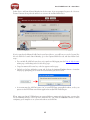
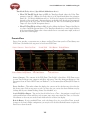
Next you are prompted to enter your iLok User ID - This is the Username you use to login to your
account at iLok.com. Type it in and click Continue.
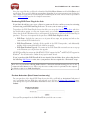
You are then asked to verify the iLok User ID is entered correctly - Please be sure it is to avoid the
added task of contacting iLok to fix it! Click Confirm & Submit if all is correct. You should next see
confirmation that your iLok Deposit was successful and your license sent to iLok.com. Head on over
to the iLok.com website and log into your account there to download your license. If any error was
encountered, you can return to the iLok Deposits page and repeat the process.
iLok License
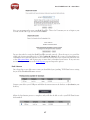
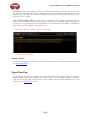
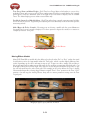
Once logged in to your iLok.com account, you should find your “pending” POD Farm license waiting
for you in the Download Licenses section.
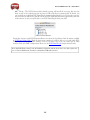
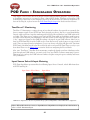
Connect your iLok to your USB port and follow the instructions on the iLok site to Synchronize your
iLok key.
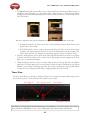
Allow the Synchronize process to complete, and you’ll then be able to select your POD Farm license
for download.
1•7