1
Inspection of the driver installation
To permit communication between the fingerprint module and the installed
software, the two COM ports used by the fingerprint module must be in the
range COM1 to COM8.
Therefore, reviewing the assigned COM ports in the windows device manager is recommended.
If they are not in the range between COM1 and COM8, the fingerprint module will not be recognised by the software!
Changing of the COM port is described in chapter “11. Frequently Asked
Questions (FAQ)”.
4.2
Preparation of the Hardware
To permit proper communication between the fingerprint module and PC software, no jumpers must be pushed onto the pin
strips “JP1” and “JP2”.
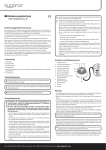
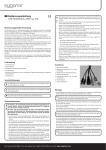
The fingerprint sensor must be connected to the evaluation unit via the enclosed cable at the connection “SENSOR UNIT”
(see figure below).
The fingerprint module is now connected to a free USB port of the computer via the mini USB socket on the evaluation unit
and a matching USB cable.
Then the operating voltage (12 V/DC or 8 V/AC) can be activated at the terminal clamps “POWER”. The polarity is irrelevant for
this.
Windows recognises the new hardware when it is connected for the first time and completes the installation of the required
drivers.
5