1
Mounting and
Operating Instructions
Home station hands-free feature
1280 ..
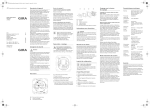
Device description
The Home station hands-free feature is
part of the Gira door communication system and consists of the following components:
3
2
4
1
5
6
1 Door communication bus coupler
2 Audio connection cable
3 Speech insert
4 Cover frame
(not included in scope of supply)
5 Loudspeaker top unit
6 Operating buttons
for home station hands-free feature
3
Mounting
Attention
Installation and mounting of electrical
devices may only be carried out by a qualified electrician.
The Home station hands-free feature is
installed in two common flush-mounted
panel boxes:
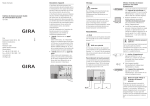
1. Connect the door communication bus
coupler to the 2-wire bus at the BUS
terminals and, if necessary, the lines of
the level call button to the "ET" terminals.
Video System
BUS
System
ZV
ET
2. Insert the audio connection cable into
one of the two System connectors of
the bus coupler.
3. Guide the audio connection cable to
the upper flush-mounted panel box
and install the bus coupler in the lower
flush-mounted panel box.
4. Insert the audio connection cable into
one of the two System connectors of
the speech insert.
5. Install the speech insert.
6. Set the cover frame in place and attach
the operating buttons and loudspeaker top unit to the flush-mounted
inserts.
4
Start-up
Once you have installed all of the devices
(door and home stations, control unit etc.),
you can start up the door communication
system.
Start-up is described in the system manual
included with the control unit.
Operation
Operating buttons
The following functions are executed with
the operating buttons:
Accepting a call
If an incoming call is present, the
flashes for 2 minutes.
LED
Briefly press the
button to start intercom communication with the person at
the outdoor station. The
LED illuminates continuously during the intercom
communication.
i
Maximum conversation time
The maximum conversation time is 2 minutes. When this time expires, the conversation is automatically interrupted.
5
Enforcement function
If the background noises at the outdoor
station are so loud that automatic switching of the speech direction is not guaranteed, you can activate the enforcement
function.
For this purpose, press and hold the
button while speaking. While the button is
being pressed, only the person at the
Home station can speak and be heard.
To release the voice control to the door
station, release the
button again.
Ending the call
To end the voice connection, briefly press
the
button.
The
LED switches off.
Opening the door
Press the
button.
If several doors are present, the door
opener whose door station made the door
call is operated within 2 minutes. It
switches to the main door 2 minutes after
the start of the call or 30 seconds after the
door call is ended.
Switching light on/off
(only in conjunction with a switching
actuator)
Press the
button to switch the light
(e.g. the outdoor or staircase illumination)
on.
6
Setting the speech volume
The speech volume is changed to one of
five levels during intercom communication.
Press "+" to increase the speech volume.
Press "-" to decrease the speech volume.
Setting the call tone volume
The call tone volume is changed to one of
five levels when no intercom communication is in effect.
Press "+" to increase the call tone volume.
Press "-" to decrease the call tone volume.
Deactivating/activating the call tone
Press the
button to deactivate the call
tone.
The
LED illuminates continuously if the
call tone is deactivated.
Press the
button again to reactivate the
call tone.
The
LED switches off.
Only deactivate the call tone if
necessary
Deactivate the call tone in special cases
only. Otherwise, the danger is present
that you will not hear the ringing in an
emergency, for example.
7
Setting call tone melody
The Comfort home station offers five call
tone melodies, which can be individually
assigned to the call buttons of the door
station, the internal call buttons of other
home stations or the floor call button.
This allows, for example, a different door
station call button with an individual call
tone melody to be assigned in a household
with several people (e.g. parents, children).
The call tone melody is set as follows:
1. Trigger the call tone whose melody you
would like to change by pressing the
corresponding call button which was
previously taught in.
2. To change the melody of the last triggered call tone, press and hold the
button on the home station and simultaneously press
• the "+" button to select the melody
that follows or
• the "–" button to select the previous
melody.
✓ Each time the buttons "–" and "+" are
pressed, a new call tone melody is set.
i
Note
When deleting the call button assignment
to the home station, the corresponding
call tone melodies are reset to the factory
setting.
8
Automatic door opener
The automatic door opener is, e. g., used
in doctor's offices when approx. 4 s after
pressing a door-station call button, the
door opener is to be automatically operated. If several door stations are present in
the system, the automatic function acts on
the door opener of the door station from
which the door call was triggered.
i
Function not active in
factory setting
To use the automatic door opener, this
function must be activated during commissioning. Details are contained in the
system manual.
3s
Switching on automatic door opener
1. Simultaneously press the buttons
and
for approx. 3 seconds to
switch on the automatic door opener.
✓ When the automatic door opener is
switched on, the LED
lights up continuously. The door opener is automatically operated after a door call.
3s
Switching off automatic door opener
1. Simultaneously press the buttons
and
for approx. 3 seconds to
switch off the automatic door opener.
✓ The
i
LED goes out.
Behaviour after power failure
Following a power failure the automatic
door opener is switched off.
9
Acceptance of guarantee
The warranty is provided in accordance
with statutory requirements via the specialist trade.
Please submit or send faulty devices postage paid together with an error description
to your responsible salesperson (specialist
trade/installation company/electrical specialist trade).
They will forward the devices to the
Gira Service Center.
10
11
Postfach 1220
42461 Radevormwald
Deutschland
Tel +49 (0) 21 95 / 602 - 0
Fax +49 (0) 21 95 / 602 - 191
www.gira.de
[email protected]
10 41 03 73 19/11
Gira
Giersiepen GmbH & Co. KG
Elektro-InstallationsSysteme