1
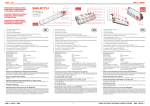
L Operating Instructions www.bikelogger.de www.bikelogger.de Intended Use The BikeLogger L is designed to capture the journey data of any bicycle with a hub dynamo. Make sure your bicycle’s safety is not affected in any way by the installation of the BikeLogger. For professional installation, we recommend you seek help from a specialist or your bicycle dealer. Scope of Delivery 1. 2. 3. 4. Supplemental sheet with basic information Heat shrink tubing Micro flat-plug shoes BikeLogger L Installation Summary The BikeLogger L is designed for installation on your bicycle’s lamp bracket (but can also be mounted onto another location). This is done by attaching the BikeLogger along the cable, found between the hub dynamo and lamp. To do this, please take the following steps below. ! Please read full instructions carefully before beginning installation. Tools Required 1. 2. 3. 4. 2,5mm Allen key Insulation strippers (or scissors/knife) Crimp plier (or regular flat nose pliers) Hot air gun (or lighter) Optional Busch& Müller headlight bracket - 474 DL or 475D Extra cable (when extension necessary) Soldering iron (for cable extension) Wire cutters Installation Instructions 1. Using the wire cutters, cut a section of the lamp cable extending from the hub dynamo to the headlight. If possible, level this with the headlight frame, cutting the cable as close to its bracket as possible. ! Please pay attention to the length of cable which requires cutting – cable may have to be extended to accommodate for installation. ! If lighting is originally connected via a coaxial cable instead of a two-wire cable, please see our additional notes on http://bikelogger.de/manual-bikelogger-l/. 2. Unravel the cable and remove insulation with your available tool. 3. Twist the two pairs of exposed cable-ends together correspondingly. 4. Using the crimp plier (or other), pull the flat-plug shoes over the twisted cable ends. Ensure both sets of wire-ends are securely inside these accessories. ! Make sure these are very tightly connected with the cables. 5. Pull the shrink tubing over the flat-plug shoes and, using a heat source (hot air gun or lighter), heat the tubing material so it contracts. ! Attention: please be aware of dangers of radiated heat. ! Risk of injury. 6. The finished cable ends should now look like this. 7. The two flat-shoe plugs should now be securely connected and attached to the BikeLogger L. ! Polarity is not important. Please note however, for lamps with a battery or capacitator, a fault with the BikeLogger app may occur. If so, simply reverse the polarity with the BikeLogger device. 8. Attach the BikeLogger L onto the headlight bracket and tighten securely with the Allen key. ! Briefly adjust or position your bicycle’s brake or gear cables for easier handling. Getting Started ! In order to initiate a connection between the BikeLogger and app, please ensure enough energy is generated. Turn the bicycle’s wheel long enough to activate your LED light. Connect your Smartphone 1. Install the BikeLogger app onto your smartphone. This can be found on the App Store. 2. Make sure your smartphone’s Bluetooth® is switched on. 3. Give your front-wheel a good spin to enable the BikeLogger. The device has been activated once the LED lights up blue. 4. Connect with your Bikelogger by selecting “Preferences > Pair BikeLogger“ in your app menu. The default PIN is “0000”. Calibration 1. Select the menu item “Preferences > Calibrate BikeLogger“ in your BikeLogger app 2. Follow the instructions provided in the app. Features View your Journey To view the default screen, choose “Start“ in your BikeLogger app, or simply spin your front-wheel. Please note the following indicators for displaying information during your active journey: o Red needle: active speed o Cadence o Orange needle: average speed (of o Length (of active journey) active journey) o total kilometre o Analogue clock: active time o Bluetooth®-Status: Blue = o Digital display (inside the analogue connected, White = no connection clock): length (of active journey) o active outside temperature View historical Data Select “History“ in your BikeLogger app. Speed, time and other parameters are diagrammed. Anti-Theft Alarm Swipe the default screen leftward to navigate to the Anti-Theft mode. The BikeLogger will now notify you of any movement of your wheel, for approximately 30 minutes. LED flashing sequence Ready to connect Connected Ready to connect, Maintenance required Connected, Maintenance required Red flashing: If time not pre-set - please load your Smartphone’s BikeLogger app. (Sufficient, if App runs in background). On start, red LED means that energy buffer is charging. When full, blue LED is lighted shortly. Technical Data Power Supply: hub dynamo Power consumption: ≈. 10 mW Range: up to 100 m (open field) Dimensions: 23mm x 32mm x 40mm Weight: 20 g Bluetooth®-Version: 4.0 (Bluetooth® Smart) Bluetooth®-Profile: Cycling Speed and Cadence (CSCP) Operating Temperature: -20°C – 60°C Socket suitable for B&M headlight brackets (two 4.5-5mm thick bars that run parallel at a distance of 10 mm) Guarantee, Warranty and Contact We are liable to all contractual partners for any defects according to our legal regulations. For guarantee, please contact your BikeLogger dealer or send your item directly to our address (see right) – please include your receipt and all billing attachments. Please ensure adequate postage. The manufacturer reserves all rights for technical modifications. meso international GmbH BikeLogger Support Markt 21-23 09648 Mittweida www.bikelogger.de/support Important Notes Electronic devices may not be disposed with household waste. Please dispense the device at a designated waste disposal. Apple and the Apple logo are trademarks of Apple Inc., registered in the U.S. and other countries. App Store is a service mark of Apple Inc. Bluetooth ® is a registered trademark of Bluetooth SIG, Inc. All other trademarks are property of their respective owners. This product is compliant with the Directives 93/42/EEC, 1999/5/EC and 2011/65/EU. The relevant Declaration of Conformity is available at http://bikelogger.de/wpcontent/uploads/BikeLogger_CE_eng.pdf CE-Declaration of Conformity According to the guidelines: 1999/5/EC: radio equipment and telecommunications terminal equipment and the mutual recognition of their conformity (R&TTE) 2011/65/EC: restriction of the use of certain hazardous substances in electrical and electronic equipment (RoHS II) 2002/96/EC: waste electrical and electronic equipment (WEEE) The manufacturer hereby declares: meso international GmbH Markt 21 - 23 09648 Mittweida under his sole responsibility, that the products listed hereafter; BikeLogger L Fahrradcomputer mit Bluetooth LE zur Montage am Lampenbügel BikeLogger C Fahrradcomputer mit Bluetooth LE zur Montage im Steuerrohr conforms with the essential requirements of the directives mentioned above. The conformity assessment procedures according to appendix IV of 1999/5/EC where carried out with support of SGS Fimko Oy, Säriniementie 3, Helsinki, Finnland. Applied standards: Radio spectrum matters (ERM) - EN 300 328 V1.7.1: Data transmission equipment operating in the 2,4 GHz ISM band Electromagnetic compatibility (EMC) - EN 301 489-1 V1.8.1: Common technical requirements - EN 301 489-17 V1.3.x2: Specific requirements for 2,4 GHz broadband transmission Safety - EN 60950-1: 2006+A11:2009+A1:2010+A12:2011: Information technology equipment The documents required for inspection of responsible authorities are kept by the manufacturer at the address mentioned above. Mittweida, March 1st 2013 Place, date Dipl.-Math. Christian Schwerin CEO, head of development