1
This manual covers the following models:
• T701
Mounting and Battery Installation
Una versión española de este
manual puede ser descargada
en www.pro1iaq.com
® U.S. Registered Trademark. Patents pending.
Copyright © 2006 Pro1 IAQ, Inc. All rights reserved.
For assistance with this product please visit
http://www.pro1iaq.com or call Pro1
Customer Care toll-free at 888-Pro1iaq
(776-1427) during normal business hours
(Mon-Fri 9 AM - 6 PM Eastern)
Rev. 0850
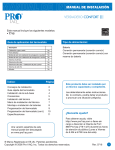
Getting to know your thermostat
1
2
1
LCD
Displays the user selectable
setpoint temperature.
6
3
4
5
2
Glow in the Dark Light Button
3
Fan Switch
4
System Switch
5
Easy Change Battery Door
6
Temperature Setpoint Buttons
Low Battery Indicator:
Replace batteries when
indicator is shown.
System operation indicators:
The COOL, HEAT or FAN
icon will display when the
COOL, HEAT or FAN is on.
NOTE: The compressor
delay feature is active if
these icons are flashing.
The compressor will not turn
on until the 5 minute delay
has elapsed.
Indicates the current
room temperature.
Important:
The low battery indicator is displayed
when the AA battery power is low. If
the user fails to replace the battery
within 21 days, the thermostat
display will only show the low battery
indicator as a final warning before the
thermostat becomes inoperable.
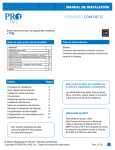
SUBBASE INSTALLATION
Select ELEC or GAS
with this switch
Reset button
Delay
The compressor delay will not allow the
compressor to be turned on for 5 minutes
after the last time the compressor was
on. The cooling icon will flash during the
delay period. Select OFF or ON with the
jumper pin as desired.
Select F or C
with the jumper pin
Select delay ON or OFF
with the jumper pin
Adjusting the Temperature Swing
The swing setting, often called CYCLE
RATE, DIFFERENTIAL or ANTICIPATION
is adjustable. A smaller swing setting will
cause more frequent cycles and a larger
swing setting will cause fewer cycles.
There are separate swing settings for heat
and for cool. Follow the steps below to
adjust the SWING setting for heat or cool:
1. Select HEAT or COOL with the
system switch.
and
2. Hold down the
keys together for 3 seconds.
or
key to
3. Use the
adjust the swing. The swing is
adjustable from ±0.4°F to ±2°F. For
example: A swing setting of 0.5°F
will turn the cooling on at approximately 0.5°F above the setpoint and
turn the cooling off at approximately
0.5°F below the setpoint. The
factory default for cooling is 0.5°F
and 0.4°F for heating.
4. Wait approximately 10 seconds for
the thermostat to return to normal
operation.
Room Temperature Calibration
This feature allows the installer to change
the calibration of the room temperature
display. For example: If the thermostat
reads 70° and you would like it to read
72° then select +2. You can adjust the
room temperature display to ready -4°F
to +4°F above or below the factory calibrated reading. Follow the steps below
to adjust the temperature reading:
1. Select OFF with the
system switch.
and
2. Hold down the
keys together for 3 seconds.
or
key
3. Use the
to adjust the room temperature
display.
4. Wait approximately 10 seconds
for the thermostat to return to
normal operation.
PRO1 Tip
Temperature swing, sometimes called differetial or cycle rate, can be customized for this
individual application. For most applications choose a swing setting that is as long as possible
without making the occupants uncomfortable.
subbase
9
Pro1 IAQ Inc.
1111 S. Glenstone
Suite 2-100
Springfield, MO 65804
Toll-free: 1-888-Pro1iaq (776-1427)
Toll Number (Outside the USA): 330-821-3600
Web: http://www.pro1iaq.com
Hours of Operation: Monday - Friday 9 AM - 6 PM Eastern
10