1
Item #987829
Model #DF-5512-WH-D
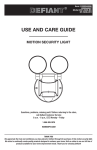
USE AND CARE GUIDE
MOTION SECURITY LIGHT
Questions, problems, missing parts? Before returning to the store,
call Defiant Customer Service
8 a.m. - 6 p.m., EST, Monday - Friday
1-866-308-3976
HOMEDEPOT.COM
THANK YOU
We appreciate the trust and confidence you have placed in Defiant through the purchase of this motion security light.
We strive to continually create quality products designed to enhance your home. Visit us online to see our full line of
products available for your home improvement needs. Thank you for choosing Defiant!
Table of Contents
Tools Required .......................................3
Hardware Included.................................4
Package Contents ..................................5
Mounting Locations ...............................5
Installation ................................................6
Operation...................................................9
Care and Cleaning ..................................12
Troubleshooting ......................................12
Table of Contents ......................................2
Safety Information ....................................2
Precautions ............................................2
Warranty ...................................................2
2-Year Warranty .....................................2
Specifications ...........................................3
Pre-Installation .........................................3
Planning Installation ..............................3
Safety Information
PRECAUTIONS
WARNING: Turn the power off at the circuit breaker or
fuse. Place tape over the circuit breaker switch and verify
power is off at the light fixture.
Please read and understand this entire manual before
attempting to assemble, install, or operate this light
fixture.
WARNING: Risk of fire. Do not aim the bulb at a
combustible surface within 3 ft. (1 m).
This light fixture requires 120-volts AC.
Some codes require installation by a qualified electrician.
This light fixture must be properly grounded.
WARNING: Risk of fire. Keep the bulb at least 2 in.
(51 mm) from combustible materials.
This light fixture is intended for use with the enclosed
gasket and with a junction box marked for use in wet
locations.
CAUTION: Keep the motion sensor at least 1 in. (25 mm)
away from the bulb.
Use a clean glove or cloth when handling the new bulb.
Use isopropyl (rubbing) alchohol to clean the bulb if it is
touched with bare hands.
CAUTION: Keep the bulb holders 30° below horizontal to
avoid water damage and electrical shock.
For proper operation, this light fixture should be:
Ƒ
Installed outdoors to a wall or eaves
CAUTION: To avoid water damage and the risk of
electrical shock, the motion sensor controls must be facing
the ground when the installation is complete.
Ƒ
Installed 8 ft. (2.4 m) above the ground (If the light
fixture is mounted higher than recommended,
aiming the sensor down will reduce the coverage
area.)
CAUTION: Burn hazard. Allow the light fixture and the
bulb to cool before touching.
Ƒ
Do not leave the “ON-TIME” switch in the “TEST”
position. The frequent ON/OFF cycling of the light
fixture will reduce the life of the bulb
Ƒ
Use only T3 150W (maximum), tungsten halogen
bulb (120 VAC)
CAUTION: Do not cut any wires with factory installed
wire connectors or remove the wire connectors.
NOTICE: Do not connect this light fixture to a dimmer switch or
timer.
Warranty
2-YEAR WARRANTY
Contact the Customer Service Team at 1-866-308-3976 or visit www.homedepot.com.
2
Specifications
Range
Up to 100 ft. (30 m) - Varies with surrounding temperature
Sensing angle
Up to 270°
Electrical load - incandescent
Up to 300 watt maximum (Up to 150 watt maximum per bulb holder)
Power requirements
120 VAC, 60 Hz
Operating modes
Test, Auto, Manual
Bulb modes
Security, BulbSaver, AlertFlash
Time delay
1, 5, 20 minutes
DualBrite timer
Off, 3 hours, 6 hours, dusk-to-dawn
Replacement bulb
T3 150W, halogen 120 VAC
Pre-Installation
PLANNING INSTALLATION
Before installing the light fixture, ensure that all parts are present (see Hardware Included on page 4). If any part is
missing or damaged, do not attempt to assemble, install, or operate this light fixture.
Estimated installation time: 30 minutes
TOOLS REQUIRED
Phillips
screwdriver
Flathead
screwdriver
Pliers
Wire strippers/
cutters
Circuit tester
Work gloves
Electrical tape
Silicone sealant
Ladder
Safety goggles
Drill
3/16” (5 mm)
Drill bit
3
HOMEDEPOT.com
Please contact 1-866-308-3976 for further assistance.
Pre-Installation (continued)
HARDWARE INCLUDED
NOTE: Hardware shown to actual size.
AA
BB
CC
DD
GG
EE
FF
HH
FRONT
JJ
KK
Part
Description
AA
Wire connector
Quantity
3
BB
Rubber plug
1
CC
Mounting bolt
1
DD
Mounting bracket screw
2
EE
Mounting bracket screw
2
FF
Mounting bracket screw
2
GG
Gasket (not to scale)
1
HH
Mounting bracket (not to scale)
1
II
Plastic hanger (not to scale)
1
JJ
T3 halogen bulb (not to scale)
2
KK
Light shield (not to scale)
1
4
II
Pre-Installation (continued)
PACKAGE CONTENTS
B
A
A
C
Part
Description
Quantity
A
Bulb holder
2
B
Canopy
1
C
Motion sensor
1
MOUNTING LOCATIONS
Ƒ
Determine the mounting location – a wall or under
an eave.
Ƒ
Position bulb holders (A) in the general direction
of the desired light coverage and tighten the lock
nuts (1) and the thumb screws (2).
Ƒ
If needed, lift the motion sensor (C) up and
rotate it so the controls face the ground after
installation. Tighten the clamp screw (3) when
done. Do not overtighten.
Wall Mount
A
NOTE: If the motion sensor (C) pops out of the ball joint,
loosen the clamp screw (3), push the motion sensor (C)
back into the ball joint, and tighten the clamp screw (3). Do
not overtighten.
2
3
5
1
1
2
A
Eave Mount
C
HOMEDEPOT.com
Please contact 1-866-308-3976 for further assistance.
Installation
the Mounting
1 Installing
Bracket
the Light Fixture
2 Hanging
Temporarily
Ƒ
WARNING: Turn the power off at the circuit breaker or
fuse. Place tape over the circuit breaker switch and verify
power is off at the light fixture.
Ƒ
Ƒ
Insert the small end of the plastic hanger (II)
through the center hole of the canopy (B) and
the gasket (GG).
Insert the small end of the plastic hanger (II)
into one of the two small, slotted holes on the
mounting bracket (HH).
Route the light fixture wires through the large
holes in the gasket (GG).
Ƒ
Remove the existing light fixture.
Install the mounting bracket (HH) with the
stamped word “FRONT” facing away from the
junction box. Use the mounting bracket screws
(DD, EE, or FF) that best fit the junction box.
Ƒ
NOTE: Firmly pull on the mounting bracket to verify it is
securely mounted to the junction box. If necessary, use the
screws that were removed from the existing light fixture.
HH
GG
B
HH
FR
FR
ON
ON
T
FR
ON
T
T
II
FR
ON
T
DD, EE, or FF
II
3 Wiring the Light Fixture
4 Mounting the Light Fixture
Ƒ
Ƒ
CAUTION: Do not cut any wires with factory installed
wire connectors or remove the wire connectors.
Ƒ
Connect the light fixture wires to the junction
box wires with wire connectors (AA):
Ƒ White to white
Ƒ
Black to black
Ƒ
Bare or green ground wire to house ground
Remove the plastic hanger (II).
Insert the small end of the mounting bolt (CC)
through the center hole of the canopy (B) and
the gasket (GG).
Align the mounting bolt (CC) with the center
hole in the mounting bracket (HH) and tighten
securely. Do not overtighten.
Push the rubber plug (BB) firmly into the
mounting bolt hole on the canopy (B).
Ƒ
Ƒ
NOTE: Make sure all the wires are inside the junction box
before attaching the canopy (B) to the junction box.
AA
B
F
R
O
N
T
AA
F
R
O
N
CC BB
T
HH
6
GG
Installation (continued)
Around the Light
5 Caulking
Fixture
Ƒ
B
Caulk around the canopy (B) and mounting
surface with silicone sealant (not included).
6 Installing the Light Shield
KK
If the light fixture does not come on at dusk or turns
off unexpectedly, then another light source may be
activating the daylight turn-off (photocell) feature.
Possible sources of light interference are street lights,
landscape lighting, other security lights or lanterns,
or an interior house light shining through a window. It
could also be reflective light, such as from a pool or
light colored wall.
To install the light shield (KK):
Ƒ
Ƒ
Ƒ
Remove the protective backing from the
bottom of the light shield (KK).
Position light shield (KK) over the photocell on
the bottom of the motion sensor (C) with the
opening facing away from the interfering light.
Press the adhesive side firmly against the
photocell to mount it permanently in place.
C
DELASH
MOOFT F
MPL S
LOARMA
N
™
ITE
AL
DU
ON
MA
ST
TE
TO N
SK AW
DU D
6
3 UR
F HO
OF
E
-TIM
E
NG
RA
BR
20 TES
5
1 MINU
X
MIN
KK
7
HOMEDEPOT.com
Please contact 1-866-308-3976 for further assistance.
Installation (continued)
7 Replacing a Bulb
5
JJ
A
1
CAUTION: Burn hazard. Allow the light fixture and the
bulb to cool before touching.
4
Use a clean glove or cloth when handling the new
bulb. Use isopropyl (rubbing) alchohol to clean the bulb
if it is touched with bare hands.
Ƒ
Ƒ
Ƒ
Ƒ
Ƒ
3
2
Using a phillips screwdriver (not included),
loosen the glass cover locking screw (1) on the
bulb holder (A) and lower the glass cover (2).
Remove the bulb (JJ) from the box.
Place one end of the bulb (JJ) on the contact
in the right bulb socket (3). While pushing the
bulb (JJ) against the contact, lower the other
end of the bulb (JJ) onto the contact in the
left bulb socket (4). The bulb (JJ) should spin
easily if it is seated properly.
Before closing the glass cover (2), make sure
the gasket (5) is seated properly in the groove
around the edge of the bulb holder (A). Close
the glass cover (2) and tighten the locking
screw (1) securely.
To remove the bulb (JJ), push the bulb (JJ) to
the right until the left side of the bulb (JJ) is
clear of the left bulb socket (4).
2
1
8
Operation
Sensor Controls
2 Rotating
Downward
1 Adjusting the Bulb Holders
CAUTION: To avoid water damage and risk of electrical
shock, the motion sensor controls must be facing the
ground when installation is complete.
WARNING: Risk of fire. Do not aim the bulb at a
combustible surface within 3 ft. (1 m).
Ƒ
WARNING: Risk of fire. Keep the bulb at least 2 in.
(51 mm) from combustible materials.
Rotate the motion sensor (C) so the controls
face toward the ground.
NOTICE: All clearances must be maintained. See Safety Information
on page 2.
CAUTION: Burn hazard. Allow the light fixture and the
bulb to cool before touching.
CAUTION: Keep the sensor at least 1 in. (25 mm) away
from the bulb.
CAUTION: Keep the bulb holders 30° below horizontal to
avoid water damage and electrical shock.
Ƒ
Ƒ
Ƒ
Turn the power on at the circuit breaker or fuse
and turn on the wall switch.
Loosen the lock nut (1) and screw (2) to
adjust the bulb holder (A) for the desired light
coverage.
Tighten the lock nut (1) and screw (2). Once
the lock nut (1) and screw (2) have been
tightened, turn the bulb holder (A) so that it is
horizontal.
C
NOTE: Do not rotate the bulb holder more than 180° from
the factory setting.
NOTE: The halogen light must be mounted horizontally
(+/- 4°).
1
2
A
A
CORRECT
INCORRECT
9
HOMEDEPOT.com
Please contact 1-866-308-3976 for further assistance.
Operation (continued)
the Motion Sensor
3 Setting the Sensor for Testing 4 Adjusting
Detection Zone
When the “ON-TIME” switch is set to the “TEST”
position, the light fixture will operate during the day
or night. The light will stay on for 5 seconds after all
motion is stopped.
Ƒ
Ƒ
Set the “ON-TIME” switch to the “TEST” position.
Ƒ
Ƒ
Set the “DUALBRITE” switch to the “OFF”
position.
Ƒ
Turn the “RANGE” dial to the “MIN” position.
Ƒ
Aim the motion sensor (C) in the general
direction of the area to be covered.
Turn on the circuit breaker or fuse and the light
switch.
Perform a “walk test”. Walk in an arc across
the front of the motion sensor (C).
Watch the light. The light will come on and the
red LED will flash indicating motion has been
detected.
Stop, wait for the light to turn off, and then
begin walking again.
Continue this process until the detection zone
has been established.
Adjust the sensor up, down, or side to side to
change the motion sensor (C) detection zone.
Ƒ
Ƒ
Ƒ
Ƒ
NOTE: The motion sensor will need to completely warm
up (90 seconds) before beginning the setup process.
C
LAMP MODE
NORMAL SOFT FLASH
ON-TIME
MIN
MAX
RANGE
TEST 1 5 20
MINUTES
DUAL BRITE™
OFF 3 6 DUSK TO
HOUR DAWN
C
5 Adjusting the RANGE Dial
Ƒ
6 Adjusting the ON-TIME Switch
To increase the detection zone, turn the
“RANGE” dial toward the “MAX” position.
To decrease the detection zone, turn the
“RANGE” dial toward the “MIN” position.
Ƒ
The “ON-TIME” switch determines the amount of time
the light will stay on full bright after all motion has
stopped.
Ƒ
Set the “ON-TIME” switch to the 1, 5, or 20
minute position.
NOTE: The motion sensor (C) is more sensitive to motion
moving across the front of the sensor. The motion sensor
(C) is less sensitive to motion moving directly toward the
front of the sensor.
NOTE: The higher the “RANGE” setting (sensitivity), the
greater the possibility of false triggering. To reduce false
triggering, rotate the “RANGE” control toward the “MIN”
setting.
LAMP M
NORMAL SO
C
C
ON-TIME
MIN
MAX
RANGE
MIN
MAX
RANGE
10
TEST 1 5 20
MINUTES
Operation (continued)
the DUALBRITE
7 Adjusting
Switch
the LAMP MODE
8 Adjusting
Switch
The “DUALBRITE” switch determines the amount of
time the lights stay on at a reduced light level after
sundown. Switching this setting to “OFF” will not
effect the “ON-TIME” setting.
Ƒ
The “LAMP MODE” switch determines the way the
lights will turn on when motion is detected.
Set the “DUALBRITE” switch to OFF, 3 hours, 6
hours, or dusk-to-dawn (sunset to sunrise).
Ƒ
Security (“NORMAL”) - Light comes on instantly.
Ƒ
BulbSaver (“SOFT”) - Light comes on dim and
gradually increases to full brightness. When the
light turns off it will gradually dim to half-bright,
pause, and then will continue dimming until the
light turns off.
Ƒ
AlertFlash (“FLASH”) - Light flashes on then off
twice before turning on full brightness.
C
Ƒ
MODE
Set the “LAMP MODE” to “NORMAL”, “SOFT”,
or “FLASH” position.
OFT FLASH
C
DUAL BRITE™
OFF 3 6 DUSK TO
HOUR DAWN
LAMP MODE
NORMAL SOFT FLASH
9 Using Manual Mode
Manual mode overrides the motion sensor (C) and
“ON-TIME” control so the light will operate full bright.
This feature only works at night and only for one night
at a time. The motion sensor (C) will reset to motion
sensing mode at sunrise. Manual mode can be toggled
on and off using a wall switch.
Ƒ
Ƒ
To turn manual mode on, switch the light off
at the wall switch for 3 to 4 seconds and then
back on.
To turn manual mode off, switch the light off
at the wall switch for 3 to 4 seconds and then
back on.
Turn the switch
OFF for 3 to 4
seconds
Turn the
switch
back ON
NOTE: If the power to the light fixture is off for more than
5 seconds, allow the motion sensor to warm up prior to
switching to manual mode.
11
HOMEDEPOT.com
Please contact 1-866-308-3976 for further assistance.
Care and Cleaning
Ƒ
To prolong the original appearance, clean with clear water and a soft, damp cloth only.
Ƒ
Do not use paints, solvents, or other chemicals on this light fixture. They could cause a premature
deterioration of the finish. This is not a defect in the finish and will not be covered by the warranty.
Ƒ
Do not spray with a hose or power washer.
Troubleshooting
Problem
The light will not come on.
The light comes on during the
day.
The light comes on for no
apparent reason.
The lights turn off too late in
Dusk-to-Dawn setting.
Possible Cause
Solution
Ƒ
The light switch is turned off.
Ƒ
Turn the light switch on.
Ƒ
The bulb is loose or burned out.
Ƒ
Check the bulb and replace
if burned out.
Ƒ
The fuse is blown or the circuit breaker
is turned off.
Ƒ
Replace the fuse or turn the
circuit breaker on.
Ƒ
Daylight turn-off (photocell) is in effect.
Ƒ
Recheck after dark.
Ƒ
The circuit wiring is incorrect, if this is
a new installation.
Ƒ
Verify the wiring is correct.
Ƒ
The motion sensor is aimed in the
wrong direction.
Ƒ
Re-aim the motion sensor
to cover the desired area.
Ƒ
The outside air temperature is close to
the same as a person’s body heat.
Ƒ
Increase the “RANGE”
setting.
Ƒ
The motion sensor may be installed in a
relatively dark location.
Ƒ
The light fixture is operating normally under these
circumstances.
Ƒ
The “ON-TIME” switch is in the “TEST”
position.
Ƒ
Set the “ON-TIME” switch
to the 1, 5, or 20 minute
setting.
Ƒ
The motion sensor may be sensing
small animals or automobile traffic.
Ƒ
Re-aim the motion sensor.
Ƒ
The “RANGE” dial is set too high.
Ƒ
Decrease the “RANGE”
setting.
Ƒ
The “DUALBRITE” switch is in the 3
hour, 6 hour, or dusk-to-dawn setting.
Ƒ
The light fixture is operating normally under these
circumstances.
Ƒ
The outside temperature is much
warmer or cooler than a person’s body
heat (summer or winter).
Ƒ
Decrease the “RANGE”
setting.
Ƒ
The light fixture is wired through a
dimmer or timer.
Ƒ
Do not use a dimmer or
timer to control the light
fixture. Replace the dimmer
or timer with a standard on/
off wall switch.
The light fixture may be installed in a
relatively dark location.
12
Relocate the light fixture or use
the 3 hour or 6 hour setting.
Troubleshooting (continued)
Problem
The lights stay on continuously.
The lights flash on and off.
The lights flash once then stay
off in manual mode.
Possible Cause
Solution
Ƒ
A bulb is positioned too close to the
motion sensor or pointed at nearby
objects that cause heat to trigger the
motion sensor.
Ƒ
Reposition the bulb away
from the motion sensor or
nearby objects.
Ƒ
The motion sensor may be picking up
a heat source like an air vent, dryer
vent, or brightly painted, heat-reflective
surface.
Ƒ
Decrease the “RANGE”
setting or reposition the
motion sensor.
Ƒ
The motion sensor is in manual mode.
Ƒ
Switch the motion sensor
to auto. See Using Manual
Mode on page 11.
Ƒ
The light fixture is wired through a
dimmer or timer.
Ƒ
Do not use a dimmer or
timer to control the light
fixture. Replace the dimmer
or timer with a standard on/
off wall switch.
Ƒ
The light fixture is on the same circuit
as a motor, transformer, or fluorescent
bulb.
Ƒ
Install the light fixture on
a circuit without motors,
transformers, or fluorescent
bulbs.
Ƒ
Heat or light from the bulbs may be
turning the motion sensor on and off.
Ƒ
Reposition the bulbs away
from the motion sensor.
Ƒ
Heat is being reflected from other
objects and may be turning the motion
sensor on and off.
Ƒ
Reposition the motion
sensor.
Ƒ
The motion sensor is in “TEST” mode
and warming up.
Ƒ
Flashing is normal under
these conditions.
Ƒ
The motion sensor is in AlertFlash
(“FLASH”) mode.
Ƒ
Flashing is normal in this
mode. Select Security
(“NORMAL”) or BulbSaver
(“SOFT”) mode to turn
flashing off.
The motion sensor is detecting light from
the bulbs.
13
Reposition the bulbs to keep the
area below the motion sensor
relatively dark.
HOMEDEPOT.com
Please contact 1-866-308-3976 for further assistance.
Questions, problems, missing parts? Before returning to the store,
call Defiant Customer Service
8 a.m.-6 p.m., EST, Monday-Friday
1-866-308-3976
HOMEDEPOT.COM
Retain this manual for future use.
205293-05A
Articulo #987829
Modelo #DF-5512-WH-D
GUÍA PARA EL USO Y CUIDADO
LUZ DE SEGURIDAD POR MOVIMIENTO
¿Tiene preguntas, problemas o piezas perdidas? Antes de la devolución al
almacén llame a Servicio al Cliente de Defiant
8 a.m.- 6 p.m., Hora del Este, de lunes a viernes
1-866-308-3976
HOMEDEPOT.COM
GRACIAS
Agradecemos la fe y la confianza que usted ha depositado en Defiant al comprar esta luz de seguridad por
movimiento. Procuramos crear continuamente productos de calidad diseñados para mejorar su hogar. Visítenos en
internet para ver nuestra línea completa de productos disponibles que necesita para el mejoramiento de su hogar.
¡Gracias por escoger Defiant!
Contenido
Herramientas Requeridas ....................17
Ferretería Incluida................................18
Contenido del Paquete .........................19
Sitios Para el Montaje ..........................19
Instalación ..............................................20
Operación ...............................................23
Cuidado y limpieza .................................26
Análisis de averías .................................26
Contenido ................................................16
Información de seguridad ......................16
Precauciones .......................................16
Garantía...................................................16
2 Años de Garantía ...............................16
Especificaciones .....................................17
Antes de la instalación ...........................17
Planificación de la Instalación .............17
Información de seguridad
PRECAUCIONES
Por favor lea y entienda todo este manual antes de tratar
de ensamblar, instalar u operar este aparato de luz.
Este aparato de luz requiere 120 voltios CA.
ADVERTENCIA: Desconecte la energía eléctrica en el
disyuntor o en el fusible. Coloque cinta aislante sobre el
interruptor disyuntor y compruebe que no haya energía
eléctrica en el aparato de luz.
ADVERTENCIA: Riesgo de incendio. No enfoque la
bombilla a una superficie combustible que esté hasta a
3 pies (1 m).
Algunos códigos exigen que la instalación la realice un
electricista calificado.
Este aparato de luz debe estar correctamente conectado
a tierra.
ADVERTENCIA: Riesgo de incendio. Mantenga la
bombilla alejadas al menos 2 pulgadas (51mm) de
materiales combustibles.
Este aparato de luz está concebido para usarlo con el
empaque adjunto y con una caja de conexiones indicada
para uso en sitios húmedos.
PRECAUCIÓN: Mantenga el detector de movimiento al
menos a 1 pulgada (25mm) alejado de la bombilla.
Use un guante o un paño limpio cuando manipule la
bombilla nueva. Use alcohol isopropílico para limpiar la
bombilla si la toca con las manos desprotegidas.
PRECAUCIÓN: Mantenga los porta bombillas inclinados
a 30° por debajo de la línea horizontal para evitar daños
por el agua o una descarga eléctrica.
Para que opere correctamente, este aparato de luz debe ser:
Ƒ
Instalado en el exterior en una pared o en aleros.
Ƒ
Instalado a 8 pies (2,4m) por encima del suelo
(Si el aparato de luz es montado más arriba de lo
recomendado, al enfocar el detector hacia abajo se
reducirá el área de cobertura)
Ƒ
Ƒ
PRECAUCIÓN: Para evitar daños por el agua y el
riesgo de una descarga eléctrica, los controles del detector
de movimiento deben estar de cara al suelo cuando la
instalación esté terminada.
PRECAUCIÓN: Peligro de quemaduras. Deje que el
aparato de luz y la bombilla se enfríen antes de tocarlos.
No deje el interruptor de “DURACIÓN” (“ON-TIME”)
en la posición “PRUEBA” (“TEST”). La alternancia
frecuente entre ENCENDIDO/APAGADO (ON/OFF)
reducirá la vida de la bombilla.
PRECAUCIÓN: No corte ningún cable conductor que
tengan capuchones para cable instalados de fábrica ni
retire estos capuchones.
Use solamente la bombilla halógena de tungsteno
T3 de 150 W (máximo) y (120 VCA)
AVISO: No conecte este aparato de luz a un interruptor reductor de
luz ni a un temporizador.
Garantía
2 AÑOS DE GARANTÍA
Póngase en contacto con el personal de servicio al cliente al 1-866-308-3976 o visite el sitio www.homedepot.com.
16
Especificaciones
Alcance
Hasta 100 pies (30 m) – Varía con la temperatura circundante
Ángulo de detección
Hasta 270°
Carga eléctrica-Incandescente
Hasta 300 vatios máximo (Hasta 150 vatios máximo por cada
porta-bombillas)
Requisitos de la energía eléctrica
120 VCA, 60 Hz
Fases de operación
Prueba, automática, manual
Fases de la bombilla
Seguridad, ahorrador de bombilla, destello de alerta
Retardo de tiempo
1, 5, 20 minutos
Temporizador DualBrite
Apagado, 3 horas, 6 horas, del crepúsculo al amanecer
Bombilla de recambio
T3 de 150W, halógena 120 VCA
Antes de la instalación
PLANIFICACIÓN DE LA INSTALACIÓN
Antes de instalar el aparato de luz, esté seguro que estén todas las piezas (vea Ferretería incluida en la página 18).
Si cualquier pieza falta o está dañada, no intente ensamblar, instalar ni operar este aparato de luz.
Tiempo estimado para la instalación: 30 minutos
HERRAMIENTAS REQUERIDAS
Destornillador
phillips
Destornillador
plano
Alicates
Peladores/
cortadores de
cables
Probador de
circuitos
Guantes de
trabajo
Cinta aislante
Sellador de
silicona
Escalera
Gafas de
seguridad
Taladro
Broca de 3/16
de pulgada
(5 mm)
17
HOMEDEPOT.com
Por favor, póngase en contacto al 1-866-308-3976 para obtener más ayuda.
Antes de la instalación (continuación)
FERRETERÍA INCLUIDA
NOTA: La ferretería se muestra en su tamaño real
AA
BB
CC
DD
GG
EE
HH
FRONT
JJ
Pieza
FF
II
KK
Descripción
Cantidad
AA
Capuchón para cable
3
BB
Tapón de caucho
1
CC
Tornillo de montaje
1
DD
Tornillo del soporte de montaje
2
EE
Tornillo del soporte de montaje
2
FF
Tornillo del soporte de montaje
2
GG
Empaque (no está a escala)
1
HH
Soporte de montaje (no está a escala)
1
II
Colgador plástico (no está a escala)
1
JJ
Bombilla halógena T3 (no está a escala)
2
KK
Protector de la luz (no está a escala)
1
18
Antes de la instalación (continuación)
CONTENIDO DEL PAQUETE
B
A
A
C
Pieza
Descripción
Cantidad
A
Porta bombilla
2
B
Escudete
1
C
Detector de movimiento
1
SITIOS PARA EL MONTAJE
Ƒ
Determine el sitio para el montaje - una pared o
debajo de un alero.
Ƒ
Coloque los porta bombillas (A) en la dirección
general para la cobertura deseada de la luz y
apriete las contratuercas (1) y los tornillos de
mariposa (2).
Ƒ
Montaje en
pared
Si es necesario, levante el detector de
movimiento (C) y gírelo de forma que los
controles queden de cara al suelo luego de
la instalación. Apriete el tornillo sujetador (3)
cuando se provea. No apriete demasiado.
A
NOTA: Si el detector de movimiento (C) se sale de la
unión esférica, afloje el tornillo sujetador (3), empuje de
nuevo el detector de movimiento (C) hacia la unión esférica
y apriete el tornillo sujetador (3). No apriete en exceso.
2
3
19
1
1
2
A
Montaje en alero
C
HOMEDEPOT.com
Por favor, póngase en contacto al 1-866-308-3976 para obtener más ayuda.
Instalación
del soporte de
1 Instalación
montaje
temporalmente el
2 Cuelgue
aparato de luz
Ƒ
ADVERTENCIA: Desconecte la energía eléctrica en el
disyuntor o en el fusible. Coloque cinta aislante sobre el
interruptor disyuntor y compruebe que no haya energía
eléctrica en el aparato de luz.
Ƒ
Ƒ
Ƒ
Retire el aparato de luz existente.
Instale el soporte de montaje (HH) con la
palabra estampada “FRENTE” en dirección
contraria a la caja de conexiones. Use los
tornillos del soporte de montaje (DD, EE o FF)
que mejor encajen con la caja de conexiones.
Ƒ
Inserte el extremo corto del colgador plástico
(II) pasándolo por el agujero central del
escudete (B) y del empaque (GG).
Inserte el extremo corto del colgador plástico
(II) en uno de los dos agujeros pequeños y
ranurados del soporte de montaje (HH).
Pase los conductores del aparato de luz por los
agujeros grandes del empaque (GG).
HH
NOTA: Hale con firmeza el soporte de montaje para
verificar que esté bien montado en la caja de conexiones.
Si es necesario, use los tornillos que fueron retirados del
aparato de luz anterior.
GG
B
FR
HH
FR
ON
ON
T
FR
ON
T
II
T
FR
ON
T
II
DD, EE, or FF
3 Cableado del aparato de luz 4 Montaje del aparato de luz
Ƒ
Ƒ
PRECAUCIÓN: No corte ningún cable conductor que
tengan capuchones de cable instalados de fábrica ni retire
estos capuchones.
Ƒ
Conecte los cables del aparato de luz a los
cables de la caja de conexiones con los
capuchones para cables (AA):
Ƒ Blanco con blanco
Ƒ
Negro con negro
Ƒ
Cable de conexión a tierra desnudo o
verde con la conexión a tierra doméstica
Ƒ
Ƒ
Retire el colgador plástico (II).
Pase la punta del tornillo de montaje (CC) por
el agujero central del escudete (B) y por el del
empaque (GG).
Alinee el perno de montaje (CC) con el agujero
central del soporte de montaje (HH) y apriete
bien. No apriete excesivamente.
Haga presión con firmeza en el tapón de
caucho (BB) insertándolo en el agujero del
perno de montaje del escudete (B).
NOTA: Esté seguro que todos los alambres estén dentro
de la caja de conexiones antes de acoplar el escudete (B) a
la caja de conexiones.
AA
B
F
R
O
N
T
F
AA
R
O
N
CC
T
HH
20
GG
BB
Instalación (continuación)
alrededor del aparato
5 Calafatee
de luz
Ƒ
B
Calafatee alrededor del escudete (B) y en
la superficie de montaje con un sellador de
silicona (no incluido).
del protector de la
6 Instalación
luz
KK
Si el aparato de luz no se enciende al anochecer o
se apaga inesperadamente, entonces otra fuente
de luz puede que esté activando la característica
de apagado diurno (de la fotocélula). Las posibles
fuentes de interferencia de luz son el alumbrado
público, iluminación ornamental, otras luces o faroles
de seguridad, o una luz interior de la casa que brilla a
través de la ventana. Podría también ser el reflejo de
una luz proveniente de una piscina o de una pared de
colores claros.
C
Para instalar el protector de luz (KK):
Ƒ
Ƒ
Ƒ
Retire el relleno protector de la parte inferior
del protector de luz (KK).
Coloque el protector de luz (KK) sobre la
fotocélula en la parte inferior del detector de
movimiento (C) con la abertura orientada en
dirección opuesta a la luz interferente.
Presione firmemente el lado adhesivo contra
la fotocélula para montarlo permanentemente
en su sitio.
DELASH
MOOFT F
MPL S
LOARMA
N
™
ITE
AL
DU
ON
MA
ST
TE
TO N
SK AW
DU D
6
3 UR
F HO
OF
E
-TIM
E
NG
RA
BR
20 TES
5
1 MINU
X
MIN
KK
21
HOMEDEPOT.com
Por favor, póngase en contacto al 1-866-308-3976 para obtener más ayuda.
Instalación (continuación)
7 Cómo cambiar una bombilla
5
JJ
A
1
PRECAUCIÓN: Peligro de quemaduras. Deje que el
aparato de luz y la bombilla se enfríen antes de tocarlos.
4
Use un guante o un paño limpio cuando manipule la
nueva bombilla. Use alcohol isopropílico para limpiar
la bombilla si la toca con las manos desprotegidas.
Ƒ
Ƒ
Ƒ
Ƒ
Ƒ
3
2
Con un destornillador Phillips (no incluido),
afloje el tornillo de bloqueo de la tapa de vidrio
(1) en el porta bombillas (A) y baje la tapa de
vidrio.
Retire la bombilla (JJ) de la caja.
Coloque un extremo de la bombilla (JJ) sobre
el contacto del zócalo derecho de la bombilla
(3). Mientras empuja la bombilla (JJ) contra el
contacto, baje el otro extremo de la bombilla
(JJ) sobre el contacto del zócalo izquierdo de
la bombilla. La bombilla (JJ) debería girar con
facilidad si es asentada correctamente.
Antes de cerrar la tapa de vidrio (2) asegúrese
de que el empaque (5) esté asentado
correctamente en la ranura que rodea el borde
del porta bombillas (A). Cierre la tapa de vidrio
(2) y apriete bien el tornillo de bloqueo (1).
Para retirar la bombilla (JJ), empuje la
bombilla (JJ) a la derecha hasta que el lado
izquierdo de la bombilla (JJ) esté libre del
zócalo izquierdo (4) de la bombilla.
2
1
22
Operación
de los porta
1 Regulación
bombillas
hacia abajo de los
2 Giro
controles del detector
ADVERTENCIA: Riesgo de incendio. No enfoque la
bombilla a una superficie combustible que esté hasta a
3 pies (1 m).
PRECAUCIÓN: Para evitar daños por el agua y el
riesgo de una descarga eléctrica, los controles del detector
de movimiento deben estar de cara al suelo cuando la
instalación esté terminada.
ADVERTENCIA: Riesgo de incendio. Mantenga la
bombilla alejadas al menos 2 pulgadas (51mm) de
materiales combustibles.
Ƒ
Gire el detector de movimiento (C) de manera
que los controles estén orientados hacia suelo.
AVISO: Todos los espacios libres deben ser mantenidos. Vea
Información sobre seguridad en la página 16.
PRECAUCIÓN: Peligro de quemaduras. Deje que el
aparato de luz y la bombilla se enfríen antes de tocarlos.
PRECAUCIÓN: Mantenga el detector de movimiento al
menos a 1 pulgada (25mm) alejado de la bombilla.
PRECAUCIÓN: Mantenga los porta bombillas inclinados
a 30° por debajo de la línea horizontal para evitar daños
por el agua o una descarga eléctrica.
Ƒ
Ƒ
Ƒ
Conecte la energía eléctrica en el disyuntor o en
el fusible y encienda el interruptor de la pared.
Afloje la contratuerca (1) y el tornillo de
mariposa (2) para regular los porta bombillas
(A) a la cobertura de luz deseada.
Apriete la contratuerca (1) y el tornillo (2). Una
vez que la contratuerca (1) y el tornillo (2) han
sido apretados, gire el porta bombillas (A) de
modo que esté horizontal.
C
NOTA: No gire los porta bombillas más de 180 ° del
ajuste hecho en fábrica.
NOTA: La luz halógena debe ser montada
horizontalmente (+/- 4°).
1
2
A
A
CORRECTO
INCORRECTO
23
HOMEDEPOT.com
Por favor, póngase en contacto al 1-866-308-3976 para obtener más ayuda.
Operación (continuación)
del detector para
de la zona de
3 Calibración
4 Regulación
prueba
detección del detector de
movimiento
Cuando el interruptor de “DURACIÓN” (“ON-TIME”) se
fija en la posición “PRUEBA” (“TEST”) el aparato de luz
operará durante el día o la noche. La luz permanecerá
encendida 5 segundos después que todo movimiento
se ha detenido.
Ƒ
Ƒ
Ƒ
Fije el interruptor de “DURACIÓN” en la
posición “PRUEBA (“TEST”).
Fije el interruptor “DUALBRITE” en la posición
“APAGADO” (“OFF”).
Gire el cuadrante “ALCANCE” a la posición “MIN”.
Enfoque el detector de movimiento (C) en la
dirección general del área a ser cubierta.
Ƒ
Ƒ
Ƒ
Conecte el disyuntor o el fusible y el
interruptor de la lámpara.
Haga una “prueba caminando”. Camine
transversalmente a la parte frontal del detector de
movimiento (C) siguiendo la trayectoria de un arco.
Observe la luz. La luz se encenderá y el LED
rojo destellará indicando que se ha detectado
movimiento.
Deténgase, espere que la luz se apague, y
luego empiece a caminar de nuevo.
Continúe este proceso hasta que la zona de
detección haya sido establecida.
Ajuste el detector hacia arriba, abajo, o a los
lados para cambiar la zona de detección del
detector de movimiento (C).
Ƒ
Ƒ
Ƒ
NOTA: El detector de movimiento necesitará calentarse
completamente (90 segundos) antes de empezar el
proceso de puesta a punto.
Ƒ
C
LAMP MODE
NORMAL SOFT FLASH
ON-TIME
MIN
MAX
RANGE
TEST 1 5 20
MINUTES
DUAL BRITE™
OFF 3 6 DUSK TO
HOUR DAWN
C
del cuadrante
5 Regulación
ALCANCE
Ƒ
del interruptor de
6 Regulación
DURACIÓN
Para aumentar la zona de detección, gire el
cuadrante “ALCANCE” hacia la posición “MÁX”.
Para disminuir la zona de detección, gire el
cuadrante “ALCANCE” hacia la posición “MÍN”.
Ƒ
El interruptor de DURACIÓN determina el lapso de
tiempo que la luz permanece encendida con todo su
brillo luego que ha cesado el movimiento.
Ƒ
Coloque el interruptor de DURACIÓN en la
posición 1, 5 o 20 minutos.
NOTA: El detector de movimiento (C) es más sensible al
movimiento transversal a la parte frontal del detector. El
detector de movimiento (C) es menos sensible al movimiento
que se dirige directamente hacia la parte frontal del detector.
NOTA: Mientras mayor sea la calibración del “ALCANCE”
(sensibilidad), mayor será la posibilidad de falsas alarmas.
Para reducir las falsas alarmas, gire el control del
“ALCANCE” hacia la calibración “MÍN”.
LAMP M
NORMAL SO
C
C
ON-TIME
MIN
MIN
MAX
RANGE
MAX
RANGE
24
TEST 1 5 20
MINUTES
Operación (continuación)
del interruptor
7 Regulación
DUALBRITE
del interruptor
8 Regulación
FASE LÁMPARA
El interruptor DUALBRITE determina el lapso de tiempo
que la luz permanece encendida con un nivel de luz
reducido luego de la puesta del sol. Cambiando esta
calibración a “OFF” (“DESCONECTADO”) no quedará
afectada la calibración de la DURACIÓN.
Ƒ
El interruptor FASE LÁMPARA determina la manera
en que las luces se encenderán cuando se detecta
movimiento.
Coloque el interruptor “DUALBRITE” en APAGADO
(OFF), 3 horas, 6 horas o del crepúsculo al
amanecer (de la puesta a la salida del sol).
C
Ƒ
Seguridad (“NORMAL”)- La luz se enciende
instantáneamente.
Ƒ
Ahorrador de bombilla (BulbSaver) (“SOFT”) La
luz se enciende tenue y aumenta gradualmente
hasta su brillo total. Cuando la luz se apaga su
brillo primero bajará gradualmente a la mitad,
luego pausará y luego continuará bajando hasta
que se apaga.
Ƒ
Destello de alerta (AlertFlash) (“FLASH”) – La luz
destella y luego se apaga, esto dos veces antes
de encenderse con todo su brillo.
MODE
SOFT FLASH
Ƒ
DUAL BRITE™
Coloque la FASE LÁMPARA en las posiciones
“NORMAL”, “SOFT” o “FLASH”
OFF 3 6 DUSK TO
HOUR DAWN
C
LAMP MODE
NORMAL SOFT FLASH
9 Uso del la fase manual
La fase manual anula el detector de movimiento (C) y
el control de duración (“ON-TIME”), de esta forma la
lámpara operará con todo su brillo. Esta característica
funciona solamente en la noche y solamente una
noche a la vez. El detector de movimiento (C) vuelve
a ponerse en la fase detección del movimiento al salir
el sol. La fase manual puede también alternar entre
encendido y apagado mediante el interruptor de pared.
Ƒ
Ƒ
Apague el
interruptor
entre 3 a 4
segundos
Para encender la fase manual, apague la
luz con el interruptor de pared entre 3 a 4
segundos y luego vuelva a encenderla.
Para apagar la fase manual, apague la luz con
el interruptor de pared entre 3 a 4 segundos y
luego vuelva a encenderla.
Vuelva a
encender el
interruptor
NOTA: Si la energía eléctrica al aparato de luz es
apagada por más de 5 segundos, deje que el detector de
movimiento se caliente antes del cambio a la fase manual.
25
HOMEDEPOT.com
Por favor, póngase en contacto al 1-866-308-3976 para obtener más ayuda.
Cuidado y limpieza
Ƒ
Para mantener la apariencia original, limpie solamente con agua limpia y un paño húmedo y suave.
Ƒ
No use pinturas, solventes ni otros químicos en este aparato de luz. Podrían ser la causa de una prematura
deterioración del acabado. Esto no es un defecto del acabado y no será cubierto por la garantía.
Ƒ
No rocíe con manguera ni con una lavadora eléctrica.
Análisis de averías
Problema
La lámpara no se enciende.
La luz se enciende durante
el día.
La luz se enciende sin razón
aparente.
Causa Probable
Solución
Ƒ
El interruptor de la luz está apagado.
Ƒ
Encienda el interruptor de la luz.
Ƒ
La bombilla está floja o quemada.
Ƒ
Revise la bombilla y cámbiela si
está quemada.
Ƒ
El fusible está quemado o el disyuntor
está desconectado.
Ƒ
Cambie el fusible o conecte el
disyuntor.
Ƒ
El apagado de la luz diurna (fotocélula) está vigente.
Ƒ
Vuelva a revisar al amanecer.
Ƒ
El cableado del circuito es incorrecto,
si esta es una instalación nueva.
Ƒ
Verifique que el cableado esté
correcto.
Ƒ
El detector de movimiento está enfocando a la dirección incorrecta.
Ƒ
Vuelva a enfocar el detector de
movimiento para que cubra el
área deseada.
Ƒ
La temperatura del aire exterior está cercana al calor corporal de una persona.
Ƒ
Aumente la calibración del alcance (“RANGE”).
Ƒ
El detector de movimiento puede estar
instalado en un sitio relativamente oscuro.
Ƒ
El aparato de luz está operando normalmente bajo estas circunstancias.
Ƒ
El interruptor de duración (“ON-TIME”)
está en la posición prueba (“TEST”).
Ƒ
Coloque el interruptor de
duración (“ON-TIME”) en la
calibración 1, 5 o 20 minutos.
Ƒ
El detector de movimiento puede
estar detectando pequeños animales
o tráfico automotor.
Ƒ
Vuelva a enfocar al detector de
movimiento.
Ƒ
El cuadrante alcance (“RANGE”) está
calibrado demasiado alto.
Ƒ
Reduzca la calibración del alcance (“RANGE”).
Ƒ
El interruptor “DUALBRITE” está en
la calibración 3 horas, 6 horas, o del
crepúsculo al amanecer.
Ƒ
El aparato de luz está operando
normalmente bajo estas circunstancias.
Ƒ
La temperatura exterior está más caliente o más fría que el calor corporal
de una persona (verano o invierno).
Ƒ
Disminuya la calibración alcance
(“RANGE”).
Ƒ
El aparato de luz está cableado a
través de un reductor de luz o de un
temporizador.
Ƒ
No use un reductor de luz o un
temporizador para controlar el
aparato de luz. Cambie el reductor
de luz o el temporizador por un
interruptor de pared estándar de
encendido/apagado.
26
Análisis de averías (continuación)
Problema
Causa Probable
Solución
Las luces se apagan
demasiado tarde en la
calibración crepúsculo-alamanecer.
El aparato de luz puede estar instalado en
un sitio relativamente oscuro.
Vuelva a ubicar el aparato de luz
o utilice la calibración 3 horas o 6
horas.
Las luces permanecen
encendidas
constantemente.
Ƒ
Una bombilla está demasiado cerca del
detector de movimiento o enfocando a
objetos cercanos que producen calor y
activan el detector de movimiento.
Ƒ
Vuelva a colocar la bombilla
apartándola del detector de
movimiento o de los objetos
cercanos.
Ƒ
El detector de movimiento puede estar
absorbiendo calor de una fuente de calor
como una ventosa de aire, una secadora
de aire, o una superficie pintada con
colores brillantes y que refleja el calor.
Ƒ
Reduzca la calibración del alcance (“RANGE”) o vuelva a colocar
el detector de movimiento.
Ƒ
El detector de movimiento está en la
fase manual.
Ƒ
Cambie el detector de movimiento
a automático. Vea Uso de la fase
manual en la página 25.
Ƒ
El aparato de luz está cableado a
través de un reductor de luz o de un
temporizador.
Ƒ
No use un reductor de luz o un
temporizador para controlar el
aparato de luz. Cambie el reductor de luz o el temporizador por
un interruptor de pared estándar
de encendido/apagado.
Ƒ
El aparato de luz está en el mismo
circuito que un motor, transformador o
tubo fluorescente.
Ƒ
Instale el aparato de luz en un
circuito sin motores, transformadores o tubos fluorescentes.
Ƒ
El calor o la luz de las bombillas
puede estar encendiendo y apagando
al detector de movimiento.
Ƒ
Vuelva a colocar las bombillas
lejos del detector de movimiento.
Ƒ
El calor reflejado desde otro objeto
puede estar encendiendo y apagando
al detector de movimiento.
Ƒ
Vuelva a colocar el detector de
movimiento.
Ƒ
El detector de movimiento está en la
fase “TEST” (PRUEBA) y calentándose.
Ƒ
El prenderse y apagarse es normal bajo estas condiciones.
Ƒ
El detector de movimiento está en la
fase AlertFlash (FLASH).
Ƒ
El prender y apagarse es normal
en esta fase. Seleccione la fase
de Seguridad (“NORMAL”) o BulbSaver (“SOFT”) para desactivar el
prendido y apagado.
Las luces se encienden y se
apagan.
Las luces destellan una
vez y luego permanecen
apagadas en la fase
manual.
El detector de movimiento está detectando
luz que viene de las bombillas.
27
Vuelva a poner las bombillas para
mantener relativamente oscura el área
debajo del detector de movimiento.
HOMEDEPOT.com
Por favor, póngase en contacto al 1-866-308-3976 para obtener más ayuda.
¿Tiene preguntas, problemas o piezas faltantes? Antes de la devolución al almacén llame al
Servicio al Cliente de Defiant de
8 a.m.-6 p.m., Hora del Este, de lunes a viernes.
1-866-308-3976
HOMEDEPOT.COM
Guarde este manual para uso futuro.
205293-05A