1
QUICK SET-UP GUIDE
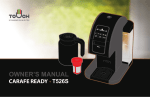
CARAFE READY T526S
A. SET-UP
NOTE:
Bottled or filtered water
is recommended.
1
Remove adhesive tapes.
Unwrap the Power Cord.
2
Remove the Water Tank by
tilting and lifting away from
the Brewer.
3
Rinse the Water Tank several
times. Fill with water.
4
Place the Water Tank and
Lid back on to the Brewer.
WARNING:
DO NOT pull the Latch
while brewing.
5
Plug the Power Cord into
an electrical outlet.
Press the Power Button.
6
Place a large mug or cup
on the Drip Tray. (min. 12oz)
NOTE:
The first brewing cycle may take
up to 30 seconds to start.
7
Press on the 10 oz Cup Size
Button to start brewing.
8
Discard the hot water and
repeat steps 6 and 7 at least
two (2) more times.
B-1. BREW
WARNING:
Sharp Needles on the Top Cover
and in the Red Cup Holder.
9
Place a mug on the Drip
Tray and lift the Cover by
pulling on the Latch.
10
Insert a coffee pod into
the Red Cup Holder.
Close the Cover.
11
WARNING:
Coffee Pod may be HOT.
Press the desired Cup Size Button to start brewing.
Enjoy your beverage!
XBold CupTM for 8-14 oz Buttons.
XLarge CupTM for 16-18 oz Buttons.
B-2. REFILL JUMBO CUP
WARNING:
Refill Jumbo Cup may
be HOT.
WARNING:
DO NOT overpack
with coffee.
9
Remove the Red Cup
Holder and Drip Tray.
10
Fill the Refill Jumbo Cup
with your own grind coffee
up to the rim.
11
Insert the Jumbo Refill
Cup into the Brewer.
Place the Carafe.
12
Press the Carafe Button to
start brewing.
Enjoy your beverage!
For Household Use Only
To learn more about Touch, visit www.touchbeverages.com or Call Toll-Free: 844-20TOUCH (844-208-6824)
© 2014 Touch, Incorporated All rights reserved