1
Installation
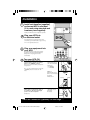
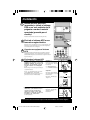
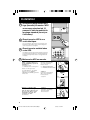
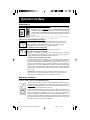
Install rack handles (supplied)
and mount UPS in standard
19 in. rack using standard rack
hardware (user supplied).
1
Install your UPS in the lowest rack position possible.
Plug your UPS into
an electrical outlet.
2
See “Suggested Circuit” in Specifications section
to determine if your model should occupy a 15-amp
or 20- or 30-amp dedicated circuit.
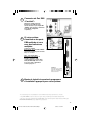
Plug your equipment into
your UPS.
3
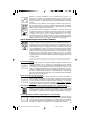
Your UPS is designed to support only computer
equipment. Connecting household appliances,
laser printers or surge suppressors is not
recommended.
4
Turn your UPS ON.
•
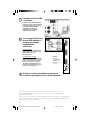
Set the System Enable Switch (the
location varies by model, see Figures 1
and 2) to the “ENABLE” position.
Figure 1
This switch activates the battery charger and
microprocessor.
Front Panel
("I" = ENABLE;
"O" = DISABLE)
The “XXX” light will flash until you engage the
ON/Standby Switch to activate the “ON”
mode.
System Enable Switch
(700 - 1400 VA models)
Figure 2
System Enable Switch
(2200 - 3000 VA models)
Back Panel
DIP Switch #4
DISABLE
•
Engage the momentary ON/Standby
Switch (UPS front panel) and release it
to activate the “ON” mode and supply
power to the UPS receptacles.
ENABLE
Figure 3
ON/Standby Switch
(All models)
Front Panel
(See Figure 3)
DB9 Port Connection (Optional) On Next Page . . .
3
9811199 SmartPro Rackmount Owners Manuals.p65
3
6/22/00, 11:57 AM