1
NOT_TPro_3100_v2.qxd
21/03/07
16:11
Page 2
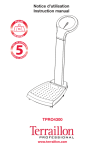
Notice d'utilisation
Instruction manual
TPRO3100
www.terraillon.com
NOT_TPro_3100_v2.qxd
21/03/07
16:11
Page 1
NOTICE
BALANCE ÉLECTRONIQUE MÉDICALE CLASSE III
Cher Client,
Vous venez d’acquérir ce produit et nous vous en remercions. Nous vous en souhaitons un excellent usage.
Afin d’en obtenir pleine satisfaction, nous vous recommandons de lire attentivement cette notice d’utilisation.
D
A LIRE AVANT UTILISATION
La balance électronique médicale est conçue et fabriquée dans des locaux certifiés par les Systèmes de
gestion suivants : Qualité (ISO 9001), Environnement (ISO 14001), Santé et sécurité (OHSAS18001) et
Qualité des appareils médicaux (ISO 13485).
Applications
La balance électronique médicale est destinée à la pesée des patients dans le cadre de surveillance,
diagnostics et traitement médical.
Précautions d’emploi
Ce symbole indique que des précautions d’ordre général devraient
être prises lors de l’utilisation de ce produit.
ATTENTION
Ce symbole prévient d’un accident corporel ou d’un endommagement
du produit si les instructions sont ignorées.
MISE EN GARDE
Ce symbole prévient d’une blessure grave si le produit n’est pas utilisé
correctement ou si les directives d’emploi sont ignorées.
Attention
• Utiliser l’appareil sur une surface ferme et plane.
• Nettoyer après usage avec un chiffon humide, en s’assurant que l’eau ne pénètre pas dans l’appareil.
Ne pas utiliser de solvants, ni immerger l’appareil dans l’eau.
• Eviter les vibrations ou chocs importants, tels que laisser tomber l’appareil sur le sol.
• Ne pas sauter sur la plateforme de pesée.
• Utiliser uniquement un adaptateur secteur ayant les caractéristiques mentionnées dans le paragraphe :
Description du produit.
Mise en garde
• Ne pas démonter la balance ; une mauvaise utilisation peut entraîner des blessures.
ENTRETIEN
• L’appareil ayant été fabriqué et réglé avec précision, l’utilisateur ne devra ni démonter, ni essayer de
régler l’appareil lui-même.
• Oter les piles si l’appareil n’est pas utilisé pendant une longue période.
• Selon la réglementation française, le détenteur de l’instrument devra faire apposer la première marque
de contrôle en service au plus tard 1 mois après la mise en service de l’instrument.
• Selon la réglementation française, cet instrument doit être soumis à une vérification périodique annuelle.
1
•
•
•
•
•
•
•
•
•
•
U
In
•
•
NOT_TPro_3100_v2.qxd
21/03/07
16:11
Page 2
BALANCE ÉLECTRONIQUE MÉDICALE CLASSE III
DESCRIPTION DU PRODUIT
Face avant
Face arrière
Entrée de l’adaptateur
d’alimentation secteur
de
et
Ecran LCD
Compartiment à piles
Indicateur de niveau
e,
Pieds réglables
Plateau
• Appareil médical de Classe I (Directive CE 93/42 EEC).
• Conforme à la classification OIML de Classe III.
• Conforme à la classification Instruments de Pesée Non Automatiques de Classe III (Directive CE 90/384 EEC).
• Fonction pesée.
• Indicateur de niveau et pieds réglables.
• Activation par effleurement du plateau et arrêt automatique.
• Indicateur d’alimentation.
• Capacité : 180 kg.
• Graduation : 100 g.
• Alimentation : pile 9V (6LR61 ou équivalente incluse) ou via l’adaptateur d’alimentation secteur :
Entrée AC 100-240V / Sortie DC 9V (Adaptateur non fourni).
Compartiment à piles
UTILISATION DU PRODUIT
il.
e:
Initialisation
• Insérer la/les pile(s) dans le compartiment à piles en respectant les polarités
ou brancher l’appareil en le raccordant à un adaptateur d’alimentation
secteur via une prise électrique. Le type de pile à utiliser est spécifié dans
le compartiment à piles.
• Il est nécessaire de régler le niveau de l’appareil avant la première utilisation
ou si l’appareil a été déplacé :
1. Ne pas monter sur la balance et/ou enlever tout poids du plateau.
Pile
2. Placer la balance sur une surface ferme et plane. Agir sur les pieds réglables pour ajuster le niveau
de la balance jusqu’à ce que la bulle contenue dans l’indicateur de niveau apparaisse au centre du
cercle gravé.
de
ue
Indicateur de niveau
Cercle
e.
Bulle
X
2
NOT_TPro_3100_v2.qxd
21/03/07
16:11
Page 3
BALANCE ÉLECTRONIQUE MÉDICALE CLASSE III
Fonctionnement
1. Appuyer légèrement sur la partie inférieure du cadran du produit pour le mettre sous tension.
Les affichages apparaissent dans l’ordre suivant :version du logiciel de la balance, tous les chiffres
et symboles, “0.0”.
De
Th
Pl
R
Th
M
IS
2. Monter sur l’appareil pendant que l’écran indique “0.0” et rester immobile pendant le calcul du poids.
Le poids s’affiche automatiquement :
A
3. L’appareil s’éteint automatiquement environ 10 secondes plus tard.
P
Th
di
Affichages spéciaux
Err0
Erreur de zéro initial.
Descendre de l’appareil, attendre l’affichage
0.0 et recommencer la mesure.
adErr
Problème matériel. Contacter votre revendeur.
Err2
Surcharge. Retirer le poids immédiatement.
EEP
Problème matériel. Contacter votre revendeur.
bAtt
Remplacer la batterie.
Ustb
Zéro instable. Attendre que l’appareil affiche
0.0 et recommencer la mesure.
PROTECTION DE L’ENVIRONNEMENT
Déposer les piles usagées dans un container prévu à cet effet pour qu’elles soient collectées et recyclées.
Ne mélanger pas différents types de piles. Ne mélanger pas les piles usagées avec les piles neuves.
En fin de vie, confier ce produit à un point de collecte pour le recyclage des déchets d’équipements
électriques et électroniques.
•
•
•
•
•
GARANTIE
Ce produit est garanti contre les défauts de matériaux et de fabrication. Pendant la période de garantie, de
tels défauts seront réparés gratuitement (la preuve d’achat devra être présentée en cas de réclamation
sous garantie). Cette garantie ne couvre pas les dommages résultant d’accidents, de mauvaise utilisation
ou de négligence. En cas de réclamation, contacter en premier lieu le magasin où vous avez effectué votre
achat.
SERVICE APRES-VENTE
M
•
Pour la calibration et le service après-vente, contacter le service consommateur de Terraillon à l’adresse
suivante:
EC
REP
After Sales Service: Terraillon France & Headquarters
B.P.73 -78403 Chatou Cedex-France
Service consommateurs :0 826 88 1789
[email protected]
www.terraillon.com
3
•
FOOK TIN TECHNOLOGIES LTD
4/F, Eastern Centre, 1065 King s Road, HONG KONG
www.fooktin.com.hk
•
NOT_TPro_3100_v2.qxd
21/03/07
16:11
Page 4
INSTRUCTION MANUAL
CLASS III ELECTRONIC MEDICAL SCALE
re
Dear Customer,
Thank you for purchasing this product. We hope you will find it satisfactory.
Please read these instructions carefully to take full advantage of your product.
READ BEFORE USE
s.
The Electronic Medical Scale is designed and manufactured in a facility certified in the following
Management Systems: ISO 9001 Quality, ISO14001 Environment, OHSAS18001 Health and Safety and
ISO13485 Medical Devices Quality.
Applications
The electronic medical scale’s intended use is for weighing patients for the purposes of monitoring,
diagnosis and medical treatment.
Precautions of use
This symbol indicates general precautions that should be taken when
using this product.
WARNING
This symbol indicates the possibility of serious injury if the product is
mishandled or instructions are ignored.
CAUTION
This symbol indicates the possibility of physical injury or equipment
damage if instructions are ignored.
Warning
s.
ts
de
on
on
re
• Use the product on a firm and flat surface.
• Clean after use with a lightly dampened cloth without allowing any water to get into the device. Do not
use solvents or immerse the product in water.
• Avoid excessive impact or vibration to the unit, such as dropping the product onto the floor.
• Do not jump on the weighing platform.
• Only use the adaptor which has the characteristics mentioned in the paragraph: Product Specification.
Caution
• Do not disassemble the scale as incorrect handling may cause injury.
MAINTENANCE
• The product has been manufactured and calibrated with precision. The user should not disassemble or
attempt to calibrate the product on its own.
• Remove batteries if the product is not in use for an extended period.
se
4
NOT_TPro_3100_v2.qxd
21/03/07
16:11
Page 5
CLASS III ELECTRONIC MEDICAL SCALE
O
PRODUCT SPECIFICATION
1.
Front view
Back view
DC adaptor input
LCD display
Battery compartment
2.
Level indicator
Adjusting feet
Platform
3.
• Class I medical device (EC Directive 93/42 EEC).
• Class III OIML compliant.
• Class III Non-Automatic Weighing Instruments (EC Directive 90/384 EEC) compliant.
• Weighing function.
• Level indicator and adjusting feet.
• Tap-on and auto-off functions.
• Low-battery indicator.
• Capacity: 180 kg.
• Graduation: 100 g.
• Operates through 1 piece 9V battery (6LR61 or equivalent included) or with AC 100-240V adaptor
input/DC 9V adaptor output (adaptor not included).
Battery compartment
PRODUCT USAGE
P
Initialisation
• Insert the battery(s) in the battery compartment, making sure that the
polarities are correct or power up the product by connecting the DC adaptor to the power socket. The battery type is specified inside the battery
compartment.
• Il is necessary to set the balance of the product before you use it for the
first time or if the product has been moved to another place:
1. Do not step on the scale or/and remove all weight from the platform.
D
dif
Battery
2. Place the scale on a hard and flat surface. Use the adjusting feet to adjust the balance until the bubble
inside the level indicator is located in the middle of the drawn circle.
Th
su
un
ev
Fo
se
Circle
Bubble
G
A
Level indicator
5
W
X
NOT_TPro_3100_v2.qxd
21/03/07
16:11
Page 6
CLASS III ELECTRONIC MEDICAL SCALE
Operation
1. Tap lightly on the center of the scale beneath the display to turn it on. The following displays will
appear in the following order :software version of the scale, all digits and symbols ,“0.0”.
2. Step on the scale while the display shows “0.0” and stand still while the weight is computing. Weight
reading will be shown automatically:
3. The product will turn off automatically after approximately 10 seconds.
Warning indicators
Err0
Initial zero error. Step off the scale, wait until
the scale shows 0.0 and repeat measurement.
adErr
Hardware problem.
Please contact place of purchase.
Err2
Overload: remove weight immediately.
EEP
Hardware problem.
Please contact place of purchase.
bAtt
Low battery indication: replace it.
Ustb
Unstable zero. Please wait until the scale
shows 0.0 and repeat measurement.
9V
nt
PROTECT THE ENVIRONMENT
Dispose of used batteries in a designed container so that they can be collected and recycled. Do not mix
different types of batteries. Do not mix new and used batteries.
After life, dispose of this product at a designated waste recycling point.
GUARANTEE
le
This product is guaranteed against defects in materials or manufacturing. During the guarantee period, any
such defects will be repaired free of charge (proof of purchase must be shown in the case of a complaint
under guarantee). The guarantee does not cover damage resulting from improper use or negligence. In the
event of a claim, first contact the shop where you purchased the product.
AFTER SALES SERVICE
For calibration and after sales services, please contact Terraillon consumer service at the following address:
EC
REP
After Sales Service: Terraillon France & Headquarters
B.P.73 -78403 Chatou Cedex-France
Service consommateurs :0 826 88 1789
[email protected]
www.terraillon.com
FOOK TIN TECHNOLOGIES LTD
4/F, Eastern Centre, 1065 King s Road, HONG KONG
www.fooktin.com.hk
6
NOT_TPro_3100_v2.qxd
21/03/07
16:11
Page 1
Terraillon France & Headquarters
B.P. 73 - 78403 Chatou Cedex - France
Service consommateurs : 0 826 88 1789
[email protected]
Service Après Vente :
Terraillon chez MGF logistique
ZI d’Epluches - Rue des Préaux
95310 St Ouen - l’Aumône
Hanson (UK) Ltd
81a Marlowes - Hemel Hempstead
Hertfordshire, HP1 1LF - UK
Tel: +44 (0)1442 270444 - [email protected]
Terraillon Deutschland GmbH
Gehlengraben 2
22415 Hamburg - Deutschland
Tel: +49 (0)40 53 300 600 - [email protected]
Terraillon SpA
Viale Sarca 45
Milano - Italy
Tel: +39 (0)2 66114199
Terraillon Asia Pacific Ltd
4/F, Eastern Centre
1065 King’s Road
Quarry Bay - Hong Kong
Tel: +852 (0)2960 7288
Terraillon Corp
1860 Renaissance Blvd
Sturtevant, WI 53177 - USA
Tel: +1 (0)866 696 6066
[email protected]
www.terraillon.com
P/N:700351253(Rev.06.11)