1
SVAT ELECTRONICS
now you can see
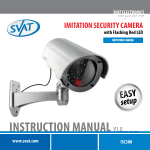
Web Ready 4 Channel H.264 DVR Security System
w/ Smart Phone Access and 4 Hi-Res Indoor/Outdoor Night Vision Surveillance Cameras
COMPLETE SYSTEM
INSTRUCTION MANUAL
www.svat.com
V1.0
CV500 - 4CH
NEED
HELP?
PLEASE DO NOT RETURN THIS PRODUCT TO THE STORE
Please contact a SVAT customer support representative first regarding any additional information
on product features, specifications or assistance with set-up. You can contact us via one of the
methods below:
Email:
[email protected]
Toll free telephone:
1.866.946.7828
Online live web chat:
www.svat.com/support
Toll free fax:
1.888.771.1701
Note: This is manual version 1.0 for this product. You may find updated versions by
visiting our website at www.svat.com
CV500 - 4CH
2
PRODUCT WARRANTY INFORMATION
Please visit our website at www.SVAT.com
for information about your product’s warranty.
We take quality very seriously. That is why all of our products come with a one year warranty from the original purchase date against
defects in workmanship and materials. If you have warranty or support issues please contact us using any of the following methods:
Phone: 1.866.946.7828
Fax: 1.888.771.1701
Email: [email protected]
Website: www.SVAT.com
SVAT USA
60 Industrial Parkway #Z64
Cheektowaga, NY
USA 14227 SVAT CANADA
4080 Montrose Road
Niagara Falls, ON
Canada L2H 1J9
Warranty Terms
1. SVAT products are guaranteed for a period of one year from the date of purchase against defects in workmanship
and materials. This warranty is limited to the repair, replacement or refund of the purchase price at SVAT’s option.
2. This warranty becomes void if the product shows evidence of having been misused, mishandled or tampered with contrary
to the applicable instruction manual.
3. Routine cleaning, normal cosmetic and mechanical wear and tear are not covered under the terms of this warranty.
4. The warranty expressly provided for herein is the sole warranty provided in connection with the product itself and no other
warranty, expressed or implied is provided. SVAT assumes no responsibilities for any other claims not specifically
mentioned in this warranty.
5. This warranty does not cover shipping costs, insurance, or any other incidental charges.
6. You MUST call SVAT before sending any product back for repair. You will be sent a Return Authorization number with return instructions. When returning the product for warranty service, please pack it carefully in the original box with all supplied accessories, and enclose your original receipt or copy, and a brief explanation of the problem (include RA #).
7. This warranty is valid only in Canada and the continental U.S.
8. This warranty cannot be re-issued.
CAUTION
RISK OF ELECTRIC SHOCK, DO NOT OPEN DVR
TO REDUCE THE RISK OF ELECTRIC SHOCK, DO NOT REMOVE THE COVER (BACK).
NO USER SERVICEABLE PARTS INSIDE. REFER SERVICING TO QUALIFIED SERVICE PERSONNEL.
CV500 - 4CH
3
TABLE OF CONTENTS
INTRODUCTION......................................................................................7
WHAT IS INCLUDED ................................................................................8
FEATURES..............................................................................................8
ADDITIONAL ACCESSORIES..................................................................... 10
BUTTONS & CONNECTIONS .................................................................... 10
Front Panel...............................................................................................10
Back Panel................................................................................................11
Remote Control.........................................................................................11
THINGS TO CONSIDER BEFORE INSTALLATION........................................... 12
CAMERA INSTALLATION ........................................................................ 12
Mounting..................................................................................................12
Wiring......................................................................................................12
CONNECTING ADDITIONAL DEVICES TO THE DVR....................................... 13
USB Mouse....................................................................................................... 13
RCA Monitor .................................................................................................... 14
External Alarm ................................................................................................ 14
Router............................................................................................................. 15
CONNECTING AND POWERING ON . ......................................................... 15
GETTING STARTED................................................................................. 16
Using the Mouse........................................................................................16
Screen Viewing.........................................................................................16
Pop up Menu Bar.......................................................................................16
Pop up Menu Icons............................................................................................ 16
MAIN MENU......................................................................................... 17
CAMERA SETUP..........................................................................................18
Camera.................................................................................................. 18
Video Adjust.......................................................................................... 18
Camera Title.......................................................................................... 18
Display.................................................................................................. 19
Dwell Time............................................................................................. 19
CV500 - 4CH
4
TABLE OF CONTENTS...continued
PTZ SETUP.................................................................................................19
PTZ control............................................................................................ 20
MOTION DETECTION....................................................................................20
Setting Motion....................................................................................... 21
Motion Detect........................................................................................ 21
Buzzer................................................................................................... 21
Sensitivity . ........................................................................................... 21
Motion Area .......................................................................................... 21
RECORDING SETUP.....................................................................................22
Resolution............................................................................................. 22
PPS....................................................................................................... 22
Alarm Record......................................................................................... 23
Alarm Record Duration........................................................................... 23
Record Quality....................................................................................... 24
Record Mode.......................................................................................... 24
Audio Record.......................................................................................... 24
Schedule Setup...................................................................................... 25
ALARM SETUP............................................................................................26
External Alarm Mode.............................................................................. 26
Alarm Display......................................................................................... 26
Video Loss Detect................................................................................... 27
Event Log Setup..................................................................................... 27
Buzzer Time Setup.................................................................................. 27
Relay Time Setup ................................................................................... 28
HARD DISK MANAGEMENT ..........................................................................28
Overwrite Mode..................................................................................... 29
HDD Information.................................................................................... 29
HDD Format........................................................................................... 29
NETWORK SETUP.................................................................................. 30
Terms ................................................................................................... 31
PPPoE.................................................................................................... 32
DDNS Setup........................................................................................... 32
BACKUP SETUP..................................................................................... 33
Backup Saved Footage............................................................................ 33
Terms.................................................................................................... 33
SYSTEM SETUP ..........................................................................................34
Date/Time............................................................................................. 34
System Type........................................................................................... 35
CV500 - 4CH
5
TABLE OF CONTENTS...continued
Key Board Lock....................................................................................... 35
ID Number............................................................................................. 35
Display Setup......................................................................................... 35
Language.............................................................................................. 36
Password............................................................................................... 36
Firmware Upgrade................................................................................. 36
Load Default ......................................................................................... 36
Load Backup USB.................................................................................... 37
Daylight Savings Time............................................................................ 37
LIVE VIEWING...................................................................................... 38
HDD and USB Information....................................................................... 38
Call Up USB Information......................................................................... 38
Digital Zoom.......................................................................................... 38
Audio.................................................................................................... 38
PLAYBACK............................................................................................ 39
CONTROLS.................................................................................................39
Time Search........................................................................................... 40
Event List Search.................................................................................... 40
BACKUP VIDEO PLAYBACK...........................................................................41
Software ............................................................................................... 41
Buttons and Connections........................................................................ 42
NETWORK GUIDE ................................................................................. 43
Requirements ....................................................................................... 43
Finding IP Address ................................................................................. 43
PREPARING YOUR COMPUTER TO VIEW YOUR DVR..........................................43
Method 1............................................................................................... 44
Method 2............................................................................................... 45
VIEWING YOUR DVR ON YOUR COMPUTER......................................................45
Login..................................................................................................... 46
ActiveX Installation................................................................................ 46
VIEWING YOUR DVR OUTSIDE OF YOUR NETWORK...........................................47
Port Forwarding..................................................................................... 47
Finding External IP Address.................................................................... 47
Testing.................................................................................................. 48
Troubleshooting..................................................................................... 48
CV500 - 4CH
6
TABLE OF CONTENTS...continued
DDNS CONFIGURATION................................................................................49
DDNS.org............................................................................................... 49
DDNS Account Setup............................................................................... 50
NETWORK VIEWING AND PLAYBACK........................................................ 51
SOFTWARE................................................................................................51
Online Software Icons............................................................................. 51
Time Point Backup................................................................................. 53
Record................................................................................................... 53
Screen Information................................................................................ 53
DVR CONFIGURATION OPTIONS....................................................................54
System Options...................................................................................... 54
Network Options ................................................................................... 55
Other Options........................................................................................ 57
3G MOBILE DEVICE PORT FORWARDING................................................... 57
SETTING UP PORT FORWARDING............................................................................57
Troubleshooting..................................................................................... 58
MOBILE VIEWING INSTALLATION GUIDE................................................... 59
Mobile Viewer Application...................................................................... 59
SONY ERICSON K608i VIEWING..............................................................................60
iPHONE AND iTOUCH VIEWING...............................................................................62
BLACKBERRY (BOLD) VIEWING...............................................................................62
TROUBLESHOOTING GUIDE.................................................................... 65
SPECIFICATIONS................................................................................... 67
CAMERA MANUAL................................................................................. 70
INTRODUCTION
Congratulations on your purchase of the CV500-4CH! Using the most advanced video compression, H.264, your home or business will benefit from
around the clock surveillance adding extra security to your valuables. H.264 compression allows you to record and store more footage using less
space, so you will never miss an important event. This manual was written to ensure that you get the most out of your CV500-4CH DVR.
CV500 - 4CH
7
WHAT IS INCLUDED
CV500 DVR
(500 GB HDD)
4 Indoor/Outdoor Night
Vision CCD Cameras
RCA to BNC
Connectors
•
•
•
•
•
1-4 to one power supply cable
10 ft power adapter for DVR
2 window warning stickers
1 CR2025 battery for remote
4 Camera Mounts
10ft RJ45
Ethernet Cable
Software CD
USB Mouse
Remote Control
4 x 60ft 4 PIN DIN to RCA
(male)Video/Power Wires
•
•
•
•
•
1 power adapter for DVR
24hr Lifetime Live Customer Support
Instruction manual
Quick Start Guide
1 year warranty
FEATURES
iPhone & BlackBerry Compatible1
Access live video footage directly from your iPhone or BlackBerry. This DVR uses 3G technology, which is specifically designed to transmit high
quality video and audio on your smart phone. Your DVR can also be set up to email your hand-held whenever specific activity occurs, such as motion
detection.
View Video Online with No Service Fees2 (Supports DDNS)
Regardless of where you are in the world, you can view your DVR’s live or recorded video footage on any internet accessible computer with Internet
Explorer. See what is happening on your property and check in on your employees or family members.
Record Over 2 Years of Video Footage
The 500GB hard drive can hold over 2 years of continuous video3 and is optimized for 24/7 surveillance. We only use hard drives that are specifically
designed for high capacity writing, which ensures long product life and accurate video data storage. Your DVR will alert you when your memory
space is full so that you can overwrite your old video, stop the unit from recording, or backup and transfer your video footage.
Cutting Edge H.264 Compression
The CV500-4CH-002 utilizes H.264 compression—the latest and most advanced compression level available for a DVR system. You will see an
amazing picture but save almost 50% on storage space! H.264 maximizes your hard drive space. You will see an amazing picture but save almost
50% on storage space versus DVRs with MPEG-4 compression! H.264 maximizes your hard drive space.
CV500 - 4CH
8
FEATURES..Continued
24/7 Lifetime Live Customer Support
Assistance is available whenever you need it. Simply visit www.SVAT.com for video networking guides, simple tips on how to protect your property,
and instructional videos on topics such as camera placement. Our customer support team can be reached by phone 24/7, or by email and live web
chat services so that you will always have access to an expert.
4 Professional Grade Weatherproof Cameras
Four high resolution color cameras provide you with a clear and consistent picture at 420 TV lines of resolution. They allow you to better distinguish
facial features, which can help in the positive identification of individuals. The cameras can be used indoor and outdoor. Each one is built with
professional grade aluminum housing and a sunshade to help prevent glare, deterioration and rusting.4
View in the Dark with Automatic Night Vision
The cameras come equipped with night vision, allowing you to see any monitored area (up to 15ft away!5) in total darkness. Each camera has 12
infrared LEDs that activate automatically when it becomes dark and deactivate during the day to save energy. You will always be able to see what is
happening in your yard or at your business after-hours.
Advanced Motion Activated Recording
You have the option to record video only when motion is detected. Finding important video footage using the playback feature is easy, and will also
save you time and conserve hard drive space. You can even set individual cameras to detect motion while the others continuously record. Advanced
motion detection settings ensure that false alarms are not triggered—the easy motion detection “mask” allows you to block out areas with constant movement, such as roads or blowing trees so that only suspicious activity is recorded.
USB Backup
A built-in USB port gives you the option of backing up and transferring your video footage with a USB flash drive or external USB hard drive.6 Your
video footage then becomes portable for easy viewing and archiving on any PC. Easy Navigation with the Included Mouse and Remote
Navigate the onscreen menu with the included USB mouse or remote control.
Password Protection
Ensure that only authorized users can change DVR settings or halt recording.
24/7 Scheduled Recording
You can fully customize a weekly recording schedule. You can choose which days of the week and hours of the day you want to continuously record,
motion record, alarm record, or not record at all. Each camera can be scheduled with different settings.7
Customize Your Camera Display
Display all four cameras in Quad Screen mode (four camera split screen), or show just an individual camera in Full Screen. Zoom Mode allows you to
enlarge a portion of the camera’s view to get a closer look, and Sequence Mode cycles through all camera views at preset interval times.
Search by Date, Time, or Event
Simply choose the desired date and time range, and the requested video clips will appear. Clips are also labeled by event, which makes it easy to
find footage that was captured by motion detection.
1. To see which other smart phone devices are compatible, please visit our website: www.SVAT.com. 2. Requires broadband router and broadband Internet connection–not included. Internet Explorer is required.
3. Recording capacity may vary based on recording resolution and quality, lighting conditions and movement in the scene. Based on a 500GB hard drive, using lowest quality settings.
4. Not for use in direct exposure to water, rain or snow.
5. IR illumination range up to 15ft (4.5M) under ideal conditions. Objects at or beyond this range may be partially or completely obscured, depending on the camera application.
6. USB flash drive and external hard drive not included.
7. Maximum 30 FPS (frames per second) per camera. Total 240 FPS for all cameras.
• Video playback software is not Mac compatible.
CV500 - 4CH
9
ADDITIONAL ACCESSORIES
For more information or accessories
please visit: www.svat.com
• CLEARVU7 (LCD Monitor)
• CVW62 (60 ft. Camera Extension Cable)
Front Panel
3
4
1
5
6
7
8
9 10
1. Channel Display buttons – Displays each corresponding
camera channel in full screen when selected
2. Quad - Displays all 4 cameras at once
3. LED indicators– Indicates what functions are on and/or
working
4. IR Sensor – Detects IR remote control
5. Record – Manually starts recording
6. Rewind – Reverses the playback (1x, 2x, 4x, 8x)
7. Stop – Stops the playback of recorded footage
CV500 - 4CH
2
12
11
13
14
8.
9.
10.
11.
12.
13.
Pause/Step – Pauses playback, and forward a frame (second press)
Fast Forward - Increases playback speed (2x, 4x, 8x)
Play – Calls up play search Menu
Enter/Copy – Selects current changes/copies to back up
Menu – Calls up Main Menu
Directional Arrows - Moves the cursor in each corresponding
direction
14. USB port – To connect USB backup device
10
BUTTONS & CONNECTIONS...continued
Back Panel
6
1.
2.
3.
4.
5.
6.
7.
8.
1
2
3
4
7
5
CH1 – Video input 1
CH2 – Video input 2
CH3 – Video input 3
CH4 – Video input 4
Monitor Out – Connect to the RCA composite video input
of your TV or monitor
USB port for mouse only
Audio Out
Audio In
12
8
9
9.
10.
11.
12.
10
11
Ethernet (RJ-45) – Connect to your router or modem
Alarm Inputs (1-4) and PTZ connections
Power – 12V 4.16A
VGA Out - Connects to a VGA cable for more viewing options
Remote Control
1
4
7
9
10
CV500 - 4CH
3
2
6
5
8
11
12
1. Channels
2. Quad
3. Record
4.
5.
6.
7.
8.
9. Rewind
Fast Forward
Pause/Step
Stop
Play
Menu
10. Copy
11. Directional keys
12. Enter
11
THINGS TO CONSIDER BEFORE INSTALLATION
CAMERA INSTALLATION
•
•
•
•
•
•
The camera should be installed between 8 and 13ft above the area to be monitored
Ensure there are no obstructions in the camera’s view, to maximize viewing area
Ensure that the sunshade is positioned to avoid glare and position camera away from direct sunlight or indoor lighting
Decide whether the camera will be wall-mounted, ceiling mounted or sit on a desk/table top. If you are mounting the camera on a wall or
ceiling, use the mounting hardware in the package. We recommend that the mounting bracket is secured using the included screws for all
installations
This camera comes with 60ft of video/power wire. Please make sure that you mount the cameras no more than 60ft from the TV/monitor/
VCR/DVR. If longer wiring distance is required, 60 ft extensions can be purchased (CVW62) from your local reseller or at www.SVAT.com
We recommend using a surge protected power bar to protect the cameras internal circuitry
MOUNTING
1. Decide if the camera will be wall-mounted or sit on a desk/tabletop. The camera can be
adjusted for either mounting scenario by rotating it to the required position.
2. Screw the mounting bracket into the camera’s mounting hole, turning it clockwise.
3. Mount the camera in the desired location no more than 60 ft from the DVR unless you
have purchased additional wiring. You may wall, ceiling or desk mount these cameras.
4. Adjust cameras to the desired viewing angles.
WIRING
1. Plug the 4 PIN DIN
female connection on
the camera into the
4 PIN DIN male
connection on the 60ft
video/power wire.
2. Plug the included four
port power supply
into the camera power
adapter then into the
red power jack located
on the 60 ft video/
power wire.
3. Plug the camera’s
power adapter into an
AC outlet.
4. Attach the BNC to
RCA connectors to
one of the video
inputs on the back
of the DVR.
CV500 - 4CH
12
CAMERA INSTALLATION...continued
5. Connect the male RCA plug from the 60 ft cable to the BNC to RCA
connector.
6. Repeat the above steps for all of the included cameras.
Note: For detailed instructions and information on the
cameras incluced with this system, please refer to the
Camera specifications on pg. 63.
CONNECTING ADDITIONAL DEVICES TO THE DVR
This DVR has multiple connections which allow you to integrate additional SVAT or third party devices to the system. Please note that there
are many makes and models of compatible devices and the instructions below may not be applicable to your device. Always refer to the device
instruction manual for proper setup and operation.
CONNECTING A USB MOUSE
It is recommended to connect the included USB mouse before powering on the DVR. This will speed up the initiliazing process as well as make the DVR easier
to use.
1. Plug the USB connection on the mouse into the USB connection on the back of the DVR. The mouse will only work when connected to the back USB port of the DVR
Note: This Manual was written with the mouse being the main tool for navigation.
CV500 - 4CH
13
CONNECTING ADDITIONAL DEVICES TO THE DVR...continued
CONNECTING A MONITOR TO THE DVR (RCA COMPOSITE)
1. Connect a BNC to RCA connector to the MONITOR OUT connection on the back of the DVR.
2. Plug the RCA cable into the BNC connector.
3. Attach the other end of the RCA cable to a yellow RCA video input on your monitor.
4. Switch the TV/Monitor source to view the DVR.
Note: If the monitor has multiple video inputs then the video source will need to be switched to watch the DVR. Example: If the DVR
is connected to Video 2 then press the TV/Video, Input, or Source button on the TV/Monitor to switch to Video 2.
CONNECTING YOUR ALARM SYSTEM TO THE DVR
The CV500-4CH allows you to connect up to four external alarm devices
simultaneously. Please see your alarm device manufacturer for further instructions
on required connections and settings. The DVR supports a 2 wire (normally open or
normally closed) connection.
To connect a two wire alarm:
1. With a small object such as a flat head screwdriver push the orange tab
back away from the circular opening.
2. Insert the wire into the hole below the orange tab while it is still
pushed back.
3. Release the orange tab, which will lock the wire into place. Pull lightly
on the wire to make sure it is secure.
CV500 - 4CH
1.
2.
3.
14
CONNECTING ADDITIONAL DEVICES TO THE DVR...continued
CONNECTING YOUR DVR TO THE ROUTER
1. Power off the DVR by removing the power cable from the back of the DVR.
2. Connect the included network cable to the back of the DVR in the “Ethernet”
port (LAN).
3. Connect the other end of the network cable to an available port on the
router. The port should be labeled 1-4, or 1-8.
4. Power on the DVR by reconnecting the power cable on the back of the DVR.
Note: If you look at the router there should be a green “link” light
indicating that the DVR is properly connected to the port that it
was plugged into. There will also be an amber and green “link”
light to the right of the Ethernet connection on the back of the
DVR to indicate a proper connection to the router. If both “link”
lights are illuminated, the DVR is properly connected to the router
and you can proceed with the next step.
CONNECTING AND POWERING ON THE DVR
1. Insert the power cord into the power supply.
2. Plug the power cord into a power outlet.
3. Insert the power supply wire into the rear DC 12V port on the DVR.
4. The DVR will turn on and display the main viewing area after a few moments of initializing.
Note: We recommend using a surge protected power bar and/or Uninterrupted Power Supply (UPS) backup to prevent damage to
your DVR system.
CV500 - 4CH
15
GETTING STARTED
Now that you have powered up the DVR and properly connected to a TV or monitor you are ready to begin using and customizing the DVR for your
specific needs. The DVR will automatically begin recording once it has been powered on and initialized. Initializing the DVR is the normal start up
process and can take a few moments.
Using the Mouse
• The included USB mouse makes using the CV500-4CH simple and efficient. Make sure that the mouse is connected to the rear USB port before powering on the DVR.
• All functions of the mouse are applicable to this DVR, including using the wheel and right and left clicking
Screen Viewing
By double clicking on one the 4 cameras the viewing mode will switch to full screen mode. When in full screen mode, scrolling the mouse wheel
up or down will move you from one camera to the next.
POP UP MENU BAR
Menu options will automatically appear on the bottom of the screen when you move the mouse cursor near the bottom of the screen. More
information can be found in the POP UP MENU BAR section.
The following menu options appear from left to right:
1. Menu – calls up the Main Menu
2. PTZ Control – controls the PTZ cameras (PTZ camera not included)
3. HDD & USB Information (total size, capacity remaining)
4. Digital Zoom – digitally zoom on a specific area
5. Audio Control – enables or disables the audio
6. Auto Sequence – automatically switches between camera Channels in live viewing mode. 7. Quad screen viewing mode
8. Camera 1 view
9. Camera 2 view
10. Camera 3 view
11. Camera 4 view
12. Manual Record
13. Stop - stops playback or manual record
14. Play Search – calls up the play search menu
CV500 - 4CH
16
MAIN MENU
The main menu consists of nine options:
1. Camera Setup
2. Motion Setup
3. Record Setup
4. Alarm Setup
5. HDD Management
6. Network Setup
7. Backup Setup
8. System Setup
9. Exit
MAIN MENU
As you navigate through the Menu of the DVR, you will notice that most fields are adjustable. If the Menu setting has
to the right of it,
you can adjust the value by either using the left and right directional buttons, or scrolling up or down with the mouse wheel. If the Menu setting
has
next to it, you can select this button by pressing ENTER or by clicking on the SET button with the mouse. Clicking SET will enter a sub
menu which will allow you to adjust sub-settings for the DVR.
Note: that the
button works as the enter key. This must be pressed to save changes. Where the
button, and when pressed will exit the screen and not save any changes.
works as the escape
To call up the Main Menu:
The Main Menu can be called by 2 different options:
Option 1:
1. Press the Menu button the DVR front panel or on the remote control.
Option 2:
1. Scroll the mouse to the bottom of the screen to reveal Pop Up Menu Bar.
2. Click the
to call up the Main Menu.
CV500 - 4CH
17
MAIN MENU...continued
Camera setup allows you to make
adjustments to your cameras individually.
A description of the adjustable fields will
be found below.
CAMERA
1. To choose which camera you want to work with highlight CAMERA so that the background is yellow and use the mouse wheel or directional keys to scroll to the camera you wish to adjust.
• As you change cameras, the settings for each camera will be displayed along with it
VIDEO ADJUST
Video adjust allows you to control the contrast, brightness, hue, color, and sharpness of the your cameras. Use the arrow keys or scroll wheel to
adjust the desired settings. This is particular to only one camera at a time.
When you adjust the settings to your liking:
Press ENTER or Click
to save changes, and EXIT or Click
to return to Menu without saving.
CAMERA TITLE
Allows you to name each camera/channel for easy identification.
1. When you have selected the correct camera you wish to adjust, select
to call up the virtual keyboard.
2. Use the keyboard to enter your new camera name. Note that
the camera title can be up to 8 characters long.
3. Select ENTER to confirm changes and exit the keyboard.
4. Rename camera (if desired) then, press ENTER or Click
to save.
5. Click the X to exit or Press Menu.
What the buttons mean:
Mostly all of the characters you see on the virtual keyboard will display as
seen on the screen. Below are the functions of the special buttons that have
a different purpose.
– ENTER – SHIFT – SPACE BAR – CV500 - 4CH
Backspace
Confirms changes and exits keyboard
Changes from lower case to upper case (allows you to pick between the "+" and the "-")
Puts a space between characters
18
MAIN MENU...continued
DISPLAY
You can choose whether or not to display any individual camera. By setting the display to OFF the camera will not be displayed in live viewing,
however the camera channel will continue to record as per the defined recording settings. The video will be displayed during playback.
DWELL TIME
Dwell time refers to the amount of time the footage from a particular camera will be displayed for when you’re in auto sequence mode. You can set
the dwell time for each camera individually. The auto sequence mode can dwell on one camera from 0-99 seconds.
To Set Dwell Time:
1.
2.
3.
4.
5.
Highlight the camera you wish to setup.
Highlight dwell time.
Use the mouse wheel or directional arrows to set the time (in seconds) that each particular camera will stay on the screen when in auto sequence mode.
Repeat steps 1-3 for each camera.
Press Menu or Click
to save settings and return to the Main Menu.
Exit the Main Menu .
The DVR will take a few moments to load the settings.
To Enter Auto Switch Mode:
1. Scroll mouse to the bottom of the screen to reveal the pop up Menu.
2. Click the auto sequence icon.
The DVR will begin automatically switching between the active cameras according to your dwell time settings.
PTZ SETUP
This DVR supports Pan, Tilt, Zoom (PTZ) or “Dome” cameras, which are not included.
The PTZ camera must use RS-485 and one of the supported protocols (See Specifications). For instructions on setting up your PTZ cameras please refer to
the instruction manual for the PTZ camera or contact the PTZ camera manufacturer.
Left-Right Speed:Controls the speed at which the DVR will move the PTZ camera horizontally:"#"is the slowest speed and "# # # # # #"
is the fastest.
Up-Down Speed: Controls the speed at which the DVR will move the PTZ camera vertically: "#" is the slowest speed and "# # # # # #" is the fastest.
Auto Speed: Can be used if the PTZ supports preset positions. Auto-speed will control the speed which the camera will move through the
preset positions.
Baud Rate: This is a camera specific setting defined by the manufacturer. Please consult your PTZ camera manual or manufacturer for
details on this setting.
Protocol: This is a camera specific setting defined by the manufacturer. Please consult your PTZ camera manual or manufacturer for
details on this setting. Supported protocols can be found in the specifications.
CV500 - 4CH
19
MAIN MENU...continued
PTZ Control
To access the PTZ controls of the DVR you will need to use the mouse.
1. Move the mouse cursor to the bottom the screen for Pop Up Menu Bar to display.
2. Select the
icon.
The PTZ controls look like this:
Note: To exit the PTZ control center, right click the mouse.
Please review the following controls:
- Direction Keys – move the camera up, down, left, or right
- Zoom In/Zoom Out Keys
PRE: If the PTZ camera supports preset positions this option will allow you to save presets as well as go to one of the saved preset postions. Ex. You can set Preset Number 1 to view a front door, Preset 2 for the camera to zoom in on the front door, Preset 3 to change the angle of the camera to view the hall way by the front door, etc. This will save you from manually changing the position of the camera. A maximum of 128 Preset positions can be set.
Auto: Initiates the cameras auto sequence. This will usually consist of panning from side to side and tilting higher and lower.
MOTION DETECTION
1. Access the Main Menu
2. Select the Motion Setup icon
You can set the DVR to detect motion for one or all of your cameras. When one of the
cameras detects motion, the DVR will display an icon on screen indicating motion is
detected. The DVR can also be configured to begin recording, make an audible beep, or
send you an email notification when motion is detected. The event log will be updated
with the motion detection event.
Note: Every time motion is detected an icon will appear, and the camera name from which motion is detected will change from
white, to yellow.
CV500 - 4CH
20
MAIN MENU...continued
TO SET MOTION DETECTION
1. Select the camera you wish to configure the motion detection for.
2. Use the mouse wheel, or the directional arrow buttons to toggle between on and off.
MOTION DETECT
Motion detection can be set to ON or OFF. When set to ON, the DVR will recognize and perform specific activities when motion is detected based on
your settings.
BUZZER
The Buzzer can be set to ON or OFF. When set to ON, an audible beep will be heard when motion is detected in this particular camera’s field of view.
Please refer to the BUZZER TIME SETUP in the ALARM SETUP section for more buzzer settings.
SENSITIVITY
Determines how sensitive the motion detection is. Use the mouse wheel or arrow keys to change the sensitivity value from 1 (least sensitive) to 100
(most sensitive).
MOTION AREA (Motion Area Masking)
You can configure each camera so that there are certain areas to detect and other areas to ignore where motion is detected.
For example, if you are monitoring your home, and there is a fan in the room, you can set the motion area to detect motion everywhere but where the fan is. This way
motion detection will not accidentally be triggered and record insignificant movement.
Motion area is also helpful if you are monitoring outside near a street where there is a lot of traffic driving by. You can set your DVR to not detect motion in the area
where the traffic is but only when a vehicle turns into the driveway.
To Setup a Motion Area:
1. Choose which camera you wish to setup by using the mouse wheel or directional arrows.
2. Select
for Motion Area.
By default the entire grid (30 x 24) is set to detect motion. Here you choose whether to select the motion detection area or to clear a section of the
grid to not detect motion. Sections of the grid that are shaded green will not trigger motion detection.
There are three Menu options while in the grid view which can be accessed by either right clicking the mouse or pressing the Menu button.
1. Select: Used to select areas you wish to trigger motion detection.
2.
3.
Clear: Used to mask off certain areas you do not want to trigger motion detection.
EXIT: Saves changes and exits the MOTION DETECTION SETUP MENU.
CV500 - 4CH
The squared off area shows
the area with no detection
(would be shaded green)
21
MAIN MENU...continued
RECORDING SETUP
1. Access the Main Menu.
2. Select the Motion Setup icon.
RESOLUTION:
You can set the resolution to:
NTSC Mode
1. 720 x 240 (max 60 PPS)
2. 360 x 240 (max 120 PPS)
PAL Mode
1. 720 x 288 (max 50 PPS)
2. 360 x 288 (max 60 PPS)
Note: NTSC video standard is the video standard for North America. Europe and other
countries use the PAL video standard. NTSC videos or cameras will not work on
PAL television sets or monitors.
Changing the resolution will affect the picture quality. A higher resolution will produce a better
quality picture; however, footage recorded in a higher resolution will take up more space on the
hard drive. The higher the resolution causes the maximum number of PPS (pictures per second)
be lowered.
PPS
PPS stands for Pictures Per Second and refers to how many pictures will be captured in 1 second. The more PPS, the smoother the video, and the less
PPS the more choppy the video will appear.
Normal record PPS will adjust the PPS for full record and manual record mode.
Alarm record PPS will adjust the PPS for motion detection and external alarm detection. Generally the normal record PPS will be lower to minimize
the amount of HDD space used when non-important events are happening and the alarm record PPS is higher to use smooth video recording when
motion or alarms are triggered.
To Change the Normal Record PPS:
1.
2.
3.
4.
5.
6.
7.
Select
to set the Normal Record PPS.
Use the mouse wheel or the directional buttons to adjust the PPS.
When in 720 x 240, you can change each camera’s PPS.
When in 360 x 240 The Normal PPS for CH1 and CH2 will change together, as will CH3 and CH4.
Press ENTER or select
to save settings and return to Record Setup Menu.
Exit the record setup Menu to save changes.
Exit the Main Menu
. The DVR will take a few moments to load the settings.
CV500 - 4CH
22
MAIN MENU...continued
ALARM RECORD PPS
You can change the PPS for alarm record. You may wish to change
the alarm PPS so that there is a higher PPS for when an alarm (e.g.
motion) is detected by the DVR and a lower PPS for
Normal Record.
To Change the Alarm Record PPS:
1.
2.
3.
4.
5.
6.
7.
Select
to adjust the Alarm Record PPS.
Use the mouse wheel or the directional buttons to adjust the PPS.
When in 720 x 240, you can change each camera’s PPS.
When in 360 x 240 the normal PPS for CH1 and CH2 will change together, as will CH3 and CH4.
Press ENTER or select
to save settings and return to Record Setup Menu.
Exit the Record Setup Menu to save changes.
Exit the Main Menu
to save changes. The DVR will take a few moments to load the settings.
• There is a total of 120 PPS (for 360 x 240) available to share between the 4 channels.
• There is a total of 60 PPS (for 720 x 240) available to share between the 4 channels
Note: By clicking the box next to the word ‘AVERAGE’ you can evenly distribute the PPS to all cameras for Normal PPS and Alarm
Record PPS
AUDIO RECORD
The DVR is capable of recording one channel of audio. You can connect a camera that has a built in microphone or connect an external microphone
into the RCA audio input to configure the DVR to record with audio.. The cameras that are included with the DVR do not support audio.
To record with audio:
1.
2.
3.
4.
Highlight the Audio Record option.
Use the mouse wheel or directional keys to change from OFF to ON.
to save changes.
Press ENTER or Click the
Exit the Main Menu
to save changes. The DVR may take a few moments to load the settings.
Using the Pop Up Menu Bar you can mute the audio from playing through the connected speaker or TV and still record.
CV500 - 4CH
23
MAIN MENU...continued
RECORD QUALITY
There are four levels of record quality you can choose from, and it is adjustable per camera if recording with 720 x 240 resolution. If using 360 x 240
resolution, camera 1 & 2 quality will be adjusted together and 3 & 4 will be adjusted together:
1.
2.
3.
4.
Low
Medium
High
Best
To change the record quality:
1.
2.
3.
4.
Highlight the record quality option and click
to change the record quality.
Use the mouse wheel or directional keys to change the cameras record quality setting.
Press ENTER or Click the
to save changes.
to exit the Record Setup Menu and the Main.
Press Menu or Click
Menu to save changes. The DVR may take a few moments to load the settings.
RECORD MODE
You can set your DVR to record based on a preset schedule you have created or to manually record when you desire. By default, the schedule is set to
record 24/7 and will automatically start recording when powered up. You have a choice to configure up to 5 recording schedules. Only one recording
schedule can be active at any given time.
To choose a recording schedule:
In the record mode area, use the mouse wheel or directional buttons to scroll through various recording modes: Schedule 1, Schedule 2, Schedule 3,
Schedule 4, Schedule 5, or manual. The schedule that is displayed on the Record Setup Screen will be the active recording schedule.
See the directions on how to setup a schedule in the Schedule setup section.
AUDIO RECORD
The DVR is capable of recording one channel of audio. You can connect a camera that has a built in microphone or connect an external microphone
into the RCA audio input to configure the DVR to record with audio.. The cameras that are included with the DVR do not support audio.
To record with audio:
1.
2.
3.
4.
Highlight the Audio Record option.
Use the mouse wheel or directional keys to change from OFF to ON.
to save changes.
Press ENTER or Click the
Exit the Main Menu
to save changes. The DVR may take a few moments to load the settings.
Using the Pop Up Menu Bar you can mute the audio from playing through the connected speaker or TV and still record.
CV500 - 4CH
24
MAIN MENU...continued
SCHEDULE SETUP
A schedule can be used to customize your recording modes by the hour for every
day of the week. This is beneficial for business environments that have different
hours during weekdays and the weekend. For home use, you can set different
record modes for the days you have people over for housework, yard work, or even
babysitters. By default, the DVR is set to automatically record a 24/7 schedule. You
have a choice to customize up to 5 different recording schedules.
The recording schedule is 24/7 and uses a 24 hour clock (e.g. on this screen 18 is
6:00 pm. In live or playback mode 17:00 is equal to 5:00 PM) Each square on the
24/7 schedule represents one hour.
There are 3 different recording options:
1. Full Record (red) – will record all the time using the Normal Record PPS.
2. Alarm Record (orange) – will record only when a specific action happens (video loss, motion, etc) using the Alarm Record PPS.
3. No Record (green) – the DVR will not record during the hour when this option is chosen.
You can now customize a schedule to record your needs and specifications.
There are several advantages of setting up a customized recording schedule. When the DVR is on FULL RECORD 24/7, your hard drive will fill up
quickly. To optimize your HDD space, you may wish to choose to record only when motion is detected at certain times, or to not record at all. You can
set up your recording schedule based on your own preferences.
There are 5 different options for schedules, so you can set a separate schedule for long weekends, holidays, when you are on vacation, or for the
days you will be away from your home/office and have to leave others in charge. Once the schedules are set, it is easy to switch from one to
the other.
To set the schedules:
1. Highlight SCHEDULE SETUP and select
to enter the schedule
record Menu.
2. Select the type of recording you wish to use (Full, Alarm, No) from the
bottom of the Menu screen or use the fast forward button to toggle
between the type of recording.
3. In the calendar display, press ENTER or click on the hour and day you wish
this method of recording to happen.
4. Select the
to save changes and return to the Record Setup Menu.
5. Press Menu or Click the
to exit the Main Menu and save your settings.
The DVR may take a few moments to load the settings.
This is a sample schedule. This schedule may work well for a small
business, with different settings for weekday business hours, and with
more security over the weekend.
Note: To switch between schedules in this mode, simply scroll the wheel on the mouse, or click press the CH1-CH4, Quad view buttons.
CV500 - 4CH
25
MAIN MENU...continued
ALARM SETUP
1. Access the Main Menu by pressing Menu or move the mouse to the bottom of the display screen to reveal pop up Menu bar and click the Menu icon
.
2. Select the ALARM setup icon
.
There are several different types of events that will trigger
the Alarm Recording.
1.
External Alarm – If you have a 2 wire Normally Open (NO), or Normally Closed (NC) device, it can be connected to the DVR to record when the alarm is triggered. For example, the external alarm can also be connected to a motion sensor, or audio sensor.
2. Video Loss – The DVR will archive the day and time it detects video loss. This means it will log the time and take whenever a camera is disconnected or tampered with.
3. Motion Detection – The DVR will archive and store the footage when motion is detected in any of the 4 cameras when set up. External Alarm Mode
You can adjust your external alarm for Normally Open (NO), or Normally Closed (NC). Please consult the external alarm manufacturer for details
regarding whether to set up the External Alarm Mode to Normally Open or Normally Closed.
1. Use the mouse wheel or directional buttons to change from Normally Open (NO), or Normally Closed (NC).
2. Press Menu or select the
to return to the Menu.
3. Press Menu or select the
to exit the Main Menu and save your settings. The DVR may take a few moments to load the settings.
Note: SVAT does not provide support for external alarm systems. Please contact the alarm manufacturer for instructions.
ALARM DISPLAY MODE
The DVR will allow you set configure your Alarm Display options. This will decide whether or not to change the viewing mode to focus on the
camera that is detecting the alarm. There are two choices:
1. Disable: No display changes will be made when an alarm is triggered (Motion Detection, External Alarm, Video Loss).
2. Single Mode: When active and in Live Viewing Mode, single mode will switch the camera view to a single camera in full screen for 10 seconds. If another alarm is triggered while in Single Camera Mode, the view will switch to the new alarm triggered channel.
CV500 - 4CH
26
MAIN MENU...continued
VIDEO LOSS DETECT
You can set the DVR to archive video footage when it detects video loss. Since video loss is a serious issue for camera surveillance, it is important to
be able to see what happened before the video loss occurs. When video loss detection is enabled, the DVR will display on the screen or in the event
log when video loss occurs. The DVR must be recording to update the event log. Please see Playback for more information on using the event log.
Review the normal recorded footage prior to the video loss occurred.
To Set the DVR to Detect Video Loss:
1.
2.
3.
4.
Move the mouse or directional keys to highlight Video Loss Detect.
Use the mouse wheel or directional keys to change from disable to enable.
to return to the Main Menu.
Press ENTER or select the
to exit the Main Menu and save your settings. The DVR may take a few moments to load the settings.
Press Menu or select the
EVENT LOG SETUP
The event log holds the date and time, of the footage which is saved due to an alarm being detected by the DVR and other types of events.
The different types of events that are logged are:
1.
2.
3.
4.
5.
External Alarm
Video Loss
Motion Detection
Manual Recording
Power On
The event log setup allows you to choose which alarm triggers will be saved to your event log (maximum 3000 events). Setting up the event log
allows you to start playing recorded footage by specific events so that you do not have to fast forward through long periods of footage to see
when the alarm is detected. It also serves as a list with the important events that have occurred, so that you can easily trace them, and when they
happened.
To Setup the Event Log:
1.
2.
3.
4.
5.
6.
Highlight EVENT LOG SETUP.
Select
to access the Event Log Setup Menu.
Highlight the type of alarm you want to enable or disable.
Use the mouse wheel or directional keys to change from ON to OFF.
Press Menu or select the
to return to the Menu and save your settings.
Press Menu or select the
to exit the Main Menu. The DVR may take a few moments to load the settings.
BUZZER TIME SETUP
The DVR can make an audible beep when a particular alarm is detected. This will alert the user that there is activity detected by the DVR. The DVR
can be set to give you this audio alert when there is external alarm activation, motion detection, and/or video loss. Buzzer Time setup will allow
you to choose how long after the alarm is detected, you want the beep to occur. The options are OFF and 5 sec – 99 sec. The buzzer for Motion
Detection can be set from 5 sec -99sec. To disable the motion detection buzzer, refer to the MOTION SETUP Menu).
CV500 - 4CH
27
MAIN MENU...continued
To Change the Buzzer Time:
1.
2.
3.
4.
5.
6.
Highlight BUZZER TIME SETUP.
Select
to access the Buzzer Time Setup Menu.
Highlight the type of alarm you want to set.
Use the mouse wheel or directional keys to change the length of time the buzzer will sound when the alarm is detected.
Press Menu or select the
to return to the Main Menu, or press the ENTER key.
Press Menu or select the
to exit the Main Menu and save your settings. The DVR may take a few moments to load the settings.
RELAY TIME SETUP
The DVR has a connection for an alarm relay output. This allows you to connect a 2 wire Normally Open (NO), or Normally Closed (NC) connection to
an external alarm source like a siren, flashing lights, or an existing two wire security system.
Relay time setup allows you to adjust the length of time the DVR will send an electrical signal through the connected relay device. An external
power source is likely required. Please contact your alarm manufacturer for information and assistance with your alarm.
Please note that SVAT does not provide support for external alarm systems.
To Setup the Relay Time Setup:
1.
2.
3.
4.
5.
6.
Select RELAY TIME SETUP from the Alarm Setup Menu.
Select
to access the Relay Time Setup Menu.
Highlight the type of alarm you want to set up.
Use the mouse wheel or directional keys to change the length of time. The 12V signal will be sent to your external alarm when an alarm is detected.
Press Menu or select the
to return to the Main Menu or press the Menu button.
Press Menu or select the
to exit the Main Menu and save your settings. The DVR may take a few moments to load the settings.
HARD DISK MANAGEMENT SETUP
The DVR comes with a preinstalled hard drive. The HDD (Hard Disk
Drive) Management Menu will allow you to display the space left in
the hard drive, clear saved footage and set other HDD related options.
1. Access the Main Menu by pressing Menu or from the Pop Up Menu Bar.
2. Select the Main Menu icon
.
3. In the Main Menu, select HDD Management
CV500 - 4CH
.
28
MAIN MENU...continued
OVERWRITE MODE
The DVR provides you with the option to automatically overwrite the saved video and audio content on the HDD or to stop recording when the HDD
is full. The default setting is ON and will automatically overwrite old footage.
If the mode is set to OFF, you can set a warning to alert you when the HDD is nearing its full capacity. The Capacity Remaining Warning can be set to
5%, 10%, 15%, and 20% remaining. If this option is selected an onscreen message will appear, informing you that your HDD is getting full.
To Set the DVR to Warn You When the HDD is Getting Full:
1.
2.
3.
4.
Select OVERWRITE MODE .
Use the mouse wheel or directional keys to alternate the overwrite mode between ON and OFF.
When you choose OFF a new option will appear allowing you to set a warning level to inform you when the HDD is nearly full.
You can choose to set the DVR to warn you that the HDD is getting full when there is :
a) 5 % HDD capacity remaining
b) 10% HDD capacity remaining
c) 15% HDD capacity remaining
d) 20% HDD capacity remaining
Use the mouse wheel or directional keys to change the capacity warning amount.
5. Press Menu or select the
to return to the Main Menu.
6. Press Menu or select the
to exit the Main Menu and save your settings. The DVR may take a few moments to load the settings.
HDD INFORMATION
This option will allow you to view the total capacity of the connected hard drive as well as the percentage of remaining space. This Menu is only
used to display your HDD status, and no settings can be adjusted on this screen.
The HDD Information will Show You:
Disk – Name of HDD
Capacity - The size of your HDD
Left Ratio - The percentage of space left on the HDD.
HDD FORMAT SETUP
In this menu you can format the HDD, as well as security settings for
formatting the HDD. A password can be required to format the HDD;
even users who have access to all controls of the DVR will not be able
to format the hard drive unless they know this password.
Enabling HDD password protection is recommended, so that only the
right people can erase any footage you have captured and stored. This
password should be different from the password used to access the Menu
of the DVR. This setting will prompt a user to enter a password before
being able to enter the HDD Format Setup Menu.
CV500 - 4CH
29
MAIN MENU...continued
To Setup the Password Protect:
1.
2.
3.
4.
5.
6.
7.
Select HDD PASSWORD PROTECT.
Use the mouse wheel or directional keys to change from disable to enable. This will require the HDD password setup to be entered before accessing the HDD format Menu while enabled.
The next step is to choose a password for the HDD format protection. The default password is the same as the default password for the DVR: 1111. It is recommended that the DVR Menu password and the HDD password be changed and different from the menu password. This way someone can access the DVR Menu, but not the HDD Menu.
Select
to enter the HDD password Setup Menu.
Highlight the number to change and use the mouse wheel or directional keys on each number to change to the new password.
Press Menu or select the
to exit the HDD Password Setup.
Press Menu or select the
to exit the HDD Management Menu.
Press Menu or select the
to exit the Main Menu and save your settings. The DVR may take a few moments to load the settings.
To Format the HDD:
1.
2.
3.
4.
5.
6.
7.
8.
Select HDD FORMAT SETUP.
to enter the HDD FORMAT SETUP Menu.
Select
Use the mouse wheel or directional keys to change from DISABLE to ENABLE.
to format your HDD.
Select
You will be prompted to ensure that you really want to format the hard drive.
Select YES to format the hard drive, or NO to exit the Menu and not delete the stored footage. The selected button will looked as if it is
pressed in.
Press Menu or select the
to exit the HDD Management Menu or press the Menu button.
to exit the Main Menu.
Press Menu or select the
This will not erase any of your DVR settings.
NETWORK SETUP
1. Access the Main Menu by pressing Menu or by using the Pop Up Menu Bar. Move the mouse to the bottom of the display screen to reveal the Pop Up Menu.
.
2. Select the Menu icon
3. Select the NETWORK setup icon
.
The network setup Menu is your gateway to viewing your footage
online. This Menu holds the information you need about your DVR to set
up on-line viewing. Note that for basic network setup, the values shown
on the screen are the values you will be using, and that you will not
need to set new values.
The Next Page has a quick description of the network setup Menu items.
CV500 - 4CH
30
NETWORK SETUP...continued
IP Mode: Static vs. DCHP
A DCHP (Dynamic Host Configuration Protocol) address is the most common setup for home or office networks. This allows the DVR to automatically
receive an IP address from the router. By default the IP MODE should be set to DHCP and this is acceptable in most situations.
A static IP is one that does not change. Static IP addresses are manually assigned by an administrator. Most home or office networks today do not
use a static IP addresses. If you are unsure of whether you need a static or dynamic IP address, please contact the person who setup your network or
your internet service provider (ISP).
To Change from Static to DCHP Addresses:
1. Under IP Mode, use the mouse wheel or directional keys to change from
DCHP to STATIC.
2. Press Menu or select the
to exit the Network Setup Menu or press
the Menu button.
3. Press Menu or select the
to exit the Main Menu and save your settings.
The DVR may take a few moments to load the settings.
HTTP Port: Refers to the port that your DVR will use to communicate with your network and the Internet. This port is required to be entered at the end of the IP address to connect to the DVR. (Ex. If using port 2000 and the IP address is 192.168.1.103 you would type http://192.168.1.103:2000 in the address bar of I.E.) If using port 80 your Internet browser will automatically add it in at the end of the address, even though it may not be visible.
IPADDR: (IP ADDRESS). The numbers here represent the internal IP address of your DVR. If your DVR is not properly connected to the router, the address will appear as 0.0.0.0. To find you DVR’s IP address, make sure that it is connected to your router and reset the power on the DVR.
The internal IP address is the most important number on the Network Setup Menu screen.
Netmask: (Subnet Mask): The subnet mask is used for identifying the subnetwork the DVR is connected to. There is no need to adjust this number for general network setup. Usually the netmask is 255.255.255.0.
Gateway: (Default Gateway): In computer networking, a default gateway is the device that passes traffic from the local subnet to devices on other subnets. There is no need to adjust this number for general network setup. Generally this is the IP address of your router.
DNS 1: (Domain Name System): For advanced network setup. DNS is used to convert common names into website IP Addresses.
DNS2: For advanced network setup. DNS is used to convert common names into website IP Addresses.
DDNS: (Dynamic Domain Name Service) This Menu option allows you to set up a common name for the DVR instead of an IP address. This feature is used if you have a Dynamic IP address from your ISP and the IP address is constantly changing.
CV500 - 4CH
31
NETWORK SETUP...continued
PPPoE SETUP
(Point-to-Point Protocol over Ethernet). PPPoE is used by (A)DSL Internet
connections. Usually the modem or router will store the PPPoE information so that
the DVR and other computers that are connected to the network do not require
a password to access the internet. If you use DSL, please contact your ISP for your
PPPoE information if required.
To Setup PPPoE Settings:
1. Change PPPoE setting to ENABLE.
2. Enter the Username provided by your ISP.
3. Enter the Password provided by your ISP.
4. Press ENTER on State to update the status.
If properly connected, the State will display your connection status as
being connected.
To Setup your DDNS:
1.
2.
3.
4.
5.
6.
Select
to setup the DDNS.
Highlight DDNS Setting. Use the mouse wheel or directional keys to change
from DISABLE to ENABLE.
Highlight PROVIDER. Choose your DDNS provider from the list.
Highlight HOST NAME. select
to input your host name.
to input your user name.
Highlight USER NAME. select
Highlight PASSWORD. select
to input your password.
*See DDNS Setup for more information on the DDNS setting.
7. Press Menu or select the
8. Press Menu or select the
NETWORK SETUP Menu.
to exit the DDNS SETUP Menu.
to save your changes and exit the
RTSP
(Real Time Streaming Protocol) Used for streaming each channel of video over
the Internet.
The following will explain all of the settings that are seen on screen:
• RTSP Port: Used by mobile devices to view a single camera
• RTP Start/End Port: Used in conjunction with the RTSP port to view the steaming video footage on the mobile device
• Video Quality: The quality of footage being streamed to mobile device
Note: You only need to change these settings if your
network or ISP is blocking the ports listed on
this screen. CV500 - 4CH
32
BACKUP SETUP
The DVR allows you to backup your recorded footage onto a separate and
portable USB flash drive.
To Setup backup Recording:
1. Insert your USB flash drive into the USB port on front of the DVR.
2. Access the Main Menu by clicking Menu or move the mouse to the bottom of
the screen to reveal the pop up bar.
3. Select the Main Menu icon
.
4. In the Main Menu, select Backup set icon
.
Note: A USB backup drive will not work if connected to the to the USB port on the back of the DVR.
Record Time:
Backup Time:
Backup Capacity:
USB Capacity:
USB Used Size:
Left Ratio:
The start and end time is used to display the initial time and date when recording began and the final date and time
when the recording finished (or the latest date and time when backup Menu was accessed).
The start and end time is used to choose the time frame of the video clip to be backed up onto the USB flash drive.
This displays the size of the desired backup footage time frame. The shorter the video clip the smaller the backup
capacity will be in size.
Displays the maximum capacity of the USB drive.
This displays how much memory on the USB drive is currently in use.
This is the amount of memory that is currently available to be used for backup.
To Backup Saved Video Footage:
1. Press ENTER or click
to setup the USB backup recording settings.
From this Menu you can choose the start and end time for the USB backup. This will transfer existing video footage in the backup time frame onto the USB drive.
CV500 - 4CH
33
BACKUP SETUP...continued
2. Choose the starting date and time of when to transfer the video footage. Highlight the value you wish to change and use the directional keys up and down or the mouse scroll wheel to adjust the value.
3. Choose the ending date and time of when to end the transfer of video footage. Highlight the value you wish to change and use the directional keys up and down or the mouse scroll wheel to adjust the value. If the Backup Capacity (in MB) is larger then the LEFT RATIO (In Mb) the DVR will not allow you to backup the footage.
The DVR will take a few moments to complete the request since it will put the viewing software as well as video footage onto the USB flash drive. This
backup player is required to view the backup footage as the file are exported using H.264 compression. The backup player install file is 1.10MB in size.
4. If you want to check to see how much space is taken up on your USB drive, you can re-enter the USB backup Menu and it will tell you at the bottom of the screen the USB capacity, USB used size and Left Ratio. This is also useful to see if the desired time range will fit onto the USB
flash drive.
5. Press Menu or click the
to exit the USB Backup Menu.
6. Press Menu or select the
to exit the Main Menu and save your settings. The DVR may take a few moments to load the settings.
SYSTEM SETUP
The system setup Menu allows you to set up the parameters of your DVR. It
holds the date/time setup, factory default settings, system password, and
many other options. The following list describes what each option does and
how to configure it.
1. Access the Main Menu by pressing Menu or move you mouse to the bottom of the display screen to reveal pop up Menu bar.
2. Select the Menu icon
3. Select the System setup icon
.
.
DATE/TIME SETUP
Allows you to set up date and time on your DVR so that your recording
schedule will be accurate.
To Setup the Date and Time:
1. Select DATE/TIME SETUP from the System Setup Menu. Select
to setup the date and time.
2. Highlight the area you wish to change.
3. Date Format allows you to choose the syntax to display the Year, Month and Date. This can be changed between YYYY/MM/DD, DD/MM/YYYY, and MM/DD/YYYY depending on what you are most comfortable with.
CV500 - 4CH
34
SYSTEM SETUP...continued
4. NTP (Network Time Protocol) Mode can be enabled or disabled to allow the DVR to synchronize the date and time with a NTP server. By default the NTP server IP is set to 198.123.30.132.
5. Choose your GMT Timezone. Example: Central Time Zone = -06:00 GMT.
6. Update Time will be how often the DVR checks with the NTP server to update the system time with the current NTP server time. It can be set from every 1 hour up to every 24 hours.
7. Press Menu or select the
to exit the DATE/TIME SETUP Menu.
8. Press Menu or select the
to exit the Main Menu and save your settings. The DVR may take a few moments to load the settings.
System Type
The two system types that are available on this DVR are PAL and NTSC. The North American standard is NTSC and should only be set to PAL if the TV
or monitor that the DVR is connecting to uses only PAL format.
To set the system type:
1. Highlight SYSTEM TYPE from the System Setup Menu. Use the mouse wheel or directional keys to change from NTSC to PAL.
2. Select the
to exit the SYSTEM TYPE menu.
3. Select the
to exit the Main Menu and save your settings. The DVR may take a few moments to load the settings.
Keyboard Lock
The keyboard lock option will prevent people from using the buttons on the front of your DVR without a password. This does not lock out the Menu.
Enable system password to protect the Menu from unauthorized change. There are two different Keyboard Lock options:
Type 1 – Allows a user to change monitor views, but requires a password to search and control playback.
Type 2 – Prevents unauthorized user from performing any action without a password. (System password prevents a user from accessing the Menu).
To set the keyboard lock:
1. Highlight KEYBOARD LOCK.
2. Use the mouse wheel or directional keys to choose between Type 1, Type 2 or OFF.
3. Select the
to save and or press ENTER.
4. Exit the Main Menu
to save these settings. It may take a few moments to save the changes.
DVR ID Number
Used to identify this DVR if using multiple DVRs. The ID value can be set from 0 – 31.
DISPLAY SETUP
Allows you to configure the on screen display of the DVR to show camera titles, the DVR’s status, and the date and time in live display mode.
To set the display parameters:
1. Highlight DISPLAY SETUP from the System Setup Menu.
2. Select
to setup the date and time.
3. Use the mouse wheel or directional keys to enable CAMERA TITLE, DVR STATUS and DATE/TIME. By enabling these options, the camera title, the status of the DVR and the date/time will appear on the viewing screen.
4. Select the
to save.
5. Exit the Main Menu
CV500 - 4CH
. It may take a few moments to save the changes.
35
SYSTEM SETUP...continued
LANGUAGE:
This DVR allows for the following 19 languages:
English, Chinese, Italian, French, Japanese, Spanish, Polish, simplified Chinese, Greek, Hungarian, Netherlands, Dutch, Portugeuse, Swedish,
Finnish, Russian, Czech, Hebrew, & Ukrainian
To change the on screen display language:
1. Highlight LANGUAGE.
2. Use the mouse scroll wheel or directional keys to change to your desired language.
3. Press Menu or select the
to save and exit.
4. Press Menu or click
to exit the Main Menu and save these settings. It may take a few moments to save the changes.
SYSTEM PASSWORD SETUP
The system password is used to authenticate users before being able to access all of the features of the DVR. By default the DVR Password Mode is
set to disabled. If set to enabled the user will be prompted to enter a password before accessing the Menu or control the DVR in certain Keyboard
Lock modes. It is recommended that you change the DVR from the default password.
To change the system password settings:
1. Highlight SYSTEM PASSWORD from the System Setup Menu.
2. Select
to configure your password settings.
3. Use the mouse wheel or directional keys to alternate between “DISABLE” and “ENABLE”.
4. Highlight PASSWORD. Select
to choose a new password. Note passwords can only be 4 numeric characters.
5. Highlight the value to change, and use the mouse scroll wheel or directional keys to navigate through the numbers.
6. Press Menu or select
to save settings and return to the System Setup menu.
7. Press Menu or select
to save settings and return to Main Menu.
FIRMWARE UPGRADE:
The DVR checks for a connected USB device for a firmware update. Warning: Attempting to update the firmware with an invalid file could
potentially render the DVR inoperable. Only complete the firmware upgrade if directed by a SVAT technical support representative.
LOAD DEFAULT
The load default Menu allows you to restore your DVR back to the factory settings, backup current settings to a USB drive, and Load settings that are
saved on the USB drive.
To Restore DVR to Factory Default Settings:
1. Select LOAD DEFAULT from the System Setup Menu.
to enter the load default settings page.
2. Select
3. Select “Load Setup From Default” and press ENTER or click
.
A warning screen will appear saying: " SYSTEM SETUP WILL INITIALIZE. CONTINUE?
YES/NO."
CV500 - 4CH
36
SYSTEM SETUP...continued
4. Use the directional keys or the mouse to select either YES or NO. Select YES to load the factory default settings.
to save settings and return to System Set.
5. Click
to save settings and return to Main Menu.
6. Click
Load Setup From USB
This option can only be used if the DVR settings have been previously backed up to USB.
The DVR settings will be saved on the USB drive as DVR.cfg.
Backup Setup to USB
This will save the current DVR settings to a USB flash drive. This will not backup any
video footage to the USB drive. Use this function to save your current settings and reload
them at a later date or for setting up multiple DVRs.
DAYLIGHT SAVING TIME SETUP:
This setting will allow you to set up the daylight saving times for your region.
This will be beneficial so the DVR will always display the proper time even
during the daylight savings months.
Daylight Savings Mode can be set to Off, Manual or Auto.
Off: The DVR will not compensate for daylight savings time. No changes will be
made to the time automatically.
Auto: Use the default daylight savings days stored on the DVR. Make sure the
date and time are set to the proper daylight savings days.
Manual: Manually set the start and end date and time for daylight savings in your area. The delay time will be the time difference during the
daylight savings month. Ex. If the time changes 1 hour behind then the delay will be set to 1 hour.
Auto Mode:
1. Set the Daylight Mode to AUTO.
2. Choose the City or Time Zone that most accurately reflects your daylight savings dates and times.
3. Press Menu or click the return button to save your settings.
Manual Mode:
1. Set the Daylight Mode to MANUAL.
2. Highlight the Start Date and press ENTER or click the
button.
3. Highlight the desired field to adjust and use the directional keys or the mouse scroll wheel to asjust to the proper value.
4. Press Menu or click on the Return button to save and return to the previous Menu.
5. Repeat steps 2-4 for the End Date.
6. Set the Delay time to accurately reflect the time change during the daylight savings months.
Press Menu or click the Return button to save your settings and return to the previous Menu.
CV500 - 4CH
37
LIVE VIEWING
The following directions will tell you certain information about live viewing with the DVR, there are multiple ways to view the
live footage.
POP UP MENU BAR (operation) – Using the USB Mouse, the pop up menu bar allows you to view the following options.
PTZ control – Please refer to the PTZ control section.
HDD & USB Information:
You can quickly access your HDD & USB information right from the Pop Up Menu on the live viewing screen. This will let you easily determine how
much space is left on your HDD and your USB drive.
Disk:
Capacity: Left Ratio:
USB Install:
USB Capacity: USB Used Size:
USB Left Ratio: The name of the connected hard drive.
The maximum capacity of the hard drive. This shold be approximately 500GB.
Displays a percentage of the remaining hard drive memory.
Displays whether the USB drive is properly connected and installed.
Displays the maximum capacity of the USB drive.
Displays how much memory of the USB drive is currently in use.
Displays the remaining memory of the usb drive as well as a percentage of the free space remaining.
To Call up the HDD & USB Information:
1. Select the
icon to call up the HDD & USB information page.
2. The page will reveal the capacity of your HDD and the percent of space left to record. It will also display any information regarding a connected USB flash drive.
3. Click
or press Menu to exit the HDD & USB information Menu.
DIGITAL ZOOM
You can digitally zoom into a live image to reveal a close up of the area you chose. You must be in the full screen single-camera mode to access the
zoom options.
Please note that this is only digital zoom and will only enlarge the image, not focus in on a space.
To zoom in:
1.
2.
3.
4.
Select the
icon to access the zoom controls. A message box will appear on screen that says Zoom On.
Click and hold the left mouse button down while you move the mouse so yellow tinted box will appear around the area you wish to zoom in on.
Left click to zoom back out, but stay in digital zoom mode.
To exit the digital zoom, click the right mouse button. A message box will appear on screen that says Zoom Off.
AUDIO
This setting will enable volume or disable the volume (mute).
To Turn Audio Off or On:
1. Left click the Audio Control icon
to toggle between audio on or audio off.
Note: that the CV500-4CH does not include audio supported cameras, but it does support one audio input. If you have attached a
microphone, or have a camera that supports audio, you can choose to turn the sound on and off by clicking this button.
CV500 - 4CH
38
PLAYBACK
By clicking the Play button from the Pop Up Menu, front panel, or remote
control a Play Search window will pop up. The CV500-4CH allows you to review
your playback with two different search options:
1.
2.
Play Time Search – Allows you to view your recorded footage based on the day and time you wish to preview. This option works best when you know the approximate time/day that you want to view footage from.
Event List Search – Calls up an event list with many different types of events. Some event types are Power On, Video Loss, Alarm and Motion. This option works best to review the events on the DVR and select events that were unexpected or peak your interest.
Press STOP to exit out of the playback or playback menu.
PLAYBACK CONTROLS:
To enter the playback Menu, click the playback button on the Pop-Up Menu at the bottom of the screen.
The controls are as follows, from left to right:
1. HDD & USB INFORMATION – Calls up your HDD and USB drive information
2. COPY – Pressing this icon will back up the selected recorded footage to a USB drive. (Note: USB drive must be connected to work). It will record until the copy button is pressed a second time
3. AUDIO CONTROL – Pressing this icon will turn the audio on or off (mute)
4. VIEWING MODE – Switch between single camera (1-4) and quad screen
5. FAST REVERSE PLAYBACK – rewinds footage, x2, x4, x8
6. REVERSE PLAYBACK – Plays back your footage in reverse
7. STEP BACK – Pauses the footage, and steps back
8. STOP – stops playback and returns to Play Search Menu
9. STEP FORWARD – Pauses the footage, and moves playback a few frames each time it is pressed
10. PLAY – resumes normal playback speed
11. FAST FORWARD – fast forwards footage x2, x4, x8
CV500 - 4CH
39
PLAYBACK...continued
SEARCH BY TIME
1. Select the play button to call up the playback Menu
button on the front of the DVR or the remote.
or press the play 2. Highlight PLAY TIME SEARCH and select using the mouse or by pressing enter on the DVR or remote.
3. Use the mouse wheel or directional keys to choose the date and time you wish to view.
4. The total time you have been recording for is listed at the bottom of the play time search. START TIME is when your DVR began recording and END TIME is the last time your DVR was recording.
5. After you have chosen the date and time you want to view, select the
view the footage or press enter on DVR or remote control.
to 6. Please see above for playback controls.
7. To exit playback, press the stop button, either on the DVR or remote control, or from the bottom Pop Up Menu if using the mouse.
EVENT LIST SEARCH
1.
2.
3.
4.
5.
Select the play button to call up the playback Menu
or press PLAY on the front of DVR or remote control.
Highlight EVENT LIST SEARCH.
Press ENTER or double click the left mouse button to enter the Event Search menu or press the enter button on the DVR or remote control.
Navigate through the event list by using the up and down directional buttons or the mouse scroll wheel.
Highlight the event you want to to view and press enter or double click the left mouse button to view the video footage from the event.
The Events are as follows:
POWER
If the DVR experiences power loss, it will record the date and time of the rebooting.
RECORD
When the recording starts, the DVR will record the date, time and corresponding channel, as well as the
on the channel.
V. LOSS
When the signal from a camera is lost, the DVR will record the date, time and corresponding channel, as well as the
will appear on the channel. This could be caused by a bad connection or tampering with the camera.
ALARM
When an external alarm is triggered, the DVR will record the date, time and corresponding channel. The DVR will also display
icon on the channel which received the alarm until a button is pressed.
the
MOTION
When the DVR detects motion, it will record the date, time, and corresponding channel. The DVR will also display the
icon on the channel where motion was detected.
CV500 - 4CH
icon will appear
icon
40
PLAYBACK...continued
6. Follow the playback controls listed earlier to view your footage.
7. To exit playback, press STOP or scroll mouse to bottom of screen and click the stop button.
BACKUP VIDEO PLAYBACK
Once you have backup footage onto your USB drive, you can archive that footage or view it on a computer.
How to view backup footage from USB:
1.
2.
3.
4.
5.
6.
Insert your USB drive into your Windows based PC or laptop.
Install the viewer application by openning R6VIEWER.EXE.
Use overlay mode when prompted.
Click "Open" under File Select.
Navigate to the USB drive and select the *.264 file you wish to view. If you choose to rename the video clip make sure not to change the file extension .264.
Click "Open" on the file you wish to play.
Follow the playback controls explained in Backup Player – Playback Control. CV500 - 4CH
41
PLAYBACK...continued
To begin viewing playback click the play button
BACKUP PLAYER – PLAYBACK CONTROL
The playback buttons are as follows from left to right:
1.
2.
3.
4. 5.
6. 7. STEP BACK: REWIND: PAUSE: STOP: PLAY: FAST FORWARD: STEP FORWARD:
Pauses playback and reverses playback one frame each time it is clicked
Rewinds playback
Pauses playback
Stops playback
Begins playback
Fast forwards playback
Pauses playback and advances footage one frame each time it is clicked.
The backup buttons are as follows:
Channel Selected: Choose which camera you want to backup
Save AVI: Saves selected camera footage as a video
SnapShot: Saves selected camera footage as a still image
To backup your file to AVI:
1.
2.
3.
4.
5.
Search for and find the video footage to backup to your computer.
Choose the specific channel to backup (If in multi-camera mode) If in single camera mode the backup channel will be chosen automatically.
During playback mode, click the AVI button to start
.
Make a filename and path then click the start button to start AVI backup.
Click the Stop AVI button to finish backup.
The search buttons are as follows:
To search by time:
1. Enter the time and date of the footage you wish to review.
2. Click Time Search to playback all the footage during the time you selected.
SCREEN DISPLAY OPTIONS
Full Screen – Opens current viewing screen to full screen mode. To exit, right click the mouse. (Note: There are no playback controls on full screen)
1 – Single Camera mode will display only one channel.
4 – Quad Camera mode displays 4 channels.
9 – 9 channel mode displays 9 channels.
16 – 16 channel mode displays 16 channels.
Play Audio – Will play audio through computer if it was recorded onto the backup footage.
CV500 - 4CH
42
NETWORK GUIDE
Requirements:
You will need to have:
• The DVR connected to a router
• The router connected to the Internet
• A PC or laptop that is connected to the same router that the DVR is connected to. The PC can be connected by a wired or wireless connection
• Internet Explorer 5.0 or greater (to check the version of Internet explorer open I.E. In the top Menu bar select “Help” and then select About Internet Explorer. The version of I.E. will be displayed.)
• A genuine and fully updated version of Windows XP or Vista
Note: The computer and DVR need to be connected to the same router for initial setup. A computer will not always
be necessary at the location to view the DVR
Finding your DVR’s IP Address
By default, the DVR IP mode is set to DHCP. This means the DVR will
automatically retrieve an IP address from the router that it is connected to.
Unless your network requires a static IP address leave the DVR IP mode set as
DHCP.
1.
2.
3.
4.
5.
Press Menu.
Enter password if prompted. The default password is “1111”.
Select Network Setup.
Make sure the “IP Mode” is set to DHCP. This setting is acceptable for most users.
Write down your IP address, Subnet Mask, Default Gateway, and DNS. This information will be used in the next few steps to view the DVR on your computer as well viewing the DVR over the Internet.
If your router does not support DHCP, contact your network administrator to supply you with the proper IP information. If the DVR
needs to store PPPoE (DSL/ADSL) settings contact your ISP (Internet Service Provider) for the proper IP address settings.
Preparing Your Computer for Viewing the DVR:
Every computer that is accessing the DVR will need to be configured to download and run ActiveX controls. This change only needs to be made one
time on the computer that is accessing the DVR. This can be done by following either of the two methods below.
Method 1 only affects websites that you specifically add to the trusted sites list. To change for all websites, use Method 2.
CV500 - 4CH
43
NETWORK GUIDE...continued
Method 1 (Recommended):
Add the DVR’s IP address to the Trusted Sites in Internet Explorer.
1. Open up Internet Explorer.
2. Click on TOOLS.
3. Click on INTERNET OPTIONS.
4. Click on the SECURITY Tab.
5. Click on TRUSTED SITES.
6. Click on the SITES button.
7. Type in the IP address of the DVR in the following format: http://192.168.0.93 and click ADD.
8. If Require server verification (https:) for all sites ...” is selected you will need to uncheck the selection box.
The IP address used in the example above is for internal network viewing.
If you are trying to access the DVR from a remote location you will add the
“External IP Address” to the trusted sites list. See Finding your External IP
Address.
9.
Change the default settings for the TRUSTED SITES zone to low. Click on DEFAULT LEVEL and change the security level of the zone to “Low”. This can be done by running the slider to the bottom. This will allow ActiveX controls from the DVR to be downloaded and the DVR to be viewed on the computer.
10. Click Apply.
11. Click OK.
CV500 - 4CH
44
NETWORK GUIDE...continued
Method 2:
1. Open up Internet Explorer.
2. Click on TOOLS.
3. Click on INTERNET OPTIONS.
4. Click on the SECURITY Tab then the CUSTOM LEVEL button.
5. Change the ActiveX settings listed below.
•
Download signed ActiveX controls: PROMPT or
ENABLED
•
Download unsigned ActiveX controls: PROMPT
•
Initialize and script ActiveX controls not marked
as safe: PROMPT
Run ActiveX controls and plug-ins: ENABLE
•
•
Script ActiveX controls marked as safe for
scripting: ENABLE
If this is an option:
•
Allow automatic prompting for file and code
downloads: ENABLE
6. Press OK.
7. Press APPLY.
8. Close out of the Options window.
Viewing Your DVR on Your Computer
Now that the computer is prepared to install the necessary ActiveX changes listed above you are ready to start viewing the DVR using your
computer. Using Internet Explorer, type in the IP address of the DVR into the address bar using the following format: http://192.168.0.108 and
press ENTER.
If the computer and the DVR are connected to the same router you can use the internal IP address to view the DVR. If the computer is not connected
to the same router and is at a remote location you will need to use the external IP address for the DVR to view the DVR from that computer.
CV500 - 4CH
45
NETWORK GUIDE...continued
Log in to the DVR (Using Internet Explorer)
By default the DVR will require a user to input a username and password before
being able to view the DVR online. The default username and password for the web
interface of the DVR is:
Username: admin
Password: admin
To add a new user or enable Anonymous Login see User Management.
Installing the ActiveX controls:
There will be a yellow information bar that pops up below the address bar in Internet Explorer. Click on the yellow information bar and then select
“Install This Add-on for All Users on This Computer…”. Please be patient as the installation process can take 1-2 minutes.
If your ActiveX settings are set correctly you will see the following dialogue box.
Click Install.
You should now see the web player and the connected cameras.
CV500 - 4CH
46
NETWORK GUIDE...continued
VIEWING YOUR DVR OUTSIDE OF YOUR NETWORK
Now that you have successfully viewed your DVR and cameras from a computer it is time to set up your router to view the DVR while at a remote
location. This process is called Port Forwarding and you can find detailed instructions on how to complete the required steps at
http://portforward.com.
*Port forwarding is required if you want to view the DVR from a computer that is not connected to the same router.
Configuring your Router to view the DVR Externally (Port Forwarding):
Port forwarding is a necessary step that opens a path on your home/business network to allow you to view your DVR video feed from outside your
network (over the Internet).
There are hundreds of makes and brands of routers on the market, you can find step by step instructions on http://www.portforward.com.
*Easy to follow Networking Video Guides are available under the support section of the company website (http://SVAT.com).
Once on http://www.portforward.com:
•
•
•
•
•
Select your router make and model from the list of DVRs
Skip any advertisements that may be seen by clicking “Click here to skip this advertisement…” in the top right hand corner
You will see a list of various applications. Find a link for any DVR or IP camera and click on it. If you cannot find a DVR of Camera link, you can pick any application, the instructions are all very similar
Follow the instructions using the HTTP port number assigned to the DVR
By default the http port is 80 and can be verified by checking the NETWORK SETUP section in the Menu of the DVR
Once the port forwarding is complete you are ready to view your DVR from a remote location
•
If you are going to be viewing your cameras on your mobile device you will also need to port forward the RTSP port and RTP port range. These ports are listed on the RTSP SETUP section of the DVR. By default port 554 and a port range of 1024-10000 need to be forwarded to the Internal IP address of the DVR. See “3G MOBILE DEVICE SETUP” of the manual for more information
These instructions have been created without a stand alone firewall in place. If you have a firewall, please consult a computer systems technician to
configure the firewall to allow the required ports to pass through it.
Note: Your router may require a user name and password. If you do not know the username or password, contact the person who
setup your router. http://portforward.com will provide you with the router’s default user name and password.
FINDING YOUR EXTERNAL IP
The external IP address of the DVR is used to access the DVR from any
remote location with Internet access. To find the external IP address of
the DVR go to www.whatsmyip.org or www.showmyip.com using a
computer that is connected to the same router as the DVR. The web sites
will display your external IP address in the top of the web page for your
reference.
CV500 - 4CH
47
NETWORK GUIDE...continued
TESTING
Now that you know your external IP address, you can perform a test to ensure your DVR is accessible from outside your network (over the internet).
This test should be performed by a computer that is not on the same network as the DVR. Although, using the external IP on the same network will
sometimes work, it will not work in all cases and it is best to test from a remote location.
1. Open Internet Explorer, and in the address bar type in the External IP address you acquired from http://whatsmyip.org. It should be similar to the following: http://74.11.213.177. If using a port other then the default port 80 it will need to be entered at the end of the IP address. Ex. http://74.11.213.177:2000.
2. Press ENTER.
ONCE SUCCESSFUL
• You will be prompted to enter your username/password and install the ActiveX controls
• You are now able to view the DVR from anywhere in the world with Internet access and proper computer settings
IF YOU CANNOT CONNECT
If the Remote Viewing does NOT connect it could be caused by one of the following reasons:
• Make sure the browser is Internet Explorer 6.0 or later and is on a Windows PC
• Check all your network connections and go through the above steps again to make sure a configuration error was not made. You may have to configure PPPoE settings to match the settings provided to you by your Internet Service Provider (ISP). Consult your ISP for more information on your PPPoE settings
• Port forwarding is not set up correctly. Review the section “CONFIGURING YOUR ROUTER (PORT FORWARDING)” and www.portforward.com for setup instructions
• A pop-up blocker is preventing the ActiveX controls from prompting you to install
• Your router is blocking your computer from using the external IP address from the same network as the DVR. Try connecting to the External IP Address from a remote computer that is not connected to the same network
• Port 80 is being blocked by your ISP (Internet Service Provider). Try changing the HTTP port to 2000. Port forwarding will need to be setup for the new port
• A DSL modem is preventing the connection because it is on a different sub-network. Contact your ISP to assist with bridging the modem and router together
Note: SVAT technical support cannot troubleshoot modems, since changing these settings can potentially render your modem
inoperable. Bridging or any other modifications to the modem will need to be completed by the ISP.
CV500 - 4CH
48
NETWORK GUIDE...continued
To Configure the DVR to Work with DDNS:
1. Press Menu and select NETWORK SETUP. Insert password if required. The default password is “1111”.
2. Navigate to DDNS and press ENTER.
3. Change DDNS SETTING to ENABLE.
DDNS (Dynamic DNS)
Instead of having to type in the IP address to access the DVR online you can use DDNS to create a easy to remember website name to access the DVR.
The DVR has many DDNS Provider web addresses built into it. The following instructions are for DYNDNS.org and DDNS.CAMDDNS.COM. The sites are
not owned nor operated by SVAT and therefore support for these services will be done through their website.
DDNS.CAMDDNS.COM
1.
2.
3.
4.
Set the provider to ddns.camddns.com.
Enter the username of the account you would like to create.
Update Schedule defines how often the DVR will connect to the DDNS web site and update the website with the most current external IP information.
Navigate to STATE: and click SET or Press ENTER to manually update the website. You will see the DDNS website name next to the STATE.
To access the DVR using the DDNS account type in the DDNS website name in an Internet Explorer browser. The syntax should be similar to http://username.ddns.camddns.com.
If updating fails, the DDNS name is already registered or the DVR may not be properly connected to the Internet. Try updating again in about one minute.
DYNDNS.ORG (requires a DYNDNS.ORG account)
The rest of the information for the setup screen will be acquired from the
DDNS account you have set up online.
1. On your DVR set the provider to dyndns.org.
2. Enter the hostname of your DDNS account. (ex. NadiasDVR.dyndns.org).
3. Enter the username of the DYNDNS account you created.
4. Enter the password of the DYNDNS account you created.
5. Update Schedule defines how often the DVR will connect to the DDNS web site and update the website with the most current external IP information.
6. Navigate to STATE: and click SET or Press ENTER to manually update
the website.
Note: Before filling in the DYNDNS.com Information on your DVR, you must create an account and a hostname for your DVR through the DYNDNS website.
CV500 - 4CH
49
NETWORK GUIDE...continued
DYNDNS.ORG ACCOUNT SETUP
(required if using DYNDNS.ORG)
1. Open Internet Explorer and type http://www.dyndns.org in the address bar.
2. Create a new account by clicking the “Create Account” link in the top right hand corner of the site.
3. Enter your preferred user name, email address, and password.
4. Optional information can be left blank, unless you would like to enter it.
5. Read and agree to the Acceptable Use Policy (AUP) by checking the box and click “Create Account”.
6. An account verification email will be sent to the email address you supplied. You need to follow instructions in order to complete the account activation.
Once the account has been confirmed you can log into the account and setup for use with the DVR.
7. Enter the DYNDNS.org username and password you created and click login.
8. Click on the “Services” button located on the top Menu bar.
9. Click on the Dynamic DNS link.
10. Click on the “Get Started” link located on right side of the screen.
11. Type in a desired host name. We recommend you use your name, company name, or something that is easy for you to remember.
12. Choose a domain name from the dropdown Menu. We recommend using dyndns.org.
13. In the IP address field, type in the external IP address of the DVR. This will only need to be done for the initial set up as the DVR will connect and update with its current IP address according to the UPDATE SCHEDULE on the DVR.
14. Leave all of the other options as is, and click “Create New Host”.
15. Follow on screen instructions to activate and “Check out” your free DDNS hostname.
16. Your dynamic DNS settings have been created.
TO VIEW DVR THROUGH HOSTNAME
1. Open up your Internet browser and type in your DVR’s hostname that you created on your
DYNDNS account.
2. You will be prompted for a Username and Password.
Username: admin
Password: admin
3. Click OK and the DVR software and footage will pop up.
CV500 - 4CH
50
NETWORK VIEWING & PLAYBACK
Once you have your DVR set to view online, the software to view the footage differs from the software that is in the DVR. Please refer to the
following instructions when viewing live footage online.
This is what the online viewing software will look like.
1.
DVR Configuration:
When you click DVR configuration, it displays a Menu for you to change/review settings.
2.
Online Visitors:
Displays how many visitors are viewing your camera system. The maximum connected is 4.
3. Mode:
Displays the current mode (Playback or Live). If in Playback mode the status will display the current playback control in use. (ex. if paused the status will say PLAYBACK PAUSE).
4.
Date/Time: Displays the date and time of the footage that is currently being displayed. If in Live mode the time will be the current time of the DVR. If in playback mode the time will display when the footage was recorded.
5. Download: Use this to download backup footage onto your computer.
1. Choose the Start and End Time.
2. Press Save.
3. Choose the location to save the backup footage.
4. This will backup the footage in H.264 format to the desired location. Use the player to view the recorded
footage.
CV500 - 4CH
51
NETWORK VIEWING & PLAYBACK...continued
6. Rec. (Record) – This will record the footage that is currently being displayed onto the desired save location on your computer. This will work in live mode or in playback mode. Press Stop to terminate the recording and view the saved footage. It will be saved in H.264 format and will require the player to view the recorded footage.
7. Full – Switch to full screen mode. In full screen mode you can switch between the single or quad screen mode, use the single camera button and quad screen button to switch between the two modes. Playback controls are not available in this mode. Full screen mode works for live footage and recorded footage. Press Esc on the keyboard or press the full screen button again to exit full screen mode.
8. Quad Screen Mode – Switch the viewing mode to quad screen (4 cameras).
9. Single Camera Mode – Switch the viewing mode to single camera viewing mode.
10. PTZ CONTROL
Directional Keys – Controls the direction of the PTZ camera. It can be moved Up, Down, Left, and Right. The home button will return the camera to the default camera position.
Zoom in / Zoom Out – This will adjust the optical zoom of the camera to zoom in on the field of view or to zoom out from the current field of view.
Auto Pan – Most PTZ cameras can be configured to automatically Pan from left to right and back again. Press the play button to begin this mode. Press the Stop button to stop the auto pan.
Preset Pointer –
If your PTZ camera supports Preset positions the DVR can select one of the 32 preset positions and go directly to it. Save will save the preset position if supported. Please consult your PTZ manufacturer for information on compatibility.
You can set up to 32 preset points.
11. PLAYBACK CONTROLS
The playback controls are as follows from left to right:
Rewind – Rewinds playback
Stop – Stops playback
Pause - Pauses Playback
Play – Plays footage
Fast Forward – Fast forwards playback
CV500 - 4CH
52
NETWORK VIEWING & PLAYBACK...continued
ADDITIONAL OPTIONS:
You can left click the mouse on the viewing windows to call up additional options. The extra options are described below:
1.
2.
3.
4.
Snapshot: Will allow you to save a single picture from the image.
Performance: You can select the image quality (high, medium, & low).
Use Overlay: chosing this option allows you to speed up video display and reduce CPU loading time.
Play Audio: You can play audio by channel. (Note: the included cameras do not support audio.)
Time Point Backup - Time point backup allows you to back up the footage you have recorded through online viewing.
To back up saved footage:
1. Click on the
icon.
2. Select the starting and ending time which you wish to back up.
3. Click the save icon.
4. It will take several minutes for the back up to be saved.
5. You will need to download the R6 Viewer software.
6. Click stop to end the backup process.
RECORD
•
•
•
•
To record the footage you are seeing click the record button
You will be prompted to choose a file name and a folder to save the footage
A small pop up screen will appear telling you that the footage is being recorded
When you are done recording, click Stop in the small pop up screen
FULL SCREEN – Expands the viewing window to the full size of your monitor
SCREEN FORMAT – Change from quad view to single channel viewing.
CV500 - 4CH
53
NETWORK VIEWING & PLAYBACK...continued
DVR CONFIGURATION OPTIONS
SYSTEM OPTIONS - The system information, network information and other options are
displayed when this option is clicked.
System Information
Server Name: This is the name of your DVR. It will displayed in the title of the web browser
and can be used to distinguish your DVR from another.
MAC Address: The MAC address is the physical address of the network card that is installed
in the DVR. This is a unique number and is used to identify the network
connection on the Internet.
Lanugage:
To adjust the web browser language settings choose one of the 5 languages
available under the server information tab.
Time Zone:
This is set up using the DVR Menu. The field is not adjustable using the web
interface. It should display the time zone that the DVR is located in.
This is the Network Time Protocol server IP address. By default this is
198.123.30.132. A different NTP server IP address can be used if desired.
NTP Server:
Interval:
The DVR will check and update the system time according to the NTP server.
Apply:
Saves all your System Information settings.
User Management
Lists all the user accounts that have been added to the DVR and allows you to add more accounts onto the DVR.
Anonymous User Login : Determines whether or not the DVR will prompt the user to enter a username/password when connecting to the DVR
over the Internet.
To add a user:
Input the username, the password, confirm the password and select which user group they will be a part of. The information will be displayed in
a list below showing the following:
Username:
Displays the user log on name.
User Group: Shows the user permissions on the DVR.
Modify:
Can be used to change the password of the desired username.
Remote:
Will remove the user account from the DVR web access.
These usernames and passwords are not the same as what is used to access the DVR locally. See Password Setup for information regarding local system
passwords.
System Update
Firmware Version:
Displays the current version of firmware loaded onto the DVR.
New Firmware (Browse): Browse to the location the firmware update is stored.
Upgrade:
CV500 - 4CH
Apply the new firmware version.
54
NETWORK VIEWING & PLAYBACK...continued
Load Default
Load Setup From Default (Setting): Applies factory default settings. You will be prompted to confirm the restore.
Load Setup From: (Browse):
Browse to the location where the system configuration settings are stored.
Load Setup From: (Setting): Applies the configuration settings from the backup file.
Backup Setup (Download): Prompts you to save the current configuration settings to your computer. Click save and choose
the location to save your settings.
NETWORK OPTIONS
IP Setting
DHCP/Static:
Choose whether your network uses DHCP IP address or a Static IP address. Generally most networks user DHCP
automatically assigned IP addresses. See NETWORK SETUP for more information regarding DHCP/STATIC IP
addresses.
• If a DHCP IP address is configured is likley the IP address will change and require a port forwarding rule change
• Once assigned a DHCP address it is recommended to change the IP assignment to static to avoid this switch
The information regarding the Static IP address can be obtained from the person who set up your network.
Port Assignment
Web Page Port: The port that is used to access the DVR over the web. By default (without specifying) Internet browsers
automatically add :80 to the end of IP addresses. If using a web port other than 80 it will need to be specified when
typing in the IP address.
RTSP Port:
(Real Time Steaming Protocol) Used by mobile devices to view a single camera. Type the following into the URL
search of your mobiled device. The syntax for viewing the camera channels on a mobile device is RTSP://IPADDRESS/
CH0# . By default the RTSP port is 554.
RTP START/END Port: (Real-time Transfer Protocol) used in conjunction with the RTSP port to view the steaming video footage on the
mobile device. Each connected device using the RTSP port requires an additional 4 RTP ports. Please refer to the
PORT FORWARDING section of the manual for more details.
Apply:
Used to apply all the IP settings.
PPPoE
Enabled/Disabled:
If your DSL Internet Service Provider prompts you to enter a Username and Password to connect to the Internet then
this option needs to be set to enabled. Consult with your ISP if you are not sure if you need your PPPoE settings.
Username:
Your PPPoE account username can be acquired from your ISP if required.
Password:
Your PPPoE account password can be acquired from your ISP if required.
Send mail after dialed
Enabled: CV500 - 4CH
This will email the email address set up in the Mail & FTP section when the DVR dials in to the PPPoE server. Every
time the DVR dials in it will acquire a new external IP address (Unless statically assigned by your ISP). The email will
include the Subject: from the field below as well as information regarding the new connection. This will include the
new IP address.
55
NETWORK VIEWING & PLAYBACK...continued
DDNS
Enabled/Disabled: This will enable the DVR to connect to the DDNS provider listed below. If disabled the DVR will not update the DDNS
website with the current information.
Provider: Choose the DDNS service provider for the DVR to connect to. See DDNS SETUP for more information on the
service providers.
Hostname:
This is the hostname set up for your DVR. Used to connect to your DVR through a web browser.
Username: This is the username configured on the DDNS service provider’s website. This is usually different than
your hostname.
Schedule Update: Defines how often the DVR will update the DDNS website with it’s current IP address Information. This should not be
set to less then 60 minutes as some DDNS providers may temporarily block the DVR.
Displays the current state of the DVR. IDLE indicates the DVR is not currently updating the DDNS website.
Saves all changed DDNS settings.
State: Apply: Mail & FTP
Motion: Enables or disables the DVR to send email notifications when motion is detected on one of the cameras. This
requires motion detection to be set up in the MOTION SETUP menu. The DVR will email based on the
parameters below.
Alarm: Enables or disables the DVR to send email notifications when an external alarm is detected. This requires alarm
detection to be setup in the ALARM SETUP menu. The DVR will email based on the parameters below.
Mail Server: The name of a valid mail server. Contact your email provider or Internet Service Provider (ISP) for your mail
server information.
Username: The username used to log into the senders email account. Contact your email provider or Internet Service Provider
(ISP) for your mail server information.
Password: The password used to log into the senders email account. Contact your email provider or Internet Service Provider
(ISP) for your mail server information.
Sender’s Mail: The email address that the emails should originate from.
Receiver’s Mail: The email address that the emails should be delivered to.
Bcc Mail:
Use the Blind Carbon Copy to discretely email a second email address. The email address in the Receivers Mail will
not be informed of the BCC email address.
Event Subject: Enter the subject line to be included in all the emails that are sent regarding motion or alarm detection.
FTP Setting
Motion:
Alarm: CV500 - 4CH
Enables or disables the DVR to send email notifications when motion is detected on one of the cameras. This
requires motion detection to be set up in the MOTION SETUP menu. The DVR will email based on the
parameters below.
Enables or disables the DVR to send email notifications when an external alarm is detected. This requires alarm
detection to be set up in the ALARM SETUP menu. The DVR will email based on the parameters below.
56
NETWORK VIEWING & PLAYBACK...continued
FTP Server: Enter the Hostname or IP address of the FTP server.
Username: A username that has the proper permissions on the FTP server to create Directories and Add files.
Password: Enter the password for the username listed above.
Port:
Enter the port the FTP server uses. The default port for FTP sites is 21.
Path: Enter the path to save the H.264 format video files.
Apply:
Saves your Mail and FTP settings.
Other Options
Player:
Allows you to download the DVR player software for your computer.
Mobile Viewer:
Allows you to set up and/or configure settings on the mobile online viewer.
DVR Setting:
Allows you to change settings that your DVR player has – the Menu works the same way as the Main Menu
(instructions written above).
3G MOBILE DEVICE PORT FORWARDING
This DVR is capable of being viewed on Windows Mobile and Symbian OS cellular phones. The protocol that is used to view is RTSP (Real
Time Streaming Protocol). This will require additional port forwarding steps on your router.
•
The ports that are required are listed on the RTSP SETUP section in the Menu of the DVR. By default the RTSP port 554 and an RTP port range of 1024-10000 need to be forwarded to the Internal IP address of the DVR
SETTING UP PORT FORWARDING
•
Follow the port forwarding instructions listed in “Configuring your Router (Port Forwarding) to view the DVR Externally” using the proper RTSP and RTP ports
If using the default settings:
•
Forward port 554 using TCP/UDP to the Internal IP address of the DVR
•
Forward TCP and UDP port range 1024-10000 to the Internal IP address of the DVR
•
If the router requires each port to be entered individually then set a port forwarding up rule for 1024, 1025, 1026, 1027, etc… Each connected mobile device requires 4 open RTP ports to the DVR
•
To have three mobile phones connected to any of the DVR’s channel streams you will need to forward the first 12 ports from the RTP Port range (1024-1036) to the Internal IP address of the DVR
You can view an individual channel stream on your mobile device.
• To view a live video feed from one of the cameras connected to your DVR you will need to enter a specific URL. The syntax for viewing channel 3 is rtsp://IPADDRESS/CH03
• Fill in the spot (above) called IPADDRESS with be the external IP address of your DVR network found on http://whatsmyip.org
CV500 - 4CH
57
3G MOBILE DEVICE PORT FORWARDING...continued
From Your Mobile Device:
•
Open up the web browser application
•
Click Options and choose the option that will allow you to type in a URL
•
Type in rtsp://74.11.213.177/CH03
This will pull up channel 3 of your DVR if port forwarding settings are set up correctly and your phone is compatible with this DVR.
MOBILE TROUBLESHOOTING
IF YOU CANNOT CONNECT
A great tool for testing to see if you have setup port forwarding correctly is by using the following website: http://canyouseeme.org. This website
can only be used from a computer that is connected to the same network as the DVR. Open up this webpage and next to “What Port?” type in the
port to test. It is important to test the HTTP port, RTSP port, and the start of the RTP ports.
If port forwarding is setup correctly you will see the following message:
If “Your ISP is not blocking” any of the required ports your port forwarding and DVR are set up correctly. If the connection is refused or
the connection times out follow the instructions below.
If the Remote Viewing does NOT connect it could be caused by any one of the following reasons:
1. The computer trying to access the DVR is not a genuine Windows PC.
2. The browser trying to access the DVR is not Internet Explorer 6.0 or later. Make sure the browser is Internet Explorer 6.0 or later and on a Windows PC.
3. Port forwarding is not setup correctly.
Review the section “CONFIGURING YOUR ROUTER (PORT FORWARDING)” and http://www.portforward.com for setup instructions.
4. A pop-up blocker is preventing the ActiveX controls from prompting you to install. Disable all pop-up blockers in Internet Explorer and try to access the DVR again.
CV500 - 4CH
58
3G MOBILE DEVICE PORT FORWARDING...continued
5. Your router is blocking your computer from using the External IP Address from the same network as the DVR. Try connecting to the External IP Address from a remote computer that is not connected to the same network.
6. Port 80 is being blocked by your ISP (Internet Service Provider). Try changing the HTTP port to 2000. Port forwarding will need to be changed to use the new port.
7. A DSL modem is preventing the connection because it is on a different sub-network.
If additional port forwarding steps are required. Contact your ISP (Internet service Provider) to assist with bridging the modem and
router together.
• Check all of your network connections and go through the above steps again to make sure a configuration error was not made
• You may have to configure PPPoE settings to match the settings provided to you by your Internet Service Provider (ISP). Consult your ISP for more information on your PPPoE settings
Note: SVAT technical support cannot troubleshoot modems, since changing these settings can potentially render your modem
inoperable. Bridging or any other modifications to the modem will need to be completed by the ISP.
MOBILE VIEWING INSTALLATION GUIDE
Mobile Viewer Application
If the browser or media player on your mobile is not compatible with the DVR you can install the Mobile Viewer application to view a single camera
on your mobile device.
The following instructions are loosely written for specific mobile devices and can be used as a guideline to install and operate the Mobile Viewer
software. The installation instructions will vary depending on the make and model of your mobile device.
• Sony Ericsson K608i
• iPhone And iTouch Viewing
• BlackBerry (Bold)
Note: This service uses data on your mobile device which may incur data charges through your cell phone service provider. Contact
your cell phone provider to see if the cost for this type of data is covered.
CV500 - 4CH
59
MOBILE VIEWING INSTALLATION GUIDE...continued
Sony Ericsson K608i
The first step is to copy the MobileViewer.jar file to a storage location on your mobile that can be accessed using the file manager on the
mobile device.
1. Copy the MobileViewer.jar file from the cd or website onto the desktop.
2. Connect the mobile device to your PC to download the mobile software. • Open up My Computer. You should see your mobile device listed as a
removable device
• Open up the File Manager (This may vary on the model of your device)
• Open up the Other folder (or another location that can be accessed using file manager on the mobile)
• Copy the MobileViewer.jar from the desktop into this folder
• Disconnect your mobile device from the computer
2. On your mobile device:
• Open up the Menu
• Open up File Manager folder
• Open up the folder containing the MobileViewer.jar file. and click Install
• Press Yes to begin the installation process
• You will be prompted with a security warning message, this is expected
• Click Yes/Continue to continue the installation
3. Once successfully installed go back to File Manager.
• Go to Applications
• Select “Mobile Viewer” to launch the software on your phone
• Press Options
• Select Site List
• Click on Add
CV500 - 4CH
60
MOBILE VIEWING INSTALLATION GUIDE...continued
Name: This is arbitrary and can be named to your liking.
Host: This is the IP address for your DVR. If connecting using the 3G or other wireless network, the
proper Ports must be forwarded on your router. See Port Forwarding for instructions.
Ex. Host: 74.11.213.177.
Port: This is the http port used by the DVR. By default the port is 80.
User: The user account used to access the DVR. By default the user is “admin”.
Password: The password associated with the user entered in the line above. By default the
password for the “admin” account is “admin”.
Image Size: QCIF (176 x 144 pixels).
Channel: The Input Channel you wish to view (1-4).
Fit to Screen: Expands the image to fit the screen, can be set to Yes or No.
Click OK To Save, or click Options > OK.
You will return to the site list.
4. Highlight the desired site you wish to connect to.
• Click Options
• Click Select
• You will return to the live viewer and the screen should display
“Current Site: NAME, Disconnected
• Click Options
• Click on Connect
• You should be prompted that the mobile device is trying to make a connection to the Ip address of the DVR
• Click Ok or Allow to allow the connection
If all your settings are correct you will view the channel of the DVR that you set in the site list settings.
CV500 - 4CH
61
MOBILE VIEWING INSTALLATION GUIDE...continued
iPhone and iTouch Viewing (Safari)
Be sure that the mobile device that is connected can connect to the internet via cell phone network or Wi-Fi. If connected to the same Wi-Fi network as
the DVR the iPhone can access the DVR cameras via the LAN (internal) IP address or the WAN (external) IP address.
1. Open up Safari on the iPhone or iTouch.
2. In the address bar type in: http://IPADDRESS/ iphone.html.
Ex. http://74.11.213.177/iphone.html
You will be prompted to enter a username and password. By default the username/password is admin/admin.
You can change each single camera you are
viewing by selecting the active camera from
the drop down Menu below. Channels 1-4 are
available.
BlackBerry (Bold)
The first step is to copy the MobileViewer.jar file to a storage location on your mobile that can be accessed using the file manager on the
mobile device.
The following steps have been created with the BlackBerry Bold. Other models may result in different file locations or results.
Copy the MobileViewer.jar file from the CD or website onto the desktop.
1. Connect the BlackBerry to the computer using a USB cable.
• If prompted turn on Mass Storage Mode and enter the password
• Open My Computer
• You should see your mobile device listed as a removeable device
• Open the removeable device. Copy the MobileViewer.jar file from the
desktop onto the BlackBerry or one of the subfolders. (The folder needs to be
accessible on the BlackBerry)
• Disconnect the BlackBerry device from the computer
CV500 - 4CH
62
MOBILE VIEWING INSTALLATION GUIDE...continued
2. On the BlackBerry:
(Setting may not be available depending on cell phone service provider)
• Open up the Menu
• Open Options/Settings
• Open Advanced Options
• Click on TCP
• You must set your APN settings according to your specific Cell Phone Service
Provider. Contact your cell phone service provider for the APN, APN username,
and APN password
3. Open up Media
• Click Options
• Click Explore
• Select Device Memory (if that is where the file was saved)
• Navigate to the folder containing the MobileViewer.jar file
• Click Download
• Press Yes to begin the installation process
You will be prompted with a security warning message. This is expected,
Click Yes/Continue to continue the installation
4. Once successfully installed click on “downloads.” Mobile Viewer should be listed along
with other downloaded programs.
• Select “Mobile Viewer” to launch the software on your phone.
• If using a different model of BlackBerry, the Mobile Viewer may be listed with all
of the other applications on your phone. Check the Main Menu for Mobile Viewer
• Once the software has loaded:
• Press Options
- Select Site List
- Click on Add
CV500 - 4CH
63
MOBILE VIEWING INSTALLATION GUIDE...continued
5. The following will be displayed:
Name: This is arbitrary and can be named to your liking.
Host:
This is the IP address for your DVR. If connecting using the 3G or other wireless network the proper Ports must be Forwarded on your router. See Port Forwarding for instructions. Ex. Host: 74.11.213.177.
Port:
This is the http port used by the DVR. By default the port is 80.
User: The user account used to access the DVR. By default the user is “admin.”
Password:
The password associated with the user entered in the line above. By default the password for the “admin” account is “admin.”
Image Size: QCIF (176 x 144 pixels).
Channel: The Input Channel you wish to view (1-4).
Fit to Screen: Will expand the image to fit the screen. Can be set to Yes or No.
Click OK To Save. Or click Options > OK > You will return to the site list.
6. Highlight the desired site you wish to connect to.
• Click Options
• Click Select
• You will return to the live viewer and the screen should display:
"Current -Site: 1NAME, Disconnected"
• Click Options
• Click on Connect
You should be prompted that the mobile device is trying to make a connection to the
IP address of the DVR.
• Click Ok or Allow to allow the connection.
Note: If all of your settings are correct you will view the channel of the DVR that you set in the Site List Settings.
CV500 - 4CH
64
TROUBLESHOOTING GUIDE
My DVR has no power
•
Check the power cord connection to the DVR and the outlet and ensure that the DVR has power
There is no way to turn the DVR off
•
The DVR is set to run as long as it is plugged in, if you would like to turn it off you have to
unplug it
I cannot hear recorded audio when
playing back
•
Are audio equipped cameras being used? Please note that audio equipped cameras are not
included with this DVR system
•
Make sure that the audio cable is properly connected and inserted in the Audio IN and that the
other end is plugged into a mic or audio supported camera. Please note that only one channel
can record audio
Playback video is choppy
•
Check the FPS (Frames Per Second) rate for each camera that is recording choppy video.
Refer to your settings in the Record Menu. Cameras with a higher FPS (30 is the highest) will
record more fluid video than cameras set to a lower FPS. For more information on making
changes to the Record Menu, see pg.63
Timer recording is not working
properly
•
Check to see if you have the proper time set on your DVR. Refer to the instruction manual under
Time Setup
•
Double check your schedule record times – you may have it set on the no record function
My PTZ camera (not included) is not
working. The picture is displaying,
but I can not control the camera
•
Verify the channel, protocol, and baud rate with the PTZ camera’s instruction manual or the
manufacturer of the camera
I have lost video footage
•
This could be from lost footage due to tampering of cameras, make sure to check all
connections are secure and set properly
•
The hard drive overwrite may be disabled, this will make the recording stop when the hard
drive is full. To change this go to the Hard Drive set up and turn Overwrite Enabled on
The CV500’s mouse will only work when plugged into USB port in the BACK of the DVR
I plugged a mouse into the USB
port but it’s not working
•
The Hard Drive is filling up too
quickly
•
Check your FPS that you are using, if you are using a high number of FPS then the hard drive
will fill up faster. Try lowering your FPS for some cameras
•
Check the video quality you are using – If you are using a high video quality then the hard drive
will fill up quicker
Check to see if the Camera is in motion detection mode. If in motion detection move and there
is no movement happening, no footage no footage will be recorded
If there is no symbols or icons in the in the top right corner, it means you have set your schedule
to have the camera cease recording
The camera’s image appears on
screen, but nothing is recorded
•
•
Cannot view DVR remotely using
port 80
•
•
Cannot view the DVR through a
remote Internet connection
CV500 - 4CH
Try using a different port other then 80. Make sure you change this port on the DVR settings as
well as port forwarding settings
Try going to www.canyouseeme.org to find available open ports that you can adjust for
your DVR
•
Make sure the router is properly plugged in and setup
•
Make sure the DVR is properly plugged into the router
•
Repeat the steps in the networking guide to make sure everything was properly set up
•
If none of the above steps try contacting your ISP to make sure they are not blocking port 80
65
TROUBLESHOOTING GUIDE CONT...
Cannot view DVR on the computer
• Verify the following while referring to the included networking guide
• Make sure you are entering the proper IP address of the DVR. You will enter the Internal IP
address into the Internet Explorer address bar when the computer is connected to the same
router as the DVR
• You will enter the External IP address into the Internet Explorer address bar when the
computer trying to access the DVR is not connected to the same router. This will require an
internet connection
• Port forwarding will need to have been setup according to the networking guide
• Follow the instructions found on www.portforward.com for detailed instructions or contact
your router manufacturer for assistance with port forwarding on your particular model
of router
The color on the camera picture is
too purple, blue, etc
My browser keeps freezing
• Make sure you are logged into the computer as an administrator to install the required
application and ActiveX controls
• Try adjusting the settings in the camera setup screen to improve/change the image quality.
Unusual coloring can also be caused by the type of lighting that is used. The cameras do not
react well to halogen lighting. Try focusing the cameras away from these lights.
• Make sure that the cameras are not pointing directly at a light source such as a lamp or a
sunny window
• Make sure you have an up to date browser and that the proper ActiveX options are selected. If
they are, you may need to re-install your browser. (Internet Explorer version 6 or higher)
Camera Troubleshooting
I cannot see at night with my IR
night vision cameras
My camera is not displaying
any image
My camera is being displayed in
black and white
CV500 - 4CH
• The night vision turns on automatically when light levels drop. Try the camera in a pitch black
setting. The areas that it is in may have too much light and may not activate the sensor
• The LEDs need to reflect off an object to view it in the dark so make sure there is an object for
it to reflect off within reasonable range
• Verify the connections are snug and tight fitting. Disconnect and reconnect each connection.
4pin/4pin, power/power, RCA/RCA
• Make sure the power adapter is plugged in to an active electrical outlet
• If everything is connected, cup your hands around the camera lens and you should see the red
LEDs illuminate. Make sure it is dark enough to activate the light sensor
• If the LEDs do not illuminate, try switching the power adapter with a working camera’s power
adapter. This will indicate if it is the power adapter which needs to be replaced
• If no power/video signal even with the new power adapter, connect the camera that is
in question to a working cable. (Disconnect a working camera and connect the camera in
question to that cable set) The camera should function correctly. If the camera functions
correctly the test indicates that there is a bad cable
• Verify the pins on the 4PIN DIN connection are not bent and are being properly inserted to the
proper connector
• Night vision mode displays in black and white. Make sure there is enough lighting in the room
to check if color is working
• Power cycle the DVR by pressing the power switch to the off position. Leave for 10 seconds and
power on again. If the cameras still display in black and white try replacing the power supply
for the B/W camera with a properly working camera’s power supply
66
TROUBLESHOOTING GUIDE CONT...
Lines displayed on
screen / scrolling lines
/ electrical noise /
interference
• Try replacing the power supply with a properly working camera’s power supply
The camera is not
displayed on the Live
Display screen; it is just
4 blue boxes
• Check all connections to make sure they are secure and properly connected
• Check your power supply to ensure that the camera is powered up
• Test the camera out on a different 60ft cable set. The video signal could be getting disrupted by a different
power source. If the cables are being run parallel to electrical lines or near other electrical devices try and
reposition the camera (and cable) to avoid these sources
DVR SPECIFICATIONS
Factory Model#
Display
Functionality
Video Compression
Number of cameras
supported
Resolution
Recording Time
Recording Resolution Recording Frame Rate
Recording Method
Recording Qualities
Recording Modes
Recording Media
Storage Capacity
Autostart Recording
Auto Resume Recording
HDD Type
Removable HDD
Storage Capacity
Video Format
CV500 - 4CH
HDR-04RD
4CH DVR
Triplex
H.264
4
NTSC : 720 X 480 / PAL: 720 X 576
Max 345 days with 1T HDD
NTSC: 720 x 240 / PAL : 720 x 288
120FPS (320 x 240) 60FPS (720 x 240 )
Record as Each, Playback in Quad or Single
Low, Medium, High, Best
Manual / Schedule (motion, alarm,
video loss)
HDD (Backup via USB)
500 GB (Maximum 1.5 Tb) Yes
Yes
Internal SATA No
500 GB NTSC / PAL
Video Loss Alarm
Video Inputs
Video Display Output
Audio Input
Audio Output
Audio Codec
Live Resolution
Audio Bitrate
Live Frame Rate
Live Viewing
Picture-in-Picture
Network Protocol
Network LAN IP
Network Connection
Back-up Backup File Format Play Search Mode
Play Speed
Pan/Tilt/Zoom
Freeze Frame
Auto Detect Alarm
4 CH Composite BNC
1 CH Composite BNC (Monitor)
1CH RCA
1CH RCA ADPCM NTSC : 720 X 480 / PAL: 720 X 576
8 kbps
120 FPS Full, Quad, ZOOM, SEQ
No
TCP/IP, DDNS, DHCP, PPPoE , RTSP Static, Dynamic
10/100 BaseT Ethernet (RJ-45)
USB Flashdrive
264 (Includes Viewing Software
on USB) Time/Date, Event list
X2 X4 X8
Yes
No
67
DVR SPECIFICATIONS cont...
Play back Mode
OSD and System Menu Display
OSD Language Display
Time and Date Stamp Display
Password Protection
Adjustable Screen Settings
File Transfer
Operating System
Processor
Disk Full Warning
Automatic Overwrite Option
Power Input
Power Consumption
Power Adapter Input
Operating Temperature
Alarm Sensor Inputs
Alarm Sensor Connection
Dimensions
Weight
USB Port
Remote Control
Supported Peripherals
Alarm Sensor Inputs
Alarm Relay Outputs
PTZ Protocols (RS-485) Mac Compatible?
CPU
RAM
OS
Monitor Resolution
CV500 - 4CH
Full, Quad
Yes
Multi-Language
Yes
Yes. Menu, Clear HDD, Online access
Color, Brightness, Contrast, Hue
Ethernet, USB
Linux
ARM 9
Yes
Yes
12V DC 4.16A
12W (Without HDD)
100V 50/60HZ~240 50/60HZ
0°F~104°F (0°C~40°C)
Yes, 4
Terminal Connector
218MM (W) x 44mm (H) x 202mm (D) 23cm x 23cm x 4.5cm 3.1lbs (about 1.4 kgs)
2 USB for USB flashdrive, Mouse of
Firmware
Yes , IR USB Mouse, Remote Control, USB
Flash Drive
Yes, 4
Yes, 1
Pelco-D, Pelco-P, Hunt, Lilin, Dyna
color , Eyeview, EP-Pelco-D, EP-Pelco-D No
1 GHz or above
256MB or above
Microsoft Windows 2000/ XP/Vista
1024x768
Playback Navigation
Watermark
Alarm Speaker Wattage
LED Indicators
Housing Material
Housing Color
Cooling
Rewind, Play, Pause, Stop, Forward
No
N/A POWER , REC , PLAY, HDD Aluminum
Graphite Grey
Fan Based
68
CAMERA SPECIFICATIONS
CAMERA SPECIFICATIONS (VU301 - C MODEL)
Camera Type
Image Sensor
Resolution
Outdoor Use
IP Rating
Focal Length
Focus Type
Optimal Focal Distance
Night Vision
Number of IR LEDs and
Range
IR LED Control
Min. Illumination
IR Wavelength
Video Output
TV System
Microphone
Motion Detection
Viewing Angle
Electronic Shutter
BLC
AGC
ELC
Line Lock
Iris Control
Gamma Correction
White Balance
Sun Shield
IR Cut Filter
Housing Material
Housing Color
Signal/Noise Ratio
Camera Bracket
Lens Mount type
CV500 - 4CH
Weatherproof Color IR CCD Camera
1/4" Color SHARP CCD
420 TV Lines
Yes
IP65
3.6mm
Fixed
20 ft.
Yes
12, up to 15ft
Automatic (CDS Sensor)
0 lux
850nm
4 PIN DIN to RCA
NTSC
No
No
60 Degrees
1/60 ~ 1/100000 sec
No
Automatic
Automatic
No
No
>0.45
Automatic
Yes
No
Anodized Aluminum
Black
>48dB
Yes
M12
Pan/Tilt/Zoom
Operating Temperature
Operating Humidity
Camera Power Input
Power Adapter Input
LED Power Indicator
Dimensions
No
-10° ~ 60°C / Degrees
98%
DC 12V 300mA
120V 60Hz
No
4.7"(L) x 2.5"(W) x 2.5"(H)
Weight
Around 325 g
Disclaimer:
The CV500-4CH has been designed to come equipped with VU301-C
cameras, depending on the product "kit " you have purchased, your
camera type or camera specifications may vary.
69
CAMERA MANUAL
VU301-C Camera
1. Sun Shield - Helps prevent glare from bright lights
2. Infrared (IR) - LEDs Allows the camera to see in the dark up to 15ft away.
3. CDS Sensor- Turns on the infrared LEDs when it gets dark
4. Camera Housing - Made of anodized aluminum to prevent rust
5. Camera Mount - Allows the camera to be desk or wall mountable
6. 4 PIN DIN Female Connection
IMPORTANT INFORMATION
While this camera is weatherproof, it is not waterproof. Please do
not install it in areas that receive direct rain or under eaves trough
draining spots. Do not cut the DC power cable of this camera to fit with
another power source. Do not cut the video connection wire to fit with
a different video connection type. Any unauthorized modifications will
void your warranty.
One to Four Power Supply Cable
1. Female 12V Connection
2. Camera Power Supply Ports
The One to Four power Supply Cable allows you to plug four cameras
into one power source, saving you time and space.
USING THE ONE TO FOUR PORT POWER SUPPLY WITH CAMERAS
Wiring Diagram
A
B C
Wiring Instructions
D
D
D
D
H
G
F
E
1. Plug 12V adapter (A) into electrical wall outlet or surge protecting power bar.
2. Plug the single end (female 12 V connection) of the four port power supply (C) into the male end of the 12V adapter (B).
3. Connect the 4PIN DIN female connection on the camera (E) into the 4PIN DIN male connection on the 60ft video/power wire (F).
4. Plug the red adapter from the 60ft video/power wire (G) into one of the ports of the four port power supply (D)
5. Connect the RCA Video from the 60ft video/power wire (H) into the Channel/Camera inputs on your DVR or monitor.
6. Repeat for all cameras.
CV500 - 4CH
70
CAMERA DRILLING TEMPLATE
To wall mount the camera, drill three holes using a 3/16" drill bit and the template below. Insert the supplied wall anchors into holes and secure
camera to wall with supplied screws.
DRILL HOLES IN
THESE POSITIONS
DRILL HOLES IN
THESE POSITIONS
DRILL HOLES IN
THESE POSITIONS
.......................................................................................................Tear Here..........................................................................................................
NETWORKING INFORMATION
DVR IP ADDRESS:_________________________________________(example) 127.0.0.1
GATEWAY (ROUTER IP):_ ____________________________________(example) 127.0.0.1
DDNS SERVER:__________________________________________ (example) DDNS.DVRLINK.NET
NET CLIENT PORT:_________________________________________(example) 6100
WEB SERVER PORT:________________________________________(example) 80
MAC ADDRESS:___________________________________________(example) 00-12-3A-45-67-89
EXTERNAL IP ADDRESS:_____________________________________(example) 14.14.243.113
CV500 - 4CH
71
CAMERA DRILLING TEMPLATE
DRILL HOLES IN
THESE POSITIONS
DRILL HOLES IN
THESE POSITIONS
DRILL HOLES IN
THESE POSITIONS
.......................................................................................................Tear Here..........................................................................................................
NOTES AREA
CV500 - 4CH
www.SVAT.com 72
NOTES AREA
CV500 - 4CH
73
SVAT ELECTRONICS
now you can see
VISIT US ON THE WEB!
• Product Information
• Specification Sheets
• User Manuals
• Software Updates
• Quick Start Guides
• Firmware Upgrades
www.svat.com
Model#:
CV500-4CH
www.svat.com