1
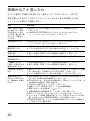
Troubleshooting
Should any problem persist after you have checked these symptoms, consult your nearest Sony
dealer.
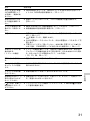
Symptom
Cause and/or corrective actions
The volume does not
c Set the AVLS switch to “NORM.”
increase even if you turn c The earphones are connected to the LINE OUT (OPTICAL) jack.
VOL +/– in the + direction
Connect them to the i (headphones) jack.
repeatedly (even if you
flick VOL +/– toward +
repeatedly on the CD
player).
Cannot adjust the
volume.
c The earphones are connected to the LINE OUT (OPTICAL) jack.
Connect them to the i (headphones) jack.
No sound, or noise is
heard.
c Connect the plugs firmly.
c Plugs are dirty. Clean the plugs with a dry soft cloth periodically.
The playing time is too
short when powered with
the dry battery.
c Check that you are using alkaline battery and not manganese battery.
c Replace the battery with new LR6 (size AA) alkaline battery.
The playing time is too
short when powered with
the rechargeable battery.
c Charge and discharge the rechargeable battery several times.
“Lobatt” or “000” appears c The rechargeable battery is used up completely. Charge the battery.
in the display. The CD
c The dry battery is used up. Replace it with new LR6 (size AA) alkaline
does not play.
battery.
“HiDCin” appears in the
display.
c Use only the supplied AC power adaptor or optional AC power adaptor.
c Use only the optional car battery cord.
c Remove all power sources, then insert the battery or connect the AC
power adaptor again.
The CD does not play, or
“Nodisc” appears in the
display when a CD is
placed in the CD player.
c
c
c
c
c
c
c
c
c
CHARGE lamp flashes on
the CD player when you
press a button, and the
CD does not play.
36
The buttons are locked. Slide the HOLD switch back.
The CD is dirty or defective.
Check that the CD is inserted with the label side up.
Moisture condensation has occurred. Leave the CD player aside for
several hours until the moisture evaporates.
Close the lid of the battery compartment firmly.
Make sure the battery is inserted correctly.
Connect the AC power adaptor to an AC outlet securely.
The CD-R/CD-RW was not finalized. Finalize the CD-R/CD-RW with
the recording device.
There is a problem with the quality of the CD-R/CD-RW, recording
device, or application software.
c The buttons are locked. Slide the HOLD switch back.