1
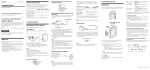
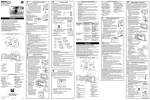
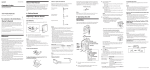
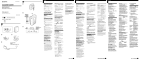
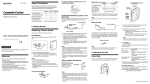
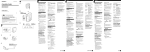
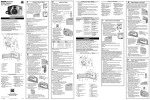
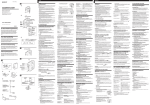
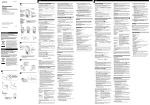
Español English 3-862-202-32(1) A Welcome! a Thank you for purchasing the Sony Cassette-Corder. Some features are: •VOR (Voice Operated Recording) system that starts and stops recording automatically in response to the sound, to save tapes and batteries. •SPEED CONTROL function that lets you increase or decrease the tape playback speed. •Stereo playback function that lets you enjoy pre-recorded stereo tapes with the supplied headphones (TCM-473V only). Cassette-Corder Operating instructions Manual de instrucciones Manual de instruções (no verso) Bedienungsanleitung (Rückseite) b c d AC power adaptor Adaptador de alimentación de CA Battery charger adaptor Adaptador de cargador de pilas DC IN 3V TCM-473V/455V/454VK/453V Dry Batteries (see Fig. A-a) Make sure that nothing is connected to the DC IN 3V jack. correct polarity and close the lid. Notes •Do not charge a dry battery. •Do not use a new battery with an old one. •Do not use different types of batteries. •When you do not use the unit for a long time, remove the batteries to avoid any damage caused by battery leakage and subsequent corrosion. •Dry batteries will not be expended when another power source is connected. Power indicator Indicador de alimentación e WARNING BATT lamp Indicador BATT To prevent fire or shock hazard, do not expose the unit to rain or moisture. To take out the batteries (see Fig. A-b) ADVERTENCIA f AC power adaptor Adaptador de alimentación de CA Para evitar incendios o descargas eléctricas, no exponga la unidad a la lluvia ni a la humedad. PAUSE c in the direction of the arrow To release pause recording, release PAUSE c*. Review the portion just recorded Press and hold 0 REW/REVIEW during recording. Release the button at the point to start playback. * PAUSE c will be also automatically released when p STOP is pressed (stop-pause-release function). Para evitar o risco de incêndio ou de choque eléctrico, não exponha o aparelho à chuva nem à humidade. Before using the rechargeable batteries, charge them with the supplied battery charger adaptor and AC power adaptor. 1 Insert the rechargeable batteries (NC-AA) into the B battery charger adaptor with correct polarity. 2 Connect the AC power adaptor (supplied to TCM454VK) to the DC IN 3V jack of the battery charger adaptor and to the wall outlet. The power indicator lights up. 3 Unplug the AC power adaptor from the wall outlet and from the battery charger adaptor after about eight hours. a Vorsicht Um die Gefahr von Feuer und eines elektrischen Schlags zu vermeiden, darf das Gerät weder Regen noch Feuchtigkeit ausgesetzt werden. Notes b About This Manual EAR(TCM-455V/454VK/453V) 2(TCM-473V) Built-in microphone Micrófono incorporado The instructions in this manual are for 4 models. The TCM453V is the model used for illustration purposes. Their differences are shown in the table below: MIC VOR — ® ® 2 (Stereo headphones) jack ® — — Battery charger adaptor — ® — Rechargeable batteries — ® — AC power adaptor — ® — ®: provided or supplied —: not provided or not supplied rREC pSTOP 0REW/ REVIEW PAUSE c Tab for side A Lengüeta de la cara A A TCM-473V 454VK 455V/453V — ® ® ® — — — ® — — — •After the batteries have been used for a while, the BATT lamp may flicker with the playback sound when you turn up the volume; however, this does not mean that you need to replace the batteries. •The unit will play back normally for a while even after the BATT lamp dims. However, replace the batteries as soon as you can. If you do not, subsequent recording will not be done correctly. Playback Sony R6P (SR) C MIC (PLUG IN POWER) Die Anweisungen in dieser Anleitung gelten für 4 Modelle. Die Abbildungen zeigen das Modell TCM-453V. In der folgenden Tabelle sehen Sie die Unterschiede zwischen den Modellen: TCM-473V 454VK 455V/453V — ® ® ® — — — ® — — ® — — ® — ®: vorhanden bzw. mitgeliefert —: nicht vorhanden bzw. nicht mitgeliefert Sony rechargeable battery (NC-AA) fully charged (TCM-454VK only) (EIAJ*) Recording 11 11 3 3 3.5 The sound is recorded in monaural. Recording with an External Microphone Connect a microphone to the MIC jack. The raised dot near the MIC jack identifies as the jack for a microphone, not an earphone. Use a microphone of low impedance (less than 3 kilohms) such as ECM-T110 (not supplied). When using a plug-in-power system microphone, the power to the microphone is supplied from this unit. Note When recording with an external microphone, the VOR system may not work properly because of the difference in sensitivity. Recording from Another Equipment Connect another equipment to the MIC jack using the RKG64HG connecting cord (not supplied). cassette holder. dot to show the direction to turn down volume beside VOL. At the end of the tape, playback stops and the unit turns off automatically. To Press or slide Stop playback/stop fast forward or rewind p STOP Pause playback PAUSE c in the direction of the arrow To release pause playback, release PAUSE c*. ) FF/CUE during stop Rewind** 0 REW/REVIEW during stop House Current (see Fig. A-f) Start recording during playback r REC Connect the AC power adaptor to DC IN 3V and to the wall outlet. The AC power adaptor is supplied only with the TCM-454VK. For other models, use the AC-E30HG AC power adaptor (not supplied). Do not use any other AC power adaptor. * PAUSE c will be also automatically released when p STOP is pressed (stop-pause-release function). ** If you leave the unit after the tape has been wound or rewound, the batteries will be consumed rapidly. Be sure to depress p STOP. To play back a tape recorded in stereo (TCM-473V only) The built-in speaker on this unit is monaural. To enjoy stereo sound, use the supplied headphones. Specifications for AC-E30HG varies for each area. Check your local voltage and the shape of plug before purchasing. z Additional Information z Operating the Unit 0 REW/REVIEW ) FF/CUE Recording PAUSE (see Fig. B-a, b) You can record right away with the built-in microphone. Make sure that nothing is connected to the MIC jack. Erase head Cabezal de borrado 3 Press ( PLAY then adjust the volume. There is a raised Fast forward** SPEED CONTROL E Set SPEED CONTROL to: SLOW (slow) to play back a tape slower. Center position to play back a tape at normal speed. FAST (fast) to play back a tape faster. Press and hold 0 REW/REVIEW and release it at the point you want Note ( PLAY Capstan Cabrestante 1 Insert a normal (TYPE I) tape with the side to start recording facing the cassette holder. 2 Set VOR to: H or L to start and pause recording Cotton swab Record/playback head Bastoncillo de Cabezal de grabación/ algodón reproducción Pinch-roller Rodillo de apriete Troubleshooting Should any problem persist after you have made these checks, consult your nearest Sony dealer. You cannot press r REC. m The tab on the tape has been removed. You cannot press ( PLAY. m The tape has reached the end. Rewind the tape. The unit does not operate. m The batteries have been inserted with incorrect polarity. m The batteries are weak. m PAUSE c is slid in the direction of the arrow. m The AC power adaptor or car battery cord is not firmly connected. m The batteries have been inserted, but simultaneously the AC power adaptor is connected and not to be done to the wall outlet. No sound comes from the speaker. m The earphone or headphones is plugged in. m The volume is turned down completely. Tape speed is too fast or too slow in the playback mode. m SPEED CONTROL is set at a point other than the center. The sound drops out or comes with excessive noise. m The volume is turned down completely. m The batteries are weak. m The heads are contaminated. See “Maintenance.” automatically to the sound. H (high) to record at meetings or in a quiet and/or spacious place. L (low) to record for dictation or in a noisy place. OFF to start and stop recording manually. Note When the sound to be recorded is not loud enough, set the VOR switch to OFF, or the unit may not start recording. 3 Press r REC. Recording starts. At the end of the tape, recording stops and the unit turns off automatically. m m m m Connection is made incorrectly. The batteries are weak. The record/playback head is contaminated. VOR has been set to the improper position when VOR function works. Recording is interrupted. m VOR is set to H or L. When you do not use VOR, set it to OFF. Recording cannot be erased completely. m The erase head is contaminated. m Recording or erasing is being made using recorded CrO2 (TYPE II) or metal (TYPE IV) tape. Maintenance (see Fig. E) To clean the exterior Use a soft cloth slightly moistened in water. Do not use alcohol, benzine or thinner. Clean the headphones plug periodically. Precautions On power •Operate the unit only on 3V DC. For AC operation, use the AC power adaptor recommended for the unit. Do not use any other type. For battery operation, use two size R6 (AA) batteries. On the unit •Do not leave the unit in a location near heat sources, or in a place subject to direct sunlight, excessive dust or mechanical shock. •Should any solid object or liquid fall into the unit, remove the batteries or disconnect the AC power adaptor, and have the unit checked by qualified personnel before operating it any further. •Keep personal credit cards using magnetic coding or spring-wound watches etc. away from the unit to prevent possible damage from the magnet used for the speaker. •If the unit has not been used for a long time, set it in the playback mode and warm it up for a few minutes before inserting a tape. Recording system 2-track 1 channel monaural Frequency range TCM-473V: Recording: 250-6,300Hz Playback: 100-8,000Hz TCM-455V/454VK/453V: 250-6,300Hz Speaker Approx. 3.6 cm (17⁄16 in.) dia. Power output TCM-473V: 130mW (at 10 % harmonic distortion) TCM-455V/454VK/453V: 300mW (at 10 % harmonic distortion) Input TCM-473V: Microphone input jack (minijack) sensitivity 0.2 mV for 3 kilohms or lower impedance microphone TCM-455V/454VK/453V: Microphone input jack (minijack) sensitivity 0.14 mV for 3 kilohms or lower impedance microphone Output TCM-473V: 2 (headphones) jack (stereo minijack) for 8 - 300 ohms headphones TCM-455V/454VK/453V: Earphone jack (minijack) for 8 300 ohms earphone Variable range of the tape speed From +30 % to –15 % Power requirements • Two size R6 (AA) batteries (not supplied): 3V DC • Two NC-AA rechargeable batteries (1.2 V) (supplied to TCM-454VK) DC IN 3 V jack accepts: • Sony AC power adaptor (supplied to TCM-454VK) or AC-E30HG AC power adaptor (not supplied) suitable in the country where the unit is to be used. • Sony DCC-E230 car battery cord (not supplied) for use on 12 V car battery. Dimensions (w/h/d) (incl. projecting parts and controls) 113 × 91 × 37 mm (41⁄2 × 35⁄8 × 11⁄2 in.) Mass (not incl. batteries) TCM-473V: 185 g (6.6 oz.) TCM-455V/454VK/453V: 170 g (6.0 oz.) Supplied accessories Hand strap (1) (attached to the unit) AC power adaptor (1) (TCM-454VK) Battery charger adaptor (1) (TCM-454VK) Rechargeable batteries (NC-AA, 1.2V, 700mAh, Ni-Cd) (2) (TCM-454VK) Headphones (1) (TCM-473V) Pulse r REC. Se inicia la grabación. Al final de la cinta, la grabación se detiene y la unidad se desactiva automáticamente. 3 ¡Bienvenido! Felicitaciones por la adquisición de la grabadora Sony. A continuación se indican algunas de las características: •Sistema VOR (grabación activada por voz), que inicia y detiene la grabación automáticamente en respuesta al sonido con el fin de ahorrar cinta y la energía de las pilas. •Función SPEED CONTROL, que permite aumentar o reducir la velocidad de reproducción de la cinta. •Función de reproducción en estéreo, que permite disfrutar de cintas previamente grabadas en estéreo con los auriculares suministrados (sólo para TCM-473V). Para Pulse o deslice Detener la grabación p STOP Introducir una pausa PAUSE c en la dirección de la flecha Para quitar la pausa en la grabación, suelte PAUSE c*. Comprobar la parte recién grabada Pulse y mantenga pulsado 0 REW/ REVIEW durante la grabación. Suelte el botón en el punto de inicio de la reproducción. z Procedimientos iniciales Preparación de una fuente de alimentación Seleccione una de las siguientes fuentes de alimentación. Pilas secas (consulte la figura A-a) Asegúrese de no realizar ninguna conexión a la toma DC IN 3V. 1 Abra la tapa del compartimiento de las pilas. 2 Inserte dos pilas R6 (tamaño AA) (no suministradas) con la polaridad correcta y cierre la tapa. Notas • No cargue las pilas secas. • No emplee una pila nueva con otra usada. • No utilice distintos tipos de pilas. • Cuando no vaya a utilizar la unidad durante varios días, retire las pilas para evitar que se produzcan daños derivados de fugas y corrosión de las mismas. • La pilas secas no se consumirán cuando se conecte otra fuente de alimentación. * PAUSE c también se quitará automáticamente al pulsar p STOP (función de liberación de pausa con STOP). •Si cae algún objeto sólido o se vierte líquido en el interior de la unidad, retire las pilas o desconecte el adaptador de alimentación de CA y solicite asistencia técnica de personal cualificado para revisar la unidad antes de utilizarla de nuevo. •Aleje de la unidad tarjetas de crédito con código magnético o relojes de cuerda, etc., para evitar que se produzcan posibles daños causados por el imán del altavoz. •Si no se ha utilizado la unidad durante un largo periodo de tiempo, introduzca el modo de reproducción y deje que se caliente durante unos minutos antes de insertar una cinta. Cintas superiores a 90 minutos No se recomienda utilizar cintas superiores a 90 minutos, excepto para realizar grabaciones o reproducciones largas y continuas, ya que la película es muy fina y tiende a estirarse con facilidad. Para controlar el sonido Si tiene alguna duda o problema en relación a la unidad, póngase en contacto con su proveedor Sony más cercano. Para el TCM-473V: Conecte los auriculares estéreo (suministrados) firmemente a la toma 2 (auriculares). Sólo para TCM-455V/454VK/453V: Conecte un auricular (no suministrado) firmemente a la toma EAR. Solución de problemas Notas •No emplee una cinta CrO2 (TYPE II) o de metal (TYPE IV), ya que puede distorsionarse el sonido al reproducir la cinta, o es posible que la grabación anterior no se borre completamente. •El interruptor SPEED CONTROL sólo es operativo en el modo de reproducción. La grabación se realizará con independencia de este control. Notas sobre la función VOR (Grabación activada por voz) Si no se soluciona el problema después de realizar las siguientes comprobaciones, póngase en contacto con su proveedor Sony más cercano. No es posible pulsar r REC. m Se ha retirado la lengüeta de la cinta. No es posible pulsar ( PLAY. m La cinta ha llegado al final. Rebobínela. La unidad no funciona. Para extraer las pilas (consulte la figura A-b) •Cuando utilice el sistema VOR en un lugar ruidoso, la unidad permanecerá en el modo de grabación. Por el contrario, si el sonido es demasiado bajo, la unidad no iniciará la grabación. Ajuste VOR en H (alto) o L (bajo) en función de las condiciones para recoger solamente el sonido necesario. •El sistema VOR depende de las condiciones del entorno. Si no obtiene los resultados deseados aunque ajuste VOR en H o en L, ajuste VOR en OFF. Para ajustar la tapa del compartimiento de las pilas si ésta se desprende accidentalmente (consulte la figura A-c) Para evitar que una cinta se grabe accidentalmente sobre una grabación previa (consulte la figura B-c) No se recibe sonido por el altavoz. Pilas recargables (suministradas sólo con Rompa y retire las lengüetas del cassette. Para volver a grabar la cinta, cubra el orificio de las lengüetas con cinta adhesiva. La velocidad de cinta es demasiado alta o demasiado baja en el modo de reproducción. TCM-454VK) (consulte la figura A-d) Antes de utilizar las pilas recargables, cárguelas con el adaptador de cargador de pilas y el de alimentación de CA suministrados. 1 2 3 To clean the tape heads and path Wipe the heads, pinch rollers, and the capstans with a cotton swab moistened with alcohol every 10 hours of use. Specifications Search backward during playback (REVIEW) Polarity of the plug p STOP If you have any questions or problems concerning your unit, please consult your nearest Sony dealer. 1 Insert a cassette with the side to start playing facing the Press and hold ) FF/CUE and release it at the point you want The battery life may shorten depending on the operation of the unit. VOL (see Fig. D) Search forward during playback (CUE) Note D We do not recommend the use of tapes longer than 90 minutes except for a long continuous recording or playback. They are very thin and tend to be stretched easily. Note (TCM-473V only) Playing a Tape 4 * Measured value by the standard of EIAJ (Electronic Industries Association of Japan). (Using a Sony HF series cassette tape) ®: disponibilizada ou fornecida —: não disponibilizada ou não fornecida Zu dieser Anleitung Recording from Various Sound Sources (see Fig. C) 2 Adjust the tape playback speed. Sony alkaline LR6 (SG) ®: suministrado —: no suministrado As instruções apresentadas neste manual referem-se a 4 modelos. Para fins ilustrativos, utilizamos as ilustrações do modelo TCM-453V. As diferenças entre os referidos modelos são apresentadas na tabela abaixo: Break out and remove the cassette tabs. To reuse the tape for recording, cover the tab hole with adhesive tape. Notes Las instrucciones de este manual hacen referencia a 4 modelos. En las ilustraciones se muestra el modelo TCM453V. Las diferencias existentes entre los modelos se describen en la tabla siguiente: Sobre este manual To prevent a tape from being accidentally recorded over (see Fig. B-c) Replace the batteries with new ones or charge the batteries (TCM-454VK only) when the BATT lamp dims. Battery life (Approximate hours) TCM-473V 454VK 455V/453V Toma EAR (auriculares) — ® ® Toma 2 (auriculares estéreo) ® — — Adaptador de cargador de pilas — ® — Pilas recargables — ® — Adaptador de alimentación — ® — de CA Notes on VOR (Voice Operated Recording) • When you use the VOR system in a noisy place, the unit will stay in the recording mode. If the sound is too soft, on the contrary, the unit will not start recording. Set VOR to H (high) or L (low) depending on the conditions to pick up necessary sound only. • The VOR system depends on the environmental conditions. If you cannot get the desired results even though you adjust VOR to H or L, set VOR to OFF. When to replace the batteries (see Fig. A- Side A Cara A Acerca de este manual •The power indicator lights in green as long as the AC power adaptor is plugged to the wall outlet and the DC IN 3V jack, even when the charging has not been done. •Use only the supplied or recommended AC power adaptor, battery charger adaptor and rechargeable batteries. •The rechargeable batteries can be charged approximately 500 times. •Do not leave the battery charger adaptor plugged in for more than 20 hours. Overcharging may damage the rechargeable batteries. e) TCM-473V 454VK 455V/453V EAR (earphone) jack To attach the battery compartment lid if it is accidentally detached (see Fig. A-c) 454VK only) (see Fig. A-d) ADVERTÊNCIA • Do not use a CrO2 (TYPE II) or metal (TYPE IV) tape, otherwise the sound may be distorted when you play back the tape, or the previous recording may not be erased completely. • The SPEED CONTROL switch works in the playback mode only. Recording will be made independent of this control. On tapes longer than 90 minutes Recording cannot be made. Rechargeable Batteries (supplied to TCMDC IN 3V Ohrhörerbuchse EAR Buchse 2 (Stereokopfhörer) Landegerätadapter Akkus Netzteil p STOP Pause recording Notes 1 Open the battery compartment lid. 2 Insert two size R6 (AA) batteries (not supplied) with Sony Corporation 1998 Printed in Taiwan, R.O.C. ® ® Stop recording For TCM-473V: Connect stereo headphones (supplied) firmly to the 2 (headphones) jack. For TCM-455V/454VK/453V: Connect an earphone (not supplied) firmly to the EAR jack. z Getting Started Choose one of the following power sources. — — Press or slide To monitor the sound Preparing a Power Source Jack EAR (auricular) jacks 2 (auscultadores estéreo) Adaptador para o carregador de pilhas Pilhas recarregáveis Transformador de corrente CA To Inserte las pilas recargables (NC-AA) en el adaptador de cargador de pilas con la polaridad correcta. Conecte el adaptador de alimentación de CA (suministrado con el TCM-454VK) a la toma DC IN 3V del adaptador de cargador de pilas y a la toma mural. El indicador de alimentación se ilumina. Desenchufe el adaptador de alimentación de CA de la toma mural y del adaptador de cargador de pilas transcurridas aproximadamente ocho horas. Notas •El indicador de alimentación se ilumina en verde mientras el adaptador de alimentación de CA esté enchufado a la toma mural y a la toma DC IN 3V, aunque no se haya realizado la carga. •Emplee sólo el adaptador de alimentación de CA, adaptador de cargador de pilas y pilas recargables suministrados o recomendados. •Las pilas recargables pueden cargarse aproximadamente 500 veces. •No deje enchufado el adaptador de cargador de pilas durante más de 20 horas. La sobrecarga puede dañar las pilas recargables. Cuándo sustituir las pilas (consulte la figura A-e) Sustituya las pilas por otras nuevas o cárguelas (sólo para TCM-454VK) cuando se atenúe la luz del indicador BATT. Grabación de distintas fuentes de sonido (consulte la figura C) El sonido se graba en monofónico. Grabación con un micrófono externo Conecte un micrófono a la toma MIC. El punto que sobresale, situado junto a la toma MIC, es una toma de micrófono y no de auriculares. Utilice un micrófono de baja impedancia (inferior a 3 kiloOhmios), como el ECM-T110 (no suministrado). Si utiliza un micrófono de sistema de alimentación por enchufe, la alimentación se suministra desde esta unidad. Duración de las pilas (Horas aproximadas) (EIAJ*) Al grabar con un micrófono externo, es posible que el sistema VOR no funcione correctamente debido a la diferencia de sensibilidad. Conecte otro equipo a la toma MIC mediante el cable de conexión RK-G64HG (no suministrado). Reproducción de una cinta 2 3 Ajuste la velocidad de reproducción de la cinta. Ajuste SPEED CONTROL en la posición: SLOW (lento) para reproducir una cinta lentamente. Central para reproducir una cinta a velocidad normal. FAST (rápido) para reproducir una cinta rápidamente. Pulse ( PLAY y, a continuación, ajuste el volumen. Al lado de VOL hay un punto en relieve que muestra la dirección para bajar el volumen. Al final de la cinta, la reproducción se detiene y la unidad se desactiva automáticamente. 3 Para 4 Detener la p STOP reproducción/detener el avance o rebobinado rápido de cinta Corriente doméstica (consulte la figura A-f) Conecte el adaptador de alimentación de CA a la toma DC IN 3V y a la toma mural. Dicho adaptador se suministra sólo con el modelo TCM-454VK. Para otros modelos, emplee el adaptador de CA AC-E30HG (no suministrado). No utilice otro tipo de adaptador de CA. Polaridad del enchufe Pulse o deslice Introducir una pausa PAUSE c en la dirección de la flecha Para quitar la pausa en la reproducción,suelte PAUSE c*. Buscar hacia delante durante la reproducción (CUE) Pulse y mantenga pulsado ) FF/ CUE, y suéltelo en el punto que desee Buscar hacia atrás durante la reproducción (REVIEW) Pulse y mantenga pulsado 0 REW/ REVIEW, y suéltelo en el punto que desee Avanzar rápidamente** ) FF/CUE durante la detención Rebobinar** 0 REW/REVIEW durante la detención Iniciar la grabación durante la reproducción r REC Nota La duración de las pilas puede reducirse en función del empleo de la unidad. Las especificaciones del AC-E30HG varían en función de la zona. Compruebe la tensión local y la forma del enchufe antes de la adquisición. * PAUSE c también se liberará automáticamente si se pulsa p STOP (función de liberación de pausa con STOP). ** Si deja la unidad encendida después de bobinar la cinta, las pilas se consumirán con rapidez. Asegúrese de pulsar p STOP. z Funcionamiento de la unidad Para reproducir una cinta grabada en estéreo (sólo para TCM-473V) Grabación El altavoz incorporado de esta unidad es monofónico. Para disfrutar de sonido estéreo, utilice los auriculares suministrados. Nota Design and specifications are subject to change without notice. (consulte la figura B-a, b) Es posible grabar inmediatamente con el micrófono incorporado. Asegúrese de no realizar ninguna conexión a la toma MIC. z Información adicional 1 Inserte una cinta normal (TYPE I) con la cara que desee grabar orientada hacia el portacassettes. Precauciones 2 Ajuste VOR en la posición: H o L para que la grabación se inicie o se interrumpa automáticamente en función de la intensidad del sonido. H (alto) para grabar en reuniones o en una sala silenciosa y/o amplia. L (bajo) para grabar un dictado o en un lugar ruidoso. OFF para iniciar y detener la grabación manualmente. •Alimente la unidad sólo con 3V CC. Para utilizar CA, emplee el adaptador de alimentación de CA recomendado para la unidad. No emplee ningún otro tipo de adaptador. Para utilizar pilas, emplee dos pilas R6 (tamaño AA). Nota Cuando el nivel del sonido que va a grabarse no es suficientemente alto, ajuste el interruptor VOR en la posición OFF, ya que es posible que la unidad no inicie la grabación. m m m m La conexión se ha realizado incorrectamente. Las pilas están agotándose. El cabezal de grabación/reproducción está sucio. VOR se ha situado en una posición incorrecta cuando la función VOR está operativa. Se ha interrumpido la grabación. m VOR se encuentra en la posición H o L. Si no utiliza la función VOR, sitúelo en la posición OFF. m El cabezal de borrado está sucio. m Realiza la grabación o el borrado con cintas de cromo (TYPE II) o de metal (TYPE IV) grabadas. Mantenimiento (consulte la figura E) Para limpiar los cabezales y el recorrido de la cinta Para limpiar el exterior Inserte una cinta con la cara que desee reproducir orientada hacia el portacassettes. 11 * Valor medido por la norma de EIAJ (Electronic Industries Association of Japan). (Con una cinta de cassette Sony de la serie HF) No es posible grabar. 1 3 3,5 m Ha disminuido el volumen por completo. m Las pilas disponen de poca energía. m Los cabezales están contaminados. Consulte “Mantenimiento”. (consulte la figura D) 11 Pila recargable Sony (NC-AA) completamente cargada (sólo para TCM-454VK) El sonido aparece o desaparece con un nivel de ruido excesivo. Limpie los cabezales, rodillos de apriete y los cabrestantes con un bastoncillo de algodón humedecido en alcohol cada 10 horas de uso. Grabación Pila Sony R6P (SR) m SPEED CONTROL está ajustado en un punto que no es el central. Grabación desde otro equipo Reproducción Pila alcalina Sony LR6 (SG) m Los auriculares están enchufados. m El volumen se ha bajado completamente. No es posible borrar la grabación por completo. Nota Notas • Después de utilizar las pilas durante un tiempo, es posible que el indicador BATT parpadee con el sonido de reproducción al aumentar el volumen; no obstante, esto no significa que sea necesario sustituirlas. • La unidad realizará la reproducción con normalidad durante un tiempo incluso después de atenuarse el indicador BATT. No obstante, sustituya las pilas tan pronto como sea posible. En caso contrario, las grabaciones posteriores no se realizarán correctamente. Las pilas se han insertado con la polaridad incorrecta. Las pilas están agotándose. PAUSE c se desliza en la dirección de la flecha. El adaptador de alimentación de CA o el cable de la batería del automóvil no están conectados firmemente. m Se han insertado pilas, pero simultáneamente se ha conectado el adaptador de alimentación de CA y no se ha enchufado a la toma mural. m m m m Alimentación Sobre la unidad •No deje la unidad cerca de fuentes de calor, ni en un lugar expuesto a la luz directa del sol, al polvo excesivo o a golpes mecánicos. Utilice un paño suave ligeramente humedecido en agua. No emplee alcohol, bencina ni diluyente. Nota (sólo para TCM-473V) Limpie periódicamente la clavija de los auriculares. Especificaciones Sistema de grabación 2 pistas 1 canal monoaural Gama de frecuencias TCM-473V: Grabación: 250-6.300Hz Reproducción: 100-8.000Hz TCM-455V/454VK/453V: 250-6.300Hz Altavoz Aprox. 3,6 cm (17⁄16 plgds.) de diámetro. Salida de potencia TCM-473V: 130mW (distorsión armónica de 10 %) TCM-455V/454VK/453V: 300mW (distorsión armónica de 10 %) Entrada TCM-473V: Toma de entrada de micrófono (minitoma) con sensibilidad de 0,2 mV para micrófono de 3 kiloOhmios o impedancia inferior TCM-455V/454VK/453V: Toma de entrada de micrófono (minitoma) con sensibilidad de 0,14 mV para micrófono de 3 kiloOhmios o impedancia inferior Salida TCM-473V: Toma 2 (auriculares) (minitoma estéreo) para auriculares de 8 - 300 ohmios TCM-455V/454VK/453K: Toma de auriculares (minitoma) para auriculares de 8 a 300 Ohmios Rango variable de la velocidad de cinta De +30 % a –15 % Requisitos de alimentación • Dos pilas R6 (tamaño AA) (no suministradas): 3V CC • Dos pilas recargables NC-AA (1,2 V) (suministradas con el TCM-454VK) Toma DC IN 3 V que admite: • Adaptador de alimentación de CA Sony (suministrado con el TCM-454VK) o adaptador de alimentación de CA ACE30HG (no suministrado) adecuado para el país donde va a utilizarse la unidad. • Cable de batería de automóvil Sony DCC-E230 (no suministrado) para utilizar una batería de automóvil de 12 V. Dimensiones (an/al/f) (incluidas partes y controles salientes.) 113 × 91 × 37 mm Masa (sin incluir pilas) TCM-473V: 185 g TCM-455V/454VK/453V: 170 g Accesorios suministrados Asa de mano (1) (fijada a la unidad) Adaptador de alimentación de CA (1) (TCM-454VK) Adaptador de cargador de pilas (1) (TCM-454VK) Pilas recargables (NC-AA, 1,2V, 700mAh, Ni-Cd) (2) (TCM-454VK) Auriculares (1) (TCM-473V) Diseño y especificaciones sujetos a cambio sin previo aviso. Deutsch Português 2 D A Bem-vindo! VOL a Obrigado por ter adquirido o gravador de cassetes da Sony. Apresentamos abaixo algumas das funções: •Sistema VOR (Gravação activada por voz) que inicia e pára automaticamente a gravação em resposta ao som, poupando a fita e as pilhas. •A função SPEED CONTROL que permite aumentar ou diminuir a velocidade de reprodução da fita. •Função de reprodução estéreo que lhe permite ouvir cassetes estéreo pré-gravadas com os auscultadores fornecidos (só para o modelo TCM-473V). p STOP ( PLAY SPEED CONTROL 0 REW/REVIEW b z Começar ) FF/CUE PAUSE Ajuste VOR para: a posição H ou L para iniciar e interromper automaticamente a gravação. H (alto) para gravações em reuniões ou em locais silenciosos e/ou espaçosos. L (baixo) para gravações de ditados ou em locais ruidosos. OFF para iniciar e parar manualmente a gravação. Nota Se o som de gravação não estiver suficientemente alto, ajuste o comutador VOR para a posição OFF. Se não o fizer, o aparelho pode não iniciar a gravação. Carregue em r REC. O gravador começa a gravar. A gravação pára no final da cassete e o gravador desliga-se automaticamente. 3 Para Preparação da fonte de alimentação Carregue ou faça deslizar Parar de gravar p STOP Fazer uma pausa na gravação Mova PAUSE c na direcção da seta Para retomar a gravação após uma pausa, liberte PAUSE c*. Escolha uma das seguintes fontes de alimentação. E c Pilhas secas (ver a Fig. A-a) Cabrestante Kapstan Cabeça de eliminação Löschkopf Cabeça de gravação/ Rolete de reprodução compressão Aufnahme-/ Wattestäbchen Wiedergabekopf Cotonete de algodão Andruckwalze d Adaptador para o carregador de pilhas Ladegerätadapter Transformador de corrente CA Netzteil Certifique-se de que não está nada ligado à ficha (tipo jack) CC IN de 3V. 1 Abra a tampa do compartimento das pilhas. 2 Introduza duas pilhas tamanho R6 (AA) (não fornecidas) com a polaridade correcta e feche a tampa. B Para retirar as pilhas (ver a Fig. A-b) Coloque as pilhas recarregáveis (NC-AA) no adaptador para o carregador de pilhas com a polaridade correcta. Ligue o transformador de corrente CA (fornecido com o modelo TCM-454VK) ao jack DC IN 3V do adaptador para o carregador de pilhas e à tomada de parede. O indicador de corrente acende-se. Desligue o transformador de corrente CA da tomada de parede e do adaptador para o carregador de pilhas depois de decorridas cerca de oito horas. Notas • O indicador de corrente acende-se a verde enquanto o transformador de corrente CA estiver ligado à tomada de parede e ao jack DC IN 3V, mesmo que a carga não tenha sido efectuada. • Utilize apenas o transformador de corrente CA, o adaptador para o carregador de pilhas e as pilhas recarregáveis fornecidos ou recomendados. • Pode carregar as pilhas recarregáveis cerca de 500 vezes. • Não deixe o adaptador para o carregador de pilhas ligado durante mais de 20 horas. Uma sobrecarga pode danificar as pilhas recarregáveis. Substituição das pilhas (ver a Fig.A-e) Substitua as pilhas por pilhas novas ou carregue-as (só para o modelo TCM-454VK) quando a luz do indicador BATT começar a ficar fraca. a Notas • Depois de ter utilizado as pilhas durante algum tempo, o indicador luminoso BATT pode tremer quando aumentar o som da reprodução. No entanto, isto não significa que as pilhas têm de ser substituídas. • Mesmo depois da luz do indicador luminoso BATT se apagar, o aparelho continuará, durante algum tempo, a efectuar a reprodução. Deve, no entanto, substituir as pilhas logo que possível. Se não o fizer, as gravações seguintes podem não ser efectuadas correctamente. Duração da pilha (número de horas aproximado) (EIAJ*) b Reprodução Pilhas alcalinas Sony LR6 (SG) EAR(TCM-455V/454VK/453V) 2(TCM-473V) Pilhas Sony R6P (SR) Pilha recarregável da Sony (NC-AA) com a carga total (Só para o modelo TCM-454VK) Microfone MIC VOR integrado Eingebautes Mikrofon Gravação 11 11 3 3 3,5 4 • Não utilize cassetes CrO2 (TYPE II) ou de metal (TYPE IV). Se o fizer, o som pode ficar distorcido quando reproduzir a cassete ou a gravação anterior pode não ser totalmente apagada. • O comutador SPEED CONTROL só funciona no modo de reprodução. A gravação é efectuada independentemente deste controlo. Notas sobre o VOR (gravação activada pela voz) • Quando utilizar o sistema VOR num local barulhento, o aparelho permanece no modo de gravação. Se, pelo contrário, o som for demasiado baixo, o aparelho não inicia a gravação. Dependendo das condições, coloque VOR na posição H (alta) ou L (baixa), de forma a captar apenas o som necessário. • O sistema VOR depende das condições ambientais. Se não conseguir obter os resultados pretendidos mesmo depois de ter regulado VOR para H ou L, coloque VOR na posição OFF. Para evitar a desgravação acidental de uma cassete gravada (ver a Fig. B-c) Parta as patilhas da cassete e deite-as fora. Para que possa voltar a gravar na mesma cassete, tape o orifício da patilha com fita adesiva. Gravação a partir de várias fontes de som (ver a Fig. C) O som é gravado em mono. Gravação com um microfone exterior Ligue um microfone à ficha tipo jack MIC. O ponto sobreposto, próximo da ficha (tipo jack) MIC, identifica-o como sendo adequado para um microfone e não para um auricular. Utilize um microfone de baixa impedância (inferior a 3 kilohms), tal como o ECM-T110 (não fornecido). Se utilizar um microfone “plug-in-power”, a corrente do microfone é fornecida pelo gravador. pSTOP 0REW/ REVIEW Corrente eléctrica doméstica PAUSE (ver a Fig. A-f) Ligue o transformador de corrente CA a DC IN 3V e à tomada de parede. O transformador de corrente CA só é fornecido com o modelo TCM-454VK. Com os outros modelos, utilize o transformador de corrente CA AC-E30HG (não fornecido). Não utilize qualquer outro tipo de transformador de corrente CA. c Polaridade da ficha A Lado A Seite A Patilha do lado A Überspielschutzlasche für Seite A C MIC (PLUG IN POWER) Não sai som do altifalante. m O auricular ou os auscultadores estão ligados. m O volume está na posição mais baixa. A velocidade da fita é demasiado rápida ou lenta no modo de reprodução. m SPEED CONTROL não está colocado na posição central. Há cortes de som ou o som está demasiado alto. m O volume está no mínimo. m As pilhas estão fracas. m As cabeças estão sujas. Consulte “Manutenção.” Não consegue gravar. m m m m A ligação está mal feita. As pilhas estão gastas. A cabeça de reprodução/gravação está suja. VOR foi ajustado para a posição errada. A gravação é interrompida. m VOR está ajustado para a posição H ou L. Se não pretende utilizar VOR, ajuste-o para a posição OFF. Não se consegue apagar completamente a gravação. m A cabeça de eliminação está suja. m Está a fazer uma gravação/eliminação utilizando uma cassete gravada CrO2 (TYPE II) ou de metal (TYPE IV). Para limpar a caixa Danke, daß Sie sich für das Diktiergerät von Sony entschieden haben. Im folgenden sind einige Funktionen Ihres Geräts aufgeführt: •Das VOR-System (VOR = Voice Operated Recording, stimmgesteuertes Aufnahmesystem) startet und stoppt die Aufnahme automatisch als Reaktion auf das Vorhandensein bzw. Fehlen von Ton. Dies spart Bandlänge und schont die Batterien. •Mit der Funktion zur Geschwindigkeitssteuerung (SPEED CONTROL) können Sie die Bandwiedergabegeschwindigkeit erhöhen oder verringern. •Mit der Stereowiedergabefunktion können Sie bespielte Stereokassetten mit den mitgelieferten Kopfhörern wiedergeben lassen (nur TCM-473V). z Vorbereitungen Vorbereiten der Stromquelle Wählen Sie eine der folgenden Stromquellen. Vergewissern Sie sich, daß nichts an die Buchse DC IN 3V angeschlossen ist. 1 Öffnen Sie den Batteriefachdeckel. 2 Legen Sie zwei R6-Batterien der Größe AA (nicht mitgeliefert) polaritätsrichtig ein, und schließen Sie den Deckel. (ver a Fig. E) •Versuchen Sie nicht, eine Trockenbatterie aufzuladen. •Verwenden Sie eine neue Batterie nicht zusammen mit einer alten. •Verwenden Sie keine unterschiedlichen Batterietypen zusammen. •Wenn Sie das Gerät längere Zeit nicht benutzen, nehmen Sie die Batterien heraus, um Schäden durch auslaufende Batterieflüssigkeit und Korrosion zu vermeiden. •Den Trockenbatterien wird kein Strom entzogen, wenn eine andere Stromquelle angeschlossen ist. So nehmen Sie die Batterien heraus (siehe Abb. A-b) So bringen Sie den Batteriefachdeckel wieder an, wenn er sich versehentlich gelöst hat (siehe Abb. A-c) Akkus (nur beim TCM-454VK mitgeliefert) Bevor Sie die Akkus benutzen, laden Sie sie mit dem mitgelieferten Ladegerätadapter und dem Netzteil. 2 3 1 Legen Sie die Akkus (NC-AA) polaritätsrichtig in den Ladegerätadapter ein. Schließen Sie das Netzteil (beim TCM-454VK mitgeliefert) an die Buchse DC IN 3V am Ladegerätadapter und an eine Netzsteckdose an. Die Netzanzeige leuchtet auf. Lösen Sie das Netzteil nach etwa acht Stunden von der Netzsteckdose und vom Ladegerätadapter. Hinweise •Die Netzanzeige leuchtet grün, solange das Netzteil an die Netzsteckdose und die Buchse DC IN 3V angeschlossen ist, auch wenn der Ladevorgang noch nicht beendet ist. •Verwenden Sie nur mitgelieferte oder empfohlene Netzteile, Ladegerätadapter und Akkus. •Sie können die Akkus ca. 500 Mal aufladen. •Lassen Sie den Ladegerätadapter nicht länger als 20 Stunden angeschlossen. Durch Überladen können die Akkus beschädigt werden. Wann müssen die Batterien ausgetauscht werden? (siehe Abb.A-e) Tauschen Sie die Batterien gegen neue aus, bzw. laden Sie die Akkus (nur TCM-454VK), wenn die Anzeige BATT schwächer wird. Utilize um pano macio ligeiramente humedecido em água. Não utilize álcool, benzina nem diluente. •Wenn die Batterien etwas schwächer werden, flackert bei hoher Wiedergabelautstärke möglicherweise die Anzeige BATT, ohne daß die Batterien ausgetauscht werden müssen. •Die Wiedergabe erfolgt noch eine Zeitlang normal, auch wenn die Anzeige BATT schwächer wird. Dennoch sollten Sie die Batterien möglichst bald wechseln. Andernfalls wird eine anschließende Aufnahme nicht korrekt durchgeführt. Nota (só para o modelo TCM-473V) Ungefähre Lebensdauer der Batterien (in Stunden) Limpe a ficha dos auscultadores periodidamente. 2 Ajuste a velocidade de reprodução da fita. Ajuste SPEED CONTROL para: SLOW (lento) para reproduzir uma cassete lentamente. Posição central para reproduzir uma cassete à velocidade normal. FAST (rápido) para reproduzir uma cassete rapidamente. 3 Carregue em ( PLAY e depois ajuste o volume. Ao lado de VOL existe um ponto em relevo que indica a direcção para onde tem de rodar o selector para baixar o volume de som. A reprodução pára no final da cassete e o gravador desligase automaticamente. Para Carregue ou faça deslizar Parar a reprodução/ parar o avanço rápido ou rebobinar p STOP Fazer uma pausa na reprodução Mova PAUSE c na direcção da seta para retomar a reprodução, liberte a tecla PAUSE c*. z Funcionamento do aparelho Carregue continuamente em 0 REW/REVIEW e depois solte-a no ponto pretendido Avançar rapidamente** ) FF/CUE durante a paragem Rebobinar** 0 REW/REVIEW durante a paragem Começar a gravar durante a reprodução r REC * Ao carregar em p STOP (função de libertação stop-pause) PAUSE c também é libertada automaticamente. ** Se deixar o aparelho ligado depois da cassete ter sido rebobinada, as pilhas gastam-se rapidamente. Não se esqueça de carregar na tecla p STOP. Para reproduzir uma cassete gravada em estéreo (só para o modelo TCM-473V) O altifalante deste aparelho é mono. Para obter som estéreo, utilize os auscultadores fornecidos. Especificações Sistema de gravação 2 faixas, 1 canal mono Gama de frequência TCM-473V: Gravação: 250-6,300Hz Reprodução: 100-8,000Hz TCM-455V/454VK/453V: 250-6,300Hz Altifalante Aprox. 3,6 cm de diâmetro. Saída da corrente TCM-473V: 130mW (a 10 % de distorção harmónica) TCM-455V/454VK/453V: 300mW (a 10 % de distorção harmónica) Entrada TCM-473V: Ficha tipo jack de entrada do microfone (minificha) sensibilidade de 0,2 mV para 3 kilohms ou microfone de baixa impedância TCM-455V/454VK/453V: Ficha tipo jack de entrada do microfone (mini-ficha) sensibilidade de 0,14 mV para 3 kilohms ou microfone de baixa impedância Saída TCM-473V: jacks 2 (auscultadores) (minijack estéreo) para auscultadores de 8 - 300 ohms TCM-455V/454VK/453K: Ficha tipo jack auricular (minificha) para auricular de 8 - 300 ohms Variação de velocidade da fita de +30 % a –15 % Condições de alimentação necessárias •Pilhas de R6 (tamanho AA) (não fornecidas): 3V CC •Duas pilhas recarregáveis NC-AA (1.2 V) (fornecidas para o modelo TCM-454VK) A ficha tipo jack CC IN de 3V aceita: •Transformador de corrente CA da Sony (fornecido para o TCM-454VK) ou transformador de corrente CA AC-E30HG (não fornecido) adequado ao país em que o aparelho foi adquirido. •O cabo de ligação à bateria do automóvel Sony DDC-E230 (não fornecido) para utilização com uma bateria de automóvel de 12 V. Dimensões (l/a/p) (incluindo peças salientes e controlos) 113 × 91 × 37 mm (41/2 × 35/8 × 11/2 pol.) Peso (não incluindo pilhas) TCM-473V: 185 g (6,6 onças) TCM-455V/454VK/453V: 170 g (6,0 onças) Acessórios fornecidos Pega para o pulso (1) (presa ao aparelho) Transformador de corrente CA (1) (TCM-454VK) Adaptador para o carregador de pilhas (1) (TCM-454VK) Pilhas recarregáveis (NC-AA, 1.2V, 700mAh, Ni-Cd) (2) (TCM-454VK) Auscultadores (1) (TCM-473V) O design e as especificações estão sujeitos a alterações sem aviso prévio. •Verwenden Sie das Gerät nicht in der Nähe von Wärmequellen oder an Orten, an denen es direktem Sonnenlicht, übermäßig viel Staub oder mechanischen Erschütterungen ausgesetzt ist. •Sollten Fremdkörper oder Flüssigkeiten in das Gerät gelangen, nehmen Sie die Batterien heraus, bzw. trennen Sie es vom Netzteil, und lassen Sie es von qualifiziertem Fachpersonal überprüfen, bevor Sie es wieder benutzen. •Halten Sie Kreditkarten mit Magnetcodierung oder Zugfederuhren (mechanische Uhren) etc. vom Gerät fern, um mögliche Schäden durch den Lautsprechermagneten zu vermeiden. •Wenn das Gerät längere Zeit nicht benutzt wurde, starten Sie den Wiedergabemodus. Das Gerät benötigt einige Minuten Aufwärmzeit, kann können Sie eine Kassette einlegen. Drücken Sie r REC. Die Aufnahme beginnt. Am Ende des Bandes stoppt die Aufnahme, und das Gerät schaltet sich automatisch aus. Funktion Taste/Schieber Stoppen der Aufnahme Drücken Sie p STOP. Unterbrechen der Aufnahme Schieben Sie PAUSE c in Pfeilrichtung. Zum Fortsetzen der Aufnahme nach einer Pause lassen Sie PAUSE c los*. Überprüfen des gerade aufgenommenen Abschnitts Drücken Sie beim Aufnehmen die Taste 0 REW/REVIEW, und halten Sie sie gedrückt. Lassen Sie die Taste an der Stelle los, an der die Wiedergabe starten soll. * PAUSE c springt automatisch heraus, wenn Sie p STOP drücken (Stop-Pause-Funktion). TCM-473V: Schließen Sie Stereokopfhörer (mitgeliefert) fest an die Buchse 2 (Kopfhörer) an. Nur TCM-455V/454VK/453V: Schließen Sie einen Ohrhörer (nicht mitgeliefert) fest an die Buchse EAR an. Hinweise • Verwenden Sie keine CrO2-Kassette (TYPE II) oder Metallkassette (TYPE IV). Andernfalls kann der Ton bei der Wiedergabe des Bandes verzerrt sein, oder die vorherige Aufnahme wird nicht vollständig gelöscht. • Der Schalter SPEED CONTROL arbeitet nur im Wiedergabemodus. Die Aufnahme erfolgt unabhängig von der Geschwindigkeitseinstellung. Hinweise zum VOR-System (VOR = Voice Operated Recording) •Wenn Sie das VOR-System in lauter Umgebung einsetzen, nimmt das Gerät permanent auf. Ist der Ton dagegen zu leise, beginnt das Gerät nicht mit der Aufnahme. Stellen Sie VOR je nach Umgebungsbedingungen auf H (high - hoch) oder L (low - niedrig), so daß nur der gewünschte Ton aufgezeichnet wird. • Die Funktion des VOR-Systems hängt von den jeweiligen Umgebungsbedingungen ab. Wenn Sie nicht die gewünschten Ergebnisse erzielen, auch wenn Sie VOR auf H oder L stellen, stellen Sie VOR auf OFF. So vermeiden Sie es, versehentlich ein Band zu überspielen (siehe Abb. B-c) Aufnehmen von verschiedenen Tonquellen (siehe Abb. C) Der Ton wird monaural aufgenommen. Aufnehmen mit einem externen Mikrofon Schließen Sie ein Mikrofon an die Buchse MIC an. Der kleine Vorsprung bei der Buchse MIC zeigt an, daß es sich um eine Mikrofonbuchse, nicht um eine Ohrhörerbuchse handelt. Verwenden Sie ein Mikrofon mit niedriger Impedanz (weniger als 3 Kiloohm) wie z. B. ECM-T110 (nicht mitgeliefert). Bei einem Plug-in-Power-Mikrofon liefert dieses Gerät den Strom für das Mikrofon. Hinweis Wenn Sie mit einem externen Mikrofon aufnehmen, arbeitet das VOR-System möglicherweise aufgrund der unterschiedlichen Empfindlichkeit nicht korrekt. Aufnehmen von anderen Geräten Schließen Sie ein anderes Gerät über das Verbindungskabel RK-G64HG (nicht mitgeliefert) an die Buchse MIC an. Wiedergeben eines Bandes (siehe Abb. D) 1 Legen Sie eine Kassette ein. Die wiederzugebende Seite muß zum Bandhalter weisen. 2 Stellen Sie die Bandwiedergabegeschwindigkeit ein. Stellen Sie SPEED CONTROL auf: SLOW (langsam) zur langsamen Wiedergabe eines Bandes. Mittlere Position zur Wiedergabe bei normaler Geschwindigkeit. FAST (schnell) zur schnellen Wiedergabe eines Bandes. (EIAJ*) Alkali-Batterie LR6 (SG) von Sony 11 3 3 3,5 4 R6P (SR) von Sony Sony-Akku (NC-AA) vollständig geladen (nur TCM-454VK) Aufnahme 11 3 Drücken Sie ( PLAY, und stellen Sie die Lautstärke ein. Eine kleine Erhebung neben VOL gibt die Richtung an, in der Sie die Lautstärke herunterdrehen. * Gemessener Wert nach EIAJ-Standard (Electronic Industries Association of Japan) unter Verwendung einer Kassette der HF-Serie von Sony Am Bandende stoppt die Wiedergabe, und das Gerät schaltet sich automatisch aus. Hinweis Funktion Taste/Schieber Je nach den Betriebsbedingungen ist die Lebensdauer der Batterie möglicherweise kürzer. Stoppen der Wiedergabe/Stoppen des schnellen Vor-oder Zurückspulens Drücken Sie p STOP. Unterbrechen der Wiedergabe Schieben Sie PAUSE c in Pfeilrichtung. Zum Fortsetzen der Wiedergabe nach einer Pause lassen Sie PAUSE c los*. Vorwärtssuchen während der Wiedergabe (CUE) Drücken Sie ) FF/CUE, halten Sie die Taste gedrückt, und lassen Sie sie an der gewünschten Stelle los. Rückwärtssuchen während der Wiedergabe (REVIEW) Drücken Sie 0 REW/REVIEW, halten Sie die Taste gedrückt, und lassen Sie sie an der gewünschten Stelle los. Vorspulen Drücken Sie im Stopmodus ) FF/CUE. Netzstrom (siehe Abb. A-f) Schließen Sie das Netzteil an die Buchse DC IN 3V und eine Netzsteckdose an. Das Netzteil wird nur beim TCM-454VK mitgeliefert. Bei anderen Modellen verwenden Sie das Netzteil AC-E30HG (nicht mitgeliefert). Benutzen Sie kein anderes Netzteil. Polarität des Steckers Hinweis Die Spezifikationen für AC-E30HG variieren je nach Region. Stellen Sie vor dem Erwerb fest, welche örtliche Betriebsspannung gilt und welchen Steckertyp Sie benötigen. z Betrieb ** Zurückspulen** Drücken Sie im Stopmodus 0 REW/ REVIEW. Starten der Aufnahme Aufnahme (siehe Abb. B-a, b) Sie können den Ton einfach über das eingebaute Mikrofon aufzeichnen. Dabei darf nichts an die Buchse MIC angeschlossen sein. 1 2 Legen Sie eine normale Kassette (TYPE I) ein. Die Seite, auf der die Aufnahme beginnen soll, muß zum Bandhalter weisen. Stellen Sie VOR auf H bzw. L. Die Aufnahme wird als Reaktion auf das Vorhandensein bzw. Fehlen von Ton automatisch gestartet bzw. unterbrochen. H (hoch) zum Aufnehmen bei Besprechungen, in ruhiger Umgebung und/oder in einem größeren Raum. L (niedrig) zum Aufnehmen bei einem Diktat oder in lauter Umgebung. OFF zum Starten und Stoppen der Aufnahme von Hand. Bänder mit mehr als 90 Minuten Aufnahmedauer Sie sollten Bänder mit einer Aufnahmedauer von über 90 Minuten - wenn überhaupt - nur für langes ununterbrochenes Aufnehmen oder Wiedergeben verwenden. Diese Bänder sind sehr dünn und leicht zu überdehnen. Sollten an Ihrem Gerät Probleme auftreten oder sollten Sie Fragen haben, wenden Sie sich bitte an Ihren Sony-Händler. Störungsbehebung Sollte eine Funktionsstörung auch nach der Überprüfung der folgenden Punkte fortbestehen, wenden Sie sich bitte an Ihren Sony-Händler. r REC kann nicht gedrückt werden. m Die Überspielschutzlasche der Kassette wurde entfernt. ( PLAY kann nicht gedrückt werden. m Das Band ist am Bandende angelangt. Spulen Sie das Band zurück. Das Gerät arbeitet nicht. Die Batterien sind nicht polaritätsrichtig eingelegt. Die Batterien sind zu schwach. PAUSE c wurde in Pfeilrichtung geschoben. Das Netzteil oder das Autobatterieadapterkabel ist nicht korrekt angeschlossen. m Die Batterien sind zwar eingelegt, aber gleichzeitig ist das Netzteil angeschlossen, jedoch ist dieses nicht mit der Netzsteckdose verbunden. m m m m Kein Ton ertönt aus dem Lautsprecher. m Die Ohr- oder Kopfhörer sind angeschlossen. m Die Lautstärke wurde vollständig heruntergedreht. Die Bandgeschwindigkeit ist im Wiedergabemodus zu schnell oder zu langsam. m SPEED CONTROL befindet sich nicht in der mittleren Position. Der Ton fällt aus oder wird nur mit vielen Nebengeräuschen wiedergegeben. m Die Lautstärke ist vollständig heruntergedreht. m Die Batterien sind zu schwach. m Die Tonköpfe sind verschmutzt (siehe dazu den Abschnitt “Wartung”). Aufnehmen ist nicht möglich. m Die Anschlüsse wurden nicht ordnungsgemäß vorgenommen. m Die Batterien sind zu schwach. m Der Aufnahme-/Wiedergabekopf ist verschmutzt. m VOR befindet sich in einer ungeeigneten Position, wenn die VOR-Funktion aktiviert wurde. Die Aufnahme wird unterbrochen. m VOR ist auf H oder L gestellt. Wenn Sie das VORSystem nicht verwenden wollen, stellen Sie VOR auf OFF. Eine vorhandene Aufnahme läßt sich nicht vollständig löschen. m Der Löschkopf ist verschmutzt. m Beim Aufnehmen oder Löschen wurde eine bespielte CrO2- (TYPE II) oder eine Metallkassette (TYPE IV) verwendet. Wartung Hinweise Wiedergabe Introduza uma cassete com lado que pretende reproduzir virado para o suporte das cassetes. Umgang mit dem Gerät Wenn der aufzunehmende Ton nicht laut genug ist, stellen Sie den Schalter VOR auf OFF. Andernfalls startet das Gerät die Aufnahme möglicherweise nicht. Brechen Sie die Überspielschutzlaschen an der Kassette heraus. Wenn Sie später wieder auf das Band aufnehmen wollen, überkleben Sie die Aussparungen mit Klebeband. (siehe Abb. A-d) 1 3 Hinweis So überprüfen Sie den Ton Trockenbatterien (siehe Abb. A-a) (ver a Fig. D) Pesquisar para trás durante a reprodução (REVIEW) Introduza uma cassete normal (TYPE I) com o lado em que pretende gravar virado para o suporte das cassetes. Introduziu as pilhas com a polaridade invertida. As pilhas estão gastas. Moveu PAUSE c na direcção da seta. O transformador de corrente CA ou a bateria do automóvel não foi ligada correctamente. m O transformador de corrente CA não pode estar ligado à tomada de parede quando introduzir as pilhas. m m m m Ligue outro equipamento à ficha (tipo jack) MIC, utilizando o cabo de ligação RK-G64HG (não fornecido). Carregue continuamente em ) FF/ CUE e depois solte-a no ponto pretendido 1 O gravador não funciona. Em cada 10 horas de utilização, limpe as cabeças, os roletes de compressão e o cabrestante com um cotonete de algodão humedecido em álcool. Pesquisar para a frente durante a reprodução (CUE) O microfone incorporado permite-lhe gravar imediatamente. Certifique-se de que não está nada ligado à ficha (tipo jack) MIC. m A cassete chegou ao fim. Rebobine-a. Gravação a partir de outro equipamento As características do AC-E30HG variam de zona para zona. Antes de adquirir o aparelho, verifique a tensão de corrente local e a forma da ficha. (ver a Fig. B-a, b) Não consegue carregar em ( PLAY. Para limpar as cabeças da cassete e respectivos acessórios Nota Gravação m A patilha da cassete foi retirada. Se gravar com um microfone exterior, o sistema VOR pode não funcionar correctamente devido à diferença de sensibilidade. nota A duração da pilha pode ser menor dependendo das condições de utilização do aparelho. Não consegue carregar em r REC. Manutenção Reprodução de cassetes Willkommen! Hinweise Nota * Valor medido de acordo com a norma da EIAJ(Electronic Industries Association of Japan). (Utilizando uma cassete da série HF da Sony) rREC Se surgirem dúvidas ou problemas relacionados com o aparelho, consulte o agente Sony mais próximo. Se os problemas persistirem depois de efectuar estas verificações, consulte o agente Sony mais próximo. 3 DC IN 3V Não recomendamos a utilização de cassetes com uma duração superior a 90 minutos, excepto durante gravações ou reproduções muito longas. A fita destas cassetes é muito fina e estica com grande facilidade. Notas 2 Transformador de corrente CA Netzteil Cassetes com uma duração superior a 90 minutos Resolução de problemas 1 f Aparelho • Não coloque o aparelho perto de fontes de calor, em locais sujeitos à incidência directa dos raios solares, poeiras ou a choques mecânicos. • Se cair um objecto ou um líquido dentro do aparelho, retire as pilhas ou desligue o adaptador de corrente CA e mande-o reparar por pessoal qualificado antes de voltar a utilizá-lo. • Mantenha os cartões de crédito com códigos magnéticos, os relógios de corda, etc. longe do aparelho de modo a evitar possíveis danos provacados pelo íman do altifalante. • Se o gravador já não é utilizado há muito tempo, coloque-o em modo de reprodução e deixe-o aquecer durante alguns minutos antes de introduzir a cassete. Para o modelo TCM-473V: Ligue bem os auscultadores estéreo (fornecidos) aos jacks 2 (auscultadores). Só para o modelo TCM-455V/454VK/453V: Ligue um auricular (não fornecido) à ficha tipo jack EAR. Antes de utilizar as pilhas recarregáveis, carregue-as utilizando o adaptador para o carregador de pilhas fornecido e o transformador de corrente CA. Indicador luminoso BATT Anzeige BATT • Este aparelho só funciona com corrente de 3V CC. Para funcionar com CA, utilize o transformador de corrente CA recomendado para este aparelho. Não utilize nenhum outro tipo. Para funcionar com pilhas, introduza duas pilhas de R6 (tamanho AA). • Não carregue pilhas secas. • Não misture pilhas novas com velhas. • Não utilize tipos diferentes de pilhas. • Se não pretender utilizar o aparelho durante algum tempo, retire as pilhas de modo a evitar o derramamento do líquido das pilhas e a subsequente corrosão. • As pilhas não se gastam mesmo se ligar outra fonte de alimentação. modelo TCM-454VK) (consulte a figura A-d) e Corrente eléctrica Para controlar o som Pilhas recarregáveis (fornecidas só com o Indicador de corrente Netzanzeige * Ao carregar em p STOP (função de libertação stop-pause) liberta também automaticamente a tecla PAUSE c. Precauções Notas Para voltar a montar a tampa do compartimento das pilhas se esta se soltar acidentalmente (ver a Fig. A-c) DC IN 3V Carregue continuamente em 0 REW/REVIEW durante a gravação. Solte a tecla quando iniciar a reprodução. Rever a parte que foi gravada z Informações adicionais Drücken Sie während der Wiedergabe r REC. * PAUSE c springt automatisch heraus, wenn Sie p STOP drücken (Stop-Pause-Funktion). ** Sie müssen nach dem Vor- bzw. Zurückspulen in den Stopmodus wechseln, da sonst die Batterien rasch verbraucht werden. Achten Sie also darauf, die Taste p STOP zu drücken. So lassen Sie eine Kassette mit Stereoaufnahmen wiedergeben (nur TCM-473V) Der eingebaute Lautsprecher dieses Geräts ist monaural. Den Stereoton können Sie über die mitgelieferten Kopfhörer wiedergeben lassen. z Weitere Informationen Sicherheitsmaßnahmen Stromversorgung •Betreiben Sie das Gerät nur mit 3 V Gleichstrom. Verwenden Sie bei Wechselstrom ausschließlich das für das Gerät empfohlene Netzteil. Für Batteriebetrieb verwenden Sie zwei R6-Batterien der Größe AA. (siehe Abb. E) So reinigen Sie die Tonköpfe und den Bandtransportweg Reinigen Sie nach jeweils 10 Gebrauchsstunden Tonköpfe, Andruckwalzen und Kapstan mit einem Wattestäbchen, das Sie mit Alkohol angefeuchtet haben. So reinigen Sie das Gehäuse Nehmen Sie ein weiches, leicht mit Wasser angefeuchtetes Tuch. Verwenden Sie keinen Alkohol, Benzin oder Verdünnung. Hinweis (nur TCM-473V) Reinigen Sie den Kopfhörerstecker regelmäßig. Technische Daten Aufnahmesystem 2 Spuren, 1 Kanal, monaural Frequenzbereich TCM-473V: Aufnahme: 250 - 6.300 Hz Wiedergabe: 100 - 8.000 Hz TCM-455V/454VK/453V: 250-6.300 Hz Lautsprecher Durchmesser ca. 3,6 cm Leistungsabgabe TCM-473V: 130 mW (bei 10 % harmonischer Verzerrung) TCM-455V/454VK/453V: 300 mW (bei 10 % harmonischer Verzerrung) Eingang TCM-473V: Empfindlichkeit der Mikrofoneingangsbuchse (Minibuchse) 0,2 mV für Mikrofon mit einer Impedanz von 3 Kiloohm oder weniger TCM-455V/454VK/453V: Empfindlichkeit der Mikrofoneingangsbuchse (Minibuchse) 0,14 mV für Mikrofon mit einer Impedanz von 3 Kiloohm oder weniger Ausgang TCM-473V: Kopfhörerbuchse 2 (Stereominibuchse) für Kopfhörer mit 8 - 300 Ohm TCM-455V/454VK/453V: Ohrhörerbuchse (Minibuchse) für Ohrhörer mit 8 - 300 Ohm Variabler Bereich der Bandgeschwindigkeit von +30% bis –15% Stromversorgung •Zwei R6-Batterien der Größe AA (nicht mitgeliefert): 3 V Gleichstrom •Zwei NC-AA-Akkus (1,2 V) (beim TCM-454VK mitgeliefert) Buchse DC IN 3 V für: •Netzteil von Sony (beim TCM-454VK mitgeliefert) oder Netzteil AC-E30HG (nicht mitgeliefert), geeignet für das Land, in dem das Gerät benutzt werden soll. •Autobatterieadapterkabel DDC-E230 von Sony (nicht mitgeliefert) für Betrieb an 12-V-Autobatterie. Abmessungen (B/H/T) (einschl. vorstehender Teile und Bedienelemente) 113 × 91 × 37 mm Gewicht (ohne Batterien) TCM-473V: 185 g TCM-455V/454VK/453V: 170 g Mitgeliefertes Zubehör Trageriemen (1) (am Gerät angebracht) Netzteil (1) (TCM-454VK) Ladegerätadapter (1) (TCM-454VK) Akkus (NC-AA, 1,2 V, 700 mAh, Ni-Cd) (2) (TCM-454VK) Kopfhörer (1) (TCM-473V) Änderungen, die dem technischen Fortschritt dienen, bleiben vorbehalten.