1
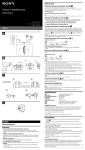
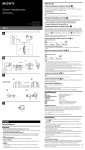
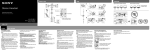
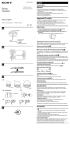
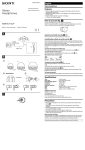
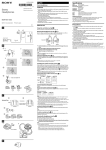
To detach an earbud (see fig. -) English While holding the headphone, twist the parts inside of the earbud and pull the earbud off. Stereo headset Stereo Headset Tip If the earbud slips and cannot be detached, wrap it in a dry soft cloth. WARNING Operating Instructions Manual de instrucciones To attach an earbud (see fig. -) To reduce the risk of fire or electric shock, do not expose this apparatus to rain or moisture. Push the parts inside of the earbud into the headphone until the projecting part of the headphone is fully covered. To reduce the risk of electrical shock, do not open the cabinet. Refer servicing to qualified personnel only. How to attach the clip to the cord (see fig. ) You are cautioned that any changes or modifications not expressly approved in this manual could void your authority to operate this equipment. 4-408-905-11(1) ©2011 Sony Corporation Printed in Thailand XBA-4iP 1 You can use the unit with only the following models supporting remote control. Update your iPod, iPhone or iPad to the latest software before use. In the Operating Instructions, iPod, iPhone and iPad are collectively described as “iPod” except in special cases. iPod touch 4th generation iPod touch 3rd generation iPod touch 2nd generation iPod nano 6th generation iPod nano 5th generation (video camera) iPod nano 4th generation (video) iPod classic 120GB 160GB (2009) iPod shuffle 4th generation iPod shuffle 3rd generation iPhone 4 iPhone 3GS iPad 2 iPad On copyright 2 Compatible iPod/iPhone models * * There is a tactile dot beside Volume +. 1 iPhone®, iPod®, iPod classic®, iPod nano®, iPod shuffle®, and iPod touch® are trademarks of Apple Inc., registered in the U.S. and other countries. iPad® is a trademark of Apple Inc. “Made for iPod,” “Made for iPhone,” and “Made for iPad” mean that an electronic accessory has been designed to connect specifically to iPod, iPhone, or iPad, respectively, and has been certified by the developer to meet Apple performance standards. Apple is not responsible for the operation of this device or its compliance with safety and regulatory standards. Features Earbuds with remote controller for iPod/iPhone/iPad Easy-to-use remote control (only for iPod, iPhone and iPad) Newly developed Quad Balanced Armature driver unit Newly developed micro-size driver unit (full-range + dual woofer + tweeter) reproduces fat bass sound and detailed high range for a rich and ambient full-range sound. Newly developed Double Layered Housing Magnesium inner housing holds the driver units rigidly for smooth sound response. Special ABS plastic outer housing prevents unwanted vibration for clear mid-high range. Noise-blocking design Noise-blocking design attenuates ambient noise and sound leakage. Housing design for wearing comfort Optimally-placed, Quad Balanced Armature driver for ultimate wearing comfort. 2 Earbud Tactile dot 3 How to use Using the supplied cord adjuster (see fig. -) You can adjust the cord length by winding the cord on the cord adjuster. (The cord can be wound to the cord adjuster up to 50 cm. If you wind more, the cord comes off from the cord adjuster easily.) 1 Wind the cord. 2 Push cord into slot hole to secure in place. Sectional View Colored parts Pressure-relieving urethane cushion Note Do not wind the plug or split section of the cord, as it will strain the cord and may cause a wire break. How to use the remote and microphone for an iPod (See fig. -) You can control a connected iPod product. Parts and controls Volume + Increases the volume of the connected iPod product. Center button Plays/pauses a track of the connected iPod product with a single press. Skips to the next track with a double press. Skips to the previous track with a triple press. Starts the “VoiceOver*” feature with a long press (if available). Press once to answer the call. Press again to end. Hold down for about two seconds to reject an incoming call. When you let go, two low beeps confirm the call was rejected. Volume – Decreases the volume of the connected iPod product. Microphone *Availability of the “VoiceOver” feature depends on iPod and its software version. Wearing the headphones (see fig. ) 1 2 3 Determine right and left headphone and hold them as in the illustration. There is a tactile dot on the unit marked to distinguish the left side. Fit the headphones into your ears snugly, as in the illustration. Adjust the headphone to fit snugly in your ear. Installing the earbuds correctly (see fig. ) If the earbuds do not fit your ears correctly, low-bass sound may not be heard. To enjoy better sound quality, change the earbuds to another size or type, or adjust the earbuds position to sit on your ears comfortably and fit your ears snugly. If the earbuds do not fit your ears, try another size or type. Confirm the size of the earbuds by checking the color inside (see fig. - for hybrid silicone rubber earbuds and - for noise isolation earbuds). When you change the earbuds, install them firmly on the headphones to prevent the earbud from detaching and remaining in your ear. About hybrid silicone rubber earbuds (see fig. -) Earbud sizes (inside color) Small SS (Red) S (Orange) Large M (Green) L (Light blue) To clean the hybrid silicone rubber earbuds Remove the earbuds from the headphones, and wash them with a mild detergent solution. About noise isolation earbuds (see fig. -) Supplied noise isolation earbuds provides a snug fit for effective attenuation of ambient noise. Earbud sizes (inside color) Small S (Orange) M (Green) Large L (Light blue) Notes Prolonged use of the noise isolation earbuds may strain your ears due to their snug fit. If you have experience discomfort or pain in your ears, discontinue use. The pressure-relieving urethane cushion is extremely soft. Therefore, do not pinch or pull the urethane cushion. If the urethane cushion is broken or detached from the earbuds, it will not take its correct position and the earbuds will lose their noise isolation function. The pressure-relieving urethane cushion may deteriorate due to long-term storage or use. If the pressure-relieving power is lost and the urethane cushion becomes hard, the earbuds may lose their noise isolation function. Do not wash the noise isolation earbuds. Keep them dry, and avoid accumulation of water in the pressure-relieving urethane-cushions. Not doing so may cause early deterioration. 1 2 Hold the clip closed, and pull up the lever on the clip just a little. Put the cord into the groove under the lever. Notes If you pull up the lever on the clip without holding the clip closed, or holding the clip closed but opening the lever too much, you cannot put the cord into the groove under the lever. Do not catch the cord on the projection of the clip or do not wedge it into the groove. It may damage the wires of the cord. Do not move the clip position with the cord attached. It may damage the wires of the cord. Removing the headphones After use, remove the headphones slowly. Note Headphones are designed to fit closely in your ears. If the headphones are pressed hard while in use or taken off too quickly, they may cause injury. Wearing headphones may produce a diaphragm click sound. This is not a malfunction. Specifications Headphones Type: Driver unit: Power handling capacity: Impedance: Sensitivity: Frequency response: Cord: Plug: Mass: Microphone Open circuit voltage level: Closed, Quad Balanced Armature Quad Balanced Armature 100 mW (IEC*) 8 Ω at 1 kHz 108 dB** 3 Hz – 28,000 Hz 1.2 m (47 1/4 in) (Y-type) Four-conductor gold-plated L-shaped stereo mini plug for iPod with remote function Approx. 8 g (0.28 oz) (without cord) – 42 dB (0 dB=1 V/Pa) Supplied accessories Hybrid silicone rubber earbuds: SS (red) (2), S (orange) (2), M (green) (attached to the unit at the factory) (2), L (light blue) (2) Noise isolation earbuds: S (orange) (2), M (green) (2), L (light blue) (2) Cord adjuster (winds cord up to 50 cm (19 3/4 in)) (1) Clip (1) Carrying case (1) Operating Instructions (1) *IEC = International Electrotechnical Commission **150 mV input Design and specifications are subject to change without notice. Precautions Please keep your headphones clean at all times especially inside the rubber earbud. (see fig. ) If any dust or ear wax is inside the earbud, you may experience some listening difficulties. Listening with headphones at high volume may affect your hearing. For traffic safety, do not use while driving or cycling. Handle the driver units carefully. Do not put weight or pressure on the headphones as it may cause the headphones to deform during long storage. The earbuds may deteriorate due to long-term storage or use. Install the earbuds firmly onto the headphones. If an earbud accidentally detaches and is left in your ear, it may cause injury. Store the earbuds where children cannot reach in order to prevent from accidental ingestion or choking. Do not leave the stereo headphones in a location subject to direct sunlight, heat or moisture. Be careful not to unintentionally press any buttons when you carry your iPod with this unit connected. Note on static electricity In particularly dry air conditions, mild tingling may be felt on your ears. This is a result of static electricity accumulated in the body, and not a malfunction of the headphones. The effect can be minimized by wearing clothes made from natural materials. Optional replacement earbuds can be ordered from your nearest authorized Sony retailer or www.sony.com. Acerca de las almohadillas de aislamiento de ruido (consulte la fig. -) Español Las almohadillas de aislamiento de ruido suministradas incluyen un ajuste suave para disminuir eficazmente el ruido ambiental. Auriculares estéreo Tallas de almohadillas (color interior) ADVERTENCIA Para reducir el riesgo de incendios o electrocución, no exponga el aparato a la lluvia ni a la humedad. Para evitar descargas eléctricas, no abra la unidad. En caso de avería, solicite los servicios de personal cualificado. 2 1 Se advierte que cualquier cambio o modificación que no se apruebe de modo explícito en este manual podría anular su autorización para utilizar este equipo. * Modelos de iPod/iPhone compatibles * Hay un punto táctil al lado de Volumen +. 2 1 Almohadilla Punto táctil Acerca de los derechos de autor iPhone®, iPod®, iPod classic®, iPod nano®, iPod shuffle® y iPod touch® son marcas comerciales de Apple Inc., registradas en los Estados Unidos y en otros países. iPad® es marca comercial de Apple Inc. 3 “Made for iPod”, “Made for iPhone” y “Made for iPad” indican que un accesorio electrónico se diseñó para conectarse específicamente a los dispositivos iPod, iPhone o iPad, respectivamente, y que el fabricante obtuvo la certificación necesaria para que cumpla con los estándares de rendimiento de Apple. Apple no es responsable del funcionamiento de este dispositivo o de su cumplimiento con los estándares de seguridad y regulatorios. Vista por secciones Partes con color Almohadilla de uretano con alivio de presión Es posible utilizar la unidad sólo con los siguientes modelos con control remoto. Antes de usarlo, actualice su iPod, iPhone o iPad con el software más reciente. En el Manual de instrucciones, iPod, iPhone y iPad se describen colectivamente como “iPod” excepto en casos especiales. iPod touch 4a generación iPod touch 3a generación iPod touch 2a generación iPod nano 6a generación iPod nano 5a generación (con cámara de vídeo) iPod nano 4a generación (vídeo) iPod classic 120GB 160GB (2009) iPod shuffle 4a generación iPod shuffle 3a generación iPhone 4 iPhone 3GS iPad 2 iPad Característícas Almohadillas con control remoto para iPod/iPhone/iPad Control remoto fácil de usar (solamente para iPod, iPhone y iPad) Nueva unidad auricular de cuádruple armadura balanceada Nueva unidad auricular diminuta (rango completo + bafle dual + tweeter) que reproduce un sonido grave y un rango alto detallado para un sonido ambiental potente de rango completo. Estructura de doble capa recientemente desarrollada La estructura interna de magnesio sostiene la unidad auricular de forma rígida para obtener un sonido suave. La cubierta especial de plástico ABS evita toda vibración innecesaria para obtener claros sonidos de rango medio y alto. Diseño de aislamiento de ruido El diseño de aislamiento de ruido disminuye el ruido ambiental y la fuga de sonido. Diseño de cubierta que brinda comodidad de uso Ubicado de forma óptima, auricular con cuádruple armadura balanceada para mayor comodidad de uso. Utilización Utilización del ajustador de cable incluido (consulte la fig. -) Para ajustar el largo del cable, enróllelo en el ajustador de cable.(Puede enrollar hasta 50 cm de cable. Si enrolla más, el cable puede salirse del ajustador de cable con facilidad). 1 Enrolle el cable. 2 Ajústelo dentro de la ranura para que no se mueva. Nota No enrolle el conector o la conexión de separación del cable, ya que estirará el cable y puede ocasionar su ruptura. Utilización del control remoto y el micrófono con un iPod (consulte la fig. -) Es posible controlar un producto iPod conectado. Componentes y controles Volumen + Permite subir el volumen del producto iPod conectado. Botón central Presiónelo una vez para reproducir o pausar una pista del producto iPod conectado. Presiónelo dos veces para saltar a la siguiente pista. Presiónelo tres veces para saltar a la pista anterior. Se inicia la función “VoiceOver*” si se mantiene presionado (si se encuentra disponible). Presiónelo una vez para responder la llamada. Vuelva a presionarlo para finalizar. Manténgalo presionado durante unos dos segundos para rechazar una llamada entrante. Cuando lo suelte, dos pitidos sordos confirmarán que la llamada se ha rechazado. Volumen – Permite bajar el volumen del producto iPod conectado. Micrófono *La disponibilidad de la función “VoiceOver” depende del iPod y la versión del software. Colocación de los auriculares (consulte la fig. ) 1 2 3 Identifique los auriculares derecho e izquierdo y sosténgalos como indica la ilustración. Hay un punto táctil en la unidad marcado con una para diferenciar el lado izquierdo. Ajuste suavemente los auriculares a sus oídos, como indica la ilustración. Ajuste la almohadilla para que se adapte suavemente a su oído. Instalación correcta de las almohadillas (consulte la fig. ) Si las almohadillas no se ajustan correctamente a sus oídos, es posible que no pueda oír los sonidos graves bajos. Para disfrutar de una mejor calidad de sonido, cambie las almohadillas por otro tamaño o tipo o ajuste la posición de las almohadillas para poder colocarlas cómodamente en sus oídos y ajustarlas suavemente a ellos. Si las almohadillas no se ajustan a sus oídos, intente probar con otra medida o tipo. Verifique el tamaño de las almohadillas mediante el control del color interno (consulte la fig. - para almohadillas de caucho de silicona híbridas y - para almohadillas de aislamiento de ruido). Cuando cambie las almohadillas, trate de instalarlas firmemente para evitar que se desprendan y permanezcan en sus oídos. Acerca de las almohadillas de caucho de silicona híbridas (consulte la fig. -) Tallas de almohadillas (color interior) Pequeño SS (Rojo) S (Naranja) M (Verde) Grande L (Azul claro) Limpieza de las almohadillas de caucho de silicona híbridas Quite las almohadillas de los auriculares y lávelas con una solución detergente suave. Pequeño S (Naranja) M (Verde) Grande L (Azul claro) Notas El uso prolongado de las almohadillas de aislamiento de ruido puede dañar sus oídos debido al ajuste suave. Si siente incomodidad o dolor en sus oídos, déjelas de usar. La almohadilla de uretano con alivio de presión es extremadamente suave. Por lo tanto, no sujete ni tampoco tire de la almohadilla de uretano. Si la almohadilla de uretano se rompe o se desprende, no estará en la posición correcta y las almohadillas no cumplirán la función de aislamiento de ruido. La almohadilla de uretano con alivio de presión puede deteriorarse al estar guardada o usarse durante mucho tiempo. Si se pierde la capacidad de aliviar presión y la almohadilla de uretano se endurece, las almohadillas pueden no cumplir la función de aislamiento de ruido. No lave las almohadillas de aislamiento de ruido. Manténgalas secas y evite la acumulación de agua en las almohadillas de uretano con alivio de presión. De lo contrario, se deteriorarán rápido. Extracción de las almohadillas (consulte la fig. -) Sostenga el auricular, gire la almohadilla y extráigala. Sugerencia Si la almohadilla se resbala y no puede quitarla, envuélvala con un paño seco y suave. Colocación de las almohadillas (consulte la fig. -) Presione la parte interna de la almohadilla contra el auricular hasta que la parte saliente del auricular esté completamente cubierta. Fijación de la pinza al cable (consulte la fig. ) 1 2 Sujete la pinza cerrada y levante un poco la lengüeta. Coloque el cable dentro de la ranura, debajo de la lengüeta. Notas Si levanta la lengüeta de la pinza sin sujetar la pinza cerrada, o si sujeta la pinza cerrada pero abre demasiado la lengüeta, no podrá colocar el cable en la ranura, debajo de la lengüeta. Procure que el cable no quede atrapado en la cerradura de la pinza ni lo introduzca a la fuerza en la ranura, ya que podría dañar los hilos del cable. No mueva la posición de la pinza con el cable insertado, ya que podría dañar los hilos del cable. Extracción de los auriculares Luego de su uso, quite los auriculares suavemente. Nota Los auriculares están diseñados para ajustarse bien a sus oídos. Si los auriculares están presionados fuertemente cuando están en uso o si se los quita muy rápido, pueden causarle daño. El uso de los auriculares puede causar un clic en el diafragma. Esto no es una falla. Especificaciones Auriculares Tipo: Unidad auricular: Capacidad de potencia: Impedancia: Sensibilidad: Respuesta de frecuencia: Cable: Clavija: Masa: Cerrado, Cuádruple armadura balanceada Cuádruple armadura balanceada 100 mW (IEC*) 8 Ω a 1 kHz 108 dB** 3 Hz – 28.000 Hz 1,2 m (tipo Y) Miniclavija estéreo dorada en forma de L de cuatro conductores para iPod con función remota Aprox. 8 g (sin el cable) Micrófono Nivel de tensión del circuito abierto: – 42 dB (0 dB = 1 V/Pa) Accesorios suministrados Almohadillas de caucho de silicona híbridas: SS (rojo) (2), S (naranja) (2), M (verde) (puestas en la unidad de fábrica) (2), L (azul claro) (2) Almohadillas de aislamiento de ruido: S (naranja) (2), M (verde) (2), L (azul claro) (2) Regulador del cable (enrolla el cable hasta 50 cm) (1) Pinza (1) Estuche de transporte (1) Manual de instrucciones (1) *IEC = Comisión Electrotécnica Internacional **Entrada de 150 mV El diseño y las especificaciones están sujetos a cambios sin previo aviso. Precauciones Mantenga los auriculares siempre limpios, en especial la parte interior de la almohadilla de caucho (consulte la fig. ). Si la almohadilla contiene cualquier partícula de polvo o de cera, es posible que experimente dificultades para escuchar el sonido. El uso de los auriculares con un volumen demasiado alto podría dañar sus oídos. Por razones de seguridad vial, no los utilice mientras conduzca o vaya en bicicleta. Manipule los auriculares con cuidado. Durante los períodos de almacenamiento prolongados no ponga ningún objeto que pese o que ejerza presión sobre los auriculares, ya que podrían deformarse. Es posible que las almohadillas se deterioren con el paso del tiempo a causa de las condiciones de almacenamiento y del uso. Coloque las almohadillas firmemente en los auriculares. Si una almohadilla se desprendiera accidentalmente y se quedara en su oído, podría causarle lesiones. Guarde las almohadillas en un lugar fuera del alcance de los niños para evitar que las ingieran por accidente o se ahoguen. No deje los auriculares estéreo en un lugar expuesto a la luz directa del sol, el calor o la humedad. Asegúrese de no presionar de manera involuntaria algún botón mientras lleva su iPod con esta unidad conectada. Nota acerca de la electricidad estática En condiciones de aire particularmente seco, es posible que sienta un suave cosquilleo en los oídos. Esto es a causa de la electricidad estática acumulada en el cuerpo, y no a causa de un mal funcionamiento de los auriculares. Puede minimizar el efecto si utiliza ropa confeccionada con materiales naturales. Otras almohadillas de recambio opcionales se pueden encargar al vendedor autorizado de Sony más cercano o en www.sony.com.