1
2-342-794-11(1)
DAV-LF1
English Using SONY TV DIRECT
By pushing SONY TV DIRECT once when both a SONY TV and the
system is in standby mode, the signal from the remote is automtically
transmitted in the following sequence:
Si vous appuyez une fois sur la touche SONY TV DIRECT lorsqu’un
téléviseur SONY et la chaîne sont en mode de veille, le signal de la
télécommande est automatiquement transmis dans l’ordre suivant :
Turn on TV t Turn on the system t Change the system mode to
“DVD” t Switch the TV’s input source
Mettez le téléviseur sous tension t Mettez la chaîne sous tension t
Réglez la chaîne en mode « DVD » t Activez la source d’entrée du
téléviseur
x Preparation (Except for European models)
Register the TV’s input source connected to this system.
Notes
• This function is only for the SONY TV series.
• If the distance between the TV and this system is too far, this function
may not work. Install the system near the TV.
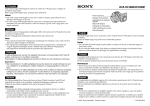
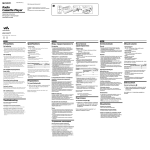
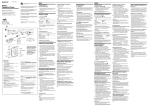
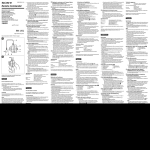
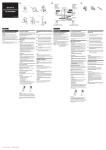
Center speaker/
Enceinte centrale/
Altavoz central
SONY TV
DIRECT
TV/VIDEO
TV
Number buttons/
Touches numériques/
Botones numéricos/
Press and hold TV/VIDEO while entering the code for the TV’s
input source connected to this system using the number
buttons.
Si pulsa SONY TV DIRECT una vez con el televisor SONY y el sistema
en modo en espera, la señal del mando a distancia se transmite
automáticamente en la siguiente secuencia:
Encienda el televisor t Encienda el aparato t Cambie el modo del
aparato a “DVD” t Cambie la fuente de entrada del televisor
x Preparación (Excepto para los modelos europeos)
Registre la fuente de entrada del televisor conectado al aparato.
Notas
• Esta función es exclusiva de la serie de televisores SONY.
• Si la distancia entre el televisor y el aparato es demasiado grande, es
posible que no funcione. Instale el aparato cerca del televisor.
Mantenga pulsado TV/VIDEO mientras introduce el código de la
fuente de entrada del televisor conectado a este aparato
utilizando los botones numéricos.
Consulte la fuente de entrada del televisor en la tabla siguiente.
Al pulsar
Número
Fuente de entrada del televisor
TV/VIDEO
0
No existe fuente de entrada
(predeterminado)
1
VIDEO1
2
VIDEO2
3
VIDEO3
4
VIDEO4
5
VIDEO5
6
VIDEO6
7*
COMPONENT 1 INPUT
8*
COMPONENT 2 INPUT
* Excepto para los modelos de Norteamérica.
x Funcionamiento
Oriente el mando a distancia en la dirección del televisor y el
aparato, y pulse SONY TV DIRECT una vez.
Al transmitir el código desde el mando a distancia, el botón TV
parpadea.
Mantenga el mando a distancia orientado en la dirección del televisor
y del aparato mientras parpadea el botón TV.
Consejo
Si el modo del aparato no cambia a la fuente de entrada del televisor que
ha especificado, cambie el tiempo de transmisión. Para obtener más
información, consulte el apartado “Otras operaciones”- “Uso de la
función SONY TV DIRECT” del manual de instrucciones.
Sony Corporation ©2004 Printed in Malaysia
x Préparation (Sauf sur les modèles européens)
Enregistrez la source d’entrée du téléviseur raccordée à cette chaîne.
Remarques
• Cette fonction n’est valable que pour les téléviseurs SONY.
• Si la chaîne est trop éloignée du téléviseur, il est possible que cette
fonction soit sans effet. Installez la chaîne à proximité du téléviseur.
Refer to the following table for the TV’s input source.
Appuyez sur TV/VIDEO et maintenez la touche enfoncée tandis
que vous entrez le code de la source d’entrée du téléviseur
connecté à cette chaîne, à l’aide des touches numériques.
By pressing
Number
TV’s input source
Pour déterminer la source d’entrée du téléviseur, reportez-vous au
tableau ci-dessous.
TV/VIDEO
0
No input source (Default)
En appuyant sur Numéro
Source d’entrée du téléviseur
1
VIDEO1
TV/VIDEO
0
Aucune source d’entrée (par défaut)
2
VIDEO2
1
VIDEO1
3
VIDEO3
2
VIDEO2
4
VIDEO4
3
VIDEO3
5
VIDEO5
4
VIDEO4
6
VIDEO6
5
VIDEO5
7*
COMPONENT 1 INPUT
6
VIDEO6
8*
COMPONENT 2 INPUT
7*
COMPONENT 1 INPUT
8*
COMPONENT 2 INPUT
* Expect for North American models.
x Operation
* Sauf sur les modèles d’Amérique du Nord.
Point the remote to the direction of TV and this system, then
press SONY TV DIRECT once.
x Utilisation
While transmitting the code from the remote, the TV button flashes.
Keep the remote pointed in the direction of the TV and this system
while the TV button is flashing.
Tip
If the system mode does not switch to the TV’s input source you set,
change the transmit time. For details, see “Other Operations”- “Using the
SONY TV DIRECT Function” of the Operating Instructions.
Español Uso de SONY TV DIRECT
Français Utilisation de SONY TV DIRECT
Dirigez la télécommande vers le téléviseur et cette chaîne, puis
appuyez une fois sur la touche SONY TV DIRECT.
La touche TV clignote pendant que le code est transmis par la
télécommande.
Maintenez la télécommande dirigée vers le téléviseur et cette chaîne
pendant que la touche TV clignote.
Conseil
Si le mode de la chaîne ne bascule pas vers la source d’entrée du
téléviseur que vous avez sélectionnée, modifiez la durée de transmission.
Pour plus de détails, reportez-vous à la section « Fonctions
complémentaires » - « Utilisation de la fonction SONY TV DIRECT » du
Mode d’emploi.
/
/
/
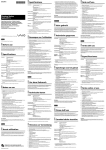
Цeнтpaльный гpомкоговоpитeль
SONY TV
DIRECT
TV/VIDEO
TV
/
/
/
Hомepныe кнопки
Pyccкий Кнопкa SONY TV DIRECT
Пpи однокpaтном нaжaтии кнопки SONY TV DIRECT, когдa
тeлeвизоp SONY и cиcтeмa нaxодятcя в peжимe ожидaния, cигнaл
пyльтa диcтaнционного yпpaвлeния бyдeт aвтомaтичecки пepeдaн в
yкaзaнной поcлeдовaтeльноcти:
Bключить тeлeвизоp t включить cиcтeмy t пepeключить cиcтeмy
в peжим “DVD” t выбpaть нyжный вxод тeлeвизоpa
x Подготовкa (кpомe eвpопeйcкиx модeлeй)
Зapeгиcтpиpyйтe иcточник cигнaлa тeлeвизоpa, подключeнного к
cиcтeмe.
Пpимeчaния
• Этa фyнкция дeйcтвyeт только для тeлeвизоpов cepии SONY TV.
• Этa фyнкция можeт нe paботaть, ecли тeлeвизоp нaxодитcя нa
большом paccтоянии от cиcтeмы. Уcтaновитe cиcтeмy pядом c
тeлeвизоpом.
Удepживaя нaжaтой кнопкy TV/VIDEO, c помощью кнопок c
цифpaми ввeдитe код иcточникa cигнaлa для тeлeвизоpa.
Cм. тaблицy, пpивeдeннyю нижe.
Кнопкa
Цифpa
Иcточник вxодного cигнaлa
тeлeвизоpa
TV/VIDEO
0
Bxодной иcточник отcyтcтвyeт
(по yмолчaнию)
1
VIDEO1
2
VIDEO2
3
VIDEO3
4
VIDEO4
5
VIDEO5
6
VIDEO6
7*
COMPONENT 1 INPUT
8*
COMPONENT 2 INPUT
* B оcновном пpимeняeтcя в модeляx для CШA и Кaнaды.
x Пpимeнeниe
Haпpaвьтe пyльт диcтaнционного yпpaвлeния в cтоpонy
тeлeвизоpa и cиcтeмы и один paз нaжмитe кнопкy SONY TV
DIRECT.
Bо вpeмя пepeдaчи кодa c пyльтa диcтaнционного yпpaвлeния
мигaeт кнопкa TV.
Покa мигaeт кнопкa TV, пyльт должeн быть нaпpaвлeн в cтоpонy
тeлeвизоpa и cиcтeмы.
Cовeт
Ecли cиcтeмa нe пepeключaeтcя нa выбpaнный иcточник вxодного
cигнaлa, измeнитe длитeльноcть подaчи комaнды. Дополнитeльныe
cвeдeния пpивeдeны в paздeлe “Пpочиe фyнкции” - “Фyнкция SONY
TV DIRECT” pyководcтвa по экcплyaтaции.