1
3-856-519-52(1)
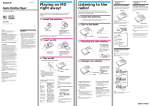
Playing an MD right
away!
Portable
MiniDisc Player
Operating instructions
Prepare two size AA(R6) alkaline batteries to play an MD. You can
also use this player on house current or rechargeable batteries with
optional accessories (see "Power sources"). The player automatically
switches to play the stereo or monaural sound according to the
recorded sound.
1 Install the batteries.
1 Open the lid.
2 Install two size AA (LR6)
alkaline batteries (not
supplied), and close the lid.
The battery life is approx. 4 hours (It may be shorter due to operating conditions and the
temperature of the location.)
2 Insert an MD.
MZ-E40
Sony Corporation ©1996 Printed in Japan
WARNING
To prevent fire or shock
hazard, do not expose
the unit to rain or
moisture.
To avoid electrical
shock, do not open the
cabinet. Refer servicing
to qualified personnel
only.
Caution
The use of optical instruments with this
product will increase eye hazard.
Information
This equipment has been tested and found to
comply with the limits for a Class B digital
device, pursuant to Part 15 of the FCC rules.
These limits are designed to provide reasonable
protection against harmful interference in a
residential installation. This equipment
generates, used, and can radiate radio frequency
energy and, if not installed and used in
accordance with the instructions, may cause
harmful interference to radio communications.
However, there is no guarantee that interference
will not occur in a particular installation. If this
equipment does cause harmful interference to
radio or television reception, which can be
determined by turning the equipment off and on,
the user is encouraged to try to correct the
interference by one more of the following
measures:
• Reorient or relocate the receiving antenna.
• Increase the separation between the equipment
and the receiver.
• Connect the equipment into an outlet on a
circuit different from that to which the receiver
is connected.
• Consult the dealer or an experienced radio/TV
technician for help.
You are cautioned that any changes or
modifications not expressly approved in this
manual could void your authority to operate this
equipment.
1 Slide OPEN and open
the lid.
Owner's Record
The serial number and the model number are
located at the bottom. Record the serial
number in the space provided below. Refer to
them whenever you call upon your Sony
dealer regarding this product.
Model No. MZ-E40
Serial No. _______________________________
3 Play an MD.
"MD WALKMAN" is a trademark of Sony
Corporation.
Welcome!
Welcome to the world of the MiniDisc! Here
are some of the capabilities and features you'll
discover with the new MiniDisc Player.
• Display on the player – You can see play
modes and battery condition. And you can
see the disc name and the track name if the
MD is labeled.
• Monaural playback – You can play the MD
that is recorded with monaural sound.
2 Insert an MD with the label
side facing up, and press
the lid down to close.
VOLUME +/–
1 Press (.
The player starts to play the
first track.
2 Press VOLUME␣ +/– to adjust
the volume.
You can check the volume in
the display.
To
Press
Find the
beginning of
the current
track
=
Find the
beginning of
the next track
+
Go backwards
while playing
keep pressing
= side
Go forward
while playing
keep pressing
+ side
Stop play
pSTOP/CHARGE
Remove the
MD
pSTOP/CHARGE
and open the lid.1)
Display window while playing
back
Track name2) or elapsed time
of the track being played
If the play does not start
Make sure the player is not locked. See
"To lock the controls."
1SHUF
Track number
1) Once you open the lid, the point to start
play will change to the beginning of the
first track.
2) Appears only with MDs that have been
electronically labeled.
z Various ways of
playback
To lock the controls
To prevent the buttons from being
accidentally operated when you carry the
player, use this function.
Playing tracks repeatedly
HOLD
You can play tracks repeatedly in three ways-all repeat, single repeat, and shuffle repeat.
PLAY MODE
Slide HOLD in the direction of the c.
On the player, slide HOLD to lock the
controls of the player.
Press PLAY MODE while the player is
playing an MD.
Each time you press PLAY MODE, the play
mode indication changes as follows.
To emphasize bass (MEGA BASS
feature)
The MEGA BASS feature intensifies low
frequency sound for richer quality audio
reproduction.
Play mode indication
MEGA BASS
SHUF
Z
.
”f” (all repeat)
All the tracks are played
repeatedly.
Slide MEGA BASS.
Choose 1 (slight effect) or 2␣ (strong effect). To
cancel the effect, set MEGA BASS to 0.
.
”f1” (single repeat)
Note
A single track is played
repeatedly.
If the sound is distorted when emphasizing bass,
turn down the volume.
.
”f SHUF” (shuffle repeat)
To protect your hearing (AVLS)
The AVLS (Automatic Volume Limiter
System) function keeps down the maximum
volume to prevent excessive sound from
harming your ears.
All the tracks are played
repeatedly in random order.
AVLS
Tips on playback
To know the track name and time
Press DISPLAY while the player is playing an
MD.
Each time you press DISPLAY, the display
changes as follows.
DISPLAY
Track number
1SHUF
Elapsed time
Track number
1SHUF
Number of the
track recorded
on the MD.
Track name
1SHUF
Disc name
Note
Disc and track names appear only with MDs that
have been electronically labeled.
Set AVLS to LIMIT.
The volume is kept at a moderate level, even
if you try to turn the volume above the
limited level.
t!
All the tracks are played once.
Cu
”(none)” (normal play)
z Power sources
When to replace or charge the batteries
You can use the player on house current, dry
batteries, a nickel metal hydride rechargeable
battery.
You can check the battery condition with the
battery indication displayed while using the
player.
B
Used batteries
v
Using on house current
b
To use your player on house current, connect
the AC power adaptor AC-E45HG (not
supplied).
n
Weak batteries. Replace all the batteries
zAdditional information
Precautions
On safety
• Do not put any foreign objects in the DC
IN 4.5 V jack.
v
to wall outlet
AC power adaptor
(not supplied)
to DC IN␣ 4.5 V
Using on a nickel metal
hydride rechargeable
battery
Before using the rechargeable battery BPDM20 (not supplied) for the first time, charge
it with the AC power adaptor AC-E45HG (not
supplied).
1
Connect the AC power adaptor.
to wall outlet
AC power adaptor
(not supplied)
The batteries have gone out.“LoBATT”
flashes in the display, and the power goes
off.
Notes
• Charging time may vary depending on the
battery condition.
• When you use the battery for the first time or
after a long period of disuse, the battery life
may be shorter. In this case, charge and
discharge the battery several times. The battery
life will be restored.
• If the rechargeable battery capacity becomes
half the normal life, replace it with a new one.
•The battery life is approx. 3 hours (It may be
shorter due to operating conditions and the
temperature of the location.)
On power sources
• Use the house current, two size AA (R6)
batteries, nickel metal hydride
rechargeable battery, or car battery.
• For use in your house: Use the AC power
adaptor AC-E45HG. Do not use any other
AC power adaptor since it may cause the
player to malfunction.
Polarity of the plug
• The player is not disconnected from the AC
power source (mains) as long as it is
connected to the wall outlet, even if the
player itself has been turned off.
• If you are not going to use this player for a
long time, be sure to disconnect the power
supply (AC power adaptor, dry batteries,
rechargeable batteries, or car battery cord).
To remove the AC power adaptor from the
wall outlet, grasp the adaptor plug itself;
never pull the cord.
• For use in the car: Use the CPA-9 car
connecting pack (not supplied).
On heat build-up
• Heat may build up in the player if it is
used for an extended period of time. In this
case, leave the player to cool down.
On installation
• Never use the player where it will be
subjected to extremes of light, temperature,
moisture or vibration.
• Never wrap the player in anything when it
is being used with the AC power adaptor.
Heat build-up in the player may cause
malfunction or injury.
On the headphones
Road safety
to DC IN␣ 4.5 V
2
Insert the rechargeable battery, and close
the lid.
Do not use headphones while driving, cycling, or
operating any motorized vehicle. It may create a
traffic hazard and is illegal in many areas. It can
also be potentially dangerous to play your player
at high volume while walking, especially at
pedestrian crossings. You should exercise
extreme caution or discontinue use in potentially
hazardous situations.
Preventing hearing damage
Avoid using headphones at high volume.
Hearing experts advise against continuous, loud
and extended play. If you experience a ringing in
your ears, reduce the volume or discontinue use.
Caring for others
Keep the volume at a moderate level. This will
allow you to hear outside sounds and to be
considerate of the people around you.
On the MiniDisc cartridge
• Do not break open the shutter.
• Do not place the cartridge where it will be
subject to light, temperature, moisture or
dust.
The projection on the
battery comes on the right.
3
4
Press pSTOP/CHARGE on the player.
"Charge" flashes and the battery
indication appears in the display and
charging starts. When charging is
completed, "Charge" and the battery
indication go out.
A completely discharged battery takes
about 3 hours to charge fully. To stop
charging before the battery is fully
charged, press pSTOP/CHARGE.
Disconnect the AC power adaptor.
As long as the player is connected to the
AC power, the power will be supplied
from the AC source instead of the battery.
On cleaning
• Clean the player casing with a soft cloth slightly
moistened with water or a mild detergent
solution. Do not use any type of abrasive pad,
scouring powder or solvent such as alcohol or
benzene as it may mar the finish of the casing.
• Wipe the disc cartridge with a dry cloth to
remove dirt.
• Dust on the lens may prevent the unit from
operating properly. Be sure to close the disc
compartment lid after inserting and ejecting an
MD.
Note on mechanical noise
The player gives out mechanical noise while
operating, which is caused by the powersaving system of the player and it is not a
trouble.
For the customers in the USA
DISPOSAL OF NICKEL METAL HYDRIDE
BATTERY.
NICKEL METAL HYDRIDE BATTERY.
DISPOSE OF PROPERLY.
You can return your unwanted nickel
metal hydride batteries to your nearest
Sony Service Center.
Note: In some areas the disposal of nickel
metal hydride batteries in household or
business trash may be prohibited.
For the Sony Service Center nearest you
call 1-800-222-SONY␣ (United States only)
Caution: Do not handle damaged or
leaking nickel metal hydride battery.
If you have any questions or problems
concerning your recorder, please consult your
nearest Sony dealer.
Troubleshooting
Should any problem persists after you have
made these checks, consult your nearest Sony
dealer.
The player does not work or works
poorly.
•Power sources may not be securely
connected.
b Disconnect the power source once
and connect it again.
•Moisture has condensed inside the
player.
b Take the MD out and leave the
player in a warm place for several
hours until the moisture evaporates.
•The rechargeble battery or dry batteries
are weak (b“LoBATT” flashes).
b Replace the dry batteries or recharge
the battery.
•The dry batteries have been installed
incorrectly.
b Install the batteries correctly.
•You pressed a button while the disc
indication was rotating quickly.
b Wait until the indication rotates
slowly.
•The AC adaptor was unplugged during
playing or a power outage occurred.
•While operating, the player received a
mechanical shock, too much static,
abnormal power voltage caused by
lightning, etc.
b Restart the operation as follows.
1 Disconnect all the power sources.
2 Leave the player for about 30
seconds.
3 Connect the power source.
No sound comes through the
headphones.
•The headphones plug is not firmly
connected.
b Connect the headphones plug firmly
to PHONES jack.
•Volume is too low.
b Adjust the volume by pressing
VOLUME +/– .
•AVLS is on.
b Slide AVLS to NORM.
An MD is not played from the first track.
•Disc playing stopped before it came to
the last track.
b Press = repeatedly or open and
close the lid once to go back to the
beginning of the disc, and restart
playing after checking the track
number in the display.
Playback sound skips.
Notes on the batteries
Incorrect battery usage may lead to leakage of
battery fluid or bursting batteries. To prevent
such accidents, observe the following
precautions:
• Install the + and – poles of the batteries
correctly.
• Do not install new and used batteries or
different kinds of batteries together.
• Do not try to recharge the batteries.
• When the player is not to be used for a
long time, be sure to remove the batteries.
• If a battery leak should develop, carefully
and thoroughly wipe away battery fluid
from the battery compartment before
inserting new ones.
•The player is placed where it receives
continuous vibration.
b Put the player on stable place.
A very short track may cause sound
to skip.
Sound has a lot of static.
•Strong magnetism from a television or
such device is interfering with
operation.
b Move away from the source of
strong magnetism.
Charging the rechargeable battery does
not start.
•The rechargeable battery has been
inserted incorrectly or the AC power
adaptor has been connected incorrectly.
b Insert the battery correctly or
connect the AC power adaptor
correctly.
Specifications
System
Audio playing system
MiniDisc digital audio system
Laser diode properties
Material: GaAlAs
Wavelength: l = 780 nm
Emission duration: continuous
Laser output: less than 44.6 µW
(This output is the value measured at a distance
of 200 mm from the lens surface on the optical
pick-up block.)
Revolutions
400 rpm to 900 rpm (CLV)
Error correction
Advanced Cross Interleave Reed Solomon Code
(ACIRC)
Sampling frequency
44.1 kHz
Coding
Adaptive TRansform Acoustic Coding (ATRAC)
Modulation system
EFM (Eight to Fourteen Modulation)
Number of channels
2 stereo channels
1 monaural channel
Frequency response
20 to 20,000 Hz ± 3 dB
Wow and Flutter
Below measurable limit
Outputs
Headphones: stereo mini-jack, maximum output
level 15 mW + 15 mW, load impedance 16 ohm
Optional accessories
AC-E45HG AC power adaptor
BP-DM20 Nickel Metal Hydride Rechargeable
battery
DCC-E245 Car battery cord
CPA-9 Car Connecting Pack
MDR-D33, MDR-D55, MDR-D77 Stereo
Headphones
SRS-A41 Sony Active Speakers
CK-MD4 MiniDisc Carrying Case
CK-MD10 MiniDisc Filing Box
Your dealer may not handle some of the above
listed accessories. Please ask the dealer for
detailed information about the accessories in
your country.
US and foreign patents licensed from Dolby
Laboratories Licensing Corporation.
Design and specifications are subject to change
without notice.
Cu
Power requirements
Sony AC Power Adaptor AC-E45HG (not
supplied) connected at the DC IN 4.5 V jack: 120
V AC, 60 Hz
Two size AA (LR6) batteries (not supplied)
Nickel metal hydride rechargable battery BPDM20 (not supplied)
Battery operation time
Approx. 4 hours with two size AA(R6) batteries
Approx. 3 hours with BP-DM20 Nickel Metal
Hydride Rechargeable battery
Dimensions
Approx. 129.9 × 24.5 × 79.4 mm (w/h/d) (5 1/8 ×
1 × 3 1/4 in.)
Mass
Approx. 170 g (6.0 oz) the player only
Approx. 300 g (10.6 oz)
incl. a premastered MD, headphones, and two
Sony alkaline LR6 (SG) batteries
Supplied accessories
Headphones (1)
Carrying case (1)
t!
General