1
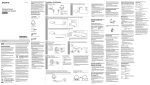
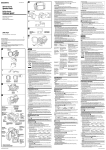
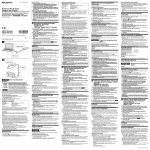
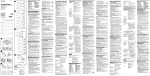
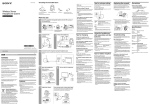
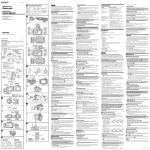
4-417-646-01 (1) -4-b Identifying the parts 1 11 22 33 44 55 66 77 88 Battery Video Light Lampe vidéo à batterie ˎ ˎ ˎ ˎ ˎ ˋˋ 2,3 1 ˎ ˎ ˎ ˎ ˎ ˎ ˎ ˎ ˎ ˎ ˎ OFF HVL-LE1 Preparation Attaching to the camera (illustration ) -a OFF POWER ˎ 1 Select one of the provided shoe adaptors according to the shape of the accessory shoe on the camera. 7 -b ˎ © 2012 Sony Corporation Printed in China POWER 1 2 3 1 4 JBRC http://www.jbrc.net/hp/contents/index.html 2 6 1,800 lux 50 cm LED 5,500 K, 3,200 K( 2 Before operating the unit, please read these instructions thoroughly, and retain them for future reference. 0 ˎ ˎ WARNING -1 3 ˎ NP-FV70/QM71D NP-FV100/QM91D ˎ NP-FV70/QM71D NP-FV100/QM91D -4 16 ˎ 15 ˎ 40 -1 LED ˎ POWER -2 100% MAX) BRIGHT ˎ 10 ON MIN -3 3,200 K b BRIGHT MAX ˋˋ ˋˋ ˋˋ ˎ ˎ ˋˋ ˋˋ ˎ ˎ 10 30 POWER BRIGHT LED ˎ OFF LED ˎ OFF ˎ ˎ , ˎ ˎ ˎ ˎ 4-a 1 2 3 4 5 6 7 8 4-b POWER BRIGHT 10 11 12 13 14 15 16 DC7.2V DC7.2V DC4.8V 4W 1,800 lux F1.4 F2.8 F4 F5.6 30 ˎ ˎ ˎ 3200 K 9 POWER OFF 1 a. b. b ˎ 2 3 4 -4-a InfoLITHIUM ˎ V M 3 4 0.5 m ISO3200 10 m 5m 3.5 m 2.5 m 70 NP-FV50 1.5 NP-FM500H 2.5 3 NH-AA BRIGHT MAX 1m 450 lux 3m 50 lux 5m 18 lux 8m 7 lux 10m 4.5 lux 5,500 K 3,200 K BRIGHT MAX 25 0 40 -20 +60 120 mm 75 mm 63 mm( / / 250 g a ON You are cautioned that any changes or modifications not expressly approved in this manual could void your authority to operate this equipment. NOTE This equipment has been tested and found to comply with the limits for a Class B digital device, pursuant to Part 15 of the FCC Rules. These limits are designed to provide reasonable protection against harmful interference in a residential installation. This equipment generates, uses, and can radiate radio frequency energy and, if not installed and used in accordance with the instructions, may cause harmful interference to radio communications. However, there is no guarantee that interference will not occur in a particular installation. If this equipment does cause harmful interference to radio or television reception, which can be determined by turning the equipment off and on, the user is encouraged to try to correct the interference by one or more of the following measures: – Reorient or relocate the receiving antenna. – Increase the separation between the equipment and receiver. – Connect the equipment into an outlet on a circuit different from that to which the receiver is connected. – Consult the dealer or an experienced radio/TV technician for help. Replace the battery with the specified type only. Otherwise, fire or injury may result. Do not expose the batteries to excessive heat such as sunshine, fire or the like. ˎˎ This video light provides a center illuminance of approximately 1,800 lux. (When the distance from the video light to the subject is 50 cm (1.6 ft.)) ˎˎ The HVL-LE1 is a video light with a high-brightness white LED as its lens light source. ˎˎ The video light can be set to two color temperatures, 5,500 K or 3,200 K (when using the supplied color conversion filter). ˎˎ Moveable shoe adaptor enables various lighting angles. It also enables easy attachment and removal when using a camera that has an auto lock accessory shoe. ˎˎ The white LED has a long lifetime of about 10,000 hours along with impact-resistant and weather-resistant qualities, and so requires almost no maintenance. For the Customers in the U.S.A. CAUTION Features ˎ This device complies with Part 15 of the FCC Rules. Operation is subject to the following two conditions: (1) This device may not cause harmful interference, and (2) this device must accept any interference received, including interference that may cause undesired operation. This Class B digital apparatus complies with Canadian ICES-003. The manufacturer of this product is Sony Corporation, 1-7-1 Konan Minato-ku Tokyo, 108-0075 Japan. The Authorized Representative for EMC and product safety is Sony Deutschland GmbH, Hedelfinger Strasse 61, 70327 Stuttgart, Germany. For any service or guarantee matters please refer to the addresses given in separate service or guarantee documents. Disposal of Old Electrical & Electronic Equipment (Applicable in the European Union and other European countries with separate collection systems) This symbol on the product or on its packaging indicates that this product shall not be treated as household waste. Instead it shall be handed over to the applicable collection point for the recycling of electrical and electronic equipment. By ensuring this product is disposed of correctly, you will help prevent potential negative consequences for the environment and human health, which could otherwise be caused by inappropriate waste handling of this product. The recycling of materials will help to conserve natural resources. For more detailed information about recycling of this product, please contact your local Civic Office, your household waste disposal service or the shop where you purchased the product. 10 2,3 For Customers in the U.S.A. and Canada < Notice for the customers in the countries applying EU Directives > ˎ ˎ To reduce fire or shock hazard, do not expose the unit to rain or moisture. CAUTION ˎ 14 a The model and serial numbers are located on the bottom. Record the serial number in the space provided below. Refer to these numbers whenever you call upon your Sony dealer regarding this product. Model No. HVL-LE1 Serial No. 12 13 1 Owner’s Record 4 ˎ 11 ˎ -2, 3 ˎ ˎ 9 V NP-FV50 NP-FV70 FV100 M NP-FM500H NP-QM71D NP-QM91D 10,000 7 10 3 4 NH-AA-4BKB 4 3 LED ˎ 8 ˎ ˎ OFF ˎ ˎ ˎ 3 3 ˎ ˎ ˎ ˎ 5 ˎ ˎ ˎ ˎ a. Auto lock accessory shoe b. Accessory shoe Note ˎˎ Do not attach a shoe adaptor except for this unit. 2 Insert the tripod screw of the shoe adaptor into the tripod receptacle on the bottom of the video light. 3 Turn the adaptor lock dial to lock it. 4 Attach (clip) the correct type of shoe adaptor onto the camera shoe, as illustrated. ˎ 4 HVL-LE1 POWER Shoe adaptor (for Accessory shoe) Adaptor lock dial Lock lever Lock dial Foot Battery lid Diffuser Color conversion filter (3,200K) When the remaining battery power is low, the pre-end lamp turns orange. In this case, replace it promptly with a fully charged battery. (This lamp should be used as only a rough guide of remaining battery power. The available time of the battery pack varies depending on the frequency of use and operating environment.) NP-FM NP-FV 99 111 111 111 111 111 111 111 Pre-end lamp (remaining battery notice function) ˋˋ / Operating Instructions / Mode d’emploi/ Protection plate Filter inserting slot Ventilation holes POWER switch BRIGHT dial Pre-end lamp Battery release button Shoe adaptor (for Auto lock accessory shoe) Precautions 1.5 25 ) ˎˎ The video light does not have dust-proof, splash-proof or water-proof specifications. ˎˎ The video light is a precision instrument. Do not drop, strike or apply a strong impact. ˎˎ Do not attach the video light to a camera with an intelligent accessory shoe. The shoe adaptor of the video light or the intelligent accessory shoe may be damaged. ˎˎ The operating temperature of the video light is from 0 °C (35 °F) to 40 °C (104 °F). ˎˎ Do not block the ventilation holes. Doing so will cause the internal temperature to rise which can cause a fire or an accident and cause the video light to malfunction. ˎˎ Do not look at the white LED directly at close range while it is on. It may damage your eyes. ˎˎ To prevent the camera from dropping, do not hold the video light attached to the camera to carry it. ˎˎ Do not place the video light near combustible or volatile solvents, such as alcohol or benzine. Doing so may cause a fire or smoke. ˎˎ Do not allow any liquid into the video light or drop the combustible or metal objects on the camera. Keeping using the camera after it, doing so may cause a fire or cause the video light to malfunction. ˎˎ Do not use or store the camera in the following locations. Doing so may cause the camera to malfunction or deform: ˋˋa high temperature place such as inside a closed car in summer or in strong sunshine ˋˋin direct sunlight or near a heater ˋˋlocations subject to intense vibrations ˎˎ When using the video light in low or high temperature, the battery life will be shorter, so the lighting time is also reduced. It should be notes the battery capacity decreases as temperatures changing. When using the video light at the temperature of 10 °C (50 °F) or less, we recommend operating following steps for longer battery life. ˋˋPut the battery in your pocket to warm it and attach the battery to the video light just before use. When putting a pocket heat pad in your pocket with the battery, be careful not to touch the pocket heat pad to the battery directly. ˋˋCharge the battery at room temperature (from 10 °C (50 °F) to 30 °C (85 °F)) ˎˎ When you have finished using the video light, be sure that the POWER switch of the video light is set to “OFF.” ˎˎ When not using the video light or you have finished using it, be sure to remove the battery from the video light. ˎˎ After use, do not store the video light into the case etc. immediately. The white LED may be damaged by the generated heat. When storing the video light into the case, be sure that the power of the video light is set to “OFF,” and it has cooled sufficiently. ˎˎ Recording with the video light with attached to the camera may slightly affect the recorded sound. ˎˎ Do not apply the strong force or impact to the video light attached to the camera or other device. If using auto lock accessory shoe: (illustration -4-a) ʓʓInsert the foot of the shoe adaptor fully into the auto lock accessory shoe in the direction illustrated. ʔʔPush the lock lever of the shoe adaptor down to the right to fix it firmly to the camera. Note ˎˎ Insert the shoe adaptor fully until it clicks into place. If using accessory shoe: (illustration -4-b) ʓʓInsert the foot of the shoe adaptor fully into the accessory shoe in the direction illustrated. ʔʔRotate the lock dial of the shoe adaptor fully to the left to fix it firmly to the camera. Notes ˎˎ When attaching to a camera that has an accessory shoe, read the instruction manual of the camera too. ˎˎ If using a camera equipped with a pop-up built-in flash, be careful of the following: ˋˋAlways close the built-in flash of the camera. If your camera has a built-in auto flash function, turn that function off. ˋˋBefore using the flash, remove the video light from the camera. ˎˎ Make sure the video light is firmly fixed to the camera before use to prevent the video light from falling during shooting. To remove from the camera Note ˎˎ When removing, be careful not to drop the video light or the camera. It is recommended that you attach the camera to a tripod before removing the video light. When using an auto lock accessory shoe: (illustration -a) ʓʓTurn the POWER switch of the video light to OFF. ʔʔPush the lock lever of the shoe adaptor down to the left to release the lock. ʕʕKeeping the lock lever pressed to the left, slide the shoe adaptor toward you. When using accessory shoe: (illustration -b) ʓʓTurn the POWER switch of the video light to OFF. ʔʔRotate the lock dial of the shoe adaptor to the right to release the lock. ʕʕCheck that the lock is released before sliding the shoe adaptor toward you. Notes ˎˎ Depending on the frequency of use of the video light, the shoe part may be scratched or cracked. This can cause the video light to be damaged or fall off. ˎˎ Do not attach the video light to the intelligent accessory shoe. Doing so may damage the shoe part. Attaching the battery Before attaching, check that the video light’s POWER switch is set to “OFF.” The following batteries (not supplied) can be used with this unit. ˎˎ Four LR6 (size AA) alkaline batteries (recommended battery: Sony NH-AA-4BKB) ˎˎ Four AA Nickel-Metal Hydride batteries ˎˎ Sony “InfoLITHIUM” battery V series (recommended batteries: NP-FV50, NP-FV70, NP-FV100) ˎˎ Sony “InfoLITHIUM” battery M series (recommended batteries: NP-FM500H, NP-QM71D, NP-QM91D) Notes ˎˎ You cannot use manganese batteries. ˎˎ When using alkaline batteries, light time may be much shorter. ˎˎ Always use the same kind of batteries together. ˎˎ Check the polarities of the batteries when inserting them into the video light. If you insert the batteries in the wrong direction, the video light does not work. ˎˎ Do not use a new or charged battery together with a dead battery. ˎˎ Turn the video light off before removing the batteries. When using LR6 (size AA) alkaline batteries or AA Ni-MH batteries (illustration -1) When using Sony “InfoLITHIUM” battery (illustration -2, 3) ˎˎ When using NP-FV70/QM71D or NP-FV100/QM91D, use the supplied battery lid (with hole). Note ˎˎ When using NP-FV70/QM71D or NP-FV100/QM91D, attach the camera to a tripod first. To remove the “InfoLITHIUM” battery (illustration -4) Slide the battery pack to the right while sliding the battery release button on the side face of the video light. Using the video light Turning the video light on (illustration -1) Slide the POWER switch to “ON” while pressing down on the green button on the POWER switch. Adjusting the illuminance of the video light(illustration -2) The illuminance of the video light can be adjusted between 100% (MAX) and 10% (MIN) using the BRIGHT dial on the video light. Using the diffuser or color conversion filter (illustration -3) The glare will be reduced and the light will be softer by using the diffuser. The color temperature can be changed to about 3,200 K by using the supplied color conversion filter (when the illuminance is set to “100%”). Insert the supplied diffuser or color conversion filter into a filter inserting slot. ˎˎ To eject, push up the projection of the diffuser or color conversion filter from the bottom of the video light, then take it out. Notes ˎˎ When recording with the video light, if the subject is too close to the camera, several shadows of the subject may overlap (multi-shadow). ˎˎ The color temperature varies slightly depending on the position of the BRIGHT dial and temperature of the white LED. Check the white balance before recording. ˎˎ When using the color conversion filter, the illuminance is reduced slightly and the lighting angle is narrow. Storing When carrying, keep the video light in the supplied pouch as illustrated. ˎˎ Be sure that the main unit and batteries are cool enough before putting in the pouch or storing. ˎˎ Remove the batteries if the video light will not be used for a long time. Maintenance Clean the video light with a soft dry cloth. If the video light get dirty, wipe with a cloth slightly moistened with a mild detergent solution and then wipe with a soft dry cloth again. Do not use any type of solvent such as alcohol, benzine, or thinner for cleaning. Doing so may cause the surface of the video light to damage. (Continued on the reverse side.) 1 2 3 Avant d’utiliser ce produit, prière de lire attentivement ces instructions et de les conserver pour toute référence future. 4 1 5 2 Aide-mémoire Les numéros de modèle et de série se situent sous l’appareil. Prendre en note le numéro de série dans l’espace prévu ci-dessous. Se reporter à ces numéros lors des communications avec le détaillant Sony au sujet de ce produit. Modèle no HVL-LE1 No de série AVERTISSEMENT 6 Afin de réduire les risques d’incendie ou de décharge électrique, n’exposez pas cet appareil à la pluie ou à l’humidité. Pour les clients aux É.-U. et au Canada 3 7 Cet appareil est conforme à la section 15 des règlements FCC. Son fonctionnement est soumis aux deux conditions suivantes : (1) cet appareil ne doit pas provoquer d’interférences nuisibles, (2) cet appareil doit accepter toute interférence, y compris celles susceptibles de provoquer son fonctionnement indésirable. Cet appareil numérique de la classe B est conforme à la norme NMB-003 du Canada. Pour les clients aux É.-U. AVERTISSEMENT 8 9 10 11 12 13 16 15 Par la présente, vous êtes avisé du fait que tout changement ou toute modification ne faisant pas l’objet d’une autorisation expresse dans le présent manuel pourrait annuler votre droit d’utiliser l’appareil. Note L’appareil a été testé et est conforme aux exigences d’un appareil numérique de Classe B, conformément à la Partie 15 de la réglementation de la FCC. Ces critères sont conçus pour fournir une protection raisonnable contre les interférences nuisibles dans un environnement résidentiel. L’appareil génère, utilise et peut émettre des fréquences radio; s’il n’est pas installé et utilisé conformément aux instructions, il pourrait provoquer des interférences nuisibles aux communications radio. Cependant, il n’est pas possible de garantir que des interférences ne seront pas provoquées dans certaines conditions particulières. Si l’appareil devait provoquer des interférences nuisibles à la réception radio ou à la télévision, ce qui peut être démontré en allumant et éteignant l’appareil, il est recommandé à l’utilisateur d’essayer de corriger cette situation par l’une ou l’autre des mesures suivantes : ˋˋRéorienter ou déplacer l’antenne réceptrice. ˋˋAugmenter la distance entre l’appareil et le récepteur. ˋˋBrancher l’appareil dans une prise ou sur un circuit diff érent de celui sur lequel le récepteur est branché. ˋˋConsulter le détaillant ou un technicien expérimenté en radio/téléviseurs. ATTENTION Remplacez la batterie par une batterie correspondant au type spécifi é uniquement. Sinon vous risquez de provoquer un incendie ou des blessures. 14 N’exposez pas les piles à une chaleur excessive, notamment aux rayons directs du soleil, à une flamme, etc. 1 a < Avis aux consommateurs des pays appliquant les Directives UE > b 2,3 (Continued from the front side.) Specifications Power source ˎˎ DC 7.2 V (Sony V series Lithium ion rechargeable battery) ˎˎ DC 7.2 V (Sony M series Lithium ion rechargeable battery) ˎˎ DC 4.8 V (four Sony AA Ni-MH rechargeable batteries) (sold separately) Power consumption Approx. 4 W Centre luminous intensity Approx. 1,800 lux/0.5 m (1.6 ft.) (at ISO3200) F1.4 Approx. 10 m (32.8 ft.) F2.8 Approx. 5 m (16.4 ft.) F4 Approx. 3.5 m (11.5 ft.) F5.6 Approx. 2.5 m (8.2 ft.) Lighting angle Approx. 30 degrees (full size 70 mm lens compatible) Continuous lighting time Approx. 1.5 hours (using Sony NP-FV50) Approx. 2.5 hours (using Sony NP-FM500H) Approx. 1.5 hours (using Sony NH-AA Ni-MH rechargeable batteries) (New, fully charged, BRIGHT dial MAX, ambient temperature 25 ºC) Lighting distance 1 m (3 1/5 ft.): Approx. 450 lux 3 m (9 4/5 ft.): Approx. 50 lux 5 m (16 1/2 ft.): Approx. 18 lux 8 m ( 26 1/3 ft.): Approx. 7 lux 10 m (32 4/5 ft.): Approx. 4.5 lux Color temperature Approx. 5,500 K (without filter or diffuser) Approx. 3,200 K (with color conversion filter) (Default value at: BRIGHT dial MAX, ambient temperature 25ºC) Operating temperature 0 °C to 40 °C (35 °F to 104 °F) Storing temperature -20 °C to +60 °C (-4 °F to +140 °F) Dimensions Approx. 120 mm 75 mm 63 mm (w/h/d) (4 3/4 in. 3 in. 2 1/2 in.) Mass (main unit only) Approx. 250 g (8.9 oz.) Included items Battery video light (HVL-LE1) (1) Shoe adaptor (for Auto lock accessory shoe) (1) Shoe adaptor (for accessory shoe) (1) Diffuser (1) Color conversion filter (1) Battery lid (with hole) (1) Pouch (1) Set of printed documentation 4-a 4-b a b Design and specifications are subject to change without notice. “InfoLITHIUM” is a trademark of Sony Corporation. 1 Le fabricant de ce produit est Sony Corporation, 1-7-1 Konan Minato-ku Tokyo, 108-0075 Japon. Le représentant agréé pour la compatibilité électromagnétique et la sécurité du produit est Sony Deutschland GmbH, Hedelfinger Strasse 61, 70327 Stuttgart, Allemagne. Pour toute question relative à la garantie ou aux réparations, reportez-vous à ľadresse que vous trouverez dans les documents ci-joints, relatifs à la garantie et aux réparations. Traitement des appareils électriques et électroniques en fin de vie (Applicable dans les pays de l’Union Européenne et aux autres pays européens disposant de systèmes de collecte sélective) Ce symbole, apposé sur le produit ou sur son emballage, indique que ce produit ne doit pas être traité avec les déchets ménagers. Il doit être remis à un point de collecte approprié pour le recyclage des équipements électriques et électroniques. En vous assurant que ce produit sont mis au rebut de façon appropriée, vous participez activement à la prévention des conséquences négatives que leur mauvais traitement pourrait provoquer sur l’environnement et sur la santé humaine. Le recyclage des matériaux contribue par ailleurs à la préservation des ressources naturelles. Pour toute information complémentaire au sujet du recyclage de ce produit, vous pouvez contacter votre municipalité, votre déchetterie locale ou le point de vente où vous avez acheté le produit. Caractéristiques ˎˎ Cette lampe vidéo fournit une lumière d’environ 1 800 lux au centre. (Lorsque la lampe vidéo est à 50 cm (1,6 pieds) du sujet) ˎˎ La HVL-LE1 est une lampe vidéo pourvue d’une LED blanche à haute luminosité comme source lumineuse. ˎˎ La lampe vidéo peut être réglée sur deux températures de couleur, 5 500 K ou 3 200 K (lorsque le filtre de conversion de couleur fourni est utilisé). ˎˎ L’adaptateur de griffe porte-accessoire mobile permet d’éclairer différents angles. Il facilite aussi la fixation ou le retrait de la lampe lorsqu’une caméra avec griffe porte-accessoire à verrouillage automatique est utilisée. ˎˎ La LED blanche a une longue durée de vie, environ 10 000 heures, et se caractérise par sa résistance aux chocs et au temps, si bien qu’elle ne nécessite pratiquement aucun entretien. Précautions ˎˎ La lampe vidéo n’est pas étanche à la poussière, aux projections d’eau ou à l’eau. ˎˎ La lampe vidéo est un instrument de précision. Ne la laissez pas tomber, ne la cognez pas et ne l’exposez pas à un choc puissant. ˎˎ Ne rattachez pas la lampe vidéo à une caméra avec griffe porte-accessoire intelligente. L’adaptateur de griffe porte-accessoire de la lampe vidéo ou la griffe porte-accessoire intelligente pourrait être endommagé. ˎˎ La température de fonctionnement de la lampe vidéo va de 0 °C à 40 °C. ˎˎ Ne bloquez pas les orifices de ventilation. Ceci entraînerait une surchauffe interne, susceptible de causer un incendie ou un accident et d’endommager la lampe vidéo. ˎˎ Ne regardez pas directement la LED blanche de trop près lorsqu’elle est allumée. Ceci peut causer des lésions visuelles. ˎˎ Pour éviter toute chute de la caméra, ne portez pas la caméra par la lampe vidéo lorsqu’elle est rattachée. ˎˎ Ne posez pas la lampe vidéo près de solvants combustibles ou volatiles, comme l’alcool ou la benzine. Ceci peut causer un incendie ou de la fumée. ˎˎ Ne laissez pas tomber de liquide dans la lampe vidéo ni d’objets combustibles ou métalliques dans la caméra. L’utilisation de la caméra dans cet état peut causer un incendie ou une panne de la lampe vidéo. ˎˎ N’utilisez pas et ne rangez pas la caméra aux endroits suivants. La caméra pourrait tomber en panne ou se déformer: ˋˋendroit exposé à une température élevée comme dans une voiture fermée en été ou en plein soleil ˋˋen plein soleil ou près d’un appareil de chauffage ˋˋendroit exposé à de fortes vibrations ˎˎ Lorsque vous utilisez la lampe vidéo à une température basse ou élevée, l’autonomie de la batterie est plus faible, et le temps d’éclairage est donc réduit. Il faut savoir que la capacité d’une batterie décroît avec les changements de température. Si la lampe vidéo doit être utilisée à une température de 10 °C ou moins, il est conseillé de prendre les mesures suivantes pour allonger l’autonomie de la batterie. ˋˋMettre la batterie au chaud dans une poche et l’insérer dans la lampe vidéo juste avant de l’utiliser. Si vous mettez une chaufferette dans votre poche, faites attention de ne pas mettre la chaufferette directement contre la batterie. ˋˋ Charger la batterie à la température ambiante (de 10 °C à 30 °C). ˎˎ Lorsque vous n’avez plus besoin de la lampe vidéo, veillez à mettre l’interrupteur POWER de la lampe vidéo en position « OFF ». ˎˎ Lorsque vous n’utilisez pas la lampe vidéo ou lorsque vous n’en avez plus besoin, retirez la batterie de la lampe vidéo. ˎˎ Ne rangez pas la lampe vidéo dans son étui, etc. immédiatement après l’avoir utilisée. La LED blanche pourrait être endommagée par la chaleur produite. Avant de ranger la lampe vidéo dans son étui, veillez à couper son alimentation en mettant l’interrupteur en position « OFF » et à laisser suffisamment refroidir la lampe. ˎˎ L’enregistrement avec la lampe vidéo rattachée à la caméra peut affecter le son enregistré. ˎˎ N’appliquez pas de force et n’exposez pas la lampe vidéo à un impact puissant lorsqu’elle est rattachée à la caméra ou à un autre appareil. Identification des éléments 2,3 NP-FM NP-FV 11 22 33 44 55 66 77 88 Plaque de protection Fente d’insertion de filtre Orifices de ventilation Interrupteur POWER Molette BRIGHT Lampe Batterie faible Bouton de libération de la batterie Adaptateur de griffe porteaccessoire (pour griffe porteaccessoire à verrouillage automatique) 99 111 111 111 111 111 111 111 Adaptateur de griffe porteaccessoire (pour griffe porteaccessoire) Molette de verrouillage d’adaptateur Bouton de verrouillage Molette de verrouillage Pied Couvercle de batterie Diffuseur Filtre de conversion de couleur (3 200 K) Lampe Batterie faible (signalant l’épuisement proche de la batterie) Lorsque la charge de la batterie est faible, la lampe Batterie faible devient orange. Dans ce cas, remplacez rapidement la batterie par une batterie pleine. (Cette lampe n’est qu’un guide approximatif de la faible charge de la batterie. L’autonomie de la batterie disponible dépend de la fréquence d’utilisation et de l’environnement opératoire.) Préparatifs Fixation à la caméra (illustration ) 4 1 Sélectionnez un des adaptateurs de griffe porte-accessoire fournis selon la forme de la griffe porte-accessoire de la caméra. a. Griffe porte-accessoire à verrouillage automatique b. Griffe porte-accessoire Remarque ˎˎ Ne fixez un adaptateur de griffe porte-accessoire que sur cet appareil. 2 Insérez la vis de trépied de l’adaptateur de griffe porte-accessoire dans la douille de trépied sous la lampe vidéo. 3 Tournez la molette de verrouillage de l’adaptateur pour le verrouiller. 4 Rattachez (fixez) l’adaptateur de griffe porte-accessoire correct à la griffe porte-accessoire, de la façon illustrée. Si vous utilisez une griffe porte-accessoire à verrouillage automatique : (illustration -4-a) ʓʓInsérez le pied de l’adaptateur de griffe porte-accessoire à fond dans la griffe porte-accessoire à verrouillage automatique dans le sens indiqué. ʔʔAppuyez sur le bouton de verrouillage de l’adaptateur de griffe porte-accessoire tout en le poussant vers la droite pour bien fixer ce dernier à la caméra. Remarque ˎˎ Insérez l’adaptateur de griffe porte-accessoire à fond jusqu’à ce qu’il s’encliquette. Si un adaptateur de griffe porte-accessoire est utilisé : (illustration -4-b) ʓʓInsérez le pied de l’adaptateur de griffe porte-accessoire à fond dans la griffe porte-accessoire dans le sens indiqué. ʔʔTournez la molette de verrouillage de l’adaptateur de griffe porte-accessoire à fond vers la gauche pour bien fixer ce dernier à la caméra. Remarques ˎˎ Lors de la fixation sur une caméra pourvue d’une griffe porte-accessoire, lisez également le mode d’emploi de la caméra. ˎˎ Si vous utilisez une caméra pourvue d’un flash rétractable, prêtez attention aux points suivants : ˋˋFermez toujours le flash intégré de la caméra. Si votre caméra a un flash automatique, désactivez cette fonction. ˋˋAvant d’utiliser le flash, retirez la lampe vidéo de la caméra. ˎˎ Assurez-vous que la lampe vidéo est bien rattachée à la caméra avant de l’utiliser pour éviter qu’elle ne tombe pendant la prise de vue. Pour retirer la lampe vidéo de la caméra Remarque ˎˎ Lors de son retrait, faites attention de ne pas laisser tomber la lampe vidéo ou la caméra. Il est conseillé de fixer la caméra à un trépied avant de retirer la lampe vidéo. Quand une griffe porte-accessoire à verrouillage automatique est utilisée : (illustration -a) ʓʓMettez l’interrupteur POWER de la lampe vidéo en position OFF. ʔʔAppuyez sur le bouton de verrouillage de l’adaptateur de griffe porte-accessoire tout en le poussant vers la gauche pour libérer le verrou. ʕʕTout en tenant le bouton de verrouillage pressé à gauche, faites glisser l’adaptateur de griffe porte-accessoire vers vous. Si un adaptateur de griffe porte-accessoire est utilisé : (illustration -b) ʓʓMettez l’interrupteur POWER de la lampe vidéo en position OFF. ʔʔFaites tourner la molette de verrouillage de l’adaptateur de griffe porteaccessoire vers la droite pour libérer le verrou. ʕʕAssurez-vous que le verrou est libéré avant de faire glisser l’adaptateur de griffe porte-accessoire vers vous. Remarques ˎˎ Selon la fréquence d’utilisation de la lampe vidéo, le sabot peut se rayer ou craqueler. La lampe vidéo peut alors être endommagée ou tomber. ˎˎ Ne rattachez pas la lampe vidéo à la griffe porte-accessoire intelligente. Le sabot pourrait être endommagé. Fixation de la batterie Avant de fixer la batterie, assurez-vous que l’interrupteur POWER de la lampe vidéo est en position OFF. Les batteries/piles suivantes (non fournies) peuvent être utilisées avec cette lampe. ˎˎ Quatre piles alcalines LR6 (taille AA) (piles recommandées : Sony NH-AA-4BKB) ˎˎ Quatre piles nickel-métal hydrures AA ˎˎ Batterie « InfoLITHIUM » Sony série V (batteries recommandées : NP-FV50, NP-FV70, NP-FV100) ˎˎ Batterie « InfoLITHIUM » Sony série M (batteries recommandées : NP-FM500H, NP-QM71D, NP-QM91D) Remarques ˎˎ Vous ne pouvez pas utiliser de piles au manganèse. ˎˎ Lorsque des piles alcalines sont utilisées, l’autonomie peut être plus courte. ˎˎ Utilisez toujours le même type de piles. ˎˎ Vérifiez la polarité des piles lorsque vous les insérez dans la lampe vidéo. Si vous insérez les piles dans le mauvais sens, la lampe vidéo ne fonctionnera pas. ˎˎ N’utilisez pas une pile neuve ou une pile chargée avec une pile usée. ˎˎ Éteignez la lampe vidéo avant de retirer les piles/la batterie. Lorsque des piles alcalines LR6 (taille AA) ou des piles Ni-MH AA sont utilisées (illustration -1) Lorsqu’une batterie « InfoLITHIUM » Sony est utilisée (illustration -2, 3) ˎˎ Lorsque la NP-FV70/QM71D ou la NP-FV100/QM91D est utilisée, posez le couvercle de batterie fourni (avec orifice). Remarque ˎˎ Lorsque la NP-FV70/QM71D ou la NP-FV100/QM91D est utilisée, fixez d’abord la caméra à un trépied. Pour retirer la batterie « InfoLITHIUM » (illustration -4) Poussez la batterie vers la droite tout en faisant glisser le bouton de libération de la batterie sur le côté de la lampe vidéo. Utilisation de la lampe vidéo Mise sous tension de la lampe vidéo (illustration -1) Mettez l’interrupteur POWER en position « ON » tout en appuyant sur le bouton vert sur l’interrupteur POWER. Réglage de l’intensité lumineuse de la lampe vidéo (illustration -2) 1 9 2 3 4 5 6 7 8 10 11 12 13 14 15 16 L’intensité lumineuse de la lampe vidéo peut être réglée de 100 % (MAX) à 10 % (MIN) avec la molette BRIGHT sur la lampe vidéo. Utilisation du diffuseur ou du filtre de conversion de couleur (illustration -3) L’éclat est réduit et la lumière est plus douce lorsque le diffuseur est utilisé. La température de couleur peut être changée jusqu’à 3200 K environ lorsque le filtre de conversion de couleur fourni est utilisé (lorsque l’intensité lumineuse est réglée sur « 100% »). Insérez le diffuseur fourni ou le filtre de conversion de couleur dans la fente d’insertion de filtre. ˎˎ Pour éjecter le diffuseur ou le filtre de conversion de couleur, appuyez sur la partie protubérante sous la lampe vidéo et sortez-le. Remarques ˎˎ Lors de la prise de vue avec la lampe vidéo, les ombres du sujet peuvent se superposer (multi-ombre) si le sujet est trop rapproché de la caméra. ˎˎ La température de couleur varie légèrement selon la position de la molette BRIGHT et la température de la LED blanche. Vérifiez la balance des blancs avant la prise de vue. ˎˎ Lorsque le filtre de conversion de couleur est utilisé, l’intensité lumineuse est légèrement réduite et l’angle d’éclairage plus étroit. Rangement Pour transporter la lampe vidéo, mettez-la de la façon illustrée dans l’étui fourni. ˎˎ Assurez-vous que la lampe et les piles/batterie sont suffisamment froides avant de mettre la lampe dans l’étui et de la ranger. ˎˎ Retirez les piles/batterie si la lampe ne doit pas être utilisée pendant longtemps. 2 3 4 Nettoyez la lampe vidéo avec un chiffon doux et sec. Si la lampe vidéo est très sale, essuyez-la avec un chiffon légèrement imprégné d’une solution détergente neutre et séchez-la ensuite avec un chiffon doux et sec. N’utilisez pas de solvant, comme l’alcool, la benzine ou du diluant pour le nettoyage. La surface de la lampe vidéo risquerait d’être endommagée. Spécifications La conception et les spécifications peuvent être modifiées sans préavis. « InfoLITHIUM » est une marque commerciale de Sony Corporation. Entretien Alimentation ˎˎ CC 7,2 V (batterie rechargeable au Lithium-ion de la série V Sony) ˎˎ CC 7,2 V (batterie rechargeable au Lithium-ion de la série M Sony) ˎˎ CC 4,8 V (quatre piles rechargeables Ni-MH AA Sony) (vendues séparément) Consommation Environ 4 W Intensité lumineuse au centre Environ 1 800 lux/0,5 m (1,6 pieds) (à ISO3200) F1.4 Environ 10 m (32,8 pieds) F2.8 Environ 5 m (16,4 pieds) F4 Environ 3,5 m (11,5 pieds) F5.6 Environ 2,5 m (8,2 pieds) Angle d’éclairage Environ 30 degrés (compatible avec un objectif 70 mm plein format) Temps d’éclairage en continu Environ 1,5 heure (avec une NP-FV50 Sony) Environ 2,5 heures (avec une NP-FM500H Sony) Environ 1,5 heure (avec des piles rechargeables Ni-MH NH-AA Sony) (Neuve, pleinement chargée, molette BRIGHT sur MAX, température ambiante de 25°C) Portée 1 m : Environ 450 lux 3 m : Environ 50 lux 5 m : Environ 18 lux 8 m : Environ 7 lux 10 m : Environ 4,5 lux Température de couleur Environ 5 500 K (sans filtre ou diffuseur) Environ 3 200 K (sans filtre de conversion couleur) (Valeur par défaut : avec molette BRIGHT sur MAX, à température ambiante de 25°C) Température de fonctionnement 0 °C à 40 °C (35 °F à 104 °F) Température d’entreposage -20 °C à 60 °C (-4 °F à +140 °F) Dimensions Environ 120 mm 75 mm 63 mm (l/h/p) (4 3/4 po. 3 po. 2 1/2 po.) Poids (lampe seulement) Environ 250 g (8,9 oz) Articles inclus Lampe vidéo à batterie (HVL-LE1) (1) Adaptateur de griffe porte-accessoire (pour griffe porte-accessoire à verrouillage automatique) (1) Adaptateur de griffe porte-accessoire (pour griffe porte-accessoire) (1) Diffuseur (1) Filtre de conversion de couleur (1) Couvercle de batterie (avec orifice) (1) Étui (1) Jeu de documents imprimés 1