1
Tip
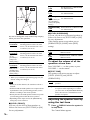
• When you select “MULTI ST.” or “REAR ST.,”
“LINK” lights up in the front panel display.
Selecting a sound field for
movies, music, news, sports,
or others
You can enjoy TV or VCR sound from all
speakers of this system.
For details, see “Step 3: TV Hookup” (page 21)
and “Step 4: Other Component Hookup”
(page 25).
The each mode provided sound to suit the
source.
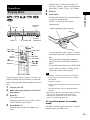
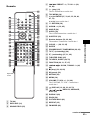
SOUND
FIELD
Enjoying the sound at low
volume
FUNCTION
Sound Adjustments
x HALL, JAZZ CLUB, LIVE CONCERT,
GAME, SPORTS, MONO MOVIE
Enjoying TV or VCR Sound
from All Speakers
x NIGHT
You can enjoy sound effects or dialogue, as you
would in a movie theater, even at low volume. It
is useful for watching movies at night.
Enjoying the surround sound
by headphones
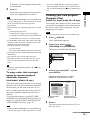
1
x HEADPHONE THEATER
This mode outputs the sound as surround from
headphone L/R.
x HEADPHONE 2CHANNEL STEREO
This mode outputs the sound from headphone L/
R. Standard 2 channel (stereo) sources
completely bypass the sound field processing.
Multi channel surround formats are downmixed
to two channels.
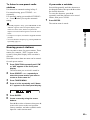
To turn the surround effect off
Press SOUND FIELD repeatedly until “A.F.D.
AUTO” or “2CH STEREO” appears in the front
panel display.
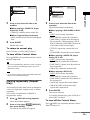
2
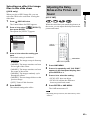
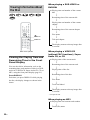
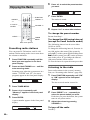
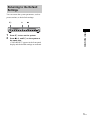
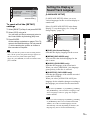
Press FUNCTION repeatedly until
“VIDEO 1” or “VIDEO 2” (depending on
connection) appears in the front panel
display.
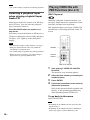
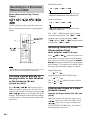
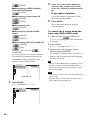
Press SOUND FIELD repeatedly until
the sound field you want appears in the
front panel display.
When you want to output the TV sound or
stereo sound of a 2 channel source from the
6 speakers, select the “Dolby Pro Logic,”
“Dolby Pro Logic II MOVIE,” or “Dolby
Pro Logic II MUSIC” sound field.
Note
• When you use both the VIDEO 1 or VIDEO 2 jacks
(analog connection) and COAXIAL DIGITAL IN or
OPTICAL DIGITAL IN jack (digital connection) at
the same time, the digital connection takes priority.
Tip
• The system memorizes the last sound field selected
for each function mode.
Whenever you select a function such as DVD or
TUNER, the sound field that was last applied to
function is automatically applied again. For example,
if you listen to DVD with HALL as the sound field,
then change to another function, and then return to
DVD, HALL will be applied again.
57US