1
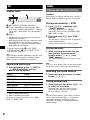
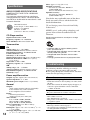
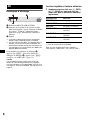
LPF*2 (Low Pass Filter)
To select the subwoofer cut-off frequency: “LPF
OFF” (z), “LPF125Hz” or “LPF 78Hz.”
5 Press the select button repeatedly until “AUX”
appears, and rotate the volume control dial to
adjust the volume level.
*1 When the unit is turned off.
*2 When the audio output is set to “SUB.”
Card remote commander
RM-X114 (CDX-GT20W only)
Using optional equipment
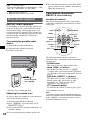
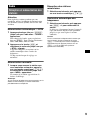
Auxiliary audio equipment
By connecting an optional portable audio device
to the AUX input jack (stereo mini jack) on the
unit and then simply selecting the source, you
can listen on your car speakers. The volume level
is adjustable for any difference between the unit
and the portable audio device. Follow the
procedure below:
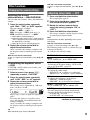
Connecting the portable audio
device
1 Turn off the portable audio device.
2 Turn down the volume on the unit.
3 Connect to the unit.
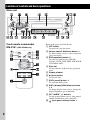
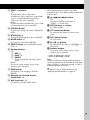
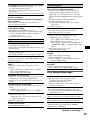
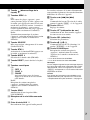
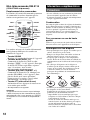
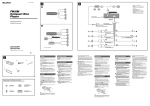
Location of controls
The corresponding buttons on the card remote
commander control the same functions as those
on this unit.
DSPL
DSPL
MENU*
SOURCE
</,
(SEEK –/+)
SEEK–
SOUN
VOL (+/–)
D
DISC +
SOURCE
DISC –
LIST
SEEK+
R
ENTE
+
VOL
m/M
(DISC*/
PRESET
+/–)
ENTER*
PRESET –
OFF
MODE
LIST*
PRESET +
MENU
SOUND
OFF
MODE
ATT
ATT
–
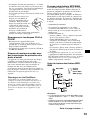
The following buttons on the card remote
commander have also different buttons/functions
from the unit.
AUX
AUX
Connecting cord*
(not supplied)
* Be sure to use a straight type plug.
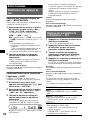
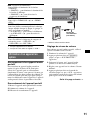
Adjusting the volume level
Be sure to adjust the volume for each connected
audio device before playback.
10
1 Turn down the volume on the unit.
2 Press (SOURCE) repeatedly until “AUX
FRONT IN” appears.
3 Start playback of the portable audio device at a
moderate volume.
4 Set your usual listening volume on the unit.
• SOUND button
The same as the select button on the unit.
• </, (SEEK –/+) buttons
To control CD/radio, the same as (SEEK)
–/+ on the unit. (For details of other operations,
see “With the card remote commander” on each
pages.)
• M/m (DISC*/PRESET +/–) buttons
To control CD, the same as GP/ALBM –/+
buttons on the unit. (For details of other
operations, see “With the card remote
commander” on each pages.)
• ATT (attenuate) button
To attenuate the sound. To cancel, press again.
* Not available for this unit.
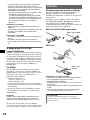
Note
If the unit is turned off and the display disappears, it
cannot be operated with the card remote commander
unless (SOURCE) on the unit is pressed, or a disc is
inserted to activate the unit first.