1
body2.fm Page 18 Monday, September 18, 2000 8:53 AM
Adjusting Your LCD Monitor
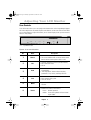
Table 1. Screen controls (Continued )
Icon
Function Descriptions
Menus and
Sub-menus
Information
–
n
n
n
n
n
n
+
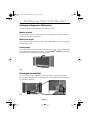
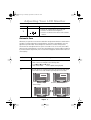
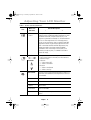
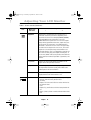
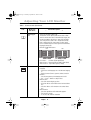
Shows the information of the current video signal.
The information includes the following
Video Signal Type: Analog/Digital
Sync. Types and frequencies with polarities
Resolution
Example
ANALOG
H + 74.8 V - 59.8
1920 x 1200
V1 V2
SOURCE
n
n
VIDEO CONTROL
n
n
n
n
n
n
PIP
AUTO
EXIT
MENU
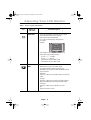
The example shown above says the following.
Video Signal Type: Analog PC video
H_Sync: “+ / + ” 74.8 kHz
V_Sync: “– / –” 59.8 HZ
S/M 210T Resolution: 1600 x 1200
S/M 240T Resolution: 1920 x 1200
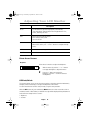
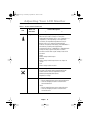
The color characteristic of Composite Video is often
different from the one of PC Video signal.
Use VIDEO CONTROL feature to adjust Color
Characteristic of Composite Video independent of the
one of PC Video.
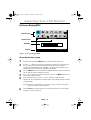
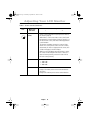
Brightness
Increases or decreases the light intensity of composite
video.
Contrast
Increases or decreases the ratio of the light intensity
between the brightest white and the darkest dark.
Saturation
Increases or decreases the pureness of color.
Hue
Changes the tone of colors.
English
18