1
Using the “Options” Menu
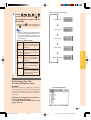
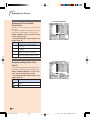
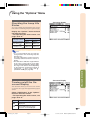
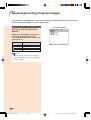
Checking the Lamp Life
Status
On-screen Display
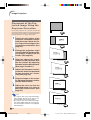
You can confirm the cumulative lamp usage
time and the remaining lamp life (percentage).
Display the “Options” menu to check
the lamp life status.
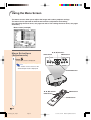
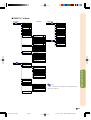
➝For operating the menu screen, see
pages 38 to 41.
Lamp usage condition
Remaining lamp life
100%
5%
Approx.
Approx.
4,000 hours 200 hours
Operated exclusively
in Eco mode ( )
Operated exclusively Approx.
Approx.
in Standard mode ( ) 3,000 hours 150 hours
Note
Turning on/off the Onscreen Display
Adjustments and Settings
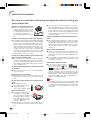
• It is recommended that the lamp be
changed when the remaining lamp life
becomes 5%.
For lamp replacement, contact your nearest Sharp Authorized Service Center or
Dealer.
• The table above indicates rough estimates
in the case of using only in each mode
shown. Remaining lamp life changes within
the range of the values shown depending
on the frequency at which “Eco Mode” is
switched to “ ” (Eco mode) and “ ”
(Standard mode) (see page 53).
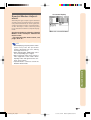
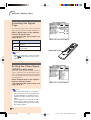
On-screen Display
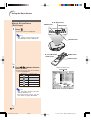
This function allows you to turn on or off the
on-screen messages that appear during input
select.
Select “OSD Display” in the “Options”
menu on the menu screen.
➝For operating the menu screen, see
pages 38 to 41.
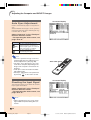
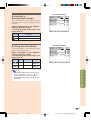
Description
Selected Item
(ON) All On-screen Displays are
displayed.
(OFF) INPUT/FREEZE/AUTO SYNC/
“An invalid button has been
pressed.” are not displayed.
DT-300_E_p51_56.p65
Page 51
-51
03.10.29, 2:46 PM
Adobe PageMaker 6.5J/PPC