1
CD-ES600
CD-ES66
Recording on a cassette tape (continued)
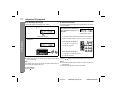
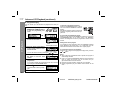
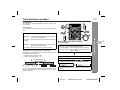
Recording from several CDs continuously:
1 Perform steps 1 - 5 in "Recording from a CD (CDs)" on page 25.
2 Within 5 seconds, press the / .
To perform programmed recording:
1 Program discs and tracks. (See page 20.)
2 Press the
button.
3 Press the / .
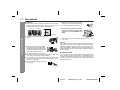
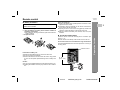
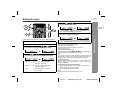
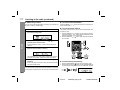
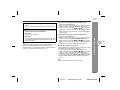
! Dubbing from tape to tape
You can record from TAPE 1 to TAPE 2.
1
2
Tape Recording
To stop recording:
Press the button.
The CD and tape will stop.
Press the ON/STAND-BY button to turn the power on.
Load a prerecorded cassette
into the TAPE 1 cassette compartment. Insert a blank tape
into the TAPE 2 cassette compartment.
It is recommended that the recording tape is the same length as
the master tape.
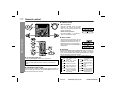
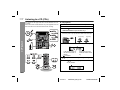
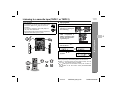
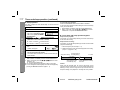
! Recording from the radio
3
1
2
Press the TAPE (1
the display.
4
Press the
3
4
Tune in to the desired station. (See page 21.)
Load a cassette into the TAPE 2 cassette compartment
with the side to be recorded on facing you.
Wind past the leader of the tape, on which recording cannot be
performed.
2) button until "TAPE 1" appears on
button.
Recording will be paused.
5
Press the
/
button to start dubbing.
Recording will be paused.
To stop dubbing:
Press the button.
TAPE 1 and TAPE 2 will simultaneously stop.
Press the
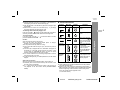
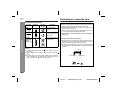
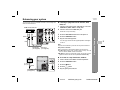
! Erasing recorded tapes
Press the
button.
/
button to start recording.
To interrupt recording:
Press the
button.
To resume recording, press the
1
2
/
button.
To stop recording:
Press the button.
Note:
If you hear a whistling noise while recording an AM station, move
the AM loop antenna.
3
4
Load the tape to be erased into the TAPE 2 cassette compartment with the side to be erased facing toward you.
Press the TAPE (1 2) button until "TAPE 2" appears on the display.
Press the
button.
Press the / button to start erasing.
Note:
Make sure that the TAPE 1 is not in use.
26
03/11/4
CD-ES600_66(U)3.fm
TINSEA005AWZZ