Transcript
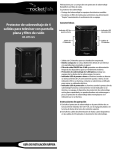
PS3 Quad Charger
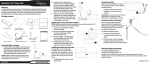
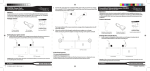
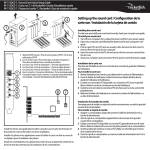
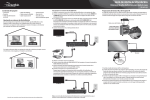
3 Plug the AC adapter into the jack on the bottom of the charger, then plug the
other end of the adapter into a power outlet. The green power indicator on the
AC adapter lights.
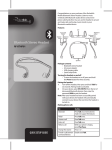
Congratulations on your purchase of the Rocketfish RF-GPS3008 PS3 quad charger.
Dock your controllers and plug the charger into any AC power outlet and charge up
to four PS3 controllers simultaneously.
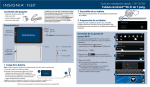
1 Place the support pads over the support pad posts,
then insert tabs until they firmly click into place.
Specifications
• Input 110V 60 Hz 0.2A
• Maximum output 5V 1200 mA
FCC Part 15
This device complies with Part 15 of the FCC Rules. Operation of this product is subject to the
following two conditions: (1) this device may not cause harmful interference, and (2) this device
must accept any interference received, including interference that may cause undesired operation.
Package contents
• Charge base
• Support pads (2)
• AC adapter
Canada ICES-003 statement
This Class B digital apparatus complies with Canadian ICES-003.
90-day limited warranty
4 To charge your controllers, insert the PS3 controller top down, making sure to align
the mini USB port on the PS3 controller with the USB plug on the docking station.
Visit www.rocketfishproducts.com for details.
Contact Rocketfish:
For customer service, call 1-800-620-2790
www.rocketfishproducts.com
Distributed by Best Buy Purchasing, LLC
7601 Penn Avenue South, Richfield, Minnesota, U.S.A. 55423-3645
© 2009 Best Buy Enterprise Services, Inc.
All rights reserved. ROCKETFISH is a trademark of Best Buy Enterprise Services, Inc. Registered in
some countries. All other products and brand names are trademarks of their respective owners.
Charge LED
2 Extend the two stands.
RF-GPS3008
USER GUIDE
ENGLISH 09-0253