Transcript
TP7410N
TP7410N
Filters interference from DSL or alarm systems out of your phone line
Filters interference from DSL or alarm systems out of your phone line
Filtra la interferencia proveniente de sistemas de alarma o DSL de su línea de teléfono
Filtra la interferencia proveniente de sistemas de alarma o DSL de su línea de teléfono
How to connect
PHONE
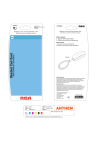
1. Plug the filter into wall phone jack.
2. Plug your phone into the filter.
PC
Cómo conectar
Filtro DSL
DSL Filter
1. Acople el filtro al conector de teléfono para pared.
2. Conecte el teléfono al filtro.
Lifetime Warranty
Audiovox Electronics Corporation will replace this product, regardless of how long
you own it, if it should fail to perform to its design specifications. Simply return to
the following address for a replacement: Audiovox Electronics Corporation, 150
Marcus Blvd., Hauppauge, New York 11788.
Garantía por Vida
Audiovox Electronics Corporation reemplazará este producto, independientemente de por cuanto tiempo Ud. lo haya poseído, si se encontrara que el producto
no funciona según las especificaciones. Sencillamente devuélvalo a la siguiente
dirección para obtener un reemplazo: Audiovox Electronics Corporation, 150
Marcus Blvd., Hauppauge, New York 11788.
© 2008 Audiovox Accessories Corporation
111 Congressional Blvd., Suite 350
Carmel, IN 46032
Trademark(s) ® Registered
Marca(s) Registrada(s)
Made in China
www.rcaaccessories.com
CLIENT: Audiovox
PROJECT: Lowes
FILE:
TP7410N Item G
PROGRAM: Illustrator CS3
August 5, 2008
DATE:
DESIGNER: jt
NOTES: Mechanical done at 100%
INK
COLORS
Cyan
Magenta
Yellow
Black
PMS 185
FILE PATH: Audiovox JOBS/Jobs WIP/042669 Audiovox/Tactical Design/042669_C2Phone_ABCDEFG.ai
TP7410N NA CAW 00
DATE
CODE
0
79000 32781
3