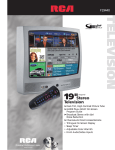
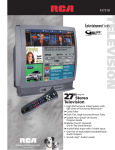
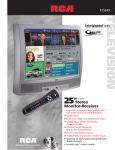
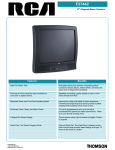
1
F25424
TELEVISION
1
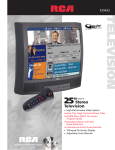
25"
Television
diagonal
➤Dark-Tint, High-Contrast Picture Tube
➤GUIDE Plus+ GOLD1 On-Screen
Program Guide
➤Front Audio/Video Inputs
• Trilingual On-Screen Display
➤ChanneLock Direct Access Remote
• Sleep Timer
F25424
Picture
• Dynamic BlackStretch
Circuitry
Extends black levels in bright
scenes to enhance contrast
and detail.
•
Automatically maintains natural
flesh tones and color fidelity
from channel to channel and
scene to scene.
• Adjustable Picture Control
Custom picture settings are just
a button-press away. Adjust and
store Contrast, Color, Tint, Black
Level, and Sharpness settings for
personal picture performance
depending on your own
individual tastes.
➤Dark-Tint, High-Contrast
Picture Tube
Dark glass picture tube delivers
outstanding picture contrast for
blacker blacks, brilliant whites,
and deep rich colors even in
bright room conditions.
Sound
• Front-Fired Speaker System
Front-fired full-range frequency
drivers provide excellent imaging
while localizing voices at the
screen.
Remote
• Adjustable Color Warmth
Customer-selectable color
temperature system allows
for background color balance
adjustment of the picture to
personal preference. Setting
choices are Cool, Warm, or
Normal.
• Contrast/Color
Tracking System
Synchronizes contrast
and color settings to maintain
vibrant images.
• Preferred Picture Presets
Optimize the picture by selecting
the correct setting depending on
the lighting conditions of the
room. Choose between four settings for bright lighting, normal
lighting, dim (soft) lighting, and a
customer-selectable and savable
“personal” setting.
• 181-Channel
Tuning Capability2
Digitally-controlled frequency
synthesis tuning system “locks
on” to cable and standard signals
with unsurpassed accuracy.
➤ChanneLock
Direct Access Remote
CRK17TA1
Ergonomic design and colorcoded buttons make it easy to
control power, volume, direct
access of channels, plus TV picture
adjustments and features.
Convenience
2 ways to find your programs
WHAT’S ON TV!
Tonight, Tomorrow
and the Next Day!
The Grid Guide
Using your remote, easily scroll through
current or future TV listings to see what’s
on. As each program is highlighted, an
informative summary appears in the
Program Info area.
“Command” Buttons
Preview
Window
The Sort Guide
Find your favorite sports, movies, or kids’
programs, for up to seven days in advance,
instantly with the Sort Guide.
Program
Info
And The Benefit
of One-Touch Record*
Even if your VCR is flashing 12:00, the
GUIDE Plus+ GOLD1 Program Guide can
record your favorite shows. Simply use your
remote to highlight the program you want to
record, set it to record and the GUIDE Plus+
GOLD1 Program Guide does the rest! You can
even set shows to record daily and weekly!
Guide
Selector
Promotional
Windows
Channel
Line-ups
Program
Grids
*compatible with most VCRs
➀
Press
Here.
➁
The Program Guide appears
on your television.
MSNBC News Guide
Check out up-to-date national and world
news stories from MSNBC in the News Guide.
Comprehensive coverage includes business,
sports, and entertainment news.
GUIDE Plus+ GOLD1 Interactive Program Guide
Find out What's On! The GUIDE Plus+ Gold1 Program Guide
is a FREE, built-in service that provides instant listings of all your
TV shows at the touch of a button. View listings up to seven days
in advance and enjoy the capability of One-Touch Recording
to your VCR.
•
Countdown timer returns TV
to original channel, so other
channels can be browsed during
program breaks.
• Picture Reset
Instantly returns picture to factory
settings for Color, Tint, Contrast,
Brightness, and Sharpness.
• Advanced Auto
Channel Search
Auto Cable/Air Switch sets tuner
to cable or “off-air” frequencies
during initial setup. Then system
automatically scans for and locks
active channels into channel
memory.
• On-Screen Menu System
On-screen displays make it easy
to adjust more picture, sound, and
convenience features from either
the remote control or the TV front
panel buttons.
• Interactive Setup Menu
Convenient on-screen menu system
automatically steps user through
the initial setup procedures.
• Trilingual On-Screen Display
Allows the on-screen menu system
to be displayed in one of three
languages (English, French, or
Spanish).
• On-Screen Time and
Channel Display
Displays time and channel number
at the press of a button.
• Programmable
Timer System
Convenient scheduling system can
be used in a variety of ways:
–Sleep Timer
Automatically turns off the TV
after a preset time period—for
those times when you drift off to
sleep in front of the television.
–Alarm Timer
Wake up to your favorite morning
show or turn on your television
automatically to catch your
favorite program.
–Scheduling Timer
Since the alarm setting remains in
the TV memory indefinitely, the
TV can be scheduled to turn on
at the same time every day.
•
Assign on-screen characters to easily
identify channels (e.g. NBC, HBO,
ESPN, VH-1).
• Front Panel Lockout
Completely disables front panel
controls to prevent toddlers from
altering settings.
• V-Chip Parental Control
Puts control back into the hands of
the viewer by blocking unwanted
television broadcasts with U.S.
Government required circuitry.
Blocks three types of programs:
regular television programs,
broadcast movies and unrated
programs.
Program rating information is
sent by the broadcaster continuously during the program. The
television will match program
rating to user preference and
block the entire program (when
program is aired with the encoded
signal). User preference is secured
using a four-digit password.
• Non-Volatile Memory
In case of most power outages,
the picture adjustments and
channel selections are stored in
electronic memory.
• Caption Vision
Closed
Caption Capability3
Assists the hearing impaired, helps
children learn to read, and aids in
the teaching of English as a second
language. Built-in Closed Caption
Decoder displays the audio portion
of a program as text on the TV
screen (when program is aired
with the encoded signal).
Connections
➤Front Audio/Video Inputs
Color-coded front monitor panel
provides direct audio and video
connections for optimum
performance and system flexibilty.
The front jacks allow for the
convenient connection of
components such as game
systems, camcorders, digital
cameras, and other A/V
components.
• G-LINK1 Connector
The G-LINK1 connector allows
the GUIDE Plus+ GOLD1 Program
Guide to work with your VCR
(enabling one-touch record)
and/or cable box (ability to tune
directly to a station when the
program guide is on your
TV screen).
• Front Panel
• Back Panel
CABLE/
ANTENNA
G-LINK
Specifications
Screen Size (diagonal)
Finish
Cabinet Dimensions
Approx. Shipping Weight
F25424
25"
Ebony Texture
217⁄ 8" H, 241⁄ 2" W, 19" D
75 Lbs.
Plus
• Limited Warranty
– 90 days for labor charges.
– One year for parts.
– Two years for picture tube.
– See RCA dealer or visit www.rca.com for complete details.
1 GUIDE Plus+ GOLD and G-LINK are trademarks of Gemstar-TV Guide International, Inc.
2 Check your cable company’s compatibility requirements.
3 This television receiver provides display of television closed captioning in accordance
with §15.119 of the FCC rules. This television receiver does not support color attributes
of television closed captioning.
©2001 Thomson multimedia Inc.
Form S-F25424
Trademark(s) ® Registered
Marca(s) Registrada(s)
Photos and features subject to change
without notice. Illustration of product finish
may vary from actual color. Screen sizes
measured diagonally.
Printed in the U.S.A. 3/01
PC15892
GAC38656