1
6
5
D
F
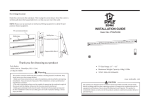
Plasma TV Cabinet
7
Universal Mounting Instructions
For Model :
PAVS007
-4-
IMPORTANT: If don’t understand about right install ways, please
consult to normal installing specialist.
Installation
Contents of the box: Hardware shown as actual size
A
C
B
E
D
Letter
Qty
Description
Long bolt
A
4
B
Long joint stick
C
4
4
D
4
E
1
Foot support
Top glass panel
F
2
Base glass panel
Short joint stick
Please refer to the figures in the process.
Fig ①. Open the box and take out the 4 pieces of Long bolts (A) as well as
Top glass panels(E). Put the Top glass panel onto some flat floor, note the
surface with bolt holes up. Then put the tip of the bolt into the holes.
Fig ②.Insert the Short joint stick(C) at the showed position.
Fig ③. Carefully attach the Base glass panel(F) to the right position,
Fig ④. Insert the Long joint stick(B) at the showed position.
Fig ⑤. Attach the Base glass(F) to the right position,
Fig ⑥.Install the Foot support (D) .
Fig ⑦.Turnover the whole cabinet and finish the whole installation.
F
1
2
A
C
E
WARNING
Please read this guide before installation.
Ensure the correct installation. The Max load is 60kg/132lbs.
Keep away from high frequency or power equipment to avoid disturbance.
Choose flat floor to put this product.
We can not be responsible for any damage caused by wrong installation.
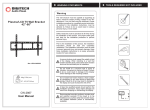
Caution : This Product LCD /Plasma Wall Mount Bracket is
3
4
B
F
intended for use only with the maximum weights indicated .See apparatus
instructions .Use with products heavier than the maximum weights
indicated may result in instability causing possible injury .
-2-
-3-