Transcript
® W730-M
Savi
W730-M
Savi®
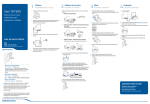
1
1
Headset
Customize and Charge
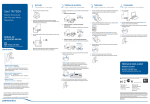
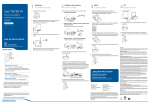
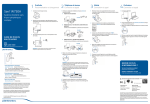
Attach charge cradle to base.
2
1
Desk Phone
Connect and Call
Choose desk phone setup A, B, or C and connect cables.
A Desk phone (standard)
Multi
Device Wireless
Multi-Device
Wireless
Headset
Headset System
System
3
1
Mobile
Connect and Call
Press down and hold Bluetooth pairing button (4 seconds) on Savi
base until indicator LED flashes red and blue.
4
1
Computer
Connect and Call
Connect USB cable.
USE
2 Plug one end of power supply into power jack on back of the base and
other end into working power outlet.
B Desk phone + HL10 lifter (sold separately)
2 Place Bluetooth mobile phone into search mode. Select SAVI 7xx from
the list of found devices.
2 While wearing headset, short press base computer button.
See user guide at plantronics.com/accessories
USE
Guide de démarrage rapide
Guía de inicio rápido
Guia de Início Rápido
Guía de inicio rápido
Guide de démarrage rapide
3 If prompted by mobile phone, type 0000 as passcode.
Bluetooth indicator LED on base will turn solid blue when base has an
active connection with mobile phone.
3 To charge, dock headset in base, minimum of 20 minutes.
See user guide at plantronics.com/accessories
USE
VIDEO GUIDE
4 While wearing headset, short press base mobile button.
http://docs.plantronics.com/savi-700
VIDEO GUIDE
4 End call by pressing headset call control button.
C Desk phone + EHS cable (sold separately)
QUICK START GUIDE
quick start guide
http://docs.plantronics.com/savi-700
3 Dial test call from computer softphone.
NOTE This product has a non-replaceable battery. Contact Plantronics for
replacement information.
2 While wearing headset, short press base desk phone button.
5 Dial test call from mobile phone.
6 End call by pressing headset call control button.
NOTE If you don't have remote call control through a lifter (HL10) or cable
(EHS), manually remove desk phone handset before each call.
1 Increase volume/flash button
Increase volume Short press +
Flash While on call, long press volume up + for 1.5 seconds, will
put call on hold and answer another.
2 Decrease volume/mute button
Decrease volume Short press –
Mute Press volume down – for 1.5 seconds
3 If you do not hear a dial tone, open side panel and adjust middle
configuration switch (A–G) until you do. Default setting A works for
majority of desk phones.
4 Dial test call from desk phone.
5 End call by pressing headset call control button.
3 Call control button
Answer/end call Short press
CAUTION For your safety, do not use headset at high volumes
for extended periods of time. Doing so can cause hearing loss.
Always listen at moderate levels. For more information on
headsets and hearing visit plantronics.com/healthandsafety.
NEED MORE HELP?
Technical support
plantronics.com/support
Online
guide
NEEDuser
MORE
HELP?
http://docs.plantronics.com/savi-700
Product support
Please refer to the separate safety instructions for important product
safety information prior to installation or use of the product.
Savi W730 has a WO2 base and a WH210 headset.
Savi W730 has a WO2 base and a WH210 headset.
86108-05 (04.11)
plantronics.com/support
Online user guide
http://docs.plantronics.com/savi-700