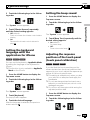
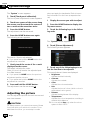
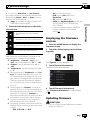
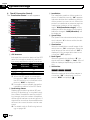
1
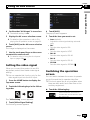
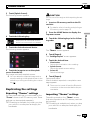
Operation Manual
NAVIGATION AV SYSTEM
AVIC-F60DAB
AVIC-F960DAB
AVIC-F960BT
AVIC-F860BT
Be sure to read Important Information for the User
first!
Important Information for the User includes the
important information that you must understand before
using this product.
English
Contents
Thank you for buying this Pioneer product.
Please read through these instructions so you will know how to operate your model
properly. After you have finished reading the instructions, keep this document in a
safe place for future reference.
Important
The screens shown in the examples may differ
from actual screens, which may be changed
without notice for performance and function
improvements.
Introduction
Manual overview 10
– How to use this manual 10
– Conventions used in this manual 10
– Terms used in this manual 10
Notes on internal memory 11
– Before removing the vehicle
battery 11
– Data subject to erasure 11
– Resetting the microprocessor 11
Basic operation
Checking part names and functions 12
Protecting your product against theft 13
– Removing the detachable
faceplate 13
– Attaching the detachable faceplate 13
Notes on using the LCD panel 14
Adjusting the LCD panel angle 14
Inserting/ejecting/connecting media 14
– Inserting and ejecting a disc 14
– Inserting and ejecting an SD memory
card 15
– Connecting and disconnecting an
iPod 16
– Plugging and unplugging a USB
storage device 16
Startup and termination 16
On first-time startup 17
Regular startup 17
– A message about the map
database 17
2
Engb
Turning off the display 17
How to use the screens 18
– Switching screens using the touch
panel keys 18
– Switching screens using the hardware
buttons 19
Supported AV source 20
Displaying the AV operation screen 20
– Selecting a front source on the AV
source selection screen 20
– Selecting a front source on the source
list 21
– Selecting a rear source 21
Turning off the AV source 21
Changing the display order of source
icons 21
Changing the display order of source
keys 22
Using the touch panel 22
– Using the common touch panel
keys 22
– Operating list screens 22
– Operating the time bar 23
– Operating the on-screen keyboard 23
On first-time startup of the navigation
system 23
How to use the Navigation menu screen
Operating the Navigation menu screen 25
How to use the map
How to read the Map screen 26
Frequently shown route events 26
Seeing the current position on the map 27
Browsing the data field 27
Configuring the driving display 28
Operating the Map screen 29
– Changing the scale of the map 29
– Smart Zoom 29
Contents
– Switching between 2D, 3D, and 2D
North up views 29
– Changing the view angle of the
map 30
– Scrolling the map to the position you
want to see 30
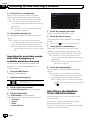
Searching for and selecting a location
Searching for a location by address 31
Searching for Points of Interest (POI) 32
– Searching for POIs using preset
categories 32
– Searching for POIs by categories or
directly from the name of the
facilities 33
– Searching for providers nearby that
offer emergency or roadside assistance
services 34
Selecting a destination from stored
locations 34
Selecting a destination from stored
routes 35
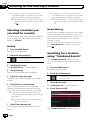
Selecting a location you searched for
recently 36
– History 36
– Smart History 36
Searching for a location using “Combined
Search” 36
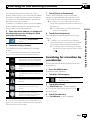
Searching for a location by coordinates 37
Searching for a location by scrolling the
map 38
Checking and modifying the current
route
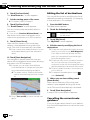
Modifying the route 39
– Checking route alternatives when
planning the route 39
– Checking route alternatives for an
existing route 39
– Setting a new starting position for the
route 39
– Editing the list of destinations 40
– Cancelling the current route
guidance 40
Building a route using “Route Planner” 41
Checking route information and
preferences 41
– Watching the simulation of the
route 42
Registering and editing locations and
routes
Storing a location in “Saved Location” 43
Storing a route in “Saved Routes” 43
Saving a location as an alert point 43
Using traffic information
Receiving real-time traffic information
(TMC) 45
Checking the traffic incidents on the
map 45
Checking useful information about your
trip
Checking useful information 46
Customising preferences of the
navigation
Customising the navigation settings 47
– Restoring the default settings 48
Information on each option of “Settings” 48
– “Route Preferences” settings 48
– “Sound” settings 49
– “Warnings” settings 50
– “Navigation Map” settings 51
– “Regional” settings 53
– “Display” settings 53
– “Traffic” settings 53
– “Weather” settings 53
Engb
3
Contents
–
–
–
–
“Trip Monitor” settings 53
“Connected Services” settings 54
“Usage Reports” settings 54
“Start Configuration Wizard”
settings 54
Registering and connecting a Bluetooth
device
Preparing communication devices 55
Registering your Bluetooth devices 55
– Searching for nearby Bluetooth
devices 55
– Pairing from your Bluetooth
devices 56
– Connecting to a Bluetooth device
automatically 57
– Deleting a registered device 57
Connecting a registered Bluetooth device
manually 58
Switching visibility 58
Entering the PIN code for Bluetooth wireless
connection 59
Displaying the Bluetooth device address 59
Clearing the Bluetooth memory 59
Updating Bluetooth software 60
Displaying the Bluetooth software
version 60
Using hands-free phoning
Displaying the phone menu 61
– Touch panel keys 61
– Reading the screen 61
Making a phone call 62
– Direct dialling 62
– Calling a number in the phone
book 62
– Dialling from the history 63
– Using the preset dial lists 64
Receiving a phone call 64
– Answering an incoming call 65
4
Engb
Minimising the dial confirmation screen 65
Changing the phone settings 66
– Answering a call automatically 66
– Switching the ring tone 66
– Inverting names in the phone book 66
– Setting the private mode 66
– Adjusting the other party’s listening
volume 67
Using the voice recognition function (for
iPhone) 67
Notes for hands-free phoning 67
iPod / iPhone or smartphone setup
operation
The basic flow of iPod / iPhone or
smartphone setup 69
Setting the device connection method 69
iPod compatibility 69
Android™ device compatibility 70
MirrorLink device compatibility 70
Information on the connections and
functions for each device 71
Using the radio
Using the touch panel keys 74
Reading the screen 74
Starting procedure 75
Selecting a band 75
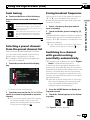
Manual tuning 75
Seek tuning 75
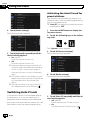
Selecting a preset channel from the preset
channel list 76
Storing broadcast frequencies 76
Storing the strongest broadcast
frequencies 76
Tuning into strong frequencies 76
Receiving traffic announcements 77
Using news programme interruption 78
Tuning into alternative frequencies 79
Contents
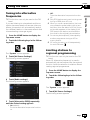
Limiting stations to regional
programming 79
Switching Auto PI seek 80
– Activating the Auto PI seek for preset
stations 80
Switching the sound quality of the FM
tuner 81
Storing song information to an iPod (iTunes
Tagging) 81
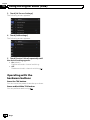
Operating with the hardware buttons 81
Switching the audio language 92
Frame-by-frame playback 92
Slow motion playback 92
Returning to a specified scene 92
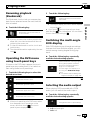
Resuming playback (Bookmark) 93
Operating the DVD menu using touch panel
keys 93
Switching the multi-angle DVD display 93
Selecting the audio output 93
Operating with the hardware buttons 94
Using the Digital Radio (DAB)
Using the touch panel keys 82
Reading the screen 83
Starting procedure 83
Selecting a band 84
Selecting a channel from the list 84
Listening to a recent broadcast 84
Manual tuning 84
Seek tuning 85
Selecting a preset channel from the preset
channel list 85
Storing broadcast frequencies 85
Switching to a channel with good receiving
sensitivity automatically 85
Operating with the hardware buttons 86
Playing compressed audio files
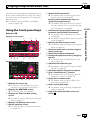
Using the touch panel keys 95
Reading the screen 96
Starting procedure (for Disc) 97
Starting procedure (for USB/SD) 97
Switching the browse mode 97
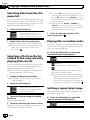
Selecting files from the file name list 98
Selecting a file from the list related to the
song currently playing (link search) 98
Playing files in random order 98
Setting a repeat play range 98
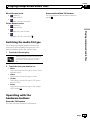
Switching the media file type 99
Operating with the hardware buttons 99
Playing a disc
Using the touch panel keys (for audio) 87
Using the touch panel keys (for video) 87
Reading the screen (for audio) 89
Reading the screen (for video) 89
Starting procedure 89
Selecting files from the file name list 90
Playing tracks in random order 90
Setting a repeat play range 90
Switching the media file type 91
Searching for the part you want to play 91
Operating the DVD menu 91
Switching the subtitle language 92
Playing compressed video files
Using the touch panel keys 100
Reading the screen 101
Starting procedure (for Disc) 101
Starting procedure (for USB/SD) 101
Selecting files from the file name list 101
Setting a repeat play range 102
Frame-by-frame playback 102
Slow motion playback 102
Switching the media file type 102
Operating with the hardware buttons 102
Playing compressed still image files
Using the touch panel keys 103
Reading the screen 103
Engb
5
Contents
Starting procedure 103
Selecting files from the file name list 104
Playing files in random order 104
Setting a repeat play range 104
Switching the media file type 104
Setting the slideshow interval 105
Operating with the hardware buttons 105
Using an iPod
Using the touch panel keys (for audio) 106
Using the touch panel keys (for video) 106
Reading the screen (for audio) 107
Reading the screen (for video) 107
Starting procedure 108
Setting the shuffle play 108
Setting a repeat play range 108
Selecting song or video sources from the
playlist screen 109
Using this product’s iPod function from your
iPod 109
Changing the speed of audiobook
playback 110
Displaying lists related to the song currently
playing (link search) 110
Operating with the hardware buttons 110
Playing back music from a music app other
than iPod music, as the iPod source 110
– Using the touch panel keys 110
– Reading the screen 111
Using your iPhone or smartphone
applications
Using AppRadio Mode 112
– Using the touch panel keys (App
control side bar) 112
– Starting procedure 113
– Using the keyboard 114
– Adjusting the image size (For
smartphone users) 115
6
Engb
– Displaying the image of your
application (iPhone with 30-pin
connector) 115
– Displaying the image of your
application (iPhone with Lightning
connector) 116
– Displaying the image of your
application (smartphone) 116
Using MirrorLink 117
– Using the touch panel keys (App
control side bar) 117
– Starting procedure 118
Using the audio mix function 118
Using Aha Radio
Using the touch panel keys 120
Reading the screen 121
Starting procedure 121
– For iPhone with a 30-pin connector
users 121
– For iPhone with a Lightning connector
users 122
– For smartphone users 122
Operating with the hardware buttons 123
Using a Bluetooth audio player
Using the touch panel keys 124
Reading the screen 125
Starting procedure 125
Selecting files from the file name list 126
Playing files in random order 126
Setting a repeat play range 126
Operating with the hardware buttons 126
Using an HDMI source
Using the touch panel keys 127
Reading the screen 127
Starting procedure 127
Contents
Using an AUX source
Using the touch panel keys 128
Reading the screen 128
Starting procedure 128
Setting the video signal 129
Switching the operation screen 129
Using AV input
Using the touch panel keys 130
Reading the screen 130
Starting procedure (for AV source) 130
Starting procedure (for camera) 131
Setting the video signal 131
Using MIXTRAX
MIXTRAX operation 133
Touch panel keys 133
Selecting an item to play songs 133
Selecting songs not to be played 134
Specifying the playback portion 134
Setting the flash pattern 134
System settings
Navigation info window 135
Setting automatic switching to the navigation
screen 135
Setting the FM tuning step 135
Setting the Digital Radio aerial power
supply 136
Activating the Bluetooth audio source 137
Setting the ever scroll 137
Setting AV input 137
Setting the rear view camera 138
– Setting rear view camera
activation 138
– Setting the polarity of the rear view
camera 138
Setting the camera for Camera View
mode 139
Displaying the parking assist
guidelines 140
Setting guidelines on the rear view
image 140
Setting the safe mode 141
Turning off the demo screen 142
Selecting the system language 142
Reversing the climate control status
display 142
Setting the keyboard language with the
application for iPhone 143
Setting the beep sound 143
Adjusting the response positions of the
touch panel (touch panel calibration) 143
Adjusting the picture 144
Displaying the firmware version 145
Updating firmware 145
Checking sensor learning status and driving
status 146
Clearing the status 147
Checking the connections of leads 147
Audio adjustments
Using fader/balance adjustment 149
Using balance adjustment 149
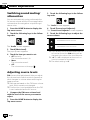
Switching sound muting/attenuation 150
Adjusting source levels 150
Adjusting the filter 152
– Adjusting the front and rear speaker
output 152
– Using the subwoofer output 152
Selecting the listening position 153
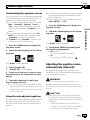
Adjusting the speaker output levels
finely 153
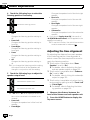
Adjusting the time alignment 154
Using the automatic sound leveliser 156
Using the equaliser 156
– Recalling equaliser curves 156
– Customising the equaliser curves 157
– Using the auto-adjusted equaliser 157
Engb
7
Contents
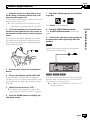
Adjusting the equaliser curve automatically
(Auto EQ) 157
– Before operating the Auto EQ
function 158
– Performing Auto EQ 158
Theme menu
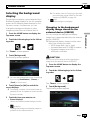
Selecting the background display 161
– Changing to the background display
image stored on the external device
(USB/SD) 161
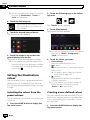
Setting the illumination colour 162
– Selecting the colour from the preset
colours 162
– Creating a user-defined colour 162
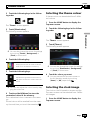
Selecting the theme colour 163
Selecting the clock image 163
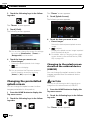
Changing the preinstalled splash
screen 164
– Changing to the splash screen stored
on the external device (USB/SD) 164
Replicating the settings 165
– Exporting “Theme” settings 165
– Importing “Theme” settings 165
Setting up the video player
Setting the top-priority languages 167
– Setting the subtitle language 167
– Setting the audio language 167
– Setting the menu language 168
Setting the angle icon display 168
Setting the aspect ratio 169
Setting parental lock 169
– Setting the code number and
level 169
Displaying your DivX VOD registration
code 170
Displaying your DivX VOD deregistration
code 171
Automatic playback of DVDs 171
8
Engb
Setting the video signal for the rear view
camera 171
Setting the video output format 172
Language code chart for DVDs 173
Favourite menu
Selecting a shortcut 174
Removing a shortcut 174
Displaying the operation status of
vehicle equipment
Displaying obstacle detection
information 175
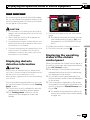
Displaying the operating status of the climate
control panel 175
Common operations
Setting the time and date 177
Storing song information to an iPod (iTunes
Tagging) 177
Setting the “Sound Retriever” function 178
Changing the wide screen mode 178
Other functions
Selecting the video for the rear display 180
Setting the anti-theft function 180
– Setting the password 180
– Entering the password 181
– Deleting the password 181
– Forgotten password 182
Restoring this product to the default
settings 182
– Restoring the default settings 182
Appendix
Troubleshooting 183
Error messages 185
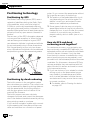
Positioning technology 190
– Positioning by GPS 190
– Positioning by dead reckoning 190
Contents
– How do GPS and dead reckoning work
together? 190
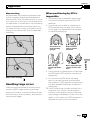
Handling large errors 191
– When positioning by GPS is
impossible 191
– Conditions likely to cause noticeable
positioning errors 192
Route setting information 194
– Route search specifications 194
Handling and care of discs 194
– Built-in drive and care 195
– Ambient conditions for playing a
disc 195
Playable discs 195
– DVD-Video and CD 195
– AVCHD recorded discs 196
– Playing DualDisc 196
– Dolby Digital 196
Detailed information for playable media 196
– Compatibility 196
– Media compatibility chart 199
Bluetooth 203
SDHC and microSDHC 203
WMA/WMV 203
DivX 203
AAC 204
Android™ 204
MirrorLink 204
Detailed information regarding connected
iPod devices 204
– iPod and iPhone 204
– Lightning 205
– App Store 205
– iOS 205
– iTunes 205
Using app-based connected content 205
– Aha Radio 205
HDMI 205
MHL 206
IVONA Text-to-Speech 206
Notice regarding video viewing 206
Notice regarding DVD-Video viewing 206
Notice regarding MP3 file usage 206
Map coverage 206
Using the LCD screen correctly 206
– Handling the LCD screen 206
– Liquid crystal display (LCD)
screen 207
– Maintaining the LCD screen 207
– LED (light-emitting diode)
backlight 207
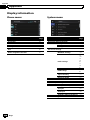
Display information 208
– Phone menu 208
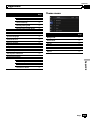
– System menu 208
– Theme menu 209
– Audio menu 210
– Video Setup menu 210
– Bluetooth menu 211
Specifications 212
Engb
9
Chapter
01
Introduction
Manual overview
Before using this product, be sure to read Important Information for the User (a separate
manual) which contains warnings, cautions,
and other important information that you
should note.
The screen examples shown in this manual
are those for AVIC-F60DAB. The screens may
vary according to the models.
How to use this manual
Finding the operation procedure for
what you want to do
When you have decided what you want to do,
you can find the page you need from the Contents.
Finding the operation procedure from
a menu name
If you want to check the meaning of an item
displayed on screen, you will find the necessary page from the Display information at the
end of this manual.
Conventions used in this manual
Before moving on, take a few minutes to read
the following information about the conventions used in this manual. Familiarity with
these conventions will help you greatly as you
learn how to use your new equipment.
! Buttons on this product are described in
ALL CAPITALS, BOLD lettering:
e.g.)
HOME button, MODE button.
! Menu items, screen titles, and functional
components are described in bold with
double quotation marks “ ”:
e.g.)
“System” screen or “Audio” screen
! Touch panel keys that are available on the
screen are described in bold in brackets [ ]:
e.g.)
10
Engb
[Disc], [AV Source Settings].
! Extra information, alternatives and other
notes are presented in the following format:
e.g.)
p If the home location has not been stored
yet, set the location first.
! Functions of other keys on the same screen
are indicated with # at the beginning of the
description:
e.g.)
# If you touch [OK], the entry is deleted.
! References are indicated like this:
e.g.)
= For details of the operations, refer to
How to use the screens on page 18.
! Model icons shown in this manual indicate
that the description is intended for the
models indicated by the icons.
If the following icons are shown, the description is applied only to the models
shown.
e.g.)
F960DAB F960BT
F860BT
Terms used in this manual
“Front display” and “Rear display”
In this manual, the screen that is attached to
the body of this product will be referred to as
the “Front display”. Any additional screen that
is commercially available and can be connected to this product will be referred to as the
“Rear display”.
“Video image”
“Video image” in this manual indicates moving images of DVD-Video, DivX®, iPod, and any
equipment that is connected to this system
with an RCA cable, such as general-purpose
AV equipment.
Chapter
Introduction
The SD memory card, SDHC memory card,
microSD card, microSDHC card and USB
memory device are collectively referred to as
the “external storage device (USB, SD)”. If it indicates the USB memory only, it is referred to
as the “USB storage device”.
“SD memory card”
The SD memory card, SDHC memory card,
microSD card and microSDHC card are collectively referred to as the “SD memory card”.
“iPod”
In this manual, iPod and iPhone will be referred to as “iPod”.
The microprocessor must be reset under the
following conditions:
! Prior to using this product for the first time
after installation.
! If this product fails to operate properly.
! If there appears to be problems with the operation of the system.
! If your vehicle position is shown on the
map with a significant positioning error.
1
Introduction
“External storage device (USB, SD)”
01
Turn the ignition switch OFF.
2 Press the RESET button with a pen tip
or other pointed implement.
Settings and recorded contents are reset to
the factory settings.
F60DAB
Notes on internal memory
Before removing the vehicle
battery
If the battery is disconnected or discharged,
the memory will be erased and must be reprogrammed.
p Some of the settings and recorded contents will not be reset.
1
F960DAB F960BT
F860BT
1
Data subject to erasure
The information is erased by disconnecting
the yellow lead from the battery (or removing
the battery itself).
p Some of the settings and recorded contents will not be reset.
Resetting the microprocessor
1 RESET button
CAUTION
Pressing the RESET button resets settings and recorded contents to the factory settings.
p Do not perform this operation when a device
is connected to this product.
p Some of the settings and recorded contents
will not be reset.
Engb
11
Chapter
02
Basic operation
Checking part names and
functions
This chapter gives information about the names
of the parts and the main features using the buttons.
F60DAB
1
2
3 4 5
6 7 8
a
b
9
F960DAB F960BT
8
7 h button
b
7
2
3
4
5
6
c
d
1
1 LCD screen
2 VOL (+/–) button
Press to adjust the AV (Audio and Video)
source volume.
3 MAP button
! Press to display the Map screen.
= For details of the operations, refer to
How to use the screens on page 18.
12
Engb
5 MODE button
! Press to switch between the Application
screen and the AV operation screen.
p If the display cannot switch from the
AV operation screen to the Application screen when the MODE button is
pressed, the display will turn off.
= For details of the operations, refer to
How to use the screens on page 18.
! Press and hold to turn the display off.
= For details, refer to Turning off the display on page 17.
6 TRK button
! Press to perform manual seek tuning,
fast forward, reverse and track search
controls.
F860BT
a
4 HOME button
! Press to display the Top menu screen.
= For details of the operations, refer to
How to use the screens on page 18.
! Press and hold the HOME button to activate the voice recognition function.
= For details, refer to Using the voice recognition function (for iPhone) on
page 67.
8 RESET button
= For details of the operations, refer to Resetting the microprocessor on page 11.
9 Auto EQ microphone input jack
Use to connect a microphone for acoustical
measurement (sold separately).
a Disc-loading slot
Insert a disc to play.
= For details, refer to Inserting and ejecting
a disc on page 14.
b SD card slot
= For details, refer to Inserting and ejecting
an SD memory card on page 15.
c Detachable faceplate
Chapter
Basic operation
d
1
Press the
button.
Basic operation
button
Press to remove the detachable faceplate
from this product.
= For details, refer to Removing the detachable faceplate on page 13.
02
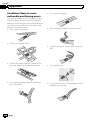
Protecting your product
against theft
F960DAB F960BT
F860BT
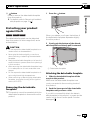
The detachable faceplate can be detached
from this product to discourage theft, as described below.
When you release your finger, the bottom of
the detachable faceplate separates slightly
from this product.
2 Gently grip the bottom of the detachable faceplate and slowly pull it outward.
CAUTION
! Do not expose the detachable faceplate to excessive shock or disassemble it.
! Never grip the buttons tightly or use force
when removing or attaching the detachable
faceplate.
! Keep the detachable faceplate out of reach of
small children to prevent them from placing it
in their mouths.
! After removing the detachable faceplate, keep
it in a safe place so it is not scratched or damaged.
! Do not expose the detachable faceplate to direct sunlight and high temperatures.
! When removing or attaching the detachable
faceplate, do so after turning off the ignition
switch (ACC OFF).
Removing the detachable
faceplate
p This product cannot be operated while the
detachable faceplate is removed from this
product.
1
1 Detachable faceplate
Attaching the detachable faceplate
1 Slide the detachable faceplate all the
way into this product.
Make sure the detachable faceplate is securely connected to the mounting hooks of
this product.
2 Push the lower part of the detachable
faceplate until you hear a click.
If you fail to successfully attach the detachable faceplate to this product, try again but be
careful not to force it as the panel could be
damaged.
Engb
13
Chapter
Basic operation
02
p The adjusted angle of the LCD panel will be
memorised and the LCD panel will automatically return to that angle the next time the
LCD panel is opened or closed.
Notes on using the LCD panel
F60DAB
WARNING
! Keep hands and fingers clear of this product
when opening, closing, or adjusting the LCD
panel. Be especially cautious of children’s
hands and fingers.
! Do not use with the LCD panel left open. If the
LCD panel is left open, it may result in injury
in the event of an accident.
CAUTION
! Do not open or close the LCD panel by force.
This may cause a malfunction.
! Do not operate this product until the LCD
panel has completely opened or closed. If this
product is operated while the LCD panel is
opening or closing, the LCD panel may stop at
that angle for safety.
! Do not place a glass or can on the open LCD
panel. Doing so may break this product.
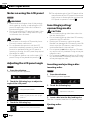
Adjusting the LCD panel angle
F60DAB
Inserting/ejecting/
connecting media
CAUTION
! Do not insert anything other than a disc into
the disc-loading slot.
! Do not insert anything other than SD memory
cards into the SD card slot.
! Ejecting an SD memory card during data
transfer can damage the SD memory card. Be
sure to eject the SD memory card by the procedure described in this manual.
! Do not press the h button when an SD memory card is not fully inserted. Doing so may damage the card.
! Do not press the h button before an SD memory card has been completely removed. Doing
so may damage the card.
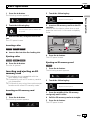
Inserting and ejecting a disc
Inserting a disc
1 Press the h button.
The following screen appears.
F60DAB
1 Press the h button.
The following screen appears.
2 Touch the following keys to adjust the
angle of the LCD panel.
2
Touch the following key.
Laying the panel down.
Opens the LCD panel.
Returning the panel to the upright
position.
3
3 Insert a disc into the disc-loading slot.
The disc is loaded, and the LCD panel closes.
Touch the following key.
Ejecting a disc
Returns to the previous screen.
14
Engb
F60DAB
Chapter
Basic operation
1 Press the h button.
The following screen appears.
02
2
Touch the following key.
2
Touch the following key.
The LCD panel opens, and the disc
is ejected.
3 Insert an SD memory card into the SD
card slot.
Insert it with the label surface face-up and
press the card until it clicks and completely
locks.
Basic operation
Opens the LCD panel.
3 Remove the disc, and press the h button.
The LCD panel closes.
Inserting a disc
F960DAB F960BT
F860BT
% Insert a disc into the disc-loading slot.
4 Press the h button.
The LCD panel closes.
Ejecting a disc
F960DAB F960BT
F860BT
% Press the h button.
The disc is ejected.
Inserting and ejecting an SD
memory card
p This system is not compatible with the
Multi Media Card (MMC).
p Compatibility with all SD memory cards is
not guaranteed.
p This product may not achieve optimum performance with some SD memory cards.
Inserting an SD memory card
F60DAB
1 Press the h button.
The following screen appears.
Ejecting an SD memory card
F60DAB
1 Press the h button.
The following screen appears.
2
Touch the following key.
Opens the LCD panel.
3 Press the middle of the SD memory
card gently until it clicks.
4
Pull the SD memory card out straight.
5 Press the h button.
The LCD panel closes.
Engb
15
Chapter
Basic operation
02
Inserting an SD memory card
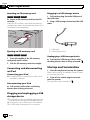
Plugging in a USB storage device
F960DAB F960BT
1 Pull out the plug from the USB port of
the USB cable.
F860BT
% Insert an SD memory card into the SD
card slot.
Insert the SD memory card with the terminal
contacts face-down, and press the card until it
clicks and locks completely.
2 Plug a USB storage device into the USB
cable.
1
2
Ejecting an SD memory card
F960DAB F960BT
1 USB cable
2 USB storage device
F860BT
Unplugging a USB storage device
1 Press the middle of the SD memory
card gently until it clicks.
2
Pull the SD memory card out straight.
Connecting and disconnecting
an iPod
Connecting your iPod
= For details of the connections, refer to the
Installation Manual.
Disconnecting your iPod
% Pull out the cables after confirming
that no data is being accessed.
Plugging and unplugging a USB
storage device
p This product may not achieve optimum performance with some USB storage devices.
p Connection via a USB hub is not possible.
p A USB cable is required for connection.
16
% Pull out the USB storage device after
checking that no data is being accessed.
Engb
Startup and termination
1 Start the engine to boot up the system.
After a short pause, the splash screen comes
on for a few seconds.
2 Turn off the vehicle engine to terminate the system.
This product is also turned off.
Chapter
Basic operation
02
Regular startup
When you use this product for the first time,
select the language that you want to use.
% Start the engine to boot up the system.
After a short pause, the splash screen comes
on for a few seconds.
1 Start the engine to boot up the system.
After a short pause, the splash screen comes
on for a few seconds.
The “Select Program Language” screen appears.
2 Touch the language that you want to
use on screen.
3
Touch the following key.
Displays the “Smartphone Setup”
screen.
4
Touch the item you want to set.
= For details, refer to Information on the connections and functions for each device on
page 71.
5
Touch the following key.
F60DAB
F960DAB
Displays the “DAB ANTENA
POWER SETTING” screen.
Proceeds to the next step.
F960BT
F860BT
Displays the Top menu screen.
6 Touch the setting item according the
DAB aerial to be used.
p The screen shown will differ depending on
the previous conditions.
p If the anti-theft function is activated, you
must enter your password.
p The terms appear if the screen displayed
last was the navigation screen.
Read the terms carefully, checking the details, and then touch [OK] if you agree to
the conditions.
After you touch [OK], the screen that was
displayed just before turning off the ignition
switch (ACC OFF) is displayed.
Basic operation
On first-time startup
A message about the map
database
After you start using this product, a message
related to map data may be displayed.
p This message is displayed the first time you
turn on this product each month.
Turning off the display
You can turn off the display at night or when
the screen is too bright.
% Press and hold the MODE button.
The display turns off.
p If you touch the screen when the display is
off, it reverts to the original screen.
! Yes (default):
Supplies power to a Digital Radio aerial. Select when using the optional Digital Radio
aerial (AN-DAB1) (sold separately) with this
product.
! No:
Does not supply power. Select when using
a passive aerial with no booster.
7 Touch [OK].
The Top menu screen appears.
# If you touch
vious screen.
, the display returns to the pre-
Engb
17
Chapter
02
Basic operation
How to use the screens
Switching screens using the touch panel keys
2
b
3
a
1
4
9
6
8
18
Engb
7
5
Chapter
Basic operation
02
Switching screens using the hardware buttons
Basic operation
b
1
a
9
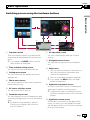
1 Top menu screen
This is the starting menu to access the desired screens and operate the various functions.
p If you press the HOME button, the Top
menu screen is displayed.
2 Time and date setting screen
You can set the time and date settings.
3 Setting menu screen
You can customise the system and audio
settings, etc.
4 Phone menu screen
You can access the screen that is related to
hands-free phoning.
5 AV source selection screen
You can select the AV source.
6 Favourite source icons
You can display the icons of frequently used
sources by dragging the icons to the display
area.
= For details of the operation, refer to
Changing the display order of source
icons on page 21.
7
7 AV operation screen
You can customise the settings for each
source.
8 Navigation menu screen
You can specify way points and a destination.
9 Map screen
! You can use this screen to check the current vehicle position information and
route to the destination.
! You can customise navigation settings.
p If you press the MAP button, the Map
screen is displayed.
a Application operation screen
You can control the iPhone or smartphone
applications directly on this product.
p If applications are not available, the Application operation screen will not be displayed.
b Application menu screen
This product can switch to the application
menu, on which you can display and operate the application for an iPhone or a smartphone on the screen.
Engb
19
Chapter
Basic operation
02
p If application menus are not available,
the Application menu screen will not be
displayed.
1
2
3
4
Supported AV source
You can play or use the following sources with
this product.
! Digital Radio (DAB) (*1)
! Radio (FM, MW/LW)
! CD
! ROM (compressed audio files)
! DVD-Video
! USB
! SD
The following sources can be played back or
used by connecting an auxiliary device.
! iPod
! Aha Radio
! Bluetooth audio
! AV input (AV)
! AUX
! HDMI (*2)
p (*1) Available for AVIC-F60DAB and AVICF960DAB only.
p (*2) Available for AVIC-F60DAB, AVICF960DAB and AVIC-F960BT only.
Displaying the AV
operation screen
1 Press the HOME button to display the
Top menu screen.
2
The AV operation screen appears.
Touch the AV operation key.
1
5
6
1 Displays the source list.
= For details, refer to Selecting a front
source on the source list on page 21.
2 Displays the Time and date setting
screen.
= For details, refer to Setting the time and
date on page 177.
3 Displays the Setting menu screen.
4 Recalls equaliser curves.
= For details, refer to Using the equaliser
on page 156.
5 Displays the Phone menu screen.
= For details, refer to Displaying the phone
menu on page 61.
6 Shows the navigation information.
The distance to the next guidance point, the
name of the street on which the next guidance point is located, the name of the
street that the vehicle is currently travelling
on, the estimated time of arrival, and warning icons, etc. are displayed.
p This is not displayed for some sources.
p This is not displayed when “Navigation
info window” is set to “Off”.
= For details, refer to Navigation info window on page 135.
Selecting a front source on the
AV source selection screen
1 Press the HOME button to display the
Top menu screen.
1 AV operation key
20
Engb
Chapter
Basic operation
2
02
Touch the following key.
3 Touch the source icon you want to select.
The AV operation screen of the selected
source appears.
Selecting a front source on the
source list
Turning off the AV source
Turn off the AV source to stop playing or receiving the AV source.
1 Press the HOME button to display the
Top menu screen.
2
1 Press the HOME button to display the
Top menu screen.
2
Basic operation
Displays the AV source selection
screen.
= For details of the operations, refer to Selecting the video for the rear display on page
180.
Touch the following key.
Displays the AV source selection
screen.
Touch the AV operation key.
3 Touch [OFF].
The AV source is turned off.
1
1 AV operation key
The AV operation screen appears.
3
Touch the following key.
Changing the display order
of source icons
You can change the display order of source
icons on the AV source selection screen.
1 Press the HOME button to display the
Top menu screen.
2
Touch the following key.
Displays the source list.
Displays the AV source selection
screen.
4 Touch the source key you want to select.
The AV operation screen of the selected
source appears.
3 Touch and hold a source icon, and drag
the icon to the desired position.
p If the source icon is moved, the order of the
source list is also changed.
Selecting a rear source
You can select a source output to the rear display.
Engb
21
Chapter
Basic operation
02
Changing the display order
of source keys
You can change the display order of source
keys on the source list.
1 Press the HOME button to display the
Top menu screen.
2
Using the touch panel
You can operate this product by touching the
marks and items (touch panel keys) displayed
on the screen directly with your fingers.
p To protect the LCD screen from damage, be
sure to touch the touch panel keys only
with your finger and do so gently.
Touch the AV operation key.
Using the common touch panel
keys
1
1
2
1 AV operation key
The AV operation screen appears.
3
Touch the following key.
Displays the source list.
1 Returns to the previous screen.
2 Closes the screen.
Operating list screens
4
Touch the following key.
1
2
The source keys can be moved.
5 Drag the source key to the desired position.
6
Touch the following key.
Returns to the previous screen.
p If the source key is moved, the source icons
displayed on the Top menu screen and the
AV source screen are also moved.
22
3
Engb
1 Touching an item on the list allows you to narrow down the options and proceed to the next
operation.
2 Appears when all characters are not displayed
on the display area.
If you touch the key, the rest of the characters
are scrolled for display.
3 Appears when items cannot be displayed on a
single page only.
Drag the scrubber bar to view any hidden
items.
Also, you can drag the list to view any hidden
items.
Chapter
Basic operation
02
Operating the time bar
On first-time startup of the
navigation system
1
1 You can change the playback point by dragging the key.
p Playback time corresponding to the position of the key is displayed while dragging the key.
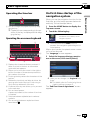
Operating the on-screen keyboard
1
2
8
7
1 Press the HOME button to display the
Top menu screen.
2
Touch the following key.
Basic operation
When you use the navigation function for the
first time, an initial setup process starts automatically. Follow the steps below.
Initiates the initial startup of the
navigation system.
p The first time that the MAP button is
pressed, the navigation system begins its
initial startup.
3
After a short pause, the splash screen comes
on for a few seconds.
The “Language” screen appears.
4
5
3 Select the language that you want to
use on the screen, then touch [Select].
6
1 Displays the characters that are entered. If
there is no text in the box, an informative
guide with text appears.
2 Allows you to move the cursor to the right or
left for a number of characters equivalent to
the number of touches.
3 Touching the keys enters the characters in the
text box.
4 Deletes the input text one letter at a time, beginning at the end of the text. Continuing to
touch the key deletes all of the text.
5 Confirms the entry and allows you to proceed
to the next step.
6 You can leave spaces.
A space equivalent to the number of touches
is inserted.
7 Switches between alphabet and numbers/
symbols.
8 You can switch between capital and lower
case letters.
p Later you can change it in “Regional” settings.
= For details, refer to Customising the navigation settings on page 47.
The “End User Licence Agreement” screen
appears.
Engb
23
Chapter
02
Basic operation
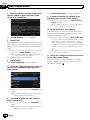
4 Read the terms carefully, checking its
details, and then touch [Accept] if you
agree to the conditions.
The “Route Preferences” screen appears.
9 If needed, modify the default route
planning options, then touch [Next].
p Later you can change it in “Route Preferences” settings.
= For details, refer to Customising the navigation settings on page 47.
10 Touch [Activate], then [Next].
A message saying that the connected online
features are activated appears if you activate
these services right away.
The “Usage Reports” screen appears.
5 Touch [Yes].
The software collects usage information and
GPS logs that may be used for improving the
application and the quality and coverage of
maps.
p Later you can turn them on or off individually in the “Usage Reports” menu.
= For details, refer to Customising the navigation settings on page 47.
The configuration wizard starts.
6 Touch [Next].
The “Voice Language” screen appears.
7 Select the language that you want to
use for voice guidance messages, then
touch [Next].
p Later you can change it in “Regional” settings.
= For details, refer to Customising the navigation settings on page 47.
8 If needed, modify the unit settings,
then touch [Next].
p Later you can change it in “Regional” settings.
= For details, refer to Customising the navigation settings on page 47.
24
Engb
p You will need to install the AVICSYNC App
on your iPhone or smartphone first in order
to be able to use online services, which require a subscription. The service coverage
for each online service may vary depending
on the content provider providing the service.
= For details, refer to “Connected Services”
settings on page 54.
11 Select the connected services you want
to use, then touch [Next].
The initial setup is now complete. The Map
screen appears and you can start using the
navigation system.
Chapter
How to use the Navigation menu screen
Operating the Navigation
menu screen
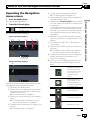
2
Touch the following key.
Displays the navigation menu on
the Map screen.
The following screen appears.
Touch panel keys (Page 1)
1 2
3
4
5
6
789a
Touch panel keys (Page 2)
b
5 Configures the programme settings.
= For details, refer to Chapter 10.
6 Sees notifications that contain important information for the users.
7 Displays the “Driver Profiles” screen where
you can create new profiles or edit the existing profiles.
If more drivers are using this product, they
can create their own profiles with their own
settings. If you select a new profile, this product restarts so that the new settings can
take effect.
8 Mutes the sound of the navigation system
(the voice guidance, or beep sounds, for example).
9 Switches among 2D, 3D, or 2D North up
view modes.
a Displays the location where you saved as a
favourite.
= For details, refer to Selecting a destination from stored locations on page 34.
b Displays the information of your navigation
system (the version information, or licences, for example).
p When you are navigating a planned route,
the following route-related keys are available.
How to use the Navigation menu screen
1 Press the MAP button.
The Map screen appears.
03
Displays route alternatives, parts of the
route to avoid, or specific roads in your
planned route to
avoid.
You can see the following keys when you are
navigating without a planned route.
1 Returns to the Map screen.
2 Searches for your destination by entering
an address, its coordinate, or selecting a
place of interest, etc.
= For details, refer to Chapter 5.
3 Builds your route using the list of destinations.
= For details, refer to Building a route
using “Route Planner” on page 41.
4 Displays useful information to support your
driving.
= For details, refer to Chapter 9.
Displays the route in
its full length on the
map, and displays
route parameters and
route alternatives.
Adds a waypoint.
Removes a waypoint.
Deletes your route.
Engb
25
Chapter
04
How to use the map
Most of the information provided by your navigation system can be seen on the map. You need to
become familiar with how information appears
on the map.
How to read the Map screen
1
2
Touching this field displays route information
during navigation.
= For details, refer to Browsing the data
field on page 27.
7 Shows the name of the street (or city) that
your vehicle is travelling on (or in).
8 Indicates the current route.*
The route currently set is highlighted in colour
on the map.
9 Displays the Navigation menu screen.
a Indicates the progress to the final destination.*
3
a
4
5
6
9
Frequently shown route
events
Icon
7
p Information with an asterisk (*) appears
only when the route is set.
p Depending on the conditions and settings,
some items may not be displayed.
p The AV information is displayed in the bottom of the Map screen.
p You can decide whether you want to see
the speed limit sign on the map all the
time. If you exceed the speed limit, the sign
colour is changed.
= For details, refer to “Warnings” settings on
page 50.
1 Shows the number and name of the street to
be used (or next guidance point).*
2 Shows the next guidance point (manoeuvre).*
Both the type of the event (turn, roundabout,
exiting motorway, etc.) and its distance from
the current position are displayed. A smaller
icon shows the type of the second next manoeuvre if it is near the next manoeuvre.
= For details, refer to Frequently shown
route events on page 26.
3 Shows the distance to the next guidance point
(manoeuvre).*
4 Shows the second manoeuvre arrow.*
5 Indicates the current location of your vehicle.
The apex of the triangular mark indicates your
orientation and the display moves automatically as you drive.
6 Displays the data field.
26
Engb
Meaning
8
Turn left.
Turn right.
Turn back.
Bear right.
Turn sharp left.
Keep left.
Continue straight in the intersection.
Go left on the roundabout, 3rd exit
(next manoeuvre).
Enter roundabout (second next
manoeuvre).
Chapter
How to use the map
Icon
Meaning
04
When GPS position is available, the arrow
mark is displayed in full colour, now showing
your current position.
Enter motorway.
Exit motorway.
Leave ferry.
Browsing the data field
Approaching a waypoint.
Approaching the destination.
The data fields are different when you are navigating the current route and when you have
no specified destination. The data field provides the following information.
! When the route is set:
Distance to final destination, time needed
to reach the final destination and estimated
arrival time
How to use the map
Board ferry.
Seeing the current position
on the map
The Map screen shows the current position,
recommended route and surrounding map
area.
When there is no GPS position, the arrow
mark is transparent. It shows your last known
position.
! When the route is not set:
p You can change the value by touching and
holding any of the fields.
Engb
27
Chapter
04
How to use the map
p The estimated time of arrival is an ideal
value calculated based on the value set for
“Max. Speed” and the actual driving
speed. The estimated time of arrival is only
a reference value, and does not guarantee
arrival at that time.
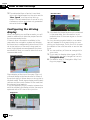
Configuring the driving
display
When navigating on multilane roads, you will
need to make sure to take the proper lane for
the recommended route.
If there is lane information available in the
map data, the navigation system will display
the lanes and corresponding directions of travel at the bottom of the map using small arrows. Highlighted arrows represent the lane
and direction that you need to take for the recommended route.
Lane information
Signs display at the top of the map. Sign colours and design styles are similar to those of
the actual signs in place above or along the indicated roads. These signs display select destinations and the road number of the road that
the relevant lane leads to.
If you are approaching a complex intersection
and the needed information exists, the map is
replaced with a 3D view of the junction.
Signposts
28
Engb
Junction view
p If the data for these items is not contained
in the map data, the information is not
available even if there are signs on the actual road.
An icon showing a petrol station or a restaurant will appear on the map during you are
driving on motorways. Touch the icon to open
the details of the next few exits or service stations.
p You can add any of them as a waypoint to
your route.
p If you want to display other types of POIs
for the exits, you can change the icons in
“Navigation Map”.
= For details, refer to “Navigation Map” settings on page 51.
Chapter
How to use the map
Operating the Map screen
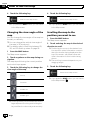
Changing the scale of the map
You can change how much of the map is displayed on the screen with street names and
other text displayed in the same font size.
2 Touch anywhere on the map during navigation.
The map stops following the current position
and control keys appear.
3 Touch the following key to change the
map scale.
Zooms in.
Zooms out.
p You can also pinch to zoom in or out.
p Map scaling has a limit in 3D map view
mode. If you zoom out further, the map
switches to 2D view mode.
= For details, refer to Switching between 2D,
3D, and 2D North up views on page 29.
4
cognise your manoeuvre at the next junction. It the next turn is at a distance, it will
zoom out and lower the view angle to be
flat so you can see the road in front of you.
! When the route is not set:
“Smart Zoom” will zoom in if you drive
slowly and zoom out when you drive at
high speed.
Switching between 2D, 3D, and
2D North up views
You can switch how the map shows your vehicle’s direction between “Heading up” and
“North up”.
! Heading up:
The map display always shows the vehicle’s
direction as proceeding toward the top of
the screen.
! North up:
The map display always has north at the
top of the screen.
p The map orientation is fixed at “Heading
up” when the 3D map screen is displayed.
How to use the map
1 Press the MAP button.
The Map screen appears.
04
1 Press the MAP button.
The Map screen appears.
2
Touch the following key.
Displays the navigation menu on
the Map screen.
Touch the following key.
3
Touch the following key.
Returns to the Map screen.
Displays the map in 2D view mode.
p If you press the MAP button, you can return
to the Map screen.
Displays the map in 3D view mode.
Smart Zoom
Your navigation system features “Smart Zoom”
that works in two ways:
! When the route is set:
When approaching a turn, it will zoom in
and raise the view angle to let you easily re-
Displays the map in 2D North up
view mode.
Each time you touch the key the setting
changes.
Engb
29
Chapter
How to use the map
04
4
Touch the following key.
4
Returns to the Map screen.
Touch the following key.
Returns to the Map screen.
p If you press the MAP button, you can return
to the Map screen.
p If you press the MAP button, you can return
to the Map screen.
Changing the view angle of the
map
Scrolling the map to the
position you want to see
You can change the view angle of the map horizontally or vertically.
p You can change the vertical view angle of
the map in 3D mode only.
= For details, refer to Switching between 2D,
3D, and 2D North up views on page 29.
1 Press the MAP button.
The Map screen appears.
2 Touch and drag the map in the desired
direction to scroll.
p Positioning the cursor to the desired location results in a brief information overview
about the location being displayed at the
top of the screen, with street name and
other information for this location being
shown.
p The scrolling increment depends on your
dragging length.
1 Press the MAP button.
The Map screen appears.
2 Touch anywhere on the map during navigation.
The map stops following the current position
and control keys appear.
3 Touch the following key to change the
view angle of the map.
3
Touch the following key.
Returns to the Map screen.
Tilts up.
p If you press the MAP button, you can return
to the Map screen.
Tilts down.
Rotates left.
Rotates right.
p Touching the key once modifies the view in
large steps and touching and holding the
key modifies it continuously and smoothly.
30
Engb
Chapter
Searching for and selecting a location
05
CAUTION
For safety reasons, these route-setting functions
are not available while your vehicle is in motion.
To enable these functions, you must stop in a
safe place and put on the handbrake before setting your route.
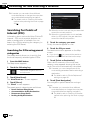
Searching for a location by
address
The most frequently used function is “Address”, in which the address is specified and
the location is searched.
p Depending on the search results, some
steps may be skipped.
1 Press the MAP button.
The Map screen appears.
2
Touch the following key.
Displays the navigation menu on
the Map screen.
3 Touch [New Route].
The “New Route to...” screen appears.
4 Touch [Address].
The “Find Address” screen appears.
5 Touch the following key and set the
destination you are looking for.
! Country:
By default, your navigation system proposes
the country where you are.
! Town:
By default, your navigation system proposes
the city/town where you are. You can select
the city/town using its postal code instead
of its name.
! Street:
If the street name is not available, touch
[Go to City] and select the city/town. This
way the centre of the selected city/town becomes the destination of the route.
! House Number / Intersection:
This key will be active after you have set a
street. If the house number is not available,
touch [Go to Street] and select the street.
This way the centre of the selected street
becomes the destination of the route.
Searching for and selecting a location
p Some information regarding traffic regulations depends on the time when the route
calculation is performed. Thus, the information may not correspond with a certain
traffic regulation when your vehicle actually
passes through the location in question.
Also, the information on the traffic regulations provided applies for a passenger vehicle, and not for a truck or other delivery
vehicles. Always follow the actual traffic
regulations when driving.
After you touch the selected address to finish
the address search, the searched location appears on the Map screen.
6 Touch [Select as Destination].
After a short summary of the route parameters, a map appears showing the entire
route. The route is automatically calculated.
p If needed, you can change some of the
route setting parameters before selecting a
destination.
= For details, refer to “Route Preferences”
settings on page 48.
7 Touch [Start Navigation].
Your navigation system starts the route guidance.
Engb
31
Chapter
Searching for and selecting a location
05
p If needed, you can select from different
route alternatives or change the route planning method before starting navigation.
= For details, refer to Checking route alternatives when planning the route on page
39.
Searching for Points of
Interest (POI)
Information about various facilities (Points Of
Interest – POI), such as petrol stations, car
parks or restaurants, is available. You can
search for a POI by selecting the category (or
entering the POI Name).
5 Touch the category you want.
Finally, the results appear in a list.
Searching for POIs using preset
categories
6 Touch the POI you want.
The searched location appears on the Map
screen.
The preset search allows you to quickly find
the most frequently selected types of POIs.
1 Press the MAP button.
The Map screen appears.
2
Touch the following key.
Displays the navigation menu on
the Map screen.
3 Touch [New Route].
The “New Route to...” screen appears.
4 Touch [Places].
The “Places” screen appears.
The preset search categories are as follows.
!
!
!
!
32
p When the route is not set, they are searched
around the current position.
p When the current position is not available
either (no GPS signal), they are searched
around the last known position.
Petrol Stations Along Route:
Accommodation At My Destination:
Restaurant Along Route:
Parking At My Destination:
Engb
# If you touch
, you can sort the results or
show the locations of all facilities on the map.
7 Touch [Select as Destination].
After a short summary of the route parameters, a map appears showing the entire
route. The route is automatically calculated.
p If needed, you can change some of the
route setting parameters before selecting a
destination.
= For details, refer to “Route Preferences”
settings on page 48.
8 Touch [Start Navigation].
Your navigation system starts the route guidance.
p If needed, you can select from different
route alternatives or change the route planning method before starting navigation.
= For details, refer to Checking route alternatives when planning the route on page
39.
Chapter
Searching for and selecting a location
Searching for POIs by
categories or directly from the
name of the facilities
You can search for POIs by their categories
and subcategories. You can also search for
POIs by their names in each of their categories.
2
Touch the following key.
Displays the navigation menu on
the Map screen.
3 Touch [New Route].
The “New Route to...” screen appears.
4 Touch [Places].
The “Places” screen appears.
5
Touch [Search Among All Places].
p If you have selected [In a Town], select
the city/town to search in.
! Around Destination:
Searches for a place around the destination
of the current route. (The result list will be
ordered by the distance from the destination.)
! Along Route:
Searches along the current route, and not
around a given point. This is useful when
you search for a later stopover that results
in a minimal detour only, such as searching
for upcoming petrol stations or restaurants.
(The result list will be ordered by the length
of the necessary detour.)
p This key is active only when the route is
set.
7 Select one of the main place categories
(e.g. Accommodation).
The screen appears showing all places in the
selected main category around the selected location or along the route.
# If you touch [Search by Name], you can
search for POIs by their name.
The “Search by Category” screen appears.
6 Touch [Around Here] and then select
the area in which the POIs should be
searched for.
! Around Here:
Searches around the current position or if it
is not available, around the last known position. (The result list will be ordered by the
distance from this position.)
! In a Town:
Searches for a place within a selected city/
town. (The result list will be ordered by the
distance from the centre of the selected
city/town.)
8 Select one of the place subcategories
(e.g. Hotel or Motel).
The screen appears showing all places in the
selected subcategory around the selected location or along the route.
Sometimes the list of brands in the selected
place subcategory appears.
Searching for and selecting a location
1 Press the MAP button.
The Map screen appears.
05
# If you touch [Search by Name], you can
search for POIs by their name.
9 Select one brand.
Finally, the results appear in a list.
# If you touch [Search by Name], you can
search for POIs by their name.
10 Touch the POI you want.
The searched location appears on the Map
screen.
# Touch [Search by Name] and enter the name
of the place using the keyboard if you have not
done it before.
# If you touch
, you can sort the results.
Engb
33
Chapter
Searching for and selecting a location
05
11 Touch [Select as Destination].
After a short summary of the route parameters, a map appears showing the entire
route. The route is automatically calculated.
p If needed, you can change some of the
route setting parameters before selecting a
destination.
= For details, refer to “Route Preferences”
settings on page 48.
12 Touch [Start Navigation].
Your navigation system starts the route guidance.
p If needed, you can select from different
route alternatives or change the route planning method before starting navigation.
= For details, refer to Checking route alternatives when planning the route on page
39.
Searching for providers nearby
that offer emergency or
roadside assistance services
You can search for locations that provide
emergency or roadside assistance in surrounding areas.
1 Press the MAP button.
The Map screen appears.
2
Touch the following key.
Displays the navigation menu on
the Map screen.
3 Touch [Useful Information].
The “Useful Information” screen appears.
4 Touch [Help Nearby].
The “Help Nearby” screen appears.
The preset search categories are as follows.
!
!
!
!
34
Car Repair:
Health:
Police:
Petrol Stations:
Engb
5 Touch the category you want.
Finally, the results appear in a list.
6 Touch the POI you want.
The searched location appears on the Map
screen.
# If you touch
, you can sort the results.
7 Touch [Select as Destination].
After a short summary of the route parameters, a map appears showing the entire
route. The route is automatically calculated.
p If needed, you can change some of the
route setting parameters before selecting a
destination.
= For details, refer to “Route Preferences”
settings on page 48.
8 Touch [Start Navigation].
Your navigation system starts the route guidance.
p If needed, you can select from different
route alternatives or change the route planning method before starting navigation.
= For details, refer to Checking route alternatives when planning the route on page
39.
Selecting a destination
from stored locations
Storing locations you visit frequently saves
time and effort.
Selecting an item from the list provides an
easy way to specify the position.
The list of saved locations contains two preset
categories: Home and Work.
Chapter
Searching for and selecting a location
p This function is available if locations have
been registered in “Saved Location”.
= For details, refer to Storing a location in
“Saved Location” on page 43.
1 Press the MAP button.
The Map screen appears.
2
Touch the following key.
3 Touch [New Route].
The “New Route to...” screen appears.
4 Touch [Saved Location].
The “Saved Location” screen appears.
# If you touch
and then [Edit], you can edit
the details of saved locations.
5 Touch the entry you want.
The searched location appears on the Map
screen.
6 Touch [Select as Destination].
After a short summary of the route parameters, a map appears showing the entire
route. The route is automatically calculated.
p If needed, you can change some of the
route setting parameters before selecting a
destination.
= For details, refer to “Route Preferences”
settings on page 48.
7 Touch [Start Navigation].
Your navigation system starts the route guidance.
p If needed, you can select from different
route alternatives or change the route planning method before starting navigation.
= For details, refer to Checking route alternatives when planning the route on page
39.
Selecting a destination
from stored routes
Storing routes you set frequently saves time
and effort.
p This function is not available if no routes
have been registered in “Saved Routes”.
= For details, refer to Storing a route in
“Saved Routes” on page 43.
1 Press the MAP button.
The Map screen appears.
2
Touch the following key.
Displays the navigation menu on
the Map screen.
3 Touch [New Route].
The “New Route to...” screen appears.
# This screen has several options. Touch
see the full list.
to
4 Touch [Saved Routes].
The “Saved Routes” screen appears.
5 Touch the entry you want.
The “Route Planner” screen appears.
Searching for and selecting a location
Displays the navigation menu on
the Map screen.
05
p You can add waypoints or change the final
destination on the “Route Planner” screen.
= For details, refer to Checking route alternatives when planning the route on page
39.
6 Touch [Show Route].
After a short summary of the route parameters, a map appears showing the entire
route. The route is automatically calculated.
p If needed, you can change some of the
route setting parameters before selecting a
destination.
= For details, refer to “Route Preferences”
settings on page 48.
7 Touch [Start Navigation].
Your navigation system starts the route guidance.
Engb
35
Chapter
Searching for and selecting a location
05
p If needed, you can select from different
route alternatives or change the route planning method before starting navigation.
= For details, refer to Checking route alternatives when planning the route on page
39.
Selecting a location you
searched for recently
The places that were previously set as destinations or waypoints have been automatically
stored in “History”.
History
p If needed, you can select from different
route alternatives or change the route planning method before starting navigation.
= For details, refer to Checking route alternatives when planning the route on page
39.
Smart History
Smart History suggests these previously used
locations as destinations based on your navigation habits, using parameters like the current time of day, the day of week, and the
current location.
Two of the Smart History Items are shown in
the “New Route to...” screen for easy access.
1 Press the MAP button.
The Map screen appears.
2
Touch the following key.
Displays the navigation menu on
the Map screen.
3 Touch [New Route].
The “New Route to...” screen appears.
4 Touch [History].
The list of recent destinations appears.
Searching for a location
using “Combined Search”
The “Combined Search” feature lets you
quickly find a place by its name and search
area.
1 Press the MAP button.
The Map screen appears.
2
5 Touch the entry you want.
The searched location appears on the Map
screen.
6 Touch [Select as Destination].
After a short summary of the route parameters, a map appears showing the entire
route. The route is automatically calculated.
Touch the following key.
Displays the navigation menu on
the Map screen.
3 Touch [New Route].
The “New Route to...” screen appears.
4
Touch [Search in All].
p If needed, you can change some of the
route setting parameters before selecting a
destination.
= For details, refer to “Route Preferences”
settings on page 48.
7 Touch [Start Navigation].
Your navigation system starts the route guidance.
36
Engb
The “Combined Search” screen appears.
Chapter
Searching for and selecting a location
You can see the text box at the top of the
screen. Right next to it you can see the search
area which is the city/town where the search
is carried out. The default search area is the
area where you are located.
To search in a different area, touch the default
search area and enter the name of the new
search area using the keyboard.
Displays the “Search Results”
screen.
7 Touch [Select as Destination].
After a short summary of the route parameters, a map appears showing the entire
route. The route is automatically calculated.
p If needed, you can change some of the
route setting parameters before selecting a
destination.
= For details, refer to “Route Preferences”
settings on page 48.
8 Touch [Start Navigation].
Your navigation system starts the route guidance.
p If needed, you can select from different
route alternatives or change the route planning method before starting navigation.
= For details, refer to Checking route alternatives when planning the route on page
39.
6 Touch the entry you want.
The searched location appears on the Map
screen.
# Touching the following search categories allows you to narrow down the search results:
Displays the list of all destinations
with a matching name or address.
Displays the list of recent destinations with a matching name or address.
Displays the list of your saved location destinations with a matching
name.
Displays the list of matching addresses.
Displays the list of place categories.
Displays the list of matching
places ordered by their distance
from your current location.
Searching for a location by
coordinates
Entering a latitude and longitude pinpoints
the location.
Searching for and selecting a location
5 Enter the name, address, or category of
the destination you are looking for, then
touch the following key.
05
1 Press the MAP button.
The Map screen appears.
2
Touch the following key.
Displays the navigation menu on
the Map screen.
3 Touch [New Route].
The “New Route to...” screen appears.
# This screen has several options. Touch
see the full list.
to
4 Touch [Coordinates].
The “Coordinates” screen appears.
# If you touch a provider logo as the search category, you can further narrow the list by showing
the results from the provider.
Engb
37
Chapter
05
Searching for and selecting a location
5 Enter the latitude value and touch
[OK].
p You can enter the latitude and longitude values in any of the following formats: Decimal degrees; degrees and decimal minutes;
or degrees, minutes and decimal seconds.
# When entering the coordinate in UTM format,
touch
, then [Units & Formats].
6 Enter the longitude value and touch
[Go!].
The searched location appears on the Map
screen.
7 Touch [Select as Destination].
After a short summary of the route parameters, a map appears showing the entire
route. The route is automatically calculated.
p If needed, you can change some of the
route setting parameters before selecting a
destination.
= For details, refer to “Route Preferences”
settings on page 48.
8 Touch [Start Navigation].
Your navigation system starts the route guidance.
p If needed, you can select from different
route alternatives or change the route planning method before starting navigation.
= For details, refer to Checking route alternatives when planning the route on page
39.
Searching for a location by
scrolling the map
Specifying a location after scrolling the map
enables you to set the position as destination,
waypoint.
1 Press the MAP button.
The Map screen appears.
2 Touch and drag the screen to scroll the
map to the position you want.
38
Engb
3 Touch the location that you want to select as your destination.
The cursor appears.
4 Touch [Select as Destination].
After a short summary of the route parameters, a map appears showing the entire
route. The route is automatically calculated.
p If needed, you can change some of the
route setting parameters before selecting a
destination.
= For details, refer to “Route Preferences”
settings on page 48.
5 Touch [Start Navigation].
Your navigation system starts the route guidance.
p If needed, you can select from different
route alternatives or change the route planning method before starting navigation.
= For details, refer to Checking route alternatives when planning the route on page
39.
Chapter
Checking and modifying the current route
Modifying the route
When navigation is already started, there are
several ways to modify the current route. The
following sections describe some of those options.
Checking route alternatives
when planning the route
1
Search for a location.
= For details, refer to Chapter 5.
The “Route Summary” screen appears.
1 Press the MAP button.
The Map screen appears.
2
Touch the following key.
Displays the navigation menu on
the Map screen.
3 Touch [Detours & Alternatives] then
[Alternative Routes].
The “Alternative Routes” screen appears.
You can see details of route alternatives. Touch
any of them to see it on the map.
# If you cannot find a good alternative, touch
[More Results] and scroll down for other alternative routes with different route planning methods.
4 Select one of the route alternatives and
touch [Select].
Setting a new starting position
for the route
2 Touch [Alternatives].
You can see the details of route alternatives.
Touch any of them to see it on the map.
# If you cannot find a good alternative, touch
[More Results] and scroll down for other alternative routes with different route planning methods.
3 Select one of the route alternatives and
touch [Select].
The previous screen returns.
4 Touch [Start Navigation].
Your navigation system starts the route guidance.
For normal navigation, all routes are planned
from the current position. In order to check future routes, simulate them or see their length
in time and distance, you can turn off the GPS
receiver. Then you can set the starting point of
the route to a different location than the current GPS position.
1 Press the MAP button.
The Map screen appears.
2
Checking and modifying the current route
You can select from different route alternatives
or change the route planning method after
you have selected a new destination.
06
Touch the following key.
Displays the navigation menu on
the Map screen.
3 Touch [Route Planner].
The “Route Planner” screen appears.
Checking route alternatives for
an existing route
4 Touch [Current GPS Position].
The pop-up menu appears.
You can select another route and compare different route alternatives.
5 Touch [Set Start Point].
A confirmation message appears.
Engb
39
Chapter
Checking and modifying the current route
06
6 Touch [Set Start Point].
The “New Route to...” screen appears.
7
Set the starting point of the route.
= For details, refer to Chapter 5.
8 Touch [Set Start Point].
The “Route Planner” screen appears.
You can continue and add a destination to
your route.
# If you touch [Continue Without Route], the
Map screen returns with a transparent arrow
mark (showing that there is no GPS reception).
9 Touch [Show Route].
After a short summary of the route parameters, a map appears showing the entire
route. The route is automatically calculated.
p If the current route already existed, it is now
recalculated starting from the selected location.
10 Touch [Start Navigation].
Your navigation system starts the route guidance with a transparent arrow mark (showing
that there is no GPS reception).
p If needed, you can select from different
route alternatives or change the route planning method before starting navigation.
= For details, refer to Checking route alternatives when planning the route on page
39.
Editing the list of destinations
You can edit the route by modifying the list of
destinations (adding a waypoint, or changing
a final destination, for example).
1 Press the MAP button.
The Map screen appears.
2
Touch the following key.
Displays the navigation menu on
the Map screen.
3 Touch [My Route].
The “My Route” screen appears.
4 Edit the route by modifying the list of
destinations.
p To add the newly selected location as a waypoint to your route, touch [Add Waypoint].
If you have a route with at least one waypoint, you can delete it from the list right
from the navigation menu.
p To edit the route, touch a location from the
list. You can move up or down the given
route point in the list, and change the newly
selected destination at the end of the route.
p To save or delete a location, touch the location on the list.
p To delete all the destinations, touch
,
then [Delete All].
5 When you are done editing, touch
[Show Route].
After a short summary of the route parameters, a map appears showing the entire
route. The route is automatically calculated.
6 Touch [Start Navigation].
A map of the current position appears.
p Touch [Turn on GPS] to return normal navigation.
Cancelling the current route
guidance
If you no longer need to travel to your destination, follow the steps below to cancel the route
guidance.
40
Engb
Chapter
Checking and modifying the current route
p If needed, you can change some of the
route setting parameters before selecting a
destination.
= For details, refer to “Route Preferences”
settings on page 48.
1 Press the MAP button.
The Map screen appears.
2
Touch the following key.
Displays the navigation menu on
the Map screen.
3 Touch [Delete Route].
The current route is deleted with all its
waypoints.
6 Touch [Start Navigation].
Your navigation system starts the route guidance.
1 Press the MAP button.
The Map screen appears.
2
Touch the following key.
Displays the navigation menu on
the Map screen.
3 Touch [Route Planner].
The “Route Planner” screen appears.
There is only one line in the list of route points,
the start point of the route, normally the current GPS position.
4 Touch [Add Destination].
You can select the destination of the route.
= For details, refer to Chapter 5.
When the selected location appears on the
Map screen, touch [Select as Destination] to
select the destination and return to the
“Route Planner” screen.
5 Touch [Show Route].
After a short summary of the route parameters, a map appears showing the entire
route. The route is automatically calculated.
Checking route information
and preferences
You can get a map overview of the current
route and check the different parameters of
the planned route in “Route Summary”.
1 Press the MAP button.
The Map screen appears.
2
Touch the following key.
Displays the navigation menu on
the Map screen.
Checking and modifying the current route
p If needed, you can select from different
route alternatives or change the route planning method before starting navigation.
= For details, refer to Checking route alternatives when planning the route on page
39.
Building a route using
“Route Planner”
The “Route Planner” feature lets you build
your route using the list of destinations.
You can modify the list as you like (adding or
removing a destination, changing a final destination, or setting a new starting position, for
example).
06
3 Touch [Route Summary].
The “Route Summary” screen appears.
The current route is displayed in its full length
on the map together with additional information and options.
4 Touch any of route information to see
its details.
The following pieces of information are displayed:
! The name and/or address of the destination.
! The total time of the route.
! The total length of the route.
The following options are available:
! Route Info:
Engb
41
Chapter
Checking and modifying the current route
06
Displays detailed information about the
route. There are also additional icons for
displaying all detailed information, only motorways, and only toll roads.
! Alternatives:
Lists the route alternatives.
Watching the simulation of the
route
You can run a simulated navigation that demonstrates the current route. Follow the steps
below.
1
Set a route to your destination.
= For details, refer to Chapter 5.
2 Press the MAP button.
The Map screen appears.
3
Touch the following key.
Displays the navigation menu on
the Map screen.
4 Touch [Route Summary].
The “Route Summary” screen appears.
5
Touch the following key.
Displays the list of additional features on the certain screen.
6 Touch [Simulation].
The simulation starts from the starting point of
the route, and using a realistic speed, it leads
you through the whole recommended route.
p During simulation, you can use the following control keys (they disappear after a few
42
Engb
seconds but you can open them again by
touching the map).
Jumps to the previous guidance point (manoeuvre).
Pauses the simulation.
Jumps to the next guidance
point (manoeuvre).
Increases the speed of the simulation to four, eight or 16
times faster. Touching the key
again returns to the normal
speed.
# Touch [Close] to stop the simulation.
Chapter
Registering and editing locations and routes
Storing a location in
“Saved Location”
2 Press the MAP button.
The Map screen appears.
Storing your favourite locations in “Saved Location” allows you to save the time and effort
used on re-entering this information.
“Saved Location” can include your home location, favourite places, destinations you have
already registered and any location on the
map.
3
1 Search for a location.
The cursor appears at the selected point.
07
Touch the following key.
Displays the navigation menu on
the Map screen.
4 Touch [Route Summary].
The “Route Summary” screen appears.
5
Touch the following key.
6 Touch [Save Route].
The “Save Route” screen appears.
7
Touch the following key.
Saves the route as a new route
under “Saved Routes”.
= For details, refer to Chapter 5.
2
Touch the following key.
Displays the list of additional features on the certain screen.
3 Touch [Save Location].
The “Save Location” screen appears.
4
Touch the following key.
Saves the location as a new
“Saved Location”.
# To change the name, use the keyboard.
Storing a route in “Saved
Routes”
Storing your favourite routes in “Saved
Routes” allows you to save the time and effort
used on re-entering this information.
1
Set a route to your destination.
= For details, refer to Chapter 5.
A confirmation message appears.
# To change the name, use the keyboard.
Saving a location as an
alert point
You can save any map location (such as a
school zone or railroad crossing) as an alert
point.
p To use this function, activate the warnings
beforehand and set the alert types.
p This feature can warn you when you approach one of these points. The following
alert types are available:
! Audio and Visual: A sound beeps or
announces the type of the alert.
! Visual: The type of the alert point, its
distance and the related speed limit appear on the map.
= For details, refer to “Warnings” settings on
page 50.
Registering and editing locations and routes
Displays the list of additional features on the certain screen.
1 Press the MAP button.
The Map screen appears.
Engb
43
Chapter
Registering and editing locations and routes
07
2 Scroll the map and select a location.
The cursor appears at the selected point.
3
Touch the following key.
Displays the list of additional features on the certain screen.
# To edit a previously saved alert point, touch
.
4 Touch [Add Alert Points].
The “Add New Alert Point” screen appears.
5
Set the necessary parameters.
! Type of Alert:
Sets the type of the alert point.
! Speed Limit:
Sets the speed limit for this alert point (if
applicable).
! Direction of Alert:
Sets the direction from which you expect
the alert.
6 Touch [Save].
The location is saved as a new alert point.
= For details, refer to “Warnings” settings on
page 50.
p The warning for road safety cameras (like
speed cameras) is disabled when you are in
certain countries where road safety camera
warning is prohibited. However, you are
fully responsible for ensuring that this feature is legal in the country where you intend
to use it.
44
Engb
Chapter
Using traffic information
08
Checking the traffic
incidents on the map
The Traffic Message Channel (TMC) provides
real-time traffic reports. Your device is
equipped with the required TMC receiver
needed for receiving reports on traffic incidents. To enable the TMC receiver, complete
the below steps.
You can check the details of traffic incidents
on the map.
p Road segments affected by traffic incidents
are displayed with an alternate colour on
the map, and small symbols above the road
show the nature of the incident.
p A special icon appears on the Map
screen to show you whether traffic incidents are being received. The icon
shows the status of the traffic receiver
when there are no traffic incidents on your
route; otherwise when there is an event on
your route, the traffic icon displayed on the
Map screen shows the type of the next traffic event on your route.
1 Press the MAP button.
The Map screen appears.
2
Touch the following key.
Displays the navigation menu on
the Map screen.
# This screen has several options. Touch
see the full list.
to
3 Touch [Settings].
The “Settings” screen appears.
1 Press the MAP button.
The Map screen appears.
2
Touch the relevant traffic event icon.
4 Touch [Traffic].
The “Traffic Settings” screen appears.
1
5 Touch [Traffic] to turn the switch on.
The feature is enabled.
= For details, refer to “Traffic” settings on page
53.
p When traffic information that may affect
your route is received, this system will warn
you that it is recalculating the route, and
navigation will continue with a new route
that is optimal considering the most up-todate traffic conditions.
p TMC is not a global service. It may not be
available in your country or region. Ask your
local dealer for coverage details.
To fine-tune this calculation, you can set the
minimum delay that can trigger a route recalculation, or you can instruct the software to
have you confirm the new recommended
route before it takes effect.
Using traffic information
Receiving real-time traffic
information (TMC)
1 Traffic event icon
The “Traffic Summary” screen appears.
3 Touch [Traffic Events].
The list of all events appears.
# To check real-time traffic information on the
map, touch [Traffic Map].
4 Touch any of the items to see its
details.
Engb
45
Chapter
Checking useful information about your trip
09
Checking useful information
The “Useful Information” menu contains various information to support your driving.
1 Press the MAP button.
The Map screen appears.
2
Touch the following key.
Displays the navigation menu on
the Map screen.
!
3 Touch [Useful Information].
The “Useful Information” screen appears.
4
Touch the desired menu item.
! Parking:
Checks car parks near your destination.
! Traffic:
Displays “Traffic Summary” screen where
you can check the traffic events that affect
your route.
! Weather:
Checks the weather forecast for your current location, along your route, around your
destination, as well as for your saved locations.
! Where Am I?:
Displays a special screen with information
about the current position and a key to
search for nearby emergency or roadside
assistance services.
p If the current street is displayed below
the current position marker on the map,
touch it to open the “Where Am I?”
screen. When you are driving without a
planned route, touch the current street
or the arrows at the top section of the
Map screen to open the “Where Am I?”
screen.
The screen provides the following information:
! Latitude and longitude (coordinate of
the current position in WGS84 format)
! Address details of the current position (when available)
46
Engb
!
!
!
! The nearest city
! Next crossing road/street
! Previous crossing road/street
p To save the current position as a “Saved
Location” destination, touch
.
= For details, refer to Storing a location
in “Saved Location” on page 43.
p To check the country information of your
current position, touch
.
Help Nearby:
Checks POIs in your surroundings.
The preset search categories are as follows.
— Car Repair:
— Health:
— Police:
— Petrol Stations:
Country Information:
Checks useful driving information about
the selected country (for example, speed
limits and maximum blood alcohol level).
Trip Monitor:
Checks the statistical data of your trips (for
example, start time, end time, average
speed, etc.). Touch [Start New Recording]
to start a new recording or turn on automatic recording in “Settings”.
= For details, refer to “Trip Monitor” settings on page 53.
GPS Information:
Displays the GPS information screen with
satellite position and signal strength information.
Chapter
Customising preferences of the navigation
Customising the
navigation settings
You can configure the navigation settings, and
modify the behaviour of this system.
1 Press the MAP button.
The Map screen appears.
2
Touch the following key.
Displays the navigation menu on
the Map screen.
# This screen has several options. Touch
see the full list.
to
3 Touch [Settings].
The “Settings” screen appears.
! Display:
Sets separate themes for daytime and
nighttime use, adjusts the display backlight, and enables or disables menu animations.
= For details, refer to “Display” settings on
page 53.
! Traffic:
Enables or disables the TMC receiver and
sets up the traffic function.
= For details, refer to “Traffic” settings on
page 53.
! Weather:
Enables or disables the online weather forecast option and the automatic download of
weather information.
= For details, refer to “Weather” settings on
page 53.
! Trip Monitor:
Turns automatic trip log saving on or off
and checks the current size of the trip database.
= For details, refer to “Trip Monitor” settings on page 53.
! Connected Services:
Enables or disables the connected services.
p You will need to install the AVICSYNC
App on your iPhone or smartphone first
in order to be able to use online services, which require a subscription. The
service coverage for each online service
may vary depending on the content provider providing the service.
= For details, refer to “Connected Services” settings on page 54.
! Usage Reports:
Enables or disables the collection of usage
information and GPS logs that may be used
for improving the application and the quality and coverage of maps.
= For details, refer to “Usage Reports” settings on page 54.
! Start Configuration Wizard:
Modifies the basic software parameters
used during the initial setup process.
= For details, refer to “Start Configuration
Wizard” settings on page 54.
Engb
Customising preferences of the navigation
! Route Preferences:
Sets the type of vehicle you are driving, the
road types used in route planning, and the
route planning method.
= For details, refer to “Route Preferences”
settings on page 48.
! Sound:
Adjusts the different sound volumes and
changes the voice guidance profile.
= For details, refer to “Sound” settings on
page 49.
! Warnings:
Enables or disables warnings and sets up
the warning function.
= For details, refer to “Warnings” settings
on page 50.
! Navigation Map:
Fine-tunes the appearance of the Map
screen and adjusts how the software helps
you navigate with different kinds of route-related information on the Map screen.
= For details, refer to “Navigation Map” settings on page 51.
! Regional:
Changes the voice guidance language, the
application language, and measurement
units.
= For details, refer to “Regional” settings
on page 53.
10
47
Chapter
Customising preferences of the navigation
10
Restoring the default settings
You can restore settings or recorded content
to the default settings.
1 Press the MAP button.
The Map screen appears.
2
!
Touch the following key.
Displays the navigation menu on
the Map screen.
# This screen has several options. Touch
see the full list.
to
3 Touch [Settings].
The “Settings” screen appears.
4
!
Touch the following key.
Displays the list of additional features on the certain screen.
5 Touch [Clear User Data].
A confirmation message appears.
!
6 Touch [Clear User Data].
The recorded contents are cleared.
Information on each option
of “Settings”
“Route Preferences” settings
Vehicle
You can set the type of vehicle you will use to
navigate the route. When you first touch this
key, you see the list of default vehicle profiles.
When creating a new vehicle profile, select
one of the vehicle types.
! Car:
— Manoeuvre restrictions and directional
constraints are taken into account when
planning a route.
— Roads are used only if access for cars is
allowed.
48
Engb
!
— Private roads and resident-only roads
are used only if they are inevitable to
reach the destination.
— Walkways are excluded from routes.
Emergency:
— All manoeuvres available at intersections are taken into account.
— Directional constraints are taken into
account in the same way as travel in the
opposite direction is allowed at low
speeds.
— Only private roads that need to be used
to access the destination are included.
— Walkways are excluded from routes.
Bus:
— Manoeuvre restrictions and directional
constraints are taken into account when
planning a route.
— Roads are used only if access for buses
is allowed.
— Private roads, resident-only roads and
walkways are excluded from routes.
Taxi:
— Manoeuvre restrictions and directional
constraints are taken into account when
planning a route.
— Roads are used only if access for taxis is
allowed.
— Private roads, resident-only roads and
walkways are excluded from routes.
Lorry:
— Manoeuvre restrictions and directional
constraints are taken into account when
planning a route.
— Only roads that allow truck access are
included.
— Private roads, resident-only roads and
walkways are excluded from routes.
— U-turns are not used in routes (turning
around on a divided road is not considered a U-turn for the purpose of this system).
— Route planning can also be configured
to incorporate dimension, weight, and
freight hazard restrictions for maps that
contain such data.
Chapter
Customising preferences of the navigation
p To edit the parameters of the selected vehicle profile, touch
.
To add a new vehicle profile, touch [Add Profile]. Then select one of the vehicle types and
set the parameters (some of them may not
exist for the selected vehicle type).
Off-road Navigation
You can enable or disable off-road navigation
which navigates between destinations in a
straight line.
Motorways
You can decide whether to avoid motorways
when you are driving a slow car or you are towing another vehicle.
Period Charge
You can select whether to include toll roads
with restricted time access that allow you to
purchase a separate pass or vignette to extend
the length of time allotted for use. This option
can be enabled or disabled separately from
the toll road usage option.
Per-use Toll
You can decide whether to include toll roads
where there is a per-use charge. The navigation system includes toll roads by default.
Ferries
You can decide whether to include ferries. The
navigation system includes ferries by default.
Car Shuttle Trains
You can decide whether to include car shuttle
trains. Car shuttle trains are used to transport
vehicles for relatively short distances and they
usually connect places that are not easily accessible by road.
Unpaved Roads
You can decide whether to include unpaved
roads. The navigation system excludes unpaved roads by default.
“Sound” settings
Master
You can adjust the volume of all sound types.
Voice
You can adjust the volume of the guidance
sounds (verbal instructions).
Alert Beeps
You can adjust the volume of the non-verbal
alert sounds (beeps).
Ding
You can turn off the attention tone that precedes the verbal instructions or adjust its volume.
Customising preferences of the navigation
Route Planning Method
You can change the route planning method.
The route calculation can be optimised for different situations and vehicle types by changing the planning method. The route planning
method types are as follows.
! Fast
Calculates a route with the shortest travel
time to your destination as a priority. Usually the best selection for fast and standard
cars.
! Easy
Results in a route with fewer turns and no
difficult manoeuvres. With this option, you
can make this system to take, for example,
the motorway instead of a series of smaller
roads or streets.
! Short
Calculates the route with the shortest distance to the destination as the priority.
Usually practical for slower vehicles. Rarely
practical to use to search for shorter routes
for normal vehicles regardless of the
speed.
! Economical
Calculates a quick and save fuel.
10
Voice Guidance
You can enable or disable voice guidance. This
function is enabled by default.
Engb
49
Chapter
10
Customising preferences of the navigation
Announce Streets and Roads in Native
Language Area : Numbers and Names
You can decide whether to have the navigation
system announce the street names in the native language of the area, only the road numbers, or only the manoeuvres.
Announce Streets and Roads in Foreign
Language Area : Numbers and Names
You can decide whether to have the navigation
system read the street names in a foreign
country, only the road numbers, or only the
manoeuvres.
Early Indication of Manouevres
You can decide whether you want an immediate announcement for the next manoeuvre or
to receive the information when the turn is
near.
Verbosity Level
You can set the verbosity of the voice instructions: how much information is given and how
often the prompts occur.
! Minimal: Voice instructions are given once
right before the next manoeuvre.
! Medium: Voice instructions are given once
as the vehicle approaches the next manoeuvre and it is repeated right before the
manoeuvre.
! Verbose: Voice instructions are given once
relatively far from the next manoeuvre, it is
repeated as the vehicle approaches the
next turn, and it is repeated again right before the actual manoeuvre.
Announce Route Summary
Whenever a route is calculated, this navigation system can read out the quick summary
of the route.
Announce Country Info
When you cross country borders, this navigation system can read out information about
the country you have just entered.
50
Engb
Announce Traffic Info
When a traffic message is received, this navigation system can read out the message.
Announce System Messages
When a system message appears, this navigation system can read out the message.
“Warnings” settings
p This system is able to warn you if you exceed the current limit. This information
may not be available for your region (ask
your local dealer), or may not be fully correct for all roads in the map.
p You must ensure on your own liability that
using this feature is legal in the country
where you intend to use it.
Speed Warning
! Warn When Speeding
You can decide whether you want to receive
visible and/or audible warnings. Adjust the
slider to set the relative speed above which
the application initiates the warning.
The following alert types are available:
— Audio and Visual: When selected, audible and visible warnings will go off
when you exceed the speed limit.
— Visual: When selected, visible warnings
will go off when you exceed the speed
limit.
! Speed limit always visible
You can decide whether you want to see
the speed limit sign on the map all the
time. If you exceed the speed limit, the sign
colour is changed.
! Warn at 100 of the Speed Limit (Outside
Towns)
You can receive a warning when you exceed the speed limit with the set percentage in rural areas.
! Warn at 100 of the Speed Limit (Within
Towns)
You can receive a warning when you exceed the speed limit with the set percentage in urban areas.
Chapter
Customising preferences of the navigation
Warning Road Signs
Maps may contain driver alert information.
Touch this key to turn on or off these warnings
and to set the distance from the hazard to receive the warning at. These can be set individually for the different warning types.
“Navigation Map” settings
Map Display
You can see the effect when you change a setting.
! Viewpoint
You can adjust the basic zoom and tilt levels to your needs. Three levels are available.
! Colour Mode
You can switch between daytime and nighttime colour modes or let the software
switch between the two modes automatically a few minutes before sunrise and a
few minutes after sunset.
! Landmarks
This setting shows or hides 3D landmarks
which are 3D artistic or block representations of prominent or well-known objects.
! Buildings
This setting shows or hides 3D city models
which are 3D artistic or block representations of full city building data containing
actual building sizes and actual positions
on the map.
! 3D Terrain
This setting shows or hides the 3D elevation of the surrounding terrain.
! Track Logs
You can turn on or off track log saving
which saves the sequence of the locations
you go through on your journeys.
! Place Markers
You can select which places to show on the
map while navigating. Too many places
make the map crowded so it is a good idea
to keep as few of them on the map as possible. For this, you have the possibility to
save different place visibility settings. You
have the following possibilities:
— Touch the name of the place category to
open the list of its subcategories.
— Touch
to save the current place visibility settings or to load settings previously saved. Here you can also revert
to the default visibility settings.
Data Fields
Touch and hold down this key and then select
the values that you wish to have displayed to
customise the data fields in the corner of the
Map screen. You can choose to have different
values displayed for when navigating a route
to a select destination and for when just cruising around without any particular destination
in mind. You can select such options to display as general trip data including the current
speed or altitude, route data related to the
final destination, and route data related to the
next waypoint along the selected route.
Engb
Customising preferences of the navigation
Alert Points
This setting allows you to receive a warning
when approaching the alert points like school
zones or railroad crossings. You can set an
alert for the different alert point categories individually.
The following alert types are available:
! Audio and Visual: You receive audible and
visible warnings while you are approaching
one of these points.
! Visual: You receive a visible warning while
you are approaching one of these points.
For some of the alert points, the enforced or
expected speed limit is available. For these
points, the audio alert can be different if you
are below or above the given speed limit.
! Only When Speeding: The audio alert is
only played when you exceed the given
speed limit.
! When Approaching: The audio alert is always played when approaching one of
these alert points. In order to draw your attention, the alert is different when you exceed the speed limit.
10
51
Chapter
10
Customising preferences of the navigation
Route Progress Bar
You can turn on the route progress bar to display the current route as a straight line located
on the right side of the map. The arrow represents your current position and moves up the
line as you travel along the route. Waypoints
and traffic event markers also display on the
line.
Offer Motorway Services
You may need a petrol station or a restaurant
during your journey. This feature displays a
new key on the map when you are driving on
motorways. Touch this key to open a panel
with the details of the next few exits or service
stations. Touch any of them to display it on the
map and add it as a waypoint to your route if
needed.
Automatic Overview
When selected, the map zooms out to show
an overview of the surrounding area if the next
route event (manoeuvre) is far. When you get
close to the event, the map returns to the normal map view.
Facility Types
You can select the service types displayed for
the motorway exits. Choose from the POI categories.
Signposts
Whenever adequate information is available,
lane information similar to the real ones on
road signs above the road is displayed at the
top of the map. You can turn this feature on or
off.
Junction View
If you are approaching a motorway exit or a
complex intersection and the necessary information exists, the map is replaced with a 3D
view of the junction.
Tunnel View
When entering tunnels, the surface roads and
buildings can be distracting. This feature
shows a generic picture of a tunnel instead of
52
Engb
the map. A top-down overview of the tunnel
and remaining distance are also displayed.
Offer Congestion Detour on Highways
When you slow down while driving on a motorway, there is a chance it is due to traffic jam,
so this navigation system offers you a detour
using the next exit. The message shows you
distance of the exit and the difference in distance and estimated time compared to the original route. You can choose from one of the
following options:
! Touch [Dismiss] or just ignore the message
if you want to keep the original route.
! Touch [Preview] to see the overview of the
original route and the detour to make the
decision. You can accept the detour as offered or increase the bypassed motorway
segment before accepting.
! Turn to the suggested new direction and
the route will be automatically recalculated.
Offer Real-time Route Alternatives
Alternative routes can be suggested when
driving on normal roads. This navigation system will select a different turn in the upcoming intersection and offer you a different route
for the next section of the route. But you cannot modify the offered detour.
Offer Parking Around Destination
Parking at the destination may not be easy in
city areas. As you approach the destination,
this navigation system can offer parking category places near your destination. Touch to
open a top-down map with the destination and
the offered parking places. Select one and
modify the route accordingly.
Chapter
Customising preferences of the navigation
10
Offer Hints Upon Detour
If you leave the recommended route and suddenly exit the motorway, this navigation system offers different alternatives near the exit
like petrol stations or restaurants. Also, if
there are avoidable parts of the original route
ahead (like a tunnel, a toll road or a ferry), you
will find them in the list in case you want to bypass them with the help of this navigation system.
“Traffic” settings
“Regional” settings
Offer Detour if it Saves at Least
You can set how this navigation system uses
the received real-time traffic information in
route calculation. When calculating a new
route, or when recalculation becomes necessary based on the received traffic events, the
system avoids traffic events if it makes sense.
You can also set the minimum delay that triggers route recalculation.
Voice Language
This key shows the current voice guidance profile. By touching the key, you can select a new
profile from the list of available languages and
speakers. Touch any of these keys to hear a
sample voice prompt.
Data Source
You can select what data source you want to
use for receiving real-time traffic information.
This is available only if the receiver is enabled.
Confirm Detours Manually
You can enable or disable the manual confirmation of every recalculation.
“Weather” settings
Units and Formats
You can set the distance units to be used by
this system. This system may not support all
the listed units in some voice guidance languages. You can also set other country specific units used to display different values in this
system.
Online Weather
You can enable or disable the online weather
forecast option.
“Display” settings
“Trip Monitor” settings
Menu Animations
When animation is turned on, keys on menus
and keyboard screens appear in an animated
way. Screen transitions are also animated.
p “Trip Database Size” shows the current
size of the trip database, the sum of all trip
logs saved.
Auto Download Weather
You can enable or disable the automatic download of the weather forecast.
Customising preferences of the navigation
Language
This key displays the current language of the
user interface. By touching the key, you can
select a new language from the list of available languages. This system will restart if you
change this setting.
Traffic
You can set to enable or disable the TMC receiver that can receive real-time traffic information.
Enable Auto-Saving
You can set to enable or disable the automatic
recording of statistical data of your trips.
Engb
53
Chapter
10
Customising preferences of the navigation
Save Track Log
You can decide whether you want to save track
logs, the sequence of the positions given by
the GPS receiver. Track logs can be saved together with trip logs and they can later be displayed on the map.
“Connected Services” settings
You can use the “Connected Services” settings to enable or disable connected online
features.
p You will need to install the AVICSYNC App
on your iPhone or smartphone first in order
to be able to use online services, which require a subscription. The service coverage
for each online service may vary depending
on the content provider providing the service.
“Usage Reports” settings
Application Usage Information
You can enable or disable the collection of
anonymous statistical information on using
this navigation system for later development
purposes.
p The collected data is used for improving
the user interface and the programme
workflow. The data is processed anonymously, and no one will be able to track
any personal information.
GPS Tracks
You can set to enable or disable collecting
anonymous track logs for later development
purposes.
p The collected data is used for improving
the quality and coverage of maps. The data
is processed anonymously, and no one will
be able to track any personal information.
“Start Configuration Wizard”
settings
You can use the “Start Configuration Wizard” settings to modify the basic software
54
Engb
parameters that are to be used during the inital setup proccess.
Chapter
Registering and connecting a Bluetooth device
If your devices feature Bluetooth® technology,
this product can be connected to your devices
wirelessly. This section describes how to set
up a Bluetooth connection.
For details about connectivity with the devices
featuring Bluetooth wireless technology, refer
to the information on our website.
Preparing communication
devices
p If three devices are already paired, “Memory Full” is displayed and pairing cannot
be performed. In such cases, delete a
paired device first.
= For details, refer to Deleting a registered
device on page 57.
Searching for nearby Bluetooth
devices
The system searches for available Bluetooth
devices near this product, displays them in a
list, and registers them for connection.
p When the device is already connected, this
function is inactive.
1 Activate the Bluetooth wireless technology on your devices.
p For some Bluetooth devices, no specific action is necessary to activate Bluetooth wireless technology. For details, refer to the
instruction manual of your devices.
2 Press the HOME button to display the
Top menu screen.
3 Touch the following keys in the following order.
The “Bluetooth” screen appears.
4 Touch [Connection].
The following screen appears.
Registering your Bluetooth
devices
You need to register your devices featuring
Bluetooth wireless technology when you connect it to this product for the first time. A total
of three devices can be registered. Two registration methods are available:
! Searching for nearby Bluetooth devices
! Pairing from your Bluetooth devices
Engb
Registering and connecting a Bluetooth device
This product has a built-in function that enables using devices featuring Bluetooth wireless technology.
= For details, refer to Notes for hands-free
phoning on page 67.
You can register and use devices that feature
the following profiles with this product.
! HFP (Hands-Free Profile)
! A2DP (Advanced Audio Distribution Profile)
! SPP (Serial Port Profile)
p When this product is turned off, the
Bluetooth connection is also disconnected.
When the system restarts, the system automatically attempts to reconnect the previously-connected device. Even when the
connection is severed for some reason, the
system automatically reconnects the specified device (except when the connection is
severed due to device operation).
11
55
Chapter
Registering and connecting a Bluetooth device
11
5
Touch the following key.
Starts searching.
The system searches for Bluetooth devices
waiting for a connection and displays them in
the list if a device is found.
After the device is successfully registered, a
Bluetooth connection is established from the
system.
The profile icons in the registered device list
screen are displayed and illuminated as follows.
Illuminates when your mobile device is successfully connected with
the HFP (Hands-Free Profile).
Illuminates when your audio device is successfully connected with
the A2DP (Advanced Audio Distribution Profile)/AVRCP (Audio/
Video Remote Control Profile).
p Up to 30 devices will be listed in the order
that the devices are found.
6 Wait until your Bluetooth device appears in the list.
p If you cannot find the Bluetooth device that
you want to connect, check that the device
is waiting for a Bluetooth wireless technology connection.
7 Touch the Bluetooth device name you
want to register.
While connecting, “Pairing… Please wait.” is
displayed. If the connection is established,
“Paired.” is displayed.
p If your device supports SSP (Secure Simple
Pairing), a six-digit number appears on the
display of this product. Touch [Yes] to pairing the device.
p If the connection fails, “Error” is displayed.
In such cases, try again from the beginning.
p The PIN code is set to “0000” as the default,
but can be changed.
= For details, refer to Entering the PIN code
for Bluetooth wireless connection on
page 59.
p Once the connection is established, the device name is displayed. Touch the device
name to disconnect.
56
Engb
Illuminates when the Bluetooth
connection is established with the
SPP (Serial Port Profile).
p After pairing, the phone book registered in
the device may be automatically transmitted to this product.
# If you touch the following key, you can switch
the display between the device names and
Bluetooth device addresses.
Switches between the device
names and Bluetooth device addresses.
Pairing from your Bluetooth
devices
You can register a Bluetooth device by setting
this product to standby mode and requesting
a connection from the Bluetooth device.
p Before registration, make sure that “Visibility” in the “Bluetooth” menu is set to
“On”.
= For details, refer to Switching visibility on
page 58.
Chapter
Registering and connecting a Bluetooth device
1 Activate the Bluetooth wireless technology on your devices.
p For some Bluetooth devices, no specific action is necessary to activate Bluetooth wireless technology. For details, refer to the
instruction manual of your devices.
2 Use the Bluetooth setting in the device
to pair this product with the device.
p If a PIN code input is required, enter a PIN
code. (The default PIN code is “0000”.)
When the device is successfully registered,
the connection settings are made from the
device.
p If registration fails, repeat the procedure
from the beginning.
11
If your Bluetooth device is ready for a
Bluetooth wireless connection, a connection
to this product will automatically be established.
If connection fails, “Auto connection failed.
Retry?” appears.
Touch [Yes] to reconnect.
# To turn automatic connection off, touch [Auto
Connect] again.
p Once the connection is established for the
first time, the connection with the device
will be established automatically when the
ignition switch is turned on from the next
time.
Deleting a registered device
Connecting to a Bluetooth
device automatically
1 Press the HOME button to display the
Top menu screen.
2 Touch the following keys in the following order.
The “Bluetooth” screen appears.
3 Touch [Auto Connect] repeatedly until
the desired setting appears.
! On (default):
Turns the automatic connection on.
! Off:
Turns the automatic connection off.
CAUTION
Never turn this product off while the paired
Bluetooth device is being deleted.
1 Press the HOME button to display the
Top menu screen.
2 Touch the following keys in the following order.
The “Bluetooth” screen appears.
3 Touch [Connection].
The following screen appears.
Engb
Registering and connecting a Bluetooth device
If this function is set to on, a connection between your Bluetooth device and this product
will take place automatically as soon as the
two devices are less than a few metres apart.
Initially, this function is set to on.
p If this function is set to on, a connection
with the last connected Bluetooth device
will be established automatically when the
ignition switch is turned on.
When you have already registered three
Bluetooth devices and you want to add another one, you must first delete one of the registered devices.
p If a registered phone is deleted, all the
phone book entries and call history lists
that correspond to the phone will be also
cleared.
57
Chapter
Registering and connecting a Bluetooth device
11
3 Touch the following keys in the following order.
The “Bluetooth” screen appears.
4
Touch the following key.
4 Touch [Connection].
The following screen appears.
Deletes a paired device.
A message prompting you to delete a registered device appears.
5 Touch [Yes].
The device is deleted.
5 Touch the name of the device that you
want to connect.
Connecting a registered
Bluetooth device manually
Connect the Bluetooth device manually in the
following cases:
! Two or more Bluetooth devices are registered, and you want to manually select the
device to be used.
! You want to reconnect a disconnected
Bluetooth device.
! Connection cannot be established automatically for some reason.
If you wish to start the connection manually,
carry out the following procedure.
1 Activate the Bluetooth wireless technology on your devices.
p For some Bluetooth devices, no specific action is necessary to activate Bluetooth wireless technology. For details, refer to the
instruction manual of your devices.
2 Press the HOME button to display the
Top menu screen.
58
Engb
Switching visibility
This function sets whether or not to make this
product visible to the other device.
Initially, this function is set to on.
1 Press the HOME button to display the
Top menu screen.
2 Touch the following keys in the following order.
The “Bluetooth” screen appears.
3 Touch [Visibility] repeatedly until the
desired setting appears.
! On (default):
Turns the visibility on.
! Off:
Turns the visibility off.
Chapter
Registering and connecting a Bluetooth device
Entering the PIN code for
Bluetooth wireless connection
To connect your Bluetooth device to this product via Bluetooth wireless technology, you
need to enter a PIN code on your Bluetooth
device to verify the connection.
The default code is “0000”, but you can change
it with this function.
11
2 Touch the following keys in the following order.
The “Bluetooth” screen appears.
3 Touch [Device Infromation].
The Bluetooth device address is displayed.
1 Press the HOME button to display the
Top menu screen.
2 Touch the following keys in the following order.
Clearing the Bluetooth
memory
p This setting is available only when you stop
your vehicle in a safe place and apply the
handbrake.
The “Bluetooth” screen appears.
CAUTION
Never turn this product off while the Bluetooth
memory is being cleared.
4 Touch [0] to [9] to input pin code (up to
8 digits).
1 Press the HOME button to display the
Top menu screen.
5
2 Touch the following keys in the following order.
Touch the following key.
Stores the PIN code in this product.
The “Bluetooth” screen appears.
Displaying the Bluetooth
device address
This product can display its Bluetooth device
address.
1 Press the HOME button to display the
Top menu screen.
3
Touch [Bluetooth Memory Clear].
4 Touch [Clear].
The confirmation screen appears.
5 Touch [OK].
The Bluetooth memory is cleared.
# If you do not want to clear the memory, touch
[Cancel].
Engb
Registering and connecting a Bluetooth device
3 Touch [PIN Code Input].
The “PIN Code” screen appears.
59
Chapter
Registering and connecting a Bluetooth device
11
Updating Bluetooth software
This function is used to update this product
with the latest Bluetooth software. For details
on Bluetooth software and updating, refer to
our website.
p The source is turned off and the Bluetooth
connection is disconnected before the process starts.
p This setting is available only when you stop
your vehicle in a safe place and apply the
handbrake.
CAUTION
Never turn this product off and never disconnect
the phone while the software is being updated.
1 Press the HOME button to display the
Top menu screen.
2 Touch the following keys in the following order.
The “Bluetooth” screen appears.
3
Touch [BT Software Update].
4 Touch [Start].
The data transfer screen is displayed.
p Follow the on-screen instructions to finish
updating the Bluetooth software.
Displaying the Bluetooth
software version
If this product fails to operate properly, you
may need to consult your dealer for repair.
In such cases, you may be asked to specify the
software version. Perform the following procedure to check the version on this unit.
1 Press the HOME button to display the
Top menu screen.
60
Engb
2 Touch the following keys in the following order.
The “Bluetooth” screen appears.
3 Touch [Bluetooth Version Information].
The version of this product’s Bluetooth module appears.
Chapter
Using hands-free phoning
CAUTION
12
Touch panel keys
For your safety, avoid talking on the phone as
much as possible while driving.
If your mobile phone features Bluetooth technology, this product can be connected to your
mobile phone wirelessly. Using this hands-free
function, you can operate this product to
make or receive phone calls. This section describes how to set up a Bluetooth connection
and how to operate a mobile phone featuring
Bluetooth technology on this product.
For details about connectivity with the devices
featuring Bluetooth wireless technology, refer
to the information on our website.
Displaying the phone menu
7
1
2
8
3
4
5
1 Displays the preset dial screen.
2 Switches to the phone book list.
3 Switches to the missed, received and dialled
call lists.
4 Switches the mode to enter the phone number directly.
5 Switches to the voice recognition function (for
iPhone).
6 Displays the Setting menu screen.
7 Closes the screen.
8 Displays the alphabet search screen.
Reading the screen
1
2
34 5 6
% Touch the following key.
Displays the Phone menu screen.
p The “Phone Book” screen appears when
using this function for the first time. The
screen of the last-used function appears
from the next time.
1
2
3
4
5
Menu title
Name of the connected mobile phone
Battery status of the mobile phone
Reception status of the mobile phone
Indicates that a Bluetooth telephone is connected.
The device number of the connected device is
displayed.
6 List display area
Engb
Using hands-free phoning
Use the Phone icon if you wish to connect a
mobile phone to this product for utilisation.
= For details, refer to Chapter 11.
p The Phone icon is displayed on the following screens.
— Top menu screen
— AV operation screen
— On the App control side bar on the
AppRadio Mode and MirrorLink
screens
6
61
Chapter
Using hands-free phoning
12
Making a phone call
You can make a phone call in many different
ways.
Direct dialling
1 Press the HOME button to display the
Top menu screen.
2 Touch the following keys in the following order.
The “Dial” screen appears.
1
2
Calling a number in the phone
book
After finding the number you want to call in
the phone book, you can select the entry and
make the call.
p The contacts on your phone will normally
be transferred to this product automatically
when the phone is connected.
If it is not, use your phone menu to transfer
the contacts.
The visibility of this product should be on
when you use the “Bluetooth” menu.
= For details, refer to Switching visibility
on page 58.
1 Press the HOME button to display the
Top menu screen.
2 Touch the following keys in the following order.
The “Phone Book” screen appears.
1 Dial pad
2 Deletes one digit. Touch and hold to delete
all digits.
3 Touch the desired name on the list.
The details screen of the phone book appears.
3 Touch the number keys to enter the
phone number.
4
Touch the following key.
Makes a call.
5
Touch the following key.
4 Touch the phone number you want to
dial.
The dial screen appears.
5
Dialling starts.
p To cancel the call, touch
Ends the call.
6
Touch the following key.
The call ends.
p You may hear a noise when you hang up
the phone.
62
Engb
Ends the call.
.
Chapter
Using hands-free phoning
12
8
The call ends.
Touch the following key.
Selecting a number by alphabet
search mode
If a lot of numbers are registered in the phone
book, you can search for the phone number by
alphabet search mode.
1 Press the HOME button to display the
Top menu screen.
2 Touch the following keys in the following order.
Ends the call.
The call ends.
Dialling from the history
The most recent calls made (dialled, received
and missed) are stored in the call history list.
You can browse the call history list and call
numbers from it.
1 Press the HOME button to display the
Top menu screen.
The “Phone Book” screen appears.
3 Touch the Initial Search Bar to display
the alphabet search screen.
p When the system language is set to Russian, the following key appears.
If you want to change the character, touch
the following key until the desired character
repeatedly.
The “History” screen appears.
p Depending on the type of mobile phone,
some calls may not be displayed in the call
history.
Changes the character.
5 Touch the list to display the phone
number list of the selected entry.
The details screen of the phone book appears.
# If several phone numbers are included in an
entry, select one by touching the list.
6 Touch the phone number you want to
dial.
The dial screen appears.
7
1
Using hands-free phoning
4 Touch the first letter of the entry you
are looking for.
The “Phone Book” entries starting with that
letter (e.g. “Ben”, “Brian” and “Burt” when “B”
is selected) will be displayed.
2 Touch the following keys in the following order.
1 Type of call history
Received calls.
Dialled calls.
Dialling starts.
p To cancel the call, touch
.
Missed calls.
Engb
63
Chapter
Using hands-free phoning
12
3 Touch the desired entry on the list to
make a call.
The dial screen appears.
4
Dialling starts.
p To cancel the call, touch
5
2 Touch the following keys in the following order.
.
Touch the following key.
Ends the call.
The “Preset Dial” screen appears.
3 Touch the desired entry on the list to
make a call.
The dial screen appears.
4
The call ends.
Dialling starts.
p To cancel the call, touch
Using the preset dial lists
5
Touch the following key.
You can dial a number from the preset dial
list.
Registering a phone number
You can easily store up to six phone numbers
per device as presets.
Ends the call.
The call ends.
Deleting a phone number
1 Press the HOME button to display the
Top menu screen.
1 Press the HOME button to display the
Top menu screen.
2 Touch the following keys in the following order.
2 Touch the following keys in the following order.
The “Phone Book” or “History” screen appears.
The “Preset Dial” screen appears.
3
Touch the following key.
Registers the phone number to the
“Preset Dial” list.
Dialling from the preset dial list
1 Press the HOME button to display the
Top menu screen.
64
.
Engb
3
Touch the following key.
Deletes the phone number.
Receiving a phone call
You can perform hands-free answering by
using this product.
Chapter
Using hands-free phoning
Answering an incoming call
This product informs you that it is receiving a
call by displaying a message and producing a
ring sound.
12
Minimising the dial
confirmation screen
p The dial confirmation screen cannot be
minimised on the AV operation screen.
p AV sources cannot be selected even if the
dial confirm screen is minimised while talking on the phone.
1
Touch the following key.
The dial confirmation screen is
minimised.
p You can set the system to automatically answer incoming calls. If this product is not
set to automatically answer incoming calls,
you will have to answer the calls manually.
= For details, refer to Answering a call
automatically on page 66.
p The registered name appears if the phone
number of the received call is already registered in “Phone Book”.
Touch the following key.
Answers an incoming call.
2
Touch the following key.
Displays the dial confirmation
screen again.
Rejects an incoming call.
The rejected call is recorded in the missed call
history list.
= For details, refer to Dialling from the history
on page 63.
2
Using hands-free phoning
1
Touch the following key.
Ends the call.
The call ends.
Engb
65
Chapter
12
Using hands-free phoning
Changing the phone settings
Answering a call automatically
This product automatically answers incoming
calls to the connected mobile phone, so you
can answer calls while driving without taking
your hands off the steering wheel.
When “Auto Answer” is set to “On”, an incoming call will be automatically answered in
5 seconds.
1 Press the HOME button to display the
Top menu screen.
2 Touch the following keys in the following order.
3 Touch [Ring Tone] repeatedly until the
desired setting appears.
! On (default):
Turns the ring tone on.
! Off:
Turns the ring tone off.
Inverting names in the phone book
When your device is connected to this product, the first and last names of your contacts
may be registered to the phone book in reverse
order.
You can use this function to change the order
back. (Inverting the names in the phone book)
1 Press the HOME button to display the
Top menu screen.
The “Bluetooth” screen appears.
2 Touch the following keys in the following order.
3 Touch [Auto Answer] repeatedly until
the desired setting appears.
! Off (default):
Turns the automatic answering off.
! On:
Turns the automatic answering on.
Switching the ring tone
You can select whether or not to use this product’s ring tone. If this function is set to on,
the ring tone for this product will sound.
1 Press the HOME button to display the
Top menu screen.
2 Touch the following keys in the following order.
The “Bluetooth” screen appears.
3 Touch [Invert Name].
The confirmation screen appears.
4
Touch [Yes].
p If the inversion fails, “Invert Name Error”
appears. In such cases, try again from the
beginning.
p Inverting the names of your contacts from
this product does not affect the data on
your Bluetooth device.
Setting the private mode
During a conversation, you can switch to private mode (talk directly on your mobile
phone).
The “Bluetooth” screen appears.
66
Engb
Chapter
Using hands-free phoning
12
% Touch the following keys to turn private mode on or off.
Talk directly on your mobile device
Hands-free phoning
You can use the voice recognition function in
the same way as using it on the iPhone.
Adjusting the other party’s
listening volume
To maintain good sound quality, this product
can adjust the other party’s listening volume.
If the volume is not loud enough for the other
party, use this function.
% Touch the following key.
p You can also launch the voice recognition
function by pressing and holding the
HOME button.
Indicates that this product is on
standby for your voice commands.
Cancels the voice recognition
function.
Switches between the three volume levels.
Using the voice recognition
function (for iPhone)
You can use the voice recognition function of
iPhone.
p When an iPhone running iOS 6.1 or higher
is used, Siri Eyes Free Mode is available
with this product.
1 Press the HOME button to display the
Top menu screen.
2 Touch the following keys to start voice
control.
Notes for hands-free phoning
General notes
! Connection to all mobile phones featuring
Bluetooth wireless technology is not guaranteed.
! The line-of-sight distance between this product and your mobile phone must be 10
metres or less when sending and receiving
voice and data via Bluetooth technology.
However, the actual transmission distance
may be shorter than the estimated distance, depending on the usage environment.
! With some mobile phones, the ring sound
may not be output from the speakers.
! If private mode is selected on the mobile
phone, hands-free phoning may be disabled.
Using hands-free phoning
p This function can be performed even while
talking on the phone.
p Settings can be stored for each device.
The voice recognition function launches and
the voice control screen appears.
Engb
67
Chapter
12
Using hands-free phoning
Registration and connection
! Mobile phone operations vary depending
on the type of mobile phone. Refer to the
instruction manual that came with your
mobile phone for detailed instructions.
! With mobile phones, phone book transfer
may not work even though your phone is
paired with this product. In that case, disconnect your phone, and then perform
pairing again from your phone to this product.
Making and receiving calls
! You may hear a noise in the following situations:
— When you answer the phone using the
button on the phone.
— When the person on the other end of
the line hangs up the phone.
! If the person on the other end of the line
cannot hear the conversation due to an
echo, decrease the volume level for handsfree phoning. This may reduce the echo.
! With some mobile phones, even if you
press the accept button on the mobile
phone when a call comes in, hands-free
phoning may not be performed.
! The registered name appears if the phone
number of the received call is already registered in the phone book. When one phone
number is registered under different
names, only the phone number is displayed.
! If the phone number of the received call is
not registered in the phone book, the
phone number of the received call appears.
The received call and the dialled
number histories
! You cannot make a call to the entry of an
unknown user (no phone number) in the received call history.
! If calls are made by operating your mobile
phone, no history data will be recorded in
this product.
68
Engb
Phone book transfers
! If there are more than 800 phone book entries on your mobile phone, not all entries
may download completely.
! With some mobile phones, it may not be
possible to transfer all items in the phone
book at one time. In this case, transfer
items one by one from your mobile phone.
! Depending on the mobile phone, this product may not display the phone book correctly. (Some characters may be garbled, or
the order of first and last names may be reversed.)
! If the phone book in the mobile phone contains image data, the phone book may not
be transferred correctly. (Image data cannot be transferred from the mobile phone.)
! Depending on the mobile phone, phone
book transfer may not be available.
Chapter
iPod / iPhone or smartphone setup operation
The basic flow of iPod /
iPhone or smartphone setup
1 Select the method for connecting your device.
= For details, refer to Setting the device
connection method on page 69.
2 Connect your device to this product.
= For details of the connections, refer to
the Installation Manual.
3 If necessary, connect your device to this
product via Bluetooth connection.
= For details of the Bluetooth connection,
refer to Chapter 11.
Setting the device
connection method
If you want to use the application for iPhone
or smartphone on this product, you must select the method for connecting your device.
Settings are required according to the connected device.
1 Press the HOME button to display the
Top menu screen.
2 Touch the following keys in the following order.
The “System” screen appears.
3
Touch [Input/Output settings].
4 Touch [Smartphone Setup].
The “Smartphone Setup” screen appears.
5
Touch the following settings.
! Device: Select the device to be connected.
! Connection: Select the connection method.
p Configure the settings correctly according
to the device to be connected and the connection method to be used.
= For details, refer to Information on the
connections and functions for each device on page 71.
p If you change the setting, the confirmation
screen appears.
Touch [OK].
The setting will change after the following
processes are automatically executed.
— The source is turned off.
— AppRadio Mode and MirrorLink mode
are exited.
— The smartphone connection (USB and
Bluetooth) is disconnected.
To cancel, touch [Cancel].
iPod / iPhone or smartphone setup operation
When using an iPod / iPhone or a smartphone
with this product, configure the settings of
this product according to the device to be connected.
This section described the settings required
for each device.
13
iPod compatibility
This product supports only the following iPod
models and iPod software versions. Others
may not work correctly.
Made for
! iPhone 5s: iOS 7.0.3
! iPhone 5c: iOS 7.0.3
! iPhone 5: iOS 7.0.3
! iPhone 4s: iOS 7.0.3
! iPhone 4: iOS 7.0.3
! iPhone 3GS: iOS 6.0.1
! iPod touch (5th generation): iOS 6.0.1
! iPod touch (4th generation): iOS 6.0.1
! iPod touch (3rd generation): iOS 5.1.1
! iPod touch (2nd generation): iOS 4.2.1
! iPod classic 160GB (2009): Ver. 2.0.4
! iPod classic 160GB (2008): Ver. 2.0.1
! iPod classic 80GB: Ver. 1.1.2
! iPod nano (7th generation)
! iPod nano (6th generation): Ver. 1.2
Engb
69
Chapter
iPod / iPhone or smartphone setup operation
13
iPod nano (5th generation): Ver. 1.0.2
iPod nano (4th generation): Ver. 1.0.4
iPod nano (3rd generation): Ver. 1.1.3
You can connect and control an iPod compatible with this product by using separately sold connector cables.
p Operation methods may vary depending on
the iPod model and the software version of
the iPod.
p Depending on the software version of the
iPod, it may not be compatible with this
product.
For details about iPod compatibility with
this product, refer to the information on our
website.
!
!
!
p
This manual applies to the following iPod
models.
iPod with 30-pin connector
! iPhone 4s
! iPhone 4
! iPhone 3GS
! iPod touch 4th generation
! iPod touch 3rd generation
! iPod touch 2nd generation
! iPod classic 160GB
! iPod classic 80GB
! iPod nano 6th generation
! iPod nano 5th generation
! iPod nano 4th generation
! iPod nano 3rd generation
iPod with Lightning connector
! iPhone 5s
! iPhone 5c
! iPhone 5
! iPod touch 5th generation
! iPod nano 7th generation
Android™ device compatibility
p Operation methods may vary depending on
the Android device and the software version of the Android OS.
p Depending on the version of the Android
OS, it may not be compatible with this product.
70
Engb
p Compatibility with all Android devices is
not guaranteed.
For details about Android device compatibility
with this product, refer to the information on
our website.
MirrorLink device
compatibility
p This product is compatible with MirrorLink
version 1.0.
p Compatibility with all MirrorLink devices is
not guaranteed.
For details about MirrorLink device compatibility with this product, refer to the information on our website.
Chapter
iPod / iPhone or smartphone setup operation
13
The settings and cables required for connecting each device, and the available sources are as follows.
iPod / iPhone with a 30-pin connector
Required cable (sold separately)
Device
Cable connection is
not required.
CD-IU201V
CD-IU201S
iPhone/iPod
iPhone/iPod
iPhone/iPod
Smartphone Setup
Connection
Wireless via BT
USB
USB
Bluetooth connection
Bluetooth connection is required for
using aha.
—
—
Connection requirement
—
Connect to USB
port 1 for using aha.
Connect to USB
port 1 for using
AppRadio Mode.
iPod (audio)
—
1
1
iPod (video)
—
1
1
aha
1
1
1
AppRadio Mode
—
—
1
Available source
Note:
AppRadio Mode is available on AVIC-F60DAB, AVIC-F960DAB and AVIC-F960BT.
Engb
iPod / iPhone or smartphone setup operation
Information on the connections and functions for each device
71
Chapter
13
iPod / iPhone or smartphone setup operation
iPod / iPhone with a Lightning connector
!
!
!
CD-IH202
CD-IU52
Lightning Digital
AV Adapter
Cable connection is
not required.
CD-IU52
Device
iPhone/iPod
iPhone/iPod
iPhone/iPod
Connection
Wireless via BT
USB
Digital AV adapter
Bluetooth connection
Bluetooth connection is required for
using aha.
Bluetooth connection is required for
using aha.
Bluetooth connection is required.
Connection requirement
—
—
Connect to USB
port 1 for using
AppRadio Mode.
iPod (audio)
—
1
—
iPod (video)
—
—
—
aha
1
1
1
AppRadio Mode
—
—
1
Required cable (sold separately)
Smartphone Setup
Available source
!
Remarks
—
—
(*1) Install the CarMediaPlayer app on your iPod or iPhone.
= For details about the CarMediaPlayer, refer to the information on our website.
= Refer to the CarMediaPlayer manual for more information.
72
Engb
!
iPod is not available. Please use
the CarMediaPlayer to play
music or videos
in AppRadio
Mode. (*1)
This connection
and settings are
available on
AVIC-F60DAB,
AVIC-F960DAB
and AVICF960BT.
Chapter
iPod / iPhone or smartphone setup operation
13
Required cable (sold separately)
Device
Cable connection is
not required.
CD-MU200
CD-AH200
Others
Others
Others
Smartphone Setup
Connection
Wireless via BT
USB
HDMI
Bluetooth connection
Bluetooth connection is required for
using aha.
Bluetooth connection is required for
using aha.
Bluetooth connection is required.
Connection requirement
—
Connect to USB
port 2.
Connect to USB
port 2.
aha
1
1
1
AppRadio Mode
—
—
1
MirrorLink
—
1
—
—
This connection and
settings are available on AVICF60DAB, AVICF960DAB and AVICF960BT.
Available source
Remarks
—
Engb
iPod / iPhone or smartphone setup operation
Android, MirrorLink device
73
Chapter
14
Using the radio
You can listen to the radio using this product.
This section describes operations for the
radio.
Using the touch panel keys
1
2
3
4
= For details, refer to Selecting a preset
channel from the preset channel list on
page 76.
a Recalls the preset channel stored to a key
from memory with a single touch of the
key.
Stores the current broadcast frequency to
a key for later recall by continuing to
touch the key.
= For details, refer to Storing broadcast frequencies on page 76.
5
a
6
7
Reading the screen
1
9
2
8
1 Displays the source list.
= For details, refer to Selecting a front
source on the source list on page 21.
3
4
5
8
2 Selects a band.
= For details, refer to Selecting a band on
page 75.
3 Displays the Time and date setting
screen.
= For details, refer to Setting the time and
date on page 177.
4 Displays the Setting menu screen.
5 Recalls equaliser curves.
= For details, refer to Using the equaliser
on page 156.
6 Stores song information to an iPod.
= For details, refer to Storing song information to an iPod (iTunes Tagging) on page
177.
7 Displays the Phone menu screen.
= For details, refer to Displaying the phone
menu on page 61.
8 Performs manual tuning or seek tuning.
= For details, refer to Manual tuning on
page 75.
= For details, refer to Seek tuning on page
75.
9 Displays the preset channels.
76
1 Band indicator
Shows the tuned band: FM1, FM2, FM3 or
MW/LW.
2 Current time and date
3 Programme service name indicator
Shows the programme service name (station
name) of the current station.
p When “MW/LW” is selected, the frequency will be displayed instead.
4 Radio text display area
Displays the radio text currently being received.
p When “MW/LW” is selected, nothing is
displayed.
5 Song information
Shows the title of the current song and/or the
artist name for the current song (when available).
p When “MW/LW” is selected, nothing is
displayed.
6 iTunes® tagging song status indicator
74
Engb
Chapter
Using the radio
Shows the status of the song information
stored in this product.
Indicator
Meaning
Appears when the song information
tag is stored in this product.
Appears when the song information
tag is being transferred to an iPod.
7 iTunes® tagging indicator
Indicates songs that are capable of iTunes tagging.
p The icon is displayed on all operation
screens of AV sources.
Indicator
Meaning
Appears when this product receives
an iTunes song tag that can be
stored and then downloaded to an
iPod for later purchase.
Flashes when this product is storing
song tag information.
8 Preset number indicator
Highlights the selected preset item.
Starting procedure
1
Display the AV source selection screen.
= For details of the operations, refer to Displaying the AV operation screen on page 20.
2 Touch [Radio] on the AV source selection screen.
The “Radio” screen appears.
3 Use the touch panel keys on the screen
to control the radio.
Selecting a band
% Touch the following key repeatedly
until the desired band appears.
Switches between the following FM
bands: FM1, FM2 and FM3.
Switches between the following MW/
LW bands: MW and LW.
Using the radio
p The icon is displayed on all operation
screens of AV sources.
14
p This function is convenient for preparing
different preset lists for each band.
Manual tuning
% Touch the following keys to tune manually.
Moves down one step at a time.
Moves up one step at a time.
p This function is convenient for preparing
different preset lists for each band.
Seek tuning
% Touch and hold one of the following
keys for about one second and then release.
Scans frequencies until it finds a broadcast strong enough for good reception.
You can cancel seek tuning by touching
either key briefly.
If you keep holding either key, you can
skip broadcasting frequencies. Seek
tuning will start when you release the
key.
= For details, refer to Using the touch panel
keys on page 74.
Engb
75
Chapter
14
Using the radio
Selecting a preset channel
from the preset channel list
Once you have stored broadcast channels,
you can easily recall preset channels from
memory with a single touch of a key.
= For details, refer to Storing broadcast frequencies on page 76.
1 Touch the preset channel list display
key.
1
1 Preset channel list display key
2 Touch the item on the list (“1” to “6”) to
switch to a channel registered as a preset
channel.
p If you touch the preset channel list display
key while the preset channel list is displayed, the list disappears and the preset
tuning keys are displayed.
Storing broadcast frequencies
With a touch of any of the preset tuning keys
(“1” to “6”), you can easily store up to six
broadcast channels for later recall (also with
the touch of a key).
1 Select a frequency that you want to
store in memory.
2 Touch and hold a preset tuning key [1]
to [6].
The selected radio station is stored in memory.
The next time you touch the same preset tuning key “1” to “6”, the service component is recalled from memory.
76
Engb
p Up to 18 FM stations, six for each of the
three FM bands, as well as six MW/LW stations, can be stored in memory.
Storing the strongest
broadcast frequencies
BSM (best stations memory) function automatically stores the six strongest broadcast frequencies under the preset tuning keys “1” to
“6” and, once stored there, you can tune into
them with the touch of a key.
p Storing broadcast frequencies with BSM
may replace broadcast frequencies you
have already saved.
p Previously stored broadcast frequencies
may remain stored if the number of strong
broadcast frequencies stored has not
reached the limit.
1 Touch the preset channel list display
key.
The preset channel list appears.
2 Touch [BSM] to begin a search.
A message appears. While the message is displayed, the six strongest broadcast frequencies will be stored under the preset tuning
keys “1” to “6” in order of their signal strength.
When this is complete, the message disappears.
# If you touch [Cancel], the storage process is
cancelled.
Tuning into strong frequencies
p This setting is available only when “Radio”
is selected as the source.
Local seek tuning allows you to only tune into
those radio stations with sufficiently strong
signals for good reception.
1 Press the HOME button to display the
Top menu screen.
Chapter
Using the radio
2 Touch the following keys in the following order.
3 Touch [AV Source Settings].
The following screen appears.
! Level1:
Sets the level of sensitivity for MW/LW to
level 1.
! Level2:
Sets the level of sensitivity for MW/LW to
level 2.
p The FM “Level4” (MW/LW “Level2”) setting
allows reception of only stations with the
strongest signals, while lower settings
allow reception of those with weaker signals.
Using the radio
The “System” screen appears.
14
Receiving traffic
announcements
4 Touch [Radio settings].
The following screen appears.
p This function can only be used on the FM
band.
TA (traffic announcement standby) lets you receive traffic announcements automatically, no
matter what source you are listening to. TA
can be activated for both a TP station (a station that broadcasts traffic information) or another enhanced network’s TP station (a station
carrying information that cross-references TP
stations).
1 Press the HOME button to display the
Top menu screen.
5 Touch [Local].
The pop-up menu appears.
2 Touch the following keys in the following order.
6 Touch the item you want to set.
FM
! Off (default):
Turns the seek tuning setting off.
! Level1:
Sets the level of sensitivity for FM to level 1.
! Level2:
Sets the level of sensitivity for FM to level 2.
! Level3:
Sets the level of sensitivity for FM to level 3.
! Level4:
Sets the level of sensitivity for FM to level 4.
The “System” screen appears.
3 Touch [AV Source Settings].
The following screen appears.
MW/LW
! Off (default):
Turns the seek tuning setting off.
Engb
77
Chapter
14
Using the radio
4 Touch [Radio settings].
The following screen appears.
station. When the news programme ends, reception of the previous programme resumes.
1 Press the HOME button to display the
Top menu screen.
2 Touch the following keys in the following order.
5 Touch [TA Interupt] repeatedly until the
desired setting appears.
! Off (default):
Does not receive traffic announcements
automatically.
! On:
Receives traffic announcements automatically.
The “System” screen appears.
3 Touch [AV Source Settings].
The following screen appears.
6 Tune into a TP station or another enhanced network’s TP station.
7 Use the VOL (+/–) button to adjust the
TA volume when a traffic announcement
begins.
The newly set volume is stored in memory and
recalled for subsequent traffic announcements.
p You can cancel the news programme by
changing the source.
p The system switches back to the original
source following traffic announcement reception.
p Only TP stations and other enhanced networks’ TP stations are tuned in during seek
tuning or BSM when the TA function is
on.
Using news programme
interruption
p This function can only be used on the FM
band.
When a news programme is broadcast from a
PTY code news station, this product can
switch from any station to the news broadcast
78
Engb
4 Touch [Radio settings].
The following screen appears.
5 Touch [News Interupt] repeatedly until
the desired setting appears.
! Off (default):
Deactivates the news programme interruption function.
! On:
Activates the news programme interruption
function.
p You can cancel the news programme by
changing the source.
Chapter
Using the radio
Tuning into alternative
frequencies
1 Press the HOME button to display the
Top menu screen.
2 Touch the following keys in the following order.
The “System” screen appears.
3 Touch [AV Source Settings].
The following screen appears.
! Off:
Turns the alternative frequencies function
off.
p Only RDS stations are tuned in during seek
tuning or BSM when AF is on.
p When you recall a preset station, the tuner
may update the preset station with a new
frequency from the station’s AF list. No preset number appears on the display if the
RDS data for the station received differs
from that for the originally stored station.
p Sound may be temporarily interrupted by
another programme during an AF frequency search.
p AF can be turned on or off independently
for each FM band.
Using the radio
p This function can only be used on the FM
band.
If you are listening to a broadcast and the reception becomes weak or there are other problems, this product will automatically search
for a different station in the same network that
is broadcasting a stronger signal.
14
Limiting stations to
regional programming
p This function can only be used on the FM
band.
When AF (alternative frequency) is used to
automatically retune frequencies, the regional
function limits the selection to stations broadcasting regional programmes.
1 Press the HOME button to display the
Top menu screen.
4 Touch [Radio settings].
The following screen appears.
2 Touch the following keys in the following order.
The “System” screen appears.
3 Touch [AV Source Settings].
The following screen appears.
5 Touch [Alternative FREQ] repeatedly
until the desired setting appears.
! On (default):
Turns the alternative frequencies function
on.
Engb
79
Chapter
14
Using the radio
Activating the Auto PI seek for
preset stations
This product can automatically search for a
different station with the same programming,
even during preset recall.
p “Auto PI” can be set only when the source
is selected to “OFF”.
4 Touch [Radio settings].
The following screen appears.
1 Press the HOME button to display the
Top menu screen.
2 Touch the following keys in the following order.
The “System” screen appears.
5 Touch [Regional] repeatedly until the
desired setting appears.
! On (default):
Turns the regional function on.
! Off:
Turns the regional function off.
p Regional programming and regional networks are organised differently depending
on the country (i.e. they may change according to the time, country or broadcast
area).
p The preset number on the display may disappear if the tuner tunes into a regional station that differs from the originally set
station.
p The regional function can be turned on or
off independently for each FM band.
3 Touch [AV Source Settings].
The following screen appears.
4 Touch [Radio settings].
The following screen appears.
Switching Auto PI seek
If this product fails to find a suitable alternative frequency, or if you are listening to a
broadcast and the reception becomes weak,
this product will automatically search for a different station with the same programming.
80
Engb
5 Touch [Auto PI] repeatedly until the desired setting appears.
! Off (default):
Deactivates the Auto PI seek function.
! On:
Activates the Auto PI seek function.
Chapter
Using the radio
Switching the sound
quality of the FM tuner
1 Press the HOME button to display the
Top menu screen.
2 Touch the following keys in the following order.
Switches to settings that prioritise noise
prevention.
! Hi-Fi:
Switches to the settings that give priority to
the sound quality.
Storing song information
to an iPod (iTunes Tagging)
p For details, refer to Storing song information
to an iPod (iTunes Tagging) on page 177.
Using the radio
p This function can only be used on the FM
band.
You can select the sound quality from the
three settings according to the circumstances
of use.
14
Operating with the
hardware buttons
The “System” screen appears.
3 Touch [AV Source Settings].
The following screen appears.
Press the TRK button
You can move the preset channels up or down.
Press and hold the TRK button
You can perform seek tuning.
4 Touch [Radio settings].
The following screen appears.
5 Touch [Tuner Sound].
The pop-up menu appears.
6
Touch the item you want to set.
! Standard (default):
Switches to the standard settings.
! Stable:
Engb
81
Chapter
15
Using the Digital Radio (DAB)
Using the touch panel keys
F60DAB F960DAB
You can listen to the Digital Audio Broadcasting using this product. This section describes
operations for Digital Audio Broadcasting.
1
2
3
4
5
To receive DAB signals, connect a DAB aerial
(AN-DAB1) sold separately to this product.
Digital Radio (Digital Radio) features the following:
! High sound quality (nearly as high as for
CDs, although it may be reduced in some
cases in order to allow more services to be
broadcast)
! Interference-free reception
Some individual services in an ensemble may
be further subdivided into Service Components. The main Service Component is called
the Primary Service Component, and all auxiliary Service Components are called Secondary
Service Components.
7
a
9
8
1 Displays the source list.
= For details, refer to Selecting a front
source on the source list on page 21.
2 Selects a band.
= For details, refer to Selecting a band on
page 84.
3 Displays the Time and date setting
screen.
= For details, refer to Setting the time and
date on page 177.
4 Displays the Setting menu screen.
5 Recalls equaliser curves.
Ensemble
Service 1
Primary Service Component
Service 2
Primary Service Component
Secondary Service Component
Secondary Service Component
Service 3
6
b
Primary Service Component
Data
= For details, refer to Using the equaliser
on page 156.
6 Selects a channel from the list.
= For details, refer to Selecting a channel
from the list on page 84.
7 Displays the Phone menu screen.
= For details, refer to Displaying the phone
menu on page 61.
8 Enables listening to recent broadcast.
= For details, refer to Listening to a recent
broadcast on page 84.
9 Performs manual tuning or seek tuning.
: Primary data
: Secondary data
= For details, refer to Manual tuning on
page 84.
= For details, refer to Seek tuning on page
85.
a Displays the preset channels.
= For details, refer to Selecting a preset
channel from the preset channel list on
page 85.
82
Engb
Chapter
Using the Digital Radio (DAB)
2 Press the HOME button to display the
Top menu screen.
3 Touch the following keys in the following order.
Using the Digital Radio (DAB)
b Recalls the preset channel stored to a key
from memory with a single touch of the
key.
Stores the current broadcast frequency to
a key for later recall by continuing to
touch the key.
15
= For details, refer to Storing broadcast frequencies on page 85.
The “System” screen appears.
Reading the screen
1
4 Touch [AV Source Settings].
The following screen appears.
2
3
4
6
5
1 Band indicator
Shows the tuned band: DAB1, DAB2 or DAB3.
2 Current time and date
3 Current broadcast information
! Ensemble label
! Service label
! Service Component Label
p “No Service” is displayed if there is
no service broadcasting, and “No
Signal” is displayed if no signal has
been received.
4 Dynamic label display area
p “No Data Provided” is displayed if
there is no data provided.
5 Service component number
6 Preset number indicator
Highlights the selected preset item.
Starting procedure
1
Turn the source off.
= For details, refer to Turning off the AV source
on page 21.
5 Touch [DAB settings].
The following screen appears.
6 Confirm that “Antenna Power” is
turned on.
p The default setting is “On”.
7
Display the AV source selection screen.
= For details of the operations, refer to Displaying the AV operation screen on page 20.
8 Touch [Digital Radio] on the AV source
selection screen.
The “Digital Radio” screen appears.
9 Use the touch panel keys on the screen
to control the radio.
= For details, refer to Using the touch panel
keys on page 82.
Engb
83
Chapter
Using the Digital Radio (DAB)
15
Selecting a band
Listening to a recent broadcast
% Touch the following key repeatedly
until the desired band appears.
You can listen to the Service Component that
has been broadcasted (time shift function).
Switches between the following bands:
DAB1, DAB2 or DAB3.
% Touch the following key.
Switches to time shift function mode.
p This function is convenient for preparing
different preset lists for each band.
The following screen appears.
Selecting a channel from
the list
You can select a channel by searching channel list.
1
Touch the following key.
1
2
3
Displays the list screen.
2 Touch the category you want.
You can select a channel from the following
categories.
! Serivce:
You can select a Service Component from
the list of all components.
! Program Type:
You can select a Service Component from
PTY information.
p The PTY can be selected are [News&Info], [Popular], [Classics] or [Others].
! Ensemble:
You can select a Service Component from
the relevant ensemble.
3 Touch the item you want.
The item changes to the selected channel.
p If you touch
, you can update the
channel list.
p The Initial Search Bar may appear on the
right side of the screen depending on the
list. If you touch the bar, you can search by
alphabet.
84
Engb
1 Playback and pause
Touching [d/e] switches between playback
and pause.
2 Fast reverse or forward
= For details, refer to Operating the time
bar on page 23.
3 Returns to live broadcast
Manual tuning
% Touch the following keys to tune manually.
Moves down one step at a time.
Moves up one step at a time.
p This function is convenient for preparing
different preset lists for each band.
Chapter
Using the Digital Radio (DAB)
15
Storing broadcast frequencies
% Touch and hold one of the following
keys for about one second and then release.
With a touch of any of the preset tuning keys
(“1” to “6”), you can easily store up to six
broadcast channels for later recall (also with
the touch of a key).
Scans frequencies until it finds a broadcast strong enough for good reception.
You can cancel seek tuning by touching
either key briefly.
If you keep holding either key, you can
skip broadcasting frequencies. Seek
tuning will start when you release the
key.
Selecting a preset channel
from the preset channel list
Once you have stored broadcast channels,
you can easily recall preset channels from
memory with a single touch of a key.
= For details, refer to Storing broadcast frequencies on page 85.
1 Touch the preset channel list display
key.
1
1 Preset channel list display key
2 Touch the item on the list (“1” to “6”) to
switch to a channel registered as a preset
channel.
p If you touch the preset channel list display
key while the preset channel list is displayed, the list disappears and the preset
tuning keys are displayed.
1 Select a frequency that you want to
store in memory.
2 Touch and hold a preset tuning key [1]
to [6].
The selected radio station is stored in memory.
The next time you touch the same preset tuning key “1” to “6”, the service component is recalled from memory.
p Up to 18 stations, six for each of the three
bands can be stored in memory.
Using the Digital Radio (DAB)
Seek tuning
Switching to a channel
with good receiving
sensitivity automatically
p This setting is available only when “Digital
Radio” is selected as the source.
If the tuner cannot get good reception, this
product will automatically search for another
ensemble that supports the same service component. If no alternative service component
can be found or reception remains poor, this
function will automatically switch to an identical FM broadcast.
p After the channel is switched, if the originally channel regains good receiving sensitivity, the system switches back to the
original channel automatically.
1 Press the HOME button to display the
Top menu screen.
2 Touch the following keys in the following order.
The “System” screen appears.
Engb
85
Chapter
15
Using the Digital Radio (DAB)
3 Touch [AV Source Settings].
The following screen appears.
4 Touch [DAB settings].
The following screen appears.
5 Touch [Service Follow] repeatedly until
the desired setting appears.
! On (default):
Enables automatic channel switching.
! Off:
Disables automatic channel switching.
Operating with the
hardware buttons
Press the TRK button
You can move the preset channels up or down.
Press and hold the TRK button
You can perform seek tuning.
86
Engb
Chapter
Playing a disc
16
You can play a normal music CD, Video-CD or
DVD-Video using the built-in drive of this product. This section describes these operations.
Using the touch panel keys
(for video)
Example: DVD
CAUTION
Playback screen (page 1)
Using the touch panel keys
(for audio)
Example: CD
1
2
3
4
f
g
h
7
6
m
l
b
k8 9
Playing a disc
For safety reasons, video images cannot be
viewed while your vehicle is in motion. To view
video images, you must stop in a safe place and
apply the handbrake.
j 8i
Playback screen (page 1)
1
2
Playback screen (page 2)
3
4
5
6
b a 8
9
8 7
r
q
e
p
o
n
1 Displays the source list.
Playback screen (page 2)
= For details, refer to Selecting a front
source on the source list on page 21.
2 Displays the Time and date setting
screen.
= For details, refer to Setting the time and
date on page 177.
3 Displays the Setting menu screen.
4 Recalls equaliser curves.
e
d
c
7
= For details, refer to Using the equaliser
on page 156.
5 Selects a track from the list.
= For details, refer to Selecting files from
the file name list on page 90.
6 Displays the Phone menu screen.
= For details, refer to Displaying the phone
menu on page 61.
7 Switches to the next or previous page of
touch panel keys.
8 Skips files forward or backward.
Engb
87
Chapter
16
Playing a disc
9 Changes the playback point by dragging
the key.
= For details, refer to Operating the time
bar on page 23.
a Switches the media file type.
= For details, refer to Switching the media
file type on page 91.
b Switches between playback and pause.
c Uses “Sound Retriever” function.
= For details, refer to Setting the “Sound
Retriever” function on page 178.
d Plays files in random order.
= For details, refer to Playing tracks in random order on page 90.
e Sets a repeat play range.
= For details, refer to Setting a repeat play
range on page 90.
f Searches for the part you want to play.
= For details, refer to Searching for the part
you want to play on page 91.
g Hides the touch panel keys.
Touching this area hides the touch panel keys.
p Touch anywhere on the LCD screen to
display the touch panel keys again.
h Displays the DVD menu.
= For details, refer to Operating the DVD
menu on page 91.
i Switches the subtitle language.
= For details, refer to Switching the subtitle
language on page 92.
j Switches the audio language.
= For details, refer to Switching the audio
language on page 92.
k Stops playback.
l Changes the wide screen mode.
= For details, refer to Changing the wide
screen mode on page 178.
m Moves ahead one frame (frame-by-frame
playback) or slows down playback speed
(slow-motion playback).
= For details, refer to Frame-by-frame playback on page 92.
= For details, refer to Slow motion playback
on page 92.
n Performs an operation (such as resuming)
that is stored on the disc.
= For details, refer to Returning to a specified scene on page 92.
88
Engb
o Resumes playback (Bookmark).
= For details, refer to Resuming playback
(Bookmark) on page 93.
p Displays the DVD menu keypad.
= For details, refer to Operating the DVD
menu using touch panel keys on page
93.
q Changes the viewing angle (Multi-angle).
= For details, refer to Switching the multiangle DVD display on page 93.
r Selects the audio output.
= For details, refer to Selecting the audio
output on page 93.
Chapter
Playing a disc
16
Reading the screen (for audio)
Playing tracks in random order
Indicator
Example: CD
Meaning
Does not play tracks in random
order.
1
4
Setting a repeat play range
2
Indicator
Meaning
Repeats just the current track.
3
Playing a disc
Plays all tracks in the current disc in
random order.
Repeats the current disc.
Reading the screen (for video)
Example: DVD
1
5
6
7
9
8
3
Example: Video CD
1
4
3 Play time indicator
Shows the elapsed playing time within the
current file.
4 Track number indicator
Shows the number of the track currently playing (when available).
5 Audio channel indicator
Shows the current audio channel type, such
as “Mch” (Multi-channel).
6 Digital sound format indicator
Shows which digital sound format (surround
sound format) has been selected.
7 Sampling frequency indicator
Shows the sampling frequency currently playing.
8 Title number indicator
Shows the title number currently playing.
9 Chapter number indicator
Shows the chapter number currently playing.
a PBC ON indicator
Indicates that a disc with PBC On is being
played.
a
Starting procedure
3
1 Current time and date
2 Playback condition indicator
Indicates the current playback condition.
1
Display the AV source selection screen.
= For details of the operations, refer to Displaying the AV operation screen on page 20.
Engb
89
Chapter
Playing a disc
16
2 Insert the disc you want to play into
the disc-loading slot.
The source changes and then playback will
start.
= For details, refer to Inserting and ejecting a
disc on page 14.
p If the disc is already set, touch [Disc] on the
source list or on the AV source selection
screen.
= For details, refer to Selecting a front
source on the source list on page 21.
= For details, refer to Selecting a front
source on the AV source selection screen
on page 20.
3 Use the touch panel keys on the screen
to control the disc.
= For details, refer to Using the touch panel
keys (for audio) on page 87.
= For details, refer to Using the touch panel
keys (for video) on page 87.
Selecting files from the file
name list
You can select tracks to play back using the
track title list which is a list of the tracks recorded on a disc.
1
Touch a track on the list to play back.
Playing tracks in random order
All tracks on the disc can be played at random
by only touching a single key.
% Touch the following key repeatedly
until the desired setting appears.
Turns random play on or off.
90
Setting a repeat play range
The repeat play range can be changed by only
touching a single key.
% Touch the following key repeatedly
until the desired setting appears.
Changes the repeat play range.
Audio
!
!
p
Touch the following key.
Displays a list of the tracks recorded on the disc.
2
(default):
Does not play tracks in random order.
:
!
Plays all tracks in the current repeat play
range in random order.
p If you turn random play on when the repeat play range is set to the current
track, the repeat play range changes to
the whole of the current disc automatically.
!
Engb
p
p
(default):
Repeats the current disc.
:
Repeats just the current track.
If you turn random play on when the repeat
play range is set to the whole of the current
disc, the repeat play range changes to the
current track automatically.
If you turn random play on when the repeat
play range is set to the current track, the repeat play range changes to the whole of the
current disc automatically.
When random play is turned on, you can
change the repeat play range from the
whole of the current disc to the current
track.
Video
(default):
Repeats all files.
:
!
Repeats just the current chapter.
:
!
Repeats just the current title.
!
Chapter
Playing a disc
Switching the media file type
When playing a digital media containing a
mixture of various media file types you can
switch between media file types to play.
1
Touch the following key.
16
3 Touch [0] to [9] to input the desired
number.
p To cancel an input number, touch [C]. To
cancel the input numbers, touch and hold
[C].
4
2
Touch the item you want to set.
! Music:
Switches the media file type to music (compressed audio).
! Video:
Switches the media file type to video.
! CD-DA:
Switches the media file type to CD (audio
data (CD-DA)).
Searching for the part you
want to play
You can use the search function to find the
part you want to play.
p For DVD-Videos, you can select Title (title),
Chapter (chapter) or 10Key (numeric keypad).
p For Video-CDs, you can select Track (track)
or 10Key (numeric keypad).
10Key (numeric keypad) is available for
Video-CDs featuring PBC (playback control) only.
p Chapter search and time search are not
available when disc playback has been
stopped.
1
Registers the numbers and starts
playback.
Playing a disc
Displays the pop-up menu for selecting
a media file type to play on the disc.
Touch the following key.
Operating the DVD menu
You can operate the DVD menu by touching
the menu item on the screen directly.
p This function may not work properly with
some DVD disc content. In that case, use
touch panel keys to operate the DVD menu.
1 Touch the screen to display the touch
panel keys.
2
Touch the following key.
Displays the touch panel keys to operate the DVD menu.
3
Touch the desired menu item.
Touch the following key.
Displays the screen for direct number search.
2 Touch [Title] (title), [Chapter] (chapter)
or [10Key] (numeric keypad).
Engb
91
Chapter
16
Playing a disc
Switching the subtitle
language
Slow motion playback
You can switch the subtitle language while a
disc is playing when the disc has multilingual
data (multi-subtitle).
1 Touch and hold [r] until an arrow icon
is displayed during playback.
The arrow icon is displayed, and forward slow
motion playback begins.
% Touch the following key repeatedly
until the desired setting appears.
Changes the subtitle language.
You can also switch between subtitle languages using the “DVD/
DivX Setup” menu.
= For details, refer to Setting the
top-priority languages on page
167.
Switching the audio language
You can switch the audio language while a
disc is playing when the disc has multilingual
data (multi-audio).
% Touch the following key repeatedly
until the desired setting appears.
Changes the audio language.
You can also switch between audio
languages using the “DVD/DivX
Setup” menu.
= For details, refer to Setting the
top-priority languages on page
167.
This lets you slow down the playback speed.
p To return to normal playback, touch [d/e].
2 Touch [r] to adjust playback speed
during slow motion playback.
Each time you touch [r] it changes the
speed in four steps in the following order:
1/16 d 1/8 d 1/4 d 1/2
p There is no sound during slow motion playback.
p With some discs, images may be unclear
during slow motion playback.
p Reversed slow motion playback is not possible.
Returning to a specified scene
When using a disc that has a point recorded
that indicates where to return to, the disc returns to the specified point and begins playback from there.
This function cannot be used if a specified
scene has not been preprogrammed on the
disc.
p This function is available for DVD-Video
and Video-CDs featuring PBC (playback
control) only.
% Touch the following key.
Frame-by-frame playback
This lets you move ahead one frame at a time
during pause.
% Touch [r] during pause.
Each time you touch [r], you move ahead
one frame.
p To return to normal playback, touch [d/e].
p With some discs, images may be unclear
during frame-by-frame playback.
92
Engb
Returns to the specified point and
begins playback from there.
p The specified point differs depending on
the disc.
Chapter
Playing a disc
Resuming playback
(Bookmark)
The Bookmark function lets you resume playback from a selected scene the next time the
disc is loaded.
Bookmarks one point for each of
up to five discs.
p If you try to memorise another point for the
same disc, the older bookmark will be overwritten by the newer one.
p To clear the bookmark on a disc, touch and
hold this key.
p The oldest bookmark is replaced by the new
one.
Operating the DVD menu
using touch panel keys
If items on the DVD menu appear, the touch
panel keys may overlay them. If so, select an
item using those touch panel keys.
1 Touch the following keys to select the
desired menu item.
2
Touch the following key.
Starts playback from the selected
menu item.
p The way to display the menu differs depending on the disc.
# If you touch , the touch panel keys disappear and the
icon is displayed. You can select
a menu item by touching it.
Switching the multi-angle
DVD display
Playing a disc
% Touch the following key.
16
With DVDs featuring multi-angle recordings
(scenes shot from multiple angles), you can
switch among viewing angles during playback.
% Touch the following key repeatedly
until the desired setting appears.
Switches between viewing angles.
During the playback of a scene
shot from multiple angles, the
angle icon is displayed.
Turn the angle icon display on or
off using the “DVD/DivX Setup”
menu.
= For details, refer to Setting the
angle icon display on page 168.
Selects the left menu item.
Selects the right menu item.
Selecting the audio output
Selects the upper menu item.
When playing DVDs recorded with LPCM
audio, you can switch the audio output.
Selects the lower menu item.
% Touch the following key repeatedly
until the desired setting appears.
p If the touch panel keys for DVD menu selection disappear, touch anywhere on the
screen, and then touch
. The touch
panel keys are displayed again.
Changes the audio output setting.
! L+R: Left and right
! Left: Left
Engb
93
Chapter
16
Playing a disc
! Right: Right
! Mix: Mixing left and right
p This function is not available when disc
playback has been stopped.
p The appearance of this key changes according to the current setting.
Operating with the
hardware buttons
Press the TRK button
You can skip tracks or chapters forward or
backward.
Press and hold the TRK button
You can perform fast reverse or fast forward.
94
Engb
Chapter
Playing compressed audio files
17
You can play compressed audio files stored in
a disc or an external device (USB, SD) using
the built-in drive of this product. This section
describes how.
= For details, refer to Media compatibility
chart on page 199.
6 Selects a file from the list.
Using the touch panel keys
7 Switches the text display between tag information and file/folder information.
2
3
= For details, refer to Selecting a file from
the list related to the song currently playing (link search) on page 98.
= For details, refer to Reading the screen
on page 96.
= For details, refer to Switching the browse
mode on page 97.
Playback screen (page 1)
1
Displays a list related to the song currently playing (link search).
4
8 Displays the Phone menu screen.
5
6
7
8
d c a
b
a 9
= For details, refer to Displaying the phone
menu on page 61.
9 Switches to the next or previous page of
touch panel keys.
a Skips files forward or backward.
b Changes the playback point by dragging
the key.
= For details, refer to Operating the time
bar on page 23.
Playback screen (page 2)
Playing compressed audio files
Example: SD
= For details, refer to Selecting files from
the file name list on page 98.
c Switches the media file type.
= For details, refer to Switching the media
file type on page 99.
d Switches between playback and pause.
e Uses “Sound Retriever” function.
= For details, refer to Setting the “Sound
Retriever” function on page 178.
h
g
f
e
9
1 Displays the source list.
= For details, refer to Selecting a front
source on the source list on page 21.
2 Displays the MIXTRAX screen.
= For details, refer to Chapter 27.
3 Displays the Time and date setting
screen.
f Plays files in random order.
= For details, refer to Playing files in random order on page 98.
g Sets a repeat play range.
= For details, refer to Setting a repeat play
range on page 98.
h Selects the previous folder or the next
folder.
= For details, refer to Setting the time and
date on page 177.
4 Displays the Setting menu screen.
5 Recalls equaliser curves.
= For details, refer to Using the equaliser
on page 156.
Engb
95
Chapter
17
Playing compressed audio files
3 Album artwork
Album art of the current song is displayed if it
is available.
4 Playback condition indicator
Indicates the current playback condition.
Reading the screen
Example: SD
2
1
Playing files in random order
3
Indicator
Meaning
Does not play files in random order.
4
Plays all files within the repeat range
in random order.
5
1 Current file information
Music Browse mode
! Song title/File name
Shows the title of the song currently
playing (when available). If the title of a
song is not available, the file name appears.
!
: Artist name
Shows the artist name for the song currently playing (when available). “No
Name” is displayed if there is no corresponding information.
!
: Album title/Folder name
Shows the title of the album of the current file (when available). If the title of
the album is not available, the folder
name appears.
!
: Genre
Shows the genre of the current file
(when available). “No Genre” is displayed if there is no corresponding information.
p Nothing is displayed if the song currently playing is in a format which does
not support these functions.
Folder Browse mode
: File name
Shows the name of the file currently
playing.
!
: Folder name
Shows the name of the folder containing the file currently playing.
Setting a repeat play range (for Disc)
Indicator
Meaning
Repeats just the current file.
Repeats just the current folder.
Repeats all compressed audio files.
Setting a repeat play range (for Music
Browse mode)
Indicator
Meaning
Repeats just the current file.
Repeats all compressed audio files.
Setting a repeat play range (for Folder
Browse mode)
Indicator
Meaning
Repeats just the current file.
Repeats just the current folder.
!
2 Current time and date
96
Engb
Repeats all compressed audio files.
5 Play time indicator
Shows the elapsed playing time within the
current file.
Chapter
Playing compressed audio files
Starting procedure (for Disc)
1
Display the AV source selection screen.
= For details of the operations, refer to Displaying the AV operation screen on page 20.
= For details, refer to Inserting and ejecting a
disc on page 14.
p If the disc is already set, touch [Disc] on the
source list or on the AV source selection
screen.
= For details, refer to Selecting a front
source on the source list on page 21.
= For details, refer to Selecting a front
source on the AV source selection screen
on page 20.
3 Use the touch panel keys on the screen
to control the disc.
= For details, refer to Using the touch panel
keys on page 95.
Starting procedure (for
USB/SD)
1
Display the AV source selection screen.
= For details of the operations, refer to Displaying the AV operation screen on page 20.
2 Insert the SD memory card into the SD
card slot or plug the USB storage device
into the USB connector.
= For details, refer to Plugging in a USB storage device on page 16.
= For details, refer to Inserting and ejecting an
SD memory card on page 15.
3 Touch [USB] or [SD] on the AV source
selection screen.
The image is displayed on the screen.
4 Use the touch panel keys on the screen
to control the external storage device
(USB, SD).
= For details, refer to Using the touch panel
keys on page 95.
p Playback is performed in order of folder
numbers. Folders are skipped if they contain no playable files. If there are no playable files in folder 01 (root folder), playback
starts from folder 02.
Switching the browse mode
This product supports two types of browse
modes: Folder Browse mode and Music
Browse mode.
p The browse modes are available only for
the external storage device (USB, SD).
Music Browse mode
Displays a song title, artist name, album name
and genre in the current file information display area on the AV operation screen. Select
when you want to play music files narrowed
down by a category of song title, artist name,
album name or genre.
If connecting an external device (USB, SD),
this product accesses the database of music
files with tag information and switches to the
Music Browse mode automatically.
Folder Browse mode
Displays a folder name and file name in the
current file information display area on the AV
operation screen. Select when you want to
search for music files in the list screen or
folders on the list screen.
p You can switch between the browse modes
for file search by touching the tabs on the
list screen.
Playing compressed audio files
2 Insert the disc you want to play into
the disc-loading slot.
The source changes and then playback will
start.
17
% Touch the following key repeatedly
until the desired setting appears.
Switches the display between
Music Browse mode and Folder
Browse mode.
Engb
97
Chapter
Playing compressed audio files
17
Selecting files from the file
name list
You can find files or folders to play back using
the file name or folder name list which is a list
of the files or folders stored on a disc or in the
external storage device (USB, SD).
1
Touch the following key.
Displays the list of the files or
folders stored on a disc or in the
external storage device (USB, SD).
2
Touch a file on the list to play back.
p Files are played back in file number order.
p Touching a folder on the list shows its contents. You can play a file on the list by
touching it.
Selecting a file from the list
related to the song currently
playing (link search)
You can select files to play back using the file
list which is a list of the files recorded in the
external storage device (USB, SD).
p This function is available for the external
storage device (USB, SD) only.
1
Display the Music Browse mode.
= For details, refer to Switching the browse
mode on page 97.
2
Touch the following key.
Displays the list of the files or
folders stored in the external storage device (USB, SD).
3 Touch the desired category to display
the file list.
The list screen appears.
4 Touch the item that you want to refine.
Refine the item until the desired song title or
file name is displayed on the list.
98
Engb
p Touching [All] on the list includes all options in the current list. For example, if you
touch [All] after touching [Artists], you can
proceed to the next screen with all artists in
the list selected.
p After you select “Artists”, “Albums” or
“Genres”, go on to touch one of the lists to
start playing the first song in the selected
list and display the next options.
5 Touch the desired song title or file
name to play back.
Playing files in random order
All files on the disc or in the external storage
device (USB, SD) can be played at random by
only touching a single key.
% Touch the following key repeatedly
until the desired setting appears.
Turns random play on or off.
(default):
Does not play files in random order.
:
!
Plays all audio files in the current repeat
play range in random order.
p If you turn random play on when the repeat play range is set to the current file,
the repeat play range changes to the
whole of the current disc or external storage device (USB, SD) automatically.
!
Setting a repeat play range
The repeat play range can be changed by only
touching a single key.
% Touch the following key repeatedly
until the desired setting appears.
Changes the repeat play range.
Chapter
Playing compressed audio files
Music Browse mode
(default):
Repeats all files.
:
!
Repeats just the current file.
!
17
Press and hold the TRK button
You can perform fast reverse or fast forward.
Folder Browse mode
(default):
Repeats all files.
:
!
Repeats the current folder.
:
!
Repeats just the current file.
!
Playing compressed audio files
Switching the media file type
When playing a digital media containing a
mixture of various media file types you can
switch between media file types to play.
1
Touch the following key.
Displays the pop-up menu for selecting
a media file type to play on the disc or
in the external storage device (USB,
SD).
2
Touch the item you want to set.
! Music:
Switches the media file type to music (compressed audio).
! Video:
Switches the media file type to video.
! CD-DA:
Switches the media file type to CD (audio
data (CD-DA)).
! Photo:
Switches the media file type to still image
(JPEG data).
Operating with the
hardware buttons
Press the TRK button
You can skip files forward or backward.
Engb
99
Chapter
18
Playing compressed video files
You can play compressed video files stored on
a disc or in an external device (USB, SD) using
the built-in drive of this product. This section
describes how.
= For details, refer to Media compatibility
chart on page 199.
CAUTION
For safety reasons, video images cannot be
viewed while your vehicle is in motion. To view
video images, you must stop in a safe place and
apply the handbrake.
Using the touch panel keys
Example: Disc
1
2
3
5
6
7
8
9
e a
d c
b
a
1 Displays the source list.
= For details, refer to Selecting a front
source on the source list on page 21.
2 Displays the Time and date setting
screen.
= For details, refer to Setting the time and
date on page 177.
3 Displays the Setting menu screen.
4 Recalls equaliser curves.
= For details, refer to Using the equaliser
on page 156.
5 Selects a file from the list.
= For details, refer to Selecting files from
the file name list on page 101.
6 Hides the touch panel keys.
Touching this area hides the touch panel keys.
p Touch anywhere on the LCD screen to
display the touch panel keys again.
7 Sets a repeat play range.
100
Engb
8 Switches the subtitle language.
With DivX featuring multi-subtitle recordings,
you can switch between subtitle languages
during playback.
9 Displays the Phone menu screen.
= For details, refer to Displaying the phone
menu on page 61.
a Skips files forward or backward.
b Switches the audio language.
With DivX files that provide audio playback in
different languages and different audio systems (Dolby Digital, DTS, etc.), you can switch
between languages or audio systems during
playback.
c Changes the playback point by dragging
the key.
= For details, refer to Operating the time
bar on page 23.
4
h
g
f
= For details, refer to Setting a repeat play
range on page 102.
d Moves ahead one frame (frame-by-frame
playback) or slows down playback speed
(slow-motion playback).
= For details, refer to Frame-by-frame playback on page 102.
= For details, refer to Slow motion playback
on page 102.
e Switches the media file type.
= For details, refer to Switching the media
file type on page 102.
f Switches between playback and pause.
g Changes the wide screen mode.
= For details, refer to Changing the wide
screen mode on page 178.
h Stops playback.
Chapter
Playing compressed video files
Reading the screen
18
3 Use the touch panel keys on the screen
to control the disc.
Example: Disc
= For details, refer to Using the touch panel
keys on page 100.
1
Starting procedure (for
USB/SD)
1
3
1 Current time and date
2 Play time indicator
Shows the elapsed playing time within the
current file.
3 Current file information
: File name
Shows the name of the file currently
playing.
!
: Folder name
Shows the name of the folder containing the file currently playing.
!
2 Insert the SD memory card into the SD
card slot or plug the USB storage device
into the USB connector.
= For details, refer to Plugging in a USB storage device on page 16.
= For details, refer to Inserting and ejecting an
SD memory card on page 15.
3 Touch [USB] or [SD] on the AV source
selection screen.
The image is displayed on the screen.
4 Use the touch panel keys on the screen
to control the external storage device
(USB, SD).
= For details, refer to Using the touch panel
keys on page 100.
p Playback is performed in order of folder
numbers. Folders are skipped if they contain no playable files. If there are no playable files in folder 01 (root folder), playback
starts from folder 02.
Starting procedure (for Disc)
Display the AV source selection screen.
= For details of the operations, refer to Displaying the AV operation screen on page 20.
2 Insert the disc you want to play into
the disc-loading slot.
The source changes and then playback will
start.
= For details, refer to Inserting and ejecting a
disc on page 14.
p If the disc is already set, touch [Disc] on the
source list or on the AV source selection
screen.
= For details, refer to Selecting a front
source on the source list on page 21.
= For details, refer to Selecting a front
source on the AV source selection screen
on page 20.
Playing compressed video files
2
1
Display the AV source selection screen.
= For details of the operations, refer to Displaying the AV operation screen on page 20.
Selecting files from the file
name list
You can select files to view using the file name
list which is a list of the files stored on a disc
or in the external storage device (USB, SD).
1
Touch the following key.
Displays the list of the files or
folders stored on a disc or in the
external storage device (USB, SD).
Engb
101
Chapter
Playing compressed video files
18
2
p To return to normal playback, touch [d/e].
Touch a file on the list to play back.
p Files are played back in file number order
and folders are skipped if they contain no
files. (If folder 01 (root folder) contains no
files, playback commences with folder 02.)
p Touching a folder on the list shows its contents. You can play a file on the list by
touching it.
# Touch the playback sign of the thumbnail to
preview the file.
Setting a repeat play range
The repeat play range can be changed by only
touching a single key.
% Touch the following key repeatedly
until the desired setting appears.
2 Touch [r] to adjust playback speed
during slow motion playback.
p There is no sound during slow motion playback.
p With some discs and external storage devices (USB, SD), images may be unclear
during slow motion playback.
p Reversed slow motion playback is not possible.
Switching the media file type
When playing a digital media containing a
mixture of various media file types you can
switch between media file types to play.
1
Displays the pop-up menu for selecting
a media file type to play on the disc or
in the external storage device (USB,
SD).
Changes the repeat play range.
or
(default):
Repeats all files.
!
:
Repeats just the current folder.
!
:
Repeats just the current file.
!
Frame-by-frame playback
This lets you move ahead one frame at a time
during pause.
% Touch [r] during pause.
Each time you touch [r], you move ahead
one frame.
p To return to normal playback, touch [d/e].
p With some discs and external storage devices (USB, SD), images may be unclear
during frame-by-frame playback.
Slow motion playback
This lets you slow down the playback speed.
1 Touch and hold [r] until an arrow icon
is displayed during playback.
The arrow icon is displayed, and forward slow
motion playback begins.
102
Engb
Touch the following key.
2
Touch the item you want to set.
! Music:
Switches the media file type to music (compressed audio).
! Video:
Switches the media file type to video.
! Photo:
Switches the media file type to still image
(JPEG data).
! CD-DA:
Switches the media file type to CD (audio
data (CD-DA)).
Operating with the
hardware buttons
Press the TRK button
You can skip files forward or backward.
Press and hold the TRK button
You can perform fast reverse or fast forward.
Chapter
Playing compressed still image files
You can view still images stored in an external
device (USB, SD) using the built-in drive of
this product. This section describes how.
= For details, refer to Media compatibility
chart on page 199.
19
b Rotates the displayed picture 90° clockwise.
c Selects the previous folder or the next
folder.
d Switches the media file type.
= For details, refer to Switching the media
file type on page 104.
Using the touch panel keys
1
2
e Switches between playback and pause.
f Changes the wide screen mode.
3
= For details, refer to Changing the wide
screen mode on page 178.
4
Reading the screen
6
f
e
1
7
8
d 9 c
b
a
9
1 Displays the source list.
= For details, refer to Selecting a front
source on the source list on page 21.
2 Displays the Time and date setting
screen.
= For details, refer to Setting the time and
date on page 177.
2
1 Current time and date
2 Current file information
: File name
Shows the name of the file currently
playing.
!
: Folder name
Shows the name of the folder containing the file currently playing.
!
3 Displays the Setting menu screen.
4 Recalls equaliser curves.
p This key is not available while you are
viewing still images stored in an external device (USB, SD).
5 Selects a file from the list.
= For details, refer to Selecting files from
the file name list on page 104.
6 Hides the touch panel keys.
Touching this area hides the touch panel keys.
p Touch anywhere on the LCD screen to
display the touch panel keys again.
7 Plays files in random order.
= For details, refer to Playing files in random order on page 104.
8 Displays the Phone menu screen.
= For details, refer to Displaying the phone
menu on page 61.
9 Skips files forward or backward.
a Sets a repeat play range.
Playing compressed still image files
5
Starting procedure
1
Display the AV source selection screen.
= For details of the operations, refer to Displaying the AV operation screen on page 20.
2 Insert the SD memory card into the SD
card slot or plug the USB storage device
into the USB connector.
= For details, refer to Plugging in a USB storage device on page 16.
= For details, refer to Inserting and ejecting an
SD memory card on page 15.
= For details, refer to Setting a repeat play
range on page 104.
Engb
103
Chapter
Playing compressed still image files
19
p Playback is performed in order of folder
numbers. Folders are skipped if they contain no playable files. If there are no playable files in folder 01 (root folder), playback
starts from folder 02.
(default):
Does not play files in random order.
!
:
Plays all files in the current repeat play
range in random order.
p If you turn random play on when the repeat play range is set to the current file,
the repeat play range changes to the
whole of the current external storage device (USB, SD) automatically.
!
3 Touch [USB] or [SD] on the AV source
selection screen.
The image is displayed on the screen.
4 Use the touch panel keys on the screen
to control the external storage device
(USB, SD).
= For details, refer to Using the touch panel
keys on page 103.
Selecting files from the file
name list
Setting a repeat play range
The repeat play range can be changed by only
touching a single key.
% Touch the following key repeatedly
until the desired setting appears.
You can select files to view using the file name
list which is a list of the files stored in the external storage device (USB, SD).
1
Changes the repeat play range.
(default):
Repeats all files.
!
:
Repeats the current folder.
!
Touch the following key.
Displays the list of the files stored
in the external storage device
(USB, SD).
2
Touch a file on the list to play back.
p Files are played back in file number order
and folders are skipped if they contain no
files. (If folder 01 (root folder) contains no
files, playback commences with folder 02.)
p Touching a folder on the list shows its contents. You can play a file on the list by
touching it.
Playing files in random order
All files in the external storage device (USB,
SD) can be played at random by only touching
a single key.
% Touch the following key repeatedly
until the desired setting appears.
Turns random play on or off.
104
Engb
Switching the media file type
When playing a digital media containing a
mixture of various media file types you can
switch between media file types to play.
1
Touch the following key.
Displays the pop-up menu for selecting
a media file type to play in the external
storage device (USB, SD).
2
Touch the item you want to set.
! Music:
Switches the media file type to music (compressed audio).
! Video:
Switches the media file type to video.
! Photo:
Switches the media file type to still image
(JPEG data).
Chapter
Playing compressed still image files
19
Setting the slideshow interval
JPEG files can be viewed as a slideshow on
this product. In this setting, the interval between each image can be set.
p This setting is available during playback of
the JPEG files.
1 Press the HOME button to display the
Top menu screen.
2 Touch the following keys in the following order.
Playing compressed still image files
The “Video Setup” screen appears.
3 Touch [Time Per Photo Slide].
The pop-up menu appears.
4
Touch the item you want to set.
! 10sec (default):
JPEG images switch at intervals of 10 seconds.
! 5sec:
JPEG images switch at intervals of 5 seconds.
! 15sec:
JPEG images switch at intervals of 15 seconds.
! Manual:
JPEG images can be switched manually.
Operating with the
hardware buttons
Press the TRK button
You can skip files forward or backward.
Press and hold the TRK button
You can search 10 JPEG files at a time.
p If the number of files in the folder (from the
file currently being played to the first or last
file) is fewer than 10, the first or last file in
the folder is automatically played.
p If the file currently being played is the first
or last file in the folder, the search is not
performed.
Engb
105
Chapter
20
Using an iPod
For iPod with a 30-pin connector users
p Depending on your iPod, there may not be
any output unless you use a USB interface
cable for iPod / iPhone (CD-IU201S/CDIU201V) (sold separately). Be sure to use a
USB interface cable for iPod / iPhone (CDIU201S/CD-IU201V) (sold separately) to
connect your iPod.
iPod audio and/or video sources are enabled if either of the cables is connected.
= For details of the connections, refer to
the Installation Manual.
For iPod / iPhone with a Lightning connector users
p To use iPod audio source, you must connect your iPod to this product using a USB
interface cable for iPod / iPhone (CD-IU52)
(sold separately).
However, functions related to iPod video
files and AppRadio Mode are not available.
p iPod audio and/or video sources are not
available when an iPod with a Lightning
connector is connected to this product
with a interface cable (CD-IH202) (sold separately).
= For details of the connections, refer to
the Installation Manual.
When you want to play audio and/or video
files on your iPod with a Lightning connector, first install CarMediaPlayer on your
iPod with a Lightning connector and then
launch CarMediaPlayer while in
AppRadio Mode.
For details about the CarMediaPlayer,
refer to the information on our website.
Using the touch panel keys
(for audio)
Playback screen (page 1)
1
2
3
4
5
6
7
b
9
a
9
8
Playback screen (page 2)
f
e
d
c
8
Using the touch panel keys
(for video)
1
g
2
3
4
5
6
CAUTION
For safety reasons, video images cannot be
viewed while your vehicle is in motion. To view
video images, you must stop in a safe place and
apply the handbrake.
h
7
b
9
ae
d 9c
1 Displays the source list.
= For details, refer to Selecting a front
source on the source list on page 21.
2 Displays the Time and date setting
screen.
106
Engb
Chapter
Using an iPod
= For details, refer to Setting the time and
date on page 177.
3 Displays the Setting menu screen.
4 Recalls equaliser curves.
20
Reading the screen (for audio)
2
1
= For details, refer to Using the equaliser
on page 156.
5 Selects a track from the list.
3
= For details, refer to Selecting song or
video sources from the playlist screen on
page 109.
6 Switches the control mode to “App
Mode”.
= For details, refer to Using this product’s
iPod function from your iPod on page
109.
4
5
7 Displays the Phone menu screen.
Reading the screen (for video)
8 Switches to the next or previous page of
touch panel keys.
9 Skips files forward or backward.
a Changes the playback point by dragging
the key.
2
Using an iPod
= For details, refer to Displaying the phone
menu on page 61.
= For details, refer to Operating the time
bar on page 23.
b Switches between playback and pause.
c Uses “Sound Retriever” function.
= For details, refer to Setting the “Sound
Retriever” function on page 178.
d Plays files in random order.
= For details, refer to Setting the shuffle
play on page 108.
e Sets a repeat play range.
= For details, refer to Setting a repeat play
range on page 108.
f Changes the audiobook speed.
= For details, refer to Changing the speed
of audiobook playback on page 110.
g Hides the touch panel keys.
Touching this area hides the touch panel keys.
p Touch anywhere on the LCD screen to
display the touch panel keys again.
h Changes the wide screen mode.
= For details, refer to Changing the wide
screen mode on page 178.
5
1 Current track information
! Song title
Shows the title of the song currently
playing (when available). “No Title” is
displayed if there is no corresponding
information.
!
: Artist name
Shows the artist name for the song currently playing (when available). “No
Name” is displayed if there is no corresponding information.
!
: Album title
Shows the title of the album of the current file (when available). “No Title” is
displayed if there is no corresponding
information.
!
: Genre
Shows the genre of the current file
(when available). “No Genre” is displayed if there is no corresponding information.
Engb
107
Chapter
Using an iPod
20
2 Current time and date
3 Album artwork
Album art of the current song is displayed if it
is available.
4 Playback condition indicator
Indicates the current playback condition.
Setting the shuffle play
Indicator
Meaning
Plays back songs or videos in
random order within the selected list.
Selects an album randomly, and
then plays back all songs in that
album in order.
Setting a repeat play range
Indicator
Meaning
Repeats all songs or videos in
the selected list.
4 Use the touch panel keys on the screen
to control your iPod.
= For details, refer to Using the touch panel
keys (for audio) on page 106.
= For details, refer to Using the touch panel
keys (for video) on page 106.
p The video image of the iPod may have noise
if the rear display outputs the video image.
When noise is produced in the video image
of the iPod, turn off the output setting of the
rear display.
= For details of the operations, refer to Selecting the video for the rear display on
page 180.
Setting the shuffle play
This function shuffles songs, albums or videos
and plays them in random order.
% Touch the following key repeatedly
until the desired setting appears.
Repeats just the current song or
video.
Turns random play on or off.
5 Play time indicator
Shows the elapsed playing time within the
current file.
Starting procedure
When connecting an iPod to this product, you
must select the method for connecting your
device. Settings are required according to the
connected device.
= For details, refer to Chapter 13.
1
Display the AV source selection screen.
= For details of the operations, refer to Displaying the AV operation screen on page 20.
:
Plays back songs or videos in random order
within the selected list.
!
:
Selects an album randomly, and then plays
back all songs in that album in order.
!
Setting a repeat play range
The repeat play range can be changed by only
touching a single key.
% Touch the following key repeatedly
until the desired setting appears.
2 Connect your iPod.
The source changes and then playback will
start.
p If the iPod is already connected, touch
[iPod] on the AV source selection screen.
p If connecting an iPhone or iPod touch, quit
applications before connecting.
3 Touch [iPod] on the AV source selection
screen.
108
Engb
Changes the repeat play range.
:
Repeats all songs or videos in the selected
list.
:
!
Repeats just the current song or video.
!
Chapter
Using an iPod
Selecting song or video
sources from the playlist
screen
You can search for the song or video you want
to play from the playlist screen.
1
20
! Video Podcasts
p Category items that do not correspond to
the connected iPod are not displayed.
4 Touch the Initial Search Bar to display
the alphabet search screen.
p The Initial Search Bar is not displayed in
the top category list or the song list.
Touch the following key.
Displays the list of the category.
The “ROOT” screen appears.
Switches to the music category
list.
5 Touch the first letter of the title of the
song or video you are looking for.
While searching, touch panel key operation is
not available.
p To refine the search with a different letter,
touch [Cancel].
Switches to the video category list.
3 Touch the category you want to search
for.
6 Touch the title of the list that you want
to play.
Repeat this operation until you find the desired song or video.
7
Category lists (for music):
!
!
!
!
!
!
!
!
Playlists
Artists
Albums
Songs
Podcasts
Genres
Composers
Audiobooks
Category lists (for video):
!
!
!
!
Video Playlists
Movies
Music Videos
TV Shows
Using an iPod
2 Touch the following keys to switch the
music or video category list.
Start playback of the selected list.
p Depending on the generation or version of
the iPod, some functions may not be available.
p You can play playlists created with the
MusicSphere application. The application
is available on our website.
p Playlists that you created with the
MusicSphere application are displayed in
abbreviated form.
Using this product’s iPod
function from your iPod
You can control this product’s iPod function
from the connected iPod if the control mode is
set to “App Mode”. The application screen of
the iPod can be displayed on this product, and
the music files and video files in the iPod can
be played back with this product.
Engb
109
Chapter
Using an iPod
20
! While this function is in use, the iPod will
not turn off even if the ignition key is turned
off. Operate the iPod to turn off the power.
1
Touch the following key.
Switches the control mode.
p The control mode switches to “App Mode”.
The icon changes to .
2 Operate the connected iPod to select a
video or song and play.
p The following functions are still accessible
from this product even if the control mode
is set to “App Mode”. However, the operation will depend on your applications.
— Playing/pausing
— Fast forwarding/reversing
— Tracking up/down
— Moving up/down to a chapter
3
Touch the following key.
Switches the control mode, to control iPod functions from this product.
Changing the speed of
audiobook playback
The playback speed can be changed while
playing an audiobook.
% Touch the following key.
Displaying lists related to
the song currently playing
(link search)
1 Touch the artwork to open a list of the
names of songs on the album currently
playing.
2 Touch the name of the song you want
to play to start playing that song.
p If part of the recorded information is not
displayed, a scroll key appears on the right
side of list. Touch the scroll key to scroll.
Operating with the
hardware buttons
Press the TRK button
You can skip songs or videos forward or backward.
When a song or video with chapters is played,
you can skip a chapter forward or backward.
Press and hold the TRK button
You can perform fast reverse or fast forward.
Playing back music from a
music app other than iPod
music, as the iPod source
The app name and the song information are
also displayed.
Using the touch panel keys
1
2
3
Changes the playback speed.
4
5
(default):
Plays back in normal speed.
!
:
Plays back faster than normal speed.
:
!
Plays back slower than normal speed.
!
6
7
9
110
Engb
8
8
Chapter
Using an iPod
20
1 Displays the source list.
= For details, refer to Selecting a front
source on the source list on page 21.
2 Displays the Time and date setting
screen.
= For details, refer to Setting the time and
date on page 177.
3 Displays the Setting menu screen.
4 Recalls equaliser curves.
= For details, refer to Using the equaliser
on page 156.
played if there is no corresponding information.
4 Album title
Shows the title of the album of the current file
(when available). “No Title” is displayed if
there is no corresponding information.
5 Pause indicator
6 Album artwork
Album art of the current song is displayed if it
is available.
5 Selects a track from the list.
= For details, refer to Selecting song or
video sources from the playlist screen on
page 109.
Using an iPod
6 Switches the control mode to “App
Mode”.
= For details, refer to Using this product’s
iPod function from your iPod on page
109.
7 Displays the Phone menu screen.
= For details, refer to Displaying the phone
menu on page 61.
8 Skips files forward or backward.
9 Switches between playback and pause.
Reading the screen
1
2
3
4 5
6
1 App name
Shows the App name of the currently playing.
2 Song title
Shows the title of the song currently playing
(when available). “No Title” is displayed if
there is no corresponding information.
3 Artist name
Shows the artist name for the song currently
playing (when available). “No Name” is dis-
Engb
111
Chapter
21
Using your iPhone or smartphone applications
WARNING
Certain uses of an iPhone or a smartphone
may not be legal while driving in your jurisdiction, so you must be aware of and obey
any such restrictions.
If in doubt as to a particular function, only
perform it while the car is parked.
No feature should be used unless it is safe to
do so under the driving conditions you are
experiencing.
Using AppRadio Mode
F60DAB F960DAB F960BT
You can control applications for an iPhone or
a smartphone directly from the screen
(AppRadio Mode).
In AppRadio Mode, you can operate applications with finger gestures such as tapping,
dragging, scrolling or flicking on the screen of
this product.
p In this chapter, iPhone and iPod touch will
be referred to as “iPhone”.
p The compatible finger gestures vary depending on the application for an iPhone
or a smartphone.
p When an application not compatible with
AppRadio Mode is started, depending on
the application, you can see an image of
the application on the screen of this product. However, you will not be able to operate the application.
To use AppRadio Mode, install the AppRadio
app on the iPhone or smartphone beforehand
to enable launching of the application on this
product. For details about the AppRadio app,
visit the following site:
http://www.pioneer.eu/AppRadioMode
p Be sure to read Using app-based connected
content before you perform this operation.
= For details, refer to Using app-based connected content on page 205.
! Pioneer is not liable for any issues that may
arise from incorrect or flawed app-based
content.
! The content and functionality of the supported applications are the responsibility of
the App providers.
! In AppRadio Mode, functionality through
the product is limited while driving, with
available functions determined by the App
providers.
! Availability of AppRadio Mode functionality is determined by the App provider, and
not determined by Pioneer.
! AppRadio Mode allows access to applications other than those listed (subject to limitations while driving), but the extent to
which content can be used is determined
by the App providers.
Using the touch panel keys
(App control side bar)
1
2
3
4
5
6
1 Displays the source list.
= For details, refer to Selecting a front
source on the source list on page 21.
2 Displays the launcher application screen.
3 Displays the previous screen.
p When you use the iPhone, this key is
not appears.
4 Displays the menu screen.
p When you use the iPhone, this key is
not appears.
5 Displays the Phone menu screen.
= For details, refer to Displaying the phone
menu on page 61.
6 Displays the current source.
p In AppRadio Mode, App control side bar
will appear.
112
Engb
Chapter
Using your iPhone or smartphone applications
p If you press the HOME button twice, the
App control side bar will disappear. Press
the HOME button twice again, and the App
control side bar will appear.
Starting procedure
When connecting an iPhone or smartphone to
this product, you must select the method for
connecting your device. Settings are required
according to the connected device.
= For details, refer to Chapter 13.
The procedure varies depending on the type of
device.
For iPhone with a 30-pin connector users
1
already running, the application operation
screen will appear on this product.
6 Touch the desired application icon.
The desired application is launched, and the
application operation screen appears.
7
Operate the application.
8 Press the HOME button to go back to
the Top menu screen.
For iPhone with a Lightning
connector users
1 Register your iPhone and connect it to
this product via Bluetooth wireless technology.
2
Unlock your iPhone.
3 Touch [APPS].
A message, which notifies you that your
iPhone can launch the application, appears
on the screen.
A message, which asks you whether you want
to launch your application, appears on your
iPhone.
3
4 Use your iPhone to launch the application.
The AppRadio app is launched.
5 Touch [APPS].
The AppRadio app is launched, and the
AppRadio Mode screen (Application menu
screen) appears.
5 Touch [OK] on the screen of this product.
The AppRadio Mode screen (Application
menu screen) appears.
p If you connect your device while an
AppRadio Mode-compatible application is
Connect your iPhone.
p The cable connection method varies depending on your device.
= For details of the connections, refer to the
Installation Manual.
4 Press the HOME button to display the
Top menu screen.
Using your iPhone or smartphone applications
p The registered device must be selected as
the priority device.
= For details, refer to Registering your
Bluetooth devices on page 55.
Connect your iPhone.
= For details of the connections, refer to the
Installation Manual.
2 Press the HOME button to display the
Top menu screen.
21
p If you connect your device while an
AppRadio Mode-compatible application is
already running, the application operation
screen will appear on this product.
Engb
113
Chapter
Using your iPhone or smartphone applications
21
6 Touch the desired application icon.
The desired application is launched, and the
application operation screen appears.
7
7
Operate the application.
8 Press the HOME button to go back to
the Top menu screen.
Operate the application.
8 Press the HOME button to go back to
the Top menu screen.
Using the keyboard
CAUTION
For smartphone users
1 Register your smartphone and connect
it to this product via Bluetooth wireless
technology.
p The registered device must be selected as
the priority device.
= For details, refer to Registering your
Bluetooth devices on page 55.
2
Unlock your smartphone.
3 Connect your smartphone to this product via the separately sold App Connectivity Kit (CD-AH200).
p The cable connection method varies depending on your device.
= For details of the connections, refer to the
Installation Manual.
For your safety, the keyboard functionality is only
available when the vehicle is stopped and the
handbrake is engaged.
p This function is only available in AppRadio
Mode on the iPhone.
When you tap the text input area of an application for iPhone, a keyboard will be displayed
on the screen. You can input the desired text
directly from this product.
p The language preference for the keyboard
of this product should be same as the setting on your iPhone.
If the settings for this product and the
iPhone are different, you may be unable to
enter characters properly.
1
4 Press the HOME button to display the
Top menu screen.
5 Touch [APPS].
The AppRadio app is launched, and the
AppRadio Mode screen (Application menu
screen) appears.
Set the keyboard language.
= For details of the operations, refer to Setting
the keyboard language with the application
for iPhone on page 143.
2
Start up the AppRadio Mode.
= For details, refer to Starting procedure on
page 113.
3 Touch the text input area on the application operation screen.
A keyboard for entering text appears.
1
p If you connect your device while an
AppRadio Mode-compatible application is
already running, the application operation
screen will appear on this product.
6 Touch the desired application icon.
The desired application is launched, and the
application operation screen appears.
114
Engb
7
2
6
5
4
3
1 Enters the characters.
2 Deletes the entered text one letter at a time,
beginning at the end of the text.
Chapter
Using your iPhone or smartphone applications
3 Confirms the entry and allows you to proceed to the next step.
4 Hides the keyboard and the text can now be
entered using the keyboard of the iPhone.
5 Changes the iPhone keyboard layout.
p The iPhone keyboard layouts that can be
depends on the
selected by tapping
setting for Hardware Keyboard Layout
set on your iPhone.
6 Switches to a keyboard offering numeric
characters and symbols.
7 Converts the case of the keyboard characters.
Adjusting the image size (For
smartphone users)
21
2 Touch the following keys in the following order.
The “System” screen appears.
3
Touch [Input/Output settings].
4 Touch [AppRadio Video Adjustment].
The confirmation screen appears.
5
Touch [OK].
6 Touch the following keys to adjust the
line to fit smartphone image size.
Moves the line to the left.
Moves the line to the right.
CAUTION
This setting is available only when you stop your
vehicle in a safe place and apply the handbrake.
Moves the line upward.
p This function can be set under the following conditions:
— When an Android device is connected
to this product using the CD-AH200
(sold separately), and when AppRadio
Mode is available after a Bluetooth connection using SPP (Serial Port Profile)
has been established.
p If this setting has not been set, the setting
screen automatically appears in the following cases:
— When entering AppRadio Mode after a
Bluetooth connection using SPP (Serial
Port Profile) has been established.
— When a Bluetooth connection using
SPP (Serial Port Profile) has been established in AppRadio Mode.
Moves the line downward.
1 Press the HOME button to display the
Top menu screen.
7
Touch [Preview].
p Confirm that the whole image fills the
screen.
8
Touch [OK].
p If you want to adjust the setting again from
the beginning, touch [RESET].
Displaying the image of your
application (iPhone with 30-pin
connector)
You can set an image of an application for
iPhone, which is not compatible with
AppRadio Mode, to be shown on the screen.
p Depending on the type of application, you
may not be able to see the image on the
screen.
p You can only control the application on the
connected device.
Engb
Using your iPhone or smartphone applications
Black dots may appear on the screen when
using AppRadio Mode with an Android device connected to this product.
115
Chapter
Using your iPhone or smartphone applications
21
p When you touch the display in this function, “Don’t Touch” mark appears on the
upper right corner of the screen.
p When you touch the display in this function, “Don’t Touch” mark appears on the
upper right corner of the screen.
1
1
Connect your iPhone.
= For details of the connections, refer to the
Installation Manual.
2 Press the HOME button to display the
Top menu screen.
3 Touch [APPS].
A message, which notifies you that your
iPhone can launch the application, appears
on the screen.
A message, which asks you whether you want
to launch your application, appears on your
iPhone.
4 Use your iPhone to refuse to launch the
application.
5 Touch [OK] on the screen of this product.
The black screen appears.
6 Launch an application on your iPhone.
An image of the application appears on the
screen.
7 Press the HOME button to return to the
Top menu screen.
Displaying the image of your
application (iPhone with
Lightning connector)
You can set an image of an application for
smartphone, which is not compatible with
AppRadio Mode, to be shown on the screen.
p Depending on the type of application, you
may not be able to see the image on the
screen.
p When you use this function, do not connect
other devices via Bluetooth wireless technology. Be sure to disconnect your
Bluetooth device before using this function.
p You can only control the application on the
connected device.
Connect your iPhone.
p The cable connection method varies depending on your device.
= For details of the connections, refer to the
Installation Manual.
2 Press the HOME button to display the
Top menu screen.
3 Touch [APPS].
The image in your iPhone appears on the
screen.
4 Launch an application on your iPhone.
An image of the application appears on the
screen.
5 Press the HOME button to return to the
Top menu screen.
Displaying the image of your
application (smartphone)
You can set an image of an application for
smartphone, which is not compatible with
AppRadio Mode, to be shown on the screen.
p Compatibility with all smartphones is not
guaranteed.
p When you use this function, do not connect
other devices via Bluetooth wireless technology. Be sure to disconnect your
Bluetooth device before using this function.
p You can only control the application on the
connected device.
p When you touch the display in this function, “Don’t Touch” mark appears on the
upper right corner of the screen.
1 Connect your smartphone to this product via the separately sold App Connectivity Kit (CD-AH200).
p The cable connection method varies depending on your device.
= For details of the connections, refer to the
Installation Manual.
2 Press the HOME button to display the
Top menu screen.
116
Engb
Chapter
Using your iPhone or smartphone applications
3 Touch [APPS].
The image in your smartphone appears on the
screen.
4 Launch an application on your smartphone.
An image of the application appears on the
screen.
5 Press the HOME button to return to the
Top menu screen.
21
= For details, refer to Displaying the phone
menu on page 61.
6 Displays the current source.
p In MirrorLink mode, App control side bar
will appear.
p If you press the HOME button twice, the
App control side bar will disappear. Press
the HOME button twice again, and the App
control side bar will appear.
Using MirrorLink
Using your iPhone or smartphone applications
When you connect a MirrorLink device with
compatible applications installed, you can
control the applications for the mobile device
directly from this product (MirrorLink mode).
You can view and operate the compatible applications via the display with multi-touch gestures like tapping, dragging, scrolling, and
flicking.
p Multi-touch gestures may be disabled depending on the MirrorLink device model
that is connected.
Using the touch panel keys
(App control side bar)
1
2
3
4
5
6
1 Displays the source list.
= For details, refer to Selecting a front
source on the source list on page 21.
2 Displays the launcher application screen.
3 Displays the previous screen.
p Depending on the type of MirrorLink
device, this key is not appears.
4 Displays the menu screen.
p Depending on the type of MirrorLink
device, this key is not appears.
5 Displays the Phone menu screen.
Engb
117
Chapter
Using your iPhone or smartphone applications
21
Starting procedure
Using the audio mix function
When connecting a MirrorLink device to this
product, you must select the method for connecting your device. Settings are required according to the connected device.
= For details, refer to Chapter 13.
You can output audio mixing AV source and
an application for iPhone or smartphone
when the AppRadio Mode or MirrorLink
mode is used.
p When the audio mix function is set to on,
the voice guidance of the navigation system is not output. To output the voice guidance of the navigation system, set the
audio mix function to off.
p If the screen is switched to the Map screen
when the audio mix function is set to “On”,
the message, “NOTE: Navigation Sounds
are unavailable with the current app &
source selections. Do you want to output Navigation Sounds instead of Appbased Audio?” is displayed. To output
voice guidance for the navigation system,
touch “Yes”.
1
Unlock your MirrorLink device.
2 Connect your MirrorLink device to this
product via the separately sold USB interface cable for use with MirrorLink devices
(CD-MU200).
p The cable connection method varies depending on your device.
= For details of the connections, refer to the
Installation Manual.
3 Press the HOME button to display the
Top menu screen.
4 Touch [APPS].
If the launcher application is installed in the
MirrorLink device, the application launches.
If not, the Application menu screen will appear.
5 Touch the desired application icon.
The desired application is launched, and the
application operation screen appears.
p Some applications may not launch depending on the state of the connected device. If
it does not launch, launch the application
according to the application startup message.
6
Operate the application.
7 Press the HOME button to go back to
the Top menu screen.
118
Engb
1 Start up the AppRadio Mode or
MirrorLink mode.
2 Press the VOL (+/–) button.
The audio mix menu will be displayed on the
screen.
1
2
3
1 Touch to mute. Touch again to unmute.
2 Sets whether to switch the sound mix function on or off.
! Left tab: The audio mix function is enabled (mix on). The App volume is displayed. If you touch the App volume, the
volume keys will be displayed.
! Right tab: The audio mix function is disabled (mix off).
3 Adjusts the application audio volume.
Chapter
Using your iPhone or smartphone applications
p
p
p
p
21
Each touch of [+] or [–] increases or decreases the volume level.
The AV operation screen and the Application screen can be switched by pressing the
MODE button.
The right tab is not displayed on the AV operation screen.
You cannot adjust the volume of the main
sound on the screen. Press the VOL (+/–)
button to adjust the volume of the main
sound.
The audio mix menu is displayed for four
seconds. If the screen disappears, press the
VOL (+/–) button again. The screen reappears.
Using your iPhone or smartphone applications
Engb
119
Chapter
22
Using Aha Radio
WARNING
Certain uses of an iPhone or a smartphone
may not be legal while driving in your jurisdiction, so you must be aware of and obey
any such restrictions.
If in doubt as to a particular function, only
perform it while the car is parked.
No feature should be used unless it is safe to
do so under the driving conditions you are
experiencing.
When you connect an iPhone or a smartphone
with the Aha Radio installed, you can control,
view, and/or listen to Aha Radio content from
this product.
p In this chapter, iPhone and iPod touch will
be referred to as “iPhone”.
p For details concerning operations, refer to
the Help and Tips section within the Aha
Radio application.
p Aha Radio stations may require initial
setup or sign in before the station can be
accessed.
p Be sure to read Using app-based connected
content before you perform this operation.
= For details, refer to Using app-based connected content on page 205.
Notes:
! Certain functionality of the Aha Radio service
may not be available when accessing the service through this product, including, but not
limited to, creating new Aha stations, deleting
Aha stations, recording ‘shouts’ by voice, adjusting Aha Radio App settings, logging into
Facebook, creating a Facebook account, logging into Twitter, or creating a Twitter account.
! Aha Radio is a service not affiliated with
Pioneer. More information is available at
http://www.aharadio.com/.
! A specific version of the Aha Radio application must be installed on your iPhone or
smartphone to enjoy Aha Radio content on
this product.
Because the application for the iPhone or
smartphone is not provided by Pioneer, the re-
120
Engb
quired version of the application may not yet
be available at the time of purchase of this
product.
Availability, version and update information
can be found at
http://www.pioneer.eu/aharadio
Using the touch panel keys
1
2
3
4
5
6
8
7
1 Displays the source list.
= For details, refer to Selecting a front
source on the source list on page 21.
2 Displays the Time and date setting
screen.
= For details, refer to Setting the time and
date on page 177.
3 Displays the Setting menu screen.
4 Recalls equaliser curves.
= For details, refer to Using the equaliser
on page 156.
5 Selects an Aha Radio station from the list.
Touching this key displays the list of the available Aha Radio stations. Touch the desired
Aha Radio station to change Aha Radio
sources.
6 Displays the Phone menu screen.
Chapter
Using Aha Radio
= For details, refer to Displaying the phone
menu on page 61.
22
Reading the screen
1
7 Performs additional functions of each station or content currently playing.
2
3
p The icons displayed vary depending on
each station or content.
Indicator
Meaning
Touching the key discloses the
current car location through
Aha Radio.
Touching the key retweets the
selected tweets with your Twitter
account.
Touching the key performs fast
reverse of the current content
for 30 seconds.
Touching the key “likes” the current content.
p Depending on the content,
or
cancels
touching
“likes”.
1 Station mark
2 Station name
Shows the name of the Aha Radio station to
which this product is currently tuned.
3 Content image
Displays an image of the current content if
one is available.
4 Rating information
Shows the rated value of the current content
displayed (only when and where applicable).
5 Current station information
Shows which source has been selected.
Shows information on the content currently
being played.
p The item is blank if there is no corresponding information.
Touching the key lets you make
a call to a phone number registered in the current content
using the hands-free function.
8 Switches between playback and pause.
4
Using Aha Radio
Touching the key “dislikes” the
current content.
p Depending on the content,
or
cancels
touching
“dislikes”.
5
Starting procedure
When connecting an iPhone or smartphone to
this product, you must select the method for
connecting your device. Settings are required
according to the connected device.
= For details, refer to Chapter 13.
For iPhone with a 30-pin
connector users
1
2
Unlock your iPhone.
Connect your iPhone.
p Connect via USB or Bluetooth.
Engb
121
Chapter
Using Aha Radio
22
= For details of the operations, refer to Displaying the AV operation screen on page 20.
4 Touch [aha] on the AV source selection
screen.
When you touch [aha], this product will start
establishing a Bluetooth connection.
After the connection is successfully established, the touch panel key on the “aha radio”
screen is activated.
4 Touch [aha] on the AV source selection
screen.
5 Use the touch panel keys on the screen
to control Aha Radio.
5 Use the touch panel keys on the screen
to control Aha Radio.
= For details, refer to Using the touch panel
keys on page 120.
= For details of the Bluetooth connection,
refer to Registering your Bluetooth devices on page 55.
3
Display the AV source selection screen.
= For details, refer to Using the touch panel
keys on page 120.
For iPhone with a Lightning
connector users
1
Unlock your iPhone.
2
Connect your iPhone.
For smartphone users
1
Unlock your smartphone.
2
Connect your smartphone.
F60DAB F960DAB F960BT
p Connect via USB, Bluetooth, or HDMI and
Bluetooth.
= For details of the Bluetooth connection,
refer to Registering your Bluetooth devices on page 55.
p The cable connection method varies depending on your device.
= For details of the connections, refer to
the Installation Manual.
F60DAB F960DAB F960BT
p Connect via USB, Bluetooth, or HDMI and
Bluetooth.
= For details of the Bluetooth connection,
refer to Registering your Bluetooth devices on page 55.
p The cable connection method varies depending on your device.
= For details of the connections, refer to
the Installation Manual.
F860BT
p Connect via USB or Bluetooth.
= For details of the Bluetooth connection,
refer to Registering your Bluetooth devices on page 55.
p The cable connection method varies depending on your device.
= For details of the connections, refer to
the Installation Manual.
F860BT
p Connect via USB or Bluetooth.
= For details of the Bluetooth connection,
refer to Registering your Bluetooth devices on page 55.
p The cable connection method varies depending on your device.
= For details of the connections, refer to
the Installation Manual.
3
Display the AV source selection screen.
= For details of the operations, refer to Displaying the AV operation screen on page 20.
122
Engb
3
Display the AV source selection screen.
= For details of the operations, refer to Displaying the AV operation screen on page 20.
Chapter
Using Aha Radio
22
4 Touch [aha] on the AV source selection
screen.
When you touch [aha], this product will start
establishing a Bluetooth connection.
After the connection is successfully established, the touch panel key on the “aha radio”
screen is activated.
5 Use the touch panel keys on the screen
to control Aha Radio.
= For details, refer to Using the touch panel
keys on page 120.
Operating with the
hardware buttons
Press the TRK button
You can skip contents forward or backward.
Using Aha Radio
Engb
123
Chapter
23
Using a Bluetooth audio player
You can control a Bluetooth audio player.
p Before using the Bluetooth audio player,
you must register and connect the device
to this product.
= For details, refer to Registering your
Bluetooth devices on page 55.
p Operations may vary depending on the
Bluetooth audio player.
p Depending on the Bluetooth audio player
connected to this product, the available operations with this product may be limited to
the following two levels:
— A2DP (Advanced Audio Distribution
Profile): Only playing back songs on
your audio player is possible.
— A2DP and AVRCP (Audio/Video Remote
Control Profile): Playing back, pausing,
selecting songs, etc., are possible.
p Since a number of Bluetooth audio players
are available on the market, operations
with your Bluetooth audio player using this
product vary considerably in range. Please
refer to the instruction manual that came
with your Bluetooth audio player as well as
this manual while operating your player on
this product.
p While you are listening to songs on your
Bluetooth audio player, please refrain from
operating your mobile phone as much as
possible. If you try operating your mobile
phone, the signal may cause noise for song
playback.
p Even if you switch to another source while
listening to a song on your Bluetooth audio
player, song playback may continues.
p Depending on the Bluetooth audio player
you connected to this product, operations
on this product to control the player may
differ from those explained in this manual.
p When you are talking on a mobile phone
connected to this product via Bluetooth
wireless technology, song playback from
your Bluetooth audio player connected to
this product may be paused.
Using the touch panel keys
Playback screen (page 1)
1
3
2
4
5
6
8
7
Playback screen (page 2)
c
b
a
9
7
1 Displays the source list.
= For details, refer to Selecting a front
source on the source list on page 21.
2 Displays the Time and date setting
screen.
= For details, refer to Setting the time and
date on page 177.
3 Displays the Setting menu screen.
4 Recalls equaliser curves.
= For details, refer to Using the equaliser
on page 156.
5 Selects a file from the list.
= For details, refer to Selecting files from
the file name list on page 126.
6 Displays the Phone menu screen.
= For details, refer to Displaying the phone
menu on page 61.
7 Switches to the next or previous page of
touch panel keys.
8 Skips files forward or backward.
9 Uses “Sound Retriever” function.
= For details, refer to Setting the “Sound
Retriever” function on page 178.
124
Engb
Chapter
Using a Bluetooth audio player
a Plays files in random order.
= For details, refer to Playing files in random order on page 126.
b Sets a repeat play range.
= For details, refer to Setting a repeat play
range on page 126.
c Switches between playback and pause.
Reading the screen
1
23
p In the following cases, file information
will only be displayed after a file starts
or resumes playing:
— You connect a Bluetooth audio player
compatible with AVRCP1.3, and operate the player to start playing.
— You select another file when playback is paused.
Starting procedure
1 Pull out the connecting cable for using
AppRadio Mode.
p You cannot use Bluetooth audio player
when the connecting cable for using
AppRadio Mode is connected.
p AppRadio Mode is available on AVICF60DAB, AVIC-F960DAB and AVIC-F960BT.
4
3
2
! Track title
Shows the title of the track currently
playing (when available).
!
: Artist name
Shows the name of the artist for the
track currently playing (when available).
!
: Album title
Shows the title of the album of the current file (when available).
!
: Genre
Shows the genre of the current file
(when available).
3 Touch the following keys in the following order.
The “System” screen appears.
4 Touch [AV Source Settings].
The following screen appears.
Using a Bluetooth audio player
1 Current time and date
2 File number indicator
Shows the file number currently playing
(when available).
3 Play time indicator
Shows the elapsed playing time within the
current file (when available).
4 Current file information
If the connected Bluetooth audio player features AVRCP 1.3, the following file information
will be displayed.
2 Press the HOME button to display the
Top menu screen.
5 Confirm that “Bluetooth Audio” is
turned on.
p The default setting is “On”.
Engb
125
Chapter
Using a Bluetooth audio player
23
6
Display the AV source selection screen.
= For details of the operations, refer to Displaying the AV operation screen on page 20.
7 Touch [Bluetooth Audio] on the AV
source selection screen.
The “Bluetooth Audio” screen appears.
8 Use the touch panel keys on the screen
to control the Bluetooth audio player.
= For details, refer to Using the touch panel
keys on page 124.
Playing files in random order
All of the files within the repeat play range can
be played at random by only touching a single
key.
p This function is only available when the
connected Bluetooth audio player supports
AVRCP 1.3.
% Touch the following key repeatedly
until the desired setting appears.
Turns random play on or off.
Selecting files from the file
name list
The file name list lets you see the list of track
titles for the Bluetooth audio player and lets
you select one of them to play back.
p This function is only available when the
connected Bluetooth audio player supports
AVRCP 1.4.
1
Setting a repeat play range
The repeat play range can be changed by only
touching a single key.
p This function is only available when the
connected Bluetooth audio player supports
AVRCP 1.3.
Touch the following key.
% Touch the following key repeatedly
until the desired setting appears.
Displays the file name list.
The following screen appears.
Changes the repeat play range between the current file and all audio
files in the Bluetooth audio player.
Operating with the
hardware buttons
Press the TRK button
You can skip files forward or backward.
2
Touch a file on the list to play back.
p Touching a folder on the list shows its contents. You can play a file on the list by
touching it.
126
Engb
Press and hold the TRK button
You can perform fast reverse or fast forward.
Chapter
Using an HDMI source
24
= For details, refer to Displaying the phone
menu on page 61.
F60DAB F960DAB F960BT
You can display the video image output by the
device connected to this product. This section
describes operations for an HDMI source.
p A High Speed HDMI® Cable (sold separately) is required for connection.
= For details of the connection method,
refer to the Installation Manual.
7 Changes the wide screen mode.
= For details, refer to Changing the wide
screen mode on page 178.
Reading the screen
1
CAUTION
For safety reasons, video images cannot be
viewed while your vehicle is in motion. To view
video images, you must stop in a safe place and
apply the handbrake.
Using the touch panel keys
1
2
1 Current time and date
3
5
6
7
1 Displays the source list.
= For details, refer to Selecting a front
source on the source list on page 21.
2 Displays the Time and date setting
screen.
Starting procedure
1
Display the AV source selection screen.
= For details of the operations, refer to Displaying the AV operation screen on page 20.
2 Touch [HDMI] on the AV source selection screen.
The image is displayed on the screen.
3 Use the touch panel keys on the screen
to control the external unit.
= For details, refer to Using the touch panel
keys on page 127.
Using an HDMI source
4
= For details, refer to Setting the time and
date on page 177.
3 Displays the Setting menu screen.
4 Recalls equaliser curves.
= For details, refer to Using the equaliser
on page 156.
5 Hides the touch panel keys.
Touching this area hides the touch panel keys.
p Touch anywhere on the LCD screen to
display the touch panel keys again.
6 Displays the Phone menu screen.
Engb
127
Chapter
25
Using an AUX source
You can display the video image output by the
device connected to this product. This section
describes operations for an AUX source.
p A Mini-jack AV cable (CD-RM10) (sold separately) is required for connection.
= For details of the connection method,
refer to the Installation Manual.
7 Switches the operation screen.
= For details, refer to Switching the operation screen on page 129.
8 Changes the wide screen mode.
= For details, refer to Changing the wide
screen mode on page 178.
Reading the screen
CAUTION
For safety reasons, video images cannot be
viewed while your vehicle is in motion. To view
video images, you must stop in a safe place and
apply the handbrake.
1
Using the touch panel keys
1
2
3
1 Current time and date
4
8
5
Starting procedure
6
You can display the video image output by the
device connected to video input.
7
1 Displays the source list.
= For details, refer to Selecting a front
source on the source list on page 21.
2 Displays the Time and date setting
screen.
1 Press the HOME button to display the
Top menu screen.
2 Touch the following keys in the following order.
= For details, refer to Setting the time and
date on page 177.
3 Displays the Setting menu screen.
4 Recalls equaliser curves.
= For details, refer to Using the equaliser
on page 156.
5 Hides the touch panel keys.
Touching this area hides the touch panel keys.
p Touch anywhere on the LCD screen to
display the touch panel keys again.
6 Displays the Phone menu screen.
= For details, refer to Displaying the phone
menu on page 61.
128
Engb
The “System” screen appears.
3 Touch [Input/Output settings].
The following screen appears.
Chapter
Using an AUX source
Confirm that “AUX Input” is turned on.
4 Touch [AUX].
The pop-up menu appears.
Display the AV source selection screen.
5
p The default setting is “On”.
5
= For details of the operations, refer to Displaying the AV operation screen on page 20.
6 Touch [AUX] on the AV source selection
screen.
The image is displayed on the screen.
7 Use the touch panel keys on the screen
to control the external unit.
= For details, refer to Using the touch panel
keys on page 128.
Setting the video signal
When you connect this product to an AUX
equipment, select the suitable video signal
setting.
p You can operate this function only for the
video signal input into the AUX input.
1 Press the HOME button to display the
Top menu screen.
2 Touch the following keys in the following order.
Using an AUX source
4
25
Touch the item you want to set.
! Auto (default):
Adjusts the video signal setting automatically.
! PAL:
Sets the video signal to PAL.
! NTSC:
Sets the video signal to NTSC.
! PAL-M:
Sets the video signal to PAL-M.
! PAL-N:
Sets the video signal to PAL-N.
! SECAM:
Sets the video signal to SECAM.
Switching the operation
screen
You can switch between the screen to operate
music files and that to operate video files.
p This touch panel key is only available when
there are both audio and video files on the
auxiliary equipment.
% Touch the following key.
Switches between the screen to
operate video files and that to operate music files.
The “Video Setup” screen appears.
3 Touch [Video Signal Setting].
The following screen appears.
Engb
129
Chapter
26
Using AV input
You can display the video image output by the
device connected to this product.
= For details of the connection method, refer
to the Installation Manual.
Reading the screen
1
CAUTION
For safety reasons, video images cannot be
viewed while your vehicle is in motion. To view
video images, you must stop in a safe place and
apply the handbrake.
1 Current time and date
Using the touch panel keys
1
2
Starting procedure (for AV
source)
3
4
5
6
7
You can display the video image output by the
device connected to video input.
1 Press the HOME button to display the
Top menu screen.
2 Touch the following keys in the following order.
1 Displays the source list.
= For details, refer to Selecting a front
source on the source list on page 21.
2 Displays the Time and date setting
screen.
= For details, refer to Setting the time and
date on page 177.
The “System” screen appears.
3 Touch [Input/Output settings].
The following screen appears.
3 Displays the Setting menu screen.
4 Recalls equaliser curves.
= For details, refer to Using the equaliser
on page 156.
5 Hides the touch panel keys.
Touching this area hides the touch panel keys.
p Touch anywhere on the LCD screen to
display the touch panel keys again.
6 Displays the Phone menu screen.
= For details, refer to Displaying the phone
menu on page 61.
4 Touch [AV Input].
The pop-up menu appears.
7 Changes the wide screen mode.
= For details, refer to Changing the wide
screen mode on page 178.
130
Engb
5 Touch [Source].
The video image output by the connected external device can be displayed.
Chapter
Using AV input
6
Display the AV source selection screen.
26
6
Display the AV source selection screen.
= For details of the operations, refer to Displaying the AV operation screen on page 20.
7 Touch [AV] on the AV source selection
screen.
The image is displayed on the screen.
7 Touch [AV] on the AV source selection
screen.
The image is displayed on the screen.
8 Use the touch panel keys on the screen
to control the external unit.
8 Use the touch panel keys on the screen
to control the external unit.
= For details, refer to Using the touch panel
keys on page 130.
= For details, refer to Using the touch panel
keys on page 130.
Starting procedure (for
camera)
You can display the image output by the camera connected to video input.
1 Press the HOME button to display the
Top menu screen.
2 Touch the following keys in the following order.
Using AV input
= For details of the operations, refer to Displaying the AV operation screen on page 20.
Setting the video signal
When you connect this product to an AV
equipment, select the suitable video signal
setting.
p You can operate this function only for the
video signal input into the AV input.
1 Press the HOME button to display the
Top menu screen.
2 Touch the following keys in the following order.
The “System” screen appears.
3 Touch [Input/Output settings].
The following screen appears.
4 Touch [AV Input].
The pop-up menu appears.
5 Touch [Camera].
The image output by the connected external
camera can be displayed.
The “Video Setup” screen appears.
3 Touch [Video Signal Setting].
The following screen appears.
4 Touch [AV].
The pop-up menu appears.
5
Touch the item you want to set.
! Auto (default):
Engb
131
Chapter
26
Using AV input
!
!
!
!
!
132
Adjusts the video signal setting automatically.
PAL:
Sets the video signal to PAL.
NTSC:
Sets the video signal to NTSC.
PAL-M:
Sets the video signal to PAL-M.
PAL-N:
Sets the video signal to PAL-N.
SECAM:
Sets the video signal to SECAM.
Engb
Chapter
Using MIXTRAX
27
6 Sets to the original BPM (Beats Per Minute).
7 Specifies the playback portion.
= For details of the operations, refer to
Specifying the playback portion on page
134.
MIXTRAX operation
You can enjoy your music files by installing the
MIXTRAX software to your computer and
using the software to transfer the files to external storage device (USB, SD).
The MIXTRAX software can be downloaded
from the website below.
http://www.mixtraxnet.com
For details on how to use the MIXTRAX software, refer to the online manual.
Touch panel keys
1
= For details of the operations, refer to Selecting songs not to be played on page
134.
8 Touch to select a track.
Touch and hold to fast forward or rewind.
9 Turns on or off the MIXTRAX original visual
display.
a Pauses and starts playback.
b Displays the item selected on the LinkGate
screen or item selection screen.
Using MIXTRAX
MIXTRAX is original technology for creating
non-stop mixes of selections from your audio
library, complete with DJ effects that make
them sound as if a DJ is right there with you
playing the music.
Selecting an item to play
songs
You can specify an item to play songs related
to it.
2
1
b
3
4
5
6
Touch the following key.
Displays the item selection screen.
2 Touch the following keys to select the
item.
a
9 8
8 7
1 Exits the MIXTRAX screen.
2 Displays the LinkGate screen.
Touch the desired item. Songs related to the
selected item are played.
3 Specifies the BPM.
The original BPM is not displayed during playback.
4 Displays the item selection screen.
= For details of the operations, refer to Selecting an item to play songs on page
133.
5 Displays the playback list screen.
Displays the MIX pattern list.
Displays the tag list.
Displays the file list.
3 Select an item in the list.
Songs related to the selected item are
played.
Engb
133
Chapter
Using MIXTRAX
27
Selecting songs not to be
played
You can select items or songs not to be
played.
1
Touch the following key.
Displays the playback list screen.
2
Setting the flash pattern
The flashing colour changes with the changes
in the sound and bass levels.
1 Press the HOME button to display the
Top menu screen.
2 Touch the following keys in the following order.
Touch the following key.
Displays the “Playback not allowed” screen.
3
The “System” screen appears.
3 Touch [AV Source Settings].
The following screen appears.
Touch [Songs], [Artists] or [Albums].
4 Touch the box on the left of the item or
song that you do not want to play.
An icon is displayed. Items displayed with the
icon will not be played.
# If you touch [Unselect All], all the selections
are cancelled.
# If you touch [Select All], all the items are
selected.
Specifying the playback
portion
You can specify the playback portion.
% Touch the following key repeatedly
until the desired setting appears.
Changes the playback portion.
(default):
Plays back a middle portion.
!
:
Plays back a long portion.
!
:
Plays back a short portion.
p The most suitable sound effect is automatically applied when switching to the next
song.
!
134
Engb
4
Touch [MIXTRAX Settings].
5 Touch [Flash Pattern].
The pop-up menu appears.
6
Touch the item you want to set.
! Sound1 (default) to Sound6:
The flash pattern changes according to the
sound level. Select a desired mode.
! L-Pass1 to L-Pass6:
The flash pattern changes according to the
bass level. Select a desired mode.
! Random1:
The flash pattern changes randomly according to the sound level mode and low
pass mode.
! Random2:
The flash pattern changes randomly according to the sound level mode.
! Random3:
The flash pattern changes randomly according to the low pass mode.
! Off:
The flash pattern does not flash.
Chapter
System settings
Navigation info window
You can set whether to display the guidance
information of the navigation on the AV operation screen.
28
2 Touch the following keys in the following order.
The “System” screen appears.
2 Touch the following keys in the following order.
3 Touch [Navigation Related Settings].
The following screen appears.
The “System” screen appears.
System settings
1 Press the HOME button to display the
Top menu screen.
3 Touch [Navigation Related Settings].
The following screen appears.
4 Touch [AV/App Guide Mode] repeatedly until the desired setting appears.
! On (default):
Switches from the AV operation screen or
AppRadio Mode screen to the Map
screen.
! Off:
Does not switch the screen.
4 Touch [Navigation info window] repeatedly until the desired setting appears.
! On (default):
Displays the navigation information bar.
! Off:
Does not display the navigation information
bar.
Setting the FM tuning step
Depending on the region, the tuning step can
be changed. The FM tuning step can be
switched between 100 kHz and 50 kHz.
p This setting is available when the selected
source is “OFF”.
Setting automatic switching
to the navigation screen
1 Press the HOME button to display the
Top menu screen.
You can set whether to automatically switch to
the navigation screen from the AV screen or
AppRadio Mode screen when your vehicle
approaches a guidance point such as an intersection.
p AppRadio Mode is available on AVICF60DAB, AVIC-F960DAB and AVIC-F960BT.
2 Touch the following keys in the following order.
1 Press the HOME button to display the
Top menu screen.
3 Touch [AV Source Settings].
The following screen appears.
The “System” screen appears.
Engb
135
Chapter
System settings
28
3 Touch the following keys in the following order.
The “System” screen appears.
4 Touch [Radio settings].
The following screen appears.
5 Touch [FM Step] repeatedly until the
desired setting appears.
4 Touch [AV Source Settings].
The following screen appears.
5 Touch [DAB settings].
The following screen appears.
! 100kHz (default):
Switches to 100 kHz.
! 50kHz:
Switches to 50 kHz.
Setting the Digital Radio
aerial power supply
F60DAB F960DAB
This function allows you to select whether to
output power to a connected Digital Radio aerial.
= For details on how to connect a Digital
Radio aerial, refer to the installation manual.
1
Turn the source off.
= For details, refer to Turning off the AV source
on page 21.
2 Press the HOME button to display the
Top menu screen.
136
Engb
6 Touch [Antenna Power] repeatedly
until the desired setting appears.
! On (default):
Activates the supply of power to a Digital
Radio aerial. Select when using the optional
Digital Radio aerial (AN-DAB1) (sold separately) with this product.
! Off:
Deactivates the supply of power. Select
when using a passive aerial with no
booster.
Chapter
System settings
Activating the Bluetooth
audio source
28
2 Touch the following keys in the following order.
You need to activate the Bluetooth audio
source in order to use a Bluetooth audio
player.
2 Touch the following keys in the following order.
The “System” screen appears.
3 Touch [AV Source Settings].
The following screen appears.
The “System” screen appears.
3 Touch [Ever Scroll] repeatedly until the
desired setting appears.
! Off (default):
Turns the ever scroll setting off.
! On:
Turns the ever scroll setting on.
System settings
1 Press the HOME button to display the
Top menu screen.
Setting AV input
You can use external video equipment such as
portable players connected to this product
with this setting.
1 Press the HOME button to display the
Top menu screen.
2 Touch the following keys in the following order.
4 Touch [Bluetooth Audio] repeatedly
until the desired setting appears.
! On (default):
Activates the Bluetooth audio source.
! Off:
Deactivates the Bluetooth audio source.
The “System” screen appears.
3 Touch [Input/Output settings].
The following screen appears.
Setting the ever scroll
When “Ever Scroll” is set to “On”, recorded
text information scrolls continuously in the
display. Set to “Off” if you prefer the information to scroll just once.
1 Press the HOME button to display the
Top menu screen.
4 Touch [AV Input].
The pop-up menu appears.
! Off (default):
Deactivates the AV source.
! Source:
Engb
137
Chapter
28
System settings
Displays the video image output by the connected external device.
! Camera:
Displays the image output by the connected
external camera.
Setting the rear view camera
The following two functions are available. A separately sold rear view camera (e.g. ND-BC6)
is required for utilising the rear view camera
function. (For details, consult your dealer.)
Rear view camera
This product features a function that automatically switches to the full-screen image of the
rear view camera installed on your vehicle.
When the gearstick is in the REVERSE (R) position, the screen automatically switches to
full-screen rear view camera image.
p If the gearstick is aligned to the REVERSE
(R) position immediately after the system of
this product is started up, only the camera
image will be displayed and the parking assist guidelines and the message, “The
video may appear reversed” will not be
displayed. The parking assist guidelines
and the message will be displayed on the
camera image after a little while. Be sure to
check the conditions around the vehicle
even before the guidelines and the message are displayed.
Camera for Camera View mode
Camera View can be displayed at all times
(e.g. when monitoring an attached trailer,
etc.). Please note that with this setting, the
camera image is not resized to fit, and that a
portion of what is seen by the camera is not
viewable.
CAUTION
Pioneer recommends the use of a camera which
outputs mirror reversed images, otherwise the
screen image may appear reversed.
138
Engb
p Immediately verify whether the display
changes to a rear view camera image when
the gearstick is moved to REVERSE (R)
from another position.
p When the screen changes to full-screen
rear view camera image during normal
driving, switch to the opposite setting in
“Camera Polarity”.
Setting rear view camera
activation
1 Press the HOME button to display the
Top menu screen.
2 Touch the following keys in the following order.
The “System” screen appears.
3 Touch [Camera settings].
The following screen appears.
4 Touch [Back Camera Input] repeatedly
until the desired setting appears.
! Off (default):
Turns the back camera input setting off.
! On:
Turns the back camera input setting on.
Setting the polarity of the rear
view camera
p This function is available when “Back Camera Input” is “On”.
= For details, refer to Setting rear view camera
activation on page 138.
Chapter
System settings
1 Press the HOME button to display the
Top menu screen.
2 Touch the following keys in the following order.
28
p To set the 2nd camera for Camera View
mode, “AV Input” needs to be set to “Camera”.
= For details, refer to Setting AV input on page
137.
The “System” screen appears.
2 Touch the following keys in the following order.
3 Touch [Camera settings].
The following screen appears.
The “System” screen appears.
System settings
1 Press the HOME button to display the
Top menu screen.
3 Touch [Camera settings].
The following screen appears.
4 Touch [Camera Polarity] repeatedly
until the desired setting appears.
! Battery (default):
When the polarity of the connected lead is
positive while the gearstick is in the REVERSE (R) position.
! Ground:
When the polarity of the connected lead is
negative while the gearstick is in the REVERSE (R) position.
When the gearstick is moved to the REVERSE
(R) position after setting the rear view camera,
the rear view image appears.
Setting the camera for
Camera View mode
To display Camera View at all times, “Camera
View” needs to be set to “On”.
p To set the rear view camera for Camera
View mode, “Back Camera Input” needs
to be set to “On”.
= For details, refer to Setting rear view camera
activation on page 138.
4 Touch [Camera View] repeatedly until
the desired setting appears.
! Off (default):
Turns the camera view setting off.
! On:
Turns the camera view setting on.
If no operations are performed for seven seconds after the AV operation screen is displayed, the camera view will appear
automatically.
p If you touch the screen while the camera
view is displayed, the displayed image will
turn off temporarily.
When the camera view of both rear view camera and 2nd camera are available, the key to
switch the display appears.
Engb
139
Chapter
28
System settings
F60DAB F960DAB F960BT
1
1
1 Switches the display between rear view
image and 2nd camera image.
Displaying the parking
assist guidelines
1 Press the HOME button to display the
Top menu screen.
2 Touch the following keys in the following order.
The “System” screen appears.
3 Touch [Camera settings].
The following screen appears.
4 Touch [Parking assist guide] repeatedly
until the desired setting appears.
! Off (default):
Hides the guidelines.
! On:
Displays the guidelines.
When the gearstick is moved to the REVERSE
(R) position after setting the rear view camera,
the rear view image appears.
140
Engb
1 Switches the display to the “Parking Assist”
screen.
p If you press and hold the MAP button,
the rear view image disappears.
Setting guidelines on the
rear view image
CAUTION
! When adjusting the guidelines, be sure to
park the vehicle in a safe place and apply the
handbrake.
! Before getting out of the car to place the
markings, be sure to turn the ignition switch
off (ACC OFF).
! The range projected by the rear view camera
is limited. Also, the vehicle width and distance
guidelines displayed on the rear view camera
image may differ from the actual vehicle
width and distance. (The guidelines are
straight lines.)
! The image quality may deteriorate depending
on the usage environment, such as at night or
in dark surroundings.
1 Park your vehicle in a safe place and
apply the handbrake.
Chapter
System settings
28
2 Using packing tape or similar, place
markings approximately 25 cm from each
side of the vehicle, and approximately
50 cm and 2 m from the rear bumper.
7 Set the guidelines by dragging the four
points.
8 Touch the following keys to adjust the
position of the point if necessary.
2m
50 cm
System settings
Moves the point to the left.
25 cm
Markings
Moves the point to the right.
Markings
Moves the point upward.
25 cm
Rear bumper
Moves the point downward.
3 Press the HOME button to display the
Top menu screen.
Extends the line to the left and right
from the current centre point of the distance guideline. The adjustment points
on the lateral coordinates at both ends
will also move.
4 Touch the following keys in the following order.
Shortens the line from the left and right
to the current centre point of the distance guideline. The adjustment points
on the lateral coordinates at both ends
will also move.
The “System” screen appears.
5 Touch [Camera settings].
The following screen appears.
Default
Resets the settings of the distance and
vehicle width guidelines and adjustment points to the default.
p When a point is moved, the distance from
the initial value is displayed at the bottom
of the screen.
Setting the safe mode
6 Touch [Parking assist guide adjust].
The following screen appears.
For safety reasons, you can limit the functions
that are available while your vehicle is in motion.
1 Press the HOME button to display the
Top menu screen.
2 Touch the following keys in the following order.
Engb
141
Chapter
28
System settings
The “System” screen appears.
3 Touch [Safe Mode] repeatedly until the
desired setting appears.
! On (default):
Activates the safe mode function.
! Off:
Deactivates the safe mode function.
Turning off the demo screen
If the demo screen appears, perform the following procedure to turn off the demo screen.
1 Press the HOME button to display the
Top menu screen.
2 Touch the following keys in the following order.
Some operations on this product are
prohibited from use while driving or require careful attention when operated.
In such cases, a caution message will
appear on the display. You can change
the language for caution messages with
this setting.
! If the embedded language and the selected
language setting are not the same, text information may not display properly.
! Some characters may not be displayed
properly.
1 Press the HOME button to display the
Top menu screen.
2 Touch the following keys in the following order.
The “System” screen appears.
The “System” screen appears.
3 Touch [Demo Mode] repeatedly until
the desired setting appears.
! Off (default):
Hides the demo screen.
! On:
Displays the demo screen.
Selecting the system language
The system language can be selected.
p The languages used in the program and
voice guidance can be set on the “Regional” screen.
= For details, refer to Customising the navigation settings on page 47.
! The language can be changed for the following:
— The “Audio” screen
— The “System” screen
— The “Video Setup” screen
— The “Bluetooth” screen
— Language for messages
142
Engb
3 Touch [System Language].
The pop-up menu appears.
4 Touch the desired language.
After the language is selected, the previous
screen returns.
Reversing the climate
control status display
F60DAB F960DAB F960BT
If the left/right display of the climate control
status screen does not match that of the vehicle, the display can be reversed.
p To configure this setting, the optional Vehicle Bus adapter must be connected.
= For details of the operations, refer to Displaying the operating status of the climate
control panel on page 175.
1 Press the HOME button to display the
Top menu screen.
Chapter
System settings
2 Touch the following keys in the following order.
Setting the beep sound
1 Press the HOME button to display the
Top menu screen.
2 Touch the following keys in the following order.
3 Touch [Climate Reverse] repeatedly
until the desired setting appears.
! Off (default):
Does not reverse the climate control status
display.
! On:
Reverses the climate control status display.
Setting the keyboard
language with the
application for iPhone
F60DAB F960DAB F960BT
You can use the keyboard in AppRadio Mode
by setting the language of the keyboard for
iPhone.
p This function is only available in AppRadio
Mode on the iPhone.
1 Press the HOME button to display the
Top menu screen.
2 Touch the following keys in the following order.
The “System” screen appears.
3 Touch [Keyboard].
The pop-up menu appears.
4 Touch the desired language.
After the language is selected, the previous
screen returns.
The “System” screen appears.
3 Touch [Beep Tone] repeatedly until the
desired setting appears.
! On (default):
Sounds a beep.
! Off:
Does not sound a beep.
System settings
The “System” screen appears.
28
Adjusting the response
positions of the touch panel
(touch panel calibration)
F960DAB F960BT
F860BT
If you feel that the touch panel keys on the
screen deviate from the actual positions that
respond to your touch, adjust the response positions of the touch panel screen.
p This setting is available only when you stop
your vehicle in a safe place and apply the
handbrake.
p Do not use sharp pointed tools such as a
ballpoint or mechanical pen, which could
damage the screen.
p Do not turn off the engine while saving the
adjusted position data.
1 Press the HOME button to display the
Top menu screen.
2 Touch the following keys in the following order.
Engb
143
Chapter
28
System settings
The “System” screen appears.
3 Touch [Touch panel calibration].
The touch panel adjustment screen appears.
4 Touch two corners of the screen along
the arrows, and then touch the centres of
two + marks at the same time twice.
5 Press the HOME button.
The adjustment results are saved.
place and apply the handbrake. Refer to Important Information for the User (a separate manual).
1
Display the screen you wish to adjust.
2 Press the HOME button to display the
Top menu screen.
3 Touch the following keys in the following order.
6 Press the HOME button once again.
The following screen appears.
The “System” screen appears.
4 Touch [Picture Adjustment].
The following screen appears.
Proceed to 16-point adjustment.
# If you press and hold the HOME button, the
adjustment is cancelled.
7 Gently touch the centre of the + mark
displayed on the screen.
The target indicates the order.
After you touch all marks, the adjusted position data is saved.
# If you press the HOME button, the previous
adjustment position returns.
# If you press and hold the HOME button, the
adjustment is cancelled.
8 Press and hold the HOME button.
The adjustment results are saved.
Adjusting the picture
You can adjust the picture for each source and
rear view camera.
CAUTION
For safety reasons, you cannot use some of these
functions while your vehicle is in motion. To enable these functions, you must stop in a safe
144
Engb
5 Touch any of the following keys to select the function to be adjusted.
Picture adjustment items are displayed.
! Brightness:
Adjusts the black intensity.
! Contrast:
Adjusts the contrast.
! Color:
Adjusts the colour saturation.
! Hue:
Adjusts the tone of colour (which colour is
emphasised, red or green).
! Dimmer:
Adjusts the brightness of the display.
! Temperature:
Adjusts the colour temperature, resulting in
a better white balance.
p You can adjust Hue only when the colour
system is set to NTSC.
Chapter
System settings
# If you touch [Rear View] or [2nd Camera],
the mode changes to the selected camera mode.
By touching [Source], [Navi] or [Apps], you can
return to the selected mode.
p “Apps” is available on AVIC-F60DAB, AVICF960DAB and AVIC-F960BT.
— AV and external camera
— USB (Video), USB (JPEG) and
MirrorLink
— SD (Video) and SD (JPEG)
— HDMI and AppRadio Mode (HDMI) (for
AVIC-F60DAB, AVIC-F960DAB and
AVIC-F960BT)
— Internal navigation system, MIXTRAX,
images output from the external
device
Decreases the level of the selected
item.
Increases the level of the selected item.
Displaying the firmware
version
Selects the adjustable previous item.
1 Press the HOME button to display the
Top menu screen.
Selects the adjustable next item.
2 Touch the following keys in the following order.
System settings
6 Touch the following keys to adjust the
selected item.
28
Each time you touch the key, the level of the
selected item increases or decreases.
p “Brightness”, “Contrast”, “Color” and
“Hue” can be adjusted from “-24” to “+24”.
p “Dimmer” can be adjusted from “+1” to
“+48”.
p “Temperature” can be adjusted from “+3”
to “-3”.
p The adjustments of “Brightness” and “Contrast” are stored separately when your vehicle’s headlights are off (daytime) and when
your vehicle’s headlights are on (nighttime).
These are switched automatically depending on whether the vehicle’s headlights are
on or off.
p The adjustment of “Dimmer” is stored separately when your vehicle’s headlights are
off (daytime) and when your vehicle’s headlights are on (nighttime). “Dimmer” is
switched automatically only when the value
of nighttime is lower than that of daytime.
p The picture adjustment may not be available with some rear view cameras.
p The setting contents can be memorised separately for the following screens and video
images.
— DVD, Video CD and Disc
The “System” screen appears.
3 Touch [System Information].
The following screen appears.
4 Touch [Firmware Information].
The “Firmware Information” screen appears.
Updating firmware
CAUTION
! The only USB port that supports the firmware
update is USB port 1.
Engb
145
Chapter
System settings
28
! Never turn this product off, eject the SD memory card or disconnect the USB storage device
while the firmware is being updated.
! You can only update the firmware when the vehicle is stopped and the handbrake is engaged.
1
Download the firmware update files.
2 Connect a blank (formatted) SD memory card or USB storage device to your
computer, and then locate the correct update file and copy it onto the SD memory
card or USB storage device.
3
Turn the source off.
= For details, refer to Turning off the AV source
on page 21.
Checking sensor learning
status and driving status
p This product can automatically use its sensor memory based on the outer dimensions
of the tyres.
4 Press the HOME button to display the
Top menu screen.
1 Press the HOME button to display the
Top menu screen.
5 Touch the following keys in the following order.
2 Touch the following keys in the following order.
The “System” screen appears.
The “System” screen appears.
6 Touch [System Information].
The following screen appears.
3 Touch [System Information].
The following screen appears.
7 Touch [Firmware Update].
The “Firmware Update” screen appears.
4 Touch [3D Calibration Status].
The “3D Calibration Status” screen appears.
8 Touch [Continue] to display the data
transfer mode.
p Follow the on-screen instructions to finish
updating the firmware.
146
p This product will reset automatically after
the firmware update is completed if the update is successful.
p When the firmware update starts, the
source is turned off and the Bluetooth connection is disconnected.
p If an error message appears on the screen,
touch [Continue] to proceed and start the
recovery sequence.
Engb
Chapter
System settings
28
2 Touch [Yes].
The results stored in “Distance” or “Speed
Pulse” are cleared.
1
2
5
3
6
1 Learning
Indicates the current driving mode.
2 Distance
Indicates driving distance.
3 Acceleration or deceleration/Rotational
speed
Indicates the acceleration or deceleration
velocity of your vehicle. The rotational
speed when your vehicle turns to the left or
right is also shown.
4 Inclination
Indicates the incline of the street that you
are currently on.
5 Speed Pulse
Indicates the total number of speed pulses.
6 Degree of learning
Sensor learning situations for distance
(Distance), right turns (Right Turn), left
turns (Left Turn) and 3D detection (3D) are
indicated by the length of the bars.
p When the tyres have been changed or
chains have been fitted, turning on the
Speed Pulse allows the system to detect
the fact that the tyre diameter has changed, and automatically replaces the
value for calculating distance.
p If a separately sold speed pulse generator (ND-PG1) is connected, the distance
calculation value cannot be replaced
automatically.
4 Touch [Reset All].
All learned results are cleared.
p Touch [Reset All] for the following cases:
! After changing the installation position
of the navigation system
! After changing the installation angle of
the navigation system
! After moving the navigation system to
another vehicle
# If you touch [Reset Distance], all learned results stored in “Distance” are cleared.
System settings
4
3 Touch [Learning].
The pop-up menu appears.
Checking the connections
of leads
Check that the leads are properly connected
between this product and vehicle. Also check
whether they are connected in the correct positions.
1 Press the HOME button to display the
Top menu screen.
2 Touch the following keys in the following order.
The “System” screen appears.
3 Touch [System Information].
The following screen appears.
Clearing the status
You can delete the learned results stored in
“Distance”, “Speed Pulse” or “Learning”.
1 Touch [Distance] or [Speed Pulse].
A message confirming whether to erase the
data appears.
Engb
147
Chapter
28
System settings
4 Touch [Connection Status].
The “Connection Status” screen appears.
1
2
3
4
5
6
7
1 GPS Antenna
Indicates the connection status of the GPS
aerial, the reception sensitivity, and from
how many satellites the signal is received.
Colour
Signal communication
Used in positioning
Orange
Yes
Yes
Yellow
Yes
No
p When the GPS aerial is connected to
this product, “OK” is displayed. When
the GPS aerial is not connected to this
product, “NOK” is displayed.
p If reception is poor, please change the
installation position of the GPS aerial.
2 Positioning Status
Displays the positioning status (3D positioning, 2D positioning, or no positioning),
the number of satellites used for positioning (orange), and the number of satellites
whose signal has been received (yellow). If
signals from more than three satellites are
received, the current location can be measured.
= For details, refer to Positioning technology on page 190.
148
Engb
3 Installation
The installation position of this product is
shown. If installed correctly, “OK” appears.
Indicates whether the installation position
of this product is correct or not. When this
product is installed at an extreme angle exceeding the limitation of the installing
angle, “NOK(Installation Angle)” will be
displayed. When the angle of this product
has been changed, “NOK(Vibration)” will
be displayed.
4 Speed Pulse
The Speed Pulse value detected by this product is shown. “0” is shown while the vehicle is stationary.
5 Illumination
When the headlights or small lamps of the
vehicle are on, “On” is displayed. When the
small lamps of the vehicle are off, “Off” is
displayed. (If the orange/white lead is not
connected, “Off” appears.)
6 Back Signal
When the gearstick is shifted to “R”, the
signal switches to “High” or “Low”. (One of
these is displayed depending on the vehicle.)
7 Vehicle Bus
F960BT F960DAB F960BT
When the optional Vehicle Bus adapter is
connected, “OK” is displayed. If not connected, “NOK” is displayed.
Chapter
Audio adjustments
Using fader/balance
adjustment
You can select a fader/balance setting that
provides an ideal listening environment in all
occupied seats.
p This function is available when “Rear
Speaker” is set to “On”.
Each time you touch the keys, the left/right
speaker balance moves towards the left or
right.
p “Left25” to “Right25” is displayed as the
left/right speaker balance moves from the
left to right.
p The default setting is “L/R 0”.
p You can also set the fader/balance by dragging the point on the displayed table.
2 Touch the following keys in the following order.
Using balance adjustment
The “Audio” screen appears.
1 Press the HOME button to display the
Top menu screen.
3 Touch [Fader/Balance].
The “Fader/Balance” screen appears.
You can adjust the balance between right/left
sound output.
p This function is available when “Rear
Speaker” is set to “Off”.
Audio adjustments
1 Press the HOME button to display the
Top menu screen.
29
2 Touch the following keys in the following order.
4 Touch the following keys to adjust the
front/rear speaker balance.
Moves towards the front.
Moves towards the rear.
Each time you touch the keys, the front/rear
speaker balance moves towards the front or
rear.
p “Front25” to “Rear25” is displayed as the
front/rear speaker balance moves from the
front to rear.
p The default setting is “F/R 0 L/R 0”.
p Set “Front” and “Rear” to “0” when using a
dual speaker system.
5 Touch the following keys to adjust the
left/right speaker balance.
Moves towards the left.
Moves towards the right.
The “Audio” screen appears.
3 Touch [Balance].
The “Fader/Balance” screen appears.
4 Touch the following keys to adjust the
left/right speaker balance.
Moves towards the left.
Moves towards the right.
Each time you touch the keys, the left/right
speaker balance moves towards the left or
right.
p “Left25” to “Right25” is displayed as the
left/right speaker balance moves from the
left to right.
p The default setting is “L/R 0”.
p You can also set the fader/balance by dragging the point on the displayed table.
Engb
149
Chapter
Audio adjustments
29
Switching sound muting/
attenuation
3 Touch the following keys in the following order.
You can automatically mute or attenuate the
AV source volume and the iPhone application
volume when the navigation outputs the guidance voice.
The “Audio” screen appears.
1 Press the HOME button to display the
Top menu screen.
4 Touch [Source Level Adjuster].
The “Source Level Adjuster” screen appears.
2 Touch the following keys in the following order.
5 Touch the following keys to adjust the
source volume.
Increases the source volume.
The “Audio” screen appears.
3 Touch [Mute Level].
The pop-up menu appears.
4
Touch the item you want to set.
! ATT (default):
The volume becomes 1/10.
! Mute:
The volume becomes 0.
! Off:
The volume does not change.
Adjusting source levels
SLA (source level adjustment) lets you adjust
the volume level of each source to prevent radical changes in volume when switching between sources.
p Settings are based on the FM tuner volume
level, which remains unchanged.
p This function is not available when the FM
tuner is selected as the AV source.
1 Compare the FM tuner volume level
with the level of the source you want to
adjust.
2 Press the HOME button to display the
Top menu screen.
150
Engb
Decreases the source volume.
p If you directly touch the area where the cursor can be moved, the SLA setting will be
changed to the value of the touched point.
p “+4” to “–4” is displayed as the source volume is increased or decreased.
p The default setting is “0”.
Chapter
Audio adjustments
29
The following AV sources are set to the same source level adjustment volume automatically.
F60DAB F960DAB F960BT
Required cable
(sold separately)
Smartphone Setup
AV sources
Device
Connection
iPhone/iPod
USB
CD-IU201S
iPhone/iPod
USB
USB1
iPod1
aha
iPod / iPhone with a
30-pin connector
USB1
aha
iPod1
AppRadio Mode
CD-IH202
CD-IU52
Lightning Digital
AV Adapter
iPod / iPhone with a
Lightning connector
!
!
!
Android device
CD-AH200
iPhone/iPod
Digital AV adapter
aha
AppRadio Mode
HDMI
Others
HDMI
aha
AppRadio Mode
HDMI
Audio adjustments
CD-IU201V
F860BT
Required cable
(sold separately)
Smartphone Setup
AV sources
Device
Connection
CD-IU201V
iPhone/iPod
USB
USB1
iPod1
aha
CD-IU201S
iPhone/iPod
USB
USB1
aha
iPod / iPhone with a
30-pin connector
p When a USB storage device is connected to
USB port 1 or USB port 2, the source level
adjustment volume is automatically set to
the same level as the USB port to which the
device is connected. The source level adjustment volume that is automatically set
varies depending on whether the device is
connected to USB port 1 or USB port 2.
p When an iPod / iPhone with a Lightning
connector is connected to USB port 1 or
USB port 2 using a USB interface cable for
iPod / iPhone (CD-IU52) (sold separately),
the source level adjustment volume is automatically set to the same level as the USB
port to which the iPod / iPhone with a Lightning connector is connected. The source
level adjustment volume that is automatically set varies depending on whether the
iPod / iPhone with a Lightning connector is
connected to USB port 1 or USB port 2.
p When a MirrorLink device is connected to
USB port 2, the source level adjustment volume is automatically set to the same level
as USB port 2.
Engb
151
Chapter
Audio adjustments
29
Adjusting the filter
The following adjustments can be made during filter adjustments. Make the appropriate
adjustments for the reproduced frequency
band and characteristics of the connected
speaker unit.
5 Touch the following keys to select
“Front” or “Rear”.
Selects the adjustable previous speaker.
Selects the adjustable next speaker.
1
Level (dB)
6
0
2
5
20
100
4
1
2
3
4
5
1k
3
10 k
Frequency (Hz)
Reproduced frequency band
Slope adjustment
Cut-off frequency of the LPF
Cut-off frequency of the HPF
Level adjustment
Adjusting the front and rear
speaker output
You can set the frequency range for the sound
output from the front and rear speakers.
1 Press the HOME button to display the
Top menu screen.
Touch [HPF] to turn on.
7 Drag the line graph horizontally to adjust the range of cut-off frequency from
“50” Hz to “200” Hz.
p The default setting is “100” Hz.
8 Drag the tip of the slope to adjust the
range of level between “–6” dB/oct and “–
18” dB/oct.
p The default setting is “–12” dB/oct.
Using the subwoofer output
This product is equipped with a subwoofer output mechanism, which can be turned on or
off.
1 Press the HOME button to display the
Top menu screen.
2 Touch the following keys in the following order.
2 Touch the following keys in the following order.
The “Audio” screen appears.
The “Audio” screen appears.
3 Confirm that “Rear Speaker” is set to
“On”.
p The default setting is “On”.
4 Touch [Cross Over].
The “Cutoff” screen appears.
152
Engb
3 Touch [Subwoofer] to set the subwoofer output “On”.
p The default setting is “Off”.
4 Touch [Subwoofer].
The “Cutoff” screen appears.
Chapter
Audio adjustments
5 Touch the following keys to select
“Subwoofer”.
Selects the adjustable previous speaker.
Selects the adjustable next speaker.
Touch [LPF] to turn on.
7 Touch the following keys to select the
phase of subwoofer output.
Sets the phase of subwoofer output to
normal.
Sets the phase of subwoofer output to
reverse.
8 Drag the line graph horizontally to adjust the range of cut-off frequency from
“50” Hz to “200” Hz.
p The default setting is “100” Hz.
3 Touch [Listening Position].
The “Listening Position” screen appears.
4
Touch the desired position.
! Off (default):
Changes the listening position setting to
off.
! Front:
Changes the listening position setting to
front.
! Front-L:
Changes the listening position setting to
front left.
! Front-R:
Changes the listening position setting to
front right.
! All:
Changes the listening position setting to
all.
Adjusting the speaker
output levels finely
Selecting the listening
position
Fine adjustments of the speaker output level
can be made by listening to audio output.
p This function is available when “Rear
Speaker” is set to “On”.
= For details, refer to Adjusting the front
and rear speaker output on page 152.
p This function is available when “Subwoofer” is set to “On”.
= For details, refer to Using the subwoofer
output on page 152.
You can select a listening position that you
want to make as the centre of sound effects.
1 Press the HOME button to display the
Top menu screen.
1 Press the HOME button to display the
Top menu screen.
2 Touch the following keys in the following order.
9 Drag the tip of the slope to adjust the
range of level between “–6” dB/oct and “–
18” dB/oct.
p The default setting is “–18” dB/oct.
Audio adjustments
6
29
2 Touch the following keys in the following order.
The “Audio” screen appears.
The “Audio” screen appears.
3 Touch [Speaker Level].
The “Speaker Level” screen appears.
Engb
153
Chapter
29
Audio adjustments
4 Touch the following keys to select the
listening position if necessary.
Selects the listening position.
! Off:
Changes the listening position setting to
off.
! Front Left:
Changes the listening position setting to
front left.
! Front Right:
Changes the listening position setting to
front right.
! Front:
Changes the listening position setting to
front.
! All:
Changes the listening position setting to
all.
p If you change the listening position setting,
the output levels of all the speakers will
change in conjunction with the setting.
5 Touch the following keys to adjust the
speaker output level.
Decreases the speaker level.
Increases the speaker level.
p “–24” dB to “10” dB is displayed as the distance to be corrected is increased or decreased.
! Front Left:
Changes the speaker level of the front left
speaker.
! Front Right:
154
Engb
Changes the speaker level of the front right
speaker.
! Rear Left:
Changes the speaker level of the rear left
speaker.
! Rear Right:
Changes the speaker level of the rear right
speaker.
! Subwoofer:
Changes the speaker level of the subwoofer
speaker.
# If you touch [Apply Auto EQ], the result of
“A-EQ&TA Measurement” will be applied to the
speaker level setting.
p To use this function, the vehicle’s acoustics
must be measured in advance.
Adjusting the time alignment
By adjusting the distance from each speaker
to the listening position, time alignment is
able to correct the time required for sound to
reach the listening position.
p This function is available when “Rear
Speaker” is set to “On”.
= For details, refer to Adjusting the front
and rear speaker output on page 152.
p This function is available when “Subwoofer” is set to “On”.
= For details, refer to Using the subwoofer
output on page 152.
p This function is available only when the listening position setting is set to “Front Left”
or “Front Right”.
= For details, refer to Selecting the listening position on page 153.
1 Measure the distance between the
head of the listener and each speaker unit.
2 Press the HOME button to display the
Top menu screen.
Chapter
Audio adjustments
3 Touch the following keys in the following order.
The “Audio” screen appears.
5 Touch the following keys to select the
listening position if necessary.
Selects the listening position.
! Off:
Changes the listening position setting to
off.
! Front Left:
Changes the listening position setting to
front left.
! Front Right:
Changes the listening position setting to
front right.
! Front:
Changes the listening position setting to
front.
! All:
Changes the listening position setting to
all.
p If you change the listening position setting,
the output levels of all the speakers will
change in conjunction with the setting.
6 Touch the following keys to input the
distance between the selected speaker and
the listening position.
Decreases the distance between the selected speaker and the selected listening position.
Increases the distance between the selected speaker and the selected listening position.
p “0.0” cm to “500.0” cm is displayed as the
distance to be corrected is increased or decreased.
! Front Left:
Changes the distance between the front left
speaker and the selected listening position.
! Front Right:
Changes the distance between the front
right speaker and the selected listening position.
! Rear Left:
Changes the distance between the rear left
speaker and the selected listening position.
! Rear Right:
Changes the distance between the rear
right speaker and the selected listening position.
! Subwoofer:
Changes the distance between the subwoofer speaker and the selected listening position.
# If you touch [TA On], the time alignment is
turned off mandatorily.
p This function is available only when the listening position setting is set to “Front Left”
or “Front Right”.
# If you touch [Apply Auto EQ], the result of
“A-EQ&TA Measurement” will be applied to the
time alignment setting.
p To use this function, the vehicle’s acoustics
must be measured in advance.
Engb
Audio adjustments
4 Touch [Time Alignment].
The “Time Alignment” screen appears.
29
155
Chapter
Audio adjustments
29
Using the automatic sound
leveliser
During driving, noise in the car changes according to the driving speed and road conditions. ASL (automatic sound leveliser)
monitors such varying noise and automatically increases the volume level, if this noise
becomes greater. The sensitivity (variation of
volume level to noise level) of ASL can be set
to one of five levels.
1 Press the HOME button to display the
Top menu screen.
2 Touch the following keys in the following order.
Recalling equaliser curves
There are seven stored equaliser curves that
you can easily recall at any time. Here is a list
of the equaliser curves:
Equaliser curve
S.Bass is a curve in which only low-pitched sound is
boosted.
Powerful is a curve in which low- and high-pitched
sounds are boosted.
Natural is a curve in which low- and high-pitched
sounds are slightly boosted.
Vocal is a curve in which the midrange, which is the
human vocal range, is boosted.
Flat is a flat curve in which nothing is boosted.
Custom1 is an adjusted equaliser curve that you create. If you select this curve, the effect is applied to all
AV sources.
The “Audio” screen appears.
3 Touch [ASL].
The “ASL” screen appears.
4
Touch the item you want to set.
! Off (default):
Turns the ASL setting off.
! LOW:
Changes the ASL level to low.
! MID-LOW:
Changes the ASL level to mid-low.
! MID:
Changes the ASL level to mid.
! MID-HIGH:
Changes the ASL level to mid-high.
! HIGH:
Changes the ASL level to high.
Custom2 is an adjusted equaliser curve that you create. If you select this curve, the effect is applied to all
AV sources.
p The default setting is “Powerful”.
p When “Flat” is selected, no supplement or
correction is made to the sound. This is
useful to check the effect of the equaliser
curves by switching alternatively between
“Flat” and a set equaliser curve.
1 Press the HOME button to display the
Top menu screen.
2 Touch the following keys in the following order.
The “Audio” screen appears.
Using the equaliser
The equaliser lets you adjust equalisation to
match the vehicle interior acoustic characteristics as desired.
156
Engb
3 Touch [Graphic EQ].
The “Graphic EQ” screen appears.
4
Touch the equaliser you want.
Chapter
Audio adjustments
Customising the equaliser curves
1 Press the HOME button to display the
Top menu screen.
2 Touch the following keys in the following order.
The “Audio” screen appears.
3 Touch [Graphic EQ].
The “Graphic EQ” screen appears.
4 Touch one of the keys to select a curve
that you want to use as the basis of customising.
5 Touch the frequency for which you
want to adjust the level.
p If you trail a finger across the bars of multiple equaliser bands, the equaliser curve settings will be set to the value of the touched
point on each bar.
= For details of the operations, refer to Adjusting the equaliser curve automatically (Auto
EQ) on page 157.
p To manually adjust the equaliser curve, set
“Auto EQ&TA” to “Off”.
1 Press the HOME button to display the
Top menu screen.
2 Touch the following keys in the following order.
The “Audio” screen appears.
3 Touch [Auto EQ&TA] repeatedly until
the desired setting appears.
Audio adjustments
You can adjust the currently selected equaliser
curve setting as desired. Adjustments can be
made with a 13-band graphic equaliser.
p If you make adjustments when a curve “S.
Bass”, “Powerful”, “Natural”, “Vocal”, or
“Flat” is selected, the equaliser curve settings will be changed to “Custom1” mandatorily.
p If you make adjustments when the “Custom2” curve is selected for example, the
“Custom2” curve will be updated.
p “Custom1” and “Custom2” curves can be
created common to all sources.
29
! Off (default):
Turns the Auto EQ&TA setting off.
! On:
Turns the Auto EQ&TA setting on.
Adjusting the equaliser curve
automatically (Auto EQ)
By measuring the vehicle’s acoustics, the
equaliser curve can be adjusted automatically
to suit the vehicle interior.
WARNING
A loud tone (noise) may be emitted from the
speakers when measuring the vehicle’s acoustics. Never perform Auto EQ measurement while
driving.
CAUTION
Using the auto-adjusted equaliser
You can set the auto-adjusted equaliser to suit
the vehicle’s acoustics. To use this function,
the vehicle’s acoustics must be measured in
advance.
! Thoroughly check the conditions before performing Auto EQ, as the speakers may be damaged if this is performed under the following
conditions:
— When the speakers are incorrectly connected. (For example, when a rear speaker
is connected as a subwoofer output.)
Engb
157
Chapter
29
Audio adjustments
— When a speaker is connected to a power
amp delivering output higher than the
speaker’s maximum input power capability.
! If a microphone for acoustical measurement
(sold separately) is not placed in an appropriate location, the measurement tone may become loud and measurement may take a long
time, resulting in battery drainage. Be sure to
place the microphone in the specified location.
Before operating the Auto EQ
function
! Perform Auto EQ in as quiet a place as possible, with the vehicle engine and air conditioning switched off. Also, cut power to car
phones or mobile phones in the vehicle, or
remove them from the vehicle before performing Auto EQ. Sounds other than the
measurement tone (surrounding sounds,
engine sound, telephones ringing, etc.)
may prevent correct measurement of the
vehicle’s acoustics.
! Be sure to perform Auto EQ using the microphone for acoustical measurement
(sold separately). Using another microphone may prevent measurement, or result
in incorrect measurement of the vehicle’s
acoustics.
! To perform Auto EQ, the front speakers
must be connected.
! When this product is connected to a power
amp with input level control, Auto EQ may
be impossible if the power amp’s input
level is set below the standard level.
! When this product is connected to a power
amp with an LPF (low pass filter), turn the
LPF off before performing Auto EQ. Also,
set the cut-off frequency for the built-in LPF
of an active subwoofer to the highest frequency.
! The distance has been calculated by a
computer to provide optimum delay to en-
158
Engb
sure accurate results. Do not change this
value.
— The reflected sound within the vehicle is
strong and delays occur.
— The LPF on active subwoofers or external amps delay the lower sounds.
! If an error occurs during measurement, a
message appears and measurement is
cancelled. Check the following before measuring the vehicle’s acoustics.
— Front speakers (left/right)
— Rear speakers (left/right)
— Noise
— Microphone for acoustical measurement (sold separately)
— Low battery
Performing Auto EQ
p Auto EQ changes the audio settings as follows:
— “Auto EQ&TA” is set to “On”.
= For details, refer to Using the auto-adjusted equaliser on page 157.
— The fader/balance settings return to the
centre position.
= For details, refer to Using balance adjustment on page 149.
— The equaliser curve switches to “Flat”.
= For details, refer to Using the equaliser on page 156.
— The front and rear speakers will automatically be adjusted to a high pass filter
setting.
p Previous settings for Auto EQ will be overwritten.
p For AVIC-F60DAB users
Do not press the h button to open or close
the panel when you are using the microphone.
CAUTION
Do not turn off the engine while the measurement is in progress.
Chapter
Audio adjustments
1 Stop the vehicle in a quiet place, close
all the doors, windows and sun roof, and
then turn the engine off.
If the engine is left running, engine noise may
prevent correct Auto EQ.
p If driving restrictions are detected during
measurement, measurement is cancelled.
7 Touch the following keys in the following order.
The “Audio” screen appears.
8 Touch [A-EQ&TA Measurement].
The “A-EQ&TA Measurement” screen appears.
9 Connect the microphone for acoustical
measurement (sold separately) with this
product.
F60DAB
Plug the microphone into the microphone
input jack on this product.
Audio adjustments
2 Fix the microphone for acoustical measurement (sold separately) in the centre of
the headrest of the driver’s seat, facing forward.
The Auto EQ may differ depending on where
you place the microphone. If desired, place
the microphone on the front passenger seat
and perform Auto EQ.
29
3 Disconnect the iPhone or smartphone
device.
4 Turn on the ignition switch (ACC ON).
If the vehicle’s air conditioner or heater is
turned on, turn it off. Noise from the fan in the
air conditioner or heater may prevent correct
Auto EQ.
5
Switch the AV source to “OFF”.
F960DAB F960BT
F860BT
Connect the microphone with the mini-jack extension cable, and then plug it into the auxiliary input jack on this product.
= For details of the operations, refer to the Installation Manual.
= For details of the operations, refer to Displaying the AV operation screen on page 20.
6 Press the HOME button to display the
Top menu screen.
Engb
159
Chapter
29
Audio adjustments
1
2
1 Mini-jack extension cable (sold separately)
2 Microphone for acoustical measurement
(sold separately)
10 Touch [Front Left] or [Front Right] to select the current listening position.
11 Touch [Start].
A 10-second countdown starts.
p The Bluetooth connection is disconnected
before the process starts.
12 Exit the vehicle and keep the doors
closed until the countdown finishes.
When the countdown finishes, a measurement tone (noise) is emitted from the speakers
and the Auto EQ measurement begins.
13 Wait until the measurement is completed.
When Auto EQ is completed, a message is displayed indicating that the measurement is
completed.
p If the vehicle’s acoustics cannot be measured correctly, an error message will be
displayed.
p The measurement time varies depending
on the type of vehicle.
p To stop the measurement, touch [Stop].
14 Store the microphone carefully in the
glove compartment or another safe place.
If the microphone is subjected to direct sunlight for an extended period, high temperatures may cause distortion, colour change or
malfunction.
160
Engb
Chapter
Theme menu
Selecting the background
display
The background display can be selected from
8 different preset displays for the AV operation
screen and 5 different preset displays for the
Top menu screen. Furthermore, you can
change the background display to other
images imported from an external device.
2 Touch the following keys in the following order.
The “Theme” screen appears.
3 Touch [Background].
The following screen appears.
= For details, refer to Changing to the background display image stored on the external device (USB/SD) on page 161.
!
(off):
Hides the background display.
Changing to the background
display image stored on the
external device (USB/SD)
You can change the background display
image to an image imported from the external
device (USB/SD).
p Background display image must be used
within the following formats.
— JPEG image files (.jpg or .jpeg)
— Allowable data size is 10 MB or smaller
— Allowable image size is 4 000 ×
4 000 pixel or smaller
Theme menu
1 Press the HOME button to display the
Top menu screen.
30
CAUTION
Do not turn off the engine while importing an
image from the external device (USB/SD).
1 Press the HOME button to display the
Top menu screen.
2 Touch the following keys in the following order.
p You can also change the screen for settings
by touching [Illumination], [Theme] or
[Clock] on this screen.
4 Touch [Home] or [AV] to switch the
screen displays.
p The setting contents can be memorised separately for the AV operation screen and the
Top menu screen.
5
The “Theme” screen appears.
3 Touch [Background].
The following screen appears.
Touch the item you want to set.
! Preset displays:
Selects the desired preset background display.
!
(custom):
Displays the background display image imported from the external device.
Engb
161
Chapter
Theme menu
30
p You can also change the screen for settings
by touching [Illumination], [Theme] or
[Clock] on this screen.
4
Touch the following key.
Displays the list of the background display images stored on the external device (USB/SD).
5 Touch the desired external device.
The following screen appears.
6 Touch the image to use as the background display from the list.
The image is set as the background display.
p You can delete the imported image and restore the setting for the background display
to the default by touching and holding the
custom key.
Setting the illumination
colour
The illumination colour can be selected from 5
different colours. Furthermore, the illumination can be switched between these 5 colours
in order.
Selecting the colour from the
preset colours
You can select an illumination colour from the
colour list.
1 Press the HOME button to display the
Top menu screen.
162
2 Touch the following keys in the following order.
Engb
The “Theme” screen appears.
3 Touch [Illumination].
The following screen appears.
p You can also change the screen for settings
by touching [Theme], [Background] or
[Clock] on this screen.
4
Touch the colour you want.
! Coloured keys:
Selects the desired preset colour.
!
(custom):
Displays the screen to customise the illumination colour.
= For details, refer to Creating a user-defined colour on page 162.
!
(rainbow):
Shifts gradually between the five default
colours in sequence.
p You can preview the Top menu screen or
the AV operation screen by touching
[Home] or [AV] respectively.
Creating a user-defined colour
You can create a user-defined colour. The created colour is stored, and you can select the
colour when setting the illumination colour
the next time.
1 Press the HOME button to display the
Top menu screen.
Chapter
Theme menu
2 Touch the following keys in the following order.
The “Theme” screen appears.
3 Touch [Illumination].
The following screen appears.
30
Selecting the theme colour
A theme colour can be selected from 5 different colours.
1 Press the HOME button to display the
Top menu screen.
2 Touch the following keys in the following order.
Theme menu
The “Theme” screen appears.
3 Touch [Theme].
The following screen appears.
p You can also change the screen for settings
by touching [Theme], [Background] or
[Clock] on this screen.
4
Touch the following key.
Displays the screen to create a user-defined colour and store it to memory.
5
p You can also change the screen for settings
by touching [Illumination], [Background]
or [Clock] on this screen.
Touch the following keys.
4
Adjusts the brightness and the level of
red, green and blue to create a favourite
colour.
p You can also adjust the colour tone by dragging the colour bar.
6 Touch and hold [Memo] to store the
customised colour in the memory.
The customised colour is stored in the memory.
The set colour will be recalled from the memory the next time you touch the same key.
Touch the colour you want.
p You can preview the Top menu screen or
the AV operation screen by touching
[Home] or [AV] respectively.
Selecting the clock image
The clock on the AV operation screen and the
Top menu screen can be selected from 3 different images.
1 Press the HOME button to display the
Top menu screen.
Engb
163
Chapter
Theme menu
30
2 Touch the following keys in the following order.
The “Theme” screen appears.
3 Touch [Splash Screen].
The following screen appears.
The “Theme” screen appears.
3 Touch [Clock].
The following screen appears.
4
p You can also change the screen for settings
by touching [Illumination], [Theme] or
[Background] on this screen.
4
Touch the item you want to set.
! Preset images:
Selects the desired preset clock image.
!
(off):
Hides the clock display.
p You can preview the Top menu screen or
the AV operation screen by touching
[Home] or [AV] respectively.
Changing the preinstalled
splash screen
You can change the splash screen to other
images preinstalled in this product.
1 Press the HOME button to display the
Top menu screen.
2 Touch the following keys in the following order.
Touch the item you want to set.
! Preset images:
Selects the desired preset splash screen
image.
!
(custom):
Displays the splash screen image imported
from the external device.
= For details, refer to Changing to the splash
screen stored on the external device (USB/
SD) on page 164.
Changing to the splash screen
stored on the external device
(USB/SD)
You can change the splash screen to other
images imported from the external device
(USB/SD).
CAUTION
Do not turn off the engine while importing an
image from the external device (USB/SD).
1 Press the HOME button to display the
Top menu screen.
2 Touch the following keys in the following order.
The “Theme” screen appears.
164
Engb
Chapter
Theme menu
30
3 Touch [Splash Screen].
The following screen appears.
CAUTION
Do not turn off the engine while exporting the settings.
1 Insert an SD memory card into the SD
card slot.
= For details, refer to Inserting and ejecting an
SD memory card on page 15.
Touch the following key.
Displays the list of the splash screens
stored on the external device (USB/SD).
5 Touch the desired external device.
The following screen appears.
3 Touch the following keys in the following order.
Theme menu
4
2 Press the HOME button to display the
Top menu screen.
The “Theme” screen appears.
4 Touch [Export].
The “Settings Export” screen appears.
5
6 Touch the image to use as the splash
screen from the list.
The image is set as the splash screen.
p You can delete the imported image and restore the setting on the splash screen to the
default by touching and holding the custom
key.
Replicating the settings
Exporting “Theme” settings
You can export settings you have made on the
“Theme” screen to an SD memory card. These
settings can be exported separately.
p This setting is available only when you stop
your vehicle in a safe place and apply the
handbrake.
Touch the desired item.
! Illumination:
Selects the illumination colour setting.
! Splash Screen:
Selects the splash screen setting.
! Select All:
Selects all settings.
6 Touch [Export].
Data export starts.
After the data is exported, a completion message appears.
p The source is turned off and the Bluetooth
connection is disconnected before the process starts.
Importing “Theme” settings
The settings made on the “Theme” screen
that were exported to an SD memory card can
be imported.
p This setting is available only when you stop
your vehicle in a safe place and apply the
handbrake.
Engb
165
Chapter
30
Theme menu
CAUTION
! Do not turn off the engine while importing the
settings.
! To prevent data loss and damage to the SD
memory card, never edit the data exported to
the SD memory card.
1 Insert the SD memory card into the SD
card slot.
= For details, refer to Inserting and ejecting an
SD memory card on page 15.
A message confirming whether to import the
stored setting data appears.
2 Touch [Import].
Data import starts.
When the data is successfully imported, an
import complete message is displayed.
p The source is turned off and the Bluetooth
connection is disconnected before the process starts.
166
Engb
Chapter
Setting up the video player
Setting the top-priority
languages
You can assign the top-priority language to the
top-priority subtitle, audio and menu in initial
playback. If the selected language is recorded
on the disc, subtitles, audio and menu are displayed or output in that language.
p This setting is available when the selected
source is “Disc”, “CD”, “Video CD” or
“DVD”.
31
= For details, refer to Language code chart for
DVDs on page 173.
The subtitle language is set.
p If the selected language is not available, the
language specified on the disc is displayed.
p You can also switch the subtitle language
by touching the switch subtitle languages
key during playback.
p The setting made here will not be affected
even if the subtitle language is switched
during playback using the switch subtitle
languages key.
You can set a desired subtitle language. When
available, the subtitles will be displayed in the
selected language.
1 Press the HOME button to display the
Top menu screen.
2 Touch the following keys in the following order.
The “Video Setup” screen appears.
3 Touch [DVD/DivX Setup].
The following screen appears.
4 Touch [Subtitle Language].
The pop-up menu appears.
5 Touch the desired language.
When you select “Others”, a language code
input screen is shown. Input the four-digit
code of the desired language then touch .
Setting the audio language
You can set the preferred audio language.
1 Press the HOME button to display the
Top menu screen.
2 Touch the following keys in the following order.
The “Video Setup” screen appears.
Setting up the video player
Setting the subtitle language
3 Touch [DVD/DivX Setup].
The following screen appears.
4 Touch [Audio Language].
The pop-up menu appears.
5 Touch the desired language.
When you select “Others”, a language code
input screen is shown. Input the four-digit
code of the desired language then touch .
= For details, refer to Language code chart for
DVDs on page 173.
Engb
167
Chapter
31
Setting up the video player
The audio language is set.
p If the selected language is not available, the
language specified on the disc is displayed.
p You can also switch the audio language by
touching the switch audio languages key
during playback.
p The setting made here will not be affected
even if the audio language is switched during playback using the switch audio languages key.
Setting the menu language
You can set the preferred language in which
the menus recorded on a disc are displayed.
1 Press the HOME button to display the
Top menu screen.
p If the selected language is not available, the
language specified on the disc is displayed.
Setting the angle icon display
The angle icon can be set so it appears on
scenes where the angle can be switched.
p This setting is available when the selected
source is “Disc”, “CD”, “Video CD” or
“DVD”.
1 Press the HOME button to display the
Top menu screen.
2 Touch the following keys in the following order.
2 Touch the following keys in the following order.
The “Video Setup” screen appears.
The “Video Setup” screen appears.
3 Touch [DVD/DivX Setup].
The following screen appears.
3 Touch [DVD/DivX Setup].
The following screen appears.
4 Touch [Multi Angle] repeatedly until
the desired setting appears.
4 Touch [Menu Language].
The pop-up menu appears.
5 Touch the desired language.
When you select “Others”, a language code
input screen is shown. Input the four-digit
code of the desired language then touch .
= For details, refer to Language code chart for
DVDs on page 173.
The menu language is set.
168
Engb
! On (default):
Turns the multi-angle setting on.
! Off:
Turns the multi-angle setting off.
Chapter
Setting up the video player
Setting the aspect ratio
1 Press the HOME button to display the
Top menu screen.
2 Touch the following keys in the following order.
The “Video Setup” screen appears.
3 Touch [DVD/DivX Setup].
The following screen appears.
! Letter Box:
Makes the image in the shape of a letterbox
with black bands on the top and bottom of
the screen.
! Pan Scan:
Cuts the image short on the right and left
sides of the screen.
p When playing discs that do not have a panscan system, the disc is played back with
“Letter Box” even if you select the “Pan
Scan” setting. Confirm whether the disc
mark.
package bears the
p The TV aspect ratio cannot be changed for
some discs. For details, refer to the disc’s
instructions.
Setting parental lock
Some DVD-Video discs let you use parental
lock to set restrictions so that children cannot
watch violent or adult-oriented scenes. You
can set the parental lock level in steps as desired.
p When you set a parental lock level and then
play a disc featuring parental lock, code
number input indications may be displayed. In this case, playback will begin
when the correct code number is input.
p This setting is available when the selected
source is “Disc”, “CD”, “Video CD” or
“DVD”.
Setting up the video player
There are two kinds of displays. A wide screen
display has a width-to-height ratio (TV aspect)
of 16:9, while a regular display has a TV aspect
of 4:3. If you use a regular rear display with a
TV aspect of 4:3, you can set the aspect ratio
suitable for your rear display. (We recommend
use of this function only when you want to fit
the aspect ratio to the rear display.)
p When using a regular display, select either
“Letter Box” or “Pan Scan”. Selecting
“16:9” may result in an unnatural image.
p If you select the TV aspect ratio, this product’s display will change to the same setting.
p This setting is available when the selected
source is “Disc”, “CD”, “Video CD” or
“DVD”.
31
Setting the code number and level
When you first use this function, register your
code number. If you do not register a code
number, the parental lock will not operate.
1 Press the HOME button to display the
Top menu screen.
4 Touch [TV Aspect].
The pop-up menu appears.
5
2 Touch the following keys in the following order.
Touch the item you want to set.
! 16:9 (default):
Displays the wide screen image (16:9) as it
is (initial setting).
The “Video Setup” screen appears.
Engb
169
Chapter
31
Setting up the video player
3 Touch [DVD/DivX Setup].
The following screen appears.
with discs that do not feature a recorded
parental lock level.
p With some discs, parental lock operates to
skip certain scenes only, after which normal
playback resumes. For details, refer to the
disc’s instructions.
Displaying your DivX VOD
registration code
4 Touch [Parental].
The “Parental” screen appears.
5 Touch [0] to [9] to input a four-digit
code number.
6 While the input number is displayed,
touch the following key.
Registers the code number, and
you can now set the level.
7 Touch any number between [1] to [8] to
select the desired level.
! 8:
Enables playback of the entire disc (initial
setting).
! 7 to 2:
Enables playback of discs for children and
non-adult oriented discs.
! 1:
Enables only playback of discs for children.
8 While the input number is displayed,
touch the following key.
If you want to play DivX VOD (video on demand) content on this product, you must first
register this product with your DivX VOD content provider. You do this by generating a DivX
VOD registration code, which you submit to
your provider.
p Keep a record of the code as you will need
it when you register this product to the
DivX VOD provider.
p This setting is available when the selected
source is “Disc”, “CD”, “Video CD” or
“DVD”.
1 Press the HOME button to display the
Top menu screen.
2 Touch the following keys in the following order.
The “Video Setup” screen appears.
3 Touch [DVD/DivX Setup].
The following screen appears.
Sets the parental lock level.
p We recommend that you keep a record of
your code number in case you forget it.
p The parental lock level is recorded on the
disc. You can confirm it by looking at the
disc package, the included literature or the
disc itself. You cannot use parental lock
170
Engb
4 Touch [DivX® VOD].
The “DivX® VOD” screen appears.
Chapter
Setting up the video player
p If a registration code has already been activated, it cannot be displayed.
5 Touch [Registration Code].
Your 10-digit registration code is displayed.
p Make a note of the code as you will need it
when you register with a DivX VOD
provider.
Displaying your DivX VOD
deregistration code
Automatic playback of DVDs
When a DVD disc with a DVD menu is inserted, this product will cancel the menu automatically and start playback from the first
chapter of the first title.
p Some DVDs may not operate properly. If
this function is not fully operable, turn this
function off and start playback.
p This setting is available when the selected
source is “Disc”, “CD”, “Video CD” or
“DVD”.
1 Press the HOME button to display the
Top menu screen.
2 Touch the following keys in the following order.
1 Press the HOME button to display the
Top menu screen.
2 Touch the following keys in the following order.
The “Video Setup” screen appears.
3 Touch [DVD/DivX Setup].
The following screen appears.
Setting up the video player
A registration code registered with a deregistration code can be deleted.
p This setting is available when the selected
source is “Disc”, “CD”, “Video CD” or
“DVD”.
31
The “Video Setup” screen appears.
3 Touch [DVD/DivX Setup].
The following screen appears.
4 Touch [DVD Auto Play] repeatedly until
the desired setting appears.
! Off (default):
Turns the DVD Auto Play setting off.
! On:
Turns the DVD Auto Play setting on.
4 Touch [DivX® VOD].
The “DivX® VOD” screen appears.
5 Touch [Deregistration Code].
Your eight-digit deregistration code is displayed.
p Make a note of the code as you will need it
when you deregister from a DivX VOD
provider.
Setting the video signal for
the rear view camera
When you connect a rear view camera to this
product, select the suitable video signal setting.
Engb
171
Chapter
Setting up the video player
31
p You can operate this function only for the
video signal input into the AV input.
1 Press the HOME button to display the
Top menu screen.
2 Touch the following keys in the following order.
p The video output format setting has no effect on AUX, AV, and iPod sources (when
the control mode is set to iPod).
p This function is available when nothing is
output to the front screen, and a source
other than Disc, USB1, USB2, and SD is
output to the rear display.
1 Press the HOME button to display the
Top menu screen.
The “Video Setup” screen appears.
2 Touch the following keys in the following order.
3 Touch [Video Signal Setting].
The following screen appears.
The “Video Setup” screen appears.
3 Touch [Video Output Format] repeatedly until the desired setting appears.
! PAL (default):
Sets the video output format to PAL.
! NTSC:
Sets the video output format to NTSC.
4 Touch [Camera].
The pop-up menu appears.
5
Touch the item you want to set.
! Auto (default):
Adjusts the video signal setting automatically.
! PAL:
Sets the video signal to PAL.
! NTSC:
Sets the video signal to NTSC.
! PAL-M:
Sets the video signal to PAL-M.
! PAL-N:
Sets the video signal to PAL-N.
! SECAM:
Sets the video signal to SECAM.
Setting the video output
format
You can switch the video output format of the
rear display between NTSC and PAL.
172
Engb
Chapter
Setting up the video player
31
Language code chart for DVDs
Language
Afar
Abkhazian
Afrikaans
Amharic
Arabic
Assamese
Aymara
Azerbaijani
Bashkir
Belarusian
Bulgarian
Bihari
Bislama
Bengali
Tibetan
Breton
Catalan
Corsican
Czech
Welsh
Danish
German
Dzongkha
Greek
English
Esperanto
Spanish
Estonian
Basque
Persian
Finnish
Fijian
Faroese
French
Western Frisian
Irish
Scot.Gaelic
Galician
Guarani
Gujarati
Hausa
Hindi
Croatian
Hungarian
Armenian
Interlingua
Two-letter
code, input
code
ie, 0905
ik, 0911
in, 0914
is, 0919
it, 0920
iw, 0923
ja, 1001
ji, 1009
jw, 1023
ka, 1101
kk, 1111
kl, 1112
km, 1113
kn, 1114
ko, 1115
ks, 1119
ku, 1121
ky, 1125
la, 1201
ln, 1214
lo, 1215
lt, 1220
lv, 1222
mg, 1307
mi, 1309
mk, 1311
ml, 1312
mn, 1314
mo, 1315
mr, 1318
ms, 1319
mt, 1320
my, 1325
na, 1401
ne, 1405
nl, 1412
no, 1415
oc, 1503
om, 1513
or, 1518
pa, 1601
pl, 1612
ps, 1619
pt, 1620
qu, 1721
rm, 1813
Language
Interlingue
Inupiaq
Indonesian
Icelandic
Italian
Hebrew
Japanese
Yiddish
Javanese
Georgian
Kazakh
Greenlandic
Central Khmer
Kannada
Korean
Kashmiri
Kurdish
Kirghiz
Latin
Lingala
Lao
Lithuanian
Latvian
Malagasy
Maori
Macedonian
Malayalam
Mongolian
Moldavian
Marathi
Malay
Maltese
Burmese
Nauru
Nepali
Dutch
Norwegian
Occitan
Oromo
Oriya
Panjabi
Polish
Pashto
Portuguese
Quechua
Romansh
Two-letter
code, input
code
rn, 1814
ro, 1815
ru, 1821
rw, 1823
sa, 1901
sd, 1904
sg, 1907
sh, 1908
si, 1909
sk, 1911
sl, 1912
sm, 1913
sn, 1914
so, 1915
sq, 1917
sr, 1918
ss, 1919
st, 1920
su, 1921
sv, 1922
sw, 1923
ta, 2001
te, 2005
tg, 2007
th, 2008
ti, 2009
tk, 2011
tl, 2012
tn, 2014
to, 2015
tr, 2018
ts, 2019
tt, 2020
tw, 2023
uk, 2111
ur, 2118
uz, 2126
vi, 2209
vo, 2215
wo, 2315
xh, 2408
yo, 2515
zh, 2608
zu, 2621
Language
Rundi
Romanian
Russian
Kinyarwanda
Sanskrit
Sindhi
Sango
Serbo-Croat
Sinhala
Slovak
Slovenian
Samoan
Shona
Somali
Albanian
Serbian
Swati
Sotho
Sundanese
Swedish
Swahili
Tamil
Telugu
Tajik
Thai
Tigrinya
Turkmen
Tagalog
Tswana
Tonga
Turkish
Tsonga
Tatar
Twi
Ukrainian
Urdu
Uzbek
Vietnamese
Volapük
Wolof
Xhosa
Yoruba
Chinese
Zulu
Engb
Setting up the video player
Two-letter
code, input
code
aa, 0101
ab, 0102
af, 0106
am, 0113
ar, 0118
as, 0119
ay, 0125
az, 0126
ba, 0201
be, 0205
bg, 0207
bh, 0208
bi, 0209
bn, 0214
bo, 0215
br, 0218
ca, 0301
co, 0315
cs, 0319
cy, 0325
da, 0401
de, 0405
dz, 0426
el, 0512
en, 0514
eo, 0515
es, 0519
et, 0520
eu, 0521
fa, 0601
fi, 0609
fj, 0610
fo, 0615
fr, 0618
fy, 0625
ga, 0701
gd, 0704
gl, 0712
gn, 0714
gu, 0721
ha, 0801
hi, 0809
hr, 0818
hu, 0821
hy, 0825
ia, 0901
173
Chapter
32
Favourite menu
Registering your favourite menu items in
shortcuts allows you to quickly jump to the registered menu screen by a simple touch on
the “Favorites” screen.
p Up to 12 menu items can be registered in
the favourite menu.
Selecting a shortcut
1 Press the HOME button to display the
Top menu screen.
2 Touch the following keys in the following order.
The “Favorites” screen appears.
3 Touch the star icon that you want to
add to the favourite menu.
The star icon for the selected menu is filled in.
# To cancel the registration, touch the star icon
in the menu column again.
Removing a shortcut
1 Press the HOME button to display the
Top menu screen.
2 Touch the following keys in the following order.
The “Favorites” screen appears.
3 Touch and hold the star icon of the favourite menu you want to remove.
The selected menu is removed from the “Favorites” screen.
174
Engb
Chapter
Displaying the operation status of vehicle equipment
F60DAB F960DAB F960BT
By connecting the optional Vehicle Bus adapter, you can display the operation status of the
vehicle’s parking sensor function and climate
control panel on the screen.
33
2
1
3
CAUTION
Displaying obstacle
detection information
CAUTION
This function is intended solely to assist the driver’s vision. It does not detect all dangers and obstacles and is not a substitute for your
attentiveness, judgement, and care while parking
your vehicle.
Turn on the parking assist sensor on your vehicle, and the screen will switch to the “Parking
Assist” screen.
p This function is only available for vehicles
equipped with a parking sensor system.
p The “Parking Assist” screen is not displayed until the navigation screen has
started.
1 Switches the display to the rear view camera
image.
p The display switches only when the rear
view camera setting is set to “On” and
the gearstick is in the REVERSE (R) position.
2 Displays the position of detected obstacles.
3 The previous screen returns.
Displaying the operating
status of the climate
control panel
When you operate the climate control panel of
the vehicle, the screen switches automatically
to the “A/C Control” screen.
p The settings of the climate control panel
operated before this product is started are
not displayed on the screen.
p Any climate control panel settings of the
vehicle that are turned off are not displayed
on the screen.
p If the information displayed on the screen
is reversed for the left and right sides of the
vehicle, change the “Climate Reverse” setting to “On”.
= For details of the operations, refer to Reversing the climate control status display
on page 142.
Engb
Displaying the operation status of vehicle equipment
! For information on installing the Vehicle Bus
adapter, see the operating manual of the Vehicle Bus adapter.
! After installing the Vehicle Bus adapter, be
sure to check operations.
! For details about vehicle models that are compatible with Vehicle Bus adapters, refer to the
information on our website.
! Functions and displays vary depending on the
vehicle model. For details of the functions
available according to the model, refer to the
information on our website.
175
Chapter
33
Displaying the operation status of vehicle equipment
1 234 5
6
c
7
b
8
a
9
1 Displays that the rear window heating setting
is on.
2 Displays that the front window heating setting
is on.
3 Displays that the internal circulation mode
setting is on.
4 Displays that the A/C setting is on.
5 Displays that the dual A/C function is on.
6 The previous screen returns.
p If you do not operate the climate control
panel for a few seconds, the previous
screen is displayed automatically.
7 Displays the seat heating setting for the right
seat.
8 Displays the internal temperature setting for
the right seat.
9 Displays the fan direction.
a Displays the fan speed.
b Displays the internal temperature setting for
the left seat.
c Displays the seat heating setting for the left
seat.
176
Engb
Chapter
Common operations
Setting the time and date
You can change the date display format and
the time format.
1 Touch the current time on the screen to
display the Time and date setting screen.
The following screen appears.
2 Touch the item you want to set.
Month/Date
Time Format
! 12hour (default):
Changes the display to 12-hour format with
am/pm.
! 24hour:
Changes the display to 24-hour format.
Storing song information
to an iPod (iTunes Tagging)
You can store song information to the iPod
when this product receives song information.
The songs will appear in a playlist called
“Tagged playlist” in iTunes the next time you
synchronise your iPod. You can directly buy
the songs via this product.
Depending on when the song information is
stored, information for the previous song or
the song after the current song may also be
stored. Be sure to confirm the song before you
purchase it.
p The iTunes Tagging function is available
while digital broadcasts are being received.
p This function is available for the following
iPod models:
! iPhone 5s
! iPhone 5c
! iPhone 5
! iPhone 4s
! iPhone 4
! iPhone 3GS
! iPhone 3G
! iPhone
! iPod touch 5th generation
! iPod touch 4th generation
! iPod touch 3rd generation
! iPod touch 2nd generation
! iPod touch 1st generation
! iPod classic
! iPod nano 6th generation
! iPod nano 5th generation
! iPod nano 4th generation
! iPod nano 3rd generation
p The version of iTunes must be 7.4 or higher.
1 Press the HOME button to display the
Top menu screen.
2 Touch the following keys in the following order.
Common operations
! d/m (default):
Changes the date display format to date/
month.
! m/d:
Changes the date display format to month/
date.
34
The “System” screen appears.
3 Touch [AV Source Settings].
The following screen appears.
Engb
177
Chapter
34
Common operations
p If you turn off this product or disconnect
the iPod while transferring song information, the transfer may not successfully complete.
p While this product is storing song information, transfer to an iPod is not possible.
4 Touch [Tag Forwarding] repeatedly
until the desired setting appears.
! USB1 (default):
Transfers the song information to your iPod
which is connected to USB port 1.
! USB2:
Transfers the song information to your iPod
which is connected to USB port 2.
5 Tune into the digital broadcast station.
When the song information is received,
is displayed while the desired song is being
broadcast, and the touch panel key becomes
active.
= For details, refer to iTunes® tagging indicator on page 75.
= For details, refer to Using the touch panel
keys on page 74.
Setting the “Sound
Retriever” function
The “Sound Retriever” function automatically
enhances compressed audio and restores rich
sound.
% Touch the following key repeatedly
until the desired setting appears on the AV
operation screen.
6 Touch the touch panel key on which
song information is displayed.
The information on the song on air is stored in
this product.
While the information is being acquired,
is displayed.
When it is completed,
turns off and
is
displayed.
p The song information for up to 50 songs
can be stored in this product.
Depending on when the song information
is stored, information for the previous song
or the song after the current song may also
be stored.
7 Connect your iPod.
The song information is transferred to your
iPod.
p If the iPod is already connected, the song
information will be transferred to your iPod
every time you touch the touch panel key
on which song information is displayed.
When the song information transfer to your
iPod is completed,
disappears.
p When the song information transfer is completed, the information stored in this product will be automatically deleted.
178
Engb
Sets the “Sound Retriever” function.
(Mode1) (default):
Activates the “Sound Retriever” function.
!
(Mode2):
Activates the “Sound Retriever” function.
!
(Off):
Deactivates the “Sound Retriever” function.
p Mode1 has a stronger effect than Mode2.
!
Changing the wide screen
mode
You can set the screen size for the video and
JPEG images.
p The default setting is “Full”, and for JPEG
images is “Normal”.
1
Touch the following key.
Displays the setting screen to select the
appropriate screen ratio for the playback video.
p The appearance of this key changes according to the current setting.
Chapter
Common operations
2
34
Touch the desired mode.
Common operations
! Full
A 4:3 picture is enlarged in the horizontal
direction only, enabling you to enjoy a 4:3
TV picture (normal picture) without any
omissions.
p This setting is for video only.
! Zoom
A 4:3 picture is enlarged in the same proportion both vertically and horizontally;
ideal for a cinema-sized (wide screen) picture.
p This setting is for video only.
! Normal
A 4:3 picture is displayed normally, giving
you no sense of disparity since its proportions are the same as those of the normal
picture.
p This setting is for video and JPEG
images.
! Trimming
An image is displayed across the entire
screen with the horizontal-to-vertical ratio
left as is. If the horizontal-to-vertical ratio
differs between the display and the image,
the image may be displayed partly cut off
either at the top/bottom or sides.
p This setting is for JPEG images only.
p You cannot operate this function while driving.
p Different settings can be stored for each
video source.
p When a video is viewed in a wide screen
mode that does not match its original aspect ratio, it may appear different.
p The video image will appear coarser when
viewed in “Zoom” mode.
Engb
179
Chapter
Other functions
35
Selecting the video for the
rear display
You can choose either to show the same
image as the front screen or to show the selected source on the rear display.
1 Press the HOME button to display the
Top menu screen.
2
Touch the following key.
Displays the AV source selection
screen.
3 Touch [Rear].
The “Rear” screen appears.
4 Touch the source you want to show on
the rear display.
The source you can select is as follows.
! Mirror
The video on the front screen of this product is output to the rear display.
— Not all videos or sounds can be output
to the rear display.
! Disc
The video and sound of DVDs are output to
the rear display.
— Compatible file types are DVD-V, VideoCD, DivX, MPEG-1, MPEG-2, and
MPEG-4 only.
! USB/iPod
The video and sound of the USB storage device or iPod are output to the rear display.
— The port that supports the rear display
will only be USB port 1.
— Compatible file types are MPEG-4,
H.264, WMV, MKV, and FLV only.
! AV
The video and sound of AV are output to
the rear display.
— The video image and sound are output
only when “AV” has both video and
sound.
180
Engb
— The video image and sound are output
only when the corresponding settings
on “AV Input” is “Source”.
= For details, refer to Setting AV input
on page 137.
! SD
The video and sound of the SD memory
cards are output to the rear display.
— Compatible file types are MPEG-4,
H.264, WMV, MKV, and FLV only.
! OFF
Nothing is output to the rear display.
# Touch the following key.
Closes the “Rear” screen.
# You can also select [Rear] on the source list.
= For details, refer to Selecting a front source
on the source list on page 21.
Setting the anti-theft function
You can set a password for this product. If the
back-up lead is cut after the password is set,
this product prompts for the password at the
time of next boot up.
Setting the password
1 Press the HOME button to display the
Top menu screen.
2 Touch the following keys in the following order.
The “System” screen appears.
Chapter
Other functions
35
3 Touch Area1, followed by Area2, and
then touch and hold Area3.
Area1
Area2
Area3
2 Touch [Go].
When the correct password is entered, this
product will be unlocked.
Deleting the password
The current password and password hint can
be deleted.
1 Press the HOME button to display the
Top menu screen.
The “Anti-theft Setting Menu” screen appears.
2 Touch the following keys in the following order.
4 Touch [Set Password].
The “Password Entry” screen appears.
5
Enter the password you want to set.
p 5 to 16 characters can be entered for a
password.
The “System” screen appears.
3 Touch Area1, followed by Area2, and
then touch and hold Area3.
7
Area1
Area2
Other functions
6 Touch [Go].
The “Hint Entry” screen appears.
Area3
Enter a password hint.
p Up to 40 characters can be entered for a
hint.
8 Touch [Go].
The “Password Confirmation” screen appears.
p If you want to change the password currently set, enter the current password and
then enter the new one.
9 Check the password, and then touch
[OK].
The “Anti-theft Setting Menu” screen appears.
Entering the password
On the password input screen, you must enter
the current password.
1
Enter the password.
The “Anti-theft Setting Menu” screen appears.
4 Touch [Clear password].
A message confirming whether to delete the
password appears.
5 Touch [Yes].
The password setting screen appears.
A message confirming a password hint appears.
6 Touch [OK].
The “Password Entry” screen appears.
7
Enter the current password.
Engb
181
Chapter
35
Other functions
8 Touch [Go].
A message indicating that the security setting
is cancelled appears.
2 Touch the following keys in the following order.
Forgotten password
Contact the nearest authorised Pioneer Service Station.
The “System” screen appears.
3 Touch [Restore Settings].
The following screen appears.
Restoring this product to
the default settings
You can restore settings or recorded content
to the default settings. Various methods are
used to clear user data.
Method 1: Remove the vehicle battery
Resets various settings registered to this product.
p The settings configured on the “Theme”
screen are not reset.
Method 2: Touch the item you want to
initialise on the “System” screen
= For details, refer to Restoring the default settings on page 182.
Method 3: Press the RESET button
= For details of the operations, refer to Resetting the microprocessor on page 11.
Restoring the default settings
Resets various settings registered to this product to the default settings.
p This setting is available only when you stop
your vehicle in a safe place and apply the
handbrake.
CAUTION
Do not turn off the engine while restoring the settings.
1 Press the HOME button to display the
Top menu screen.
182
Engb
4
Touch the item you want to initialise.
! All settings
! Audio settings
p This setting is available when the selected source is “OFF”.
! Video settings
p This setting is available when the selected source is “Disc”, “CD”, “Video
CD” or “DVD”.
! Theme settings
! Bluetooth Settings
A message confirming whether to initialise
the settings appears.
p If you want to return settings or recorded
content to the default, touch [All settings].
p Some of the settings configured on the
“Theme” setting will not be reset.
5 Touch [Restore].
When the selected item is successfully initialised, a completion message appears.
p The source is turned off and the Bluetooth
connection is disconnected before the process starts.
Appendix
Appendix
Troubleshooting
If you have problems operating your navigation system, refer to this section. The most common
problems are listed below, along with likely causes and solutions. If a solution to your problem
cannot be found here, contact your dealer or the nearest authorised Pioneer service facility.
Problems with the AV screen
Symptom
Cause
Action (Reference)
CD or DVD playback is not possible.
The disc is inserted upside down.
Insert the disc with the label upward.
The disc is dirty.
Clean the disc.
The disc is cracked or otherwise da- Insert a normal, round disc.
maged.
The files on the disc are in an irregu- Check the file format.
lar file format.
The disc format cannot be played
back.
Replace the disc.
The loaded disc is a type this product cannot play.
Check what type of disc it is. (Page 196)
The screen is covered by a cau- The handbrake lead is not contion message and the video can- nected or applied.
not be shown.
The handbrake interlock is activated.
Connect the handbrake lead correctly, and
apply the handbrake.
Park your vehicle in a safe place and apply
the handbrake.
The “AV Input” setting is incorrect.
Correct the settings. (Page 137)
The audio or video skips.
This product is not firmly secured.
Secure this product firmly.
No sounds are produced.
The volume level will not rise.
Cables are not connected correctly.
Connect the cables correctly.
The system is performing still, slow There is no sound during still, slow motion, or
motion, or frame-by-frame playback frame-by-frame playback with DVD-Video.
with DVD-Video.
Appendix
No video output from the connected equipment.
The system is paused or performing, For the media other than music CD (CD-DA),
fast reverse or forward during the
there is no sound on fast reverse or forward.
disc playback.
The icon 9 is displayed, and op- The operation is not compatible
eration is impossible.
with the video configuration.
This operation is not possible. (For example,
the DVD playing does not feature that angle,
audio system, subtitle language, etc.)
The picture stops (pauses) and
this product cannot be operated.
Stop playback once, then restart.
The reading of data is impossible
during disc playback.
The picture is stretched, with an The aspect setting is incorrect for
incorrect aspect ratio.
the display.
Select the appropriate setting for that image.
(Page 169)
A parental lock message is displayed and DVD playback is not
possible.
The parental lock is on.
Turn the parental lock off or change the level.
(Page 169)
The parental lock for DVD playback cannot be cancelled.
The code number is incorrect.
Input the correct code number. (Page 169)
Engb
183
Appendix
Appendix
Symptom
Cause
Action (Reference)
Playback is not with the audio
language and subtitle language
settings selected in “DVD/DivX
Setup”.
The DVD playing does not feature
dialogue or subtitles in the language selected in “DVD/DivX
Setup”.
Switching to a selected language is not possible if the language selected in “DVD/DivX
Setup” is not recorded on the disc. (Page
167, Page 167)
The picture is extremely unclear/ The disc features a signal to prohibit Since this product is compatible with the
distorted and dark during play- copying. (Some discs may have
copy guard analogue copy protect system,
back.
this.)
the picture may suffer from horizontal stripes
or other imperfections when a disc with that
kind of protection signal is viewed on some
displays. This is not a malfunction.
iPod cannot be operated.
Sound from the iPod cannot be
heard.
The iPod is frozen.
! Reconnect the iPod with the USB interface
cable for iPod / iPhone.
! Update the iPod software version.
An error has occurred.
! Reconnect the iPod with the USB interface
cable for iPod / iPhone.
! Park your vehicle in a safe place, and turn
off the engine. Turn the ignition key back to
off (ACC OFF). Then restart the engine, and
turn the power to this product back on.
! Update the iPod software version.
Cables are not connected correctly.
Connect the cables correctly.
The audio output direction may
Use the iPod to change the audio output diswitch automatically when the
rection.
Bluetooth and USB connections are
used at the same time.
Problems with the phone screen
Symptom
Cause
Action
Dialling is impossible because Your phone is out of range for serRetry after re-entering the range for service.
the touch panel keys for dialling vice.
are inactive.
The connection between the mobile Perform the connection process.
phone and this product cannot be
established now.
Problems with the Application screen
Symptom
Cause
A black screen is displayed.
While operating an application, the Press the HOME button to display the Top
application was ended on the smart- menu screen.
phone side.
The screen is displayed, but operation does not work at all.
184
Engb
Action
The smartphone OS may be awaiting screen operation.
Stop the vehicle in a safe place and check the
screen on the smartphone.
An error has occurred.
! Park your vehicle in a safe place, and then
turn off the ignition switch (ACC OFF). Subsequently, turn the ignition switch to on (ACC
ON) again.
! When an Android device is connected, disconnect the Bluetooth connection from this
product and then reconnect it.
Appendix
Appendix
Symptom
Cause
The smartphone was not
charged.
Charging stopped because the tem- Disconnect the smartphone from the cable,
perature of the smartphone rose
and wait until the smartphone cools down.
due to prolonged use of the smartphone during charging.
More battery power was consumed
than was gained from charging.
Action
This problem may be resolved by stopping
any unnecessary services on the smartphone.
Error messages
When problems occur with this product, an error message appears on the display. Refer to the
table below to identify the problem, then take the suggested corrective action. If the error persists,
record the error message and contact your dealer or your nearest Pioneer service centre.
Common
Message
Cause
AMP Error
This product fails to operate or the
Check the speaker connection. If the messpeaker connection is incorrect; the sage fails to disappear even after the engine
protective circuit is activated.
is switched off/on, contact your dealer or an
authorised Pioneer Service Station for assistance.
Follow the instructions displayed on the
screen. If this does not solve the problem,
contact your dealer or an authorised Pioneer
Station for assistance.
Appendix
Product overheat. System will The temperature is too high for this
be shut down automatically
product to operate.
in 1 minute. Restart the product by ACC-Off/On may fix
this problem. If this message
keeps showing up, it is possible that some problem occured in the product.
Action
DAB tuner
Message
Cause
Action
Antenna Error
The aerial connection is incorrect.
Check the aerial connection. If the message
fails to disappear even after the engine is
switched off/on, contact your dealer or the
nearest authorised Pioneer service centre for
assistance.
Aha Radio
Message
Cause
Action
Communication error occurred.
iPod failure.
Disconnect the cable from the iPod. Once the
iPod’s main menu is displayed, reconnect the
iPod and reset it.
Error-02-6X
iPod failure.
Disconnect the cable from the iPod. Once the
iPod’s main menu is displayed, reconnect the
iPod and reset it.
Engb
185
Appendix
Appendix
Disc
Message
Cause
Action (Reference)
Error-02-XX/FF-FF
The disc is dirty.
Clean the disc.
The disc is scratched.
Replace the disc.
The disc is loaded upside down.
Check that the disc is loaded correctly.
There is an electrical or mechanical Press the RESET button. (Page 11)
error.
Different Region Disc
The disc does not have the same re- Replace the DVD with one bearing the correct
gion number as this product.
region number.
Unplayable Disc
This type of disc cannot be played
on this product.
Unplayable File
This type of file cannot be played on Select a file that can be played. (Page 199,
this product.
Page 212)
Skipped
The inserted disc contains DRM
protected files.
The protected files are skipped.
Protect
All the files on the inserted disc are
embedded with DRM.
Replace the disc.
TEMP
The temperature of this product is
Wait until this product returns to a temperaoutside the normal operating range. ture within the normal operating limits.
This DivX rental has expired.
The inserted disc contains expired
DivX VOD content.
Select a file that can be played.
Video resolution not supported
Files that cannot be played on this
product are included in the file.
Select a file that can be played. (Page 199,
Page 212)
It is not possible to write it in
the flash. Unable to write to
flash memory.
The playback history for VOD con! Retry.
tents cannot be saved for some rea- ! If the message appears frequently, consult
son.
your dealer.
Your device is not authorized
to play this DivX protected
video.
This product’s DivX registration
Register this product to the DivX VOD concode has not been authorised by the tents provider.
DivX VOD contents provider.
Video frame rate not supported
DivX file’s frame rate is more than
30 fps.
Select a file that can be played.
Audio Format not supported
This type of file is not supported on
this product.
Select a file that can be played. (Page 199,
Page 212)
Replace the disc with one that can be played
on this product.
External storage device (USB, SD)
Message
Cause
Action (Reference)
Error-02-9X/-DX
Communication failed.
! Turn the ignition switch OFF and back ON.
! Disconnect the USB storage device.
! Change to a different source. Then, return
to the USB storage device.
Unplayable File
This type of file cannot be played on Select a file that can be played. (Page 199,
this product.
Page 212)
Security for the connected external
storage device (USB, SD) is enabled.
186
Engb
Follow the external storage device (USB, SD)
instructions to disable security.
Appendix
Appendix
Message
Cause
Action (Reference)
Skipped
The connected external storage device (USB, SD) contains DRM protected files.
The protected files are skipped.
Protect
All the files on the connected external storage device (USB, SD) are
embedded with DRM.
Replace the external storage device (USB,
SD).
Incompatible USB
The connected USB storage device
is not supported by this product.
Disconnect your device and replace it with a
compatible USB storage device.
Incompatible SD
The SD memory card is not supported by this product.
! Remove your device and replace it with a
compatible SD memory card.
! Format the SD memory card. It is recommended that you use SD Formatter for formatting SD memory cards. (Page 197)
Check USB
The USB connector or USB cable is Check that the USB connector or USB cable
short-circuited.
is not caught in something or damaged.
Disconnect the USB storage device and do
not use it. Turn the ignition switch to OFF,
then to ACC or ON and then connect a compliant USB storage device.
Video resolution not supported
Files that cannot be played on this
product are included in the file.
Select a file that can be played. (Page 199,
Page 212)
USB1 was disconnected for
device protection. Do not reinsert this USB memory into
the unit. Press reset to restart
USB memory.
USB2 was disconnected for
device protection. Do not reinsert this USB memory into
the unit. Press reset to restart
USB memory.
The USB connector or USB cable is Check that the USB connector or USB cable
short-circuited.
is not caught in something or damaged.
Audio Format not supported
The connected USB storage device
consumes more than maximum allowable current.
Disconnect the USB storage device and do
not use it. Turn the ignition switch to OFF,
then to ACC or ON and then connect a compliant USB storage device.
The USB interface cable for iPod /
iPhone is short-circuited.
Confirm that the USB interface cable for iPod
/ iPhone or USB cable is not caught in something or damaged.
This type of file is not supported on
this product.
Select a file that can be played. (Page 199,
Page 212)
Appendix
The connected USB storage device
consumes more than maximum allowable current.
iPod
Message
Cause
Action
Error-02-6X/-9X/-DX
iPod failure.
Disconnect the cable from the iPod. Once the
iPod’s main menu is displayed, reconnect the
iPod and reset it.
Error-02-67
The iPod firmware version is old.
Update the iPod version.
iTunes tagging
Message
Cause
Action
Error-8D
Built-in FLASH ROM encountered
an error.
Turn the ignition switch to OFF and then to
ON.
Tag store failed.
Tag information cannot be stored in Try again.
this product.
Engb
187
Appendix
Appendix
Message
Cause
Action
Already stored.
This tag information is already
stored in memory.
Tag information can only be saved once for
any given song. Tag information cannot be
saved for the same song more than once.
Memory full. Connect iPod.
The tag information is successfully
stored. The flash memory of this
product has become full.
The tag information on this product is transferred to the iPod automatically when an iPod
is connected.
Memory full. Tags not stored.
Connect iPod.
This product’s flash memory used
as the temporary storage area is
full.
The tag information on this product is transferred to the iPod automatically when an iPod
is connected.
iPod full. Tags not transferred. Memory used for tag information on Sync the iPod with iTunes and clean up the
the iPod is full.
tagged playlist.
Tag transfer failed. Reconnect This product’s tag information canyour iPod.
not transfer to the iPod.
Check the iPod and try again.
Bluetooth
Message
Cause
Action
Error-10
The power failed for the Bluetooth
module of this product.
Turn the ignition switch to OFF and then to
ON.
If the error message is still displayed after performing the above action, please contact your
dealer or an authorised Pioneer Service Station.
MirrorLink
Message
Cause
Action
The application list could not
be read out.
Failed to load the application list.
! Disconnect the cable from the smartphone,
and then connect the smartphone again after
a few seconds.
! Turn the ignition switch to OFF and then to
ON.
If the error message is still displayed after performing the above action, reset the smartphone.
If the error message is still displayed after performing the above action, please contact your
dealer or an authorised Pioneer Service Station.
There is no supported applica- No supported applications can be
tion on your MirrorLink defound.
vice.
188
Engb
Install MirrorLink compliant applications to
your MirrorLink device.
Appendix
Appendix
Message
Cause
Action
Communication error occurred.
There was a communication error.
! Disconnect the cable from the smartphone,
and then connect the smartphone again after
a few seconds.
! Turn the ignition switch to OFF and then to
ON.
If the error message is still displayed after performing the above action, reset the smartphone.
If the error message is still displayed after performing the above action, please contact your
dealer or an authorised Pioneer Service Station.
Launching the application
failed.
Failed to launch the application.
Try again.
Failed to display the screen of The image size is too large.
your device because of irregular resolution.
The size of the images transferred from the
device exceeds 800 × 480.
Appendix
Engb
189
Appendix
Appendix
Positioning technology
Positioning by GPS
The Global Positioning System (GPS) uses a
network of satellites orbiting the Earth. Each
of the satellites, which orbit at a height of
21 000 km, continually broadcasts radio signals giving time and position information. This
ensures that signals from at least three can be
picked up from any open area on the earth’s
surface.
The accuracy of the GPS information depends
on how good the reception is. When the signals are strong and reception is good, GPS
can determine latitude, longitude and altitude
for accurate positioning in three dimensions.
But if signal quality is poor, only two dimensions, latitude and longitude, can be obtained
and positioning errors are somewhat greater.
Positioning by dead reckoning
The built-in sensor in the navigation system
also calculates your position. The current location is measured by detecting driving distance
with the speed pulse, the turning direction
with the gyro sensor and inclination of the
road with the G sensor.
The built-in sensor can even calculate
changes of altitude, and correct the discrepancies in the distance travelled caused by driving
along winding roads or up slopes.
If you use this navigation system with connecting the speed pulse, the system will become
more accurate than no connection of speed
190
Engb
pulse. So you connect the speed pulse without
fail to get the accuracy of positioning.
p The position of the speed detection circuit
vary depending on the vehicle model. For
details, consult your authorised Pioneer
dealer or an installation professional.
p Some types of vehicles may not output a
speed signal while driving at just a few kilometres per hour. In such a case, the current
location of your vehicle may not be displayed correctly while in traffic jam or in a
car park.
How do GPS and dead
reckoning work together?
For maximum accuracy, your navigation system continually compares GPS data with your
estimated position as calculated from the data
of built-in sensor. However, if only the data
from the built-in sensor is available for a long
period, positioning errors are gradually compounded until the estimated position becomes
unreliable. For this reason, whenever GPS signals are available, they are matched with the
data of the built-in sensor and used to correct
it for improved accuracy.
p If you use chains on your wheels for winter
driving or put on the spare wheel, errors
may suddenly increase because of difference in wheel diameter. Initialise the sensor status and it may recover the accuracy
to normal condition.
= For details, refer to Clearing the status
on page 147.
Appendix
Appendix
Map matching
As mentioned, the positioning systems used
by this navigation system are susceptible to
certain errors. Their calculations may, on occasion, place you in a location on the map where
no road exists. In this situation, the processing
system understands that vehicles travel only
on roads, and can correct your position by adjusting it to a nearby road. This is called map
matching.
When positioning by GPS is
impossible
! GPS positioning is disabled if signals cannot be received from more than two GPS
satellites.
! In some driving conditions, signals from
GPS satellites may not reach your vehicle.
In this case, it is impossible for the system
to use GPS positioning.
In tunnels or enclosed parking
garages
Under elevated
roads or similar
structures
With map matching
Without map matching
Handling large errors
Positioning errors are kept to a minimum by
combining GPS, dead reckoning and map
matching. However, in some situations, these
functions may not work properly, and the error
may become bigger.
When driving through
a dense forest or tall
trees
Appendix
When driving
among high buildings
! If a car phone or mobile phone is used near
the GPS aerial, GPS reception may be lost
temporarily.
! Do not cover the GPS aerial with spray
paint or car wax, because this may block
the reception of GPS signals. Snow buildup
can also degrade the signals, so keep the
aerial clear.
p If a GPS signal has not been received for a
long time, your vehicle’s actual position
and the current position mark on the map
may diverge considerably or may not be updated. In such case, once GPS reception is
restored, accuracy will be recovered.
Engb
191
Appendix
Appendix
Conditions likely to cause
noticeable positioning errors
For various reasons, such as the state of the
road you are travelling on and the reception
status of the GPS signal, the actual position of
your vehicle may differ from the position displayed on the map screen.
! If you make a slight turn.
! If you drive in zigzags.
! If the road has a series of hairpin bends.
! If there is a parallel road.
! If there is a loop or similar road configuration.
192
! If there is another road very nearby, such
as in the case of an elevated motorway.
! If you take a ferry.
! If you take a recently opened road that is
not on the map.
! If you are driving on a long, straight road or
a gently curving road.
Engb
Appendix
Appendix
! If you are on a steep mountain road with
many height changes.
! If trees or other obstacles block the GPS
signals for a considerable period.
! If you enter or exit a multi-storey car park or
similar structure using a spiral ramp.
! If you drive very slowly, or in a start-andstop manner, as in a traffic jam.
! If your vehicle is turned on a turntable or similar structure.
! If you join the road after driving around a
large car park.
Appendix
! If your vehicle’s wheels spin, such as on a
rough track or in snow.
! When you drive around a roundabout.
! When starting driving immediately after
starting the engine.
! If you put on chains, or change your tyres
for ones with a different size.
Engb
193
Appendix
Appendix
Route setting information
Route search specifications
Your navigation system sets a route to your
destination by applying certain built-in rules to
the map data. This section provides some useful information about how a route is set.
CAUTION
When a route is calculated, the route and voice
guidance for the route are automatically set.
Also, for day or time traffic regulations, only information about traffic regulations applicable at the
time when the route was calculated is considered. One-way streets and street closures may
not be taken into consideration. For example, if a
street is open during the morning only, but you
arrive later, it would be against the traffic regulations so you cannot drive along the set route.
When driving, please follow the actual traffic
signs. Also, the system may not know some traffic regulations.
! The calculated route is one example of the
route to your destination decided by the navigation system while taking the type of
streets or traffic regulations into account. It
is not necessarily an optimum route. (In
some cases, you may not be able to set the
streets you want to take. If you need to take
a certain street, set a waypoint on that
street.)
! If the destination is too far, there may be instances where the route cannot be set. (If
you want to set a long-distance route going
across several areas, set waypoints along
the way.)
! During voice guidance, turns and intersections from the motorway are announced.
However, if you pass intersections, turns,
and other guidance points in rapid succession, some may delay or not be announced.
! It is possible that guidance may direct you
off a motorway and then back on again.
! In some cases, the route may require you
to travel in the opposite direction to your
194
Engb
!
!
!
!
current heading. In such cases, you are instructed to turn around, so please turn
around safely by following the actual traffic
rules.
In some cases, a route may begin on the
opposite side of a railway or river from your
actual current location. If this happens,
drive towards your destination for a while,
and try route calculation again.
When there is a traffic jam ahead, a detour
route may not be suggested if driving
through the traffic jam would still be better
than taking the detour.
There may be instances when the starting
point, the waypoint and the destination
point are not on the highlighted route.
The number of roundabout exits displayed
on the screen may differ from the actual
number of roads.
Route highlighting
! Once set, the route is highlighted in bright
colour on the map.
! The immediate vicinity of your starting
point and destination may not be highlighted, and neither will areas with particularly complex road layouts. Consequently,
the route may appear to be cut off on the
display, but voice guidance will continue.
Auto reroute function
! If you deviate from the set route, the system
will re-calculate the route from that point
so that you remain on track to the destination.
! This function may not work under certain
conditions.
Handling and care of discs
Some basic precautions are necessary when
handling your discs.
Appendix
Appendix
Built-in drive and care
! Use only conventional, fully circular discs.
Do not use shaped discs.
Ambient conditions for playing
a disc
! At extremely high temperatures, a temperature cutout protects this product by switching it off automatically.
! Despite our careful design of the product,
small scratches that do not affect actual
operation may appear on the disc surface
as a result of mechanical wear, ambient
conditions for use or handling of the disc.
This is not a sign of the malfunction of this
product. Consider it to be normal wear and
tear.
Playable discs
DVD-Video and CD
DVD and CD discs that display the logos
shown below generally can be played on this
built-in DVD drive.
Appendix
! Do not use cracked, chipped, warped, or
otherwise damaged discs as they may damage the built-in drive.
! Use 12-cm discs. Do not use 8-cm discs or
an adapter for 8-cm discs.
! When using discs that can be printed on
label surfaces, check the instructions and
the warnings of the discs. Depending on
the discs, inserting and ejecting may not
be possible. Using such discs may result in
damage to this equipment.
! Do not touch the recorded surface of the
discs.
! Store discs in their cases when not in use.
! Avoid leaving discs in excessively hot environments including under direct sunlight.
! Do not attach labels, write on or apply chemicals to the surface of the discs.
! Do not attach commercially available labels
or other materials to the discs.
— The discs may warp making the disc unplayable.
— The labels may come off during playback and prevent ejection of the discs,
which may result in damage to the
equipment.
! To clean a disc, wipe it with a soft cloth,
moving outward from the centre.
! Playback of discs may not be possible because of disc characteristics, disc format,
recorded application, playback environment, storage conditions and so on.
! Road shocks may interrupt disc playback.
! Read the precautions for discs before
using them.
DVD-Video
CD
! Condensation may temporarily impair the
built-in drive’s performance. Leave it to adjust to the warmer temperature for about
one hour. Also, wipe any damp discs with a
soft cloth.
p
is a trademark of DVD Format/Logo
Licensing Corporation.
Engb
195
Appendix
Appendix
p It is not possible to play DVD-Audio discs.
This DVD drive may not be able to play all
discs bearing the marks shown above.
Detailed information for
playable media
Compatibility
AVCHD recorded discs
Common notes about disc compatibility
This unit is not compatible with discs recorded
in AVCHD (Advanced Video Codec High Definition) format. Do not insert AVCHD discs. If
inserted, the disc may not be ejected.
! Certain functions of this product may not
be available for some discs.
! Compatibility with all discs is not guaranteed.
! It is not possible to playback DVD-ROM/
DVD-RAM discs.
! Playback of discs may become impossible
with direct exposure to sunlight, high temperatures, or depending on the storage
conditions in the vehicle.
Playing DualDisc
! DualDiscs are two-sided discs that have a
recordable CD for audio on one side and a
recordable DVD for video on the other.
! Playback of the DVD side is possible with
this product. However, since the CD side of
DualDiscs is not physically compatible with
the general CD standard, it may not be possible to play the CD side with this product.
! Frequent loading and ejecting of a
DualDisc may result in scratches to the
disc.
! Serious scratches can lead to playback problems on this product. In some cases, a
DualDisc may become stuck in the discloading slot and will not eject. To prevent
this, we recommend you refrain from using
DualDisc with this product.
! Please refer to the manufacturer for more
detailed information about DualDiscs.
Dolby Digital
This product will down-mix Dolby Digital signals internally and the sound will be output in
stereo.
p Manufactured under licence from Dolby
Laboratories. Dolby and the double-D symbol are trademarks of Dolby Laboratories.
DVD-Video discs
! DVD-Video discs that have incompatible region numbers cannot be played on this
DVD drive. The region number of the player
can be found on this product’s chassis.
DVD-R/DVD-RW/DVD-R SL (Single
Layer)/DVD-R DL (Dual Layer) discs
! Unfinalised discs which have been recorded with the Video format (video mode)
cannot be played back.
! Discs which have been recorded with the
Video Recording format (VR mode) cannot
be played back.
! DVD-R DL (Dual Layer) discs which have
been recorded with Layer Jump recording
cannot be played back.
! For detailed information about recording
mode, please contact the manufacturer of
media, recorders, or writing software.
CD-R/CD-RW discs
! Unfinalised discs cannot be played back.
! It may not be possible to playback CD-R/
CD-RW discs recorded on a music CD recorder or a computer because of disc characteristics, scratches or dirt on the disc, or
dirt, scratches or condensation on the lens
of the built-in drive.
196
Engb
Appendix
Appendix
! Playback of discs recorded on a computer
may not be possible, depending on the recording device, writing software, their settings, and other environmental factors.
! Please record with the correct format. (For
details, please contact manufacturer of
media, recorders, or writing software.)
! Titles and other text information recorded
on a CD-R/CD-RW disc may not be displayed by this product (in the case of audio
data (CD-DA)).
! Read the precautions with CD-R/CD-RW
discs before using them.
Common notes about the external
storage device (USB, SD)
Notes on SD memory cards
! Some SD memory cards may not be recognised by this unit even if the SD memory
cards can be recognised by a computer.
Formatting the SD memory cards using a
dedicated formatter may resolve the problem. SD memory cards formatted using
USB storage device compatibility
= For details about USB storage device compatibility with this product, refer to Specifications on page 212.
! Protocol: bulk
! You cannot connect a USB storage device
to this product via a USB hub.
! Partitioned USB storage device is not compatible with this product.
! Firmly secure the USB storage device when
driving. Do not let the USB storage device
fall onto the floor, where it may become
jammed under the brake or accelerator
pedal.
! There may be a slight delay when starting
playback of audio files encoded with image
data.
! Some USB storage devices connected to
this product may generate noise on the
radio.
! Do not connect anything other than the
USB storage device.
The sequence of audio files on USB storage device
For USB storage device, the sequence is different from that of USB storage device.
Appendix
! Do not leave the external storage device
(USB, SD) in any location with high temperatures.
! Depending on the kind of the external storage device (USB, SD) you use, this product may not recognise the storage device
or files may not be played back properly.
! The text information of some audio and
video files may not be correctly displayed.
! File extensions must be used properly.
! There may be a slight delay when starting
playback of files on an external storage device (USB, SD) with complex folder hierarchies.
! Operations may vary depending on the
kind of an external storage device (USB,
SD).
! It may not be possible to play some music
files from SD or USB because of file characteristics, file format, recorded application, playback environment, storage
conditions, and so on.
the standard formatting function on a computer do not comply with the SD standard.
Problems such as that those cards cannot
be read or written could occur. It is recommended that you use a dedicated formatter
to avoid such problems. All of the data
stored on an SD memory card will be deleted when the card is formatted. Back up
any needed data beforehand as necessary.
A dedicated formatter for SD memory
cards can be obtained from the following
site.
https://www.sdcard.org/home/
(Valid as of June 2012)
SD memory card and SDHC memory card
= For details about SD memory card compatibility with this product, refer to Specifications on page 212.
Engb
197
Appendix
Appendix
Handling guidelines and
supplemental information
! This product is not compatible with the
Multi Media Card (MMC).
! Copyright protected files cannot be played
back.
Notes specific to DivX files
! Only DivX files downloaded from DivX partner sites are guaranteed for proper operation. Unauthorised DivX files may not
operate properly.
! DRM rental files cannot be operated until
playing back is started.
! This product corresponds to a DivX file display of up to 1 590 minutes 43 seconds.
Search operations beyond this time limit
are prohibited.
! DivX VOD file playback requires supplying
the ID code of this product to the DivX VOD
provider. Regarding the ID code, refer to
Displaying your DivX VOD registration code
on page 170.
! Plays all versions of DivX video, except for
DivX 7 with standard playback of DivX
media files.
! For more details about DivX, visit the following site:
http://www.divx.com/
DivX subtitle files
! Srt format subtitle files with the extension
“.srt” can be used.
! Only one subtitle file can be used for each
DivX file. Multiple subtitle files cannot be
associated.
! Subtitle files that are named with the same
character string as the DivX file before the
extension are associated with the DivX file.
The character strings before the extension
must be exactly the same. However, if there
is only one DivX file and one subtitle file in
a single folder, the files are associated even
if the file names are not the same.
! The subtitle file must be stored in the same
folder as the DivX file.
198
Engb
! Up to 255 subtitle files may be used. Any
more subtitle files will not be recognised.
! Up to 64 characters can be used for the
name of the subtitle file, including the extension. If more than 64 characters are
used for the file name, the subtitle file may
not be recognised.
! The character code for the subtitle file
should comply with ISO-8859-1. Using characters other than ISO-8859-1 may cause the
characters to be displayed incorrectly.
! The subtitles may not be displayed correctly
if the displayed characters in the subtitle
file include control code.
! For materials that use a high transfer rate,
the subtitles and video may not be completely synchronised.
! If multiple subtitles are programmed to display within a very short time frame, such as
0.1 seconds, the subtitles may not be displayed at the correct time.
Appendix
Appendix
Media compatibility chart
General
Media
File system
CD-R/-RW
!
!
!
!
ISO9660 level 1
ISO9660 level 2
Romeo, Joliet
UDF 1.02 / 1.50
/ 2.00 / 2.01 /
2.50
DVD-R/-R SL/-R
DL/DVD-RW
!
!
!
!
ISO9660 level 1
ISO9660 level 2
Romeo, Joliet
UDF 1.02 / 1.50
/ 2.00 / 2.01 /
2.50
Maximum number of
folders
700
Maximum number of
files
999
Playable file types
MP3, WMA, AAC, DivX, MPEG1, MPEG2,
MPEG4
USB storage device
SD memory card
FAT16/FAT32/NTFS
1 500
3 500
15 000
MP3, WMA, AAC, WAVE, FLAC, H.264,
MPEG4, WMV, FLV, MKV
Notes:
! Maximum playback time of audio file stored in the disc: 60 h
! Maximum playback time of audio file stored on an external storage device (USB, SD): 7.5 h (450 minutes)
DVD-R/-R SL/-R
DL/DVD-RW
USB storage device
Media
CD-R/-RW
SD memory card
File extension
.mp3
Bit rate
8 kbps to 320 kbps (CBR), VBR
Sampling frequency
16 kHz to 48 kHz (32 kHz, 44.1 kHz, 48 kHz
for emphasis)
8 kHz to 48 kHz
ID3 tag
ID3 tag Ver. 1.0, 1.1, 2.2, 2.3
ID3 tag Ver. 1.0, 1.1, 2.2, 2.3, 2.4
Appendix
MP3 compatibility
Notes:
! Ver. 2.x of ID3 tag is prioritised when both Ver. 1.x and Ver. 2.x exist.
! This product is not compatible with the following:
MP3i (MP3 interactive), mp3 PRO, m3u playlist
Engb
199
Appendix
Appendix
WMA compatibility
DVD-R/-R SL/-R
DL/DVD-RW
Media
CD-R/-RW
File extension
.wma
Bit rate
5 kbps to 320 kbps (CBR), VBR
Sampling frequency
8 kHz to 48 kHz
USB storage device
SD memory card
USB storage device
SD memory card
Note:
This product is not compatible with the following:
Windows Media™ Audio 9 Professional, Lossless, Voice
WAV compatibility
Media
CD-R/-RW
DVD-R/-R SL/-R
DL/DVD-RW
File extension
Format
Sampling frequency
.wav
WAV files on the CD-R/-RW, DVD-R/-RW/-R
SL/-R DL cannot be played.
Quantisation bits
Linear PCM (LPCM)
16 kHz to 48 kHz
8 bits and 16 bits
Note:
The sampling frequency shown in the display may be rounded.
AAC compatibility
DVD-R/-R SL/-R
DL/DVD-RW
Media
CD-R/-RW
File extension
.m4a
Bit rate
8 kbps to 320 kbps (CBR)
Sampling frequency
8 kHz to 44.1 kHz
Note:
This product plays back AAC files encoded by iTunes.
200
Engb
USB storage device
8 kHz to 48 kHz
SD memory card
Appendix
Appendix
DivX compatibility
DVD-R/-R SL/-R
DL/DVD-RW
Media
CD-R/-RW
File extension
.avi/.divx
Profile (DivX version)
Home Theater Ver. 3.11/Ver. 4.x/Ver. 5.x/
Ver. 6.x
Compatible audio codec
MP3, Dolby Digital
Bit rate (MP3)
8 kbps to 320 kbps (CBR), VBR
Sampling frequency
(MP3)
16 kHz to 48 kHz (32 kHz, 44.1 kHz, 48 kHz
for emphasis)
Maximum image size
720 pixels × 576 pixels
Maximum file size
4 GB
USB storage device
SD memory card
DivX files on the external storage device
(USB, SD) cannot be played.
Notes:
! This product is not compatible with the following:
DivX Ultra format, DivX files without video data, DivX files encoded with LPCM (Linear PCM) audio codec
! Depending on the file information composition, such as the number of audio streams, there may be a slight
delay in the start of playback on discs.
! If a file contains more than 4 GB, playback stops before the end.
! Some special operations may be prohibited because of the composition of DivX files.
! Files with high transfer rates may not be played back correctly. The standard transfer rate is 4 Mbps for CDs and
10.08 Mbps for DVDs.
Appendix
Engb
201
Appendix
Appendix
Video files compatibility (USB, SD)
File extension
.avi
.mp4
.m4v
.wmv
Format
MPEG-4
MPEG-4
H.264
MPEG-4
WMV
Compatible video
codec
MPEG-4
MPEG-4
H.264
MPEG-4
WMV
Compatible audio
codec
Linear PCM
(LPCM)
MP3
AAC
AAC
AAC
WMA
Maximum resolution
400 pixels x 240 pixels
Maximum bit rate:
Bit rate:
2.5 Mbps
Frame rate:
30 fps
Bit rate:
1.5 Mbps
Frame rate:
30 fps
Bit rate:
2.5 Mbps
Frame rate:
30 fps
Bit rate: 768 kbps
Frame rate: 30 fps
Maximum file size
4 GB
Maximum playback time
150 minutes
Bit rate:
2.5 Mbps
Frame rate:
30 fps
Common notes
! Files may not be played back properly depending on the environment in which the
file was created or on the contents of the
file.
! This product may not play back files, depending on the application used to encode
the files.
! This product may not operate correctly, depending on the application used to encode
WMA files.
! Depending on the version of Windows
Media™ Player used to encode WMA files,
album names and other text information
may not be correctly displayed.
! There may be a slight delay when starting
playback of audio files encoded with image
data.
! This product is not compatible with packet
write data transfer.
! This product can recognise up to 32 characters, beginning with the first character,
including extension for the file and folder
name. Depending on the display area, this
product may try to display them with a reduced font size. However, the maximum
202
Engb
number of the characters that you can display varies according to the width of each
character, and of the display area.
! Folder selection sequence or other operations may be altered, depending on the encoding or writing software.
! Regardless of the length of blank section
between the songs of original recording,
compressed audio discs play with a short
pause between songs.
Appendix
Appendix
SDHC and microSDHC
Example of a hierarchy
The following figure is an example of the tier
structure in the disc. The numbers in the figure indicate the order in which folder numbers
are assigned and the order to be played back.
: Folder
: File
SDHC Logo is a trademark of SD-3C, LLC.
1
2
3
4
5
6
Level 1
Level 2
Level 3
Level 4
Notes
WMA/WMV
Windows Media is either a registered trademark or trademark of Microsoft Corporation in
the United States and/or other countries.
p This product includes technology owned by
Microsoft Corporation and cannot be used
or distributed without a licence from
Microsoft Licensing, Inc.
Appendix
! This product assigns folder numbers. The user
cannot assign folder numbers.
! If there is a folder that does not contain any
playable file, the folder itself will display in the
folder list but you cannot check any files in
the folder. (A blank list will appear.) Also,
these folders will be skipped without displaying the folder number.
microSDHC Logo is a trademark of SD-3C,
LLC.
DivX
Bluetooth
! The Bluetooth® word mark and logos are registered trademarks owned by Bluetooth
SIG, Inc. and any use of such marks by
PIONEER CORPORATION is under licence.
Other trademarks and trade names are
those of their respective owners.
DivX is a compressed digital video format created by the DivX video codec from DivX, LLC, a
subsidiary of Rovi Corporation. This unit can
play DivX video files recorded on CD-R/RW/
ROM and DVD-R/RW/ROM discs. Keeping the
same terminology as DVD video, individual
DivX video files are called “Titles”. Keep in
mind that when naming flies/titles on a CD-R/
RW or a DVD-R/RW disc prior to burning, they
will by played in written order by default.
Engb
203
Appendix
Appendix
p DivX®, DivX Certified® and associated logos
are trademarks of Rovi Corporation or its
subsidiaries and are used under licence.
ABOUT DIVX VIDEO: DivX® is a digital
video format created by DivX, LLC, a subsidiary
of Rovi Corporation. This is an official DivX
Certified® device that plays DivX video. Visit
divx.com for more information and software
tools to convert your files into DivX videos.
ABOUT DIVX VIDEO-ON-DEMAND: This
DivX Certified® device must be registered in
order to play purchased DivX Video-on-Demand (VOD) movies. To obtain your registration code, locate the DivX VOD section in
Displaying your DivX VOD registration code. Go
to vod.divx.com for more information on how
to complete your registration.
= For details, refer to Displaying your DivX
VOD registration code on page 170.
Detailed information
regarding connected iPod
devices
CAUTION
! Pioneer accepts no responsibility for data lost
from an iPod, even if that data is lost while
using this product. Please back up your iPod
data regularly.
! Do not leave the iPod in direct sunlight for extended amounts of time. Extended exposure
to direct sunlight can result in iPod malfunction due to the resulting high temperature.
! Do not leave the iPod in any location with
high temperatures.
! Firmly secure the iPod when driving. Do not
let the iPod fall onto the floor, where it may become jammed under the brake or accelerator
pedal.
For details, refer to the iPod manuals.
AAC
AAC is short for Advanced Audio Coding and
refers to an audio compression technology
standard used with MPEG-2 and MPEG-4. Several applications can be used to encode AAC
files, but file formats and extensions differ depending on the application which is used to
encode. This unit plays back AAC files encoded by iTunes.
Android™
Android is a trademark of Google Inc.
MirrorLink
MirrorLink Certified™, the Design Only™ Certification Logo, MirrorLink™ and the MirrorLink™
Logo are certification marks and trademarks
of the Car Connectivity Consortium LLC. Unauthorized use is strictly prohibited.
204
Engb
iPod and iPhone
“Made for iPod” and “Made for iPhone” mean
that an electronic accessory has been designed to connect specifically to iPod or
iPhone, respectively, and has been certified by
the developer to meet Apple performance
standards.
Apple is not responsible for the operation of
this device or its compliance with safety and
regulatory standards.
Please note that the use of this accessory with
iPod or iPhone may affect wireless performance.
iPhone, iPod, iPod classic, iPod nano, and
iPod touch are trademarks of Apple Inc., registered in the U.S. and other countries.
Appendix
Appendix
Lightning
Lightning is a trademark of Apple Inc.
App Store
App Store is a service mark of Apple Inc.
iOS
iOS is a trademark on which Cisco holds the
trademark right in the US and certain other
countries.
iTunes
iTunes is a trademark of Apple Inc., registered
in the U.S. and other countries.
Using app-based connected
content
Aha Radio
Aha, Aha Radio and the Aha and Aha Radio
logos are either the trademarks or the registered trademarks of Harman International Industries, Incorporated.
Appendix
IMPORTANT
Requirements to access app-based connected
content services using this product:
! Latest version of the Pioneer compatible connected content application(s) for the smartphone, available from the service provider,
downloaded to your smartphone.
! A current account with the content service
provider.
! Smartphone Data Plan.
Note: if the Data Plan for your smartphone
does not provide for unlimited data usage, additional charges from your carrier may apply
for accessing app-based connected content
via 3G, EDGE and/or LTE (4G) networks.
! Connection to the Internet via 3G, EDGE, LTE
(4G) or Wi-Fi network.
! Optional Pioneer adapter cable connecting
your iPhone to this product.
lowing your smartphone to connect to the Internet.
! Service availability may be geographically limited to the region. Consult the connected content service provider for additional
information.
! Ability of this product to access connected
content is subject to change without notice
and could be affected by any of the following:
compatibility issues with future firmware versions of smartphone; compatibility issues with
future versions of the connected content application(s) for the smartphone; changes to or
discontinuation of the connected Content application(s) or service by its provider.
HDMI
The terms HDMI and HDMI High-Definition
Multimedia Interface, and the HDMI Logo are
trademarks or registered trademarks of HDMI
Licensing, LLC in the United States and other
countries.
Limitations:
! Access to app-based connected content will
depend on the availability of cellular and/or
Wi-Fi network coverage for the purpose of al-
Engb
205
Appendix
Appendix
MHL
MHL, the MHL Logo, and Mobile High-Definition Link are trademarks or registered trademarks of MHL, LLC in the United States and
other countries.
IVONA Text-to-Speech
satellite, cable and/or any other media), broadcasting/streaming via internet, intranets and/
or other networks or in other electronic content distribution systems, such as pay-audio or
audio-on-demand applications. An independent licence for such use is required. For details, please visit
http://www.mp3licensing.com.
Map coverage
For details about the map coverage of this product, refer to the information on our
website.
Using the LCD screen correctly
Handling the LCD screen
Notice regarding video
viewing
Remember that use of this system for commercial or public viewing purposes may constitute an infringement on the author’s rights
as protected by the Copyright Law.
Notice regarding DVDVideo viewing
This item incorporates copy protection technology that is protected by U.S. patents and
other intellectual property rights of Rovi
Corporation. Reverse engineering and disassembly are prohibited.
Notice regarding MP3 file
usage
Supply of this product only conveys a licence
for private, non-commercial use and does not
convey a licence nor imply any right to use
this product in any commercial (i.e. revenuegenerating) real time broadcasting (terrestrial,
206
Engb
! When the LCD screen is subjected to direct
sunlight for a long period of time, it will become very hot, resulting in possible damage to the LCD screen. When not using
this product, avoid exposing it to direct
sunlight as much as possible.
! The LCD screen should be used within the
temperature ranges shown in Specifications.
! Do not use the LCD screen at temperatures
higher or lower than the operating temperature range, because the LCD screen
may not operate normally and could be damaged.
! The LCD screen is exposed in order to increase its visibility within the vehicle.
Please do not press strongly on it as this
may damage it.
! Do not push the LCD screen with excessive
force as this may scratch it.
! Never touch the LCD screen with anything
besides your finger when operating the
touch panel functions. The LCD screen can
scratch easily.
Appendix
Appendix
Liquid crystal display (LCD) screen
! If the LCD screen is near the vent of an air
conditioner, make sure that air from the air
conditioner is not blowing on it. Heat from
the heater may break the LCD screen, and
cool air from the cooler may cause moisture to form inside this product, resulting in
possible damage.
! Small black dots or white dots (bright dots)
may appear on the LCD screen. These are
due to the characteristics of the LCD
screen and do not indicate a malfunction.
! The LCD screen will be difficult to see if it is
exposed to direct sunlight.
! When using a mobile phone, keep the aerial of the mobile phone away from the LCD
screen to prevent disruption of the video in
the form of disturbances such as spots or
coloured stripes.
dealer or the nearest authorised Pioneer
Service Station.
Maintaining the LCD screen
Appendix
! When removing dust from or cleaning the
LCD screen, first turn this product off and
then wipe the screen with a soft dry cloth.
! When wiping the LCD screen, take care not
to scratch the surface. Do not use harsh or
abrasive chemical cleaners.
LED (light-emitting diode)
backlight
A light emitting diode is used inside the display to illuminate the LCD screen.
! At low temperatures, using the LED backlight may increase image lag and degrade
the image quality because of the characteristics of the LCD screen. Image quality will
improve with an increase in temperature.
! The product lifetime of the LED backlight is
more than 10 000 hours. However, it may
decrease if used in high temperatures.
! If the LED backlight reaches the end of its
product lifetime, the screen will become
dimmer and the image will no longer be
visible. In that case, please consult your
Engb
207
Appendix
Appendix
Display information
Phone menu
System menu
Page
Preset Dial
64
Phone Book
62
History
63
Dial
62
Voice recognition function
67
Page
Navigation Related Settings
Navigation info window
135
AV/App Guide Mode
135
AV Source Settings
MIXTRAX Settings
134
Radio settings
76
135
79
79
80
77
78
81
DAB settings
136
85
Tag Forwarding
177
Bluetooth Audio
137
Ever Scroll
137
Input/Output settings
Smartphone Setup
69
AV Input
137
AUX Input
128
AppRadio Video Adjustment
115
Camera settings
208
Engb
Appendix
Appendix
Page
Camera View
139
Back Camera Input
138
Camera Polarity
138
Parking assist guide
140
Parking assist guide adjust
140
Safe Mode
141
Demo Mode
142
System Language
142
Climate Reverse
142
Restore Settings
182
Keyboard
143
Beep Tone
143
Picture Adjustment
144
Touch panel calibration
143
Theme menu
Page
Background
161
Illumination
162
Theme
163
Clock
163
Splash Screen
164
Export
165
System Information
145
Firmware Update
145
3D Calibration Status
146
Connection Status
147
Appendix
Firmware Information
Engb
209
Appendix
Appendix
Audio menu
Video Setup menu
Page
210
Page
Graphic EQ
156
Fader/Balance
149
Subtitle Language
167
Balance
149
Audio Language
167
Mute Level
150
Menu Language
168
Source Level Adjuster
150
Multi Angle
168
Rear Speaker
152
TV Aspect
169
Subwoofer
152
Parental
169
Speaker Level
153
DivX® VOD
170
Cross Over
152
DVD Auto Play
171
Subwoofer
152
Time Per Photo Slide
Listening Position
153
Video Signal Setting
Time Alignment
154
AV
131
Auto EQ&TA
156
AUX
129
A-EQ&TA Measurement
157
Camera
171
ASL
156
Engb
DVD/DivX Setup
105
Video Output Format
172
Appendix
Appendix
Bluetooth menu
Page
55
Auto Connect
57
Visibility
58
PIN Code Input
59
Device Infromation
59
Auto Answer
66
Ring Tone
66
Invert Name
66
Bluetooth Memory Clear
59
BT Software Update
60
Bluetooth Version Information
60
Appendix
Connection
Engb
211
Appendix
Appendix
Specifications
General
Rated power source ............... 14.4 V DC
(allowable voltage range:
12.0 V to 14.4 V DC)
Earthing system ....................... Negative type
Maximum current consumption
........................................... 10.0 A
Dimensions (W × H × D):
AVIC-F60DAB
DIN
Chassis ..................... 178 mm × 100 mm ×
157 mm
Nose ........................... 188 mm × 118 mm ×
29 mm
D
Chassis ..................... 178 mm × 100 mm ×
165 mm
Nose ........................... 171 mm × 97 mm × 21 mm
AVIC-F960DAB
DIN
Chassis ..................... 178 mm × 100 mm ×
157 mm
Nose ........................... 188 mm × 118 mm ×
16 mm
D
Chassis ..................... 178 mm × 100 mm ×
165 mm
Nose ........................... 170 mm × 97 mm × 9 mm
AVIC-F960BT
DIN
Chassis ..................... 178 mm × 100 mm ×
157 mm
Nose ........................... 188 mm × 118 mm ×
16 mm
D
Chassis ..................... 178 mm × 100 mm ×
165 mm
Nose ........................... 170 mm × 97 mm × 9 mm
AVIC-F860BT
DIN
Chassis ..................... 178 mm × 100 mm ×
157 mm
Nose ........................... 188 mm × 118 mm ×
16 mm
D
Chassis ..................... 178 mm × 100 mm ×
165 mm
Nose ........................... 170 mm × 97 mm × 9 mm
Weight:
AVIC-F60DAB .................. 2.1 kg
AVIC-F960DAB ................ 1.8 kg
AVIC-F960BT .................... 1.8 kg
212
Engb
AVIC-F860BT .................... 1.8 kg
NAND flash memory ............. 16 GB
Navigation
GPS receiver:
System ................................ L1, C/Acode GPS
SPS (Standard Positioning
Service)
Reception system .......... 12-channel multi-channel
reception system
Reception frequency .... 1 575.42 MHz
Sensitivity .......................... –140 dBm (typ)
Position update frequency
........................................... Approx. once per second
GPS aerial:
Aerial ................................... Micro strip flat aerial/righthanded helical polarisation
Aerial cable ...................... 3.55 m
Dimensions (W × H × D)
........................................... 33 mm × 14.7 mm × 36 mm
Weight ................................ 73.7 g
Display
Screen size/aspect ratio:
AVIC-F60DAB .................. 6.95 inch wide/16:9
AVIC-F960DAB ................ 6.1 inch wide/16:9
AVIC-F960BT .................... 6.1 inch wide/16:9
AVIC-F860BT .................... 6.1 inch wide/16:9
Effective display area:
AVIC-F60DAB .................. 156.6 mm × 81.6 mm
AVIC-F960DAB ................ 136.2 mm × 72 mm
AVIC-F960BT .................... 136.2 mm × 72 mm
AVIC-F860BT .................... 136.2 mm × 72 mm
Pixels ............................................. 1 152 000 (2 400 × 480)
Display method ........................ TFT Active matrix driving
Colour system ........................... PAL/NTSC/PAL-M/PAL-N/
SECAM compatible
Tolerable temperature range:
Power off ............................ –20 °C to +80 °C
Audio
Maximum power output ....... 50 W × 4
(for subwoofer: 70 W × 1 ch/
2 W)
Continuous power output ... 22 W × 4 (50 Hz to 15 kHz,
5 %THD, 4 W LOAD, Both
Channels Driven)
Load impedance ...................... 4 W (4 W to 8 W [2 W for 1 ch]
allowable)
Preout output level (max) .... 4.0 V
Appendix
Appendix
Equaliser (13-Band Graphic Equaliser):
Frequency .......................... 50 Hz/80 Hz/125 Hz/200 Hz/
315 Hz/500 Hz/800 Hz/
1.25 kHz/2 kHz/3.15 kHz/
5 kHz/8 kHz/12.5 kHz
Gain ...................................... ±12 dB
HPF:
Frequency .......................... 50 Hz/63 Hz/80 Hz/100 Hz/
125 Hz/160 Hz/200 Hz
Slope .................................... –6 dB/oct, –12 dB/oct, –
18 dB/oct
Subwoofer:
Frequency .......................... 50 Hz/63 Hz/80 Hz/100 Hz/
125 Hz/160 Hz/200 Hz
Slope .................................... –6 dB/oct, –12 dB/oct, –
18 dB/oct
Gain ...................................... +10 dB to –24 dB
Phase .................................. Normal/Reverse
Time alignment ........................ 0 to 200 step (2.5 cm/step)
DVD drive
USB standard spec. ............... USB1.1, USB2.0 High
Speed
Max current supply ................. 1.6 A
USB Class ................................... MSC (Mass Storage Class)
device, iPod (AudioClass,
HID Class) device
File system .................................. FAT16, FAT32, NTFS
MP3 decoding format ........... MPEG-1/Layer 1, MPEG-1/
Layer 2, MPEG-1/Layer 3
MPEG-2/Layer 1, MPEG-2/
Layer 2, MPEG-2/Layer 3
MPEG-2.5/Layer 3
WMA decoding format ......... WMA10 Std , WMA10 Pro,
WMA9 Lossless
AAC decoding format ............ MPEG-2 AAC-LC, MPEG-4
AAC-LC
WAVE signal format ............... Linear-PCM
H.264 video decoding format
..................................................... BaseLine Profile, Main Profile, High Profile
WMV video decoding format
..................................................... VC-1 SP/MP/AP, WMV 7/8
MPEG4 video decoding format
..................................................... SimpleProfile, AdvancedSimpleProfile (except GMC)
JPEG decoding format .......... JPEG
SD (AVIC-F60DAB)
SD memory card, SDHC memory card
Compatible physical format
........................................... Version 2.0
File system ........................ FAT16, FAT32, NTFS
MP3 decoding format
........................................... MPEG-1/Layer 1, MPEG-1/
Layer 2, MPEG-1/Layer 3
MPEG-2/Layer 1, MPEG-2/
Layer 2, MPEG-2/Layer 3
MPEG-2.5/Layer 3
WMA decoding format
........................................... WMA10 Std , WMA10 Pro,
WMA9 Lossless
AAC decoding format
........................................... MPEG-2 AAC-LC, MPEG-4
AAC-LC
WAVE signal format ..... Linear-PCM
H.264 video decoding format
........................................... BaseLine Profile, Main Profile, High Profile
WMV video decoding format
........................................... VC-1 SP/MP/AP, WMV 7/8
MPEG4 video decoding format
........................................... SimpleProfile, AdvancedSimpleProfile (except GMC)
Engb
Appendix
System .......................................... DVD-Video, VCD, CD, MP3,
WMA, AAC, DivX, JPEG,
MPEG player
Usable discs .............................. DVD-VIDEO, VIDEO-CD, CD,
CD-R, CD-RW, DVD-R, DVDRW, DVD-RDL
Region number ........................ 2
Frequency response ............... 5 Hz to 44 000 Hz (with DVD,
at sampling frequency
96 kHz)
Signal-to-noise ratio ............... 96 dB (1 kHz) (IEC-A network) (RCA level)
Output level:
Video .................................... 1.0 Vp-p/75 W (±0.2 V)
Number of channels .............. 2 (stereo)
MP3 decoding format ........... MPEG-1, 2 & 2.5 Audio Layer
3
WMA decoding format ......... Ver.7, 8, 9 (2 ch audio)
(Windows Media Player)
AAC decoding format ............ MPEG-4 AAC (only encoded
by iTunes):
.m4a (Ver.11 and earlier)
DivX decoding format ............ Home Theater Ver.3.11,
Ver.4.X, Ver.5.X, Ver.6.X :
.avi, .divx
MPEG video decoding format
..................................................... MPEG-1: mpg, mpeg, dat
MPEG-2 PS: mpg, mpeg
MPEG-4 Part2 (Visual),
MS MPEG-4 Ver.3: avi
USB
213
Appendix
Appendix
JPEG decoding format
........................................... JPEG
SD (AVIC-F960DAB, AVIC-F960BT and AVICF860BT)
microSD card, microSDHC card
Compatible physical format
........................................... Version 2.0
File system ........................ FAT16, FAT32, NTFS
MP3 decoding format
........................................... MPEG-1/Layer 1, MPEG-1/
Layer 2, MPEG-1/Layer 3
MPEG-2/Layer 1, MPEG-2/
Layer 2, MPEG-2/Layer 3
MPEG-2.5/Layer 3
WMA decoding format
........................................... WMA10 Std , WMA10 Pro,
WMA9 Lossless
AAC decoding format
........................................... MPEG-2 AAC-LC, MPEG-4
AAC-LC
WAVE signal format ..... Linear-PCM
H.264 video decoding format
........................................... BaseLine Profile, Main Profile, High Profile
WMV video decoding format
........................................... VC-1 SP/MP/AP, WMV 7/8
MPEG4 video decoding format
........................................... SimpleProfile, AdvancedSimpleProfile (except GMC)
JPEG decoding format
........................................... JPEG
Bluetooth
Version .......................................... Bluetooth 3.0+EDR certified
Output power ............................ +4 dBm Max.
(Power class 2)
FM tuner
Frequency range ...................... 87.5 MHz to 108.0 MHz
Usable sensitivity ..................... 11 dBf (0.8 µV/75 W, mono,
S/N: 30 dB)
Signal-to-noise ratio ............... 72 dB (IEC-A network)
MW tuner
Frequency range ...................... 531 kHz to 1 602 kHz (9 kHz)
Usable sensitivity ..................... 25 µV (S/N: 20 dB)
Signal-to-noise ratio ............... 62 dB (IEC-A network)
LW tuner
Frequency range ...................... 153 kHz to 281 kHz
Usable sensitivity ..................... 28 µV (S/N: 20 dB)
Signal-to-noise ratio ............... 62 dB (IEC-A network)
214
Engb
DAB tuner (AVIC-F60DAB and AVICF960DAB)
Frequency range
Band C ............................... 174.928 MHz to
239.200 MHz (5A-13F)
L Band ................................ 1 452.960 MHz to
1 490.624 MHz (LA-LW)
Usable sensitivity ..................... –100 dBm
S/N ratio ....................................... 85 dB
Note
Specifications and design are subject to possible
modifications without notice due to improvements.
Engb
215
To keep up to date with the latest navigational data,
you can periodically update your navigation system.
For further details, please visit:
http://pioneer.naviextras.com
PIONEER CORPORATION
1-1, Shin-ogura, Saiwai-ku, Kawasaki-shi,
Kanagawa 212-0031, JAPAN
PIONEER EUROPE NV
Haven 1087, Keetberglaan 1, B-9120 Melsele, Belgium/Belgique
TEL: (0) 3/570.05.11
PIONEER ELECTRONICS (USA) INC.
P.O. Box 1540, Long Beach, California 90801-1540, U.S.A.
TEL: (800) 421-1404
© 2014 PIONEER CORPORATION.
All rights reserved.
<KMZZ14B>
<CRB4339-A> EU